The Dependabot alerts pause starts on December 8, 2026: GitHub will turn off Dependabot alerts on most repositories with no activity in the past year. Existing alerts are archived, not deleted, and one push brings them back. If you keep old libraries, forks or internal tools that still get deployed, find them now and decide which ones need alerts all year. Below: what counts as activity, who is exempt, the gh commands to list affected repos, and three ways to keep alerts on.
Written November 11, 2026, 13:30 KST (November 11, 04:30 UTC). Facts checked on November 11, 2026 against the GitHub Changelog post of November 10, 2026, the GitHub Docs pages on configuring Dependabot alerts and custom security configurations, and the GitHub REST API reference. I did not run these commands against a live account for this post. They follow the official API docs. Try them on one repository first.
What the Dependabot alerts pause changes on December 8
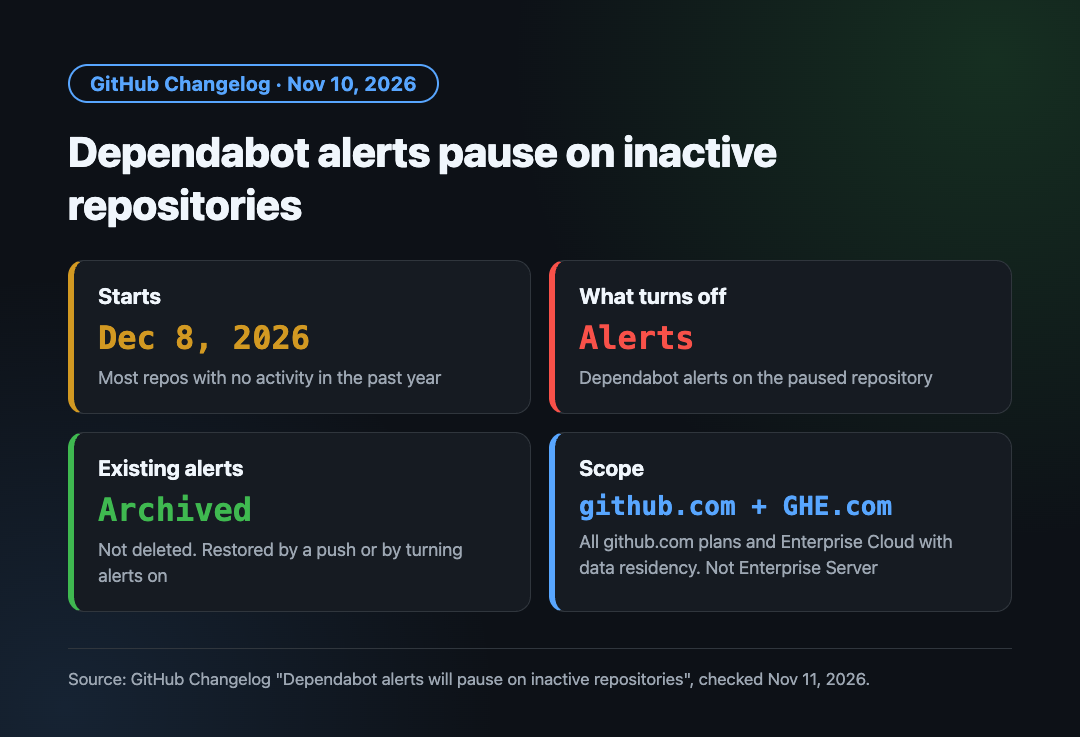
GitHub announced the change on November 10, 2026. The rules are short:
| Item | What GitHub says |
|---|---|
| Start date | December 8, 2026 |
| Who is affected | Most repositories with no activity in the past year |
| What turns off | Dependabot alerts |
| Existing alerts | Archived, not deleted. You can restore them at any time |
| Plans | All github.com plans and GitHub Enterprise Cloud with data residency |
| Not affected | GitHub Enterprise Server |
Source: GitHub Changelog, "Dependabot alerts will pause on inactive repositories", November 10, 2026, checked Nov 11, 2026.
The post only talks about alerts. It does not mention Dependabot security updates or version updates. Security updates open pull requests in response to alerts, so if alerts stop, expect no new security update PRs for that repository either. That is an inference from how the features connect, not a statement in the announcement.
For data residency customers, archived alerts stay in the same region as the rest of the enterprise's data.
What counts as activity
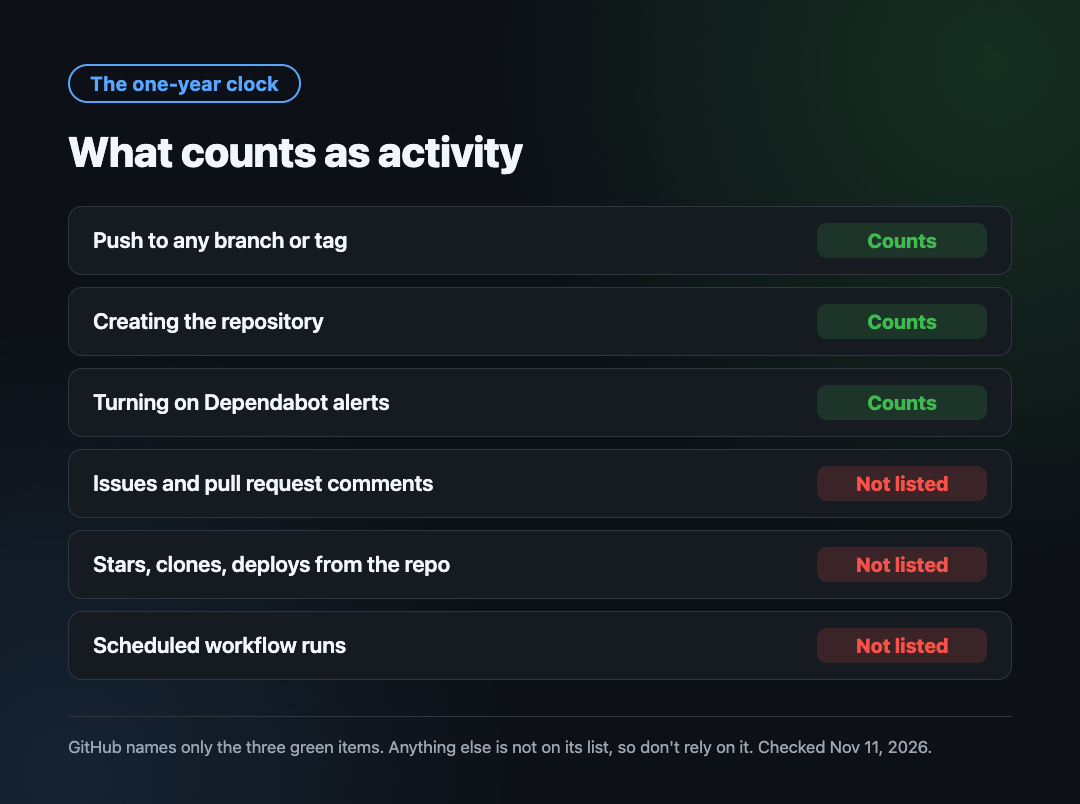
GitHub lists exactly three things that count as activity:
- Pushing to any branch or tag
- Creating the repository
- Turning on Dependabot alerts
Anything else is not on the list. Issues, pull request comments, stars, releases created in the UI and scheduled workflow runs are not named, so do not count on them to keep a repository "active". A repository you only read, clone or deploy from still looks inactive.
Who is exempt
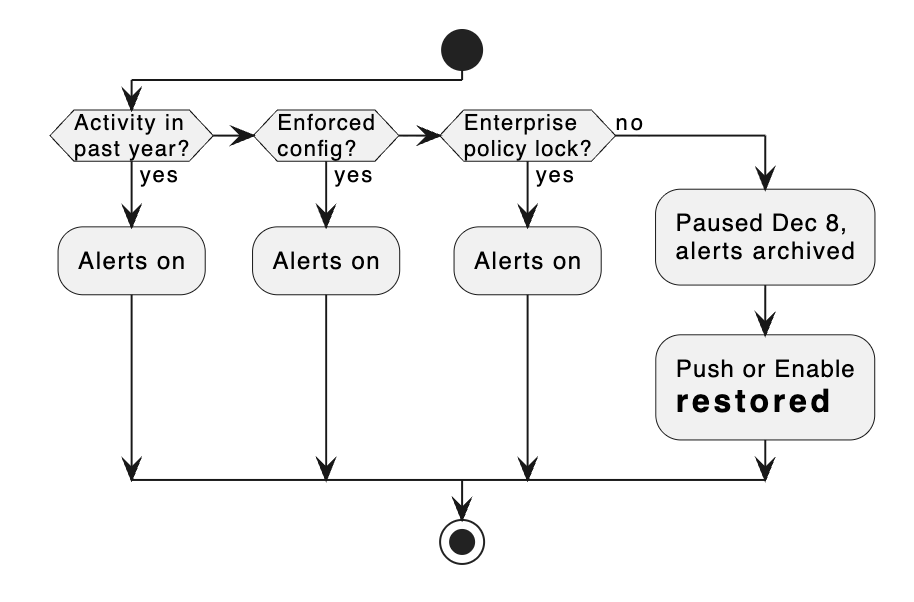
Alerts stay on, even with no activity, in two cases:
- The repository is covered by an enforced security configuration that enables Dependabot alerts.
- The repository is in an enterprise whose Dependabot alerts policy stops repository administrators from enabling or disabling alerts.
Personal accounts have neither option. If you keep libraries on your own account, the push or re-enable route below is the only way to keep alerts running.
View PlantUML source
@startuml
start
if (Activity in\npast year?) then (yes)
  :Alerts on;
elseif (Enforced\nconfig?) then (yes)
  :Alerts on;
elseif (Enterprise\npolicy lock?) then (yes)
  :Alerts on;
else (no)
  :Paused Dec 8,\nalerts archived;
  :Push or Enable\n= restored;
endif
stop
@enduml
Find inactive repositories with GitHub CLI
You need the GitHub CLI (gh) logged in with access to the account or organization. The last push time is the best signal you can get from the API. It does not show when someone last turned alerts on, so treat the result as a shortlist, not a final answer.
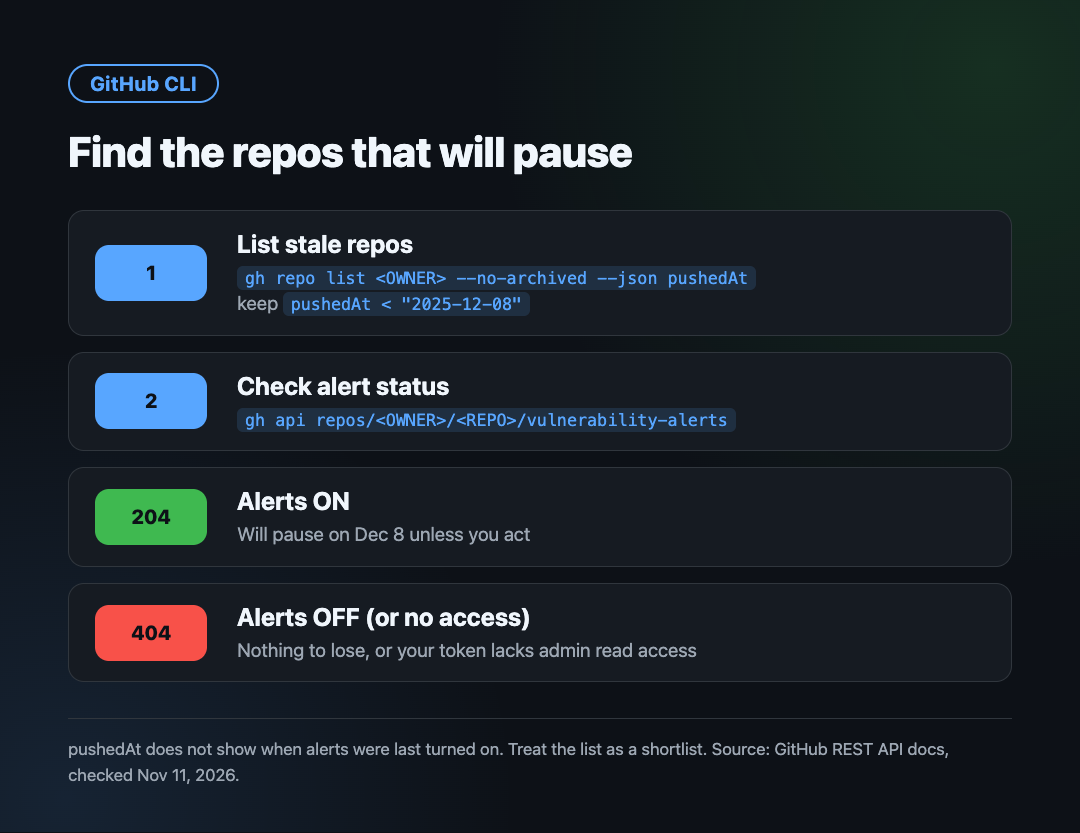
The cutoff below is December 8, 2025: a repository with no push since then will have had no push for a year when the change starts. Replace <OWNER> with your user or organization name:
gh repo list <OWNER> --limit 1000 --no-archived \
  --json nameWithOwner,pushedAt,visibility \
  --jq '.[] | select(.pushedAt < "2025-12-08") | [.nameWithOwner, .pushedAt, .visibility] | @tsv' \
  | sort -k2 > stale-repos.tsv

wc -l stale-repos.tsv
Archived repositories are skipped with --no-archived. They are read-only, and you can't push to them anyway.
Check which of them have alerts on today
A repository that already has alerts turned off loses nothing on December 8. Check each one on the list. The REST API returns 204 when alerts are on and 404 when they are off, and gh api exits with an error on a 404:
cut -f1 stale-repos.tsv | while read -r repo; do
  if gh api "repos/$repo/vulnerability-alerts" --silent 2>/dev/null; then
    echo "$repo  alerts=ON   -> will pause Dec 8"
  else
    echo "$repo  alerts=OFF"
  fi
done | tee alert-status.txt
This check needs admin read access to each repository. If you see OFF for a repository you know has alerts, check your token's permissions before you trust the result.
Sort the list
Go through alert-status.txt and put each ON repository into one of three groups:
| Group | Example | What to do |
|---|---|---|
| Still in use | Library others install, internal tool still deployed | Keep alerts on (options below) |
| Finished but public | Old demo, sample code | Archive it, or let the pause happen |
| Dead | Abandoned experiments | Archive or delete it |
How to keep Dependabot alerts on for old repositories
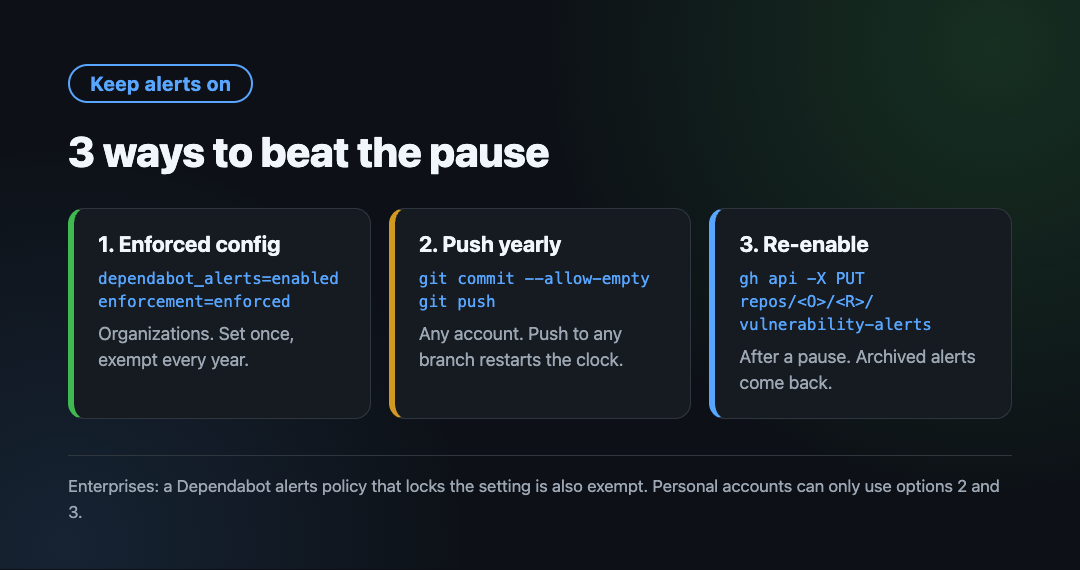
Pick the option that fits the account type. Organizations should use option 1. Personal accounts can only use options 2 and 3.
| Option | Works for | Effort | Survives future years |
|---|---|---|---|
| 1. Enforced security configuration | Organizations | Once | Yes |
| 2. Push before the year runs out | Any account | Every year | Only if repeated |
| 3. Re-enable after the pause | Any account | When you notice | Only if repeated |
Option 1: Enforced security configuration (organizations)
This is the exemption GitHub names. In the UI: Organization Settings → Advanced Security → Configurations → New configuration → Custom configuration. Turn on Dependabot alerts, then in the Policy section set enforcement to Enforced and save. Enforcement also blocks repository owners from turning off the features the configuration controls.
The same thing with the REST API (organization owner, admin or security manager; a classic token needs write:org):
gh api -X POST orgs/<ORG>/code-security/configurations \
  -f name="dependabot-alerts-always-on" \
  -f description="Keep Dependabot alerts on for inactive repos" \
  -f dependency_graph=enabled \
  -f dependabot_alerts=enabled \
  -f enforcement=enforced \
  --jq '.id'
The command prints the configuration ID. Fields you leave out stay not_set, so this configuration does not touch code scanning or secret scanning. Those are paid features for private and internal repositories, so leaving them out also avoids a 422 on plans without them.
Attach it to repositories that have no configuration yet:
gh api -X POST orgs/<ORG>/code-security/configurations/<CONFIG_ID>/attach \
  -f scope=all_without_configurations
Do not use scope=all unless you mean it. It applies the configuration to every repository, including ones that already have another configuration. To target only the stale list, use scope=selected with repository IDs. The API accepts selected_repository_ids as an integer array, so send a JSON body:
gh api orgs/<ORG>/repos --paginate \
  --jq '.[] | select(.archived | not) | select(.pushed_at < "2025-12-08") | .id' \
  | jq -s '{scope: "selected", selected_repository_ids: .}' > attach.json

gh api -X POST orgs/<ORG>/code-security/configurations/<CONFIG_ID>/attach \
  --input attach.json
A 202 response means GitHub accepted the job. A 409 means another configuration job is still running. Wait and try again.
If your organization already uses a configuration, open it under Configurations and check two things: Dependabot alerts is Enabled and enforcement is Enforced. If both are true, those repositories are already exempt.
For enterprises, the other exemption is the enterprise policy for Dependabot alerts that stops repository administrators from changing the setting. That lives in the enterprise policy settings for code security and analysis.
Option 2: Push before the year runs out
Any push to any branch or tag counts. A real maintenance change is best, such as a dependency bump, a CI fix or a README update. If there is nothing to change, an empty commit still counts as a push:
git clone https://github.com/<OWNER>/<REPO>.git && cd <REPO>
git commit --allow-empty -m "chore: keep Dependabot alerts active"
git push origin HEAD
Do this on your own repositories, where a direct push to the default branch is allowed. If branch rulesets block direct pushes, push to a separate branch instead. GitHub says a push to any branch counts. If you are moving old repositories from branch protection to rulesets anyway, the ruleset bulk import guide covers that.
One push restarts the one-year clock. You would have to repeat it every year, so put a reminder in your calendar.
Option 3: Re-enable after the pause
If a repository already paused, you lose nothing permanent. Either push to it, or open Settings → Advanced Security in the repository and click Enable next to Dependabot alerts. GitHub says the archived alerts come back and the one-year clock restarts.
From the command line (admin access needed):
gh api -X PUT "repos/<OWNER>/<REPO>/vulnerability-alerts"
gh api "repos/<OWNER>/<REPO>/vulnerability-alerts" --silent && echo "alerts=ON"
The first command returns 204 on success. The second confirms the new state. You can run the same loop as above every month and re-enable anything that turned off. GitHub does not say whether calling the enable endpoint on a repository that is already on restarts the clock, so do not rely on that as a keep-alive.
Troubleshooting the Dependabot alerts pause
| Symptom | Likely cause | Fix |
|---|---|---|
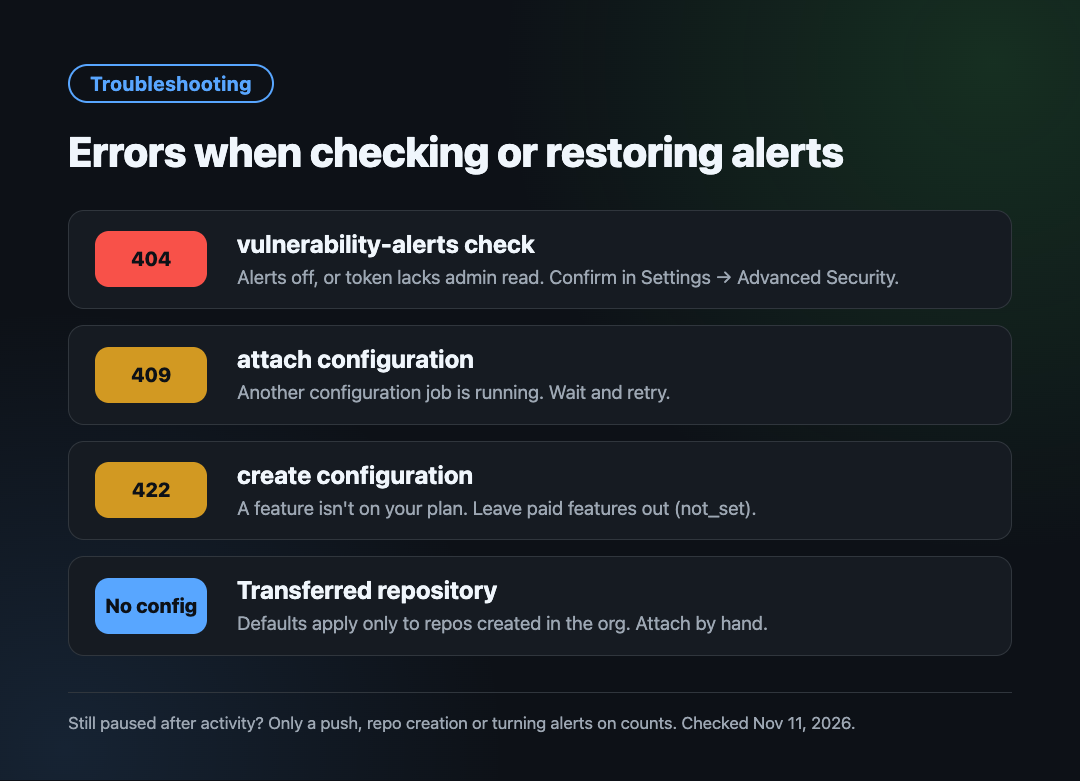
gh api .../vulnerability-alerts returns 404 | Alerts are off, or your token lacks admin read access | Check the repository in the UI, then check the token |
attach returns 409 | Another configuration job is in progress | Wait, then retry |
configurations create returns 422 | A feature in the body isn't available on your plan | Remove paid features or leave them out |
| Transferred repository has no configuration | Default configurations apply only to repositories created in the organization | Attach the configuration to it by hand |
| Alerts did not return after activity | The activity was not a push, creation or alert enable | Push to a branch, or click Enable in Settings |
If you lock workflow dependencies with the GitHub Actions lockfile, keep in mind that pinning versions does not replace alerts. A pinned version can still get a new advisory, and Dependabot alerts are what tell you about it.
What to do this week
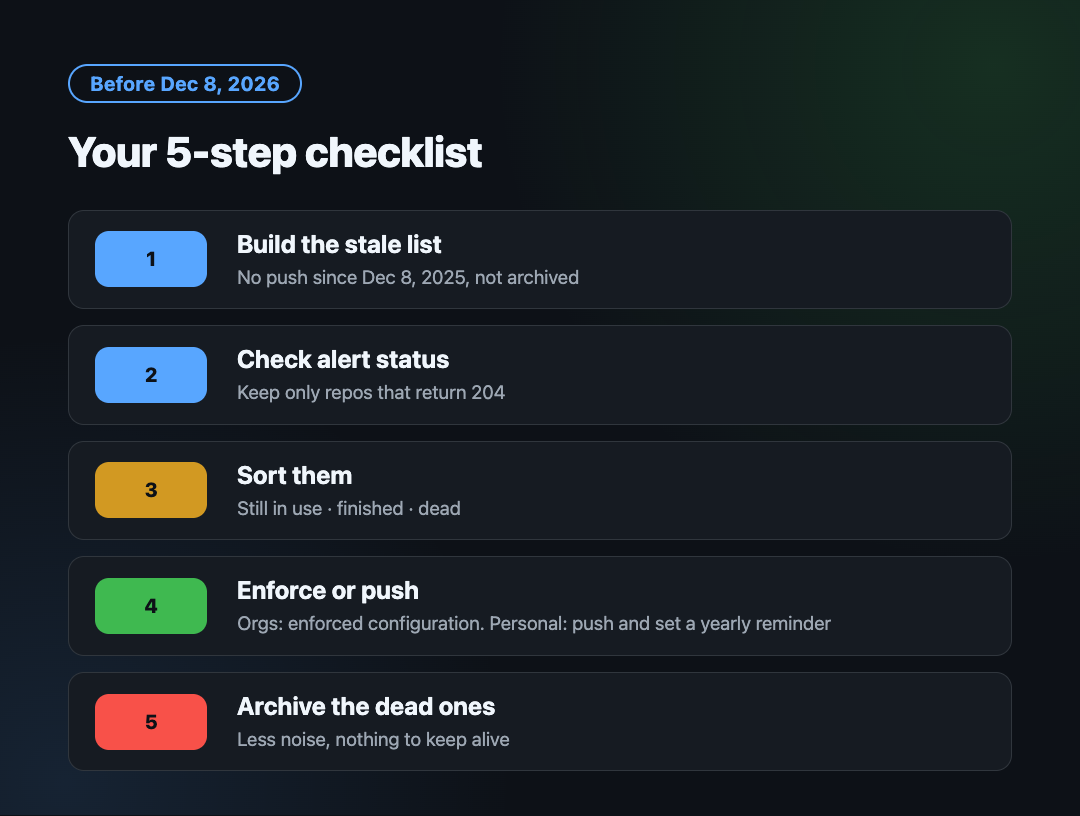
- Run the two
ghcommands and buildalert-status.txt. - Sort every
ONrepository into "still in use", "finished" or "dead". - Organizations: create or check an enforced configuration with Dependabot alerts enabled.
- Personal accounts: push to the repositories you still care about before December 8, and set a yearly reminder.
- Archive or delete the dead ones.
FAQ
Will GitHub delete my Dependabot alerts on inactive repositories? No. GitHub says existing alerts are archived, not deleted, and you can restore them at any time by pushing or turning alerts back on.
Does this affect GitHub Enterprise Server? No. The change applies to all github.com plans and GitHub Enterprise Cloud with data residency, not to GitHub Enterprise Server.
Do issues, comments or workflow runs keep a repository active? They are not on GitHub's list. Only a push to any branch or tag, creating the repository, or turning on Dependabot alerts counts as activity.
Does the pause also stop Dependabot version updates? The announcement covers alerts only and does not mention version updates. Watch a paused repository's pull requests after December 8 if you rely on them.
Is there a way to opt a personal repository out of the pause? Not through configuration. The two exemptions are organization and enterprise features. On a personal account, push at least once a year or re-enable alerts after a pause.
References
- Dependabot alerts will pause on inactive repositories — GitHub Changelog, Nov 10, 2026, checked Nov 11, 2026
- Configuring Dependabot alerts — GitHub Docs, checked Nov 11, 2026
- Creating a custom security configuration — GitHub Docs, checked Nov 11, 2026
- REST API: Code security configurations — GitHub Docs, checked Nov 11, 2026
- REST API: Check, enable or disable vulnerability alerts — GitHub Docs, checked Nov 11, 2026
- Enforcing policies for code security and analysis for your enterprise — GitHub Docs, checked Nov 11, 2026
While you are cleaning up old workflows, also check whether any of them use pull_request_target. GitHub blocks it by default on December 2, six days before this change. The pull_request_target brownout guide shows how to find them.
1 thought on “Dependabot Alerts Pause Dec 8: Find and Fix Inactive Repos”