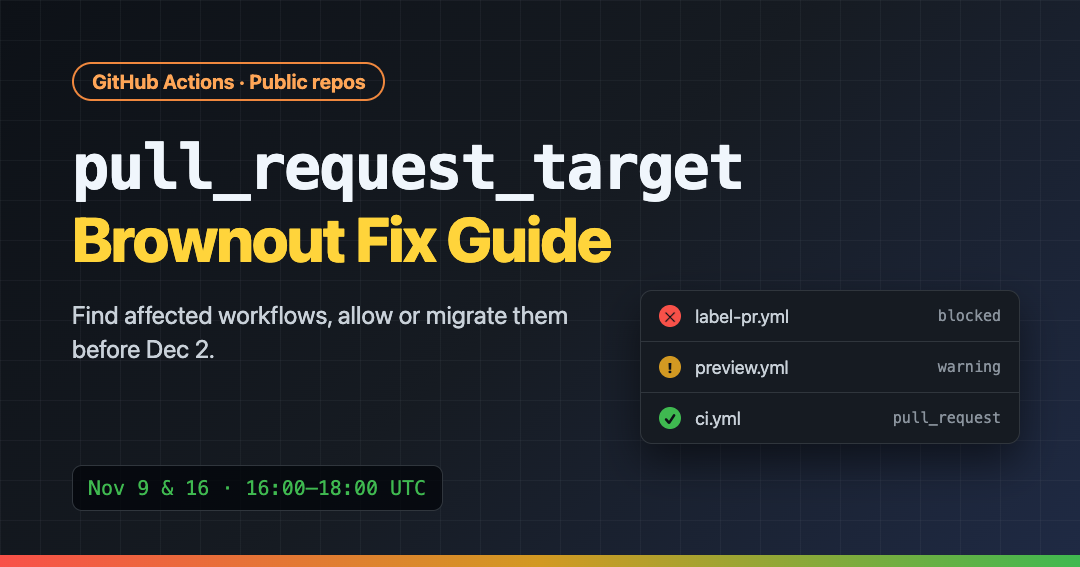
The first pull_request_target brownout hits public GitHub repositories today, November 9, 2026, from 16:00 to 18:00 UTC. During those two hours, GitHub Actions blocks workflows triggered by pull_request_target in public repos that don't have an Actions policy allowing the event: they show up as failed runs and don't execute. You have three choices: let the block stand, allow the event for specific workflows with an Actions policy, or move the workflow to pull_request. Permanent enforcement starts December 2, 2026.
Written November 9, 2026. Facts checked on November 9, 2026 (KST) against the GitHub changelog post "pull_request_target blocked by default December 2" (November 2, 2026), GitHub Docs "Securely using pull_request_target" and "Control workflow execution". I have not seen a brownout failure myself; the failure description comes from GitHub's changelog. The shell and gh commands below are my own examples, not GitHub's.
What the pull_request_target brownout changes
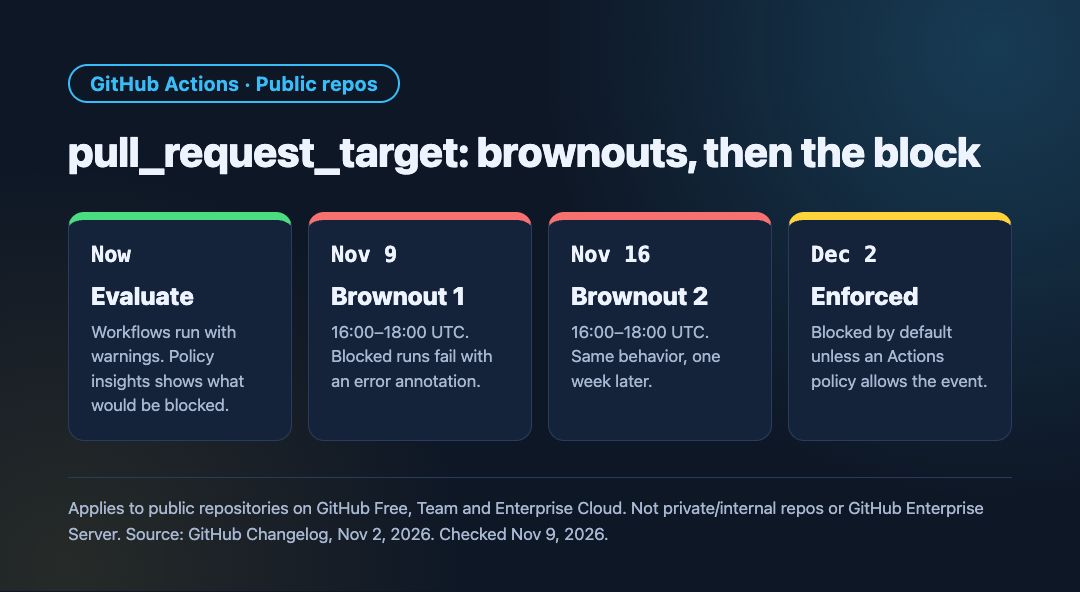
GitHub moved enforcement of its new default rule from November 2 to December 2, 2026, and added two brownouts first. The rule only affects public repositories on GitHub Free, GitHub Team and GitHub Enterprise Cloud. Private and internal repos are not affected, and neither is GitHub Enterprise Server.
| Date (2026) | Time (UTC) | What happens | Your workflow |
|---|---|---|---|
| Now until Dec 1 | Outside brownouts | Evaluate mode | Runs, with warnings |
| Nov 9 | 16:00–18:00 | Brownout 1 | Failed run, error annotation |
| Nov 16 | 16:00–18:00 | Brownout 2 | Failed run, error annotation |
| Dec 2 onward | All day | Enforced | Blocked unless allowed |
Why GitHub is doing this: pull_request_target runs in the context of the base repository, with access to its secrets and a privileged GITHUB_TOKEN. If a workflow checks out and runs code from a fork, that fork code can steal secrets or tamper with the pipeline. GitHub's default policy blocks the event unless you opt in.
A default policy is added only to public repos that don't already have an applicable Actions event policy. If your organization already set one, GitHub does not replace it.
Brownout window in your local time
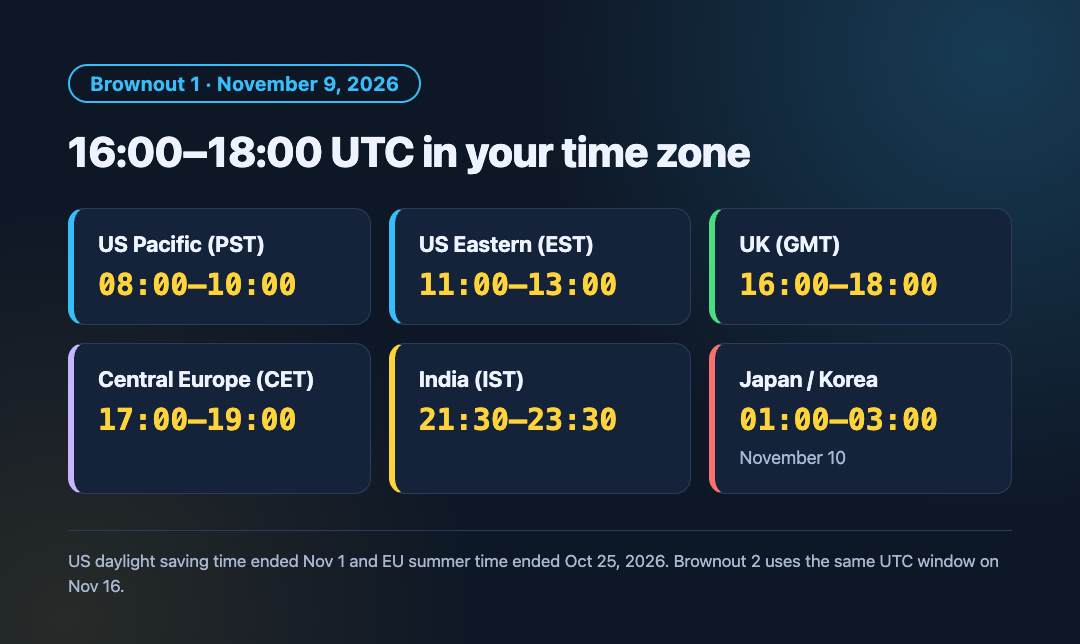
US daylight saving time ended on November 1, so today's window is:
| Region | Local time on Nov 9 |
|---|---|
| US Pacific (PST) | 08:00–10:00 |
| US Eastern (EST) | 11:00–13:00 |
| UK (GMT) | 16:00–18:00 |
| Central Europe (CET) | 17:00–19:00 |
| India (IST) | 21:30–23:30 |
| Japan / Korea | 01:00–03:00, Nov 10 |
If a fork PR comes in during that window and its checks never run, this is the likely reason. Don't merge just because a check is "missing."
How to check if your repos use pull_request_target
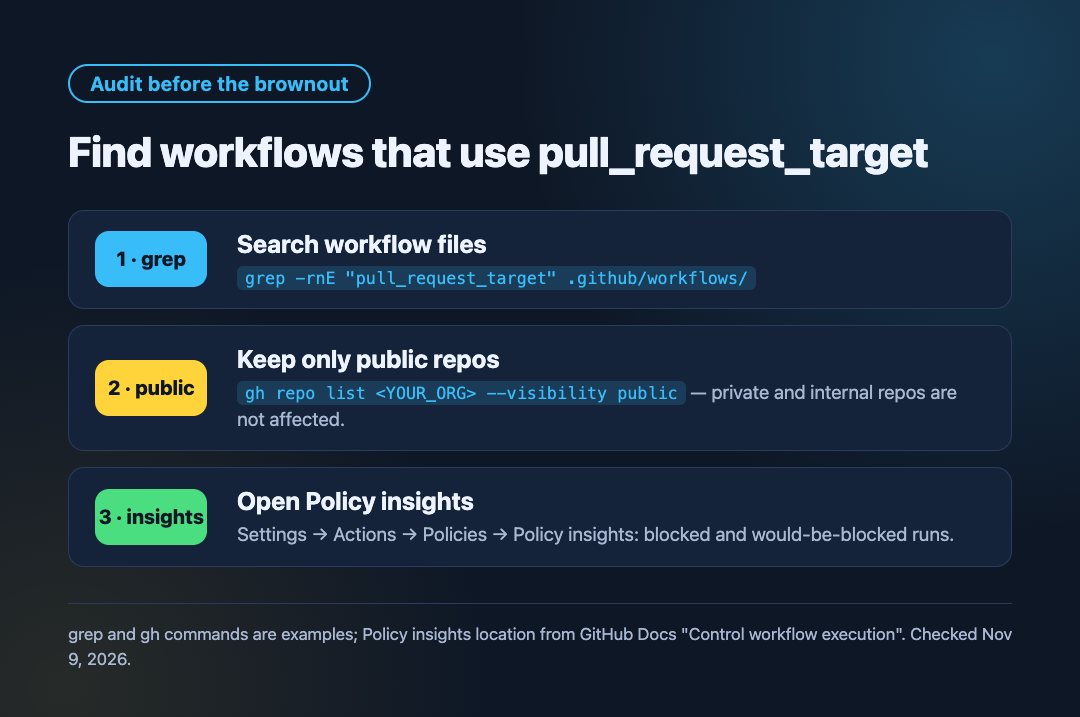
You need two answers: which workflows use the trigger, and whether a policy already allows it.
1. Search your workflow files. Inside a cloned repository:
grep -rnE "pull_request_target" .github/workflows/Across an organization with the GitHub CLI (searches indexed default branches only, so treat it as a starting list):
gh search code "pull_request_target path:.github/workflows" --owner <YOUR_ORG> --limit 1002. Check which hits are public repos. Only public repositories get the default block:
gh repo list <YOUR_ORG> --visibility public --limit 500 --json nameWithOwner --jq '.[].nameWithOwner'3. Open Policy insights. In the repository or organization, go to Settings → Actions → Policies, then open Policy insights, which sits right under the policies page. It lists runs that were blocked and runs that would have been blocked. GitHub's changelog told admins to use Insights before November 9 to see what the rule would stop.
If you run the same check across many repos, pin your workflow dependencies while you're in there. The GitHub Actions lockfile guide covers that, and Actions policies can require it.
Fix GitHub Actions workflows before December 2
For each workflow you found, pick one path.
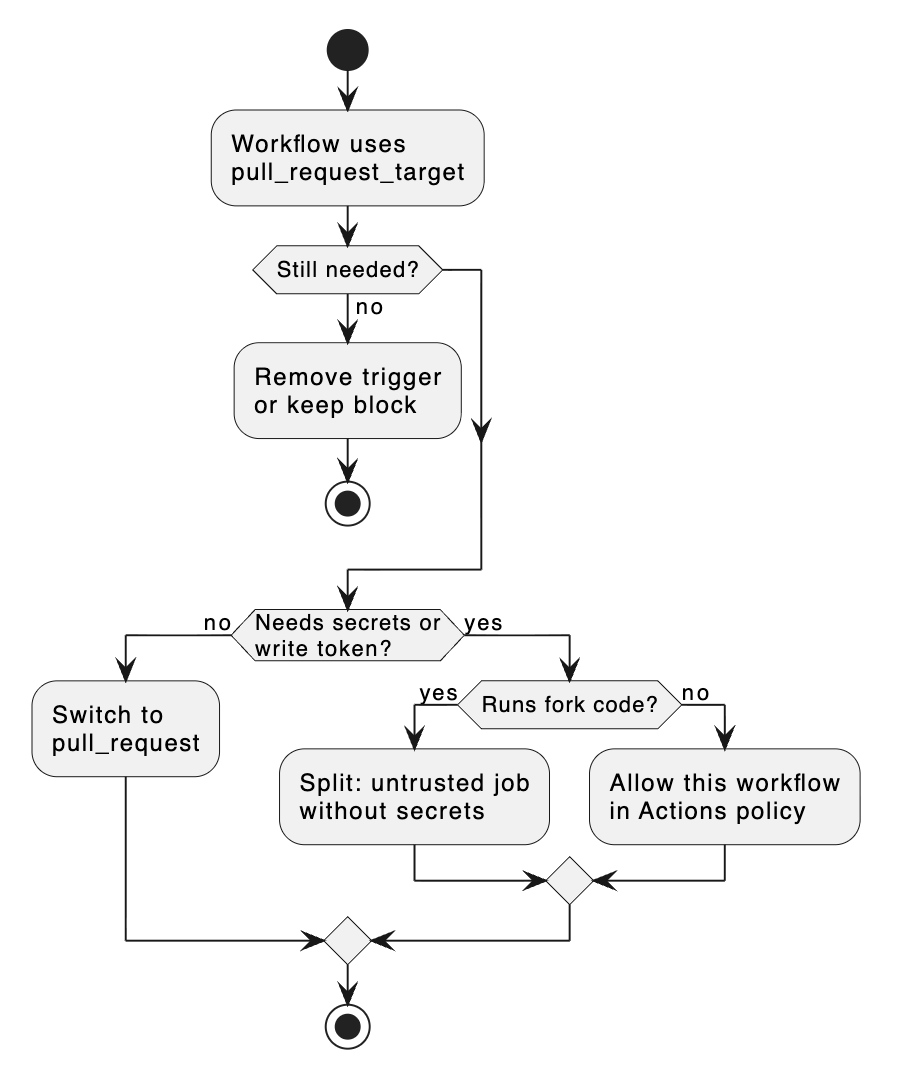
View PlantUML source
@startuml
start
:Workflow uses\npull_request_target;
if (Still needed?) then (no)
  :Remove trigger\nor keep block;
  stop
endif
if (Needs secrets or\nwrite token?) then (no)
  :Switch to\npull_request;
else (yes)
  if (Runs fork code?) then (yes)
    :Split: untrusted job\nwithout secrets;
  else (no)
    :Allow this workflow\nin Actions policy;
  endif
endif
stop
@enduml
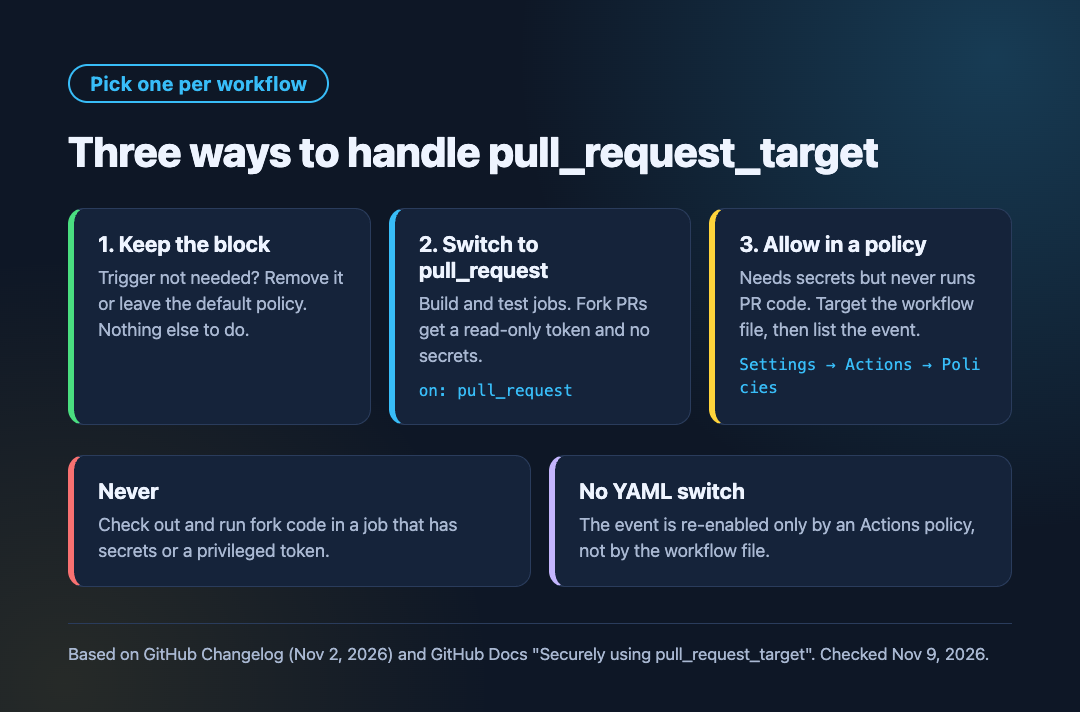
Option 1: Keep the default block
If the trigger is left over from an old template and nobody needs it, do nothing or delete the trigger. After December 2 the workflow simply won't run on that event.
Option 2: Switch to pull_request
This is the right move for most CI jobs that only build and test. With pull_request, fork PRs get a read-only GITHUB_TOKEN and no repository secrets.
A minimal .github/workflows/ci.yml:
on:
  pull_request:
    branches: [main]

permissions:
  contents: read

jobs:
  test:
    runs-on: ubuntu-latest
    steps:
      - uses: actions/checkout@v5
      - run: npm ci
      - run: npm test
Jobs that labeled, commented on or deployed previews for fork PRs will lose that ability with pull_request, because the token is read-only for forks. Move those privileged steps into a separate workflow that never runs fork code. If that second workflow is triggered by workflow_run, GitHub Docs says to treat any artifacts from the first run as untrusted data, because they can come from a fork.
Option 3: Allow pull_request_target for specific workflows
Use this for workflows that need the base repo's secrets or a write token but never execute PR code, such as a labeler or a triage bot.
- Go to Settings → Actions → Policies (repository or organization). For an enterprise, use the Policies tab, then Actions → Policies.
- Create a new policy and give it a name.
- Under Targets, scope it to the repositories and to the specific workflow paths that need the event. GitHub's changelog recommends workflow file targeting so you don't open the event for every workflow.
- Under Restrict events, include
pull_request_target. This is an allowlist, so also list the other events those workflows use (for examplepushandpull_request). - Set Enforcement status to Active.
Two cautions. First, Evaluate mode for your own policies is only available on GitHub Enterprise Cloud, according to GitHub Docs. Second, there is no YAML key that re-enables the event; the fix lives in the policy, not the workflow file.
If you already manage branch rules at org level, the policy setup will feel familiar. Our walkthrough on migrating branch protection to rulesets uses the same org settings area.
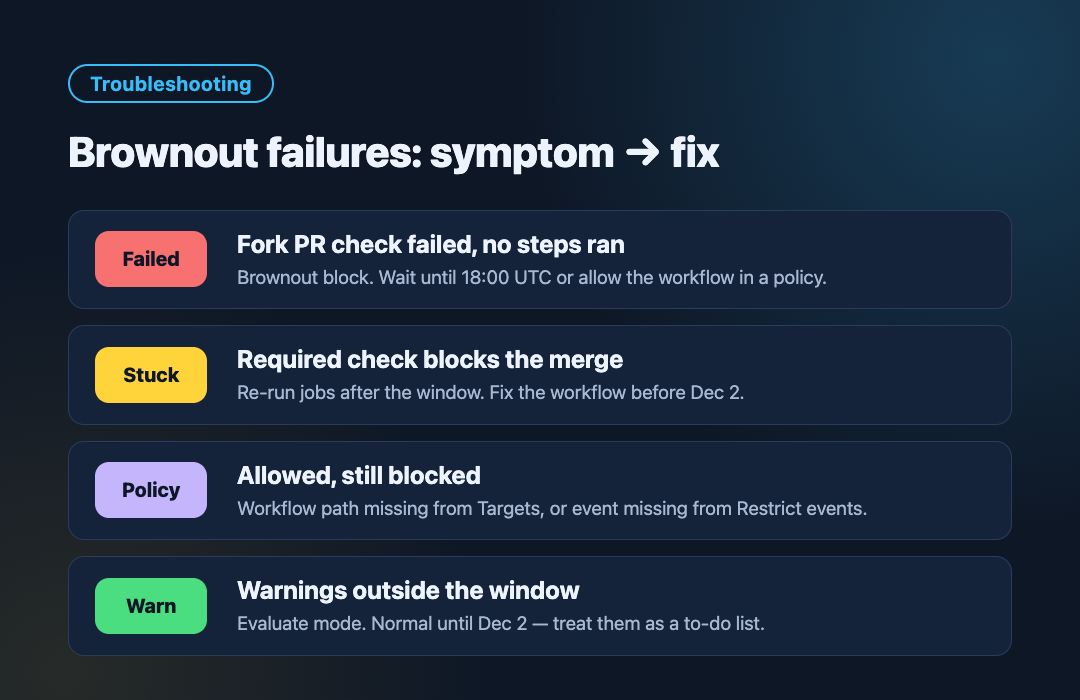
If something breaks during the brownout
| Symptom | Likely cause | What to do |
|---|---|---|
| Fork PR check shows failed, no steps ran | Brownout block | Wait until 18:00 UTC or allow the workflow |
| Required check stuck, merge blocked | Required status comes from a blocked workflow | Re-run after the window; fix before Dec 2 |
| Allowed policy, still blocked | Workflow path not in targets, or event missing from allowlist | Check Targets and Restrict events |
| Warnings outside the window | Evaluate mode | Normal until Dec 2; act on them |
| Private repo affected | Not this rule | Look for another Actions policy |
After you change a policy, re-run the failed workflow from the run page (Re-run jobs) rather than pushing an empty commit, so the PR keeps one clean check history.
For maintainers who also publish packages from CI, the same "keep secrets away from untrusted code" idea applies to releases. See npm staged publishing with 2FA approval.
FAQ
Does the pull_request_target brownout affect private repositories? No. GitHub's changelog limits the default block to public repositories on Free, Team and Enterprise Cloud. Private and internal repos are not affected.
Will my workflow fail on November 16 too? Yes, if nothing changes. The second brownout runs 16:00–18:00 UTC on November 16, 2026. Between brownouts, workflows run with warnings.
Can I re-enable pull_request_target in the workflow YAML? No. You allow it with an Actions policy under Settings → Actions → Policies, ideally targeted to specific workflow files.
Is GitHub Enterprise Server affected? No. The changelog says GitHub Enterprise Server is not included.
Does a workflow with several triggers stop completely? GitHub's pages describe blocking runs triggered by pull_request_target; they don't say other triggers in the same file are blocked. Check Policy insights for your own repos to confirm. I could not verify this detail from official docs on November 9, 2026.
The second brownout is one week away, on November 16. Use the time to clear Policy insights, and keep the GitHub Actions lockfile on your list for the next hardening pass.
References
- GitHub Changelog: pull_request_target blocked by default December 2 (published November 2, 2026; checked November 9, 2026)
- GitHub Docs: Securely using pull_request_target (checked November 9, 2026)
- GitHub Docs: Control workflow execution (checked November 9, 2026)
- GitHub Docs: REST API endpoints for GitHub Actions policies (checked November 9, 2026)
1 thought on “pull_request_target Brownout: Fix GitHub Actions Before Dec 2”