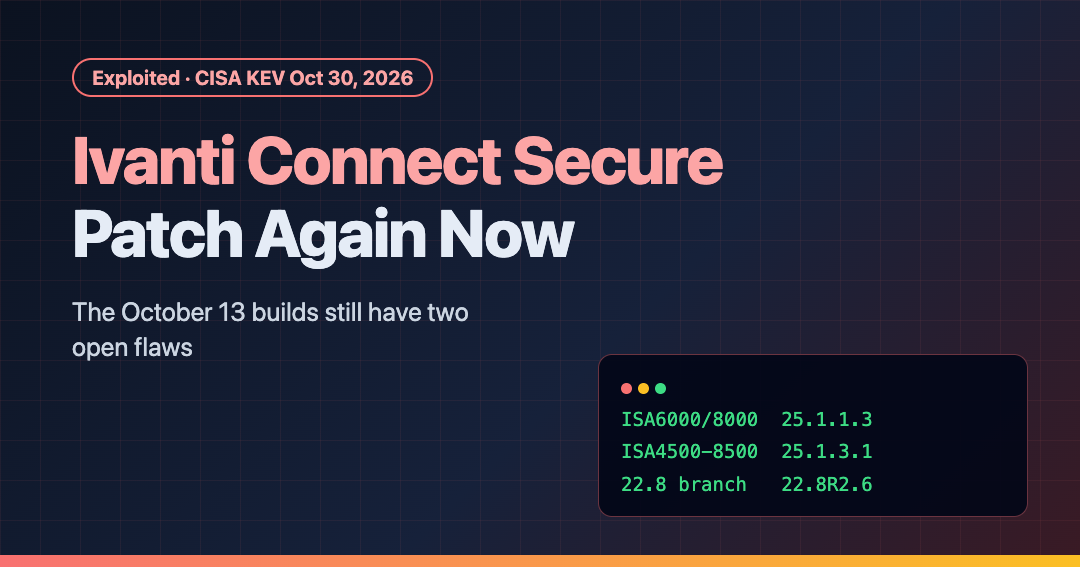
The Ivanti Connect Secure patch released on October 29, 2026 closes two flaws that the October 13 patch left open. If you stopped at 25.1.1.2 or 22.8R2.5, you are still exposed. Move to 25.1.1.3, 25.1.3.1 or 22.8R2.6 by platform, then check for compromise, because attackers have used this chain since at least October 3.
Written 2026-11-01. Ivanti's advisory portal would not load in my tools, so I did not read the advisory directly. Versions here come from the CISA alert, the Canadian Centre for Cyber Security, Volexity and reports quoting the advisory. I did not run these commands or steps on an appliance. Confirm your build in the Ivanti advisory before you upgrade.
What changed in the Ivanti Connect Secure patch
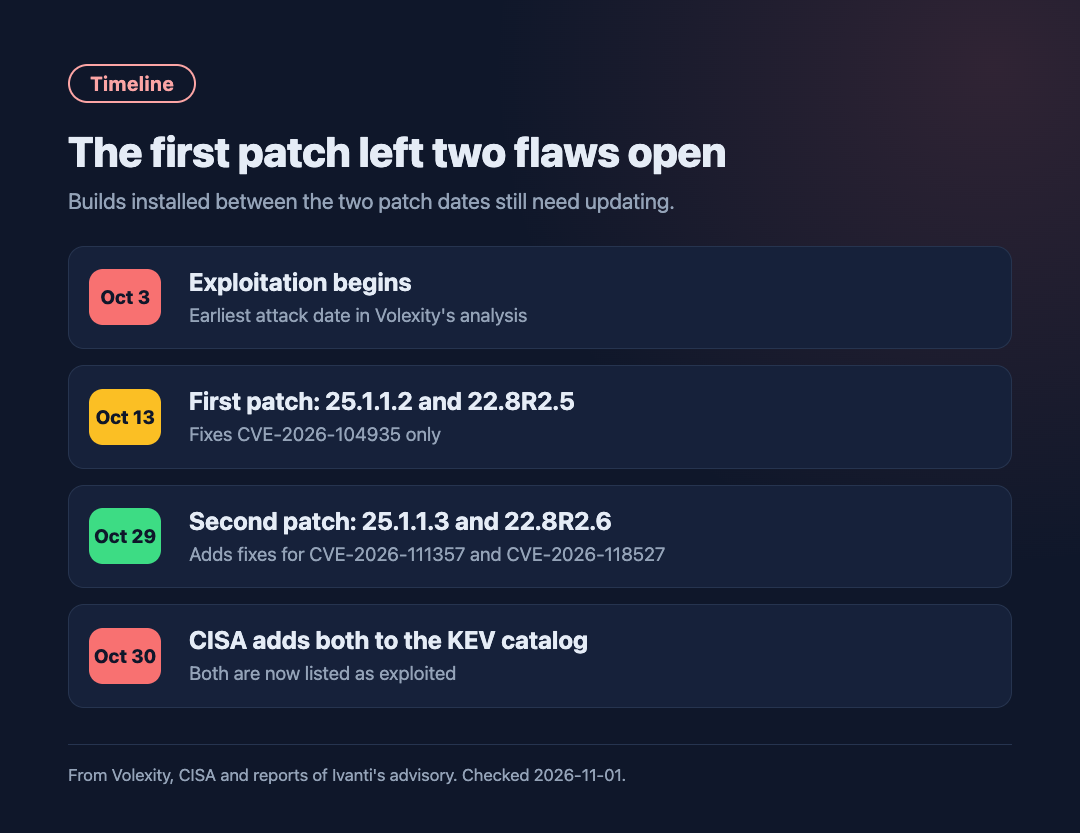
Ivanti fixed this attack chain in two rounds. The first patch on October 13 covered the authentication bypass and code execution. The privilege escalation step stayed open until the October 29 update.
On October 30, CISA added both remaining flaws to its Known Exploited Vulnerabilities (KEV) catalog, its list of flaws with confirmed attacks. The updated CISA alert now lists 25.1.1.2 and prior, 25.1.2.2 and prior, and 22.8R2.5 and prior as affected.
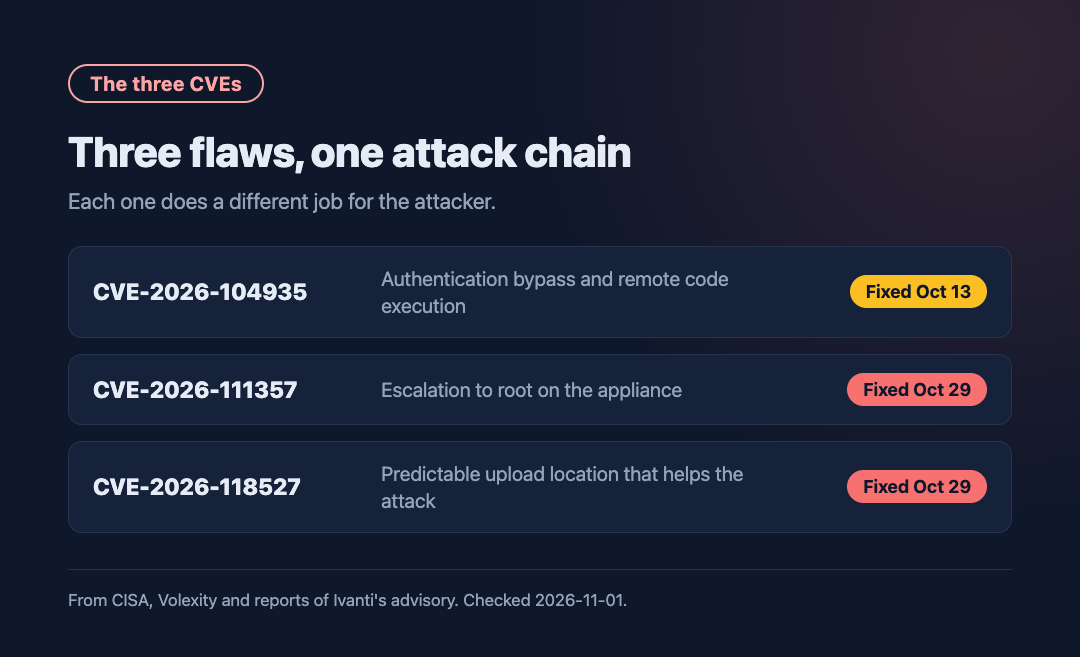
| CVE | Role in the chain | CVSS | Added to KEV |
|---|---|---|---|
| CVE-2026-104935 | Auth bypass and code execution | 8.6 | Oct 13 |
| CVE-2026-111357 | Escalation to root | 8.8 or 7.0 | Oct 30 |
| CVE-2026-118527 | Predictable upload location | 4.3 | Oct 30 |
Two details differ between sources. Reports of Ivanti's updated advisory give CVE-2026-111357 a score of 8.8, while the CVE record shows 7.0. CISA also titles it "Missing Authentication for Critical Function", while the CVE record describes root privilege escalation. The action is the same either way.
Volexity reports the attacker stole stored credentials, including the LDAP service account. It then searched Active Directory for LAPS local admin passwords and BitLocker recovery keys, and sprayed passwords against domain accounts. So a compromised appliance is an identity problem as well as a VPN problem. Ivanti says exploitation affected a limited number of customers.
Check your Connect Secure version and platform
Sign in to the admin console and note the running version and the hardware model or virtual platform. I could not confirm the exact menu label for 25.x, so use your system status page. Then find your row:
| Running now | Platform | Upgrade to |
|---|---|---|
| 25.1.1.2 or older | ISA6000, ISA8000 | 25.1.1.3 |
| 25.1.2.x, 25.1.3.0 | ISA4500, ISA6500, ISA8500 | 25.1.3.1 |
| 22.8R2.5 or older | Current 22.8 systems | 25.1.1.3 if possible, else 22.8R2.6 |
| 22.7.x or older | Older branches | Not affected by this chain |
The Canadian advisory lists everything before 25.1.1.3, 25.1.3.1 and 22.8R2.6 as affected. The platform mapping follows the watchTowr FAQ and a version breakdown of the advisory. The 25.1.2 upgrade path and the 22.7 status come from Rapid7's summary.
One conflict matters on 25.1.3.0. That breakdown says the build is not affected by the two later flaws, while the Canadian advisory lists anything before 25.1.3.1 as affected. Upgrade to 25.1.3.1 and the question goes away.
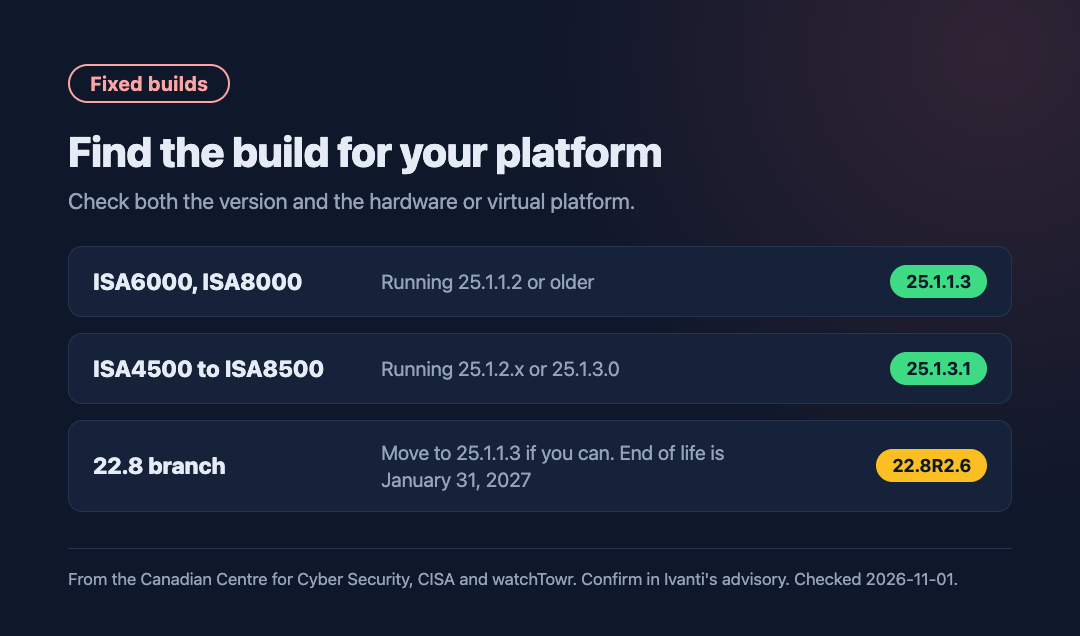
The 22.8 branch needs a plan either way. CISA notes it reaches end of life on January 31, 2027, so 22.8R2.6 buys you time and no more.
Upgrade Connect Secure in the right order
Ivanti publishes no workaround for CVE-2026-111357 or CVE-2026-118527. The fix is the upgrade.
Evidence comes first. The attacker's commands ran in memory, so a reboot can destroy what an investigator needs. watchTowr recommends preserving logs, configuration backups and system images before you change anything.
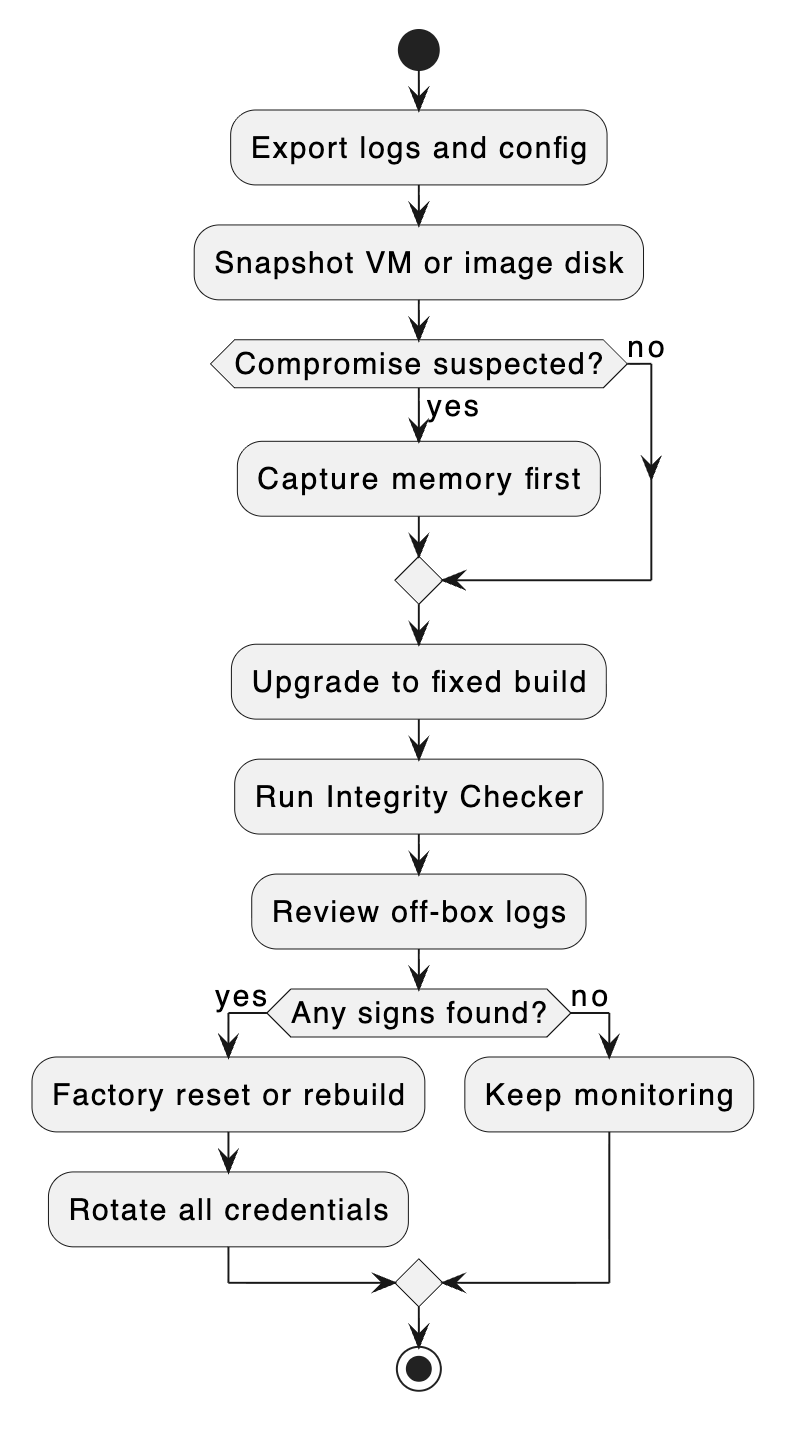
View PlantUML source
@startuml
skinparam shadowing false
skinparam defaultFontSize 15
start
:Export logs and config;
:Snapshot VM or image disk;
if (Compromise suspected?) then (yes)
  :Capture memory first;
else (no)
endif
:Upgrade to fixed build;
:Run Integrity Checker;
:Review off-box logs;
if (Any signs found?) then (yes)
  :Factory reset or rebuild;
  :Rotate all credentials;
else (no)
  :Keep monitoring;
endif
stop
@enduml
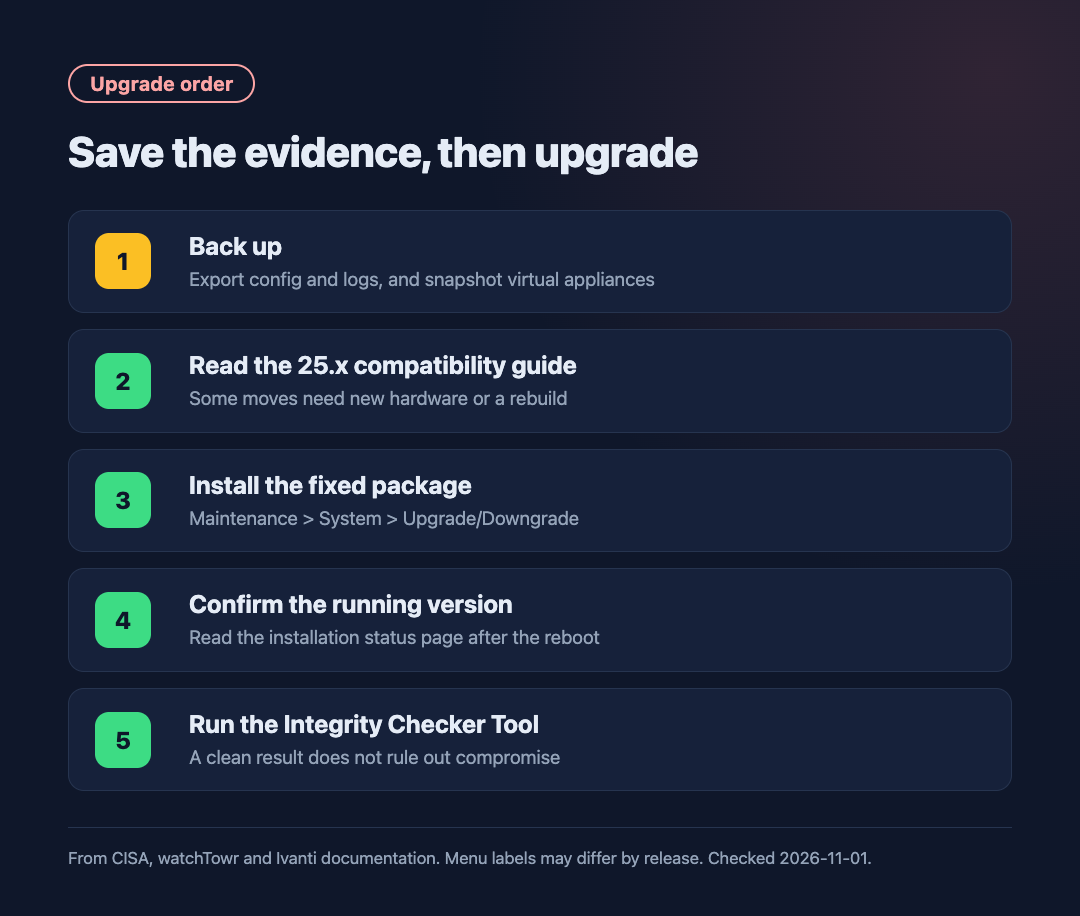
Then upgrade:
- Back up: Export the configuration and copy logs to another system. Ivanti documents backup through an archiving server.
- Read the guide: Check the 25.x compatibility guide. Reports of the advisory say a move to the 25.1.3 line needs new hardware, and virtual or cloud appliances must be rebuilt from the 25.1.3.0 template.
- Download and install: Get the package from Ivanti, then upload it under Maintenance > System > Upgrade/Downgrade. That path comes from the 9.1R17 admin guide, so your release may label it differently.
- Confirm: Read the Service Package Installation Status page after the reboot, and check the running version again.
- Scan: Run the Integrity Checker Tool.
Check for compromise after the Ivanti patch
Patching stops new use of these flaws. It does nothing about access an attacker already gained, so treat this check as part of the job.
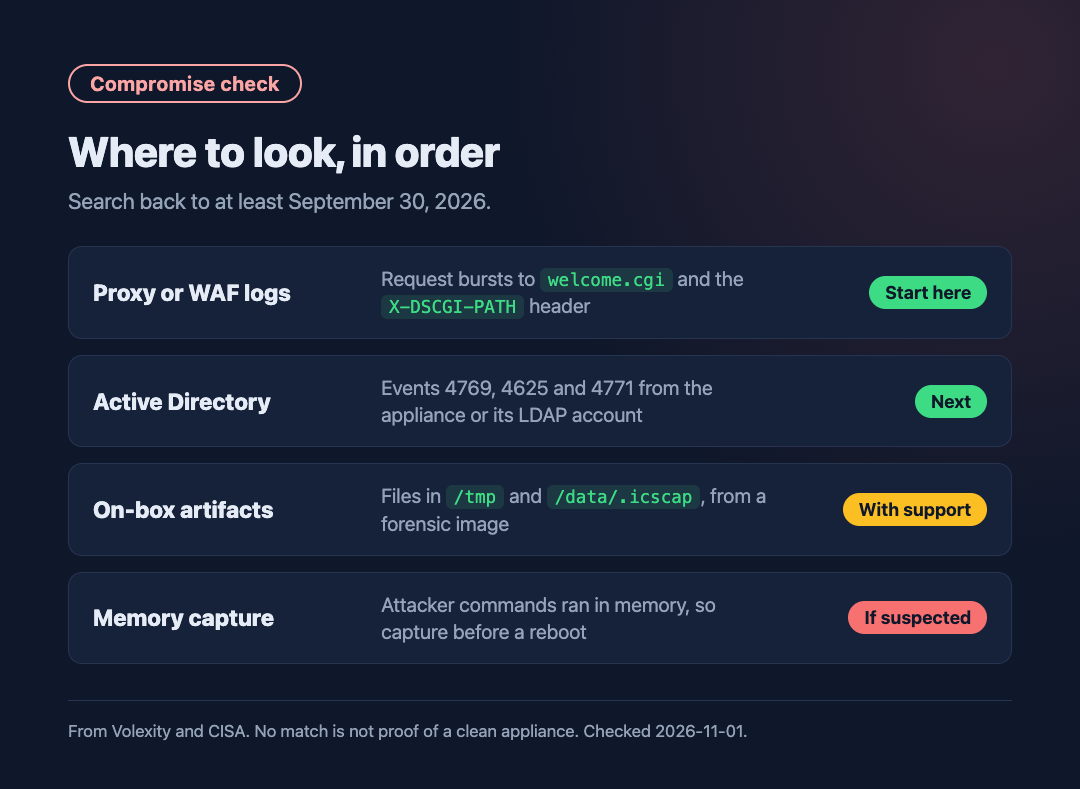
A clean Integrity Checker result does not clear the appliance. CISA warns it may miss this activity because the commands run in memory, and Volexity says it did not detect the activity it investigated. Volexity also found selective deletion in the appliance's debug and audit logs, so rely on logs stored elsewhere.
Start with your reverse proxy or WAF logs, going back to at least September 30. Volexity's indicators include many requests to the public login script, with an X-DSCGI-PATH header that doesn't match the URL. The header only shows up if your log format records it.
These three searches look for the header, then welcome.cgi requests per source IP per minute (combined log format), then the attacker host Volexity published:
grep -i 'x-dscgi-path' access.log

grep 'welcome.cgi' access.log \
  | awk '{print $1, substr($4,2,17)}' \
  | sort | uniq -c | sort -rn | head -20

grep -F '108.165.147.64' access.log
Exploiting the race condition takes rapid repeated requests. One published detection guide starts its alert at over 100 requests per minute from one source. Tune that to your normal traffic. In Splunk, the same check looks like this, with field names adjusted to your data:
index=<YOUR_PROXY_INDEX> uri_path="/dana-na/auth/url_default/welcome.cgi"
| bucket _time span=1m
| stats count by _time, src_ip
| where count > 100
Next, check Active Directory for the appliance acting oddly. Look for its IP address or LDAP service account requesting many Kerberos service tickets (event 4769) or producing failed logons across accounts (events 4625 and 4771). Run this on a domain controller:
Get-WinEvent -FilterHashtable @{
  LogName   = 'Security'
  Id        = 4769, 4625, 4771
  StartTime = '2026-09-30'
} | Where-Object { $_.Message -match '<APPLIANCE_IP>' } |
  Select-Object TimeCreated, Id -First 50
The event log may no longer reach back that far on a busy controller. If you forward events to a SIEM, run the same search there.
Volexity also lists on-box artifacts, such as /tmp/ml.py, /tmp/spray_hits.json and /data/.icscap/dsstatmond. Checking those usually takes a forensic image and help from Ivanti support or an incident response firm. The full set is in Volexity's indicator repository. No match proves little, since attackers can change file names and IP addresses.
If your appliance authenticates against AD and you are chasing sign-in failures at the same time, rule out unrelated causes. October's Windows updates changed one such setting, covered in the NTLMv1 Enforce mode fix.
If you find signs of compromise
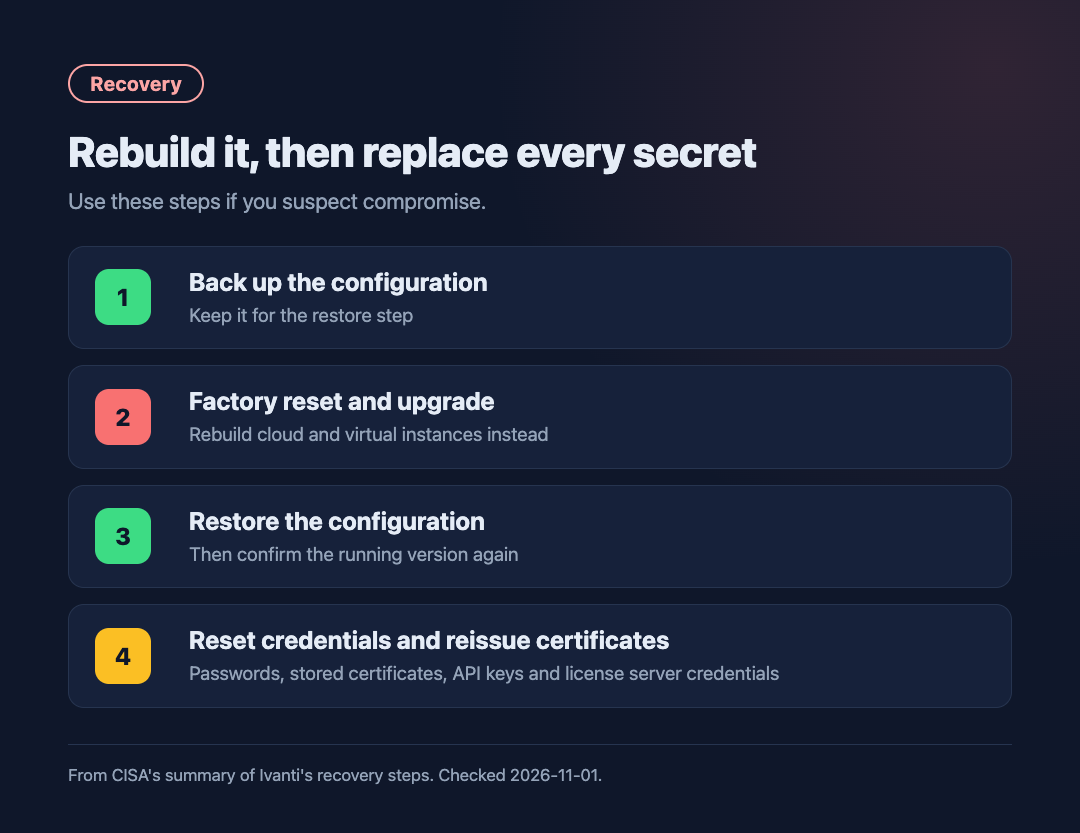
Don't clean the appliance in place. CISA's summary of Ivanti's recovery steps is:
- Back up the appliance configuration.
- Factory reset and upgrade to the latest version. For cloud and virtual systems, rebuild the instance and upgrade.
- Restore the configuration from the backup.
- Reset and reissue: Reset passwords for all domain, administrator and local accounts. Revoke and reissue stored certificates. Reset stored API keys and license server credentials.
Given what Volexity saw, also rotate the LDAP service account, and consider LAPS passwords and BitLocker recovery keys that account could read. Check that new certificates chain to a CA your clients still trust. The eMudhra certificate compromise guide shows how to inspect trust stores.
Some upgrade problems have simple causes:
| Problem | What to check |
|---|---|
| A second package replaced the first | Only one package can be staged, and a new upload overwrites it |
| An integrity check fails at boot | The boot option can offer rollback or factory reset, and it is off by default |
| External ICT reports 2 new files | The nSA admin guide calls this expected behavior |
| No path to 25.x on your hardware | Install 22.8R2.6 now and plan the migration before January 31, 2027 |
The boot option is described in the 22.x security options guide, and the file count in the nSA admin guide.
Ivanti Connect Secure patch FAQ
I installed the October 13 patch. Am I safe?
No. Builds 25.1.1.2 and 22.8R2.5 fixed CVE-2026-104935 only. Install 25.1.1.3 or 22.8R2.6, which also fix CVE-2026-111357 and CVE-2026-118527.
Can I mitigate this without upgrading?
No workaround has been published for the two later flaws. Limiting exposure can reduce risk in the short term, but the login page is public by design. Plan for the upgrade.
Does a clean Integrity Checker result mean I wasn't hit?
No. CISA says the tool may miss this activity because commands run in memory. Treat a clean result as one data point and review off-box logs. Use memory forensics if anything looks suspicious.
What is the CISA deadline?
I could not confirm a due date for the two October 30 entries, because the CISA alert doesn't state one. Check the KEV catalog if the deadline binds you. With active exploitation, treat this as a same-day job anyway.
Does this affect Ivanti Policy Secure or other Ivanti products?
This guide covers Connect Secure only, and the CISA alert names only that product. The Canadian advisory lists separate fixes for Ivanti Xtraction and Neurons Patch for Intune, so check those if you run them.
Your next step
Find your build today. If it is older than 25.1.1.3, 25.1.3.1 or 22.8R2.6, preserve your logs and upgrade, then search your proxy logs back to September 30.
References
Checked 2026-11-01.
- CISA: Urges Patching Newly Exploited Vulnerabilities in Ivanti Connect Secure (updated October 30)
- CISA: Adds Two Known Exploited Vulnerabilities to Catalog
- Ivanti: Security Advisory for Connect Secure (not readable in my tools)
- Canadian Centre for Cyber Security: Ivanti security advisory AV26-1035
- CVE record: CVE-2026-111357
- Volexity: Chained Exploitation of Ivanti Connect Secure Zero-Days
- Ivanti: System Maintenance documentation
- watchTowr: Ivanti Connect Secure FAQ
- Ciphers Security: CVE-2026-111357 patch and detection guide
- GBHackers: report on the October 29 advisory update
3 thoughts on “Ivanti Connect Secure Patch: Upgrade to 25.1.1.3 or 22.8R2.6”