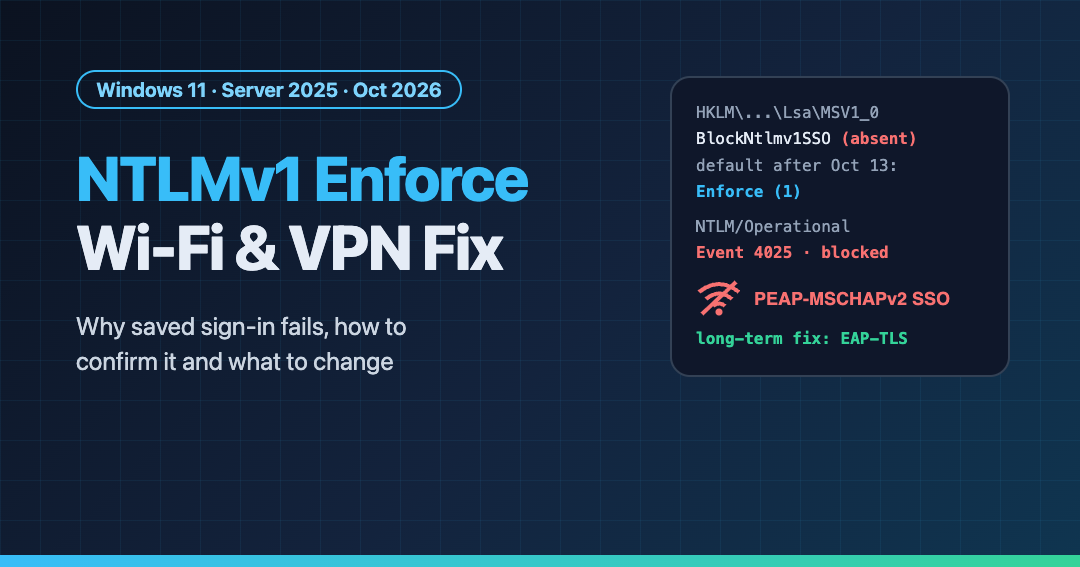
NTLMv1 Enforce mode is now the default on Windows 11 (24H2 and later) and Windows Server 2025 when the BlockNtlmv1SSO registry value is not set. The change shipped in the October 13, 2026 security update. It applies only to devices where Credential Guard is off. On those devices, Wi-Fi, wired 802.1X and VPN connections that sign in automatically with PEAP-MSCHAPv2 or EAP-MSCHAPv2 can stop connecting. The quick test is Event ID 4025 in the NTLM Operational log. The short-term fix is a scoped BlockNtlmv1SSO = 0 exception. The real fix is moving those networks to certificate-based PEAP-TLS or EAP-TLS.
This guide shows how to confirm the cause, which devices are affected, the exact commands to check and change the setting, and how to plan the move away from MS-CHAPv2. It is written on October 30, 2026 and based on Microsoft's KB5066470, the KB5127648 release notes and the Credential Guard documentation, all checked the same day. It does not describe a hands-on lab test. Verify the commands in a test group before you roll them out.
What changed in the October 2026 update
Microsoft added the BlockNtlmv1SSO setting in 2025 to stop Windows from generating NTLMv1-derived credentials for single sign-on (SSO). SSO here means Windows reusing your sign-in password so you do not type it again for Wi-Fi, Ethernet or VPN. Until October 2026, a missing value meant Audit mode (0): Windows logged a warning and let the sign-in continue.
The October 13, 2026 security update flips that default. If the value is absent, Windows now behaves as if it were Enforce mode (1) and blocks the request. The update does not create or edit the registry value. It only changes what "absent" means.
| Item | Detail (as of Oct 30, 2026) |
|---|---|
| Update | Oct 13, 2026 security update (Windows 11: KB5127648) |
| Affected OS | Windows 11 24H2, 25H2, 26H1, 26H2; Windows Server 2025 |
| Condition | Credential Guard off and BlockNtlmv1SSO not set |
| Impact | MS-CHAPv2 SSO for Wi-Fi, Ethernet and VPN |
| Restart after change | Not required |
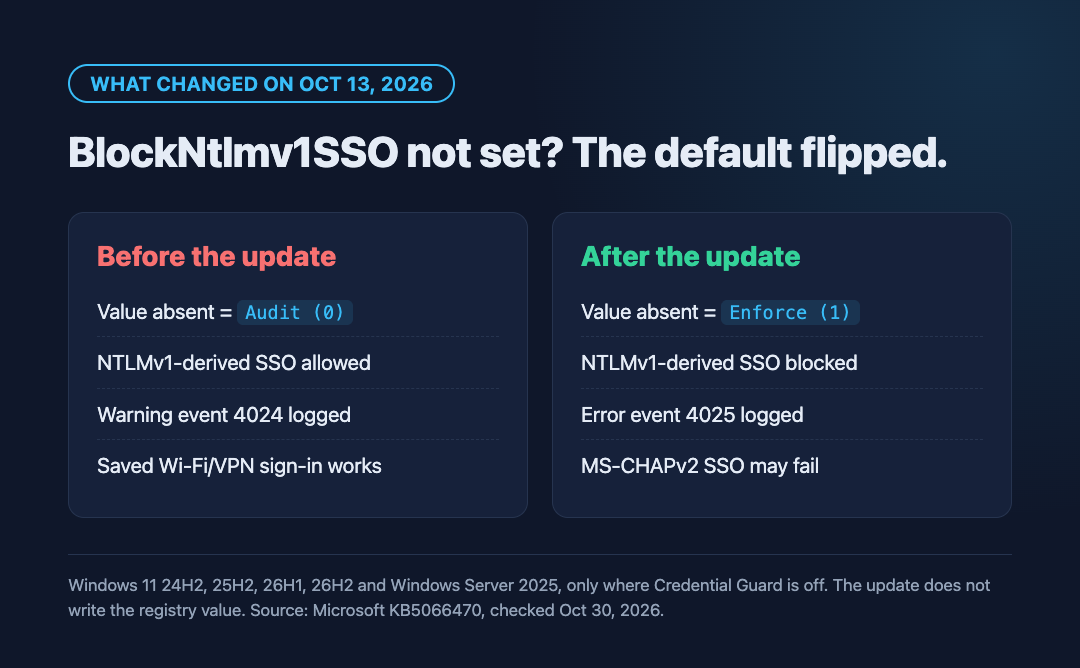
Microsoft's timeline in KB5066470: audit logging arrived on Windows 11 24H2 clients in late August 2025, Audit-mode changes rolled out from September 2025, Windows Server 2025 followed from November 2025, and the default switch landed on October 13, 2026. If your NTLM Operational log already showed 4024 warnings over the past year, those were the devices most likely to break this month.
If you also manage Windows 11 24H2 Home or Pro machines, note that the October 2026 update was the last one for those editions. See how to move off Windows 11 24H2 before updates end.
Who is affected by NTLMv1 Enforce mode
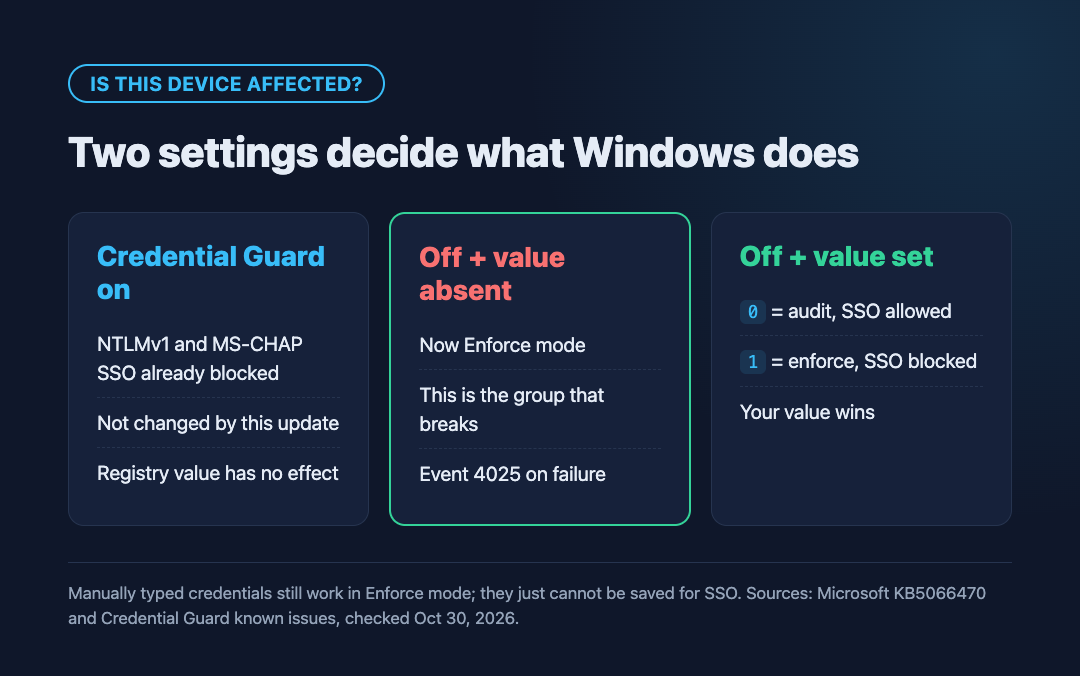
Two settings decide the result: whether Credential Guard is running, and whether BlockNtlmv1SSO exists.
| Credential Guard | BlockNtlmv1SSO | Result after Oct 13 |
|---|---|---|
| Running | Any | Already blocked by Credential Guard; this change does not apply |
| Off | Absent | Enforce (new default) |
| Off | 0 | Audit, SSO allowed |
| Off | 1 | Enforce, SSO blocked |
The middle row is the group that changed. Devices with Credential Guard were already unable to use NTLMv1 or MS-CHAP SSO. Microsoft documents this as a known issue since Windows 11 22H2, where users must type credentials again in every new session.
Typed credentials keep working in Enforce mode. What stops is saving them for automatic sign-in. In practice, a user may see the Wi-Fi network ask for a username and password again, or a VPN that used to connect silently may fail or prompt.
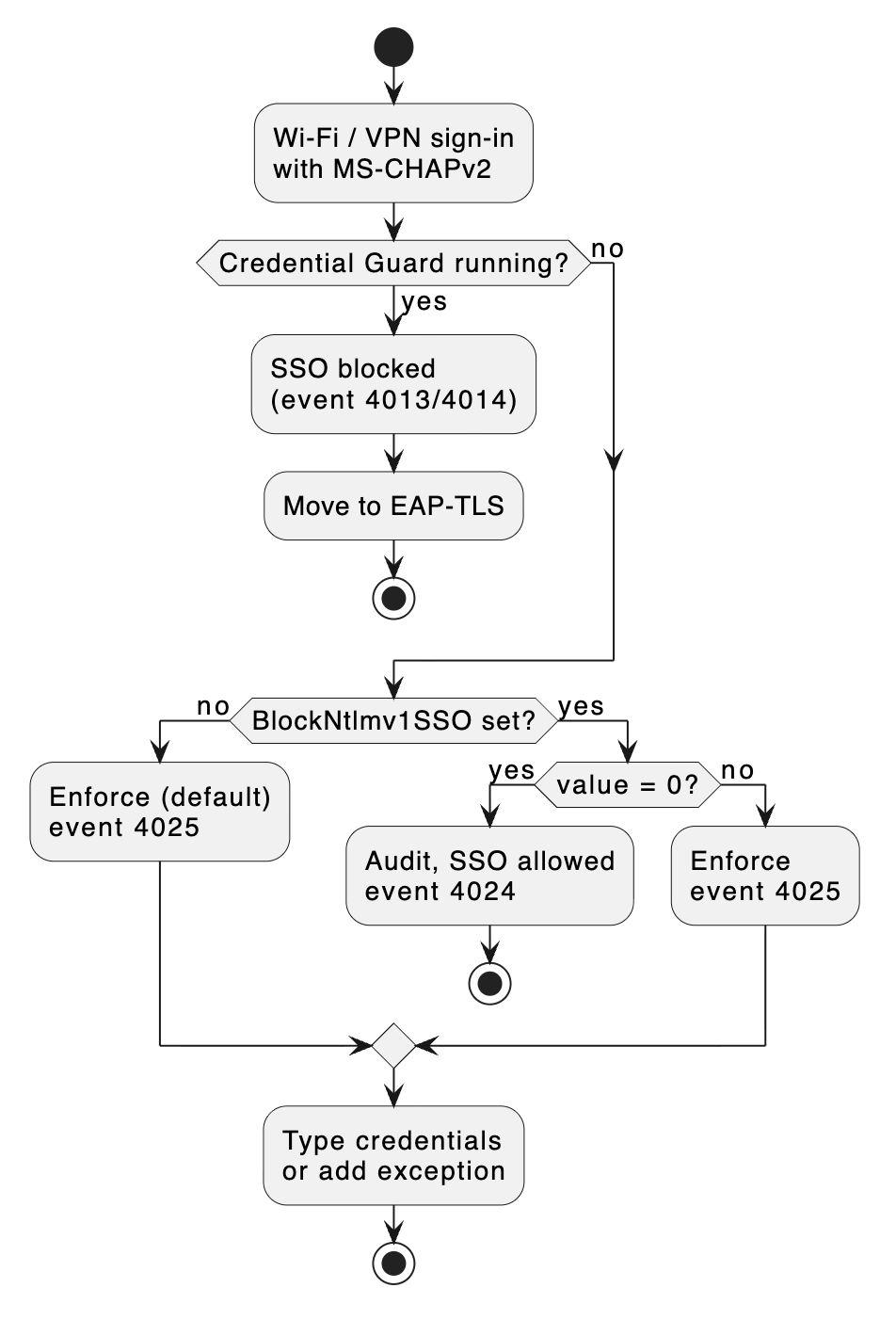
View PlantUML source
@startuml
skinparam defaultFontSize 14
start
:Wi-Fi / VPN sign-in\nwith MS-CHAPv2;
if (Credential Guard running?) then (yes)
  :SSO blocked\n(event 4013/4014);
  :Move to EAP-TLS;
  stop
else (no)
endif
if (BlockNtlmv1SSO set?) then (no)
  :Enforce (default)\nevent 4025;
else (yes)
  if (value = 0?) then (yes)
    :Audit, SSO allowed\nevent 4024;
    stop
  else (no)
    :Enforce\nevent 4025;
  endif
endif
:Type credentials\nor add exception;
stop
@enduml
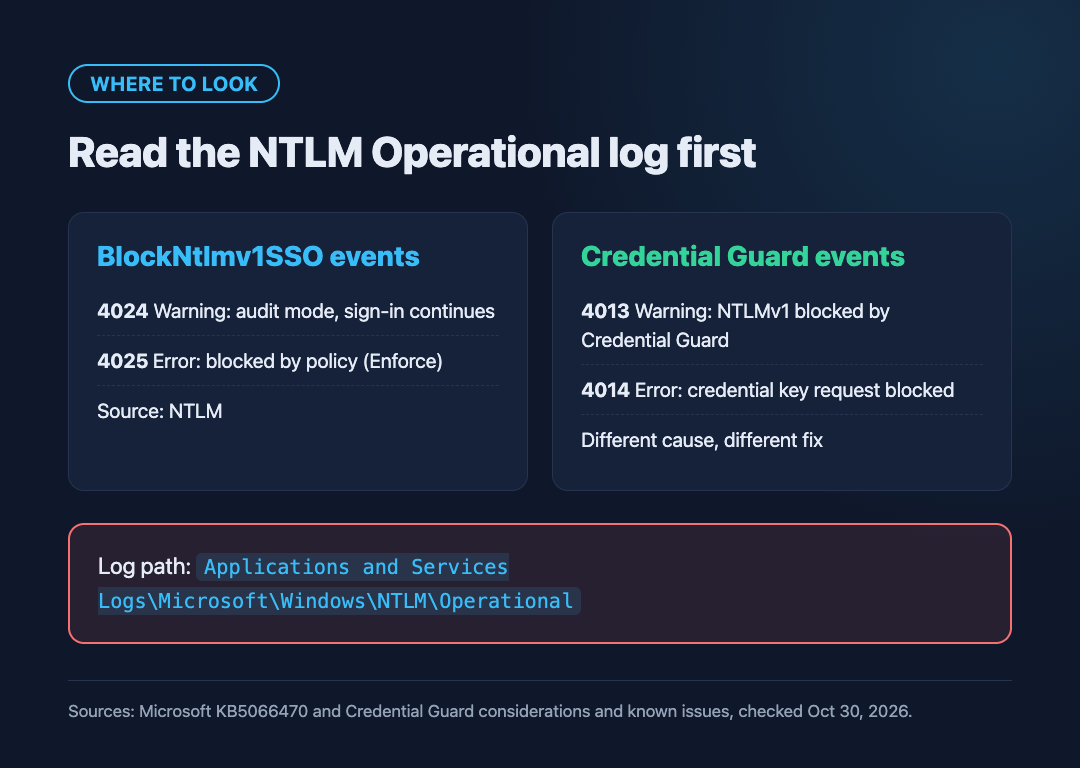
Step 1: Confirm the cause in the NTLM log
Do not guess from the symptom alone. Wi-Fi and VPN failures have many causes, and the October update also changed other things. Look for the NTLM events first.
Open Event Viewer (eventvwr.exe) and go to Applications and Services Logs > Microsoft > Windows > NTLM > Operational. Or query it from an elevated PowerShell window:
Get-WinEvent -LogName 'Microsoft-Windows-NTLM/Operational' `
  -FilterXPath '*[System[(EventID=4024 or EventID=4025 or EventID=4013 or EventID=4014)]]' `
  -MaxEvents 50 |
Format-Table TimeCreated, Id, LevelDisplayName -AutoSize| Event ID | Level | Meaning |
|---|---|---|
| 4024 | Warning | Audit mode: NTLMv1-derived SSO attempt logged, sign-in continued |
| 4025 | Error | Enforce mode: attempt blocked by policy |
| 4013 | Warning | NTLMv1 blocked by Credential Guard |
| 4014 | Error | Credential key request blocked by Credential Guard |
If you see 4025 around the time of the failure, the October default change is the likely cause. If you see 4013 or 4014, Credential Guard is doing the blocking, and the registry value will not help.
Step 2: Check Credential Guard and the BlockNtlmv1SSO value
Run both checks in an elevated PowerShell session. The Credential Guard command comes from Microsoft's Configure Credential Guard page.
The first command prints 1 when Credential Guard is running. The second prints the value if it exists; no output means it is absent.
(Get-CimInstance -ClassName Win32_DeviceGuard `
  -Namespace root\Microsoft\Windows\DeviceGuard).SecurityServicesRunning

Get-ItemProperty -Path 'HKLM:\SYSTEM\CurrentControlSet\Control\Lsa\MSV1_0' `
  -Name BlockNtlmv1SSO -ErrorAction SilentlyContinue |
  Select-Object BlockNtlmv1SSO
You can also open System Information (msinfo32.exe) and look for Credential Guard next to Virtualization-based Security Services Running. Microsoft says checking Task Manager for LsaIso.exe is not a reliable test.
To confirm the update itself, check the OS build with winver. The October 13 update for Windows 11 is KB5127648 (builds 26100.9711, 26200.9711 and 26300.9711). Later cumulative updates include it.
Step 3: Add a temporary BlockNtlmv1SSO exception
Use this only for a critical dependency you cannot migrate right away. Microsoft calls it a temporary, scoped exception and warns that it reduces the protection Enforce mode gives. It also only works where Credential Guard is off.
reg add "HKLM\SYSTEM\CurrentControlSet\Control\Lsa\MSV1_0" /v BlockNtlmv1SSO /t REG_DWORD /d 0 /fNo restart is required. Microsoft also notes you can set the value before or after the October update is installed. To return to Enforce explicitly later, set the same value to 1:
reg add "HKLM\SYSTEM\CurrentControlSet\Control\Lsa\MSV1_0" /v BlockNtlmv1SSO /t REG_DWORD /d 1 /fFor many machines, push the value with your usual tool (a Group Policy Preferences registry item, or a script through your device management platform). Target only the device group that needs the exception. Write down an end date, and keep watching for 4024 events. In Audit mode those warnings show you who still depends on NTLMv1-derived SSO.
Microsoft says the setting and its events are supported for the normal lifecycle of these Windows versions, with no current plan to remove the setting. That is not a reason to keep the exception forever.
Step 4: Move Wi-Fi and VPN from MS-CHAPv2 to EAP-TLS
Microsoft's long-term recommendation is to move away from PEAP-MSCHAPv2 and EAP-MSCHAPv2 to certificate-based authentication such as PEAP-TLS or EAP-TLS. Credential Guard does not block certificate-based authentication. Once you switch, neither Credential Guard nor BlockNtlmv1SSO gets in the way.
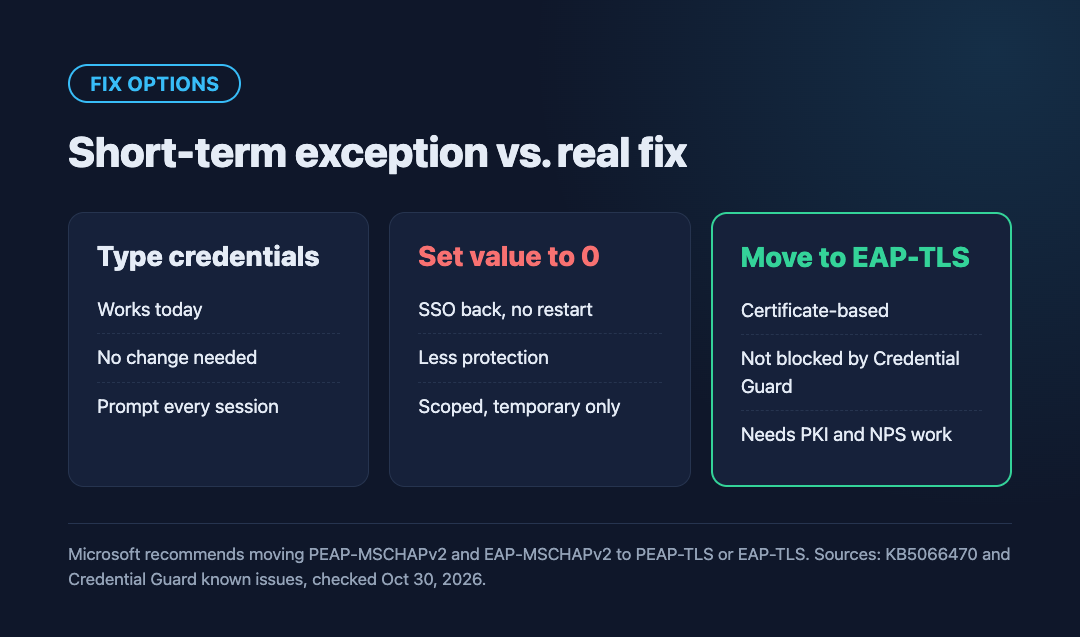
| Option | Effort | Security | When to use |
|---|---|---|---|
| Type credentials | None | Same as before | A few users, short term |
BlockNtlmv1SSO = 0 | Low | Lower | Critical device group, dated exception |
| Disable Credential Guard | Low | Much lower | Microsoft lists it as a less secure fix; avoid |
| PEAP-TLS / EAP-TLS | Medium to high | Higher | The target for every network |
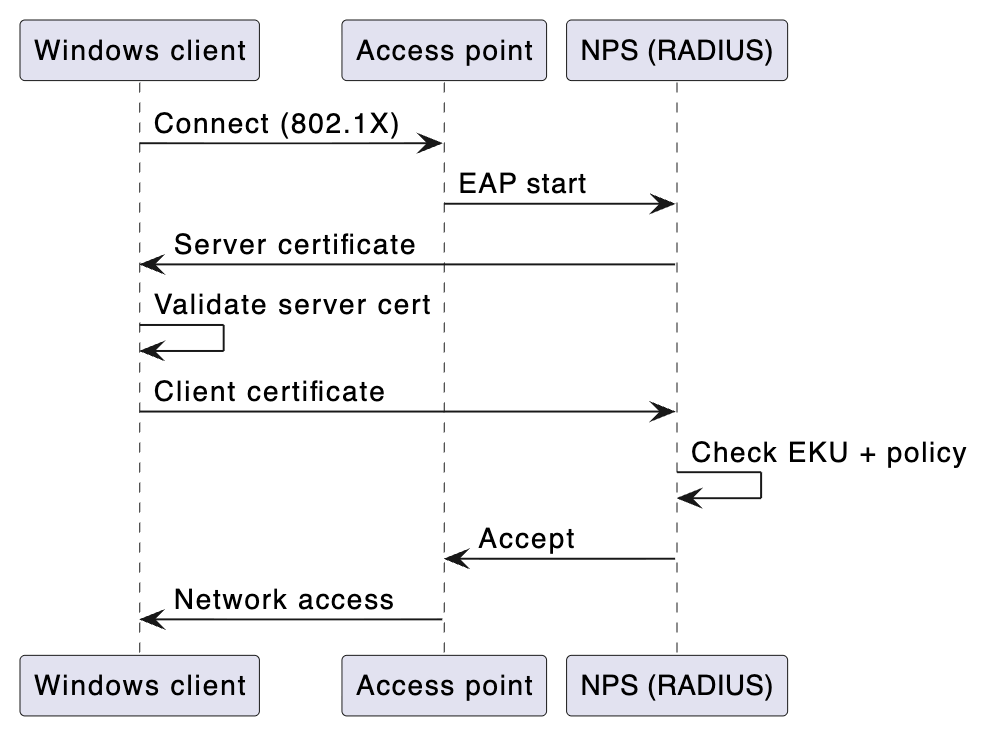
What the move involves, at a high level, if you run Windows NPS as your RADIUS server:
- PKI. You need your own certificate authority, for example Active Directory Certificate Services.
- Server certificate on NPS. It must include the Server Authentication EKU (
1.3.6.1.5.5.7.3.1) and a non-empty subject name. - Client certificates. User or computer certificates with the Client Authentication EKU (
1.3.6.1.5.5.7.3.2). A user certificate needs the UPN in the Subject Alternative Name, and a computer certificate needs the FQDN. - Network policy and client profiles. Change the EAP type on the NPS policy and on the Wi-Fi, wired and VPN profiles you push to devices, then test with a pilot group.
Third-party RADIUS servers such as Cisco ISE have their own steps. Credential Guard's known-issues page specifically lists Cisco ISE MSCHAPv2 setups as affected.
View PlantUML source
@startuml
skinparam defaultFontSize 14
participant "Windows client" as C
participant "Access point" as AP
participant "NPS (RADIUS)" as N
C -> AP : Connect (802.1X)
AP -> N : EAP start
N -> C : Server certificate
C -> C : Validate server cert
C -> N : Client certificate
N -> N : Check EKU + policy
N -> AP : Accept
AP -> C : Network access
@enduml
Rollout checklist for admins
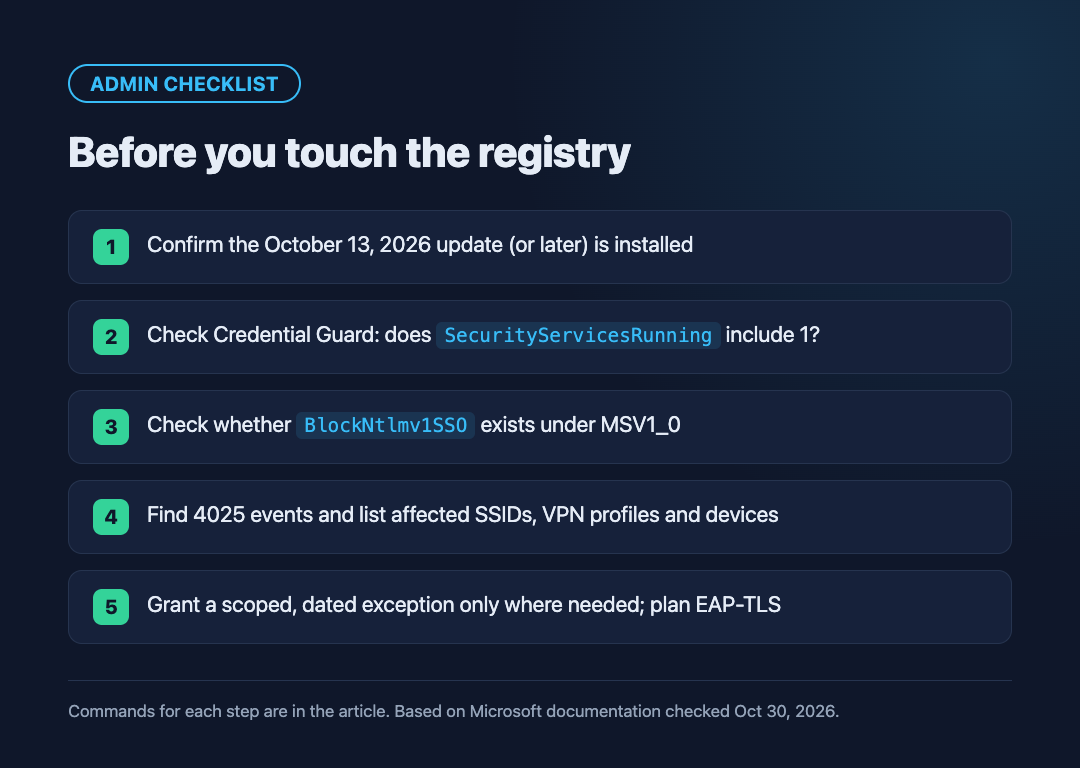
- Confirm the October 13, 2026 update or a later one is installed.
- Run the Credential Guard check. If it is running, skip the registry and go straight to the EAP-TLS plan.
- Check whether
BlockNtlmv1SSOexists. Many fleets will find it absent. - Collect 4025 events and map them to SSIDs, wired ports, VPN profiles and device groups.
- Grant a dated
0exception only where the business cannot wait, and track the EAP-TLS migration.
If you are reviewing certificate trust at the same time as your EAP-TLS rollout, see our guide on patching trust stores after the eMudhra certificate compromise.
FAQ
Q. Does NTLMv1 Enforce mode affect home Wi-Fi with a normal WPA2 or WPA3 password?
Microsoft's articles describe SSO flows that use MS-CHAPv2, such as PEAP-MSCHAPv2 and EAP-MSCHAPv2, in domain-joined environments. A home network with a pre-shared password does not use that sign-in method, so it is not the scenario Microsoft describes.
Q. Should I uninstall KB5127648 to get Wi-Fi back?
Microsoft's guidance does not involve removing the update. The documented options are the registry exception, typing credentials, or moving to certificate-based authentication. Removing a security update also removes its other fixes.
Q. I set BlockNtlmv1SSO to 0 and nothing changed. Why?
Check Credential Guard. If it is running, it already blocks NTLMv1 and MS-CHAP SSO, and the registry value does not change that. Event IDs 4013 or 4014 point to Credential Guard as the cause.
Q. Do I need to restart after changing the value?
No. KB5066470 says no restart is required after you change BlockNtlmv1SSO.
Q. Is Windows Server 2025 affected?
Yes. KB5066470 applies to Windows Server 2025 as well as Windows 11 24H2 and later, and the October 13, 2026 server update notes describe the same default change.
References
- Microsoft Support — Manage NTLMv1 changes and prevent network authentication issues in Windows (KB5066470) — checked Oct 30, 2026
- Microsoft Support — October 13, 2026, KB5127648 (Windows 11 24H2, 25H2, 26H2) — checked Oct 30, 2026
- Microsoft Support — October 13, 2026, KB5126646 (Windows Server 2025) — checked Oct 30, 2026
- Microsoft Learn — Considerations and known issues when using Credential Guard — checked Oct 30, 2026
- Microsoft Learn — Configure Credential Guard — checked Oct 30, 2026
- Microsoft Learn — Configure certificate templates for PEAP and EAP requirements — checked Oct 30, 2026
2 thoughts on “NTLMv1 Enforce Mode: Fix Wi-Fi and VPN Sign-In After KB5127648”