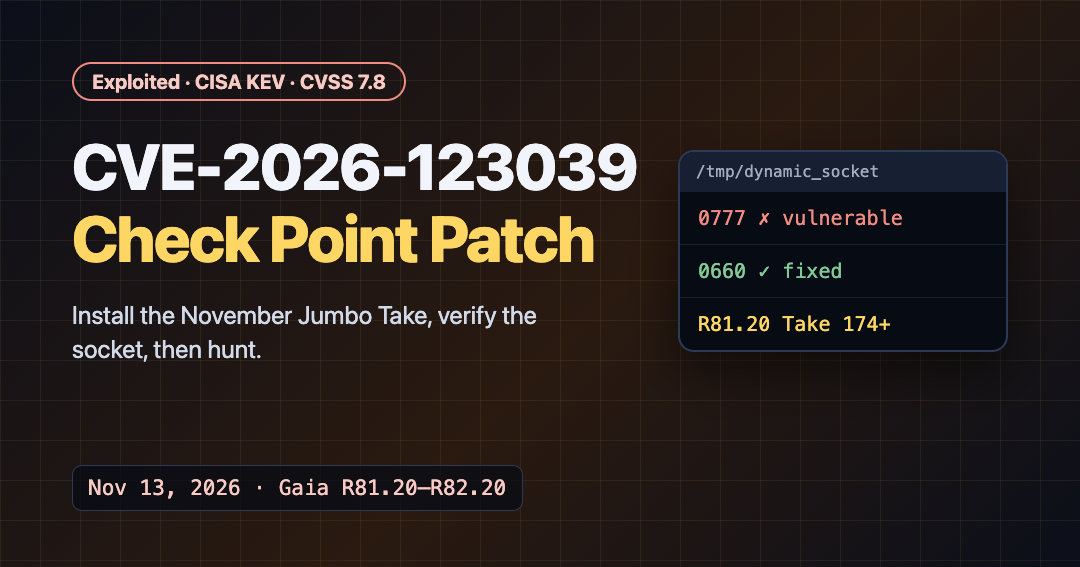
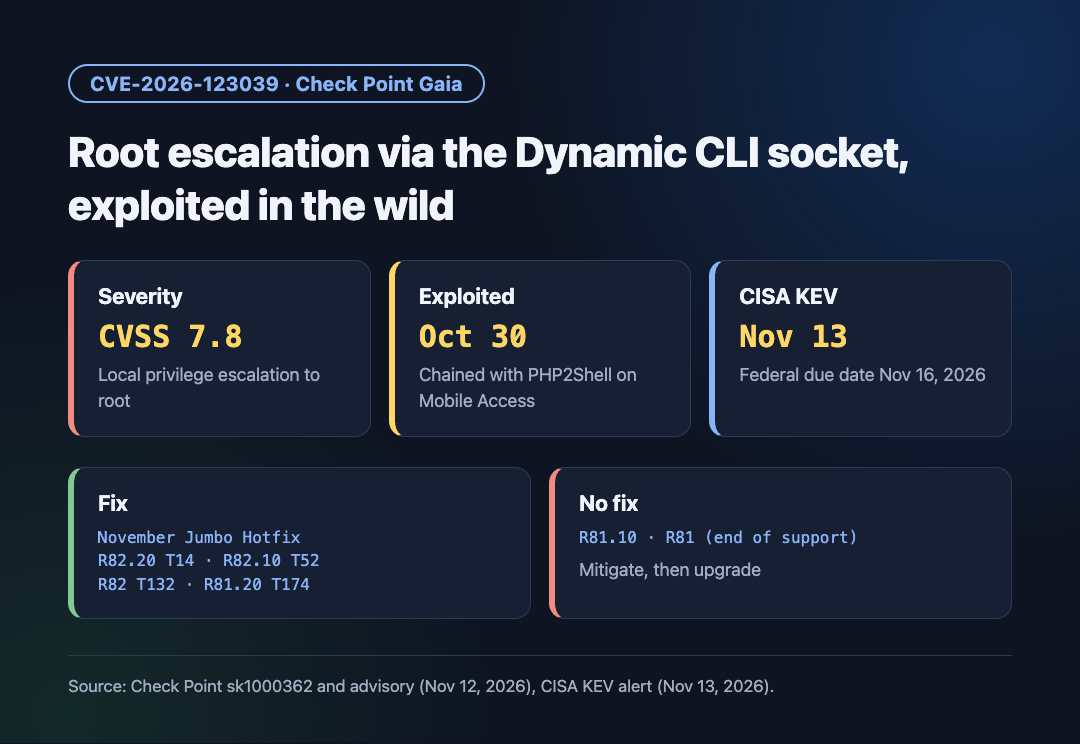
CVE-2026-123039 is an actively exploited root escalation in the Check Point Gaia Dynamic CLI service (CVSS 7.8). CISA added it to the Known Exploited Vulnerabilities catalog on November 13, 2026. Attackers chained it with PHP2Shell on unpatched Mobile Access portals to get root on gateways. The fix is the November Jumbo Hotfix Accumulator: R82.20 Take 14, R82.10 Take 52, R82 Take 132 or R81.20 Take 174 and later. R81.10 and R81 get no fix, so they need the temporary mitigation and an upgrade.
Written November 15, 2026, 07:30 KST (November 14, 22:30 UTC). Facts checked on November 15, 2026 against Check Point sk1000362, the Check Point security advisory and research write-up of November 12, the CISA KEV alert of November 13 and the Check Point Jumbo Hotfix installation guide. I have not run these commands on a Check Point appliance for this post. They are the commands Check Point publishes in sk1000362 and its Jumbo Hotfix documentation, plus standard Gaia Expert mode commands.
What CVE-2026-123039 is and why it matters
On affected Gaia versions, the root-owned dynamic_server process listens on the Unix socket /tmp/dynamic_socket. That socket is world-writable (mode 0777) and does not check who is calling. Any local process that can write to it can run commands as root.
On its own, the bug needs local code execution first. That is exactly what PHP2Shell (CVE-2026-109618 and CVE-2026-109619, CVSS 9.2) gave attackers on unpatched Mobile Access portals.
| Item | Detail |
|---|---|
| CVE | CVE-2026-123039 (CWE-732, CWE-862) |
| Severity | CVSS 3.1 7.8, High |
| Exploited | Yes, against "a couple dozen" customers |
| Fix | November Jumbo Hotfix (sk1000362) |
| KEV due date | Nov 16, 2026 (US federal agencies) |
The timeline from Check Point's advisory: PHP2Shell fixes were available on October 23, exploitation started on October 30, a second, wider wave began on November 2, and the advisory came out on November 12. In a few first-wave cases, attackers moved from the gateway to a VMware ESXi host and ran a wiper.

View PlantUML source
@startuml
skinparam shadowing false
skinparam defaultFontSize 14
left to right direction
rectangle "Mobile Access\nportal" as A
rectangle "PHP2Shell\n(portal user)" as B
rectangle "/tmp/dynamic_socket\n(0777)" as C
rectangle "root on\ngateway" as D
rectangle "Webshells +\nTSGA backdoor" as E
rectangle "ESXi wiper\n(few cases)" as F
A --> B
B --> C
C --> D
D --> E
E --> F
@enduml
This is the same pattern seen with other perimeter devices this year, such as the Ivanti Connect Secure patch and the Citrix NetScaler security update: an internet-facing portal bug gets chained with a local flaw.
Which Check Point products are affected
Check Point lists these versions as affected in sk1000362:
| Gaia version | Status | Fixed in |
|---|---|---|
| R82.20 | Affected | Jumbo Take 14 and later |
| R82.10 | Affected | Jumbo Take 52 and later |
| R82 | Affected | Jumbo Take 132 and later |
| R81.20 | Affected | Jumbo Take 174 and later |
| R81.10, R81 | Affected, end of support | No fix listed |
Affected products are Quantum Force (Security Gateway) firewalls, Management and Log Servers, Multi-Domain Security Management and Multi-Domain Log Server, and Maestro Orchestrator. Spark firewalls and Smart-1 Cloud are not affected by CVE-2026-123039. Spark appliances are still in scope for PHP2Shell, so check sk1000302 for those.
Check your Gaia version and Jumbo Take
Run these on every gateway, cluster member and management server. Do not assume a cluster is uniform.
Gaia Clish
## Over SSH, in Clish
show version all
## Shows the Gaia version (for example R81.20), build and kernel
Expert mode: installed Jumbo Take
## Switch to Expert mode first
expert
## Lists installed hotfixes; look for the Jumbo Hotfix Accumulator line and its Take number
cpinfo -y all
Check Point's sk98028 names cpinfo -y all as the way to see the installed Take on R81.x and later. Look for the Take number in the Jumbo line under [CPFC] or [FW1]. Example reading:
- R81.20 with Take 141 → below 174, vulnerable
- R82 with Take 132 → fixed
- R81.10 with any Take → no fix, use the mitigation below
Gaia Portal and SmartConsole
In the Gaia Portal, open Upgrades (CPUSE) > Status and Actions and filter for Installed packages. The installed Jumbo Hotfix shows there with its Take. From R81.20 Take 38, SmartConsole also shows installed Takes under Gateways & Servers, which helps when you have many gateways.
The direct check: socket permissions
This is the quickest test from sk1000362. It shows whether the fix is actually in effect, not only whether a package is installed.
## Expert mode
ls -l /tmp/dynamic_socket
## Fixed:      srw-rw----  root config  (0660)
## Vulnerable: srwxrwxrwx                (0777)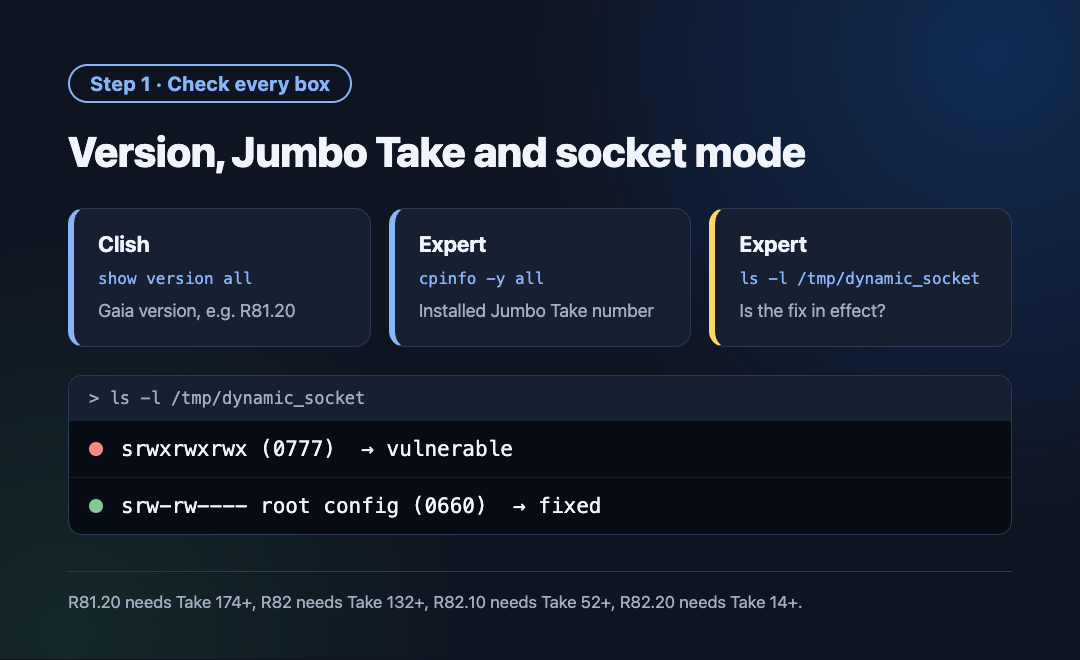
How to patch CVE-2026-123039 with the Jumbo Hotfix
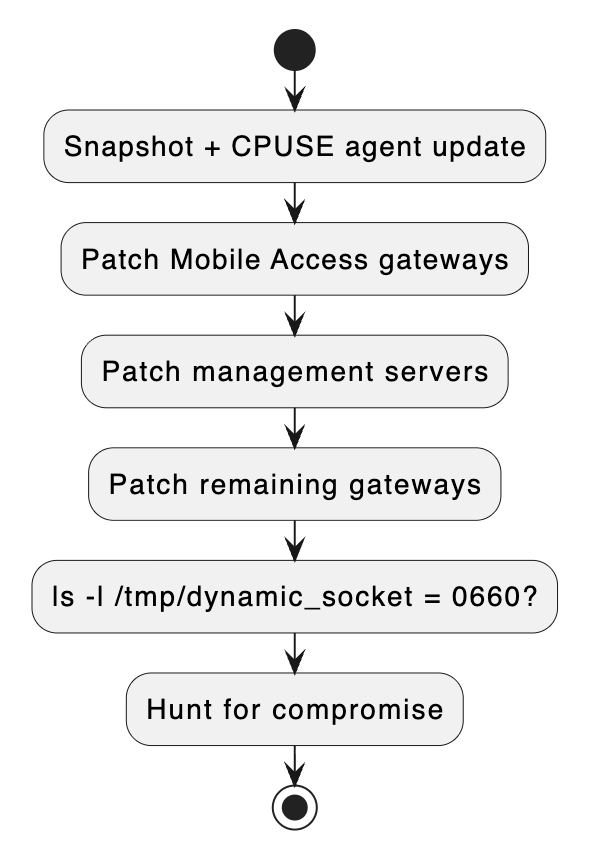
Install the November Jumbo Hotfix Take for your version on all Management Servers and Security Gateways. Check Point says to put internet-facing Mobile Access deployments first. The same Take also carries fixes for CVE-2026-107484, CVE-2026-120490 and the Brotli flaw CVE-2026-111497 (see the CVE-2026-111497 Brotli patch guide for the non-Check Point side of that one).
Before you start
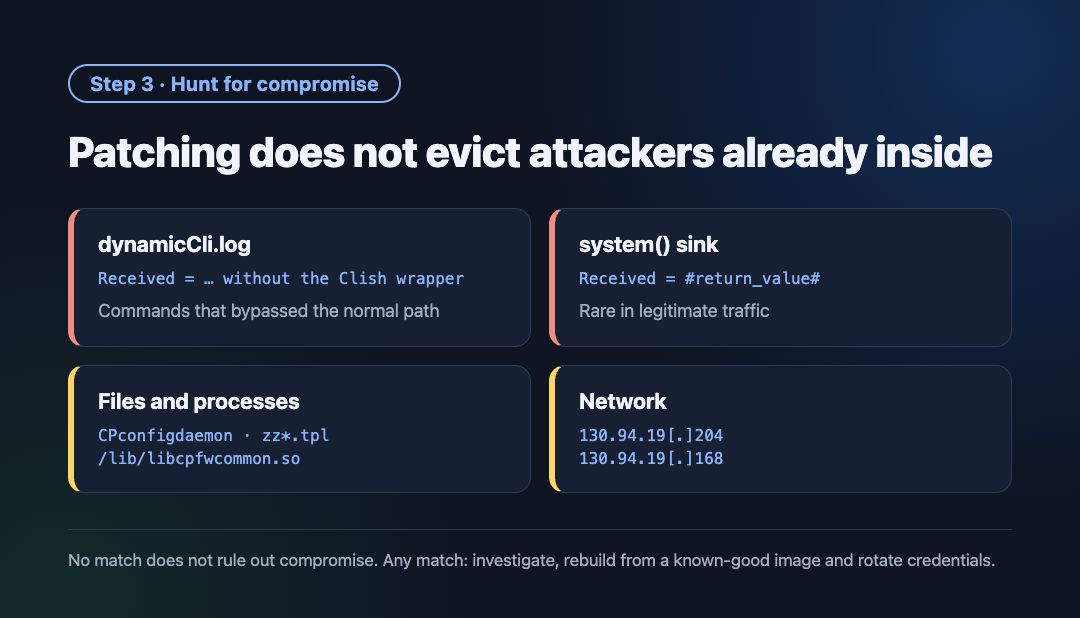
- Take a Gaia snapshot or backup (Gaia Portal > Maintenance > Snapshot Management, or
add snapshot <NAME>in Clish). - Update the CPUSE Agent to the recommended build from sk92449. Check Point lists this as a prerequisite.
- Plan a maintenance window. The server reboots automatically after the install.
Install from Gaia Clish
These steps follow Check Point's "Installing a Jumbo Hotfix in Gaia Clish" guide:
## If your default shell is Expert mode
clish
lock database override

## List packages and import the Jumbo Take by its CPUSE identifier
show installer packages all
installer import cloud <CPUSE_IDENTIFIER>

## Check compatibility, then install (press Tab to list package IDs)
installer verify <PACKAGE_ID>
installer install <PACKAGE_ID>
## Answer Y. The server reboots when it finishes.
You find the CPUSE identifier for your Take on the Jumbo Hotfix download page. If you get "No package was found," the identifier is wrong or does not match your Gaia version.
Install from the Gaia Portal
Open Upgrades (CPUSE) > Status and Actions, find the recommended Jumbo Hotfix Take, click Download, then Verify, then Install. The same automatic reboot applies.
Clusters, management HA and Maestro
- ClusterXL: install the same Take on every member. A common approach is to patch the standby member first, fail over, then patch the other member. Follow your version's Installation and Upgrade Guide for the exact cluster procedure.
- Management High Availability: Check Point has a separate page, "Installing a Jumbo Hotfix in Management High Availability." Patch both servers.
- Maestro and ElasticXL: connect to the Gaia Portal of the Security Group, not to a single member.
- Many gateways: SmartConsole Central Deployment can push the Take to several gateways at once.
View PlantUML source
@startuml
skinparam shadowing false
skinparam defaultFontSize 14
start
:Snapshot + CPUSE agent update;
:Patch Mobile Access gateways;
:Patch management servers;
:Patch remaining gateways;
:ls -l /tmp/dynamic_socket = 0660?;
:Hunt for compromise;
stop
@enduml
Verify after the reboot
## Expert mode
cpinfo -y all | grep -i take          # Take is at or above the fixed number
ls -l /tmp/dynamic_socket             # srw-rw---- root config
grep "Rejected connection from unauthorized uid" /var/log/dynamicCli.log
On a fixed system, "Rejected connection from unauthorized uid" lines show blocked escalation attempts. Check Point says an unexpected UID such as 99 (nobody) means someone tried. Match those times against your portal and authentication logs.
If you can't install the Jumbo Hotfix yet
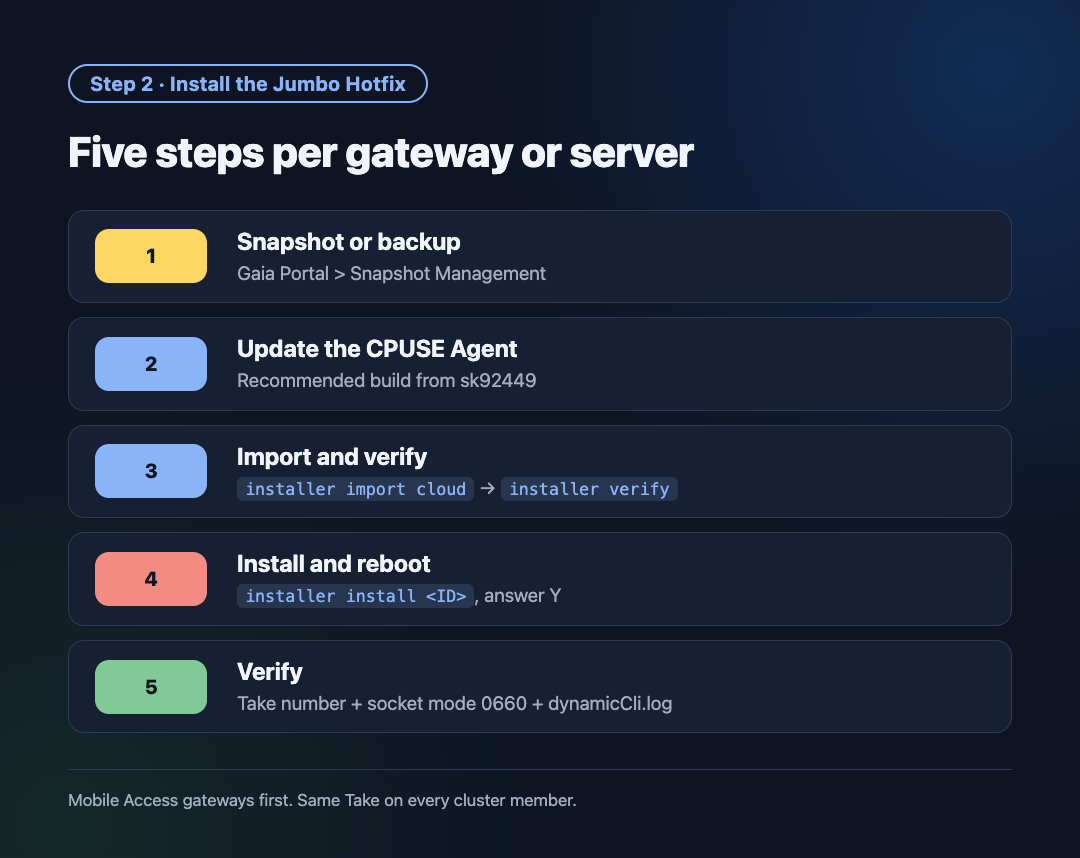
sk1000362 gives one temporary mitigation: stop the dynamic_server process and keep it from restarting.
## Expert mode: is it running?
ps auxw | grep -v grep | grep 'dynamic_server'

## Prevent restart (per sk1000362), then save
dbset process:dynamic_server
dbset :save
Follow the exact stop sequence in sk1000362 for your version and confirm with the ps command that the process is gone. To turn it back on later:
dbset process:dynamic_server t
dbset :save
Side effect: the Dynamic CLI commands listed in sk144112 stop working while the process is off. Plan any change that needs them after you patch.
This is also the only option on R81.10 and R81, which are end of support and get no fix. Use it, then schedule an upgrade to R81.20 or R82.x.
Two more steps cut the attack path even before you patch:
- Confirm the PHP2Shell fix from sk1000302 is installed on the Mobile Access portal and other exposed web portals. That removes the usual first step of the chain.
- Limit who can reach the Mobile Access portal, the Gaia Portal and SSH. Allow management access only from admin networks.
Check whether your gateway was already compromised
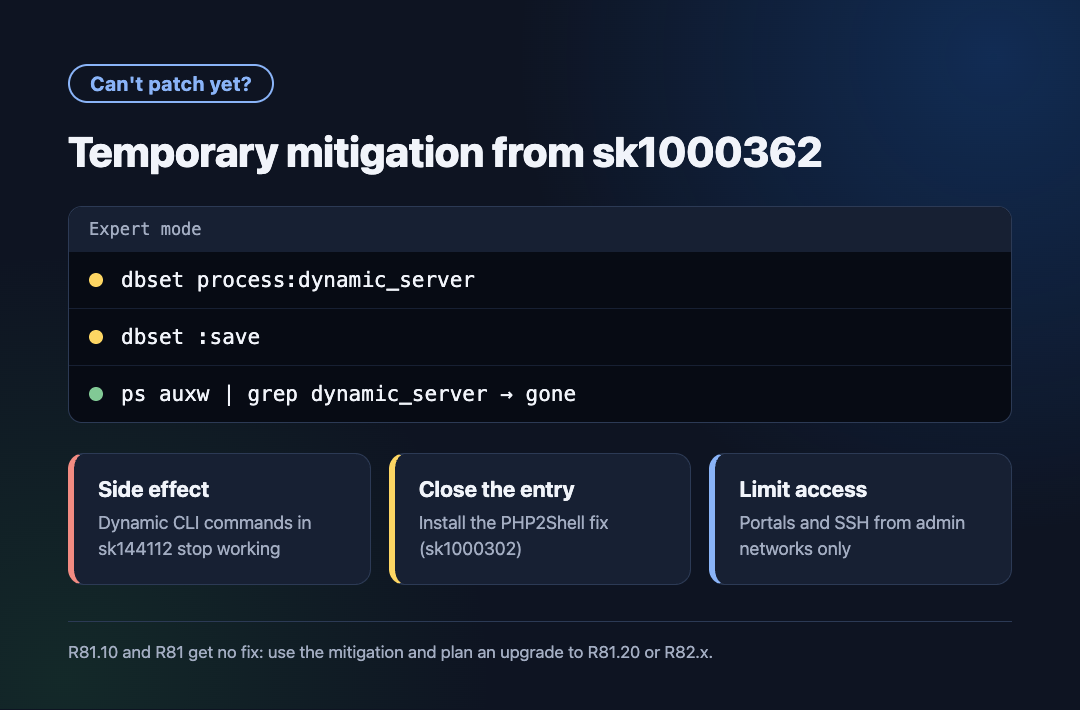
Patching closes the hole. It does not remove anyone who got in between October 30 and your patch date. Check Point published these hunting commands in sk1000362. Run them on each gateway or cluster member in Expert mode:
## 1. Commands that did not come through the normal Clish wrapper
grep "Received =" /var/log/dynamicCli.log | grep -vF "CPprofile.sh >> /dev/null; export SP_DISTRIBUTE=0; set -o noglob;"

## 2. Use of the system() sink, rare in normal traffic
grep -F "Received = #return_value#" /var/log/dynamicCli.log

## 3. Commands typical of exploitation
grep -EI "Received =.*( id;| whoami| /etc/shadow| ncat| nc -| /dev/tcp| curl | wget | base64| useradd| authorized_keys)" /var/log/dynamicCli.log
Also look for the indicators in Check Point's advisory and research write-up:
| Indicator | Where to look |
|---|---|
| 130.94.19[.]204, 130.94.19[.]168 | Portal and firewall logs |
upload_progress_pwn in PHP session files | Mobile Access tmp directory |
CPconfigdaemon process or file | ps, /tmp |
zz*.tpl webshells | Portal template directories |
/lib/libcpfwcommon.so, /tmp/.p_sock | File system |
| Gaps in firewall traffic logs | SmartConsole logs |
A quick sweep for a few of them:
ps auxw | grep -i cpconfigdaemon | grep -v grep
ls -la /tmp | grep -Ei "cpconfigdaemon|\.p_sock|\.bd\.log|\.up\.tpl|scanner|wiper"
ls -l /lib/libcpfwcommon.so 2>/dev/null
Check Point warns that no match does not rule out compromise, and any match needs an investigation right away. If you find signs of compromise, contact Check Point Support or Incident Response. Rebuilding the box from a known-good image and rotating credentials stored on it is safer than deleting files by hand. If your gateways can reach ESXi hosts, also check those hosts for SSH logins by vpxuser.
Troubleshooting the Jumbo Hotfix install
| Problem | What to do |
|---|---|
| "No package was found" on import | Wrong CPUSE identifier or Take for your Gaia version. Recheck the download page for your exact version. |
installer verify reports a conflict | You have a private (custom) hotfix. Ask Check Point Support for a merged Take before installing. |
| CPUSE cannot download | Update the CPUSE Agent (sk92449) or import the package with installer import local <FULL_PATH>. |
| Cluster members on different Takes | Finish the same Take on every member before you call it done. Check cpinfo -y all on each. |
| Something breaks after the reboot | Uninstall the Take or revert the snapshot (below), then open a case. Apply the mitigation while you wait. |
Roll back
Check Point's Jumbo Hotfix guide documents an uninstall from Clish. The server reboots after it:
clish
lock database override
installer uninstall <PACKAGE_ID>
Rolling back puts the vulnerable Take back in place. Turn on the dynamic_server mitigation right away if you do this.
Patch today or this week?
| Your setup | Action |
|---|---|
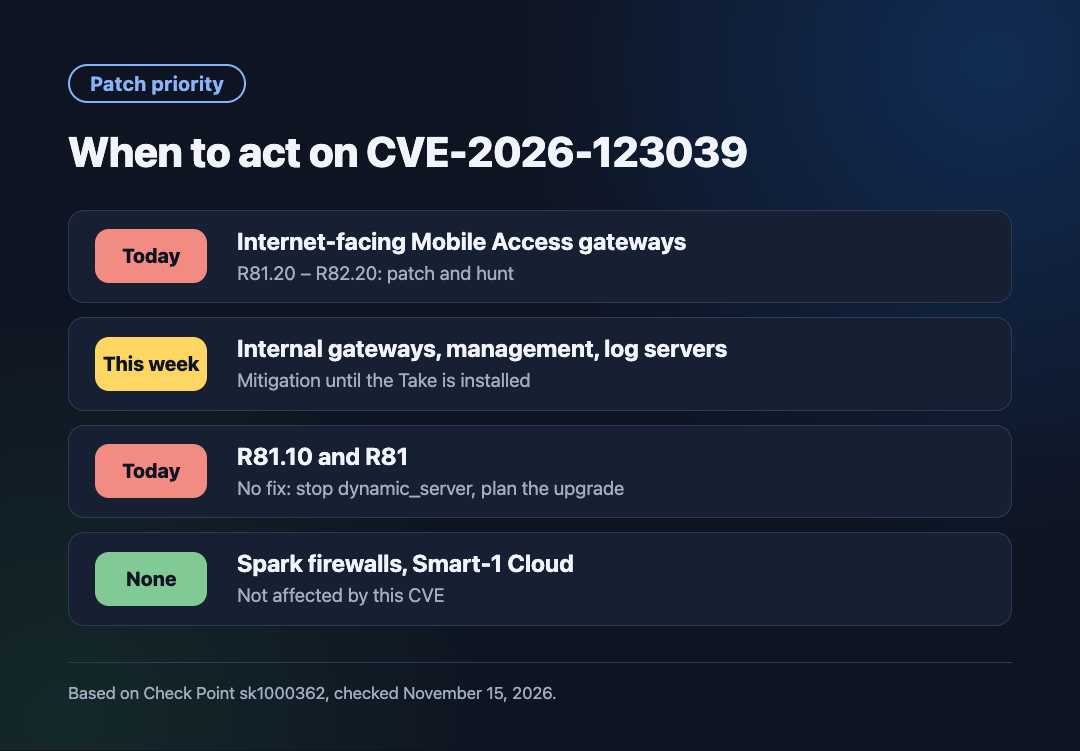
| R81.20–R82.20 with Mobile Access exposed to the internet | Patch today and hunt for compromise |
| R81.20–R82.20, no internet-facing portals | This week, mitigation until then |
| Management or Log Server on R81.20–R82.20 | This week |
| R81.10 or R81 | Mitigation today, plan an upgrade |
| Spark firewalls, Smart-1 Cloud | Not affected by this CVE (check sk1000302 for PHP2Shell on Spark) |
FAQ
Is CVE-2026-123039 exploitable from the internet? Not on its own. It needs local code execution first. In the attacks Check Point saw, PHP2Shell on the Mobile Access portal provided that, which is why exposed portals are the top priority.
Does the November 16 deadline apply to me? The KEV due date binds US federal civilian agencies. For everyone else, it is a strong signal. The flaw is being exploited, so treat it as urgent.
I installed the PHP2Shell fix in October. Am I safe? That closes the known entry point, but the root escalation is still there for any other local foothold. Install the November Jumbo Take and confirm the socket shows 0660.
Does the mitigation affect firewall traffic? sk1000362 lists the side effect as broken Dynamic CLI commands (sk144112). It does not list traffic impact. Test on one box first if you can.
What should I do on R81.10? Apply the dynamic_server mitigation now. No fix is planned for end-of-support versions, so upgrade to R81.20 or R82.x and install the matching Take.
References
- sk1000362: CVE-2026-123039 Gaia Dynamic CLI local privilege escalation — Check Point Support, checked Nov 15, 2026
- Security Advisory: Active Exploitation of PHP2Shell and Local Privilege Escalation — Check Point, Nov 12, 2026, checked Nov 15, 2026
- PHP2Shell exploitation on Check Point gateways — Check Point Research, Nov 12, 2026, checked Nov 15, 2026
- Installing a Jumbo Hotfix in Gaia Clish (R82.20) — Check Point documentation, checked Nov 15, 2026
- Jumbo Hotfix installation and uninstall instructions — Check Point documentation, checked Nov 15, 2026
- sk98028: Jumbo Hotfix Accumulator FAQ — Check Point Support, checked Nov 15, 2026
- CISA Adds Two Known Exploited Vulnerabilities to Catalog — CISA, Nov 13, 2026, checked Nov 15, 2026
- Check Point Gaia CVE-2026-123039: Exploited DynamicCLI Root Escalation Added to CISA KEV — Rescana, checked Nov 15, 2026
1 thought on “CVE-2026-123039 Check Point Patch: Install the Jumbo Hotfix”