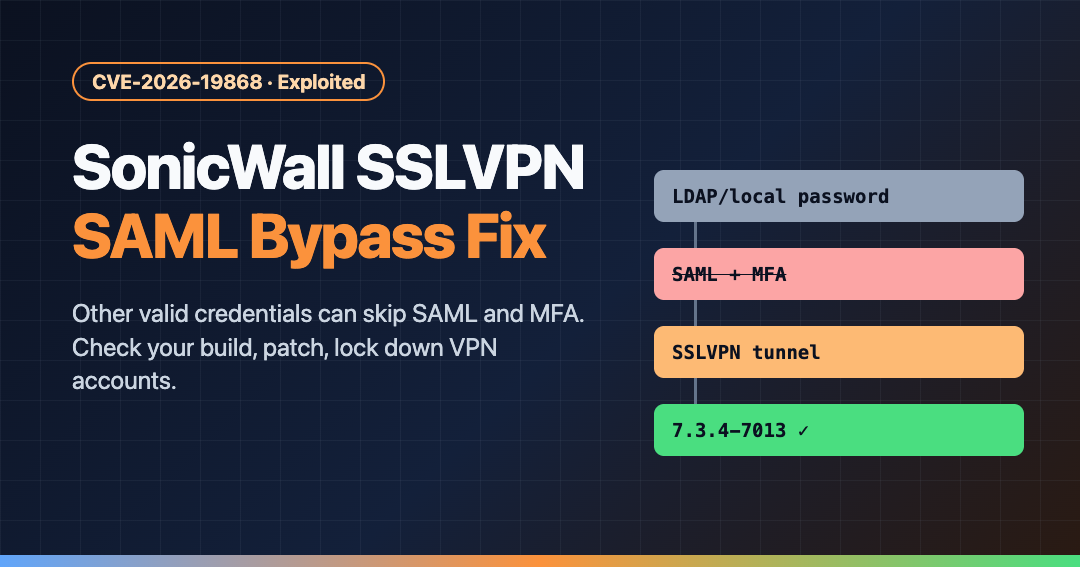
SonicWall CVE-2026-19868 lets a user with valid credentials for another sign-in method get past the SAML login on the SonicOS SSLVPN service, which can also skip SAML-enforced MFA. SonicWall says it is being exploited, and CISA added it to the Known Exploited Vulnerabilities catalog on November 6, 2026. If your firewall runs Gen7 SonicOS 7.3.3-7015 or older, move to 7.3.4-7013 or later now. On Gen8 and NSv, check the vendor advisory for your fixed build and apply the interim steps below until you can install it.
Written November 7, 2026. Facts checked on November 7, 2026 (KST) against the CVE records for all six CVEs in SonicWall advisory SNWLID-2026-0014 (published November 6, 2026, 18:50–19:09 UTC), the CISA KEV entry, Canadian Centre for Cyber Security advisory AV26-1133, and the SonicOS 7.3.4 and 8.2.2 release notes. SonicWall's advisory page did not load in full for us, so fixed-build details below come from those other official sources and are marked where they disagree. The commands are standard curl, nmap, ssh and shell commands. They were not run against a live SonicWall firewall for this post.
What changed: SonicWall CVE-2026-19868 and five more CVEs
SonicWall published advisory SNWLID-2026-0014 ("SonicOS affected by multiple vulnerabilities") on November 6, 2026. It covers six CVEs. Only one is known to be exploited, but all six share the same affected version range.
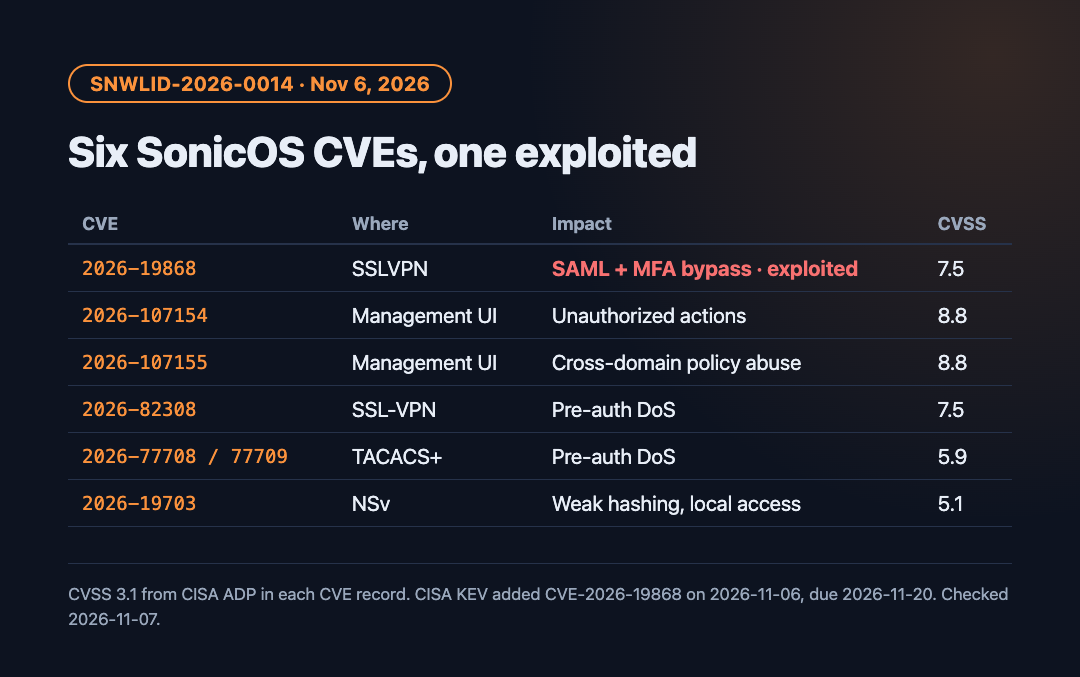
| CVE | Where | What it allows | CVSS 3.1 |
|---|---|---|---|
| CVE-2026-19868 | SSLVPN service | SAML (and SAML MFA) bypass with other valid credentials. Exploited | 7.5 (CISA ADP) |
| CVE-2026-107154 | Management interface | Unauthorized actions; relies on IP address for session validation | 8.8 (CISA ADP) |
| CVE-2026-107155 | Management interface | Unauthorized actions via a permissive cross-domain policy | 8.8 (CISA ADP) |
| CVE-2026-82308 | SSL-VPN service | Pre-auth heap overflow, denial of service | 7.5 (CISA ADP) |
| CVE-2026-77708 / 77709 | TACACS+ authentication | Pre-auth overflows, denial of service | 5.9 each |
| CVE-2026-19703 | Virtual appliances (NSv) | Weak password hashing, needs local access | 5.1 (CISA ADP) |
SonicWall did not add CVSS scores to most of the records. The scores above come from CISA's enrichment (ADP) in each CVE record. The two management interface bugs both need user interaction (UI:R), which usually means an admin has to open a crafted page or link.
What the SAML bypass does
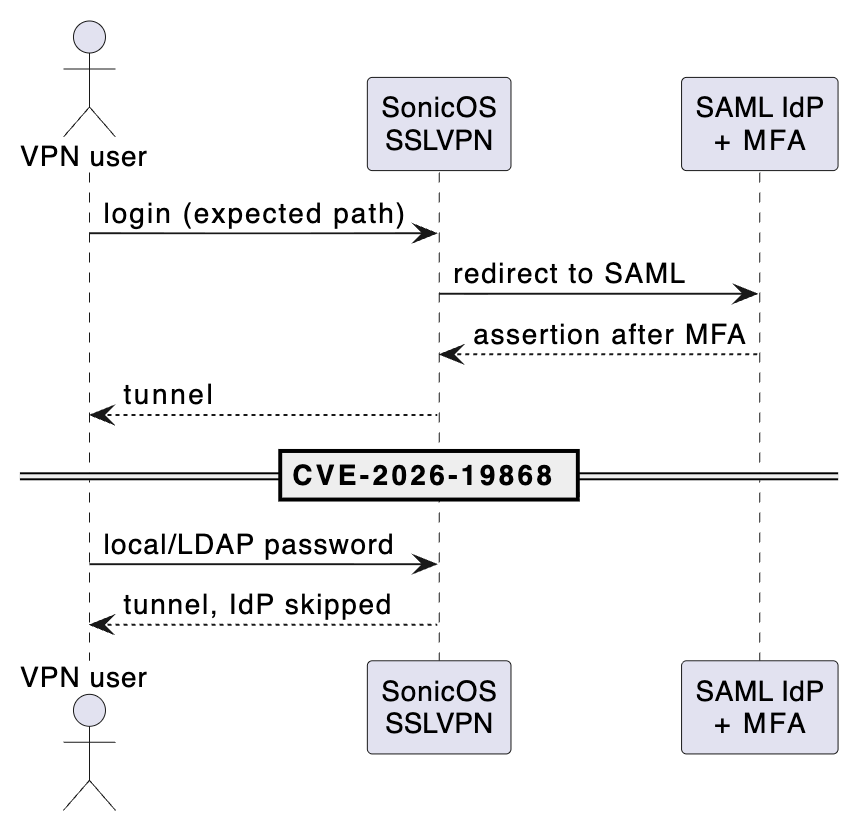
The CVE description is short. A user "with valid credentials for an alternate authentication method" may bypass SAML authentication controls on the SSLVPN service. That may also bypass MFA that you enforce through your SAML identity provider. The weakness class is CWE-308, use of single-factor authentication.
In practice, the risk sits with any account that can still sign in to SSLVPN without going through SAML. Think local firewall users, LDAP or RADIUS users, or old accounts left over from before you moved to SAML. If an attacker has a password for one of those (from phishing, reuse or an old leak), your IdP's MFA may never see the login. SonicWall has not published more technical detail, and the sources we checked do not say when exploitation started or who is behind it. CISA lists ransomware use as "Unknown".
View PlantUML source
@startuml
skinparam shadowing false
skinparam defaultFontSize 14
actor "VPN user" as U
participant "SonicOS\nSSLVPN" as FW
participant "SAML IdP\n+ MFA" as IdP
U -> FW : login (expected path)
FW -> IdP : redirect to SAML
IdP --> FW : assertion after MFA
FW --> U : tunnel
== CVE-2026-19868 ==
U -> FW : local/LDAP password
FW --> U : tunnel, IdP skipped
@enduml
Key dates and the CISA deadline
| Date (2026) | Event | Source |
|---|---|---|
| Aug 14 | CVE-2026-19868 reserved | CVE record |
| Oct | SonicOS 7.3.4-7013 released (Gen7) | SonicOS 7.3 release notes |
| Nov 6, 18:50–19:09 UTC | Six CVEs published | CVE records |
| Nov 6 | Added to CISA KEV, Cyber Centre AV26-1133 | CISA, Cyber Centre |
| Nov 20 | CISA due date for US federal agencies | CISA KEV |
The November 20 deadline only binds US federal civilian agencies. For everyone else it is a useful upper bound: an exploited auth bypass on an internet-facing VPN should not wait two weeks.
Which SonicOS versions are affected
The CVE records list the same range for all six CVEs:
- Gen7: SonicOS 7.3.3-7015 and older
- Gen8: SonicOS 8.2.2-8015 and older
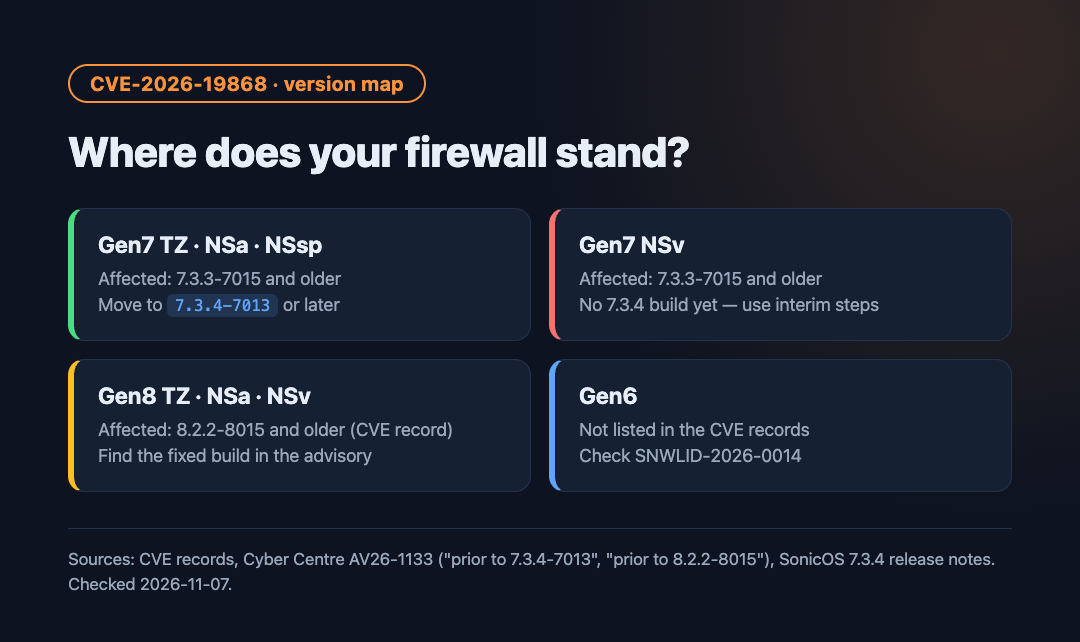
| Platform | Affected | Fixed build | Note |
|---|---|---|---|
| Gen7 TZ, NSa, NSsp | 7.3.3-7015 and older | 7.3.4-7013 or later | Cyber Centre: "prior to 7.3.4-7013" |
| Gen7 NSv | 7.3.3-7015 and older | Not released yet | 7.3.4 notes: NSv "planned for a future date" |
| Gen8 TZ, NSa, NSv | 8.2.2-8015 and older | Check SNWLID-2026-0014 | Sources disagree, see below |
| Gen6 | Not listed | — | CVE records cover Gen7 and Gen8 only |
The Gen8 conflict. The CVE records say 8.2.2-8015 and older are affected. The Canadian Centre's copy of the advisory says "prior to 8.2.2-8015". The newest Gen8 release notes we found are for 8.2.2-8015 itself, dated August 2026, and they mention no SAML fix. Our reading: if you are on 8.2.2-8015, do not assume you are safe. Log in to MySonicWall, look for a Gen8 build newer than 8.2.2-8015, and confirm it against SNWLID-2026-0014. Until you have one, apply every step in the interim section.
The 7.3.4 release notes page header says 7.3.4-7013, while its table of contents also lists 7.3.4-7015. Either is at or above the fixed line. Install the newest 7.3.4 build MySonicWall offers for your model.
Check your environment
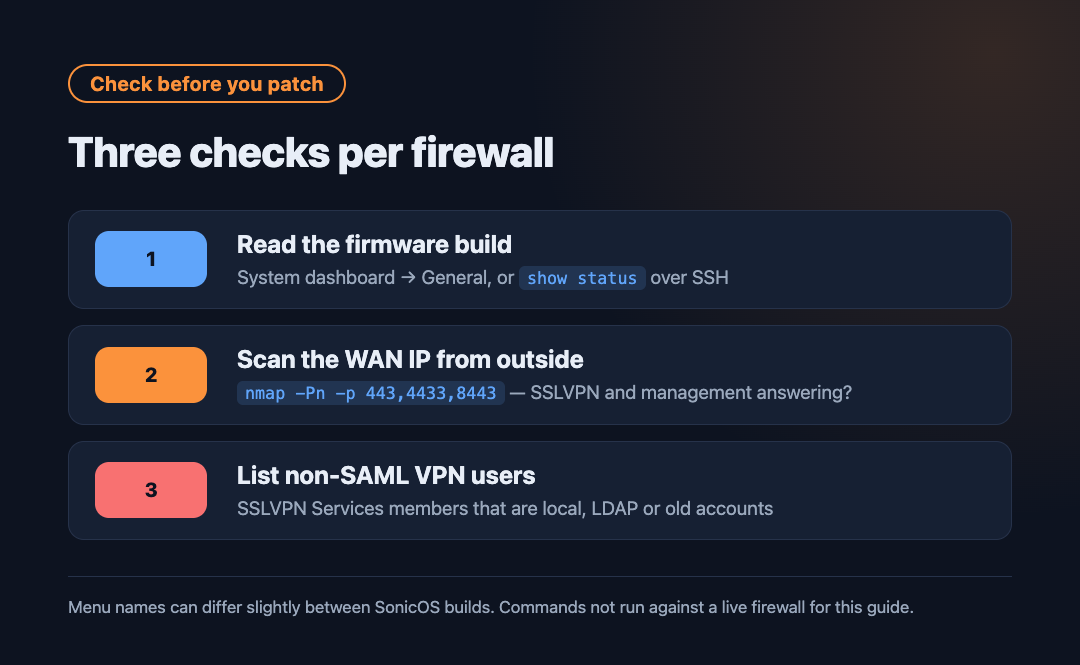
Three checks per firewall: the firmware build, what is reachable from the internet, and which accounts can still log in to SSLVPN without SAML.
1. Read the firmware version
In the web UI, the firmware version is in the General section of the System dashboard, and under Device > Settings > Firmware and Settings. Over SSH (if enabled on the interface you use), log in as admin and show the status. Type ? to list the commands your build supports.
ssh admin@<YOUR_FIREWALL_IP>
show status   # run at the SonicOS prompt
To compare a build string against the fixed line on your workstation:
fw="7.3.3-7015"      # your firmware build
fixed="7.3.4-7013"   # Gen7 fixed build from the advisory
if [ "$(printf '%s\n' "$fixed" "$fw" | sort -V | head -1)" = "$fixed" ]; then
  echo "OK: $fw is at or above $fixed"
else
  echo "UPDATE NEEDED: $fw is below $fixed"
fi
2. See what the internet can reach
Run this from a host outside your network, such as a cloud VM. The SonicWall SSLVPN default port is 4433. Add any custom ports you use.
nmap -Pn -p 443,4433,8443 <YOUR_WAN_IP>
curl -skI https://<YOUR_WAN_IP>:4433/ | head -5   # SSLVPN portal
curl -skI https://<YOUR_WAN_IP>/ | head -5        # management on the WAN?
An answer on the SSLVPN port means CVE-2026-19868 and CVE-2026-82308 are in play. An answer on the management port means CVE-2026-107154 and CVE-2026-107155 are too. Management should not face the internet at all.
3. Find accounts that skip SAML
Open Network > SSL VPN > Server Settings and note the authentication type. If it says SAML, the bug matters most to you, because you are relying on SAML and its MFA. Then open Device > Users > Local Users and Groups, open the SSLVPN Services group, and list every member.
| Member type | Risk under CVE-2026-19868 | Action |
|---|---|---|
| Users mapped from your SAML IdP | Expected path | Keep |
| Local firewall users | Can be an "alternate method" | Remove or reset |
| LDAP / RADIUS groups nested in SSLVPN Services | Can be an "alternate method" | Remove if SAML is your policy |
| Old or service accounts | Easy target for reused passwords | Disable |
Menu names can differ slightly between SonicOS builds. The SSLVPN Services group name and the Server Settings path come from SonicWall's own SAML guide.
Patch SonicOS: upgrade order
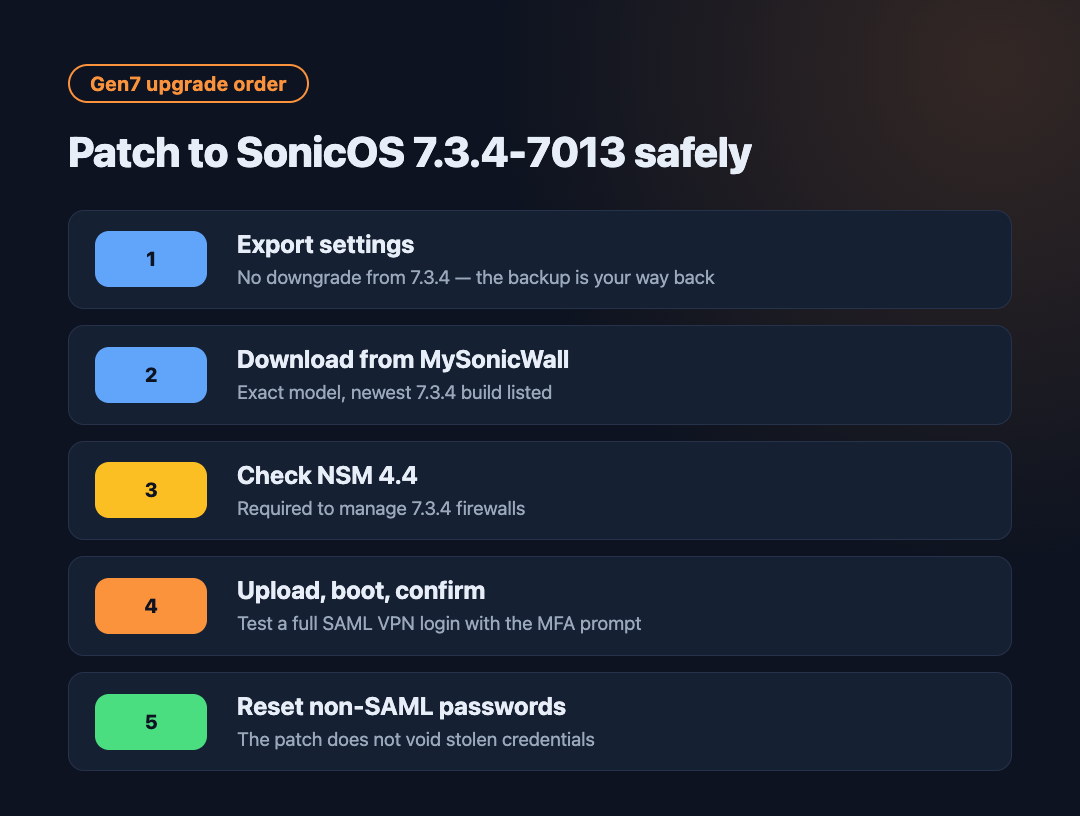
- Export settings. Under Device > Settings > Firmware and Settings, create a local backup and export the settings file. SonicOS 7.3.4 cannot be downgraded, so this backup is your only way back to a known config.
- Download the build for your exact model from MySonicWall. Gen7: 7.3.4-7013 or the newest 7.3.4 build listed.
- Check management tools. If NSM manages the firewall, the 7.3.4 notes require NSM 4.4 (SaaS or on-prem). Firewalls on SonicOS 7.1.x or later cannot be managed through GMS.
- Upload and boot with current configuration in a maintenance window. HA pairs: follow your normal HA upgrade order.
- Confirm the new version on the dashboard, then test a VPN login through SAML end to end, including the MFA prompt.
- Reset passwords for any local or LDAP account that stays in SSLVPN Services. The patch closes the bypass, but it does not invalidate a password an attacker already has.
Two 7.3.4 changes to plan for, from the release notes:
- The GeoIP server becomes
utmgpdata.global.sonicwall.com. If you pinned GeoIP to204.212.170.21, switch to default resolution or204.212.170.31. - A new Botnet Remote Server Address setting defaults to
utmgbdata.global.sonicwall.com(204.212.170.21). Do not point it at.31, which serves GeoIP only.
If you also run Ivanti, see Ivanti Connect Secure patch: upgrade to 25.1.1.3 or 22.8R2.6.
If you cannot patch yet (Gen8 and NSv)
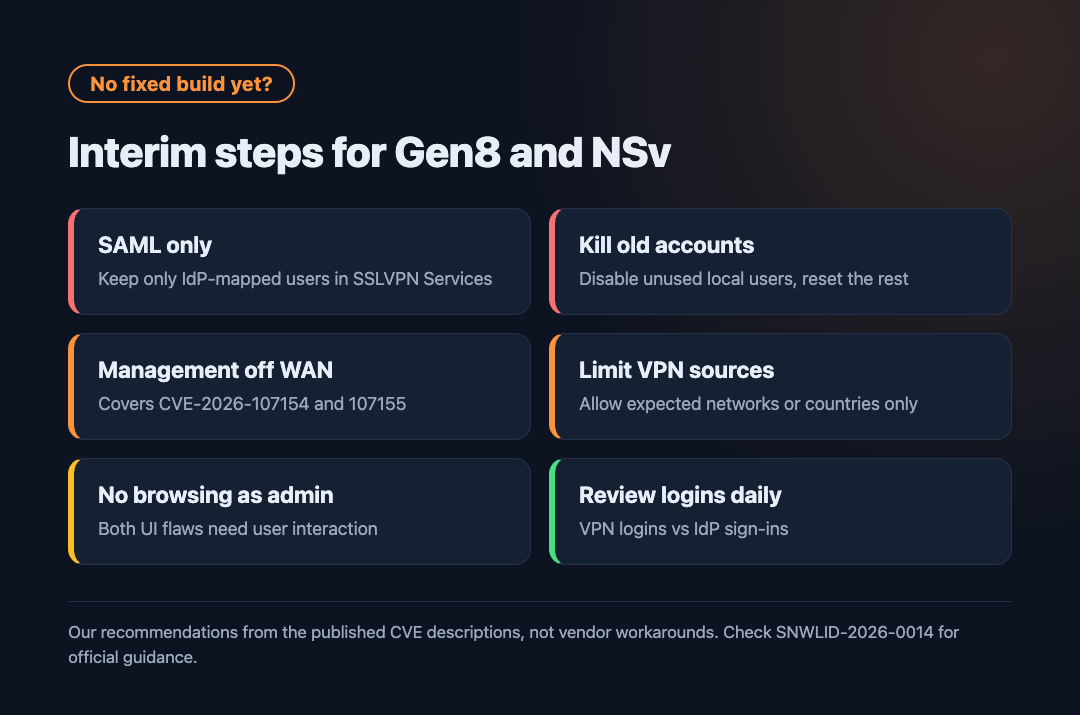
Gen7 NSv has no 7.3.4 build yet, and the Gen8 fixed build is unclear. These steps reduce exposure in the meantime. They are our recommendations based on the published descriptions, not SonicWall-published workarounds, so check SNWLID-2026-0014 for official guidance as well.
| Step | Covers | How |
|---|---|---|
| SAML users only in SSLVPN Services | CVE-2026-19868 | Remove local and LDAP members |
| Disable or reset non-SAML accounts | CVE-2026-19868 | New long, unique passwords |
| Management off the WAN | CVE-2026-107154, 107155 | Turn off HTTPS management on WAN; use a VPN or trusted IPs |
| Limit SSLVPN by source | CVE-2026-19868, 82308 | Allow only expected countries or networks where practical |
| Don't browse while logged in as admin | CVE-2026-107154, 107155 | Both need user interaction |
| Review VPN logins daily | Detection | See next section |
If you do not use TACACS+, CVE-2026-77708 and 77709 do not touch your login path. CVE-2026-19703 needs local access to a virtual appliance, so restrict who can reach the NSv console and hypervisor.
If you think the bypass was used
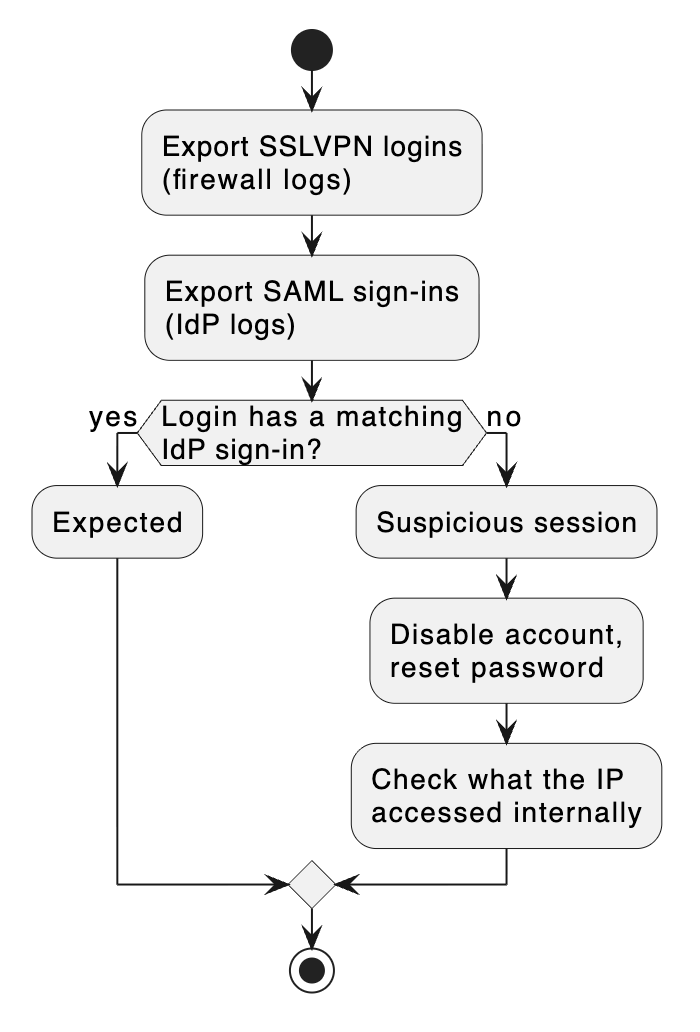
The SonicWall advisory text we could read lists no indicators of compromise. Look for the pattern the CVE describes: SSLVPN sessions that never reached your identity provider.
View PlantUML source
@startuml
skinparam shadowing false
skinparam defaultFontSize 14
start
:Export SSLVPN logins\n(firewall logs);
:Export SAML sign-ins\n(IdP logs);
if (Login has a matching\nIdP sign-in?) then (yes)
  :Expected;
else (no)
  :Suspicious session;
  :Disable account,\nreset password;
  :Check what the IP\naccessed internally;
endif
stop
@enduml- Export SSLVPN login events from the firewall log (filter on the SSL VPN and user categories) or from your syslog server. Message text differs between builds, so start broad. Run this on your syslog server and adjust the path:
grep -i "ssl ?vpn" /var/log/<YOUR_SONICWALL_LOG> | grep -iE "login|logged in" | tail -200- Export sign-ins for the SonicWall SAML app from your IdP for the same period.
- Match them by user and time. A VPN login with no IdP sign-in around the same minute, especially for a local or LDAP account, is worth a closer look.
- For each suspicious session: disable the account, reset its password everywhere it was reused, and review what the VPN IP reached on your internal network (file shares, RDP, domain controllers).
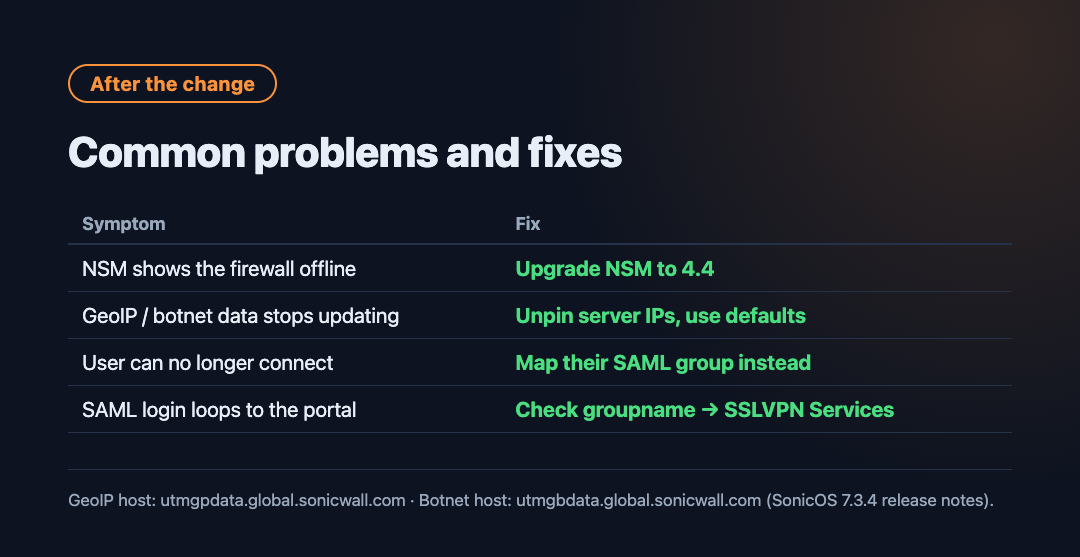
Troubleshooting after the upgrade
| Symptom | Likely cause | Fix |
|---|---|---|
| NSM shows the firewall offline | NSM older than 4.4 | Upgrade NSM to 4.4 |
| GeoIP or botnet filtering stops updating | Pinned server IP | Use default resolution, see the upgrade section |
| User can no longer connect | Removed from SSLVPN Services | Add their SAML group mapping instead |
| SAML login loops back to the portal | IdP group attribute does not match | Check the groupname attribute maps to SSLVPN Services |
For a broader look at hardening remote access, our OpenSSH 10.6p2 password bypass fix walks through a similar "password accepted where it should not be" problem on Linux.
FAQ
Is SonicWall CVE-2026-19868 being exploited? Yes. SonicWall reports exploitation, and CISA added it to the KEV catalog on November 6, 2026 with a federal due date of November 20, 2026. No exploit details or attacker names have been published.
Does the attacker need a password? Yes. The description requires "valid credentials for an alternate authentication method". The bug lets those credentials skip SAML and its MFA. That is why removing non-SAML accounts from SSLVPN access helps even before you patch.
I am on Gen8 8.2.2-8015. Am I patched? Not safely. The CVE records list 8.2.2-8015 and older as affected, while the Canadian Centre lists versions "prior to 8.2.2-8015". Look for a newer Gen8 build in MySonicWall and confirm it in SNWLID-2026-0014.
Can I roll back after installing 7.3.4? No. The release notes say downgrading from 7.3.4 is not supported. Export your settings before you upgrade.
Is Gen6 affected? The CVE records list only Gen7 and Gen8. Check SNWLID-2026-0014 for any Gen6 note.
Summary
Check every SonicWall firewall today. Gen7 TZ, NSa and NSsp: upgrade to SonicOS 7.3.4-7013 or later after exporting settings and checking NSM 4.4. Gen8 and NSv: find your fixed build in SNWLID-2026-0014, and until then keep only SAML users in SSLVPN Services, take management off the WAN and compare VPN logins with IdP sign-ins. Next, review how your VPN users are mapped from your IdP, so a future auth bug has fewer accounts to abuse.
References
- SNWLID-2026-0014: SonicOS affected by multiple vulnerabilities — SonicWall PSIRT advisory, published 2026-11-06, checked 2026-11-07 (page did not load in full)
- CVE-2026-19868 record — CVE.org, published 2026-11-06, affected versions and CISA ADP score, checked 2026-11-07
- CISA Known Exploited Vulnerabilities: CVE-2026-19868 — added 2026-11-06, due 2026-11-20, checked 2026-11-07
- SonicWall security advisory (AV26-1133) — Canadian Centre for Cyber Security, 2026-11-06, checked 2026-11-07
- SonicOS 7.3.4-7013 release notes — SonicWall, October 2026, checked 2026-11-07
- SonicOS 8.2.2-8015 release notes — SonicWall, August 2026, checked 2026-11-07
- How to configure SAML SSO on firewall for SSLVPN login using Azure AD as IdP — SonicWall KB (SSLVPN Services group, Server Settings path), checked 2026-11-07
- CVE records for CVE-2026-107154, CVE-2026-107155, CVE-2026-82308, CVE-2026-77708, CVE-2026-77709, CVE-2026-19703 — published 2026-11-06, checked 2026-11-07