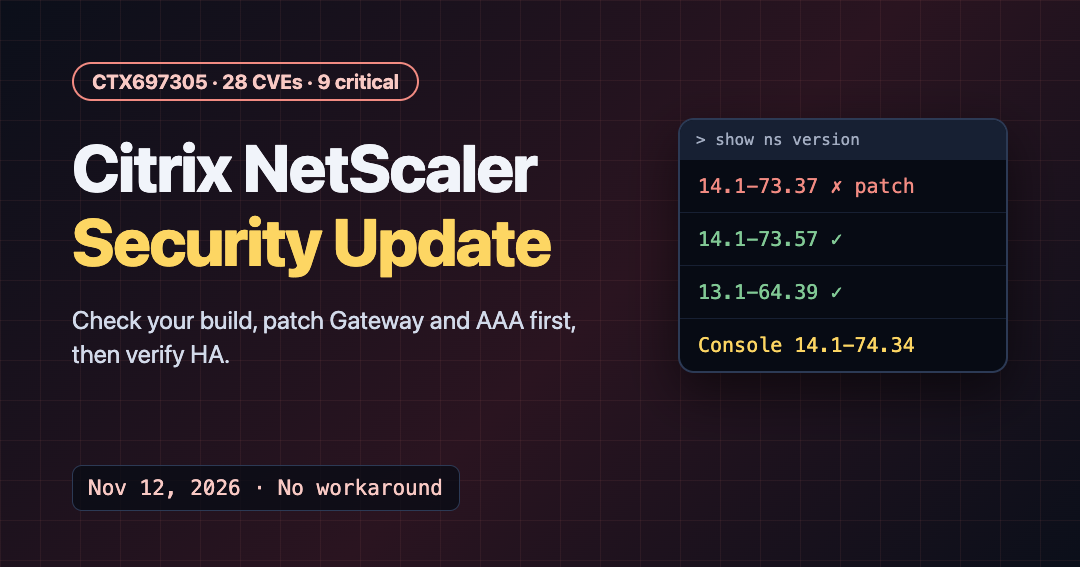
The Citrix NetScaler security update published on November 12, 2026 (bulletin CTX697305) fixes 28 memory flaws in NetScaler ADC and NetScaler Gateway, nine of them rated critical. One of them, CVE-2026-120868 (CVSS 9.3), affects every appliance, including default configurations. Upgrade customer-managed appliances to 14.1-73.57, 13.1-64.39, 14.1-73.58 FIPS or 13.1-37.293 FIPS/NDcPP, starting with internet-facing Gateway and AAA appliances. There is no workaround.
Written November 14, 2026, 07:30 KST (November 13, 22:30 UTC). Facts checked on November 14, 2026 against CERT-EU Security Advisory 2026-020, the Citrix bulletin listing for CTX697305, the NetScaler upgrade documentation and security news coverage. The Citrix knowledge base page did not load fully for me, so the CVE breakdown below comes from CERT-EU and published reports. I have not tested these builds on an appliance for this post. The commands are standard NetScaler CLI, shell and NITRO API commands.
What the Citrix NetScaler security update fixes
Cloud Software Group published the bulletin on November 12, 2026. CERT-EU issued advisory 2026-020 the same day. As of that date, Citrix reported no exploitation and CERT-EU knew of no public proof of concept.
| Product | Vulnerable if older than | Fixed build |
|---|---|---|
| ADC / Gateway 14.1 | 14.1-73.57 | 14.1-73.57 or later |
| ADC / Gateway 13.1 | 13.1-64.39 | 13.1-64.39 or later |
| ADC 14.1 FIPS | 14.1-73.58 FIPS | 14.1-73.58 FIPS or later |
| ADC 13.1 FIPS / NDcPP | 13.1-37.293 | 13.1-37.293 or later |
Source: CERT-EU Security Advisory 2026-020 and CTX697305 as reported, checked Nov 14, 2026.
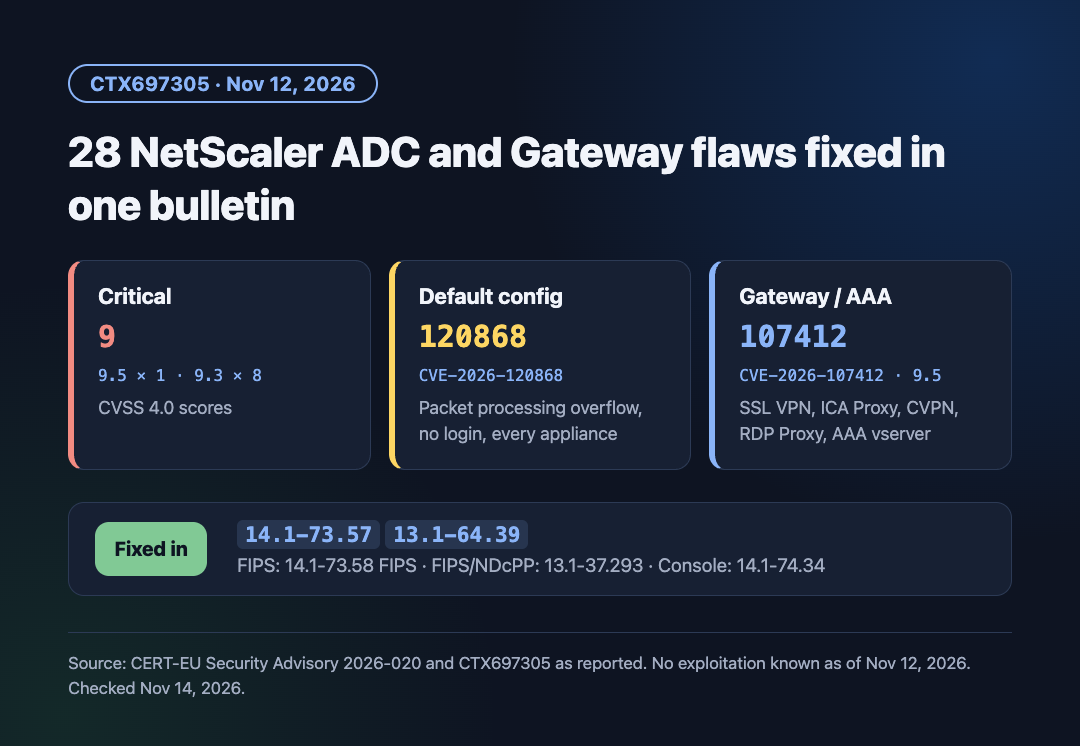
The two flaws that decide your urgency:
- CVE-2026-120868 (CVSS 4.0: 9.3). A memory overflow in core packet processing. It needs no special feature and no login. Every vulnerable ADC and Gateway build is exposed, even with a default configuration.
- CVE-2026-107412 (CVSS 4.0: 9.5). Several memory overflows on appliances configured as a Gateway (SSL VPN, ICA Proxy, CVPN, RDP Proxy) or an AAA virtual server. CERT-EU says these can be reached without authentication.
The other 26 flaws apply only when a matching feature is in use: SAML, LDAP, RADIUS, client-certificate login, Email OTP, Endpoint Analysis, DNS and DNS-over-HTTPS, HTTP/2, HTTP/3, GSLB, Diameter, MQTT, SMPP, BGP and the Application Firewall. Reports describe the impact mostly as unpredictable behavior or denial of service. One medium flaw, CVE-2026-111338, writes login data to /var/log/httperror.log, readable only with local access.
A separate fix covers NetScaler Console: CVE-2026-120869 (CVSS 9.4), an authentication bypass for anyone who can reach the Console IP. The fixed Console build is 14.1-74.34. Updating ADC does not fix Console, and the reverse is also true.
Citrix says its managed services (Gateway Service, Secure Private Access, Adaptive Authentication and NetScaler Console Service) are already updated. Only customer-managed appliances need your action.
Why "no exploitation yet" is not a reason to wait
NetScaler bugs have a history of fast weaponization. In late September 2026, Citrix fixed CVE-2026-88771 and CVE-2026-88772 (bulletin CTX697096), and CISA added both to its Known Exploited Vulnerabilities catalog on September 27. If you skipped that round, you are below 14.1-73.37 or 13.1-64.23 and already exposed to exploited bugs. This update covers those fixes too, since the new builds are later.
Check your NetScaler version
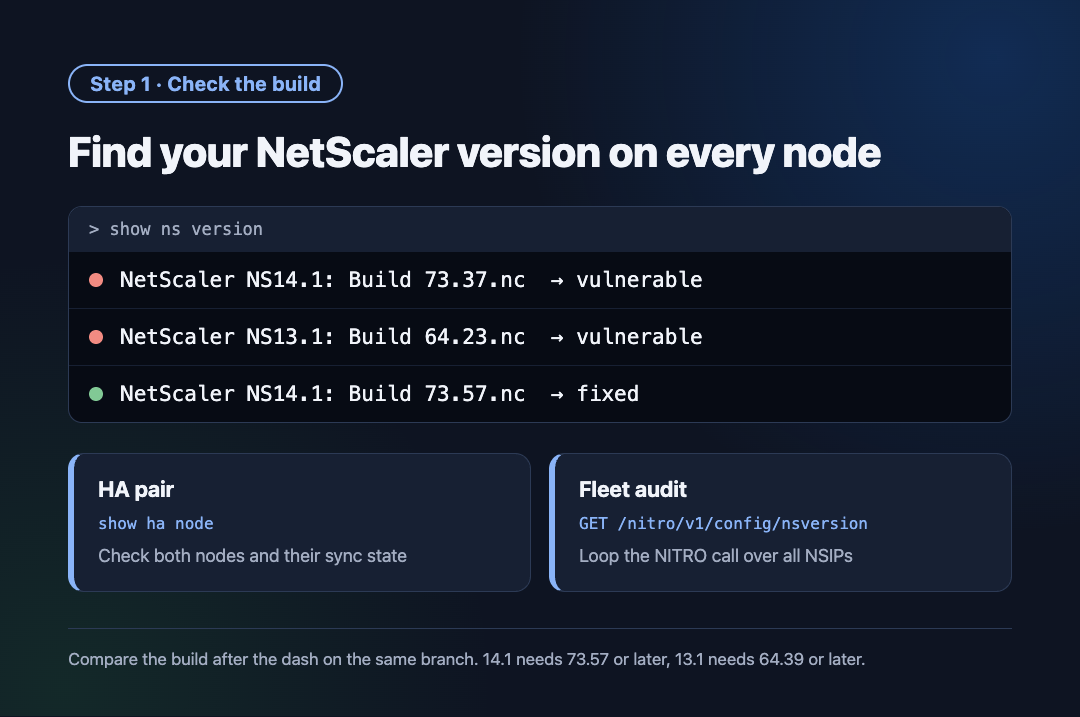
You are vulnerable if your build number is lower than the fixed build on the same branch. Compare the number after the dash: 14.1-73.47 is vulnerable, 14.1-73.57 is fixed.
From the NetScaler CLI (SSH)
## Log in over SSH as an administrator, then:
show ns version
## Example output format:
##   NetScaler NS14.1: Build 73.37.nc, Date: <BUILD_DATE>
## "Build 73.37" on 14.1 is below 73.57, so this appliance needs the update.

## HA pairs: check both nodes and their state
show ha node
From the GUI
Log in to the NetScaler IP (NSIP). The release and build appear at the top of the Dashboard and under System > System Information. Write down the value for each node of an HA pair.
From the NITRO API (many appliances)
## Reads the version string of one appliance
curl -sk https://<NSIP>/nitro/v1/config/nsversion \
  -H "X-NITRO-USER: <ADMIN_USER>" \
  -H "X-NITRO-PASS: <ADMIN_PASSWORD>"
## Response contains: "version": "NetScaler NS14.1: Build 73.37.nc, ..."
Loop that over a list of NSIPs to audit a fleet. If you run NetScaler Console, its inventory view lists versions for every managed instance, but patch Console itself first if it is reachable from untrusted networks.
Which features do you run?
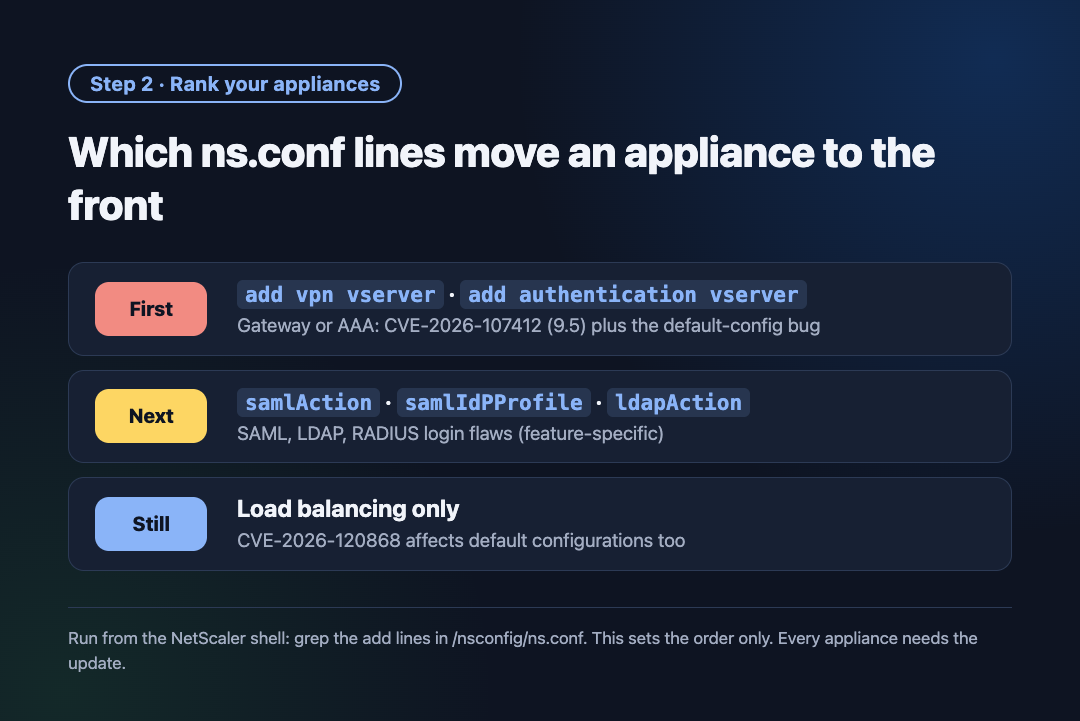
The default-config bug means every appliance needs the update. Still, this tells you which appliances go first:
## From the NetScaler CLI, enter the shell
shell
## Gateway, AAA and SAML configuration lines
grep -E "^add (vpn vserver|authentication vserver|authentication samlAction|authentication samlIdPProfile|authentication ldapAction|authentication radiusAction)" /nsconfig/ns.conf
exit
Any add vpn vserver or add authentication vserver line means CVE-2026-107412 (9.5) also applies. Put that appliance at the top of your list.
How to install the NetScaler update
Download the build for your branch from the NetScaler downloads page with a Citrix account. FIPS and NDcPP appliances need the matching FIPS package, not the standard one.
Before you start
- Plan a maintenance window. Existing ICA sessions are terminated during the upgrade, and users must reconnect.
- The upgrade needs at least 7 GB free in
/varand 200 MB in/flash(NetScaler 14.1 documentation). - Save and copy the configuration off the appliance.
save config
shell
cd /nsconfig
cp ns.conf ns.conf.NS<CURRENT_RELEASE><CURRENT_BUILD>
## Copy this file and ns.conf to another machine (scp or WinSCP)
df -h /var /flash
Standalone appliance (CLI)
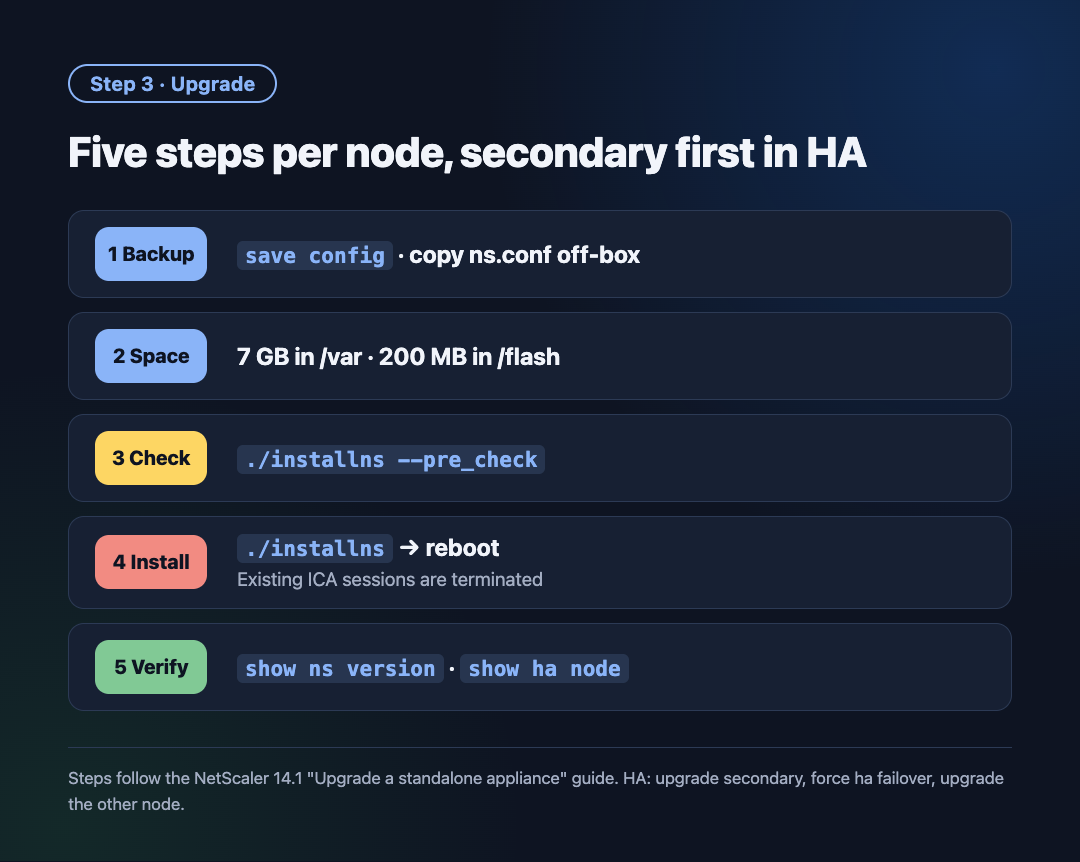
These steps follow the official "Upgrade a NetScaler standalone appliance" guide. The example uses 14.1-73.57.
shell
cd /var/nsinstall
mkdir -p 14.1/build_73.57
cd 14.1/build_73.57
## Upload the package here first, e.g. with WinSCP or scp
tar -xvzf build-14.1-73.57_nc_64.tgz
./installns --pre_check
./installns
## Answer Y at "Reboot NOW? [Y/N]"
If the installer asks "Do you wish to delete old signature files and kernel images?", answer No unless /flash is short on space.
After the reboot, log in and run show ns version again. It must show Build 73.57 (or later) on 14.1.
Standalone appliance (GUI)
- Go to System > System Upgrade.
- Click System Disk to check free space. Use Disk Cleanup if needed.
- Choose Local or Appliance as the image source and select the package.
- Click Next to run pre-upgrade validation. Fix every Failed check, then Revalidate.
- Click Upgrade. The appliance reboots.
- Close all browser windows and clear the browser cache before you log in again.
High availability pairs
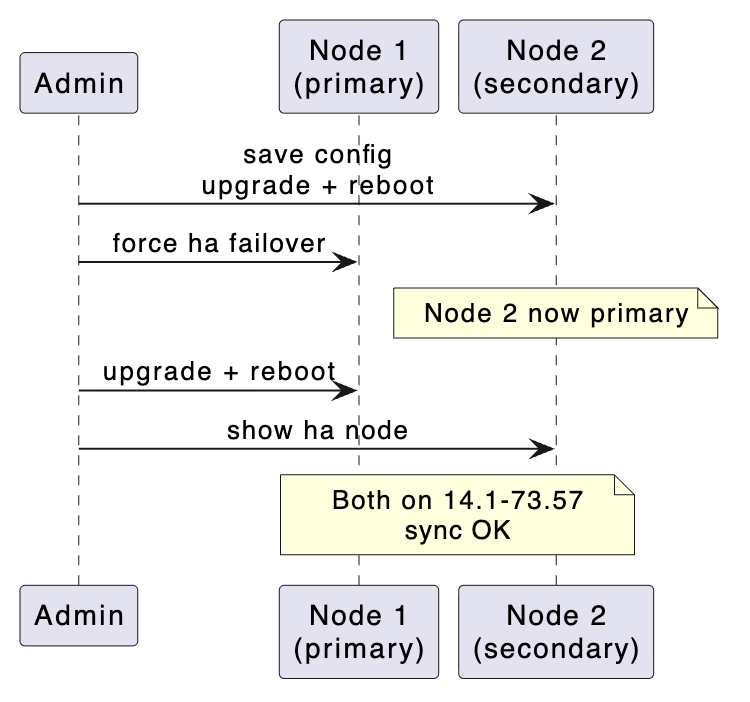
Upgrade one node at a time so traffic keeps flowing.
View PlantUML source
@startuml
skinparam defaultTextAlignment center
participant "Admin" as A
participant "Node 1\n(primary)" as P
participant "Node 2\n(secondary)" as S
A -> S : save config\nupgrade + reboot
A -> P : force ha failover
note over S : Node 2 now primary
A -> P : upgrade + reboot
A -> S : show ha node
note over P, S : Both on 14.1-73.57\nsync OK
@enduml
## On the secondary: upgrade with the steps above, then on the primary:
force ha failover
## Upgrade the former primary (now secondary), then on either node:
show ha node
show ns versionDo not change the configuration while the two nodes run different builds. Finish both nodes first.
NetScaler Console
Upgrade Console separately to 14.1-74.34 or later. Older Console installs that use legacy file-based licensing may need a License Activation Service (LAS) exception before this upgrade. Without it, the upgrade from an older build can be blocked. Ask your Citrix account technology specialist or partner for the exception before the maintenance window.
Verify after the upgrade
The NetScaler documentation lists these checks:
- Virtual servers are UP:
show lb vserver,show vpn vserver - Monitors are UP
- GSLB sites sync without errors
- All certificates are present:
show ssl certKey - All licenses are present:
show license
Then test a real Gateway login, including SAML or MFA if you use them.
If you can't patch right away
Citrix lists no workaround for these flaws. The only fix is the upgrade. The steps below lower exposure; they come from general NetScaler hardening, not from the bulletin, and they do not protect against CVE-2026-120868.
| Step | What it reduces | Side effect |
|---|---|---|
| Restrict the NSIP and management access to a management network | CVE-2026-120863, reachable through NSIP addresses | Remote admins need VPN or a jump host |
| Keep NetScaler Console off untrusted networks | CVE-2026-120869 authentication bypass | Remote Console access needs a VPN |
| Remove or disable unused virtual servers and features | Feature-specific flaws | Breaks anything that still uses them |
| Watch for crashes, restarts and HA failovers | Early sign of DoS attempts | Alert noise during busy periods |
Treat these as a stopgap of days, not weeks.
Troubleshooting the NetScaler upgrade
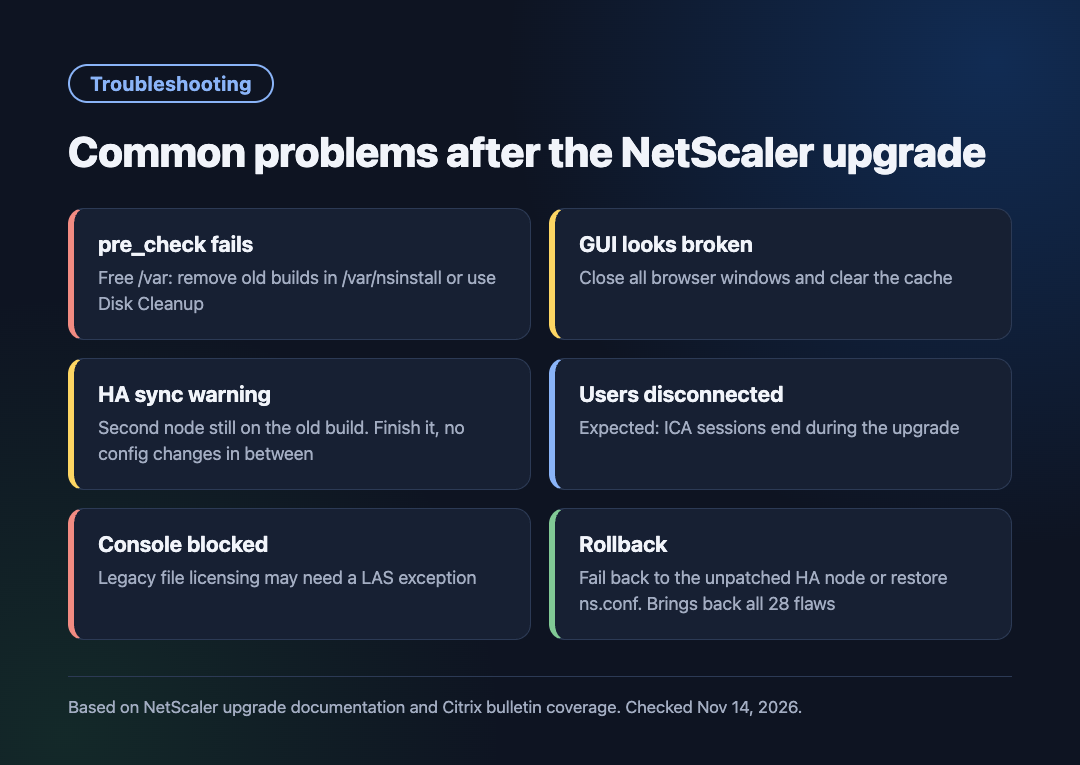
installns --pre_check fails on disk space. Free space in /var. Delete old build folders under /var/nsinstall that you no longer need, or use Disk Cleanup in the GUI upgrade wizard. Then run the pre-check again.
The GUI looks broken or shows old pages after the upgrade. The documentation says to close all browser windows and clear the cache. Do that before you troubleshoot anything else.
HA nodes show a sync problem. One node is still on the old build. Upgrade it, then check show ha node again. Avoid config changes until both nodes match.
Users were disconnected. This is expected. ICA sessions end during the upgrade. Tell users to reconnect, and schedule the second HA node outside peak hours.
Rolling back. The documented downgrade also uses installns with the older package, but NetScaler warns that a downgrade can lose configuration. Restore the ns.conf copy you saved if needed. In an HA pair, the quicker rollback is to fail back to the node you have not upgraded yet. Any rollback brings back all 28 flaws, so keep it short.
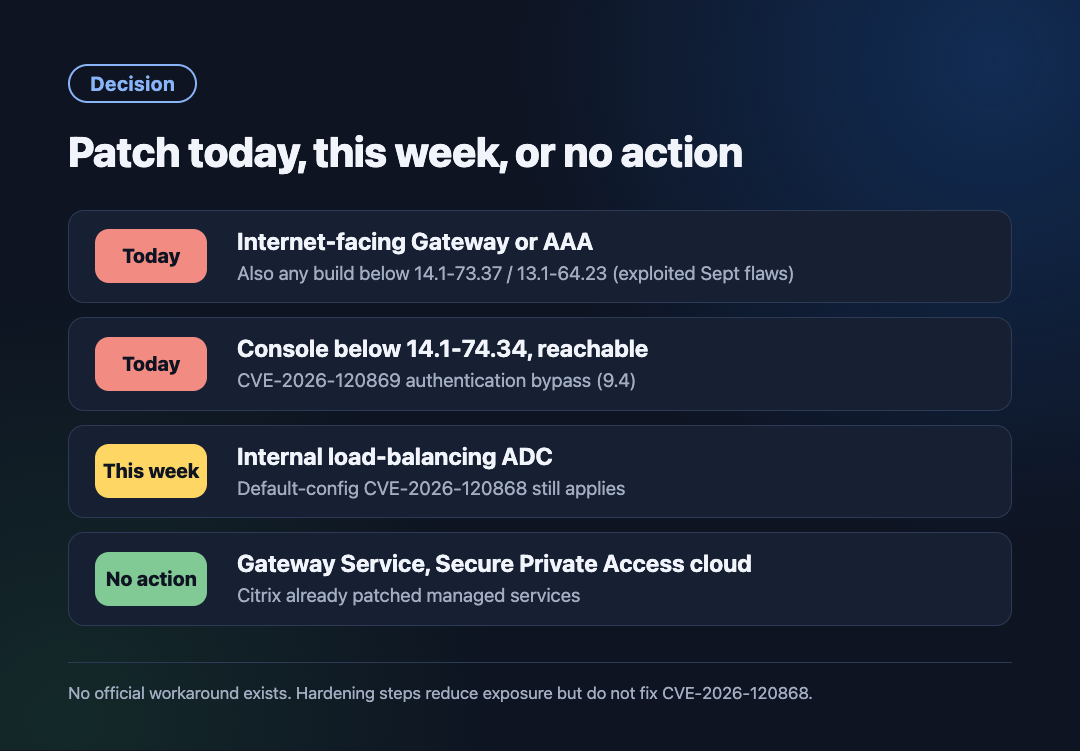
Patch now or this week?
| Your setup | Action | Why |
|---|---|---|
| Internet-facing Gateway or AAA vserver, below the fixed build | Patch today | CVE-2026-107412 (9.5) and CVE-2026-120868 (9.3) |
| Still below 14.1-73.37 or 13.1-64.23 | Patch today | Also missing fixes for exploited CVE-2026-88771 and -88772 |
| Internal-only ADC (load balancing), below the fixed build | This week | Default-config bug still applies |
| NetScaler Console below 14.1-74.34 | Today if reachable from untrusted networks, else this week | CVE-2026-120869 authentication bypass |
| Gateway Service, Secure Private Access, Console Service (cloud) | No action | Citrix already patched them |
| 13.0 or older | Upgrade to a supported branch | The bulletin lists fixes only for 14.1 and 13.1 |
If you also run other remote access appliances, the same patch-first logic applied to the Ivanti Connect Secure patch and the SonicWall SSLVPN SAML bypass earlier this month. Check those boxes in the same window.
FAQ
Is CVE-2026-120868 being exploited? Not as of November 12, 2026. Citrix reported no exploitation and CERT-EU knew of no public proof of concept. Earlier NetScaler flaws were attacked soon after patches came out, so do not wait for that to change.
Does the Citrix NetScaler security update apply if I don't use Gateway? Yes. CVE-2026-120868 affects every vulnerable ADC and Gateway build, including default configurations. Gateway and AAA appliances face the extra 9.5 flaw, so they go first.
Do I need to do anything for Citrix Gateway Service or Secure Private Access in the cloud? No. Citrix says its managed cloud services already have the fix. Secure Private Access hybrid setups that use your own NetScaler instances still need those instances upgraded.
What is the fixed version for NetScaler FIPS? 14.1-73.58 FIPS for 14.1 FIPS, and 13.1-37.293 for 13.1 FIPS and NDcPP. Use the FIPS package; the standard 14.1-73.57 build is not the right one.
Will the upgrade disconnect users? Yes. Existing ICA sessions are terminated during the upgrade. In an HA pair, the failover step also moves traffic, so plan a window and warn users.
References
- Citrix NetScaler ADC and Gateway Security Bulletin CTX697305 — Citrix support, checked Nov 14, 2026
- Security updates for NetScaler ADC, NetScaler Gateway and NetScaler Console — Citrix Tech Zone, checked Nov 14, 2026
- Security Advisory 2026-020: Critical Vulnerabilities in Citrix NetScaler ADC and NetScaler Gateway — CERT-EU, checked Nov 14, 2026
- Upgrade a NetScaler standalone appliance — NetScaler documentation, checked Nov 14, 2026
- Citrix security advisory AV26-965 (CVE-2026-88771, CVE-2026-88772) — Canadian Centre for Cyber Security, checked Nov 14, 2026
- Citrix Patches 28 Security Vulnerabilities in NetScaler — Cyber Security News, Nov 13, 2026
- Citrix NetScaler Critical Flaws: 10 Vulnerabilities Require Urgent Patching — Techgenyz, checked Nov 14, 2026