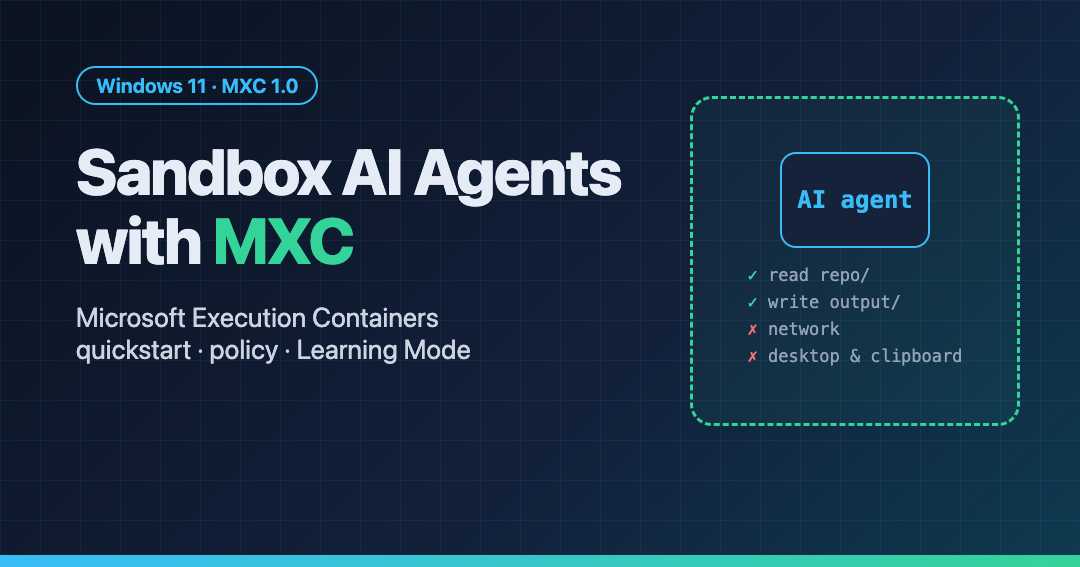
Microsoft Execution Containers (MXC) let a Windows 11 app run an AI agent, plugin or generated script inside a deny-by-default sandbox. Your host code declares which folders the workload may read or write, which network destinations it may reach and whether it may touch the desktop, and Windows enforces that policy at runtime. This guide walks through the official quickstart in TypeScript and .NET, shows how to write a least-privilege policy, and explains how Learning Mode helps you find missing grants without opening everything up.
Written 2026-10-28. Release dates, package names, requirements and code were checked against Microsoft Learn, the Windows Developer Blog and the microsoft/mxc GitHub repository on that date. I did not run these samples on a test machine for this article; the code follows Microsoft's published quickstart.
What Microsoft Execution Containers are
Microsoft announced MXC as generally available on October 7, 2026, describing it as a "policy-driven execution layer for untrusted code or dynamically generated workloads." The same day, version v1.0.0 appeared on GitHub. The first patch, v1.0.1, followed on October 17 and kept the stable policy schema at 1.0.0.
The idea is simple: the policy lives in trusted host code, outside the workload's control. A coding agent can say what it needs, but it cannot pick its own sandbox or widen its own access.
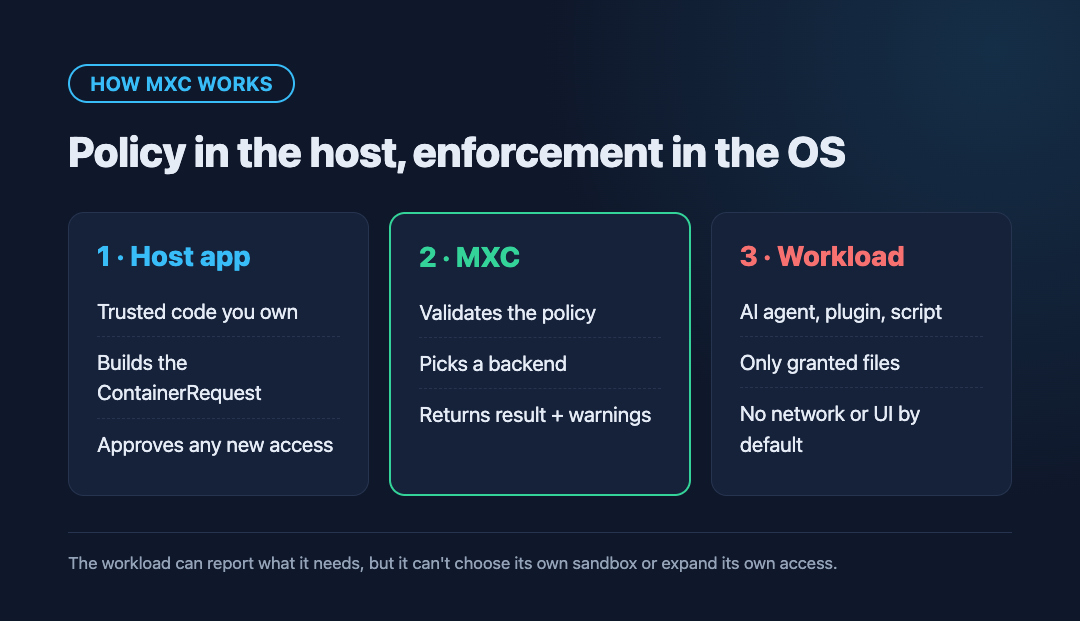
The Windows blog lists these agents as already supporting MXC: GitHub Copilot, OpenClaw, OpenAI Codex, Replit, LM Studio and Unsloth AI. Anthropic's Claude Code is listed as expected to add support. If you already run agents locally, for example with the setup in Copilot CLI Ollama: run local models in your terminal, MXC is the layer that limits what those agents can touch.
Choose an MXC containment backend
MXC does not enforce anything by itself. It translates your policy for a backend built on an OS mechanism. When you request the abstract process intent, you get the native process sandbox for the host.
| Backend | Host | V1 SDK status | Best for |
|---|---|---|---|
| ProcessContainer | Windows 11 | Stable (default) | Short commands, agent tools |
| IsolationSession | Windows 11 | Stable | Separate Windows user and session |
| WSLc | Windows 11 | Stable | Linux toolchains on Windows |
| Bubblewrap / LXC | Linux | Stable | Same code on Linux hosts |
| Seatbelt | macOS | Stable | Same code on macOS |
| Windows Sandbox, MicroVM, Hyperlight | Varies | Experimental | Not creatable via V1 SDK |
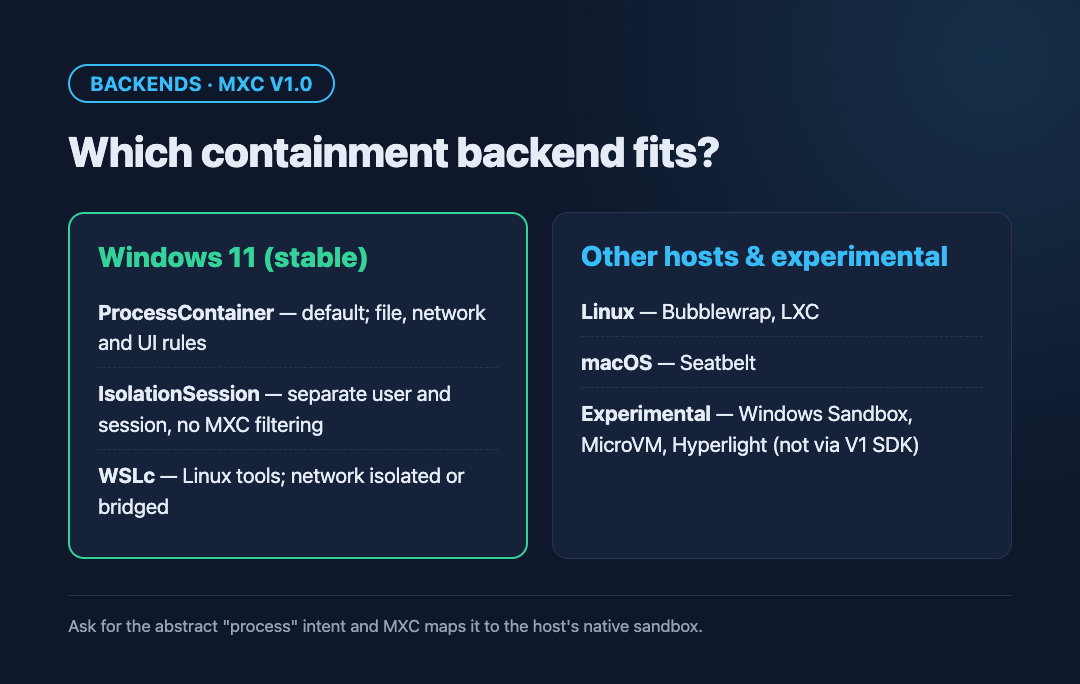
Two limits from the platform support page matter when you pick:
- IsolationSession separates the user and session but does not apply MXC file, UI or network filtering, and its request must allow all network traffic.
- WSLc networking is either fully isolated or fully bridged, with no per-destination rules.
So if you need "read this repo, write one folder, no internet," ProcessContainer is the backend that matches.
Prerequisites for the MXC quickstart
From the Microsoft Learn quickstart (updated 2026-10-27):
- Windows 11, version 24H2 or later, with a supported ProcessContainer environment.
- .NET: .NET 8 SDK or later and the
Microsoft.Mxc.SdkNuGet package. - TypeScript:
@microsoft/mxc-sdkfrom npm and Node.js 24.21.0 or later on the 24 line, or 26.8.0 or later. If you are still on an older runtime, see how to upgrade to Node.js 26 LTS. - Rust: a stable MSVC toolchain and the
mxc-sdkcrate. - PowerShell and a writable working directory.
Some hosts fall back to an AppContainer-based tier that needs one-time preparation of the system drive and the null device. The null-device setting resets on every restart. MXC's host probe names the wxc-host-prep.exe subcommand to run. That tool needs administrator approval, so Microsoft recommends an admin runs it rather than your app.
Run your first sandboxed workload
The quickstart creates workspace\input (read-only) and workspace\output (read-write). The contained command reads input.txt and writes result.txt. Network and UI stay denied because they are not granted.
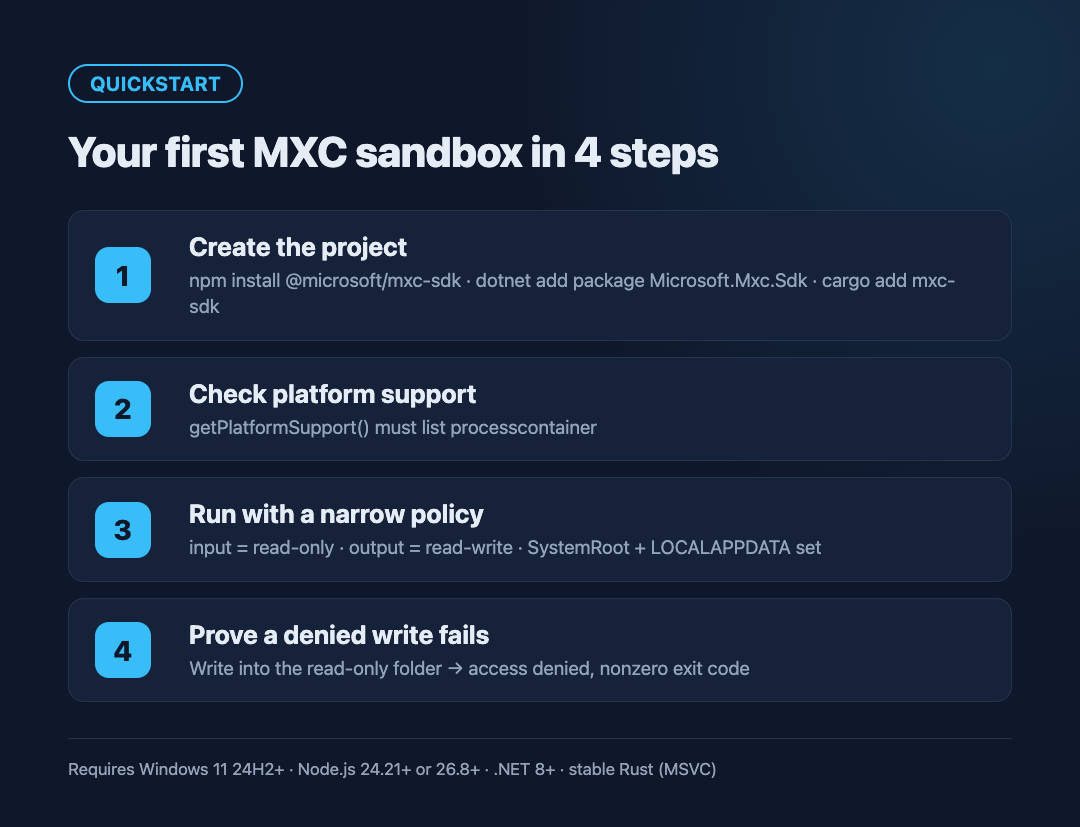
Step 1: Create the project
TypeScript:
New-Item -ItemType Directory MxcQuickstart
Set-Location MxcQuickstart
npm init -y
npm pkg set type=module
npm install @microsoft/mxc-sdk
npm install --save-dev tsx
.NET:
dotnet new console -n MxcQuickstart
Set-Location MxcQuickstart
dotnet add package Microsoft.Mxc.Sdk
Step 2: Define the request and run it
This is the core of the TypeScript sample (sandbox.ts), shortened only by removing comments. The full version on Microsoft Learn also prints result warnings.
import { getPlatformSupport, MxcError, run, type ContainerRequest } from '@microsoft/mxc-sdk/v1';
import { mkdirSync, readFileSync, writeFileSync } from 'node:fs';
import { join, resolve } from 'node:path';

try {
  const systemRoot = process.env.SystemRoot;
  if (process.platform !== 'win32' || !systemRoot) {
    throw new Error('This example requires Windows and SystemRoot.');
  }

  const support = getPlatformSupport();
  if (!support.isSupported || !support.availableMethods.includes('processcontainer')) {
    throw new Error(support.reason ?? 'Windows ProcessContainer is unavailable.');
  }
  for (const warning of support.isolationWarnings ?? []) console.error(warning);

  const inputDirectory = resolve('workspace', 'input');
  const outputDirectory = resolve('workspace', 'output');
  const outputFile = join(outputDirectory, 'result.txt');
  const commandInterpreter = join(systemRoot, 'System32', 'cmd.exe');

  mkdirSync(inputDirectory, { recursive: true });
  mkdirSync(outputDirectory, { recursive: true });
  writeFileSync(join(inputDirectory, 'input.txt'), 'Hello from MXC!\n');

  const request: ContainerRequest = {
    command: `"${commandInterpreter}" /d /c type input.txt > "${outputFile}"`,
    containment: { type: 'process' },
    filesystem: {
      readonlyPaths: [inputDirectory, commandInterpreter],
      readwritePaths: [outputDirectory],
    },
    workingDirectory: inputDirectory,
    environment: {
      SystemRoot: systemRoot,
      LOCALAPPDATA: outputDirectory,
      TEMP: outputDirectory,
      TMP: outputDirectory,
    },
    timeoutMs: 30_000,
  };

  const result = await run(request);
  process.stdout.write(result.stdout);
  process.stderr.write(result.stderr);
  if (result.timedOut) throw new Error('The workload exceeded its timeout.');

  console.log(`Sandbox exited with code ${result.exitCode}`);
  if (result.exitCode === 0) process.stdout.write(readFileSync(outputFile, 'utf8'));
  process.exitCode = result.exitCode;
} catch (error) {
  console.error(error);
  if (error instanceof MxcError && error.remediation) console.error(error.remediation);
  process.exitCode = 1;
}
Run it:
npx tsx sandbox.tsExpected output, per the docs:
Sandbox exited with code 0
Hello from MXC!
Three details from this sample are easy to get wrong:
- Environment variables. If you pass an explicit environment to a Windows ProcessContainer, include both
SystemRootandLOCALAPPDATA. MXC rejects the request before launch if either is missing. - The interpreter is a grant too.
cmd.exeis inreadonlyPaths. Every tool binary the workload starts must be readable. - Working directory is not a grant. Setting
workingDirectorydoes not give access to it. Add it to a filesystem list.
In .NET the same request uses PascalCase names (ReadonlyPaths, ReadwritePaths, TimeoutMs) and runs with await MxcContainer.RunAsync(request). In Rust it is v1::run(request, Default::default()).
Step 3: Prove the sandbox blocks a write
Change only the output path so the command tries to write into the read-only folder:
const outputFile = join(inputDirectory, 'blocked.txt');Run again. Microsoft says to expect an access-denied error, a nonzero exit code and no workspace\input\blocked.txt. Then restore the original line and confirm the allowed run still works. A positive test only proves MXC accepted your config; the negative test proves the restriction holds.
Write a least-privilege MXC policy
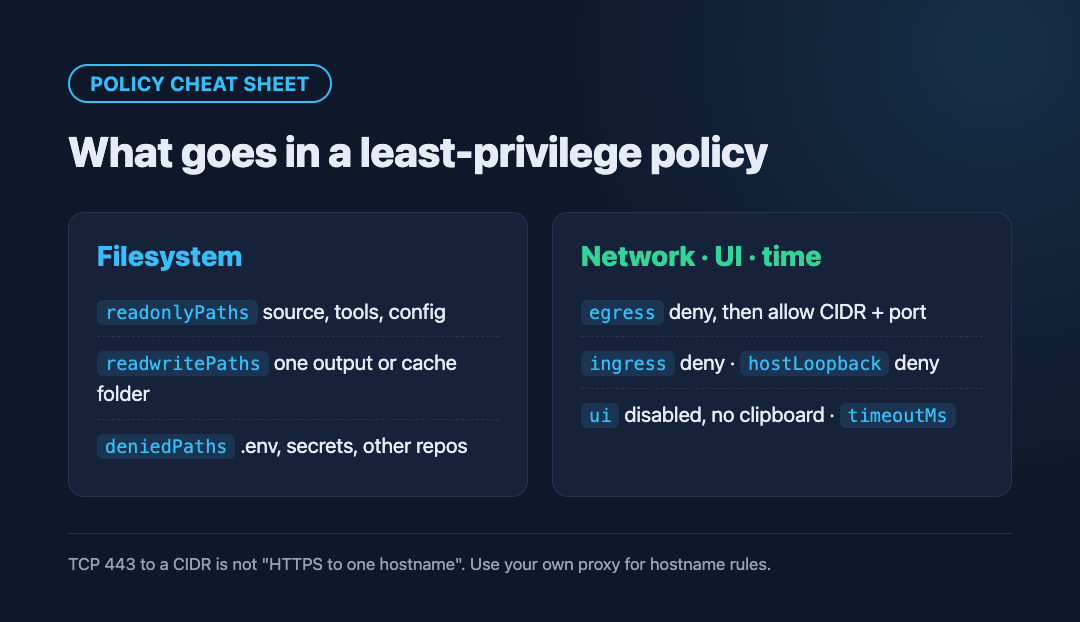
For an agent working on a repository, start from deny-by-default and add only what the task needs. This fragment uses TypeScript request property names:
{
  "filesystem": {
    "readonlyPaths": ["C:\\src\\my-app"],
    "readwritePaths": ["C:\\src\\mxc-output"],
    "deniedPaths": ["C:\\src\\my-app\\.env"]
  },
  "network": {
    "egress": { "default": "deny" },
    "ingress": { "default": "deny", "hostLoopback": "deny" }
  },
  "ui": {
    "disable": true,
    "clipboard": "none",
    "allowInputInjection": false
  },
  "timeoutMs": 30000
}
If the agent must call one service, allow a CIDR range and port instead of opening egress:
{
  "network": {
    "egress": {
      "default": "deny",
      "allow": [
        {
          "to": [{ "cidr": "<APPROVED_CIDR>" }],
          "ports": [{ "protocol": "tcp", "port": 443 }]
        }
      ]
    },
    "ingress": { "default": "deny", "hostLoopback": "deny" }
  }
}
Microsoft points out that a TCP 443 rule does not mean "HTTPS to one hostname," and DNS may need its own rule. For hostname-based decisions, run your own HTTP(S) proxy and set runtimeConfig.networkProxy. MXC does not ship a production proxy, and proxy mode cannot be combined with direct allow rules.
Old fields such as allowedHosts, blockedHosts and defaultPolicy are retired and rejected by the supported schemas. If you write a raw JSON config for the wxc-exec.exe CLI, set "version": "1.0.0" exactly; 1.0 and 1.0.1 are rejected. The SDKs set the schema for you.
Secrets deserve the same care as with any supply-chain risk. The policy guide says to keep them out of both the environment and readable paths, the same principle behind npm 12 blocking install scripts by default.
Use MXC Learning Mode to find missing grants
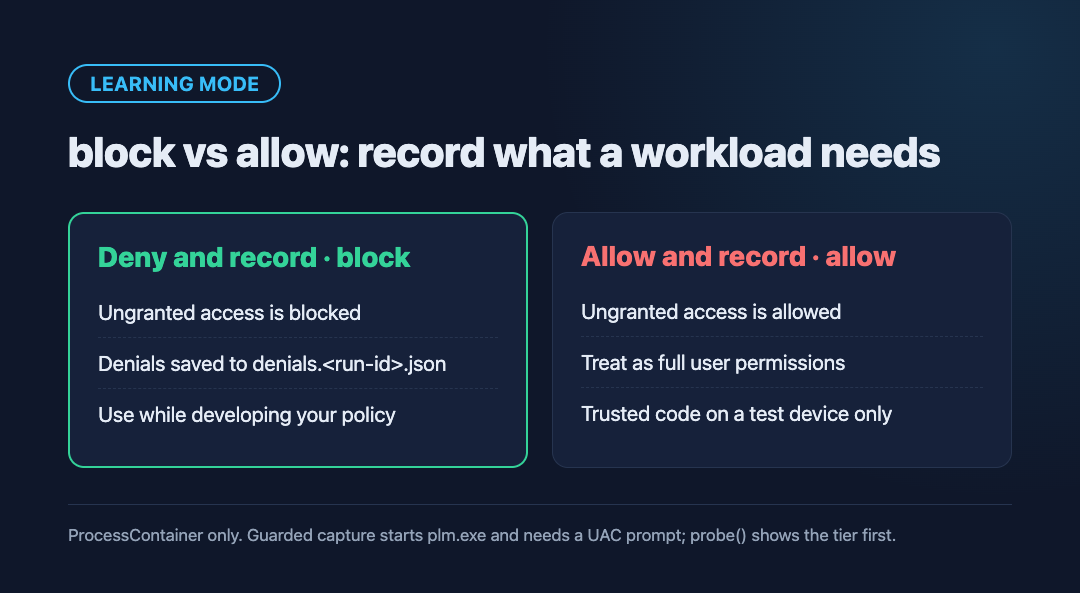
Guessing every path a tool needs is hard. Learning Mode records what a workload tried to access so you can build a policy from evidence. It currently works only for ProcessContainer on Windows.
Deny and record (block) | Allow and record (allow) | |
|---|---|---|
| Ungranted access | Blocked and recorded | Allowed and recorded |
| Use when | Developing an app and its policy | No policy exists yet, trusted code only |
| Risk | Low, policy still enforced | Treat as full user permissions |
To capture denials in TypeScript, switch to an explicit ProcessContainer containment:
const captureDirectory = resolve('captures');
mkdirSync(captureDirectory, { recursive: true });

request.containment = {
  type: 'processcontainer',
  config: {
    captureDenials: {
      mode: 'block',
      outputPath: join(captureDirectory, 'denials.json'),
    },
  },
};
After the run, read result.outputMetadata.captureDenials.outputPath. MXC inserts a run ID, so the file becomes denials.<run-id>.json. If deniedResourcesTruncated is true, do not build a policy from that run.
Capture can take two paths. Native capture runs at the BaseContainer tier with no elevation. Guarded capture uses an AppContainer tier and starts a signed helper, plm.exe, which triggers a UAC prompt. Call probe(request) first to see which tier you will get.
Without host code, admins can use the CLI from the mxc-release-binaries.zip asset on the GitHub release (it is not added to PATH by the SDK):
C:\Tools\Mxc\x64\wxc-exec.exe audit-config.json
C:\Tools\Mxc\x64\wxc-exec.exe --audit --config <path-to-config>
The --audit workflow also proposes an Adjusted_*.json config. The README warns that --audit turns off sandbox security for the workload, so never use it on untrusted code.

View PlantUML source
@startuml
skinparam shadowing false
skinparam defaultFontSize 14
left to right direction
skinparam rectangleBackgroundColor #E0F2FE
skinparam rectangleBorderColor #0369A1
rectangle "Pick\nbackend" as A
rectangle "Allow + record\n(no policy yet,\ntrusted code)" as B
rectangle "Draft narrow\npolicy" as C
rectangle "Deny + record\nreview denials" as D
rectangle "Remove capture\nfinal enforcing run" as E
A --> B
A --> C : policy exists
B --> C
C --> D
D --> C : missing grant
D --> E : tests pass
@enduml
MXC security checklist before you ship
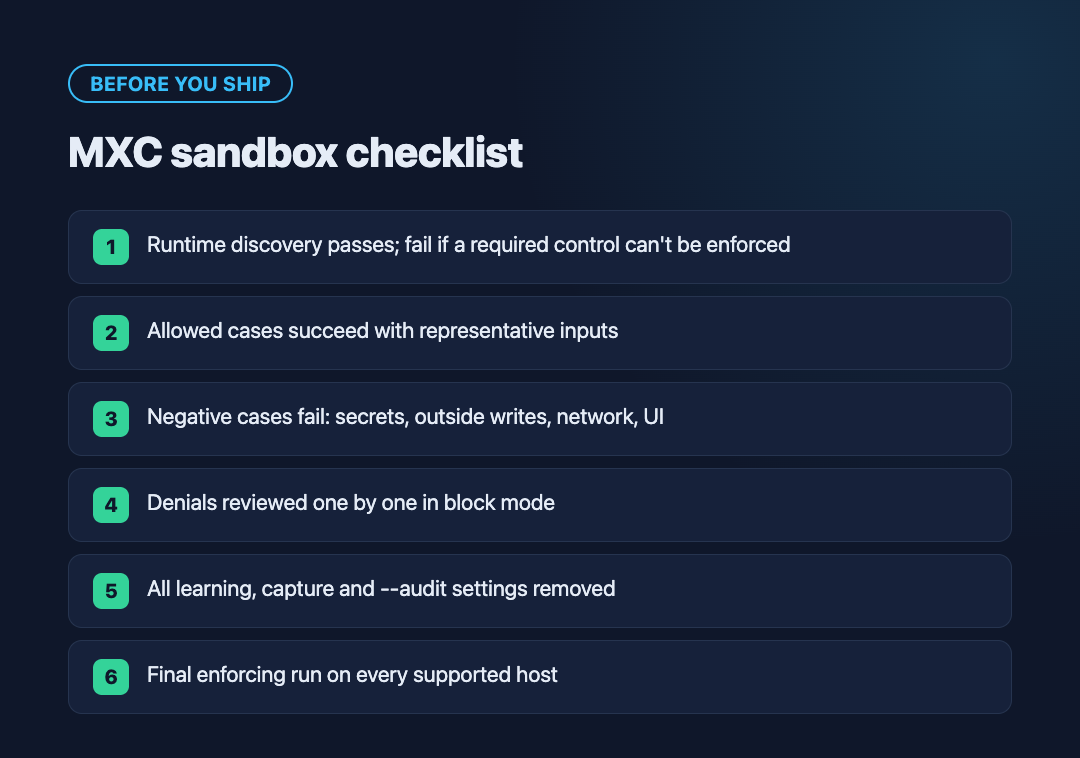
- Run runtime discovery (
getPlatformSupport(),probe()) and handle "unavailable" errors without weakening the policy. - Test allowed cases with representative inputs.
- Test negative cases: read a secret, write outside the output folder, call an unapproved network path, open UI.
- Resolve denials with block-mode Learning Mode and review each one.
- Remove all learning, capture and audit settings.
- Do one final enforcing run on every host type you support.
Microsoft's guidance is explicit: if the host cannot enforce a required control, fail. Do not silently fall back to a backend with broader access. The same thinking applies to agents you run headless, like the setup in running Claude Code headless with n8n on macOS.
FAQ
Is Microsoft Execution Containers free to use? The SDKs are published on NuGet, npm and crates.io, and the microsoft/mxc repository is MIT licensed. Microsoft's announcement did not mention a separate fee for using MXC on Windows 11.
Does MXC work on Windows 10? The quickstart requires Windows 11, version 24H2 or later. Windows 10 is not listed as supported.
Is MXC the same as Windows Sandbox or WSL Containers? No. MXC is a policy layer that can drive several backends. Windows Sandbox is an experimental MXC backend, and WSLc lets MXC run Linux workloads through WSL. The default on Windows is ProcessContainer.
Can an AI agent change its own MXC policy? It should not. Microsoft says the policy must stay in trusted host code, and allow-and-record Learning Mode should never be exposed as an agent-callable production tool. A person or trusted code approves any expansion.
Is Intune or Entra management available? Not yet. As of the October 7 announcement, Intune policy for MXC process containers and Microsoft Entra agent identity were described as coming soon.
Summary
Microsoft Execution Containers give Windows 11 apps a single policy for running AI agents and untrusted tools: read-only inputs, one writable folder, no network and no UI unless you grant them. Start with the ProcessContainer quickstart, prove a denied write fails, then tighten the policy with block-mode Learning Mode. A good next step is to wrap one real agent tool call, such as a test runner, in an MXC request and compare its denial report with what you expected it to need.
References
- Microsoft Execution Containers: Policy-driven containment for AI agents, Windows Developer Blog (checked 2026-10-28)
- Quickstart: Run a workload with the MXC SDK, Microsoft Learn (checked 2026-10-28)
- Author and validate an MXC policy, Microsoft Learn (checked 2026-10-28)
- MXC policy examples, Microsoft Learn (checked 2026-10-28)
- Create and refine MXC policies with Learning Mode, Microsoft Learn (checked 2026-10-28)
- MXC containment options and platform support, Microsoft Learn (checked 2026-10-28)
- MXC releases, Microsoft Learn (checked 2026-10-28)
- microsoft/mxc on GitHub and release notes (checked 2026-10-28)
- What's new for Windows developers, Microsoft Learn (checked 2026-10-28)
2 thoughts on “Microsoft Execution Containers: Sandbox AI Agents on Windows”