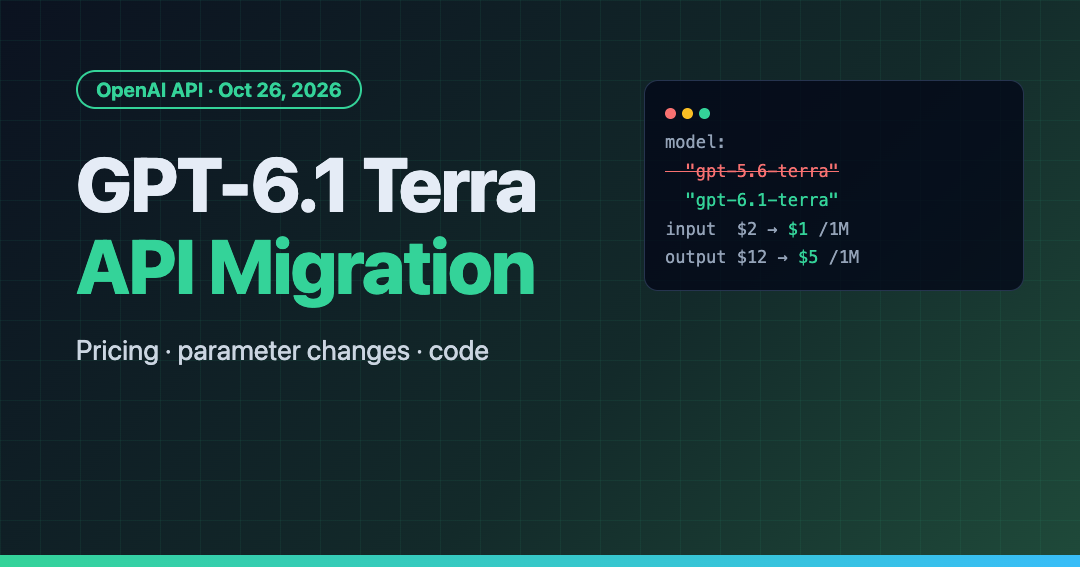
The GPT-6.1 Terra API is live as gpt-6.1-terra. OpenAI released it on October 26, 2026 for the Responses, Chat Completions and Batch endpoints. Standard pricing is $1 per million input tokens and $5 per million output tokens, versus $2 and $12 for GPT-5.6 Terra. For most apps, migrating means changing the model ID and removing a few sampling parameters. Before you flip the switch, run both models on your own prompts at the same reasoning effort.
Written 2026-10-28. Model specs, prices and parameter rules were checked against OpenAI's API docs, pricing page and changelog on that date. Benchmark claims come from OpenAI's announcement and have not been independently verified.
What GPT-6.1 Terra is
OpenAI describes GPT-6.1 Terra as "a fast, efficient model for visual reasoning, precise computer use, and clear, natural writing." It replaces GPT-5.6 Terra as the mid-priced model in the GPT-6 family.
The GPT-6 guide splits the family into four roles:
- GPT-6 Astra: highest intelligence
- GPT-6.1 Sol: balanced
- GPT-6.1 Terra: fast and efficient, aimed at vision, computer use and writing
- GPT-6 Luna: fastest and most cost-effective, for "focused, high-volume tasks"
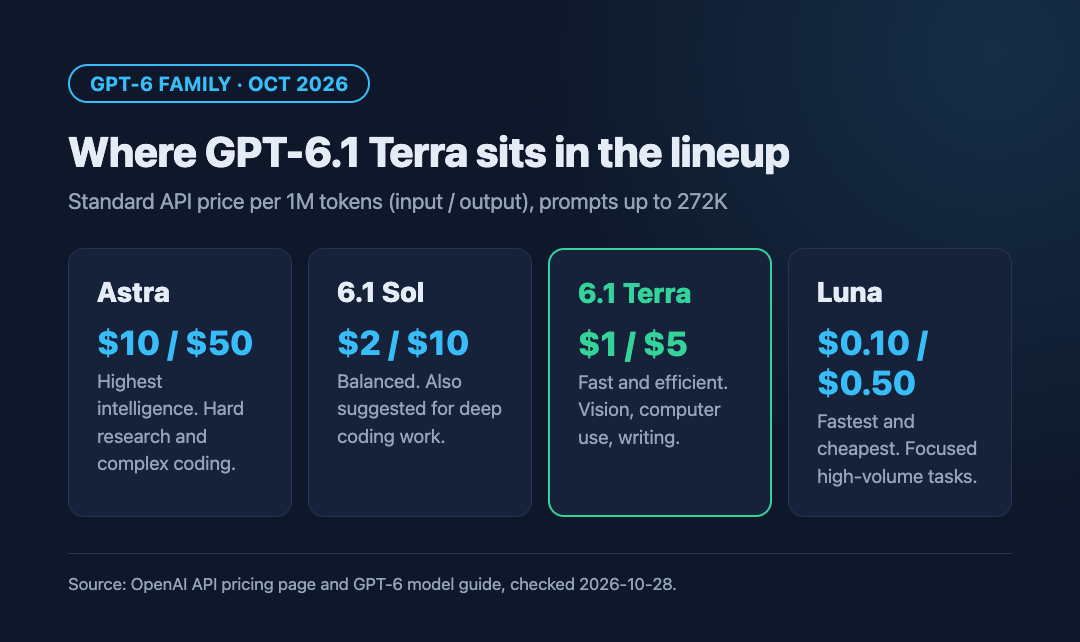
The guide's example uses for Terra are matching product photos to catalog entries, comparing technical drawings, acting on application screens, and drafting or revising text. For in-depth research or complex coding, OpenAI's announcement still points you to GPT-6.1 Sol or GPT-6 Astra.
OpenAI's performance claims, all from its own announcement:
- Tasks finish "over 3× faster on average" than with GPT-6 Astra and GPT-6.1 Sol.
- On Agents' Last Exam, a benchmark of how well agents use work software, Terra "substantially outperforms GPT-5.6 Terra" and matches GPT-6 Astra.
- It "matches GPT-6 Astra at one-tenth the price per token." The list prices back up the price part: $1/$5 versus $10/$50.
GPT-6.1 Terra API specs and pricing
| Spec | gpt-5.6-terra | gpt-6.1-terra |
|---|---|---|
| Input / cached input (1M) | $2.00 / $0.20 | $1.00 / $0.05 |
| Output (1M) | $12.00 | $5.00 |
| Context / max output | 1,050,000 / 128,000 | 1,050,000 / 128,000 |
| Reasoning effort | none → max | none → max |
Both models accept text and image input and return text. GPT-6.1 Terra's knowledge cutoff is June 1, 2026. It has a single snapshot, gpt-6.1-terra, so there is no dated version to pin yet.
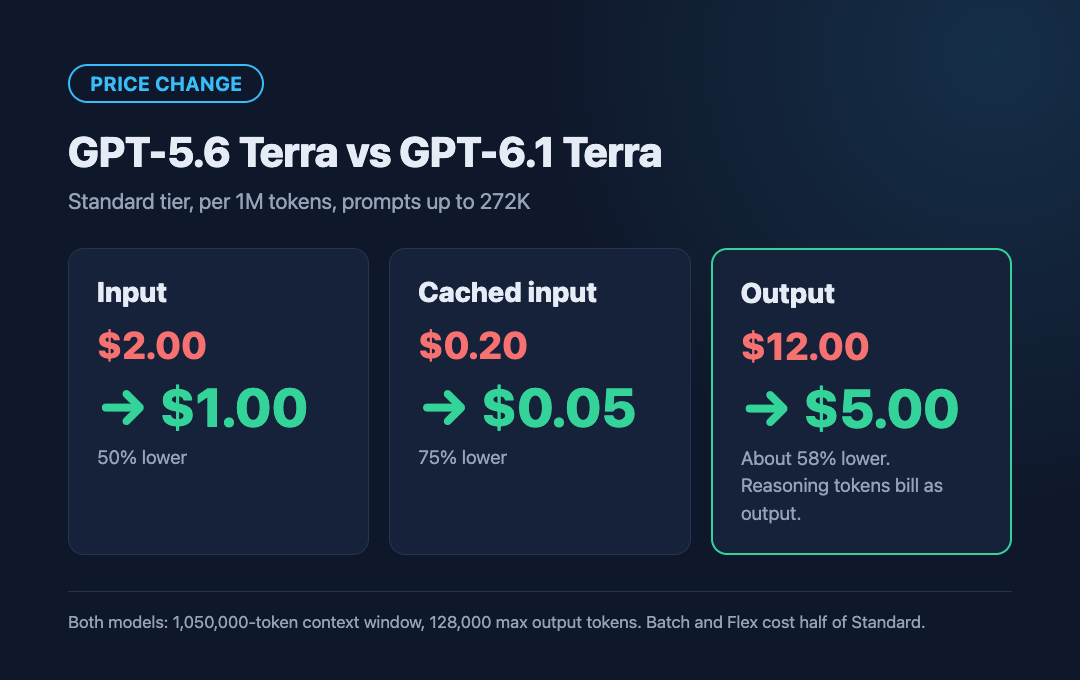
Pricing details that affect your bill:
- Long prompts. If a request has more than 272K input tokens, the whole request costs 2× for input and cache, and 1.5× for output. For Terra, that works out to $2 input and $7.50 output per million.
- Batch and Flex. Both cost half of Standard: $0.50 input and $2.50 output.
- Cache writes. $1.25 per million for 30-minute retention, $2.50 for 12-hour retention.
- Fast mode costs 2× Standard. Regional processing (data residency) adds 10%.
- Reasoning tokens are billed as output tokens, so a higher effort level costs more even if the visible answer is the same length.
Rate limits for the Standard tier, from the model page:
| Usage tier | Requests/min | Tokens/min |
|---|---|---|
| Build | 5,000 | 1,000,000 |
| Launch | 10,000 | 4,000,000 |
| Grow | 15,000 | 40,000,000 |
How to migrate from GPT-5.6 Terra to GPT-6.1 Terra
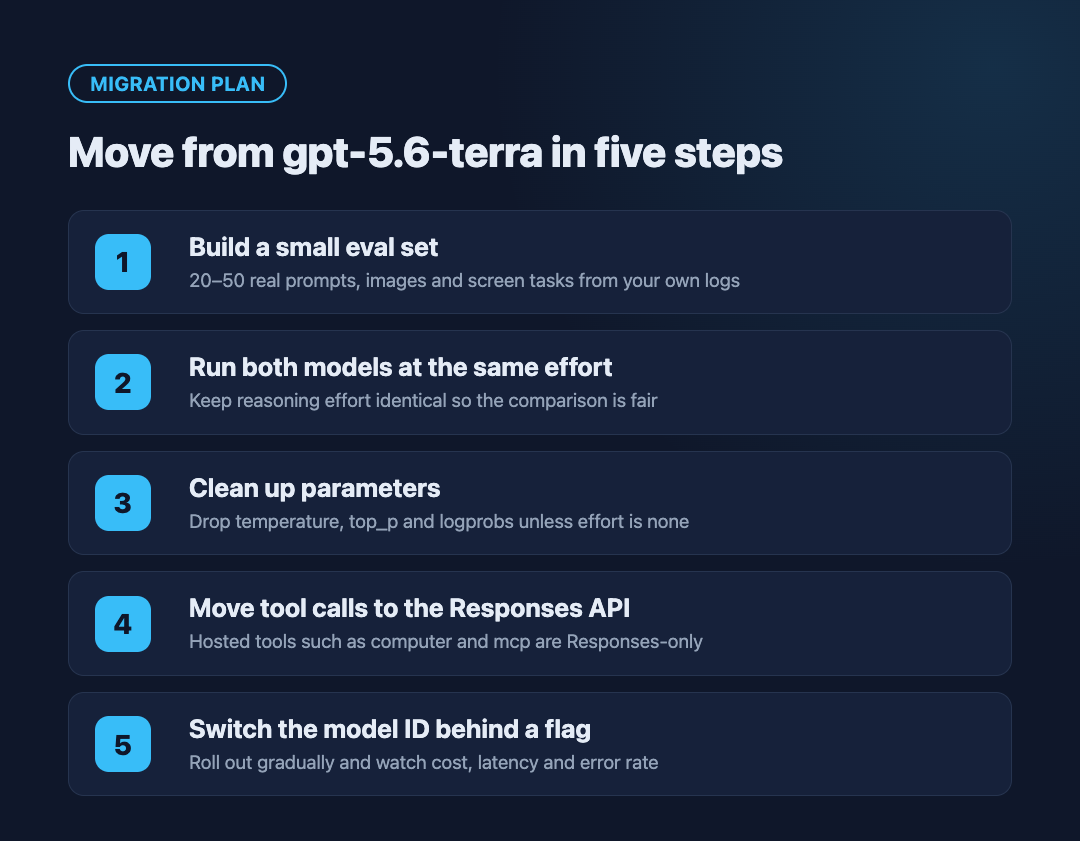
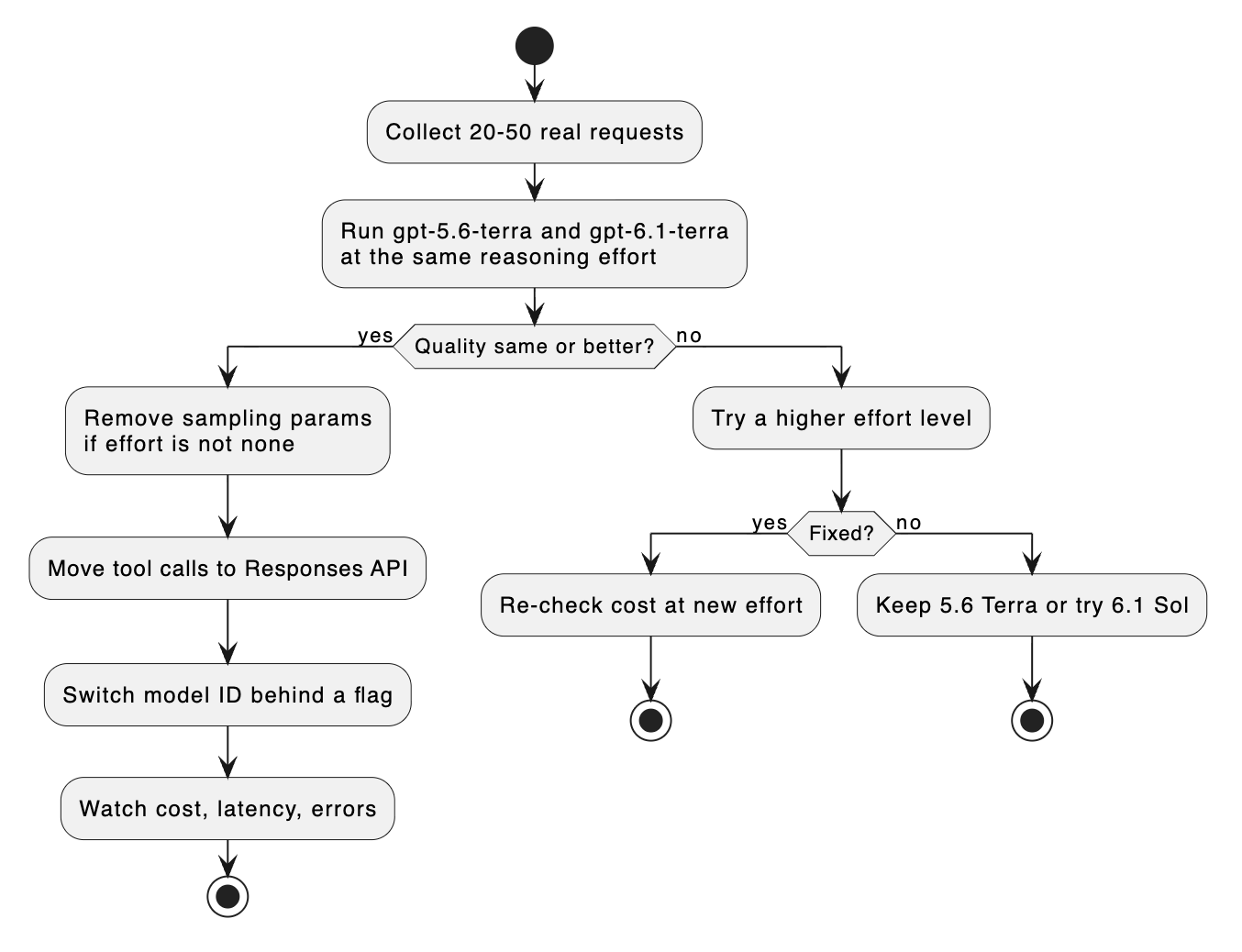
OpenAI's migration advice for Terra is short: "compare both models on representative images and workflows at the same reasoning effort." In practice, that means five steps.
View PlantUML source
@startuml
start
:Collect 20-50 real requests;
:Run gpt-5.6-terra and gpt-6.1-terra\nat the same reasoning effort;
if (Quality same or better?) then (yes)
  :Remove sampling params\nif effort is not none;
  :Move tool calls to Responses API;
  :Switch model ID behind a flag;
  :Watch cost, latency, errors;
  stop
else (no)
  :Try a higher effort level;
  if (Fixed?) then (yes)
    :Re-check cost at new effort;
    stop
  else (no)
    :Keep 5.6 Terra or try 6.1 Sol;
    stop
  endif
endif
@enduml
Step 1: Build a small eval set
Pull 20 to 50 real requests from your logs. Include the hard ones: blurry images, long documents, screens with many buttons. Save the inputs and the answers you consider correct.
Step 2: Run both models at the same effort
The default effort on both models is medium. Keep it identical for the comparison. OpenAI's guide says to "start with medium and increase it if the improvement in quality is worth the added time and tokens."
A minimal side-by-side script with the official Python SDK:
"""compare_terra.py (pip install openai)"""
from openai import OpenAI

client = OpenAI()  # reads OPENAI_API_KEY from the environment

PROMPTS = [
    "Summarize this support ticket in two sentences: <TICKET_TEXT>",
    "Rewrite this release note for non-technical users: <RELEASE_NOTE>",
]

for model in ["gpt-5.6-terra", "gpt-6.1-terra"]:
    for prompt in PROMPTS:
        r = client.responses.create(
            model=model,
            reasoning={"effort": "medium"},
            input=prompt,
        )
        u = r.usage
        print(model, "| in:", u.input_tokens, "out:", u.output_tokens)
        print(r.output_text[:300], "\n---")
Log usage.output_tokens for each run. Since reasoning tokens count as output, this number tells you the real cost difference better than the list price alone.
Step 3: Remove parameters that reasoning models reject
This is where most migrations break. The GPT-6 guide lists these rules:
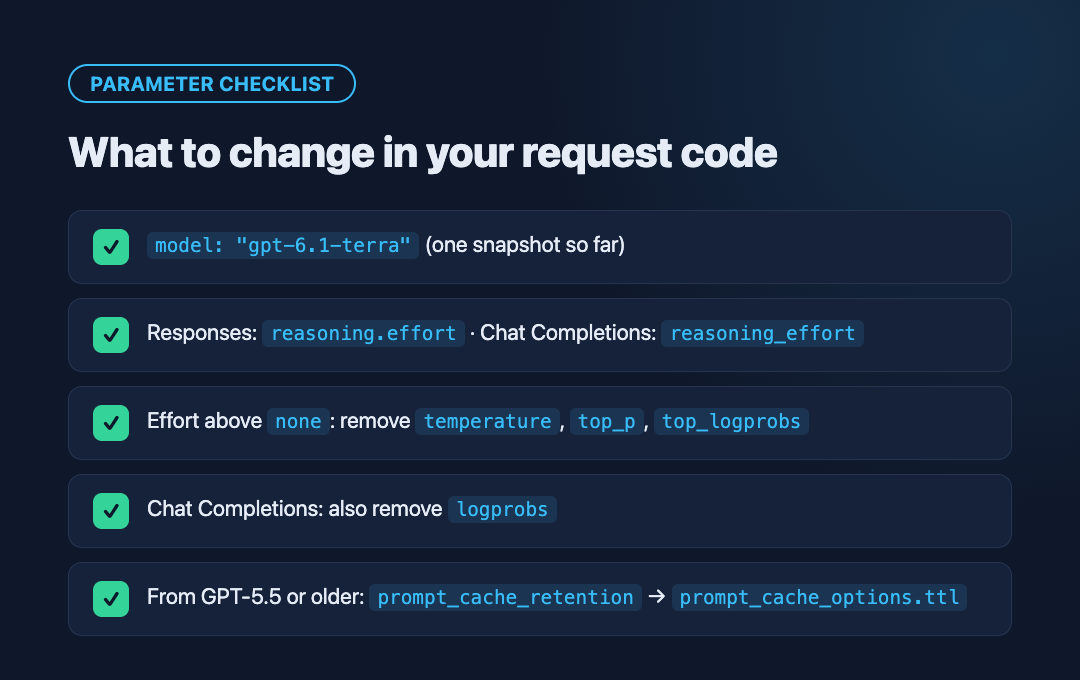
- When reasoning effort is anything other than
none, removetemperature,top_pandtop_logprobs. - In Chat Completions, also remove
logprobs. In Responses, removemessage.output_text.logprobsfrominclude. - The effort parameter is
reasoning.effortin Responses andreasoning_effortin Chat Completions. - If you are coming from GPT-5.5 or older, replace
prompt_cache_retentionwithprompt_cache_options.ttlset to"30m".
If your code relies on temperature for deterministic output, set effort to none. Sampling parameters are only allowed at that level.
A Chat Completions call after cleanup:
curl https://api.openai.com/v1/chat/completions \
  -H "Authorization: Bearer <YOUR_API_KEY>" \
  -H "Content-Type: application/json" \
  -d '{
    "model": "gpt-6.1-terra",
    "reasoning_effort": "low",
    "messages": [
      {"role": "user", "content": "Write a 3-line changelog entry for: <CHANGE>"}
    ]
  }'
Step 4: Move tool calls to the Responses API
The guide says: "If your application calls tools through Chat Completions, migrate those requests to the Responses API." Terra's hosted tools, including computer, web_search, file_search, code_interpreter and mcp, are listed as Responses-only on the model page.
If you are already on Responses, nothing changes here except the model ID.
Step 5: Switch the model ID behind a flag
Read the model name from config so you can roll back without a deploy:
import os
MODEL = os.environ.get("OPENAI_MODEL", "gpt-5.6-terra")
Set OPENAI_MODEL=gpt-6.1-terra for a slice of traffic first. Watch cost per request, latency and your own error metrics for a few days before moving everything.
If you use Codex, OpenAI's guide also offers a one-line migration prompt: $openai-docs migrate this project to the GPT-6 model family. Review the diff it produces like any other pull request.
Use GPT-6.1 Terra for image input and computer use
Image understanding is a core use case for Terra. Here is a Responses API request that compares a product photo with a catalog description:
from openai import OpenAI
client = OpenAI()

r = client.responses.create(
    model="gpt-6.1-terra",
    input=[{
        "role": "user",
        "content": [
            {"type": "input_text",
             "text": "Does this photo match the catalog entry? Answer yes/no and list differences. Entry: <CATALOG_TEXT>"},
            {"type": "input_image", "image_url": "https://example.com/<PRODUCT_PHOTO>.jpg"},
        ],
    }],
)
print(r.output_text)
For computer use, you declare the tool as {"type": "computer"} in a Responses request. The loop works like this, based on OpenAI's computer use guide:
- The model returns a
computer_callwith an ordered list of actions (click,type,scroll,screenshotand others). - Your code runs those actions in a browser or VM you control.
- You send back a
computer_call_outputwith the samecall_idand a fresh screenshot, usingprevious_response_id. - Repeat until the model stops returning
computer_callitems.
The official guide's sample uses gpt-6.1-sol. Terra lists computer_use among its supported tools. Run the agent in a sandboxed browser or VM, and add a human approval step for anything that sends, buys or deletes.
GPT-6.1 Terra cost: a worked example
Assume a workload of 10,000 requests per day, each with 3,000 input tokens and 800 output tokens, with no caching. That is 30 million input tokens and 8 million output tokens per day.
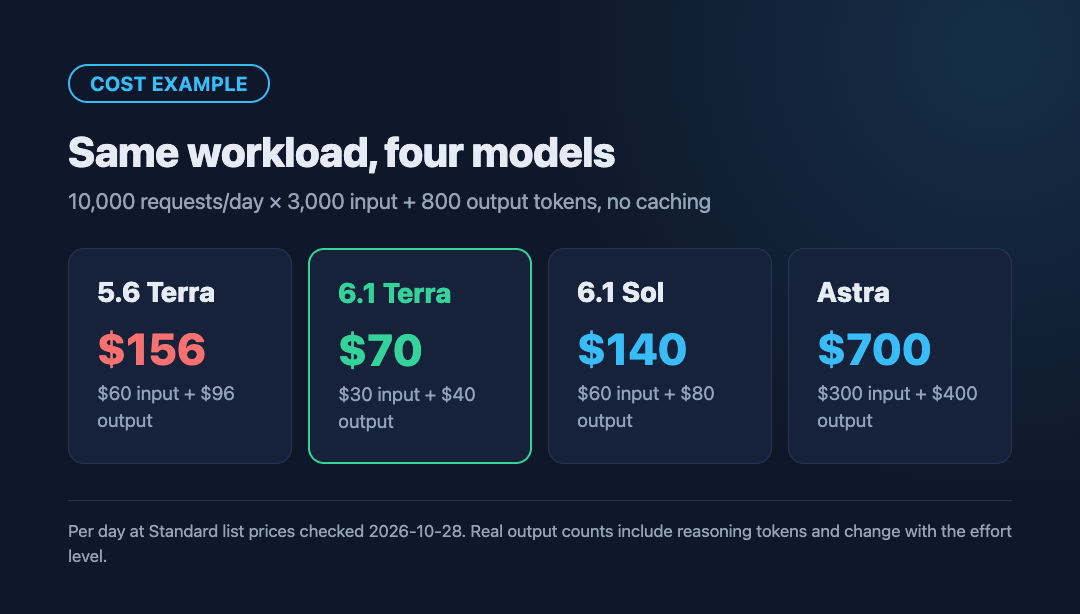
| Model | Input cost | Output cost | Per day |
|---|---|---|---|
| gpt-5.6-terra | 30 × $2 = $60 | 8 × $12 = $96 | $156 |
| gpt-6.1-terra | 30 × $1 = $30 | 8 × $5 = $40 | $70 |
| gpt-6.1-sol | 30 × $2 = $60 | 8 × $10 = $80 | $140 |
| gpt-6-astra | 30 × $10 = $300 | 8 × $50 = $400 | $700 |
Under these assumptions, moving from GPT-5.6 Terra to GPT-6.1 Terra cuts the daily bill from $156 to $70, about 55% less. The catch is that the 800 output tokens include reasoning tokens. If the new model uses more reasoning tokens for your prompts, the saving shrinks. That is why Step 2 logs real output_tokens.
Caching lowers both models further. With a repeated system prompt, cached input on Terra drops from $1.00 to $0.05 per million. The same test-then-switch pattern applies to other providers too; our Gemini 4 Argon API migration guide walks through it for Google's models.
When to pick Terra, Sol or Luna
- Pick GPT-6.1 Terra for screenshots, photos, diagrams, UI automation and writing tasks where speed and cost matter.
- Pick GPT-6.1 Sol or GPT-6 Astra for long research and complex coding, as OpenAI's announcement recommends.
- Pick GPT-6 Luna for simple, high-volume classification or extraction where $0.10/$0.50 makes the difference.
If you are comparing providers on price, our DeepSeek V4.1 Flash API guide covers another low-cost model with a 1M-token context. For voice apps on the same OpenAI account, see OpenAI prompt-to-voice. Note that Terra does not support the Realtime or Live endpoints.
FAQ
Is GPT-6.1 Terra available in ChatGPT too? Yes. OpenAI says it is rolling out to Plus, Pro, Enterprise and Edu users in ChatGPT Work and Codex. The API model is gpt-6.1-terra.
Has GPT-5.6 Terra been deprecated? As of 2026-10-28, OpenAI's GPT-5.6 Terra model page shows no deprecation notice, and the announcement does not give a shutdown date. Check the deprecations page before you plan a deadline.
Why does my request fail with a temperature error? When reasoning effort is above none, temperature, top_p and top_logprobs are not allowed. Remove them, or set effort to none if you need sampling control.
Can I fine-tune GPT-6.1 Terra? No. The model page lists fine-tuning and predicted outputs as unsupported.
Does Terra work with the Assistants or Realtime API? No. Supported endpoints are Responses, Chat Completions and Batch. Live, Realtime, Assistants and Embeddings are not supported.
References
- GPT-6.1 Terra model page — OpenAI API docs, checked 2026-10-28
- GPT-6 model guide (latest model) — OpenAI API docs, checked 2026-10-28
- API pricing — OpenAI, checked 2026-10-28
- API changelog — OpenAI, Oct 26, 2026 entry, checked 2026-10-28
- Computer use guide — OpenAI API docs, checked 2026-10-28
- GPT-5.6 Terra model page — OpenAI API docs, checked 2026-10-28
- GPT-6.1 Terra announcement (community repost) — OpenAI Developer Community, Oct 26, 2026, checked 2026-10-28
2 thoughts on “GPT-6.1 Terra API: Migrate from GPT-5.6 Terra and Cut Costs”