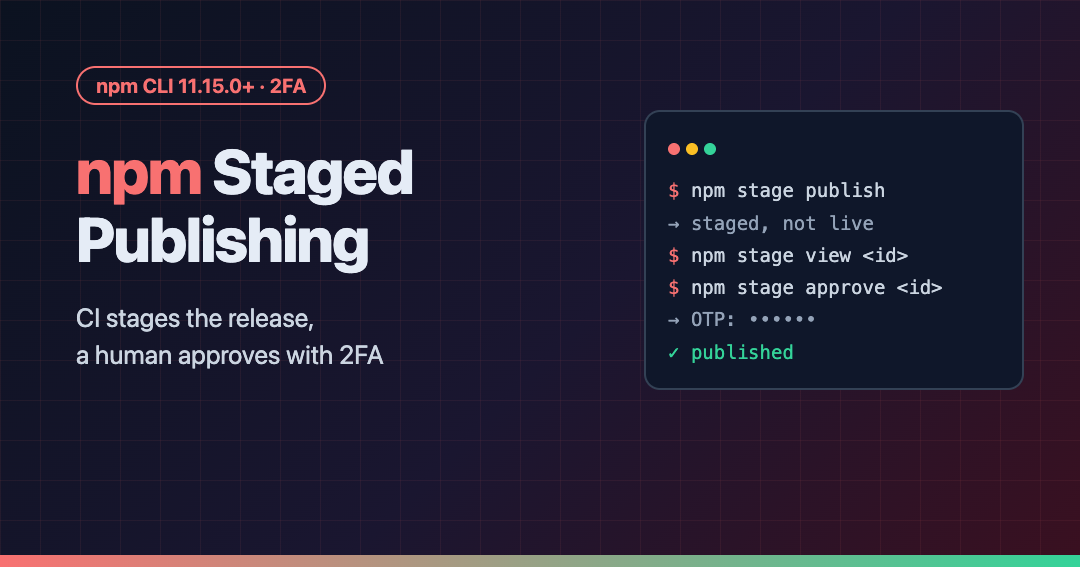
npm staged publishing lets your CI pipeline upload a release without making it installable: npm stage publish puts the version in a review queue, and it only goes live after a maintainer runs npm stage approve with two-factor authentication (2FA). Since October 2, 2026, the same flow can also create a brand-new package, so you no longer need a direct first npm publish before automation takes over. This guide covers the commands, the first-package flow, a GitHub Actions setup with trusted publishing or a stage-only token, and what to check before you approve.
Written 2026-10-28. Commands, requirements and dates were checked against docs.npmjs.com and the GitHub Changelog on that date. I did not publish a test package for this article; every command follows npm's published documentation.
What npm staged publishing changes
A normal npm publish makes a version installable the moment it reaches the registry. If a CI token leaks, an attacker can push a malicious version to every package that token can write. That is how the Shai-Hulud worm spread in 2025, and it is the reason npm built staging.
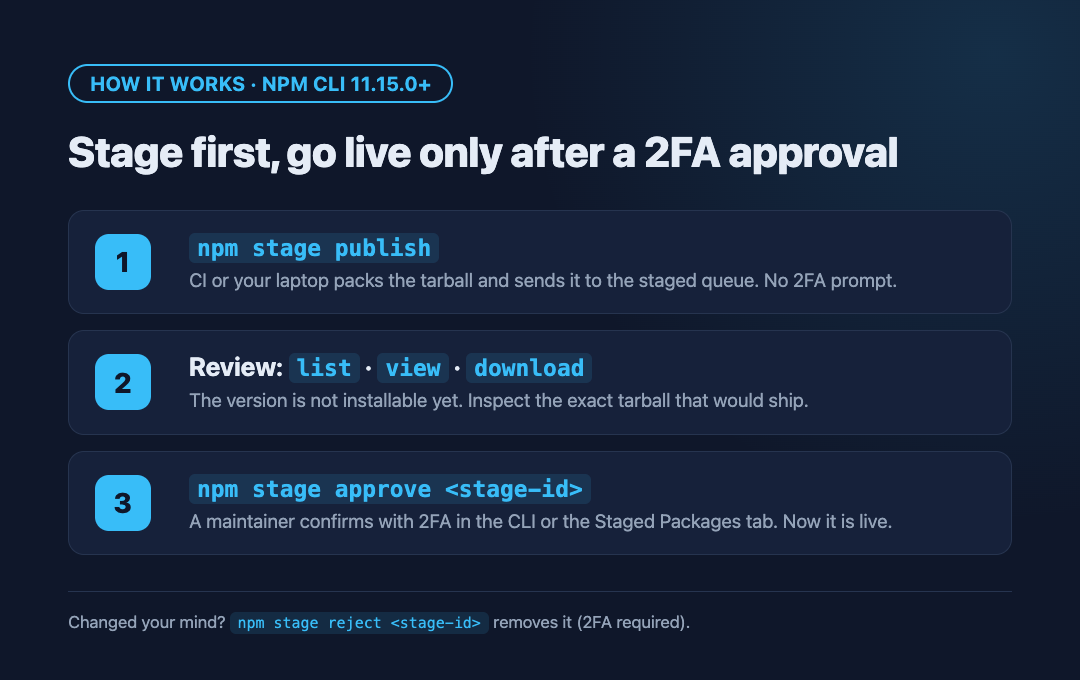
With staged publishing, the publish step is split in two:
- Stage.
npm stage publishpacks the current directory and uploads it as a staged version. It never asks for 2FA, so it works from CI. - Approve. A maintainer reviews the staged version and runs
npm stage approve <stage-id>or clicks Approve in the Staged Packages tab on npmjs.com. Approval always asks for 2FA.
Recent changes that make this worth setting up now:
| Date (2026) | Change | Source |
|---|---|---|
| Sep 18 | New token permission: Read and write (stage only) | GitHub Changelog |
| Sep 18 | npm targets January 2027 to remove direct publishing through bypass-2FA tokens | GitHub Changelog |
| Oct 2 | npm stage publish can create a new package | GitHub Changelog |
| Oct 20 | GitHub package firewall preview (npm only, Enterprise Cloud) | GitHub Changelog |
The January 2027 date is a target, not a fixed cutoff. Still, any release job that relies on a bypass-2FA token is on borrowed time.
Requirements
- npm CLI 11.15.0 or later and Node.js 22.14.0 or later
- Publish access to the package
- 2FA enabled on your npm account
Check what you have:
npm -v
node -v
npm install -g npm@^11.15.0   # if npm is older
If you have already moved to npm 12, you are covered. Our guide to npm 12 install scripts lists the Node versions npm 12 needs.
npm stage commands at a glance
| Command | What it does | 2FA |
|---|---|---|
npm stage publish | Pack and stage the current package | No |
npm stage list [<pkg>] | List staged versions you can access | No |
npm stage view <stage-id> | Show details of one staged version | No |
npm stage download <stage-id> | Download the staged tarball | No |
npm stage approve <stage-id> | Publish it to the live registry | Yes |
npm stage reject <stage-id> | Remove it from the queue | Yes |
Four rules from the npm stage reference trip people up:
- One version index. Staged and published versions share the same semver numbers. A version that is staged cannot also be published directly, and the reverse.
- Tags are fixed. The dist-tag you stage with cannot be changed. Reject the staged version and stage it again with the right
--tag. As withnpm publish, pre-release versions need an explicit--tag, for example--tag next. - No private flag.
npm stage publishrefuses apackage.jsonthat has"private": true. - No workspaces. The command is not workspace-aware. Run it from each package folder.
Which credential can stage and which can publish
This is where the security benefit comes from. The table below combines npm's token table with the September stage-only token release.
| Credential | npm stage publish | npm publish |
|---|---|---|
| Granular token with bypass 2FA | Yes | Yes, no prompt |
| Granular token without bypass | Yes | 2FA prompt |
| Read and write (stage only) token | Yes | Rejected |
| Trusted publisher (OIDC) | If allowed | If allowed |
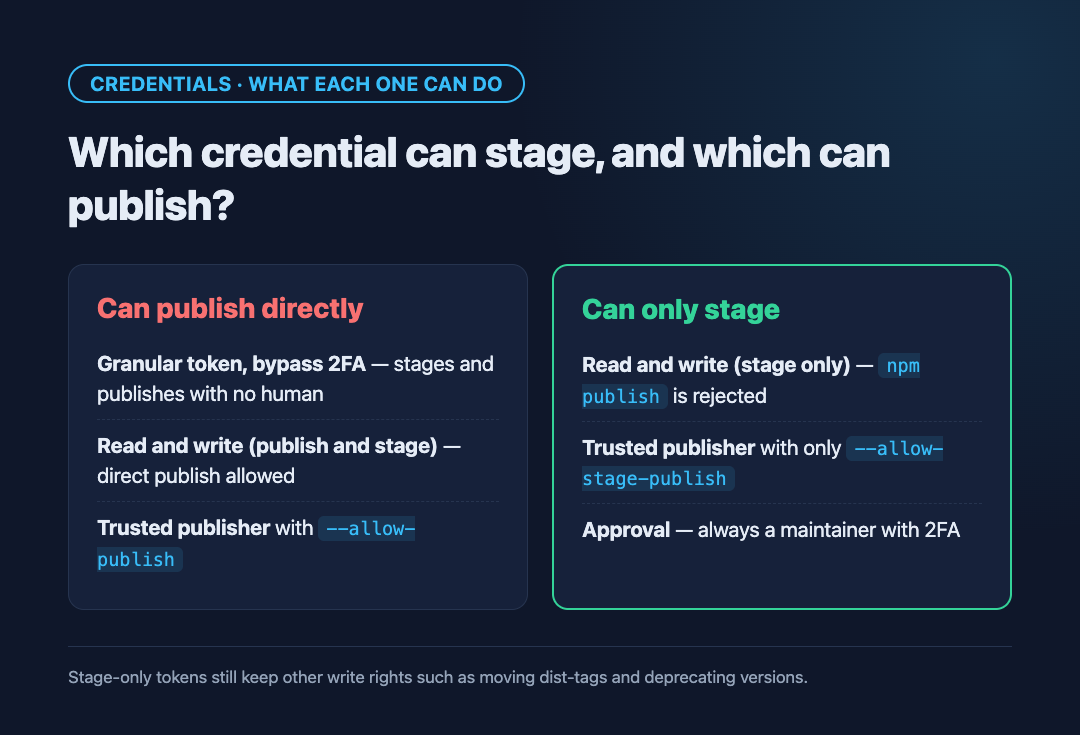
The goal is simple: whatever your CI holds should land in the right-hand column. Then a stolen CI secret can only queue a version that you will see, not ship one.
One caveat from the changelog: a stage-only token keeps other write rights, such as moving dist-tags and deprecating versions. It is safer than a publish token, but it is still a write token. Set an expiry and limit it to the packages it needs.
Publish a new package with npm stage publish
Before October 2, staging only worked for packages that already existed, so every new package needed one direct publish. Now you can start a package through the queue. It works for public scoped and unscoped packages and for private scoped packages.
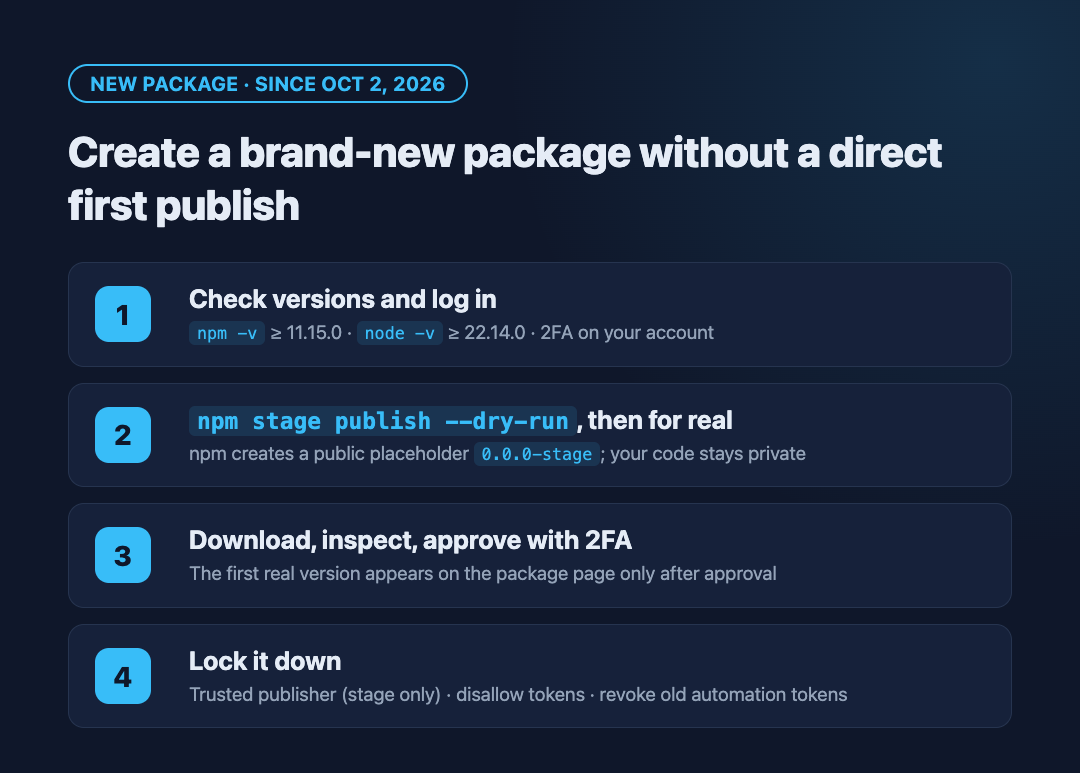
1. Do a dry run
From the package root, logged in with npm login:
npm stage publish --dry-runRead the file list. If it includes .env, test fixtures or build caches, fix files in package.json or your .npmignore first.
2. Stage the first version
npm stage publish                       # unscoped or public scoped package
npm stage publish --access restricted   # private scoped package
For a package that does not exist yet, npm publishes a placeholder version, 0.0.0-stage, which is publicly visible. Your real version and its contents stay private until approval. Check that the package name is one you are happy to have on the public registry before you run this.
3. Inspect and approve
npm stage list @your-scope/your-package
npm stage view <STAGE_ID>
npm stage download <STAGE_ID>
tar -tzf <DOWNLOADED_TARBALL>.tgz
npm stage approve <STAGE_ID>      # prompts for your 2FA code
The docs do not describe the stage ID format, so copy the ID from the npm stage list output.
4. Lock the package down
Now the package exists, so you can configure trusted publishing (next section). npm's trusted publishing guide recommends this order:
- Set up a trusted publisher and confirm one release works.
- On the package's Settings → Publishing access, choose Require two-factor authentication and disallow tokens.
- Revoke automation tokens you no longer use.
Disallowing tokens does not break trusted publishing, because it uses OIDC rather than a stored token.
Set up npm staged publishing in GitHub Actions
You have two options. Use trusted publishing if your runner supports it. Use a stage-only token if it does not.
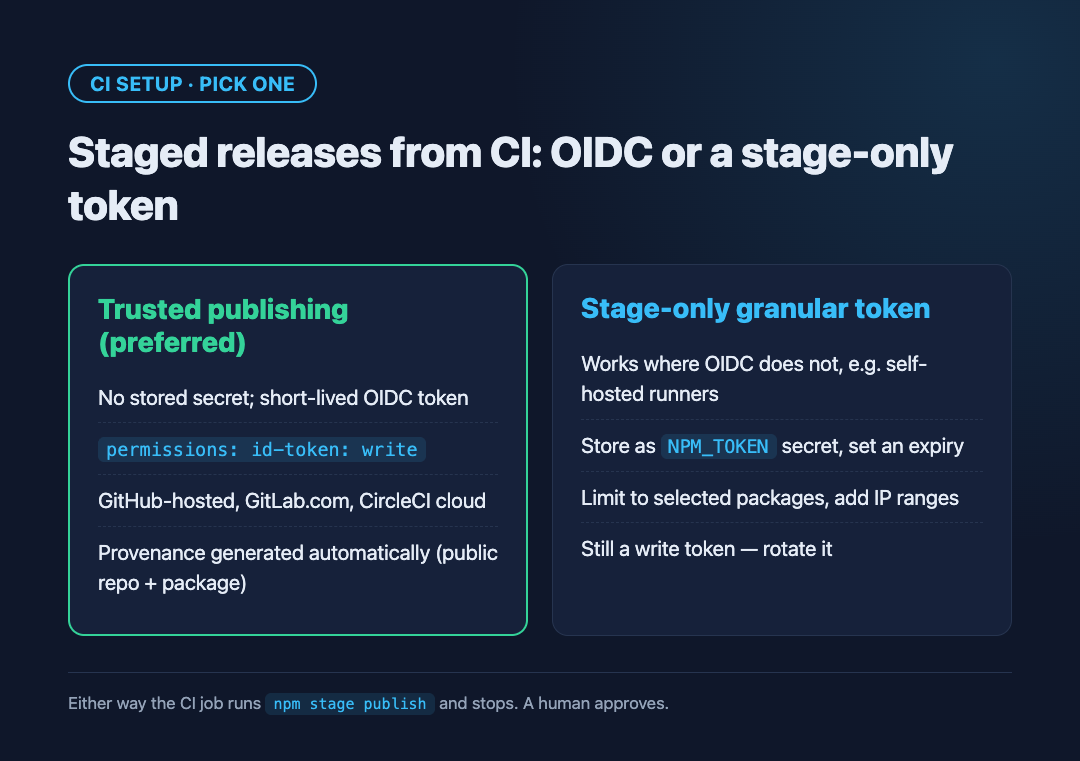
| Trusted publishing (OIDC) | Stage-only token | |
|---|---|---|
| Stored secret | None | NPM_TOKEN |
| Supported CI | GitHub-hosted, GitLab.com, CircleCI cloud | Any, including self-hosted |
| Provenance | Automatic (public repo and package) | Not automatic |
| Main risk | Misconfigured workflow name | Token leak (stage, tags, deprecate) |
Option A: trusted publishing, stage only
Create the trust relationship from your machine. It needs npm 11.15.0+, 2FA on your account and an existing package:
npm trust github @your-scope/your-package \
  --file release.yml \
  --repo your-org/your-repo \
  --allow-stage-publish
Leave out --allow-publish. Without it, the workflow can stage but cannot publish directly. To check or replace the configuration, use npm trust list and npm trust revoke --id=<TRUST_ID>. You can also set this up on npmjs.com under the package's Trusted Publisher settings. The docs say configurations created after September 3, 2026 default to npm stage publish.
Then the workflow, saved as .github/workflows/release.yml. It is based on npm's example, with the last step switched to staging and an npm upgrade added:
name: Stage npm release

on:
  push:
    tags:
      - 'v*'

permissions:
  id-token: write   # required for OIDC
  contents: read

jobs:
  stage:
    runs-on: ubuntu-latest
    steps:
      - uses: actions/checkout@v6
      - uses: actions/setup-node@v6
        with:
          node-version: '24'
          registry-url: 'https://registry.npmjs.org'
          package-manager-cache: false   # no caching in release builds
      - run: npm install -g npm@^11.15.0
      - run: npm ci
      - run: npm run build --if-present
      - run: npm test
      - run: npm stage publish
The workflow file name must match what you registered (release.yml), and npm does not validate the configuration when you save it. Mistakes only show up when the job runs. If you also pin your third-party actions, see our guide to the GitHub Actions lockfile.
Option B: a stage-only token
For self-hosted runners, or other CI without npm OIDC support:
- On npmjs.com, open your profile picture → Access Tokens → Generate New Token.
- Under Packages and scopes, set Permissions to Read and write (stage only) and pick Only select packages and scopes.
- Set an Expiration. Add Allowed IP Ranges if your runners have fixed IPs.
- Save it as the
NPM_TOKENrepository secret.
Then replace the last step:
      - run: npm stage publish
        env:
          NODE_AUTH_TOKEN: ${{ secrets.NPM_TOKEN }}
actions/setup-node with registry-url writes an .npmrc that reads NODE_AUTH_TOKEN. Granular tokens can only be created on the website, not with npm token.
The release sequence
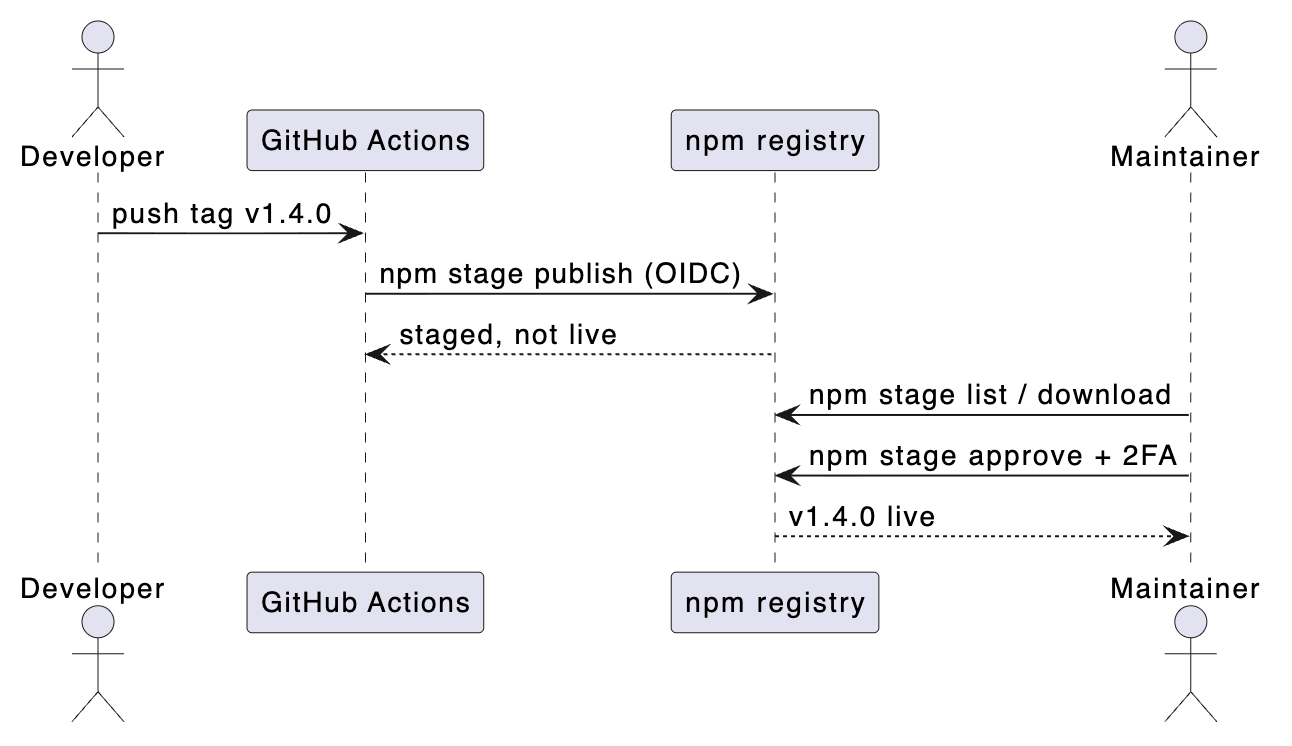
View PlantUML source
@startuml
skinparam shadowing false
skinparam defaultFontSize 14
actor Dev as "Developer"
participant CI as "GitHub Actions"
participant Reg as "npm registry"
actor Mnt as "Maintainer"
Dev -> CI : push tag v1.4.0
CI -> Reg : npm stage publish (OIDC)
Reg --> CI : staged, not live
Mnt -> Reg : npm stage list / download
Mnt -> Reg : npm stage approve + 2FA
Reg --> Mnt : v1.4.0 live
@enduml
Review a staged version before you approve
The approval step only helps if someone looks. A practical routine:
npm stage list @your-scope/your-package
npm stage download <STAGE_ID>
mkdir -p /tmp/stage-check && tar -xzf <DOWNLOADED_TARBALL>.tgz -C /tmp/stage-check
cat /tmp/stage-check/package/package.json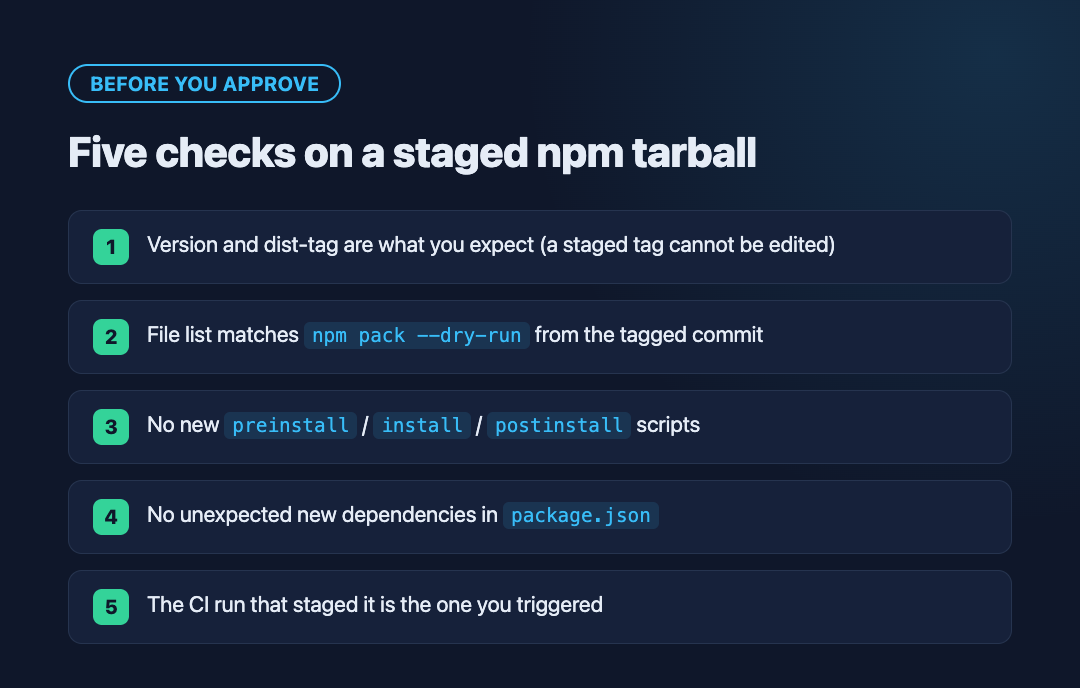
Compare against the commit you tagged. Look hardest at lifecycle scripts and new dependencies, because those were how past npm worms ran their code. If anything looks wrong, run npm stage reject <STAGE_ID>, then rotate whatever credential staged it.
Troubleshooting npm stage publish
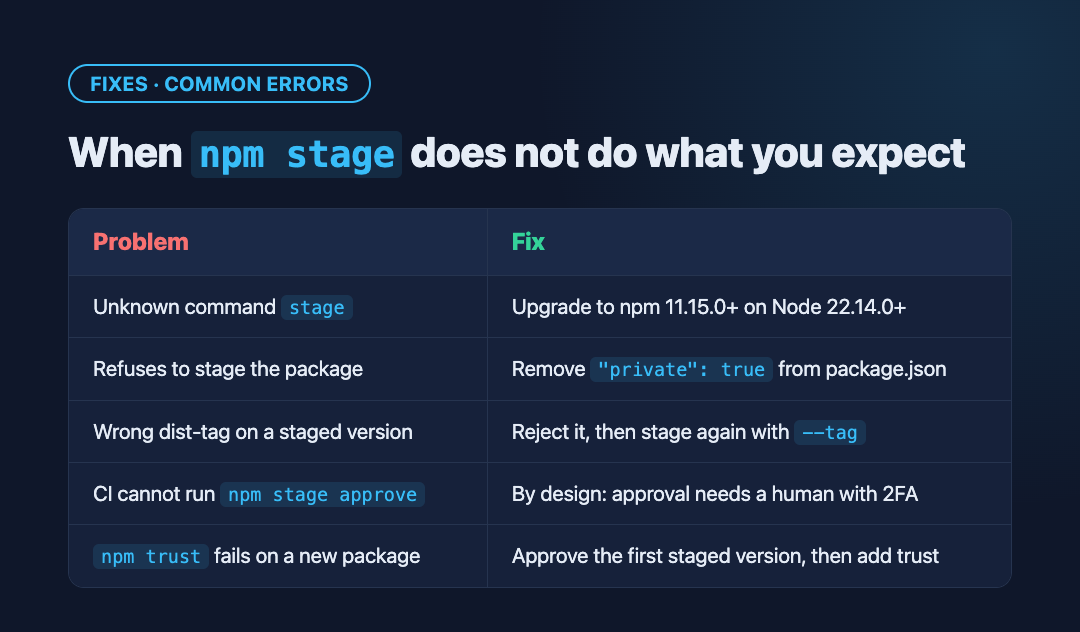
Unknown command: "stage"— your npm is older than 11.15.0. CI images often bundle an older npm, so the upgrade step matters.- CI tries
npm stage approveand fails — by design. The npm docs say short-lived trusted-publishing tokens can only runnpm stage publishandnpm publish, not the othernpm stagesubcommands. npm trustfails for a new package —npm trustrequires the package to exist. Approve the first staged version, then add trust.npm trustrejects your login — it does not accept bypass-2FA granular tokens or legacy username/password logins. Use an interactivenpm loginwith 2FA.- Need to fix a tag — staged tags cannot be changed. Reject the version and stage it again.
FAQ
Does npm staged publishing work for existing packages? Yes. It has worked for existing packages since it launched. The October 2, 2026 change added support for creating new packages.
Can I still use plain npm publish? Yes. Normal publishing is still allowed while other versions are staged. The protection comes from giving CI a credential that cannot publish directly and from blocking tokens on the package.
Is the staged version visible to anyone? Not the staged contents. For a brand-new package, though, npm shows the public placeholder version 0.0.0-stage on the registry until you approve.
Do I need GitHub Enterprise for this? No. Staged publishing is an npm registry feature. The separate GitHub package firewall announced on October 20, 2026 is the Enterprise Cloud preview.
What happens to my bypass-2FA token in January 2027? npm says it is targeting January 2027 to remove direct publishing through bypass-2FA tokens. Moving CI to trusted publishing or a stage-only token now avoids a broken release later. Watch the GitHub Changelog for the final date.
Summary
npm staged publishing splits a release into a 2FA-free stage step for CI and a 2FA approval step for a human. Upgrade to npm 11.15.0+, create new packages with npm stage publish, set up a stage-only trusted publisher with npm trust github --allow-stage-publish, then disallow tokens on the package. If your release machines are moving to Node.js 26 LTS, add the npm version check to the same upgrade. Next, look at the npm docs on provenance statements so the versions you approve can be traced back to the exact build that produced them.
References
- Staged publishing, npm Docs (checked 2026-10-28)
- npm stage command reference (v12) and v11, npm Docs (checked 2026-10-28)
- Trusted publishing for npm packages, npm Docs (checked 2026-10-28)
- npm trust command reference, npm Docs (checked 2026-10-28)
- Creating and viewing access tokens, npm Docs (checked 2026-10-28)
- Generating provenance statements, npm Docs (checked 2026-10-28)
- npm staged publishing now supports creating new packages, GitHub Changelog, 2026-10-02 (checked 2026-10-28)
- Stage-only npm tokens for safer automation, GitHub Changelog, 2026-09-18 (checked 2026-10-28)
- GitHub package firewall in public preview, GitHub Changelog, 2026-10-20 (checked 2026-10-28)
2 thoughts on “npm Staged Publishing: Set Up 2FA-Approved Releases from CI”