The Google Jules shutdown starts in three days. Jules stops running sessions after November 11, 2026, stays read-only until the end of the year, and shuts down for good on December 31, 2026. Your code, branches and pull requests are safe in GitHub, but everything stored inside Jules (environment variables, setup scripts, memories, scheduled tasks and session history) has to be exported by you. This guide shows what to save, three ways to export it and what to do about scheduled tasks.
Written November 8, 2026. Facts checked on November 8, 2026 (KST) against the "Jules Turndown" entry in the official Jules changelog (posted October 29, 2026), the Jules Tools CLI reference and the Jules REST API reference. I did not run the export against a live Jules account for this post. The commands follow the official docs, and the script in step 3 is my own example built on the documented API.
Google Jules shutdown dates at a glance
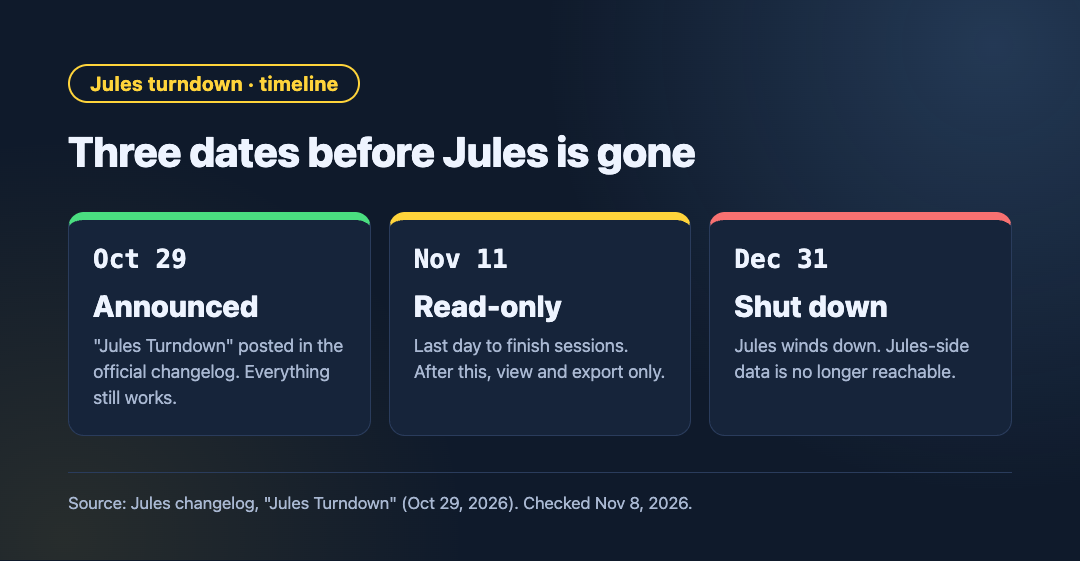
Google announced the turndown on October 29, 2026. The changelog entry gives two dates and one direction:
| Date | What happens | What you can do |
|---|---|---|
| Oct 29, 2026 | Turndown announced | Everything still works |
| Until Nov 11, 2026 | Last day to finish sessions | Run, finish and export |
| Nov 11 – Dec 31, 2026 | Read-only | View and export |
| Dec 31, 2026 | Jules winds down | Nothing left to access |
Google says the team's learnings will shape products across Google, "including our agent-first platform, Google Antigravity." That is a direction, not a migration tool. There is no announced importer that moves Jules sessions or settings into Antigravity, so treat the export as your only copy.
Two questions are still open in the official notice: what happens to the Jules REST API after November 11, and whether scheduled tasks keep firing during the read-only period. Plan as if both stop on November 11.
What stays in GitHub and what you must export
Jules worked on your repositories through GitHub. Anything it pushed is already there. Anything it only kept on its own side is not.
| Data | Where it lives | Action |
|---|---|---|
| Code, branches, PRs | GitHub | Nothing to do |
| Environment variables | Jules | Export, store as secrets |
| Setup script, test command | Jules (per repo) | Export, commit or document |
| Memories | Jules (per repo) | Export, turn into docs |
| Scheduled tasks | Jules | Export, rebuild elsewhere |
| Sessions (prompts, plans, logs, patches) | Jules | Export if you need history |
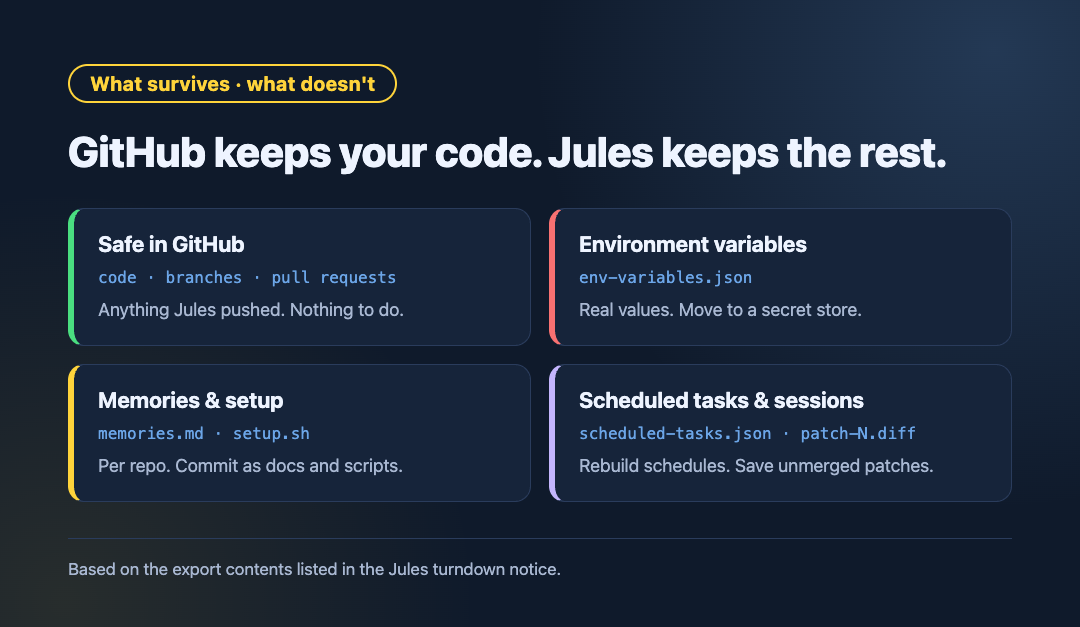
The patches matter most if a session finished but you never opened a pull request. That work exists only inside Jules.
How to check what you have in Jules
Install Jules Tools, the official CLI, and sign in. It needs npm (or pnpm).
npm install -g @google/jules
jules version
jules login
Then list what Jules knows about:
jules remote list --repo      # repositories connected to Jules
jules remote list --session   # your sessions
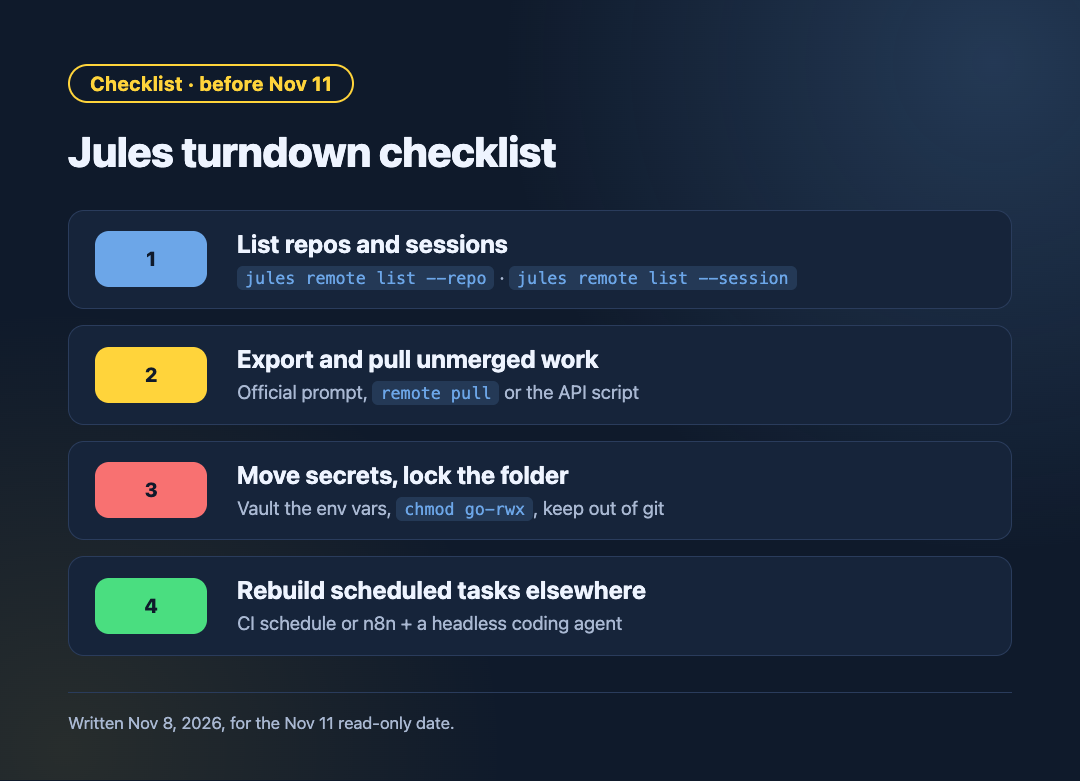
Write down any session that finished without a pull request. Also open the Jules web app and note your scheduled tasks and the environment variables set for each repository. That list is your export checklist.
How to export Jules data before November 11
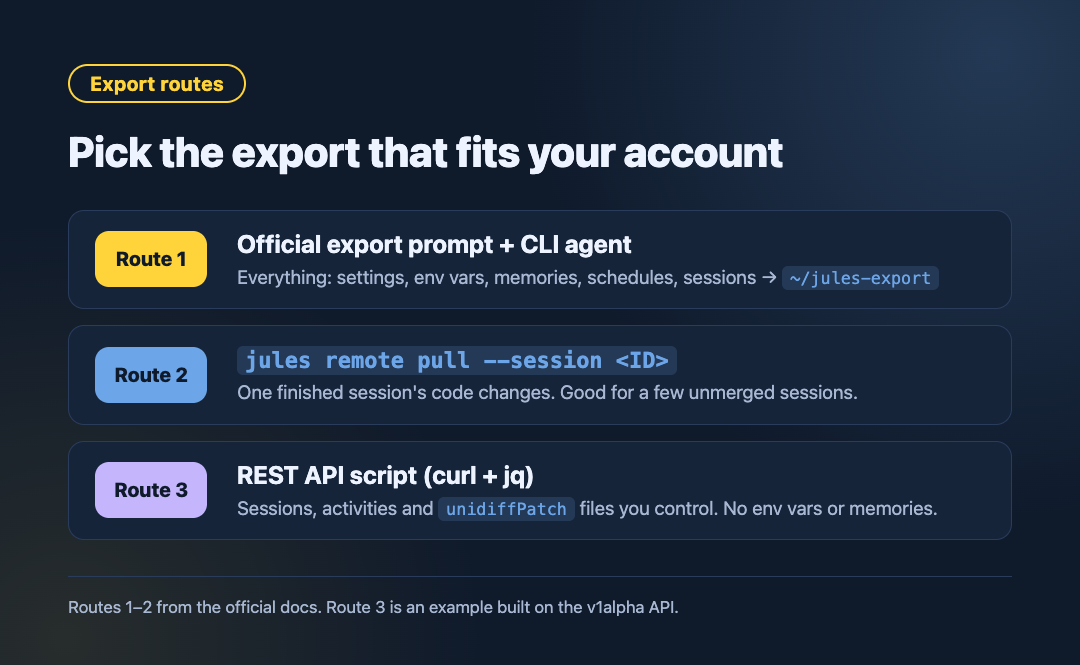
There are three routes. Use the first if you want everything in Google's own format. Use the second for a single session. Use the third if you want a script you control.

View PlantUML source
@startuml
left to right direction
skinparam shadowing false
skinparam defaultFontSize 14
rectangle "Install\nJules Tools" as A
rectangle "jules login" as B
rectangle "Run export\n(prompt / CLI / API)" as C
rectangle "~/jules-export" as D
rectangle "Move secrets\nto a vault" as E #E2F5E9
rectangle "Rebuild\nscheduled tasks" as F #E2F5E9
A --> B
B --> C
C --> D
D --> E
D --> F
@enduml
1. Official export prompt (full export)
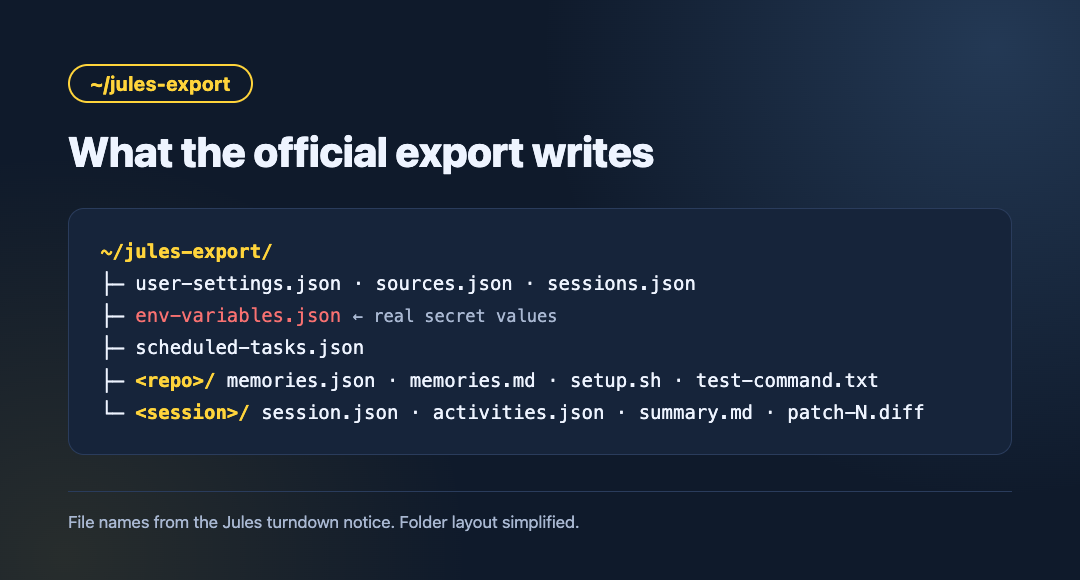
The turndown entry includes a ready-made export prompt. You install Jules Tools, run jules login, open a CLI coding agent (the page names Claude Code) and paste the prompt. It writes a folder at ~/jules-export.
Read the prompt before you paste it. It tells the agent to read your stored Jules login from the system keychain and call Jules endpoints with it. That is expected for this job, but you should know what you are approving.
According to the changelog, the folder contains:
| Level | Files |
|---|---|
| Top level | user-settings.json, env-variables.json, scheduled-tasks.json, sources.json, sessions.json |
| Per repository | memories.json, memories.md, setup.sh, test-command.txt |
| Per session | session.json, activities.json, summary.md, patch-N.diff |
Your GitHub account must be connected to Jules for repository data to export.
2. Jules Tools: pull one session
If you only care about a few unfinished sessions, pull them one by one:
jules remote list --session
jules remote pull --session <SESSION_ID>
The CLI reference says remote pull "pulls results, such as code changes, from a completed session." It documents no other flags, so review what it pulls into your working tree and commit it on a new branch.
3. REST API script (my example)
The Jules API (alpha) lets you list sessions and their activities. Each activity can carry a changeSet artifact with a gitPatch.unidiffPatch, plus the baseCommitId it applies to. Create an API key in Jules under Settings → API (up to three keys), then save this as jules-api-export.sh and run it with bash. It needs curl and jq.
#!/usr/bin/env bash
set -euo pipefail
: "${JULES_API_KEY:?export JULES_API_KEY=<YOUR_API_KEY> first}"
API="https://jules.googleapis.com/v1alpha"
OUT="$HOME/jules-api-export"
mkdir -p "$OUT/sessions"

get() { curl -sfG -H "x-goog-api-key: $JULES_API_KEY" "$@"; }

get "$API/sources" > "$OUT/sources.json"

token=""; n=0   # sessions, 100 per page
while :; do
  args=(--data-urlencode "pageSize=100")
  if [ -n "$token" ]; then args+=(--data-urlencode "pageToken=$token"); fi
  n=$((n+1))
  get "$API/sessions" "${args[@]}" > "$OUT/sessions-page-$n.json"
  token=$(jq -r '.nextPageToken // empty' "$OUT/sessions-page-$n.json")
  [ -z "$token" ] && break
done

jq -r '.sessions[]?.name | sub("^sessions/"; "")' "$OUT"/sessions-page-*.json |
while read -r id; do
  dir="$OUT/sessions/$id"; mkdir -p "$dir"
  get "$API/sessions/$id/activities" --data-urlencode "pageSize=100" > "$dir/activities.json"
  jq -c '.activities[]?.artifacts[]?.changeSet.gitPatch // empty' "$dir/activities.json" |
  { i=0; while read -r p; do
      i=$((i+1))
      echo "$p" | jq -r '.unidiffPatch' > "$dir/patch-$i.diff"
      echo "$p" | jq -r '.baseCommitId // "unknown"' > "$dir/patch-$i.base"
    done; }
done
echo "Saved to $OUT"
Two limits to know. The activities call fetches only the first page (100 activities), which covers most sessions; very long sessions may need the same pageToken loop as the sessions call. And this script does not export environment variables, memories or scheduled tasks, because the public API reference does not document endpoints for them. Use route 1 for those.
To apply a saved patch, check out the base commit on a new branch first:
git switch -c jules-restore <BASE_COMMIT_ID>
git apply --check patch-1.diff && git apply patch-1.diff
After the export: secrets, memories and scheduled tasks
The export is a backup, not a replacement. Three things need follow-up.
Secrets. env-variables.json holds the actual values. Google's notice says to keep the export folder private and out of your repositories. Move the values into your secret store (GitHub Actions secrets, 1Password, a cloud secret manager), then delete the plain file. If any of those values are long-lived tokens, rotating them now is cheap insurance.
chmod -R go-rwx ~/jules-export
echo "jules-export/" >> ~/.gitignore_global
git config --global core.excludesFile ~/.gitignore_global
Memories and setup scripts. Jules memories are the notes it learned about each repo. memories.md is easy to turn into an AGENTS.md or contributor doc, which most coding agents read. Commit setup.sh and test-command.txt so the next tool, or the next person, can build the project.
Scheduled tasks. These are the work most likely to silently disappear. Open scheduled-tasks.json, list each prompt and schedule, and rebuild them before November 11 in a tool that runs on a timer, such as a GitHub Actions schedule: workflow that calls a headless coding agent. I covered that pattern for n8n in Run Claude Code headless with n8n on macOS. If you prefer a terminal agent with local models, see Copilot CLI with Ollama.
If something goes wrong
| Problem | Likely cause | Fix |
|---|---|---|
jules: command not found | Global npm bin not on PATH | Run npm prefix -g and add its bin folder to PATH |
| Export has no repository data | GitHub not connected to Jules | Reconnect GitHub in Jules, export again |
| API returns 401/403 | Missing or disabled key | Create a new key in Settings → API; exposed keys get disabled |
git apply --check fails | Wrong base commit | Check out baseCommitId first, or use git apply -3 |
| Scheduled task did not run | Read-only period | Expected after Nov 11; run it from your new scheduler |
Google is retiring other preview services this month too. If you also use Gemini audio models, read Gemini preview shutdown on Nov 17.
FAQ
When does Google Jules shut down? Jules stops new work after November 11, 2026, stays read-only through the rest of the year and winds down on December 31, 2026, according to the official changelog.
Will I lose my code or pull requests? No. Google says code, branches and pull requests stay in GitHub. You lose Jules-side data only: settings, environment variables, memories, setup scripts, scheduled tasks and session history.
Can I still export after November 11? The notice says Jules is read-only until year end, which suggests viewing remains possible. It does not promise the export prompt or API will keep working, so export before November 11.
Is Antigravity the official replacement? Google says Jules' learnings are shaping products including Antigravity. It has not published a tool that imports Jules data into it, so keep your own export.
Do I need a paid plan to export? The notice does not mention plan limits for exports. You need a Jules account, Jules Tools and a connected GitHub account.
Next step: run jules remote list --session today and export anything you would miss. Three days is enough, but not if you wait until November 11.
References
- Jules changelog: Jules Turndown (October 29, 2026) — checked November 8, 2026
- Jules Tools (CLI) reference — checked November 8, 2026
- Jules REST API overview — checked November 8, 2026
- Jules API reference: sessions.list — checked November 8, 2026
- Jules API reference: sessions.activities (GitPatch) — checked November 8, 2026
- Git documentation: git apply — checked November 8, 2026
1 thought on “Google Jules Shutdown: Export Your Data Before Nov 11”