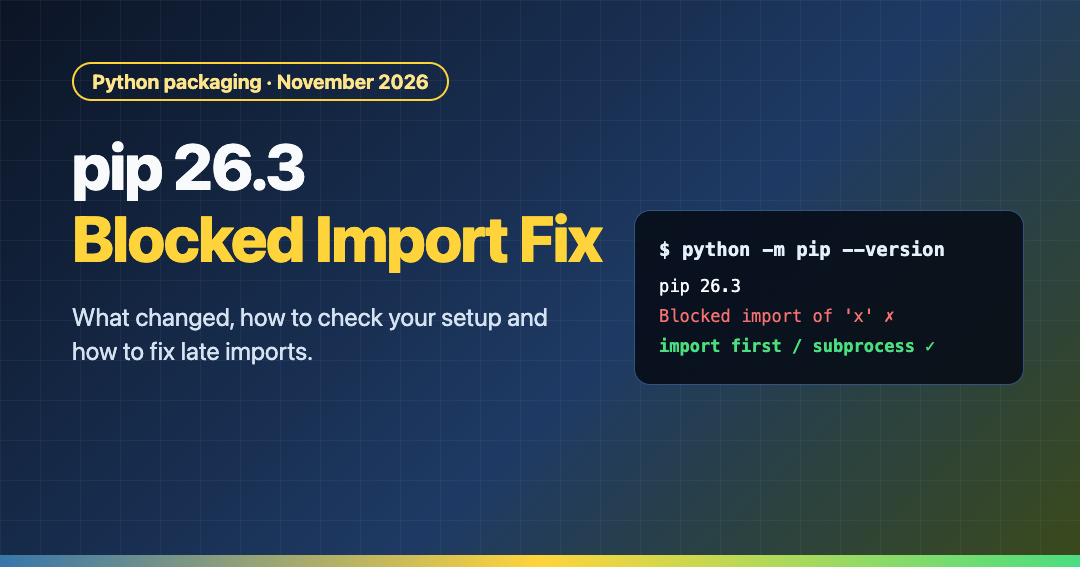
pip 26.3 blocked import errors are new: the release from November 2, 2026, stops Python imports that start after a package install has begun. If something inside the pip process (a .pth startup hook, an atexit handler or a program that calls pip in-process) tries to import a new module mid-install, you now see Blocked import of '...' or Unsafe import of '...' instead of the old deprecation warning. The fix is almost always the same: import what you need before pip starts, or run pip in a subprocess.
Written November 8, 2026. Facts checked on November 8, 2026 (KST) against the pip 26.3 changelog, the pip release history on PyPI, pull request pypa/pip#14247 (merged November 2) and its diff, issue pypa/pip#13842, and the pip user guide. The commands below follow the pip and Python documentation. I did not reproduce every message on a live machine for this post, so treat the wording of messages as quoted from the pip source, not from my own terminal.
What changed in pip 26.3
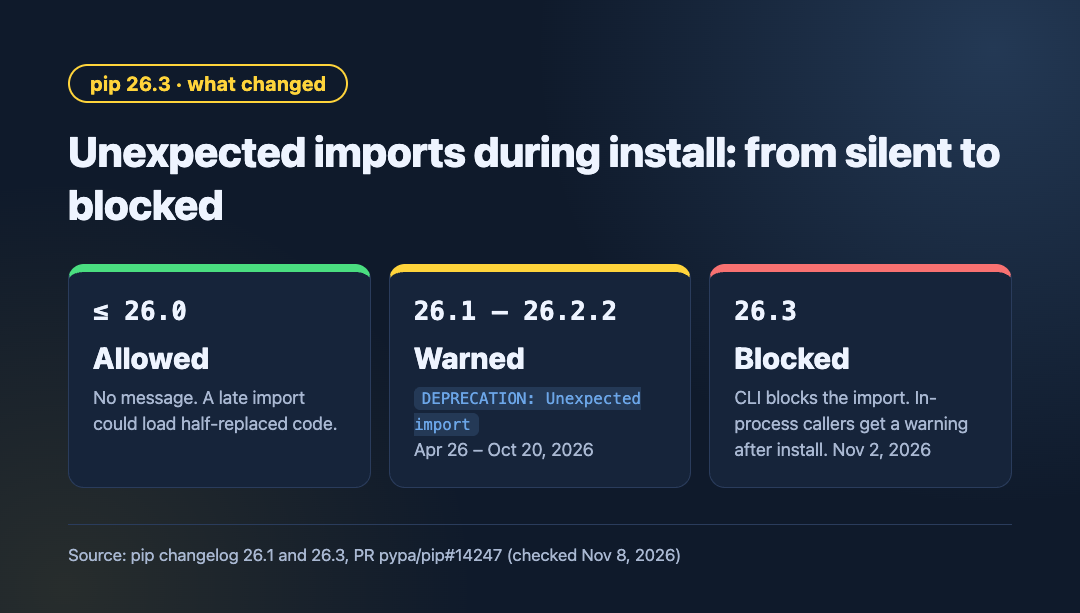
pip has warned about this since 26.1 (April 26, 2026). That release added a deprecation warning "when pip imports an unexpected module after installation of a distribution has started." The warning said pip 26.3 would enforce it. Now it does.
The reason is simple. While pip replaces files in site-packages, a fresh import can load half-old, half-new code from the package being swapped. pip 26.3 preloads the modules it needs for installing, then puts a guard on the import system for the rest of the run.
| pip version | Unexpected import during install | Release date |
|---|---|---|
| 26.0 and older | Allowed, no message | — |
| 26.1 – 26.2.2 | Allowed, DEPRECATION: warning | Apr 26 – Oct 20, 2026 |
| 26.3 | Blocked in the pip CLI, warning after install for in-process callers | Nov 2, 2026 |
The PR author also summarized a few details worth knowing:
- The block covers all unexpected imports, including standard library modules.
- pip no longer crashes when it blocks an import. The import attempt fails, and pip carries on.
- If a byte-compile step would need a blocked module, pip skips compiling that file (logged at debug level as
Skipping bytecode compilation for ...). - In the CLI, imports stay blocked until the process exits. Programs that call pip in-process get a warning once control returns to them.
Other pip 26.3 changes in the same release
The import guard is the headline, but the changelog has more:
- HTTP redirects to
file:URLs are refused (#14171). - Wheel cache origin-mismatch warnings no longer print URL credentials (#14232).
- PyPI's direct URL dependency restriction now also applies to extras and cached wheels (#14341).
-r pylock.tomlsupports extras, non-default groups via--group, and--no-binary.- Installing wheels with console scripts is faster (#14235).
- The security policy now says installing untrusted wheels has never been safe, because Python's import system can run third-party code during installation (#14412).
- Vendored libraries updated, including urllib3 2.8.0 and certifi 2026.10.23.
The pip 26.3 blocked import messages and what they mean
These strings come from the pip 26.3 source added in PR #14247. Search your logs for them.
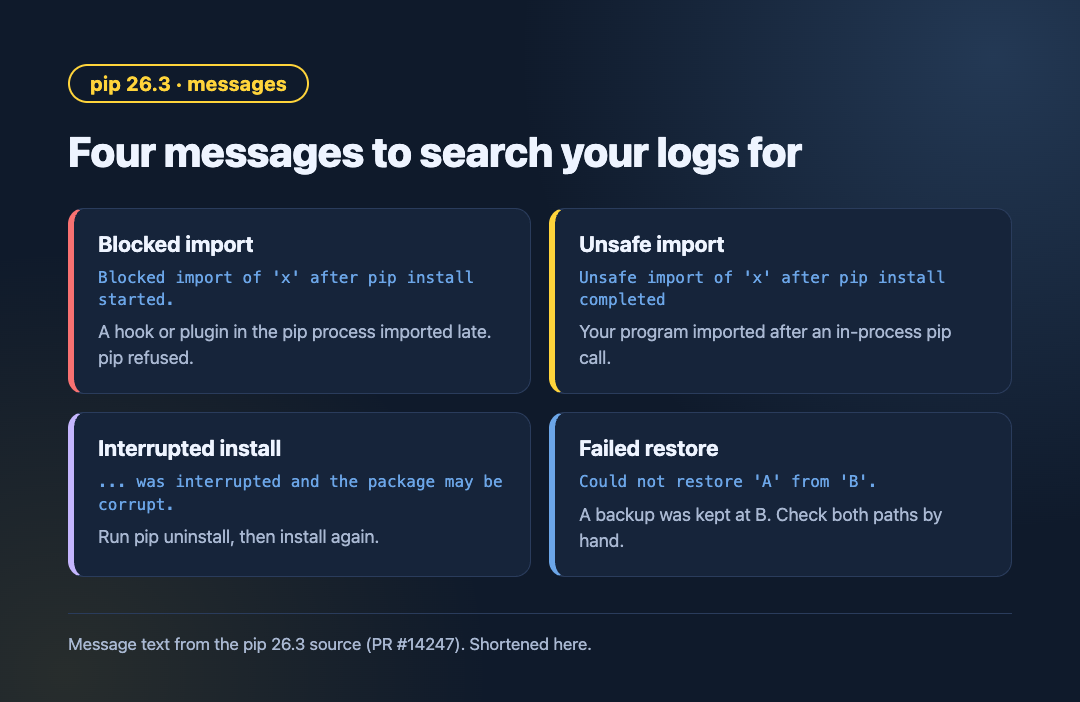
| Message starts with | Where it appears | What it means |
|---|---|---|
Blocked import of 'x' after pip install started. | pip CLI, mid-install | Code in the pip process tried to import x after install began. pip refused. |
Unsafe import of 'x' after pip install completed | Your program, after an in-process pip call | You imported x after pip changed packages in the same process. |
Installation of 'x' was interrupted and the package may be corrupt. | pip CLI | The install stopped partway. pip asks you to run pip uninstall x. |
Could not restore ... Check both paths before retrying. | Uninstall rollback | pip kept a backup it could not move back. Check both paths by hand. |
The first message ends with: "Hook authors must import required modules before installation starts." The second adds: "Callers should import all required modules before running pip install, or run pip in a subprocess." It links to the pip user guide section on using pip from your program.

View PlantUML source
@startuml
left to right direction
skinparam shadowing false
skinparam defaultFontSize 14
rectangle "pip install\nstarts" as S
rectangle "Preload\nneeded modules" as P
rectangle "Import guard on" as G
rectangle "Replace files in\nsite-packages" as R
rectangle "Install\nfinishes" as F
rectangle "Blocked import\nerror" as B #FDE2E2
S --> P
P --> G
G --> R
R --> F
R ..> B : late import
@enduml
Check your environment before you upgrade pip
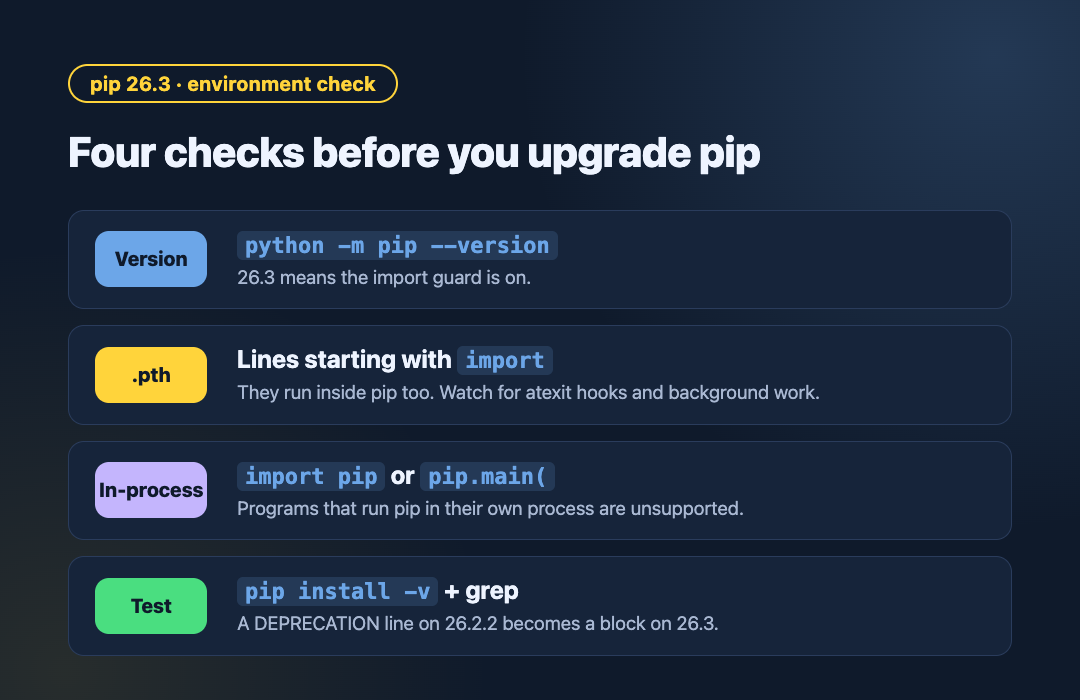
Most people will never see these messages. You are more likely to hit them if one of these is true.
1. Check which pip you run
python -m pip --versionUse python -m pip, not a bare pip, so you know which interpreter you are checking. If it prints pip 26.3, the guard is on.
2. Look for .pth files that run code
Python's site module executes any line in a .pth file that starts with import. Those lines run inside pip too. One case reported in issue #13842 was a .pth file that registered an atexit hook to send usage metrics over HTTP. The hook's imports ran after pip had started installing. This script lists every executable .pth line:
python - <<'EOF'
import glob, os, site
dirs = site.getsitepackages() + [site.getusersitepackages()]
for d in dirs:
    for path in glob.glob(os.path.join(d, "*.pth")):
        with open(path, encoding="utf-8", errors="replace") as f:
            for line in f:
                if line.startswith(("import ", "import\t")):
                    print(path, "->", line.strip()[:100])
EOF
Many lines are harmless (editable installs and coverage tools use them). Note the ones that register hooks or start background work.
3. Find code that calls pip in-process
grep -rnE "import pip\b|from pip(\._internal)? import|pip\.main\(" --include=*.py .Any match is a program that runs pip inside its own process. pip's user guide has long said this is unsupported. pip 26.3 makes the cost visible.
4. Run a test install and grep the output
python -m pip install -v <PACKAGE_NAME> 2>&1 | grep -E "Blocked import|Unsafe import|may be corrupt|DEPRECATION: Unexpected import"Run this on pip 26.2.2 too. Any DEPRECATION: Unexpected import line there will become a block on 26.3.
Upgrade to pip 26.3
python -m pip install --upgrade pip
python -m pip --version     # expect: pip 26.3
In CI, pin the version so a later release does not surprise you:
python -m pip install "pip==26.3"Upgrade inside each virtual environment you use. A new venv gets the pip bundled with its Python build, which may be older.
Fix pip 26.3 blocked import errors
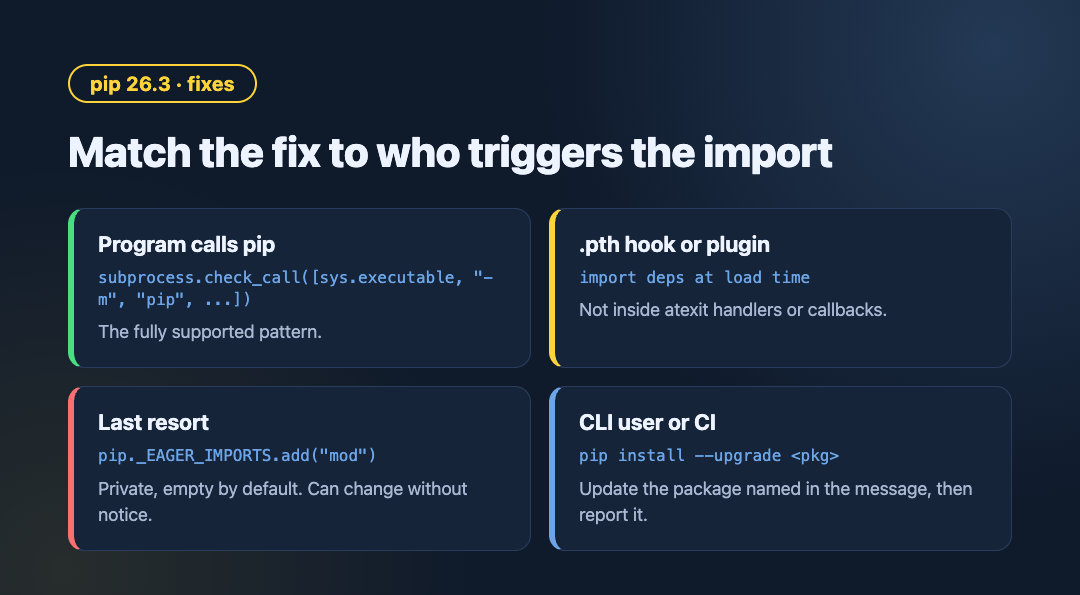
Pick the fix that matches who triggers the import.
You call pip from a Python program
Switch to a subprocess. This is the pattern pip's user guide calls "the most reliable approach, and the one that is fully supported":
import subprocess
import sys

subprocess.check_call([sys.executable, "-m", "pip", "install", "<PACKAGE_NAME>"])
If you cannot move to a subprocess yet, import every module your program will need before the in-process call. That clears the Unsafe import warning but keeps the stale-code risk, so treat it as a stopgap.
You maintain a .pth hook or startup plugin
Import your dependencies at load time, not lazily inside an atexit handler or callback. For example, move import urllib.request from inside the handler to the top of the module the .pth line loads.
As a last resort, pip 26.3 has an extension point in pip/__init__.py: _EAGER_IMPORTS, an empty set. pip imports the names in it before installing. The source comment says tools should import their own dependencies and add names here only when that is technically impossible. It is underscore-prefixed, so it can change without notice.
import pip
pip._EAGER_IMPORTS.add("<YOUR_MODULE>")
If you write tooling that also handles supply-chain checks, the LiteLLM 1.107.0 compromise clean-up guide shows why code that runs during install deserves this much care.
You only run pip install and see the block
The package or hook that triggers the import is usually named in the message. Update or remove it:
python -m pip show <PACKAGE_NAME>          # find where it lives
python -m pip install --upgrade <PACKAGE_NAME>
Then report the message to that project's issue tracker. Include the full line, since pip prints the module name.
If something breaks after the pip 26.3 upgrade
An install was interrupted
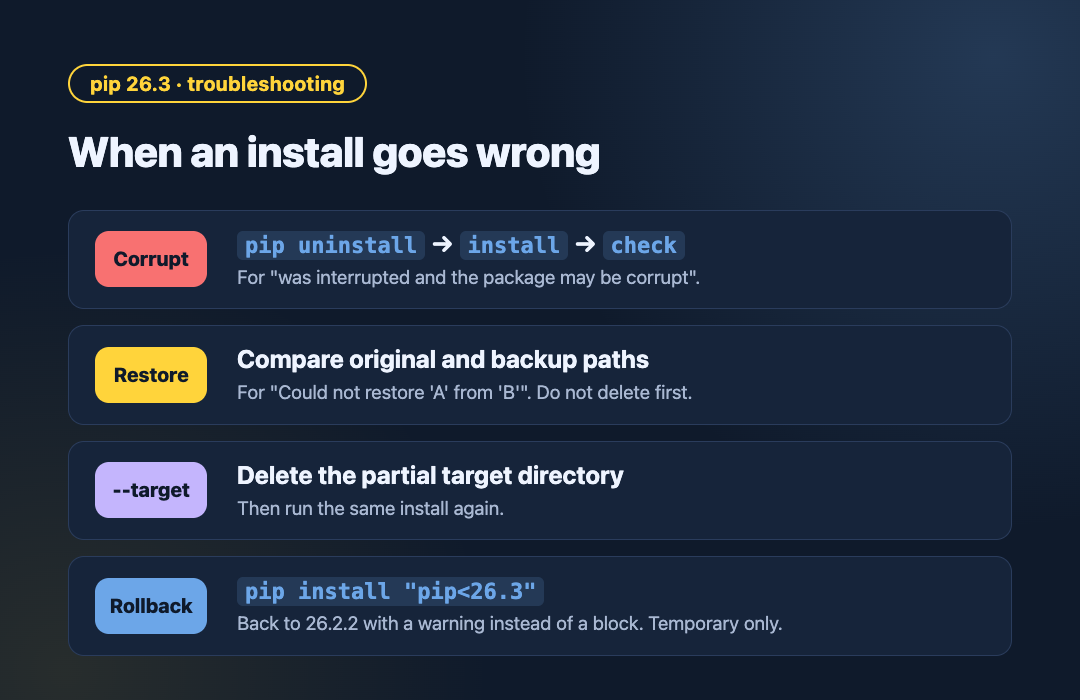
pip 26.3 writes recovery metadata for wheels it was installing when interrupted. If you see "may be corrupt", follow its advice:
python -m pip uninstall <PACKAGE_NAME>
python -m pip install <PACKAGE_NAME>
python -m pip check
If you see Could not restore 'A' from 'B', pip kept a backup at the second path. Compare both paths before you delete anything.
The PR also notes that an interrupted --target install can leave a partial target directory. Delete that directory and run the install again.
You need to roll back today
python -m pip install "pip<26.3" # installs 26.2.2, the last 26.2 releaseOn 26.2.2 you get the warning instead of the block. Use the time to fix the hook or caller, then move forward. Staying on an old pip also means skipping the file: redirect and credential-leak fixes above.
If you are also tuning Python import behavior, Python lazy imports in 3.15 covers a related change. A lazily deferred import can fire at a later point, so test it with pip 26.3 as well.
FAQ
Does pip 26.3 break normal pip install commands? No. Running python -m pip install <PACKAGE_NAME> from a shell with no import hooks behaves as before. The block only fires when extra code inside the pip process imports a new module after the install starts.
Is there a flag or environment variable to turn the block off? The 26.3 changelog and PR do not add one. The only extension point is the private pip._EAGER_IMPORTS set, which preloads modules rather than turning the guard off. Rolling back to pip 26.2.2 is the temporary escape hatch.
I saw "DEPRECATION: Unexpected import" on pip 26.2. What now? That warning was the notice for this change. Fix the hook or caller it names before upgrading, or the same import will be blocked on 26.3.
Does this affect uv or Poetry? The change is in pip's own code. Tools that shell out to pip get pip's behavior. Tools that install packages with their own installer are not changed by this release. Check each tool's own release notes.
Is pip 26.3 a security release? It has no CVE. It does include hardening: refusing redirects to file: URLs and hiding credentials in wheel cache warnings. Upgrading is a good idea once you have checked the points above. npm made a similar move this autumn, covered in npm 12 install scripts blocked.
Next, if you call pip from scripts or CI, replace in-process calls with the subprocess pattern above. That keeps working through future pip releases.
References
- pip changelog: 26.3 (November 2, 2026) and 26.1 (April 26, 2026) — checked November 8, 2026
- pip release history on PyPI — checked November 8, 2026
- pypa/pip PR #14247: Block unexpected imports after install starts — checked November 8, 2026
- pypa/pip issue #13842: unexpected imports during install — checked November 8, 2026
- pip user guide: Using pip from your program — checked November 8, 2026
- Python docs: site module and .pth files — checked November 8, 2026
- This Week in Package Management, November 7, 2026 (Andrew Nesbitt) — checked November 8, 2026