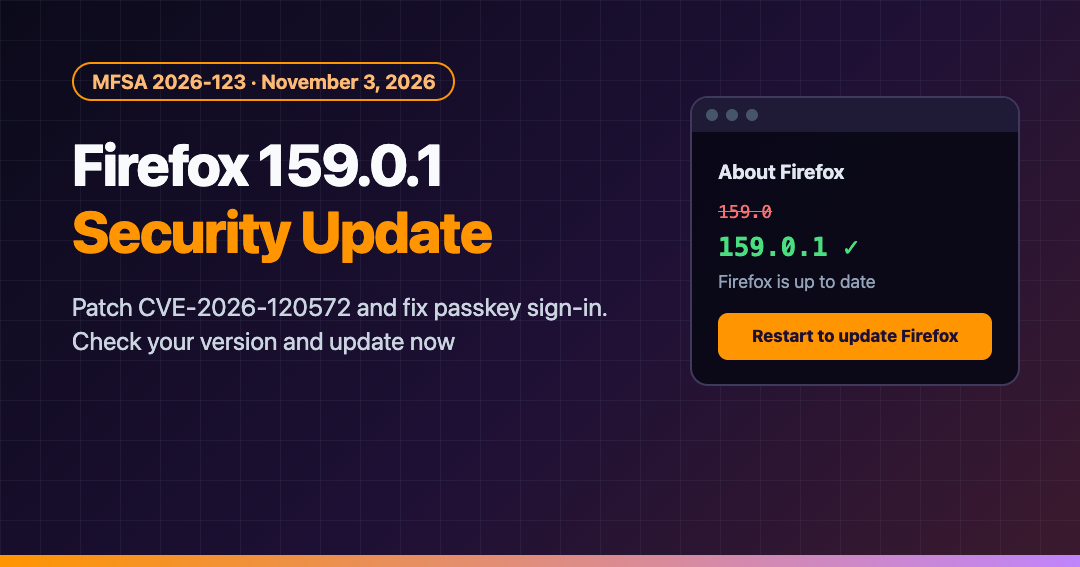
Firefox 159.0.1 is a security update Mozilla shipped on November 3, 2026. It fixes one High-impact memory-safety bug (CVE-2026-120572) plus seven user-facing bugs, including broken passkey sign-in on sites like Facebook and Instagram. If your About Firefox window shows anything older than 159.0.1, restart to update now; the rest of this guide covers how to check, how to update each install type, and what to do if the update will not arrive.
Written November 5, 2026. Facts checked against Mozilla's security advisory and release notes on November 5, 2026. The commands below are standard package-manager and OS commands; they were not run on a test machine for this post, so check the output on your own system.
What changed in Firefox 159.0.1
Firefox 159.0 reached the Release channel on October 27, 2026. One week later, on November 3, Mozilla pushed 159.0.1 as a point release. It does two things: it closes a security hole, and it fixes regressions people hit in 159.0.
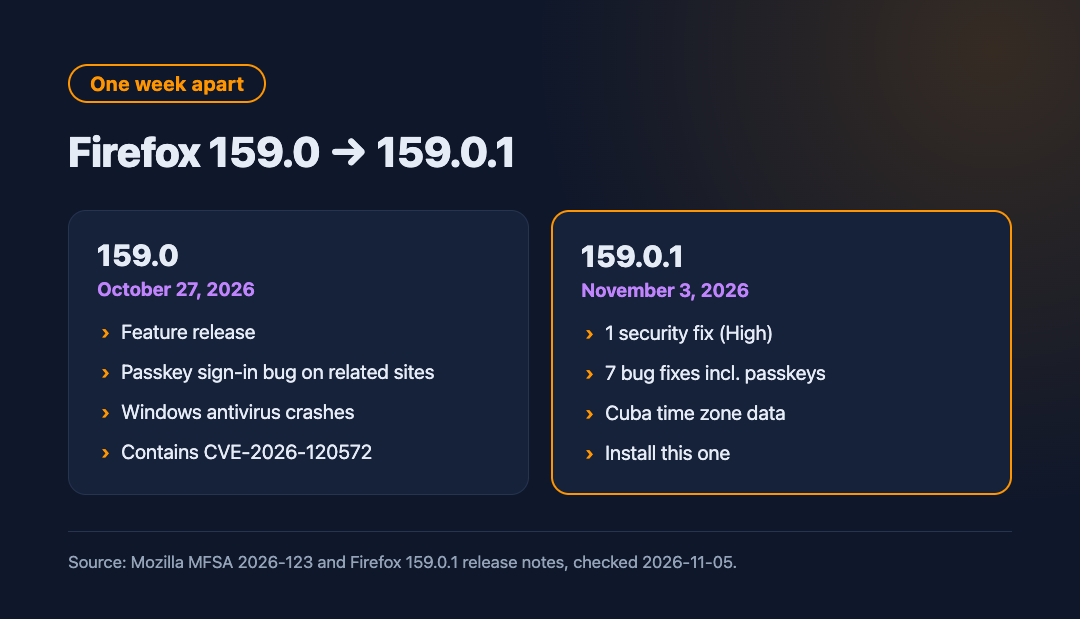
The security fix: CVE-2026-120572
| Field | Value |
|---|---|
| Advisory | MFSA 2026-123 |
| CVE | CVE-2026-120572 |
| Title | Incorrect boundary conditions in the Layout: Block and Inline component |
| Impact | High |
| Fixed in | Firefox 159.0.1 |
That is all Mozilla has published. The advisory gives no longer description, no CVSS score and no statement about attacks in the wild, and the linked Bugzilla entry (bug 2079035) is reported internally by Mozilla. "Incorrect boundary conditions" in the layout engine usually means the code that positions text and boxes on a page can read or write outside the memory it should. Mozilla rates such bugs High when a web page could trigger them, so treat it as "any site you visit could try it" and patch rather than wait for details.
The bug fixes
The 159.0.1 release notes list these fixes alongside the security patch:
| Problem in 159.0 | Platform |
|---|---|
| Passkey sign-in failed on sites that share passkeys across related domains (e.g. Facebook and Instagram) | All |
| Crashes with some antivirus or security software, sometimes leaving WebGL disabled | Windows |
| A command prompt window flashed when Firefox restarted to apply an update | Windows |
| Red and blue colors swapped on some WebGL sites, including video-call background effects | Linux |
| Tab "needs attention" dot hard to see with some themes and accent colors | All |
| Settings text, such as security warnings, broke in the middle of words | All |
| Time zone data updated for Cuba keeping daylight saving time after November 1, 2026 | All |
If you saw any of these after 159.0, the update should fix them too. The Cuba change is the same kind of time zone data fix we covered for Windows in Windows Time Zone Update: Fix BC, Alberta and Manitoba Clocks.
Who needs the Firefox 159.0.1 update
MFSA 2026-123 lists Firefox (desktop, Release channel) as the only product. Mozilla's other advisories from the same weeks cover other builds, so check which Firefox you actually run.
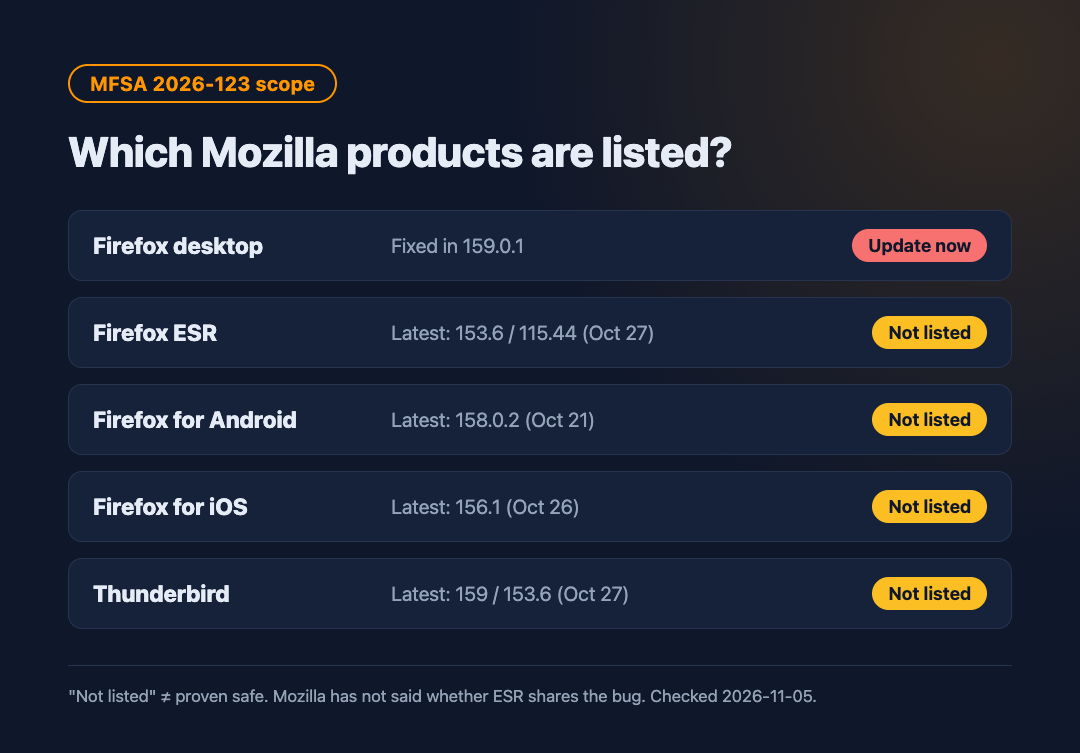
| Product | In MFSA 2026-123? | Latest version in Mozilla advisories (Nov 5) |
|---|---|---|
| Firefox (desktop) | Yes | 159.0.1 |
| Firefox ESR | Not listed | 153.6 and 115.44 (Oct 27) |
| Firefox for Android | Not listed | 158.0.2 (Oct 21) |
| Firefox for iOS | Not listed | 156.1 (Oct 26) |
| Thunderbird | Not listed | 159 and 153.6 (Oct 27) |
"Not listed" means the advisory does not name that product. It does not prove the code is absent there. Mozilla has not said whether ESR shares the bug, so keep ESR on its latest build (153.6) and watch the advisories page for a follow-up.
Firefox 159 no longer supports Windows 8.1 and earlier or macOS 10.14 and earlier. Those machines get no 159.0.1 at all; Mozilla points them to Firefox ESR.
How to check your Firefox version
Use whichever is quickest for you.
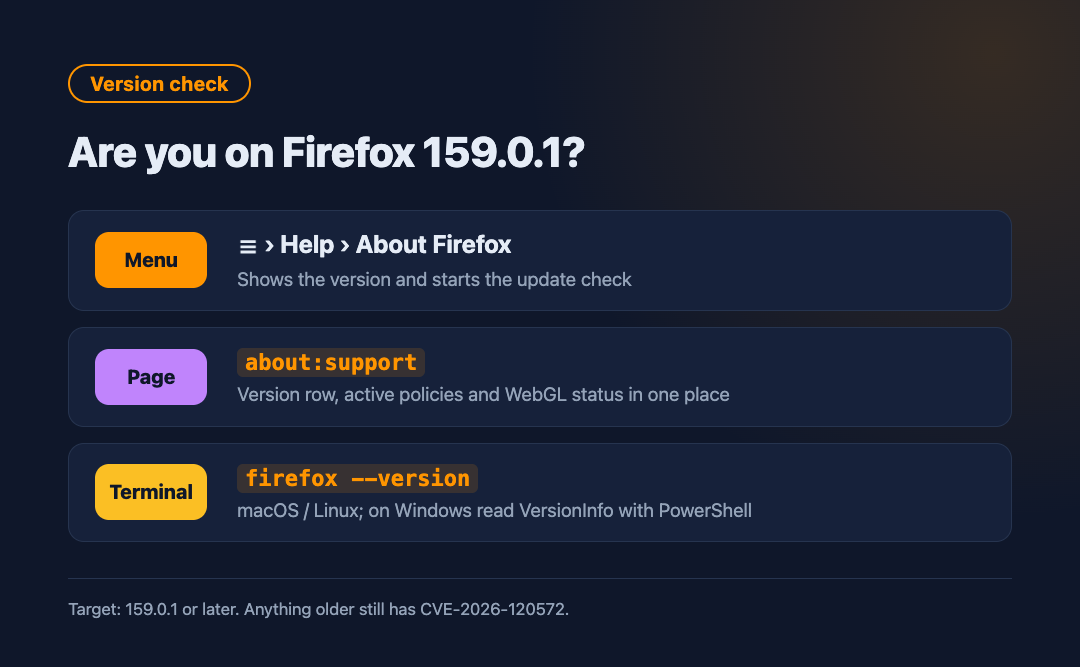
In the browser: open the menu (☰) > Help > About Firefox. On macOS you can also use Firefox > About Firefox in the menu bar. Opening this window also starts the update check.
On any platform: type about:support in the address bar and read the Version row under Application Basics. This page also shows whether update policies are active and whether WebGL is working, which helps later.
From a terminal (handy for scripts or remote machines):
macOS:
/Applications/Firefox.app/Contents/MacOS/firefox --versionLinux:
firefox --versionWindows PowerShell (default install path):
(Get-Item "C:\Program Files\Mozilla Firefox\firefox.exe").VersionInfo.ProductVersionYou want 159.0.1 or later. On Windows, the PowerShell line reads the file version without launching the browser, so it works over a remote session.
How to update to Firefox 159.0.1
How you update depends on how Firefox was installed. The built-in updater covers most Windows and macOS users. Package-managed installs update through the package manager instead.
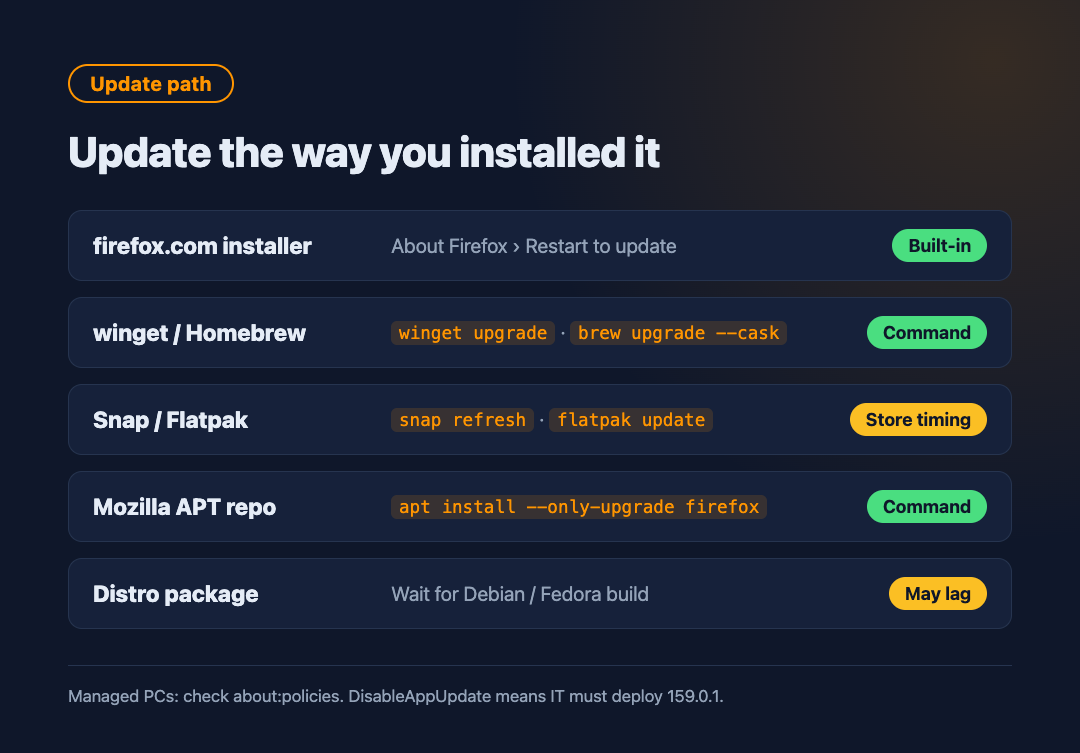
| Install type | How to update |
|---|---|
| Windows or macOS installer from firefox.com | Help > About Firefox, then Restart to update Firefox |
| Windows via winget | winget upgrade --id Mozilla.Firefox |
| macOS via Homebrew | brew upgrade --cask firefox |
| Ubuntu Snap | sudo snap refresh firefox |
| Flatpak (Flathub) | flatpak update org.mozilla.firefox |
| Mozilla APT repository | sudo apt update && sudo apt install --only-upgrade firefox |
| Distribution package (Debian, Fedora, etc.) | Wait for the distro's update, then use the normal system update |
Built-in updater (Windows and macOS)
- Open Help > About Firefox.
- Wait for the download to finish.
- Click Restart to update Firefox. Your tabs come back after the restart if session restore is on.
- Reopen About Firefox and confirm it says 159.0.1 and "Firefox is up to date".
If the 159.0 bug that flashed a command prompt window on restart hits you here, it is the old version doing the restart. It should not happen on later updates.
Package managers
Run the matching command from the table above. Two things to know:
- Snap and Flatpak follow their own stores. If the store has not published 159.0.1 yet, the command will say Firefox is already up to date. Run it again later in the day.
- Distribution packages (for example Debian's
firefoxorfirefox-esr, or Fedora'sfirefox) are built by the distro, not Mozilla. They often lag a day or more. Check your distro's security tracker before assuming you are patched.
Managed fleets
In companies, Firefox is often locked with an enterprise policy. Type about:policies to see active policies. If DisableAppUpdate is set, or AppAutoUpdate is false, users cannot update themselves and IT has to push 159.0.1 through its normal software deployment tool. To find machines still on an older build, collect the version with the PowerShell line above (or firefox --version on Mac and Linux) through your management tool and flag anything below 159.0.1.
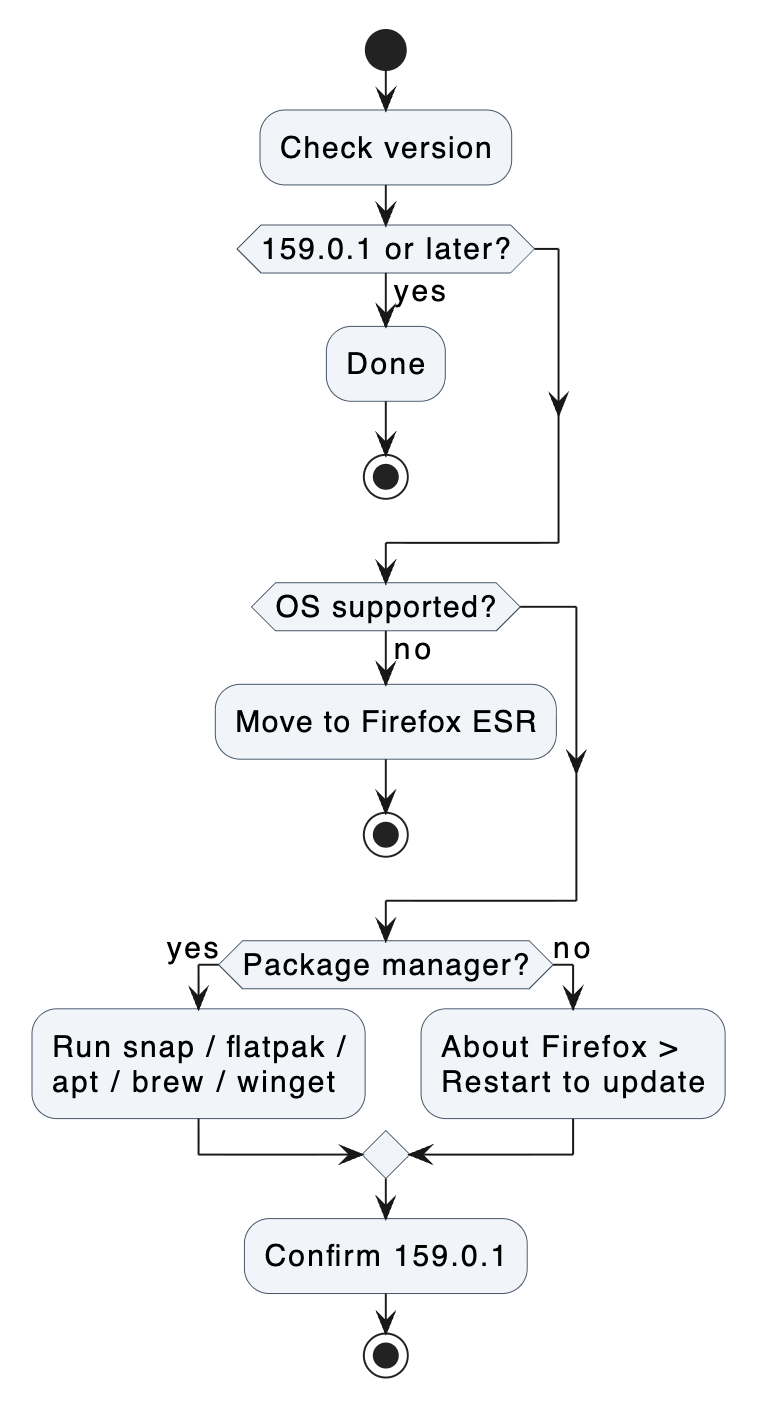
Here is the whole decision in one picture:
View PlantUML source
@startuml
skinparam defaultFontSize 15
skinparam ActivityBorderColor #475569
skinparam ActivityBackgroundColor #F1F5F9
start
:Check version;
if (159.0.1 or later?) then (yes)
  :Done;
  stop
endif
if (OS supported?) then (no)
  :Move to Firefox ESR;
  stop
endif
if (Package manager?) then (yes)
  :Run snap / flatpak /
  apt / brew / winget;
else (no)
  :About Firefox >
  Restart to update;
endif
:Confirm 159.0.1;
stop
@enduml
If the Firefox update does not work
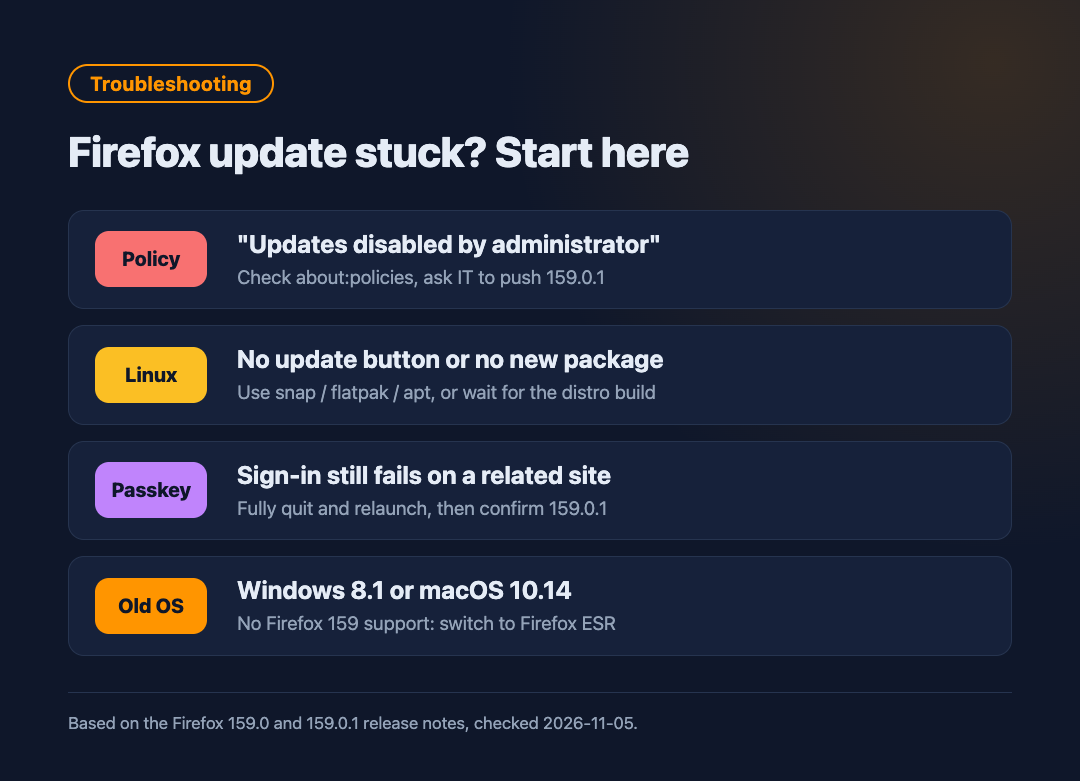
| Symptom | Likely cause | Fix |
|---|---|---|
| "Updates disabled by your system administrator" | An enterprise policy blocks updates | Ask IT to deploy 159.0.1; check about:policies |
| About Firefox shows no update button on Linux | Firefox is managed by a package manager | Update with snap, flatpak or apt as in the table above |
| apt or dnf shows no new Firefox | Distro has not built 159.0.1 yet | Check the distro security tracker; update when it lands |
| Still crashes on Windows with antivirus, or WebGL off | Old build, or WebGL left disabled after the crash | Confirm 159.0.1, then check Graphics in about:support and restart |
| Passkey sign-in still fails on a related site | Old build still running | Fully quit Firefox (not just close the window), relaunch and retry |
| Windows 8.1 or macOS 10.14 machine | No longer supported by Firefox 159 | Install Firefox ESR |
If an update downloads but keeps failing to install, a common fix is to download the full installer from firefox.com and install it over the existing copy. Your profile (bookmarks, passwords, extensions) lives in a separate folder and is kept.
Browsers are the most exposed software on most machines, so it pays to patch them on the same day. We covered the same routine for Chrome in Chrome 156 Security Update: Patch to 156.0.8078.79 Now, and how Firefox and Chrome react when a certificate authority goes bad in eMudhra Certificate Compromise: How to Patch Trust Stores.
FAQ
Is CVE-2026-120572 being exploited? Mozilla's advisory does not say. It gives only the title, a High rating and the fixed version. No public report of attacks turned up in our checks on November 5, 2026. Patch anyway, because High in Firefox's scale means a web page could trigger it.
Does Firefox ESR 153.6 need an update? MFSA 2026-123 does not list ESR. As of November 5, 2026, the latest ESR builds are 153.6 and 115.44, released October 27. Stay on those and check Mozilla's advisories page for an ESR follow-up.
Will updating to 159.0.1 delete my tabs or passwords? No. Point releases replace the program files only. Your profile folder stays as it is. Session restore brings back your tabs after the restart if it is turned on in Settings.
My passkey login on Instagram broke after 159.0. Is 159.0.1 the fix? Yes. The release notes list the fix for passkey sign-in on websites that share passkeys across related sites, using Facebook and Instagram as the example. Fully restart Firefox after the update before trying again.
How do I check Firefox versions on many machines? Collect firefox --version on macOS and Linux, or the PowerShell VersionInfo.ProductVersion line on Windows, through your remote management tool. Flag anything below 159.0.1.
Next, review which extensions you have installed. A patched browser running a risky extension is still exposed.
References
- Mozilla Foundation Security Advisory 2026-123 — Mozilla, announced 2026-11-03, checked 2026-11-05
- Firefox 159.0.1 release notes — Mozilla, released 2026-11-03, checked 2026-11-05
- Firefox 159.0 release notes — Mozilla, released 2026-10-27, checked 2026-11-05
- Mozilla Foundation Security Advisories — Mozilla, list of recent advisories for ESR, Android, iOS and Thunderbird, checked 2026-11-05
- Bug 2079035 — Mozilla Bugzilla, linked from MFSA 2026-123 (details may be restricted), checked 2026-11-05
1 thought on “Firefox 159.0.1 Security Update: Patch CVE-2026-120572 Now”