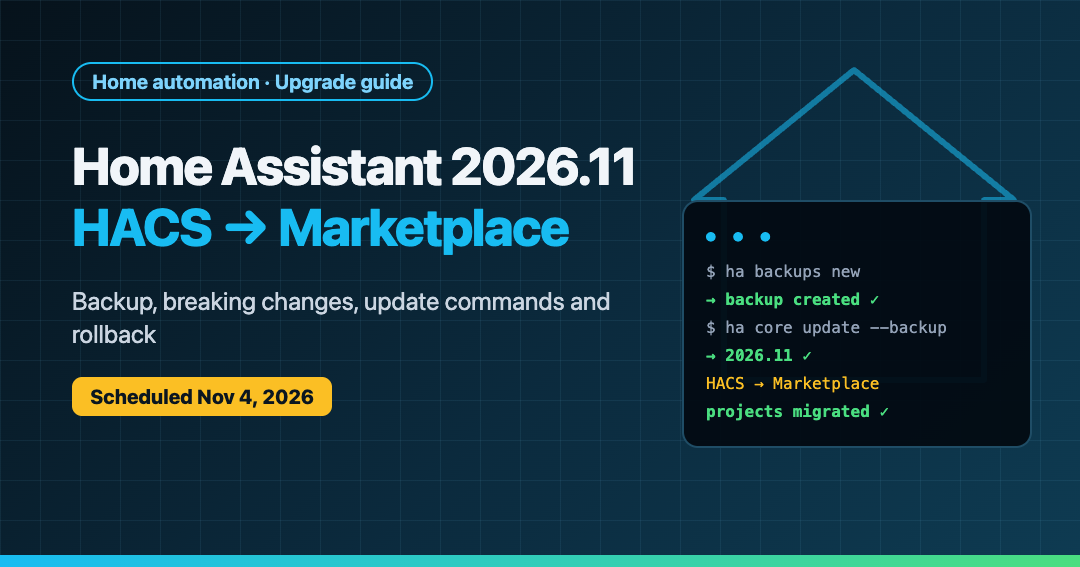
Home Assistant 2026.11 turns HACS into a built-in Marketplace, and the beta notes list dozens of backward-incompatible changes. The release is scheduled for November 4, 2026 (the release party starts at 20:00 GMT). Before you click Update: take a full backup, write down what you installed through HACS, and update Z-Wave JS, AdGuard Home and Uptime Kuma if you use them. After the update, open Settings > Marketplace, accept the community notice, and check Repairs and Logs.
Written 2026-11-04, before the stable build was out. Facts come from the official Home Assistant 2026.11 beta release notes (rc.home-assistant.io, published October 28, 2026) and the Home Assistant docs on updating and backups, all checked on 2026-11-04. The beta page says "not all features might be final yet," so compare with the final 2026.11 release notes before you upgrade a production system. I have not run the 2026.11 upgrade myself; the commands below come from the official docs.
This guide follows one order: what changes, how to check your setup, how to update on each install type, and what to do if something breaks.
What changes in Home Assistant 2026.11
The headline is the Marketplace. The release notes say: "With this release, HACS becomes part of Home Assistant as the new Marketplace." It lives under Settings > Marketplace and lets administrators browse and install community integrations, dashboard cards, themes and templates.
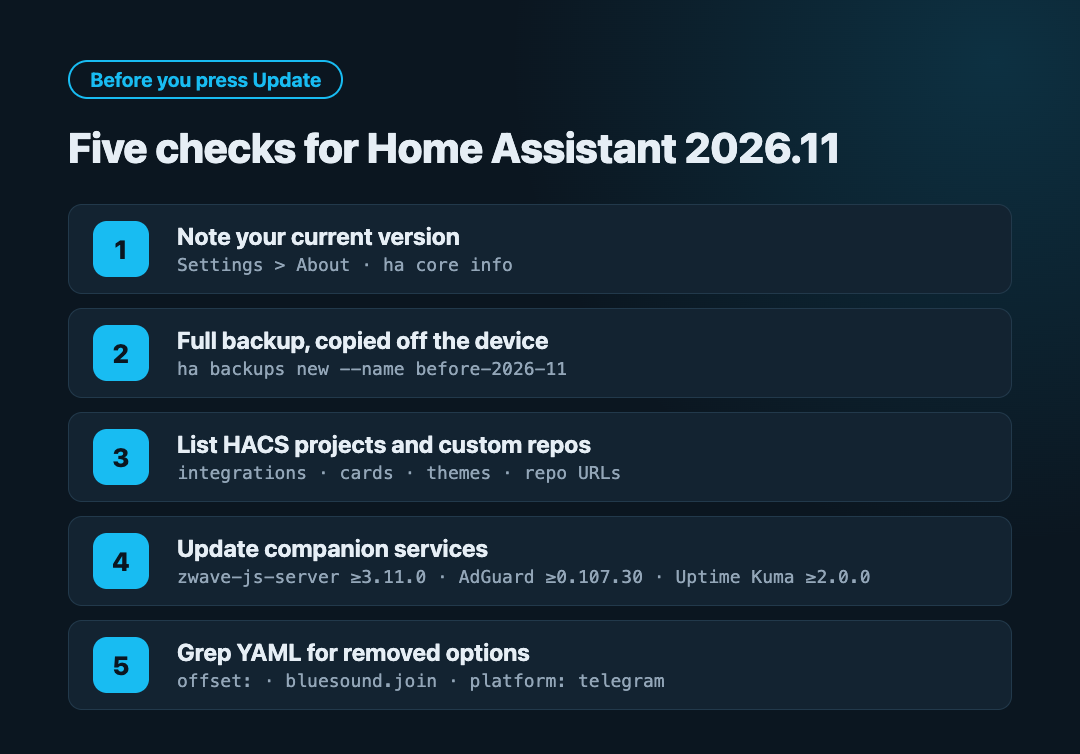
| Change | What it means for you |
|---|---|
| HACS becomes Marketplace | Auto-migrated on first start. A separate HACS install is no longer possible on 2026.11 |
| Entity naming overhaul | Cards without a set name show device name + entity name. Entity IDs, automations and scripts are not affected |
| Login address check | On a non-local address, the browser URL must match what Home Assistant sees, or login fails with "Invalid client id" |
| Matter cameras | Matter 1.5 cameras with WebRTC live view. Two-way audio is in Labs and needs HTTPS |
| Python dependencies | No longer installed into the deps folder. Only affects Core installs outside a virtual environment |
Other new features include exclusions in targets (leave out an entity, device, area, floor or label), automatic dashboard sections, LoRaWAN support through ChirpStack and The Things Network, Zigbee Green Power devices, local disk storage for backups and media, and better debugging tools such as action history and per-integration live logs.
HACS to Marketplace: what migrates and what does not
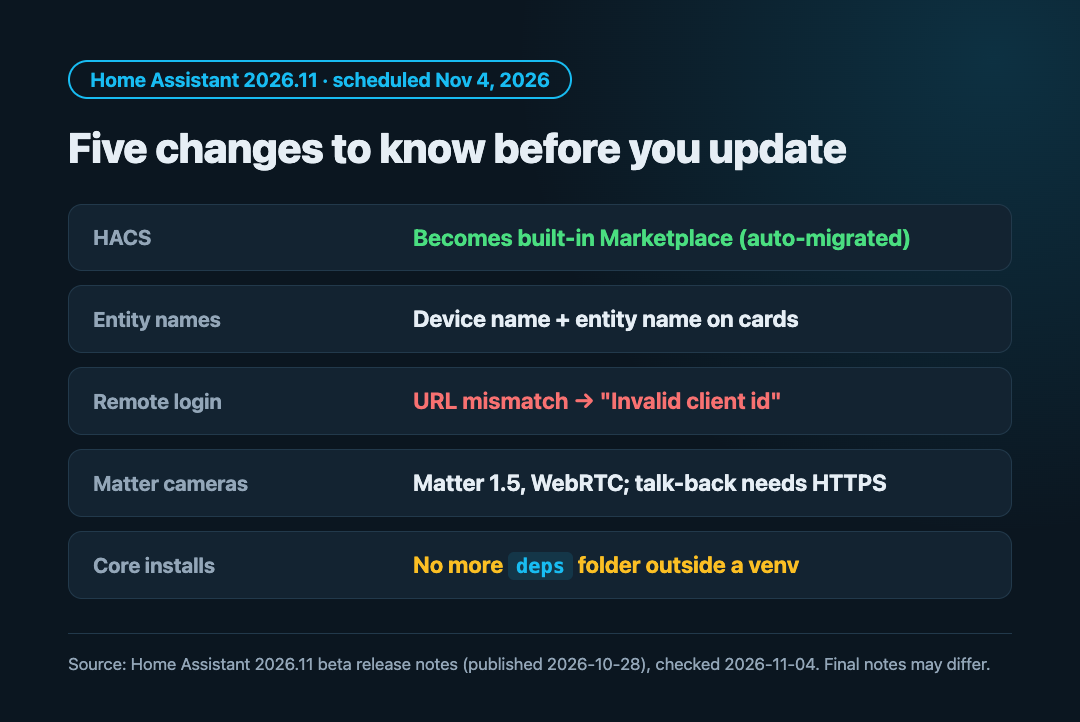
According to the release notes, Home Assistant "migrates it when it starts after the update." Installed projects "stay installed and keep receiving updates," and "your custom repositories and update entities carry over." Old links to HACS open the Marketplace.
What is different afterwards:
- No GitHub account needed to install or update projects from the catalog. Custom repositories still need a GitHub connection, done through GitHub device sign-in. The docs say that connection "only reads public information and cannot access private repositories."
- You must accept a notice ("I understand the risks and agree") before you install or update. Browsing works without it. The notice says community projects are not tested, audited or supported by the Home Assistant project.
- Installs no longer need a restart. Updates still do. Each project has an update entity, and a repair can restart Home Assistant for you.
- Standalone HACS ends. "The HACS installer stops at Home Assistant 2026.11," and the old HACS won't get new releases. Marketplace bugs go to the Home Assistant issue tracker, not the HACS repository.
- It works on every installation type, including Home Assistant Container, and the notes say everything in it is free.
Check your setup before the Home Assistant 2026.11 upgrade
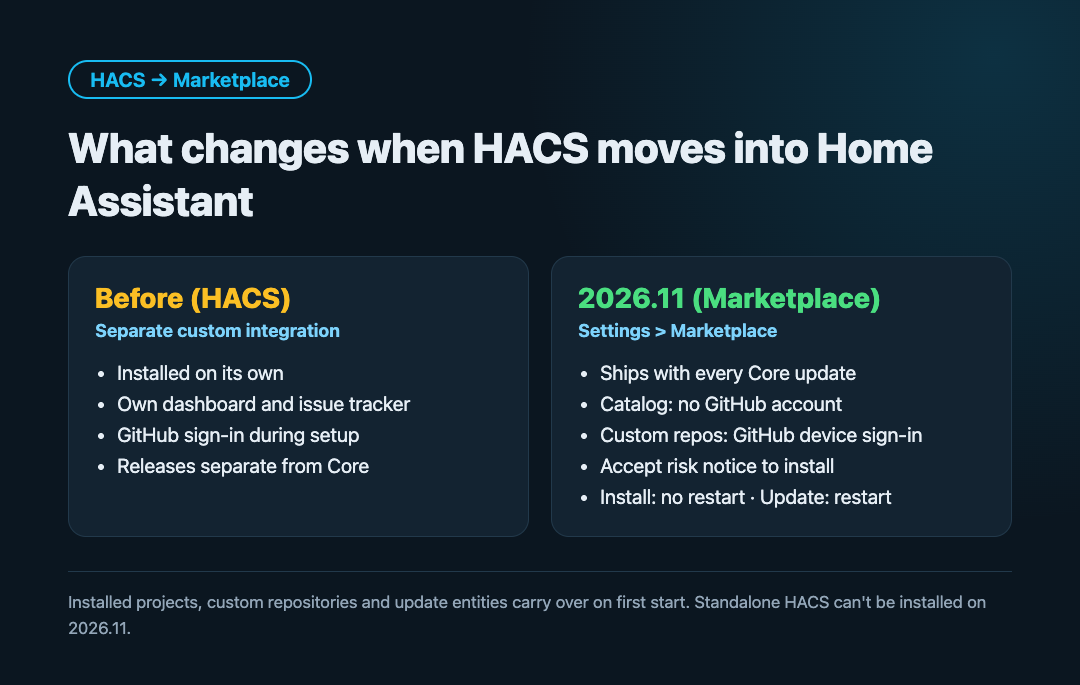
Do these five checks first. They cover the changes in the notes that most often need action.
1. Note your current version. Go to Settings > About. On Home Assistant OS you can also run this in the Terminal or SSH app:
ha core infoOn a Core install, activate the virtual environment and run hass --version.
2. Make a full backup and copy it off the device.
ha backups new --name before-2026-11
ha backups list
The docs are clear that you go back to an older version by restoring a backup made on that version. Installing an older version without a backup does not undo data changes made by the newer one.
3. List what you installed through HACS. Open HACS on your current version and write down each integration, card and theme, plus every custom repository URL. The migration should keep them, but a written list makes it easy to confirm nothing went missing.
4. Update companion services that now have minimum versions.
| If you use | 2026.11 needs |
|---|---|
| Z-Wave JS | zwave-js-server 3.11.0 or later |
| AdGuard Home | v0.107.30 or later for the Query log switch |
| Uptime Kuma | 2.0.0 or later |
| Matter cameras | A Matter server recent enough to support cameras |
5. Search your YAML for removed or changed options. From your config folder:
cd /config
grep -rn "offset:" --include="*.yaml" .
grep -rn "bluesound.join\|bluesound.unjoin" --include="*.yaml" .
grep -rn "evohome.reset_system\|evohome.clear_zone_override" --include="*.yaml" .
grep -rn -A2 "notify:" --include="*.yaml" . | grep "platform: telegram"
Each hit maps to an item in the next section.
Breaking changes most likely to hit you
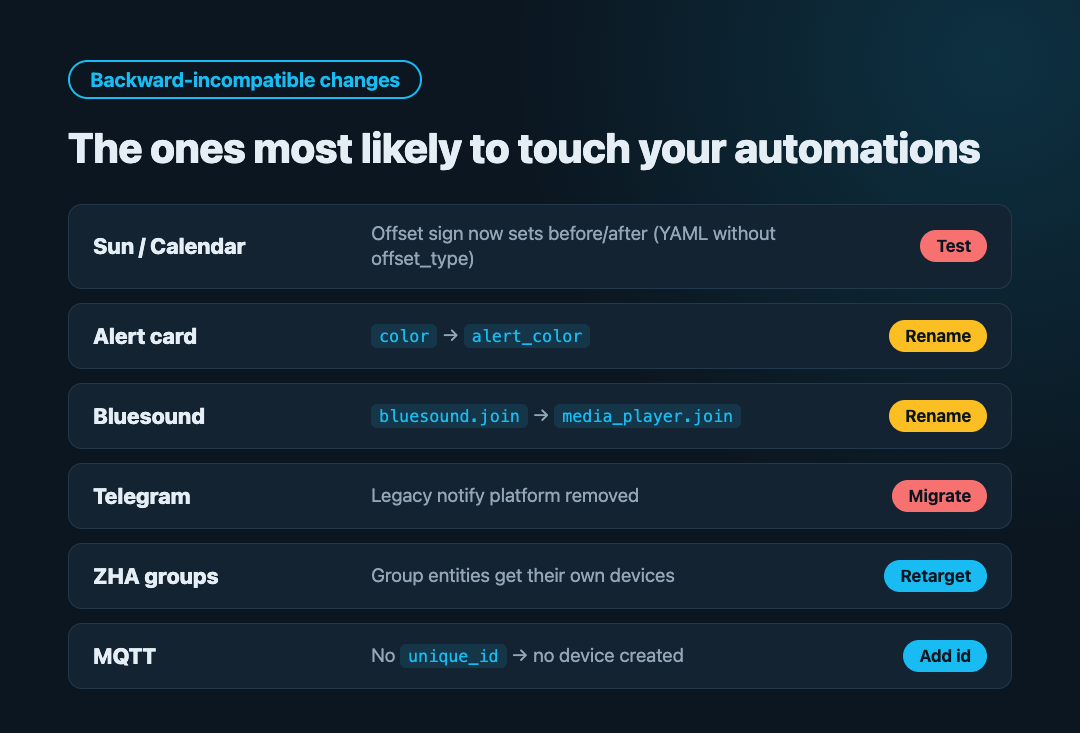
The beta notes list many integration changes. These are the ones that touch common setups or YAML automations:
| Area | Change in 2026.11 | What to do |
|---|---|---|
| Calendar and Sun triggers | The offset sign now decides before or after the event, for YAML triggers with offset but no offset_type | Check each trigger's sign and test it |
| Alert card | color renamed to alert_color; new clear_color | Rename the option in your dashboard YAML |
| Bluesound | bluesound.join / unjoin removed | Use media_player.join / media_player.unjoin |
| Telegram | Legacy notify platform removed | Move to the Telegram bot integration (see its docs) |
| ZHA | Group entities move to their own group devices | Target the group, not the coordinator device |
| MQTT | Entities without unique_id no longer create a device | Add a unique_id if you want the device |
| Xiaomi Home | Light, switch and fan actions need a target | Use entity_id: all to hit everything |
| Polling options | Custom intervals removed for Control4 (fixed at 5 s), Hive, Risco, Plaato and others | Remove the option; use an automation with homeassistant.update_entity if you need more control |
A few more worth knowing: Apple iCloud no longer fetches completed reminders by default, Ring loses its deprecated ding, motion, volume and siren switches, Philips Hue drops the "None" light effect (use "off"), Tuya and Z-Wave move some endpoints to child devices, and Flipr was removed because the company was liquidated.
The notes also say the friendly_name attribute "is planned for deprecation." It still works in 2026.11, but new templates should use entity_name(), device_name() and area_name().
The "Invalid client id" login change
This one can lock you out of the web UI, so read it before you upgrade. When you open Home Assistant on a non-local address (a public IP, a global IPv6 address or Tailscale), "the address in your browser now has to match the address Home Assistant sees the request coming in on." If it doesn't, login fails with "Invalid client id."
If you use a reverse proxy, make sure it passes the original host and scheme to Home Assistant, and that http: in configuration.yaml trusts your proxy. A typical block looks like this (adjust the subnet to your proxy):
http:
  use_x_forwarded_for: true
  trusted_proxies:
    - 172.30.33.0/24
Keep a local URL (for example http://homeassistant.local:8123) handy as a way back in while you sort out the proxy.
How to update to Home Assistant 2026.11
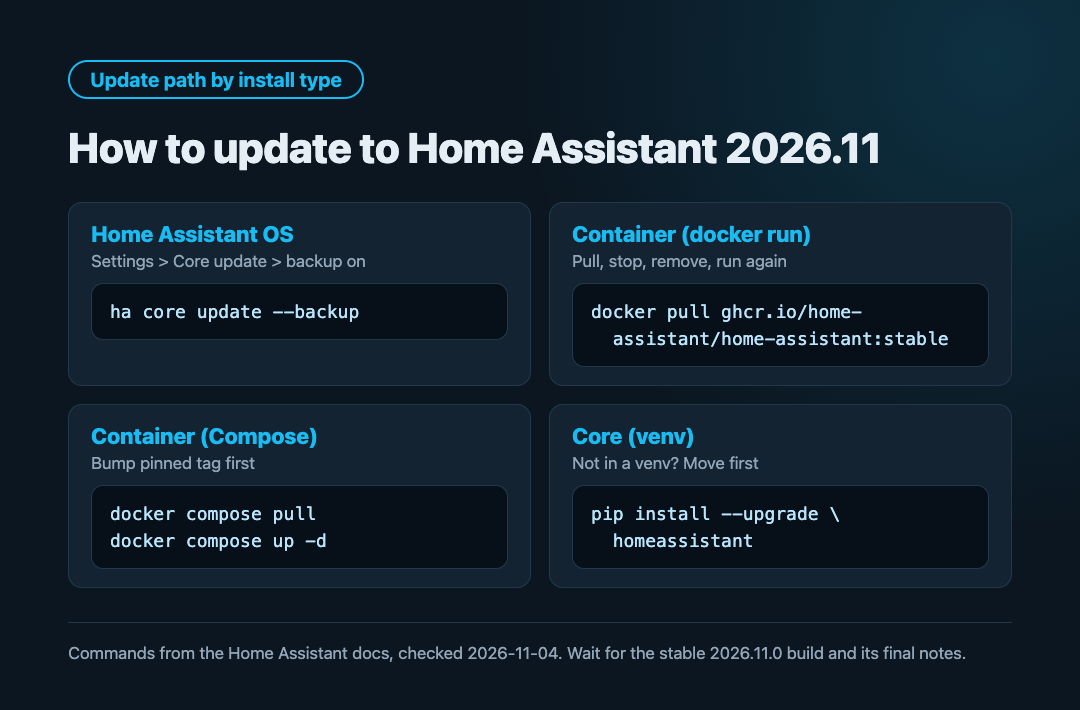
Install the update only after the stable 2026.11.0 build appears and you have read its final notes. Pick the method that matches your install type.
| Install type | Update command or path |
|---|---|
| Home Assistant OS (UI) | Settings > the Home Assistant Core update > turn on backup > Update |
| Home Assistant OS (CLI) | ha core update --backup |
| Container (docker run) | Pull the image, stop, remove, run again with the same command |
| Container (Compose) | docker compose pull then docker compose up -d |
| Core (venv) | pip install --upgrade homeassistant inside the venv |
On Home Assistant OS, --backup makes a partial backup before the update so you can downgrade. To install a specific build, add --version:
ha core update --version 2026.11.0 --backupFor Docker, the official docs use the stable tag:
docker pull ghcr.io/home-assistant/home-assistant:stable
docker stop homeassistant
docker rm homeassistant
Then start it again with the same docker run command you used to create it.
If you run Compose with a pinned tag, change the tag to 2026.11.0 in compose.yaml before you pull. Running a busy Docker host? Our guide to Docker log rotation with the local driver keeps the Home Assistant container log from filling the disk.
For Core installs: 2026.11 no longer puts packages in the deps folder. That only affects Core installs that run outside a virtual environment. If that's you, move to a venv before this upgrade.
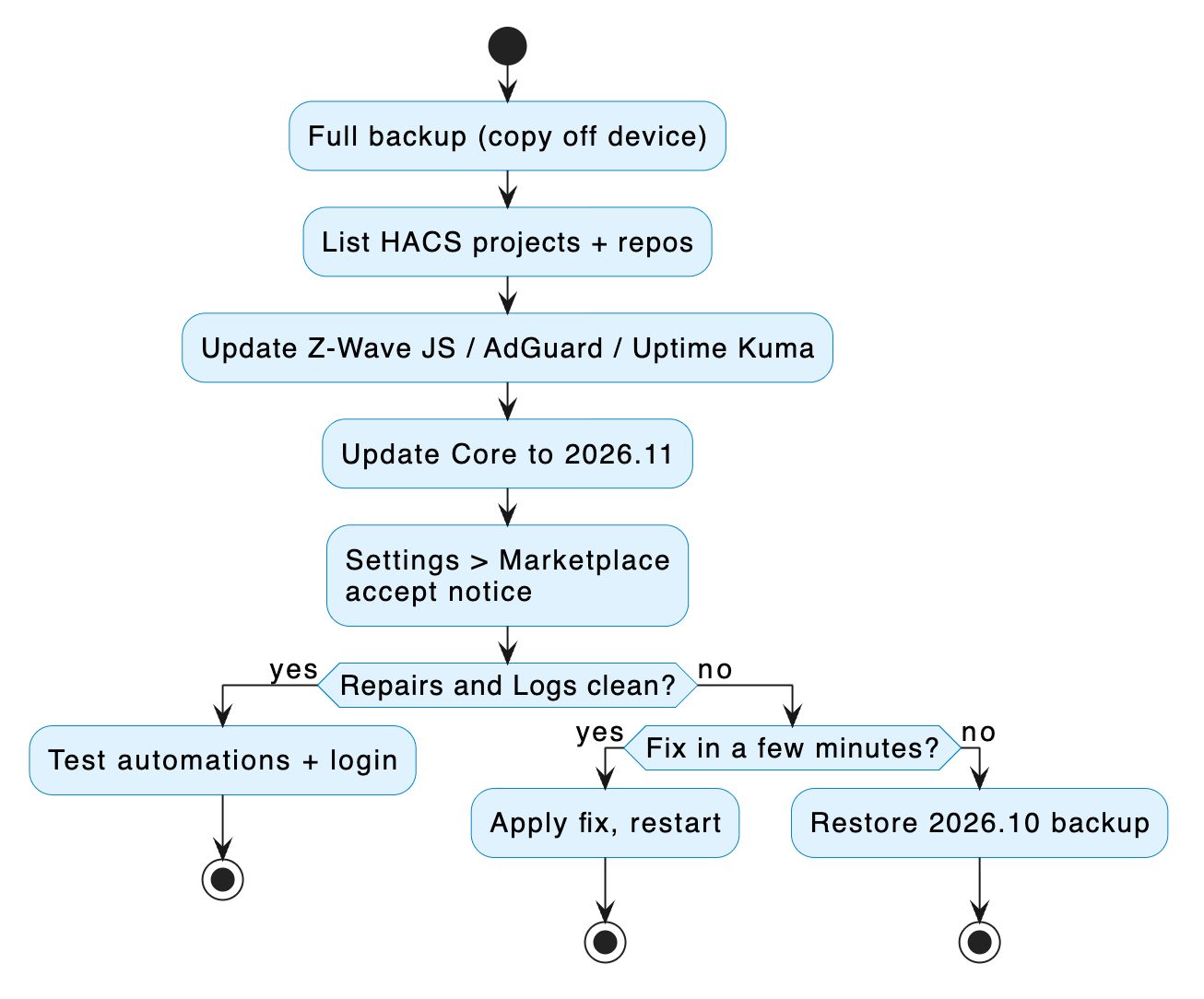
View PlantUML source
@startuml
skinparam defaultFontSize 15
skinparam ActivityBackgroundColor #E0F2FE
skinparam ActivityBorderColor #0284C7
start
:Full backup (copy off device);
:List HACS projects + repos;
:Update Z-Wave JS / AdGuard / Uptime Kuma;
:Update Core to 2026.11;
:Settings > Marketplace\naccept notice;
if (Repairs and Logs clean?) then (yes)
  :Test automations + login;
  stop
else (no)
  if (Fix in a few minutes?) then (yes)
    :Apply fix, restart;
    stop
  else (no)
    :Restore 2026.10 backup;
    stop
  endif
endif
@enduml
After the update: Marketplace and checks
- Open Settings > Marketplace. Confirm every project from your written list is there and shows as installed.
- Accept the notice so you can update projects. If you had custom repositories, open the Custom repositories page and connect GitHub with device sign-in. You approve the request on GitHub; you don't type your GitHub password into Home Assistant.
- Check Settings > System > Repairs and Settings > System > Logs for configuration errors, as the update docs recommend.
- Open a dashboard and look at entity names. Cards without a set name now show device name plus entity name. If a card looks crowded, give it an explicit name.
- Run one or two important automations by hand (Settings > Automations > the three-dot menu > Run actions) and check the new action history.
- Log in once from your remote URL to confirm the address check passes.
If you run other self-hosted automation tools next to Home Assistant, patch them on the same maintenance window. Our n8n security update guide uses the same backup-first routine.
If something breaks after Home Assistant 2026.11
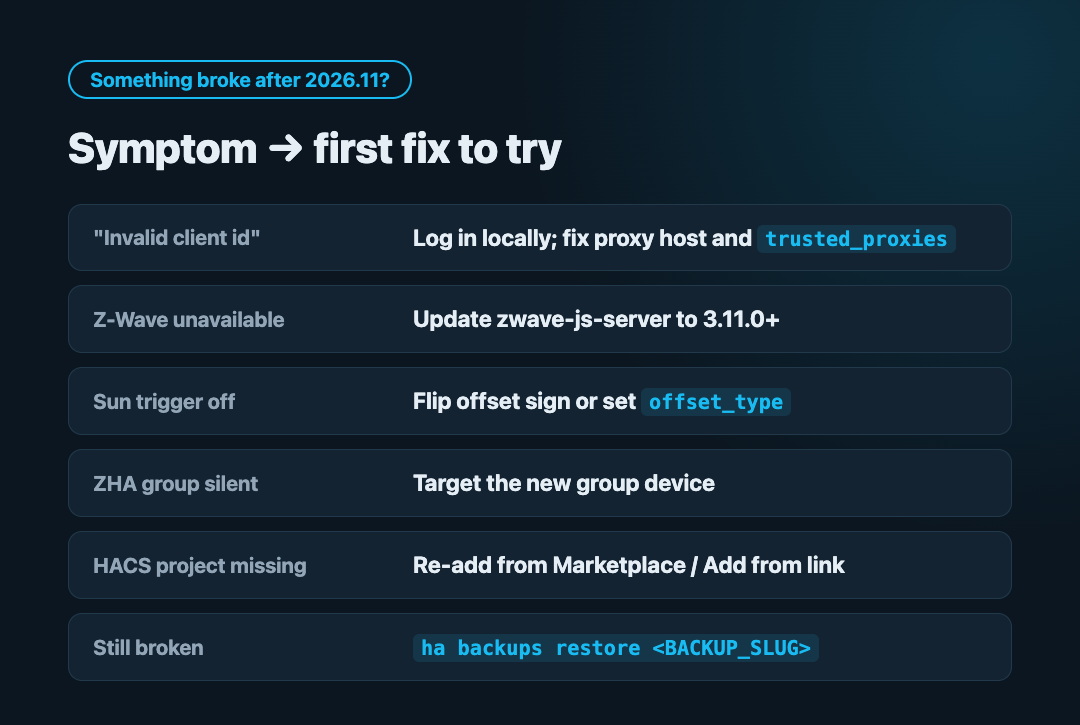
| Symptom | Likely cause | Fix |
|---|---|---|
| "Invalid client id" on login | Browser URL differs from what Home Assistant sees | Log in locally; fix proxy headers and trusted_proxies |
| Z-Wave devices unavailable | zwave-js-server older than 3.11.0 | Update the Z-Wave JS app or server, then reload |
| Sun or calendar automation fires at the wrong time | Offset sign rule changed | Flip the sign or set offset_type explicitly |
| Group light no longer reacts (ZHA) | Groups moved to their own devices | Target the group device or entity |
| HACS project missing | Migration did not carry it over | Re-add from Marketplace or with Add from link |
| Integration won't load at all | Removed option or unsupported version | Read Logs, fix the YAML, or restore the 2026.10 backup |
To roll back on Home Assistant OS, restore the backup you made before the update:
ha backups list
ha backups restore <BACKUP_SLUG>
Restoring a backup also brings back the Home Assistant version it was made with. On Docker, start the container again with the 2026.10 image tag you ran before and restore your config backup.
FAQ
Do I have to remove HACS before upgrading to Home Assistant 2026.11? No. The release notes say Home Assistant migrates HACS when it first starts on 2026.11. Installed projects, custom repositories and update entities carry over.
Do I need a GitHub account for the Marketplace? Not for the catalog. You need a GitHub connection only for custom repositories, and it uses read-only device sign-in that cannot see private repositories.
Will my entity IDs change with the naming overhaul? The notes say entity IDs, automations and scripts are not affected. What changes is the display name on cards that don't set their own name. Tuya and Z-Wave child devices are an exception worth checking, because some entities move to new child devices.
Should I upgrade on release day? If your home depends on Z-Wave, ZHA groups or YAML sun triggers, waiting for the first patch release (2026.11.1) is a reasonable choice. Either way, take the backup first.
Can I still install the standalone HACS on 2026.11? No. According to the notes, the HACS installer stops at 2026.11 and the old HACS gets no new releases.
The next release, 2026.12, is when the 2026.10 notes say the Home Assistant Cloud rename lands. Bookmark the release notes page so you can check it before that update too.
References
- Home Assistant 2026.11 beta release notes — Home Assistant, published 2026-10-28, checked 2026-11-04
- Common tasks: Home Assistant Operating System (update, backups, version install) — Home Assistant docs, checked 2026-11-04
- Linux installation: Home Assistant Container (docker run, Compose, updating) — Home Assistant docs, checked 2026-11-04
- Home Assistant blog — for the final 2026.11 release post, checked 2026-11-04
- Naming things in Home Assistant, shaped by your feedback — Home Assistant blog, 2026-11-03, checked 2026-11-04
1 thought on “Home Assistant 2026.11 Upgrade: HACS Marketplace Checklist”