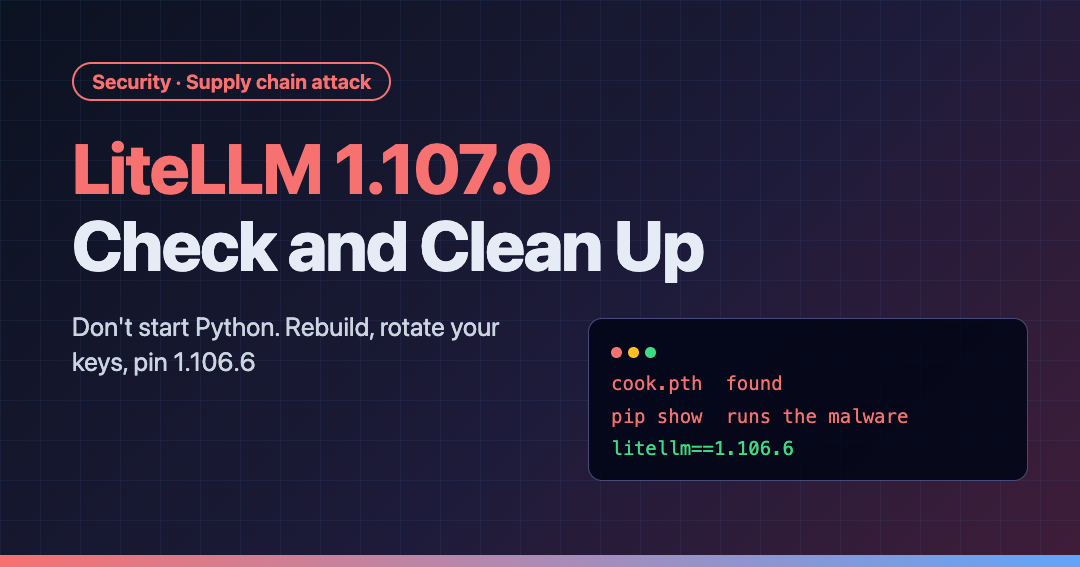
LiteLLM 1.107.0 carried a credential stealer, so any machine or container that ran it should count as compromised. Don't start Python there. Find the startup files with shell tools, rebuild from a clean artifact, and rotate every secret that machine could reach. Then pin 1.106.6, because the 1.106.2 rollback from the first advisories misses a Critical flaw on Enterprise proxies.
Written 2026-11-02. Facts come from LiteLLM's incident pages, its GitHub advisory and docs, and from Microsoft, Wiz and Datadog, all checked that day. I tried the find name searches and the lockfile grep commands on dummy files on macOS. I did not install LiteLLM, and I did not run the hash comparison, the delete commands, or the docker, kubectl, cosign, aws, curl or PowerShell commands, so test them on your own system first.
This is not a same-day alert. The attack happened on October 21, and it stays urgent because clean-up is easy to get wrong. A November 1 write-up repeats Microsoft's warning that removing the package does not recover the machine. LiteLLM is a popular Python gateway that gives one API across many model providers, so its hosts often hold many provider keys.
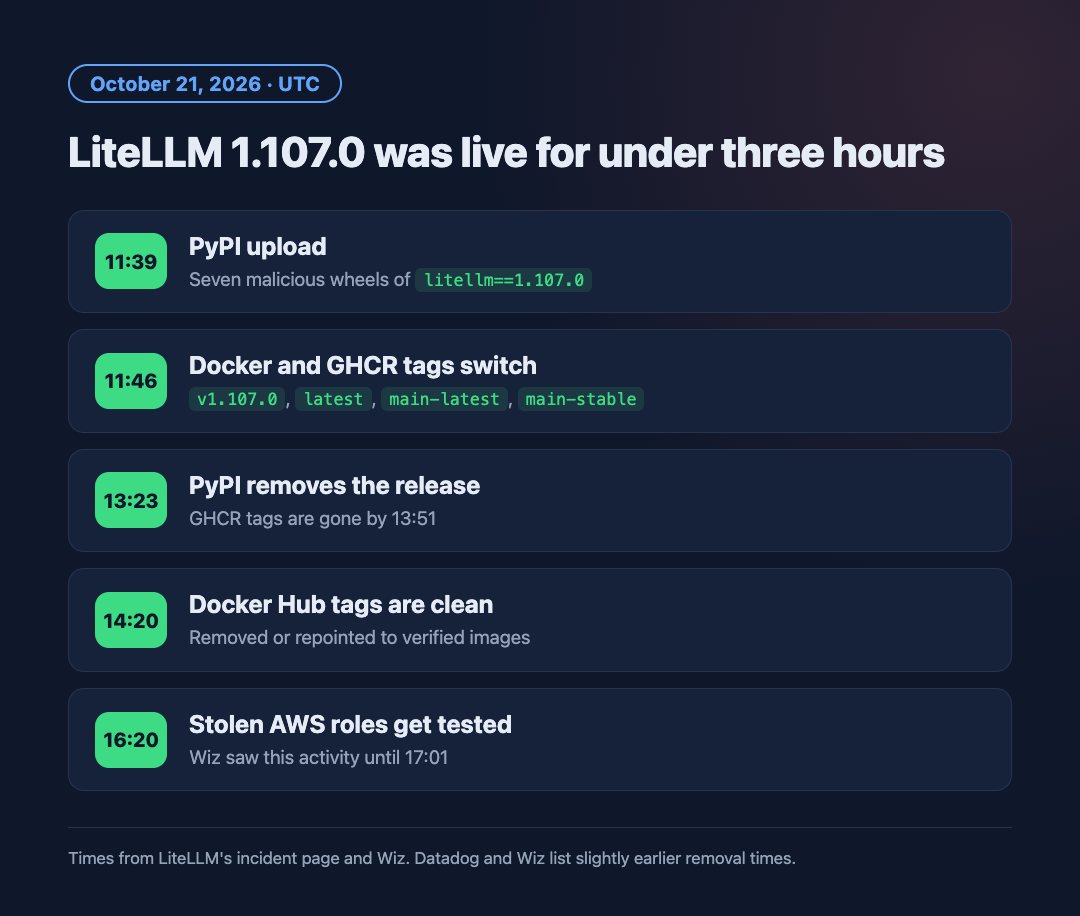
What happened in the LiteLLM 1.107.0 compromise
Attackers used stolen GitHub tokens to run LiteLLM's release workflow against a lookalike repository, Berri-AI/litellm. The real one is BerriAI/litellm. The v1.107.0 source tag on GitHub never contained the malware, so reading the source would not have revealed it.
| Artifact | Tags | Live on Oct 21 (UTC) |
|---|---|---|
| PyPI wheels (all 7) | litellm==1.107.0 | 11:39:51 to 13:23 |
| Docker Hub | v1.107.0, latest, main-latest, main-stable | 11:46:56 to 14:20 |
| GHCR | Same tags, 3 image names | 11:46:56 to 13:51 at the latest |
These times come from LiteLLM's incident page. Datadog and Wiz report slightly earlier removal times (13:20 for PyPI, about 13:53 for Docker). I use LiteLLM's times here because they give the longer window.
What the malware steals
The wheel adds cook.pth, cook.py and sitecustomize.py to site-packages, outside the litellm folder. Python loads these at every start, so the code runs even if nothing imports LiteLLM.
It collects cloud credentials, Kubernetes and Docker secrets, SSH and GPG keys, Git and package tokens, .env files, shell history, browser data, AI coding tool logins and MCP configs. On a proxy host it also reads the LiteLLM database. It sends the result to www.litellm[.]dev, which is not LiteLLM's real domain.
Is it being exploited?
Yes. Wiz saw stolen AWS instance role credentials being tested about 4.5 hours after theft, between 16:20 and 17:01 UTC. The calls were sts:GetCallerIdentity followed by Bedrock model listing, a pattern Wiz links to LLMjacking, which means reselling stolen access to paid AI models.
Wiz also cites about 49,000 downloads from ClickPy data. That counts downloads, so the number of infected hosts is unknown. Microsoft could not confirm that a second-stage payload ever ran.
Why the 1.106.2 rollback is no longer enough
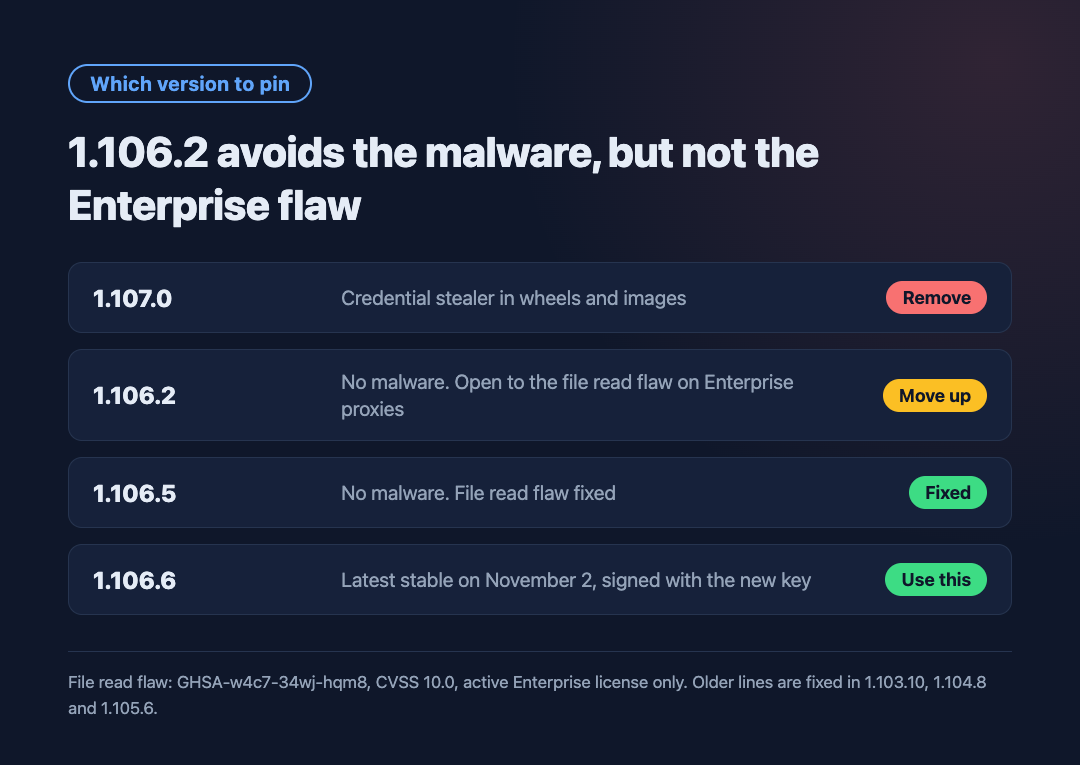
The first advisories said to pin 1.106.2. Six days later, LiteLLM published GHSA-w4c7-34wj-hqm8, rated CVSS 10.0. On a proxy with an active Enterprise license, an unauthenticated request can make the proxy read a local file such as /proc/self/environ and send it to an attacker's URL. That exposes the master key and provider keys. Open-source deployments without a license are not affected.
| Version | Oct 21 malware | Enterprise file read | What to do |
|---|---|---|---|
| 1.107.0 | Yes | Not relevant | Rebuild and rotate |
| 1.106.2 | No | Vulnerable | Move up |
| 1.106.5 | No | Fixed | Fine, but not the newest |
| 1.106.6 | No | Fixed | Use this |
Older lines have their own fixes: 1.103.10, 1.104.8 and 1.105.6. As of November 2, PyPI and GitHub releases list 1.106.6 (October 28) as the latest stable release. The 1.108 and 1.109 tags are still pre-releases.
If you can't upgrade an Enterprise proxy right away, the advisory lists a workaround. Reject or strip POST bodies containing standard_callback_dynamic_params, gcs_path_service_account, callbacks, success_callback or failure_callback at your WAF or reverse proxy. Also limit outbound traffic to your model providers.
How to check for LiteLLM 1.107.0 without starting Python
LiteLLM's page suggests pip show litellm, but pip starts Python, and Python starts the malware. Microsoft says not to run python or pip in a suspect environment during evidence collection. So use shell tools first.
Search the disk for the version folder and two of the dropped files on Linux or macOS:
sudo find / \( -path /proc -o -path /sys \) -prune -o \
  \( -type d -name 'litellm-1.107.0.dist-info' \
     -o -type f \( -name 'cook.pth' -o -name 'cook.py' \) \) -print 2>/dev/null
A filename alone isn't proof, and sitecustomize.py can be a normal file on some systems. Compare hashes against Microsoft's list:
cat > litellm-ioc.txt <<'EOF'
9dd0a3926f96a37eb86cf1ee2310d9be93139cc4ebef3ef9e2efe9531390be25
03ac2a8b752605d1d7710979c17ff18b03dd978203ba23ba97fd8ce3d6f897ea
34bef04fe88ac9d0aae0475630b1738681d15b94f233ac8aa46eacf5968305fa
b6122440d0d9cb1eb1ade9933f49214da8c31288de7710c076c2680dfa528465
7f191632e7320705d154b85204f1ae546b543acbd7e8861229b76f5042b92bdb
84dc8c82c0a4a4a62552ef826b49fcc86d1a5c4a5d0f2c06665723f93d129d7d
EOF

sudo find / \( -path /proc -o -path /sys \) -prune -o -type f \
  \( -name 'cook.pth' -o -name 'cook.py' -o -name 'sitecustomize.py' \) \
  -exec shasum -a 256 {} + 2>/dev/null | grep -F -f litellm-ioc.txt
On Linux without shasum, use sha256sum. On Windows, search from PowerShell:
Get-ChildItem -Path C:\ -Recurse -Force -ErrorAction SilentlyContinue `
  -Include cook.pth, cook.py, litellm-1.107.0.dist-info | Select-Object FullName
Check runtime markers and network logs
ls -la /tmp/.pc_once_72129118c59f5636c0bb /tmp/remote_code_loader.lock 2>/dev/null
ls -d /tmp/.pc_e_* 2>/dev/null
sudo lsof /tmp/remote_code_loader.lock 2>/dev/null
sudo grep -la 'PRIVCOLLECT_ACTIVE' /proc/[0-9]*/environ 2>/dev/null   # Linux only
The .pc_once file means an upload succeeded. A missing file proves nothing, because /tmp is often wiped on reboot and containers vanish. Also search DNS and proxy logs for litellm.dev and for the letters9813/pythonclient-test path on GitHub.
Check lockfiles, CI and caches
grep -RInE --include='requirements*.txt' --include='pyproject.toml' 'litellm.*1\.107\.0' .
grep -R --include='*.lock' -A1 'name = "litellm"' . | grep '1\.107\.0'
A clean lockfile doesn't settle it. An unpinned litellm or litellm>=..., in your project or in a package that depends on LiteLLM, could have pulled 1.107.0 during the window. Search CI logs from October 21 for litellm-1.107.0. Microsoft also lists uv and pip caches, internal mirrors and build outputs as places to look.
Check Docker and Kubernetes
docker images --digests --format '{{.Repository}}:{{.Tag}} {{.Digest}}' \
  | grep -E '1bbcb1443bc9|c00f9d92c427|7b00e91cd2fe'

kubectl get pods -A -o jsonpath='{range .items[*]}{.metadata.namespace}{"/"}{.metadata.name}{" "}{range .status.containerStatuses[*]}{.imageID}{" "}{end}{"\n"}{end}' \
  | grep -E '1bbcb1443bc9|c00f9d92c427|7b00e91cd2fe'
These prefixes belong to the litellm, litellm-database and litellm-non_root image indexes. A runtime may record a platform digest instead, so no match isn't a clean result. If a node pulled latest, main-latest or main-stable during the window, or you built your own image FROM one of them, inspect that image with a shell and no network:
docker run --rm --network none --entrypoint /bin/sh <YOUR_IMAGE> \
  -c "find / -name 'cook.pth' -o -name 'litellm-1.107.0.dist-info' 2>/dev/null"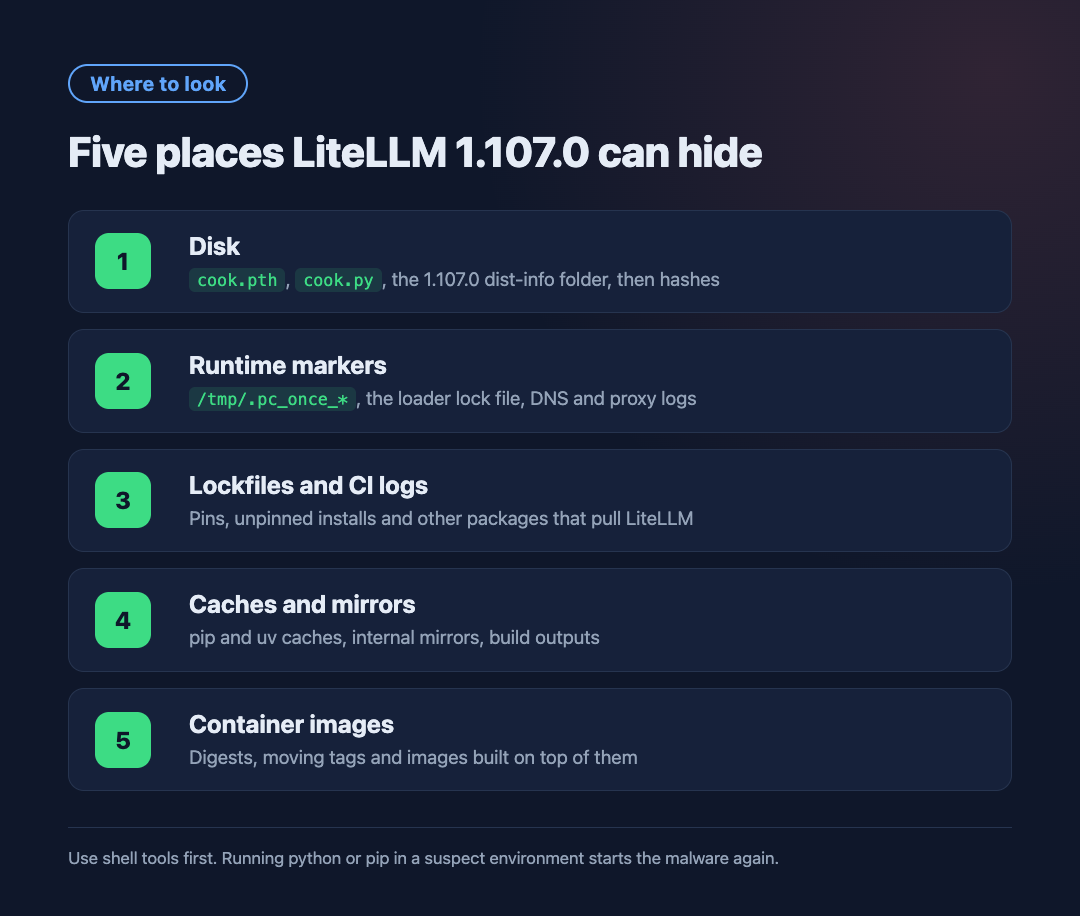

View PlantUML source
@startuml
left to right direction
skinparam shadowing false
rectangle "Search disk,\nimages, CI logs" as search
rectangle "Isolate\nand rebuild" as rebuild
rectangle "Rotate secrets,\nreview logs" as rotate
rectangle "Pin 1.106.6,\nverify image" as pin
search --> rebuild : 1.107.0 ran
rebuild --> rotate
rotate --> pin
search --> pin : not found
@enduml
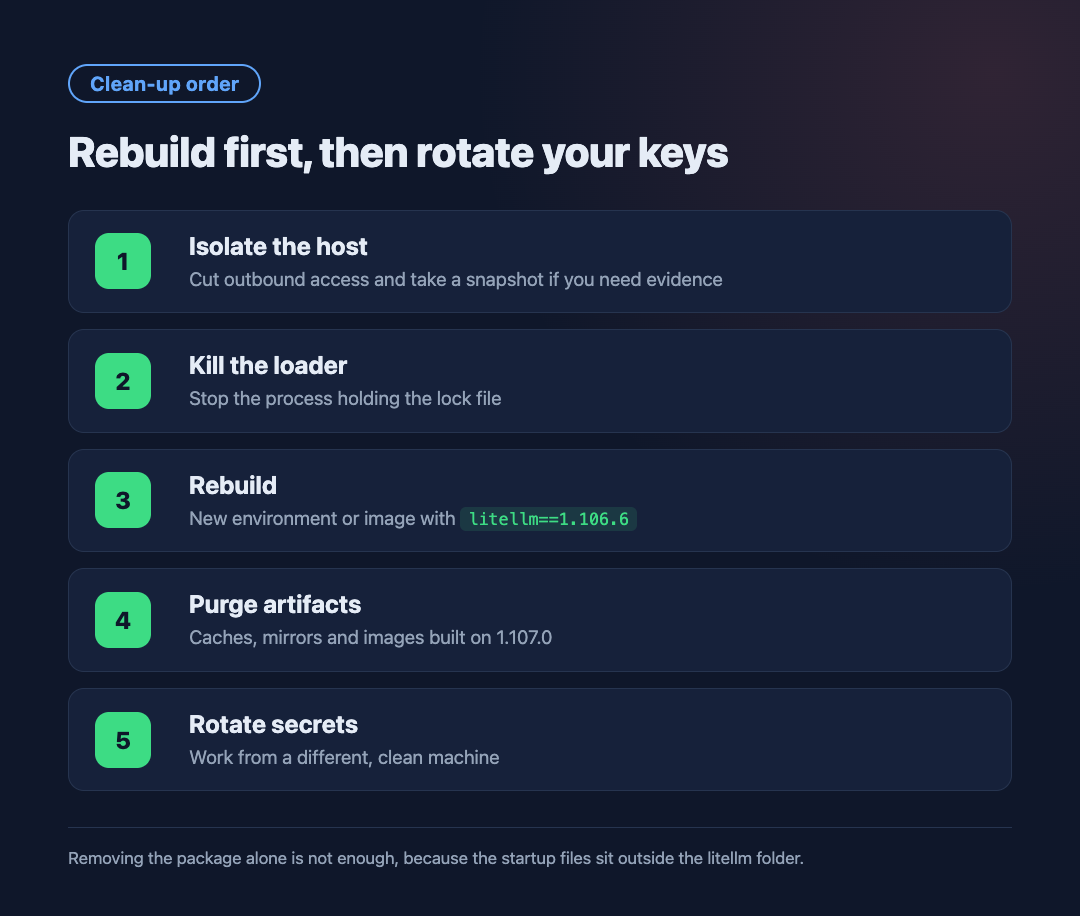
Clean up: rebuild, then install 1.106.6
Follow this order on any affected host.
- Isolate it. Cut outbound access and stop Python processes where it is safe to do so. Take a disk snapshot first if you need evidence.
- Kill the loader. Stop the process holding
/tmp/remote_code_loader.lock, using the PID fromlsofabove. - Rebuild. Delete the virtual environment or image and create a new one. Microsoft says rebuilding is more reliable than deleting files, and LiteLLM prefers it too.
- Purge artifacts. Remove 1.107.0 from caches, internal mirrors and any image you built on it.
- Rotate secrets from a different, clean machine (next section).
If you truly can't rebuild, LiteLLM's manual steps delete the files from the shell, before any Python runs:
SP=<PATH_TO_SITE_PACKAGES>
rm -f "$SP/cook.pth" "$SP/cook.py" "$SP/sitecustomize.py"
find "$SP/__pycache__" -type f \( -name 'cook*.pyc' -o -name 'sitecustomize*.pyc' \) -delete
Delete sitecustomize.py only after its hash matches the list above. Then install the fixed version:
python -m venv .venv && . .venv/bin/activate
pip install 'litellm==1.106.6'
For the proxy image, pin the tag and verify it with the new signing key:
cosign verify \
  --key https://raw.githubusercontent.com/BerriAI/litellm/e82a3c646908ba0a6ee0beddc4310d7a6cac4065/cosign.pub \
  ghcr.io/berriai/litellm:v1.106.6
LiteLLM rotated that key on October 23. The bad 1.107.0 images carry a valid signature from the old key, so a signature from the old key does not clear an image. Check the digest instead.
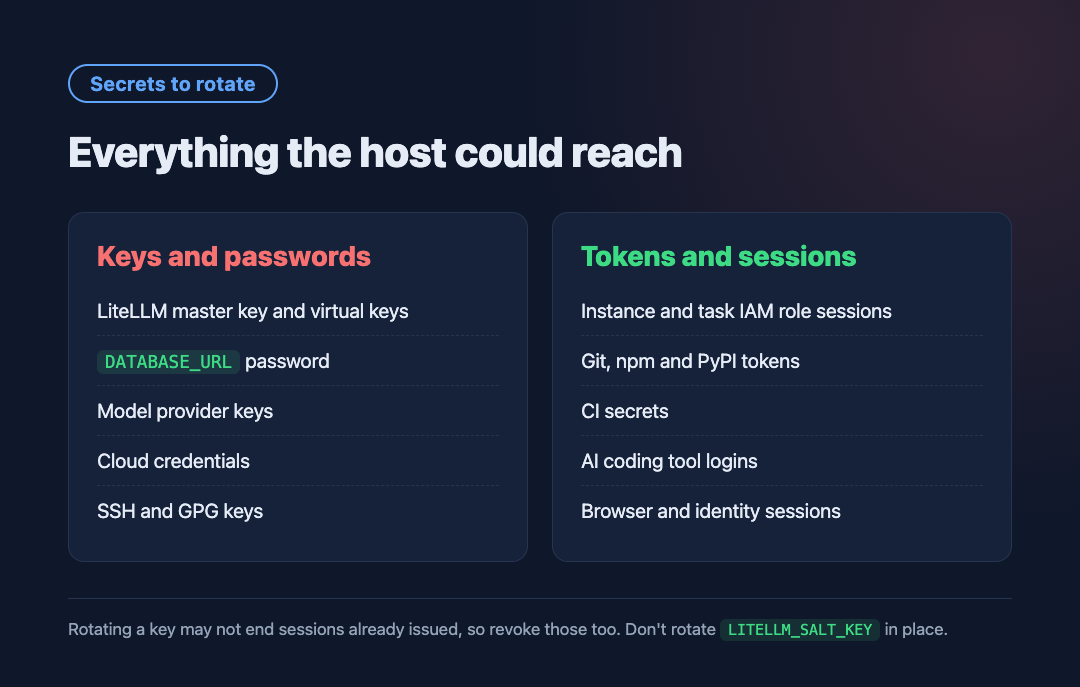
Rotate every key the LiteLLM host could reach
LiteLLM's rule is broad: every credential the host could reach, including anything in any process's environment.
| Group | Rotate or revoke |
|---|---|
| LiteLLM | Master key, virtual keys, DATABASE_URL password |
| Model providers | Every key stored in the proxy database or environment |
| Cloud | Instance or task IAM role sessions, AWS, Azure and GCP credentials |
| Code and CI | Git, npm and PyPI tokens, CI secrets, SSH and GPG keys |
| People | AI coding tool logins, browser sessions, identity sessions |
Microsoft notes that rotating a key may not end sessions already issued, so revoke those too.
Rotate the LiteLLM master key safely
The steps depend on LITELLM_SALT_KEY, according to LiteLLM's rotation guide. Back up the database first.
With a salt key set, change the value and restart. Do not call /key/regenerate with new_master_key, or stored credentials become unreadable.
echo "sk-$(openssl rand -hex 32)" # set as LITELLM_MASTER_KEY, then restart every instanceWithout a salt key, the master key also encrypts stored data, so let the proxy re-encrypt it:
curl -L -X POST 'http://localhost:4000/key/regenerate' \
  -H "Authorization: Bearer <CURRENT_MASTER_KEY>" \
  -H 'Content-Type: application/json' \
  -d '{"key": "<CURRENT_MASTER_KEY>", "new_master_key": "<NEW_MASTER_KEY>"}'
The guide says the salt key itself has no in-place rotation. The stealer could have read it from the environment. My reading is that replacing the provider keys makes the old encrypted values useless, so do that first. If you also want a new salt key, plan to add your stored models again on a fresh database.
Look for use of stolen AWS credentials
LiteLLM says to review CloudTrail for GetCallerIdentity calls, and Wiz published two source IPs:
aws cloudtrail lookup-events \
  --lookup-attributes AttributeKey=EventName,AttributeValue=GetCallerIdentity \
  --start-time 2026-10-21T11:30:00Z --end-time 2026-10-23T00:00:00Z \
  --query 'Events[].CloudTrailEvent' --output text \
  | grep -E '168\.100\.8\.57|165\.227\.201\.8'
No match doesn't clear you, because other addresses may have been used. Also look for role use from outside your infrastructure, Bedrock calls you don't recognize, and unusual spend on your model provider accounts.
If something goes wrong after the LiteLLM clean-up
| Symptom | Likely cause | Fix |
|---|---|---|
No matching distribution for 1.107.0 | A lockfile still pins the removed release | Update the pin to 1.106.6 and regenerate the lockfile |
sitecustomize.py found, no hash match | May be a normal system file | Leave it, and keep checking the other signs |
| Stored models stop working after rotation | /key/regenerate was used with a salt key set | Restore the database backup, then change the key the salt-key way |
cosign verify fails on an older image | It was signed with the old key, or not signed | Use the old key only for images from before the October 21 release |
| Nothing found, but a host ran during the window | /tmp was wiped or the container is gone | Decide from CI logs, image history and network logs |
For similar clean-up, see the guide to the Claude Code extension backdoor in Cursor, which also ends in rotating secrets. To reduce the release-workflow risk on your own projects, read how to lock GitHub Actions workflow dependencies.
FAQ
I never imported LiteLLM. Am I safe?
No. If 1.107.0 was installed in an environment and Python started there, the startup files ran. Importing the package isn't required.
I removed the package with pip. Is that enough?
No. Running pip starts Python again, and the dropped files live outside the litellm folder. Rebuild the environment and rotate secrets.
Is this the same as the March 2026 LiteLLM incident?
No. Versions 1.82.7 and 1.82.8 were a separate compromise. LiteLLM's root cause analysis traces this one to an admin key committed to a public repository on May 27 and never revoked. Check for both if you run older pins.
Do Enterprise customers need to act?
For the malware, LiteLLM says customers on its private enterprise registry were not affected. For the file read flaw, the opposite holds: only proxies with an active Enterprise license are affected, so upgrade them to a fixed version.
Can I still use 1.106.2?
On an open-source proxy with no license, the file read advisory doesn't apply. I'd still move to 1.106.6, because it is the current stable release and its image is signed with the new key.
References
- LiteLLM: v1.107.0 incident summary (checked 2026-11-02)
- LiteLLM: attack chain and root cause (checked 2026-11-02)
- GitHub advisory GHSA-w4c7-34wj-hqm8 (checked 2026-11-02)
- LiteLLM: Docker image security (checked 2026-11-02)
- LiteLLM: master key rotation (checked 2026-11-02)
- LiteLLM releases on GitHub and PyPI (checked 2026-11-02)
- GitHub issue #47826 (checked 2026-11-02)
- Microsoft Security Blog: inside the LiteLLM 1.107.0 compromise (checked 2026-11-02)
- Wiz: LiteLLM compromised, steals credentials (checked 2026-11-02)
- Datadog Security Labs: LiteLLM supply chain compromise (checked 2026-11-02)
- Security Boulevard: LiteLLM's second breach (checked 2026-11-02)
4 thoughts on “LiteLLM 1.107.0 Compromise: Check, Clean and Patch to 1.106.6”