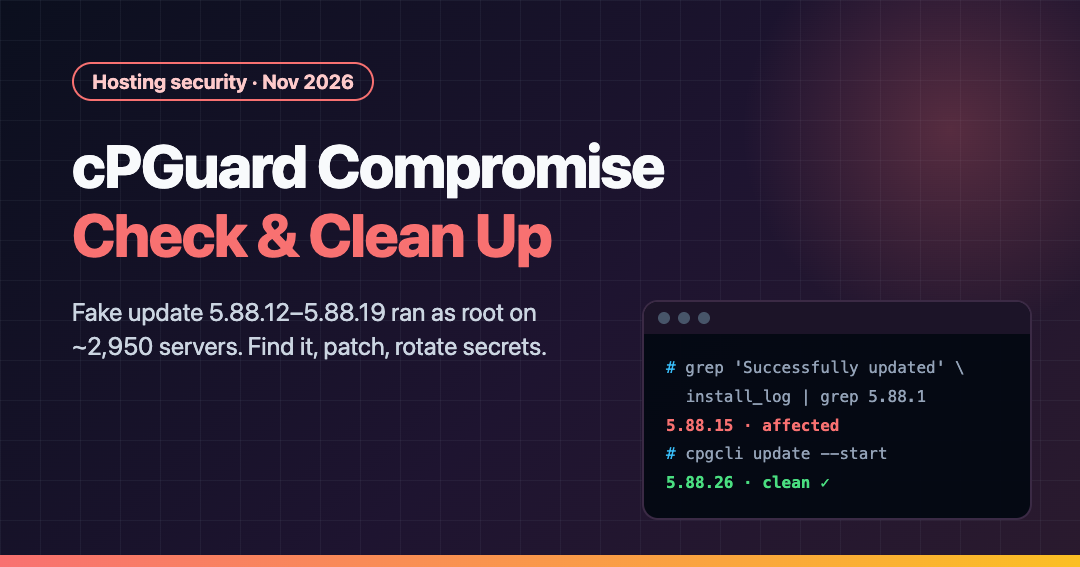
The cPGuard compromise pushed a fake update (versions 5.88.12 to 5.88.19) to about 2,950 hosting servers on November 2, 2026, and it ran as root. Check your cPGuard install log for those versions, update to the clean build (5.88.26 or later), confirm the backdoor files are gone, then rotate every secret the script could read: local passwords, root SSH keys, MySQL root credentials and anything in root's shell history.
This guide was written on November 5, 2026. Versions, file paths and steps come from the two OPSSHIELD notices published on November 3, 2026, and Help Net Security's November 4 report, all checked on November 5. The shell commands are standard Linux tools that I put together around those notices; the vendor itself only publishes cpgcli commands.
What happened in the cPGuard compromise
cPGuard is OPSSHIELD's security suite for Linux web hosting servers. It plugs into cPanel, Plesk and DirectAdmin, and its agent updates itself on a schedule. That auto-update channel is what the attacker abused.
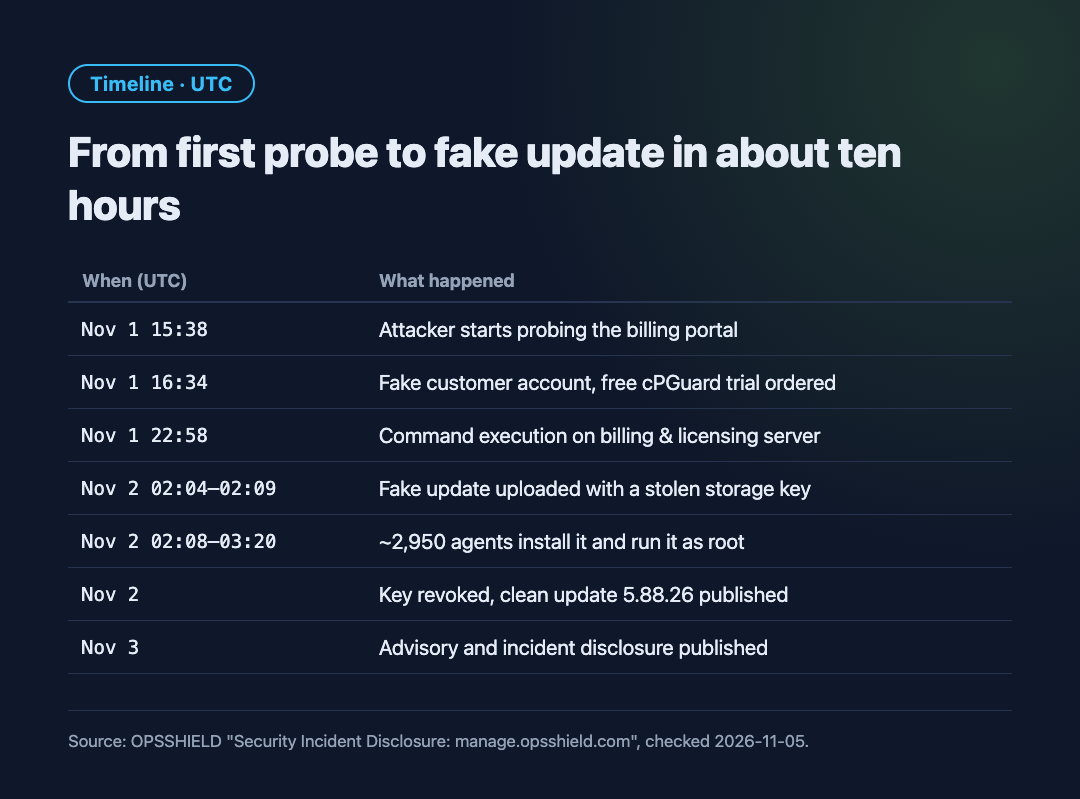
According to OPSSHIELD's incident disclosure, the attacker registered a customer account under a false identity on November 1, ordered a free trial and studied how the agent talks to the licensing system. A few hours later they gained command execution on the billing and licensing server through the billing portal. With a stolen update-storage key, they uploaded the fake update between 02:04 and 02:09 UTC on November 2.
| Item | What OPSSHIELD reported |
|---|---|
| Malicious versions | 5.88.12 through 5.88.19 |
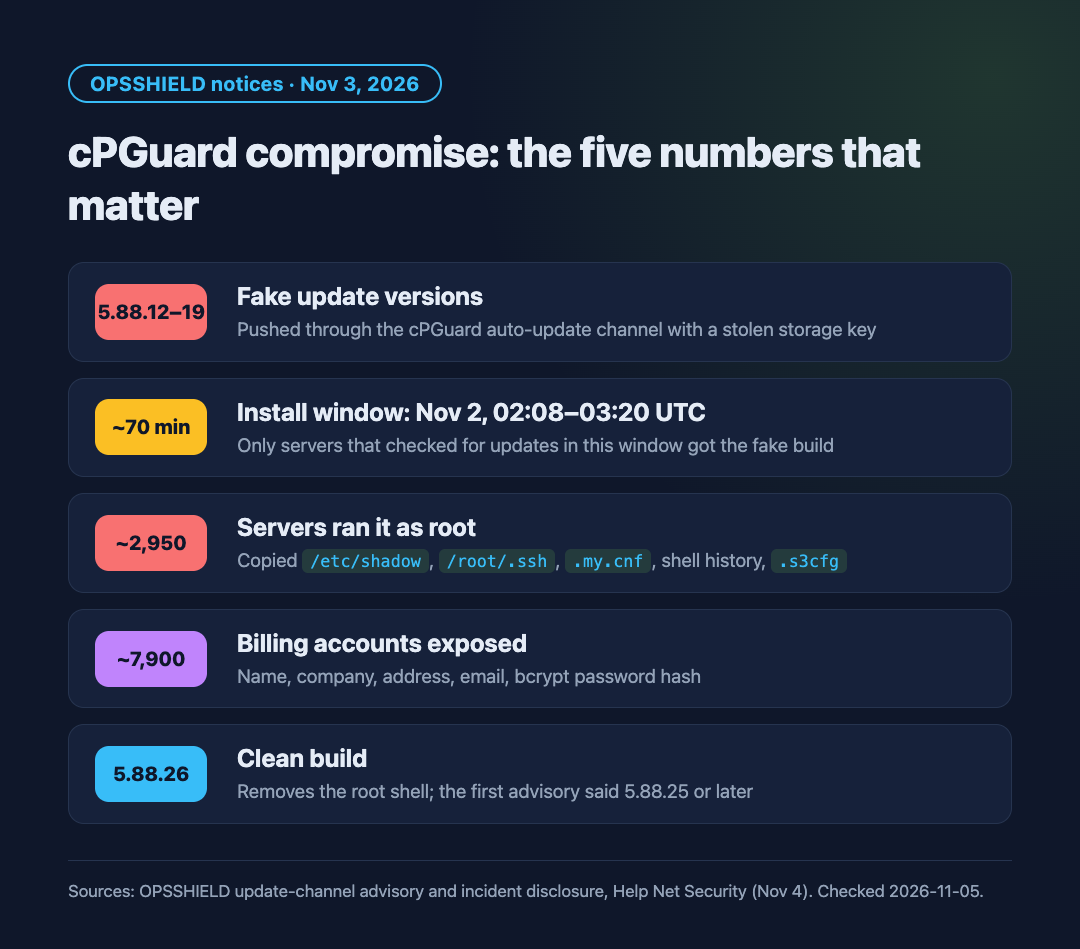
| Install window | Nov 2, 02:08–03:20 UTC (about 70 minutes) |
| Servers that ran it | About 2,950 |
| Billing accounts exposed | About 7,900 (name, company, address, email, bcrypt password hash) |
| Clean build | 5.88.26 (the first advisory said 5.88.25 or later) |
| Entry point | Billing portal; exact request still unknown |
The fake update did three things. It collected sensitive files, sent them out, and left a setuid-root shell plus a cron job behind. The disclosure lists the collected files:
/etc/shadowand/etc/passwd(local password hashes)/root/.ssh(private keys,authorized_keys,known_hosts)/root/.my.cnf(MySQL root password, where present)- Root shell history (may hold typed passwords and tokens)
/root/.s3cfg(cloud storage keys, on a small number of servers)
One detail decides whether you are affected at all. cPGuard checks for updates at intervals, so only servers that checked in during the 70-minute window got the fake build. Help Net Security quotes OPSSHIELD: "If cPGuard was not online during that window, your server did not receive the fake update."
Note that the two notices disagree on the fixed version. The first advisory (3:19 AM IST, November 3) says 5.88.25 or later. The later incident disclosure names 5.88.26 as the clean update. Aim for 5.88.26 or newer and you satisfy both.
Check if your server installed a malicious cPGuard version
Run these as root on every server with cPGuard. Start with the install log, because the current version alone does not tell you what ran earlier.
grep 'Successfully updated' /opt/cpguard/logs/install_log   # every version installed
grep 'Successfully updated' /opt/cpguard/logs/install_log | grep -E '5\.88\.1[2-9]'   # bad range only
cpgcli --version   # version running now
Any line from the second command means the server installed an affected update. OPSSHIELD says to treat it as potentially compromised even if it now runs a fixed version. The reverse is not true: a missing or incomplete log does not prove the server was clean.
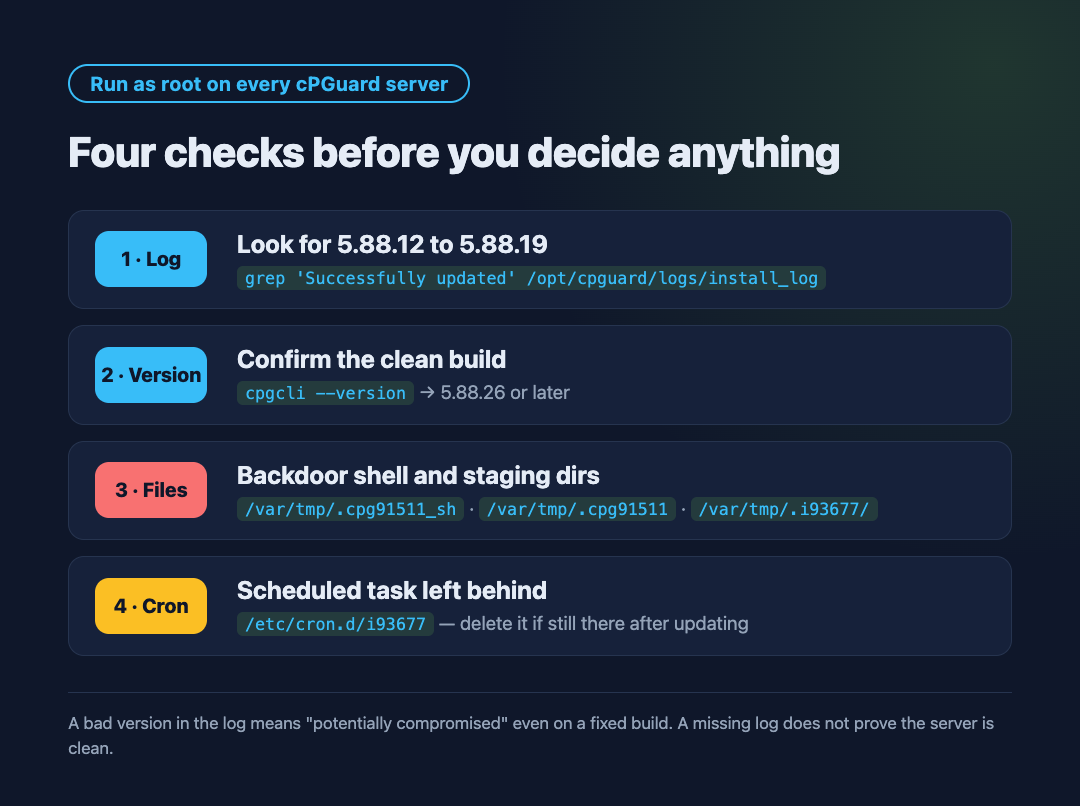
Next, look for the files the script left. The fixed update removes them, so finding them now means the cleanup has not run yet.
ls -la /var/tmp/.cpg91511_sh /var/tmp/.cpg91511 /var/tmp/.i93677 /etc/cron.d/i93677 2>/dev/null   # backdoor, staging dirs, cron
find / -xdev -name 'cpguard-v58812-i91511*' 2>/dev/null   # copies of the fake update script
sha256sum /path/to/cpguard-v58812-i91511*.sh   # compare with the notice's hashes
The disclosure publishes SHA-256 hashes for four script variants (i91511, i91511b, i91511c, i91511d). The first one is 2c2acd988da531d133d0e17f245c49bf15781278f837543d18c95e8410eabd38; copy the others from the notice rather than from a third-party list.
Finally, check for contact with the operator address OPSSHIELD published, and for root-owned setuid files created since the attack started:
ss -tnp | grep 94.183.188.91   # live connections to the published operator IP
grep -rl '94.183.188.91' /var/log 2>/dev/null   # firewall or web logs, if you keep them
find / -xdev -perm -4000 -newermt '2026-11-01' -ls 2>/dev/null   # setuid files changed since Nov 1
The notice also lists probe files (i90248_probe.txt, i90573_sh.php, i90573_x.php) under "web root files" without saying which servers they were on. A quick find /home /var/www -name 'i905*' -o -name 'i902*' costs nothing.
Update cPGuard to the clean build
Updating is step one whether or not you found anything, because it removes the known backdoor and staged files.
cpgcli update --start
cpgcli --version          # expect 5.88.26 or later
Then confirm the cleanup actually happened:
for f in /var/tmp/.cpg91511_sh /var/tmp/.cpg91511 /var/tmp/.i93677 /etc/cron.d/i93677; do
  [ -e "$f" ] && echo "STILL PRESENT: $f" || echo "gone: $f"
done
OPSSHIELD says a follow-up update removes the i93677 cron job but gives no date for it. If the cron file is still there after updating, delete it and the directory yourself:
rm -f /etc/cron.d/i93677 /var/tmp/.cpg91511_sh
rm -rf /var/tmp/.i93677 /var/tmp/.cpg91511
If cpgcli update --start fails or the version stays below the clean build, open a ticket with OPSSHIELD support. Do not reinstall from an old copy of the installer you saved earlier. OPSSHIELD is also re-issuing every cPGuard license key pair, so a licensing error after the update is expected; the support portal is the place to ask.
This kind of trusted-update attack is the same pattern as the LiteLLM 1.107.0 compromise: the update itself was the malware, so updating to a clean build is only the first half of the fix.
cPGuard compromise cleanup: rotate secrets in this order
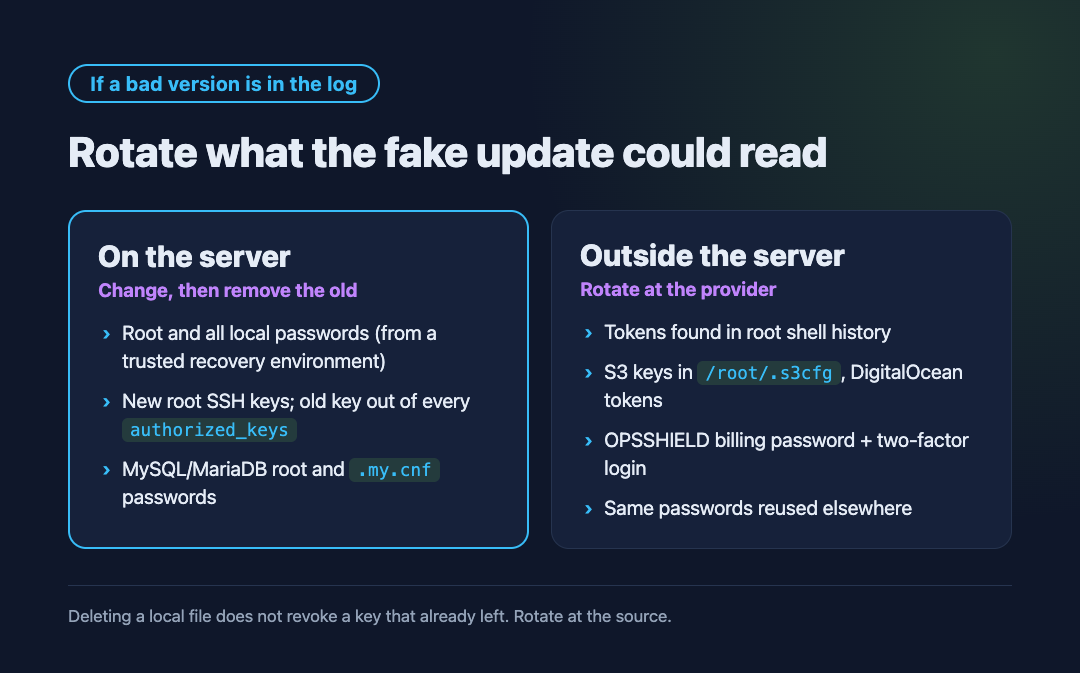
Removing the backdoor does not undo the data theft. If the install log shows a bad version, assume the five file groups listed above left the server, and rotate them.
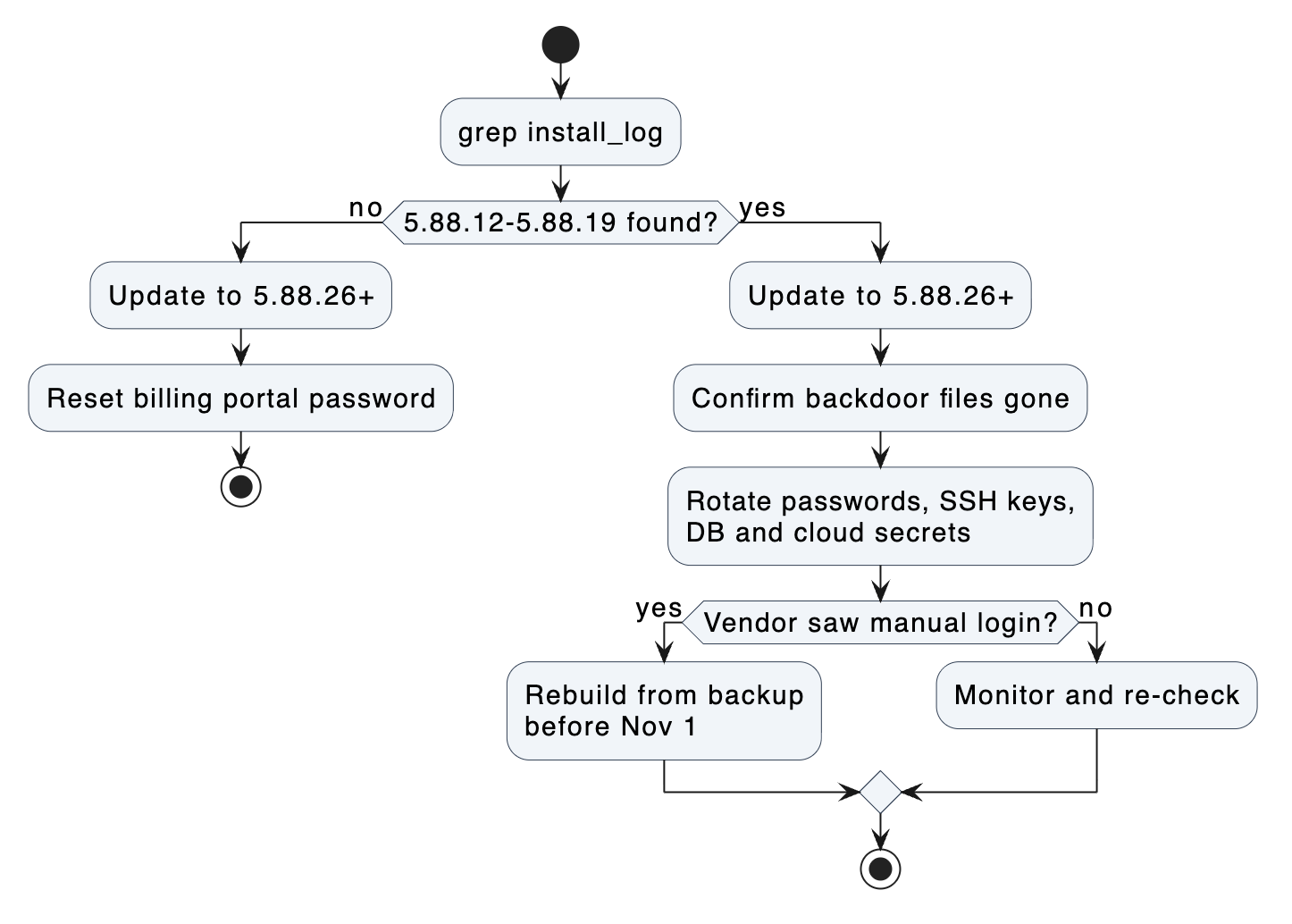
View PlantUML source
@startuml
skinparam shadowing false
skinparam defaultFontSize 15
skinparam ActivityBackgroundColor #F1F5F9
skinparam ActivityBorderColor #334155
start
:grep install_log;
if (5.88.12-5.88.19 found?) then (no)
  :Update to 5.88.26+;
  :Reset billing portal password;
  stop
else (yes)
  :Update to 5.88.26+;
  :Confirm backdoor files gone;
  :Rotate passwords, SSH keys,\nDB and cloud secrets;
  if (Vendor saw manual login?) then (yes)
    :Rebuild from backup\nbefore Nov 1;
  else (no)
    :Monitor and re-check;
  endif
  stop
endif
@enduml
1. Local passwords
Change the root password and every other local account that has a password. OPSSHIELD's first advisory says to do this from a trusted recovery environment, since a backdoored system can capture the new password as you type it. Shadow hashes are one-way, but weak or reused passwords can be cracked offline, so change the same passwords anywhere else you used them.
awk -F: '$2 ~ /^\$/ {print $1}' /etc/shadow   # accounts with a usable password hash

passwd root
passwd <USERNAME>
2. Root SSH keys
Generate new keys, then remove the old public key from every server that trusted it. Any server the old key could log in to should be treated as exposed until that is done.
ssh-keygen -t ed25519 -f /root/.ssh/id_ed25519_new -C "root@$(hostname) rotated 2026-11"

ssh-keygen -lf /root/.ssh/id_ed25519.pub   # old key fingerprint, to find on other servers
cat /root/.ssh/authorized_keys   # who can log in to this server
Look at authorized_keys line by line. Any key you cannot name gets removed. If you need a refresher on modern key and config options, the OpenSSH 10.6 upgrade checklist covers what current OpenSSH accepts.
3. Database credentials
Change the MySQL or MariaDB root password, plus any other database password stored in /root/.my.cnf, then update the file.
ALTER USER 'root'@'localhost' IDENTIFIED BY '<NEW_STRONG_PASSWORD>';
FLUSH PRIVILEGES;
On cPanel servers, change the MySQL root password through WHM so the panel stays in sync, instead of running SQL directly.
4. Tokens in shell history and cloud keys
Root's shell history may contain API tokens, mysql -p passwords or curl headers. Search it, rotate everything you find at the provider, then clear it.
grep -nE 'token|key|pass|secret|Authorization|-p[^ ]' /root/.bash_history
cat /root/.s3cfg 2>/dev/null   # cloud storage keys, collected on some servers
Rotate the S3 access keys in /root/.s3cfg and any DigitalOcean tokens at the provider's console. Deleting the local file does nothing for keys that already left.
5. OPSSHIELD billing account
Everyone with an OPSSHIELD account should do this, affected server or not. About 7,900 billing records were copied, including bcrypt password hashes. Reset the billing portal password, turn on two-factor login, and expect phishing that uses your name and company.
When to rebuild instead of clean
OPSSHIELD does not recommend a routine OS rebuild; it calls that guidance provisional. It does recommend a rebuild from a clean backup taken before November 1 if it told you the attacker logged in manually to your server.
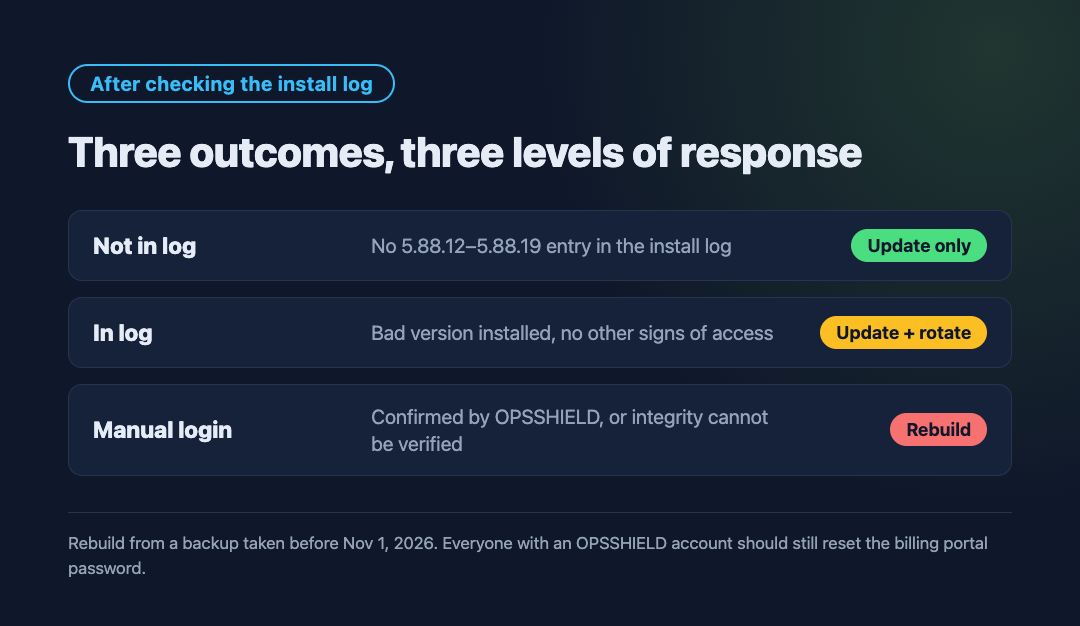
| Your situation | What to do |
|---|---|
| No 5.88.12–5.88.19 entry in the log | Update to 5.88.26+, reset billing password |
| Bad version in the log, no other signs | Update, verify files gone, rotate all secrets |
| Unknown keys, users, services or outbound traffic | Contact OPSSHIELD support; plan a rebuild |
| OPSSHIELD confirmed manual login | Rebuild from a backup taken before Nov 1 |
For servers you are not sure about, review new users (/etc/passwd), new services (systemctl list-unit-files --state=enabled), and outbound connections (ss -tnp) before deciding. OPSSHIELD found a hidden implant on its own internal server that hides itself from ps, netstat, ls and find, and it advises checking for it from a trusted boot environment or a known-good static binary. Those implant paths were reported only on OPSSHIELD's server, not on customer servers.
If something goes wrong
| Problem | Likely cause | Fix |
|---|---|---|
install_log not found | Different install path or log rotated | Ask OPSSHIELD support; do not assume clean |
| Version still 5.88.19 after update | Update failed or license re-issue pending | Re-run cpgcli update --start, then open a ticket |
Cron file i93677 comes back | Backdoor still active somewhere | Treat as compromised; isolate and rebuild |
| SSH lockout after key rotation | Old key removed before new one deployed | Use the provider console; deploy new key first next time |
| Sites lose DB access | App config still uses the old DB password | Update the app config with the new password |
FAQ
Is my server affected if it runs cPGuard 5.88.26 now? Not necessarily safe. The current version only shows the fix is in place. Check install_log for 5.88.12 to 5.88.19; if any appear, the script may have run and you still need to rotate secrets.
My server was off during November 2. Do I need to do anything? Update to the clean build and reset your OPSSHIELD billing password. OPSSHIELD says servers that were not online during the window did not receive the fake update.
Is there a CVE for the cPGuard compromise? None is listed in either OPSSHIELD notice as of November 5, 2026. This was a compromised update channel, not a bug in your copy of cPGuard.
Do I have to rebuild every affected server? No, according to OPSSHIELD's current guidance. Rebuild when the vendor confirms manual access or you cannot verify the server's integrity.
Should I uninstall cPGuard? That is your call. Uninstalling does not remove data that already left. Patching and rotating secrets is the part that protects you either way.
Summary
The cPGuard compromise turned a trusted security tool into a root-level data collector for about 70 minutes on November 2, 2026. On every cPGuard server: grep the install log for 5.88.12 to 5.88.19, update to 5.88.26 or later, confirm the four backdoor paths are gone, and, if a bad version shows up, rotate local passwords, root SSH keys, database credentials, shell-history tokens and cloud keys. Rebuild only when manual access is confirmed or integrity is unclear.
The investigation is still open, and the exact entry request is not yet known. Check the OPSSHIELD notices again before closing your incident ticket.
References
- Update channel compromise — OPSSHIELD cPGuard advisory (checked 2026-11-05)
- Security Incident Disclosure: manage.opsshield.com — OPSSHIELD (checked 2026-11-05)
- Install cPGuard on Your Server — OPSSHIELD support docs (checked 2026-11-05)
- Poisoned cPGuard update hits thousands of web hosting servers — Help Net Security (checked 2026-11-05)
1 thought on “cPGuard Compromise: Check for 5.88.12-5.88.19 and Clean Up”