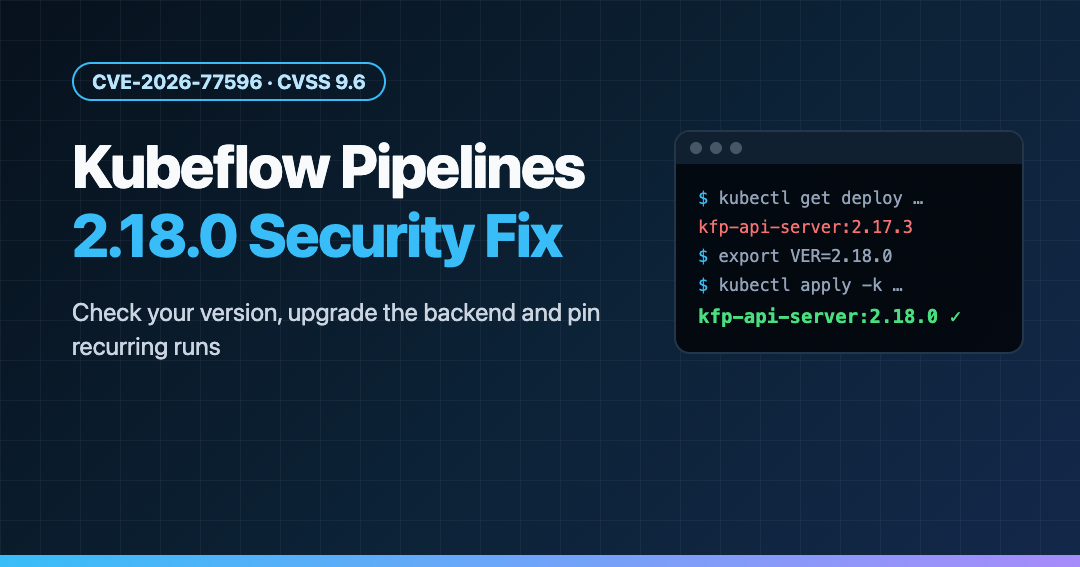
Kubeflow Pipelines 2.18.0 is the release to be on now. It patches CVE-2026-77596, a Critical (CVSS 9.6) missing-authorization bug in shared pipeline uploads, plus a batch of SSRF, path traversal and cross-tenant flaws that got CVE IDs on November 5, 2026. If you run KFP 2.17.3 or older, check your version, back up the database, upgrade to 2.18.0, and review shared pipelines and recurring runs for versions nobody on your team uploaded.
Written November 6, 2026. Facts checked on November 6, 2026 against the Kubeflow Pipelines 2.18.0 release notes, the GitHub security advisories for kubeflow/pipelines, the 2.18 upgrade guide, the Kubeflow install docs and the kubeflow/manifests release list. The commands are standard kubectl and KFP SDK commands for the default manifests. They were not run on a test cluster for this post, so adjust namespaces and names to your install and read the output carefully.
What changed in Kubeflow Pipelines 2.18.0
KFP 2.18.0 was tagged on October 28, 2026. The maintainers published most of its security advisories on GitHub on October 28 and 29. CVE records followed on November 5, which is why scanners and feeds started flagging KFP this week.
The release notes group the security work into three areas: authorization and namespace isolation (runs, schedules, pipeline references, shared uploads, streamed logs), artifact and viewer access (artifacts, archived logs, TensorBoard), and hardening (TLS settings, archive and request-size limits).
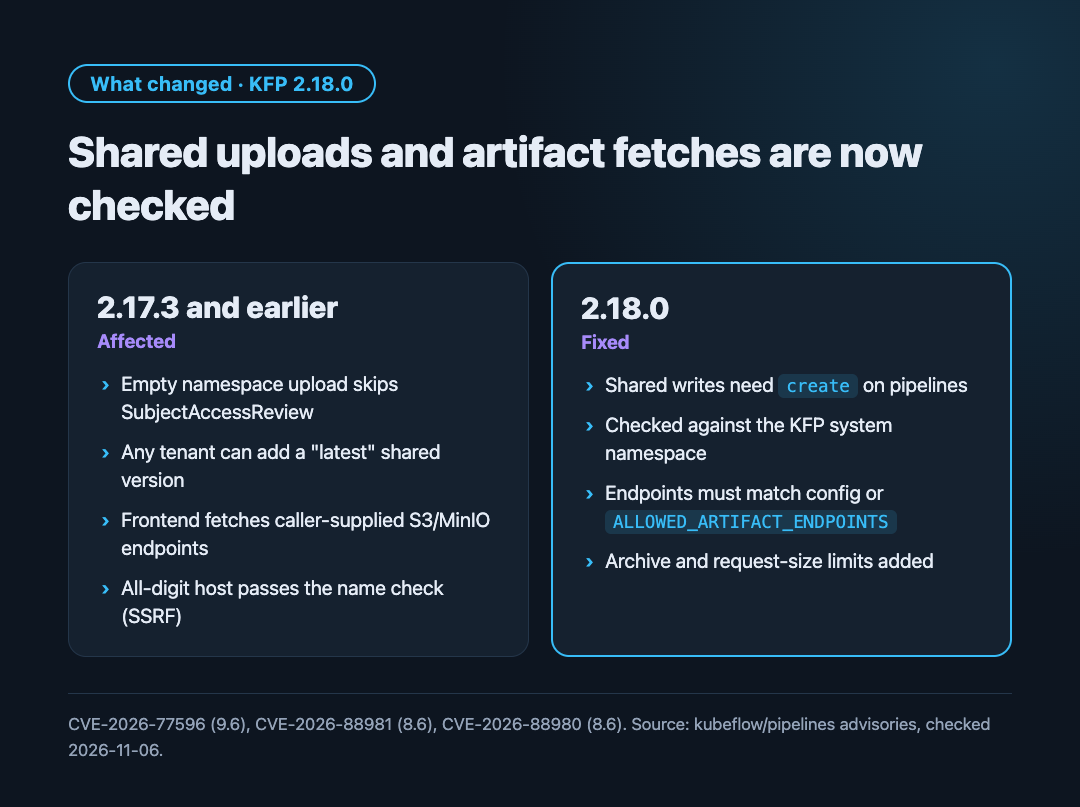
| CVE | Advisory | Severity | Fixed in |
|---|---|---|---|
| CVE-2026-77596 | Shared pipeline upload skips authorization | Critical 9.6 | 2.18.0 |
| CVE-2026-88981 | SSRF via artifact provider endpoints | High 8.6 | 2.18.0 |
| CVE-2026-88980 | SSRF via decimal-IP host in /artifacts/get | High 8.6 | 2.18.0 |
| CVE-2026-88982 | Cross-tenant cache poisoning (V1 cache) | Medium 5.4 | 2.18.0 |
Other advisories from the same batch cover volume artifact path traversal, unauthorized pod-log reads, a decompression bomb in archive uploads and a TensorBoard proxy SSRF. The GitHub advisory list showed 16 advisories dated October 28 or 29 when checked. None of the CVE pages I read reported a public proof of concept or a CISA KEV listing as of November 6.
How CVE-2026-77596 works
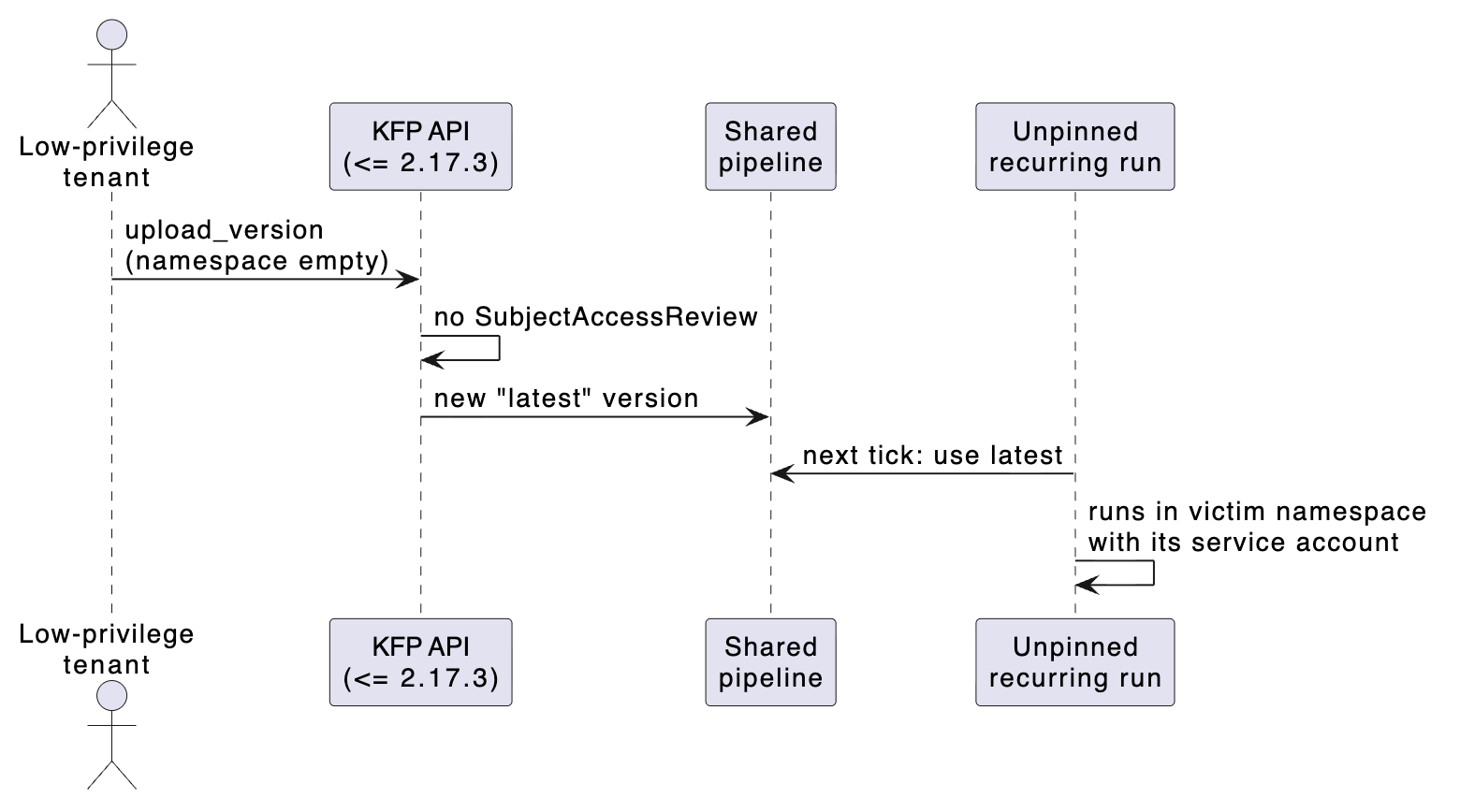
The multipart upload endpoints POST /apis/v2beta1/pipelines/upload and /upload_version call a helper named canUploadVersionedPipeline. When the target namespace is empty, the helper returns early and no Kubernetes SubjectAccessReview runs. An empty namespace means "shared pipeline", and it is also what you get when a caller leaves out the namespace, because REQUIRE_NAMESPACE_FOR_PIPELINES defaults to false.
The result, per the advisory:
- Any low-privilege tenant can create shared pipelines or add new versions to existing ones.
- If the API server is reachable without an authenticating proxy, an unauthenticated caller can do the same.
- An enabled recurring run that is not pinned to a version follows the latest one. It can then run the injected spec in another tenant's namespace, under that run's service account.
The impact stops at that namespace and service account, not cluster-admin. Pinned recurring runs and runs with an embedded spec do not switch to the injected version.
View PlantUML source
@startuml
skinparam shadowing false
skinparam defaultFontSize 14
actor "Low-privilege\ntenant" as A
participant "KFP API\n(<= 2.17.3)" as API
participant "Shared\npipeline" as P
participant "Unpinned\nrecurring run" as R
A -> API : upload_version\n(namespace empty)
API -> API : no SubjectAccessReview
API -> P : new "latest" version
R -> P : next tick: use latest
R -> R : runs in victim namespace\nwith its service account
@enduml
Are you affected?
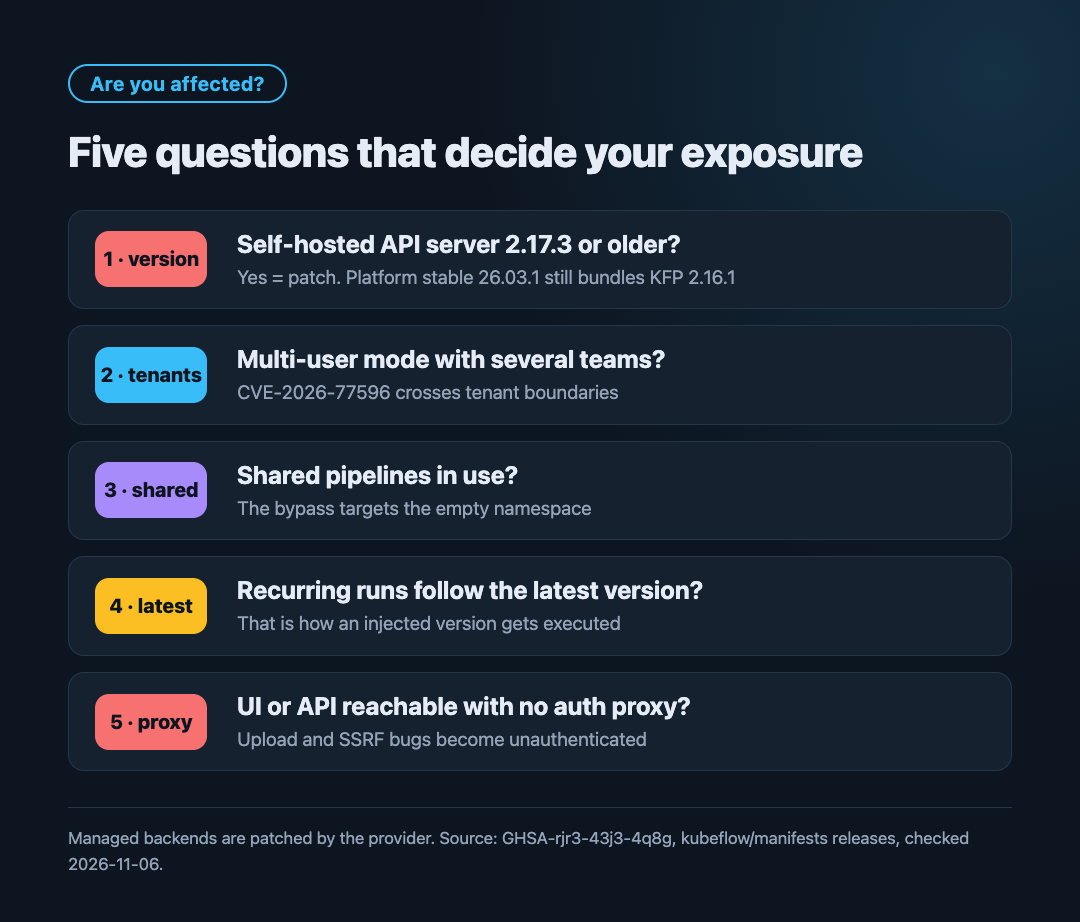
You need to act if you self-host the KFP backend (standalone manifests or the full Kubeflow platform) and the API server image is 2.17.3 or older. Risk goes up with each of these:
| Question | Why it matters |
|---|---|
| Multi-user mode with several tenants? | CVE-2026-77596 is a cross-tenant bug |
| Shared pipelines in use? | The upload bypass targets the empty namespace |
| Recurring runs follow "latest"? | That is how injected code gets executed |
| UI or API reachable with no auth proxy? | SSRF and upload bugs become unauthenticated |
Standalone installs often run with authorization disabled. In that setup the SSRF CVEs let anyone who can reach ml-pipeline-ui make the pod fetch internal URLs, including cloud metadata endpoints, and return the response.
Full Kubeflow platform users should note one thing. The latest stable kubeflow/manifests release, 26.03.1 (June 15), bundles KFP 2.16.1. KFP 2.18.0 ships only in the 26.10.0-rc1 pre-release (November 3) so far. If you install the platform from stable manifests, you are on a vulnerable KFP today.
Managed services that run the backend for you handle server patching themselves. Check your provider's bulletin.
Check your Kubeflow Pipelines version
Read the server image tags
The backend version is in the container image tags. The default namespace is kubeflow.
kubectl -n kubeflow get deploy ml-pipeline ml-pipeline-ui \
  -o jsonpath='{range .items[*]}{.metadata.name}{"\t"}{.spec.template.spec.containers[0].image}{"\n"}{end}'
You want ghcr.io/kubeflow/kfp-api-server:2.18.0 and ghcr.io/kubeflow/kfp-frontend:2.18.0. Anything at 2.17.3 or below is affected. Older installs may still use gcr.io/ml-pipeline/... image names. The tag is what counts.
Standard manifests also store the version in a ConfigMap:
kubectl -n kubeflow get configmap pipeline-install-config \
  -o jsonpath='{.data.appVersion}{"\n"}'
Check the SDK on your workstation
The CVEs are in the server, not the Python SDK. Still, keep the SDK in step with the backend. The 2.18 SDK needs Python 3.9 or newer.
pip show kfp kfp-pipeline-spec kfp-server-api kfp-kubernetes | grep -E '^(Name|Version)'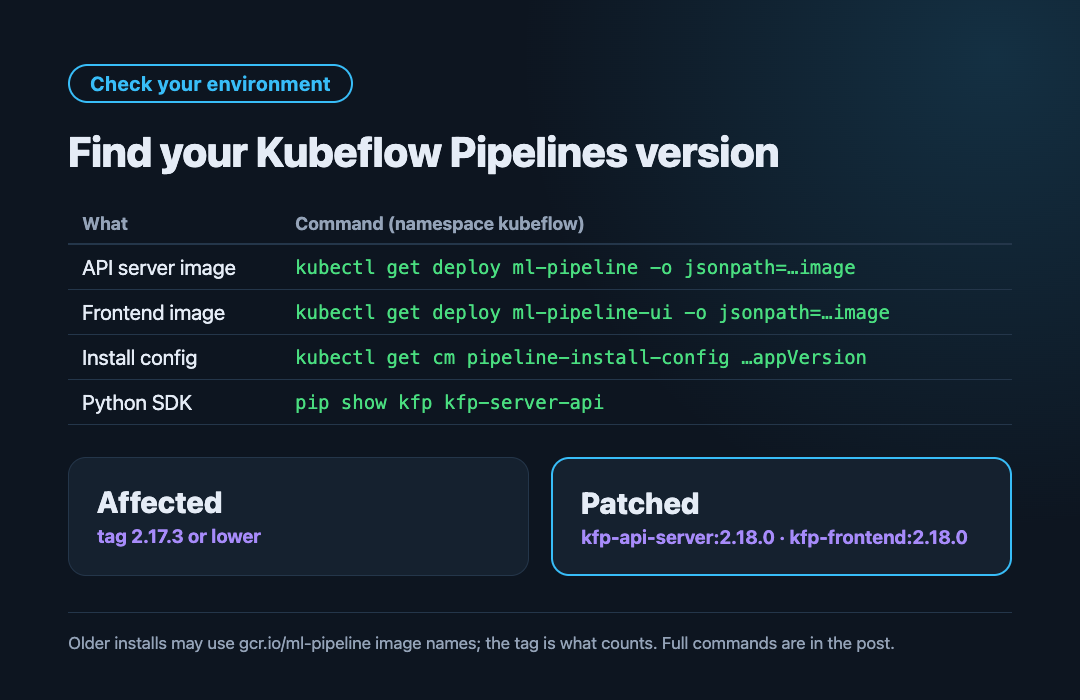
Upgrade to Kubeflow Pipelines 2.18.0
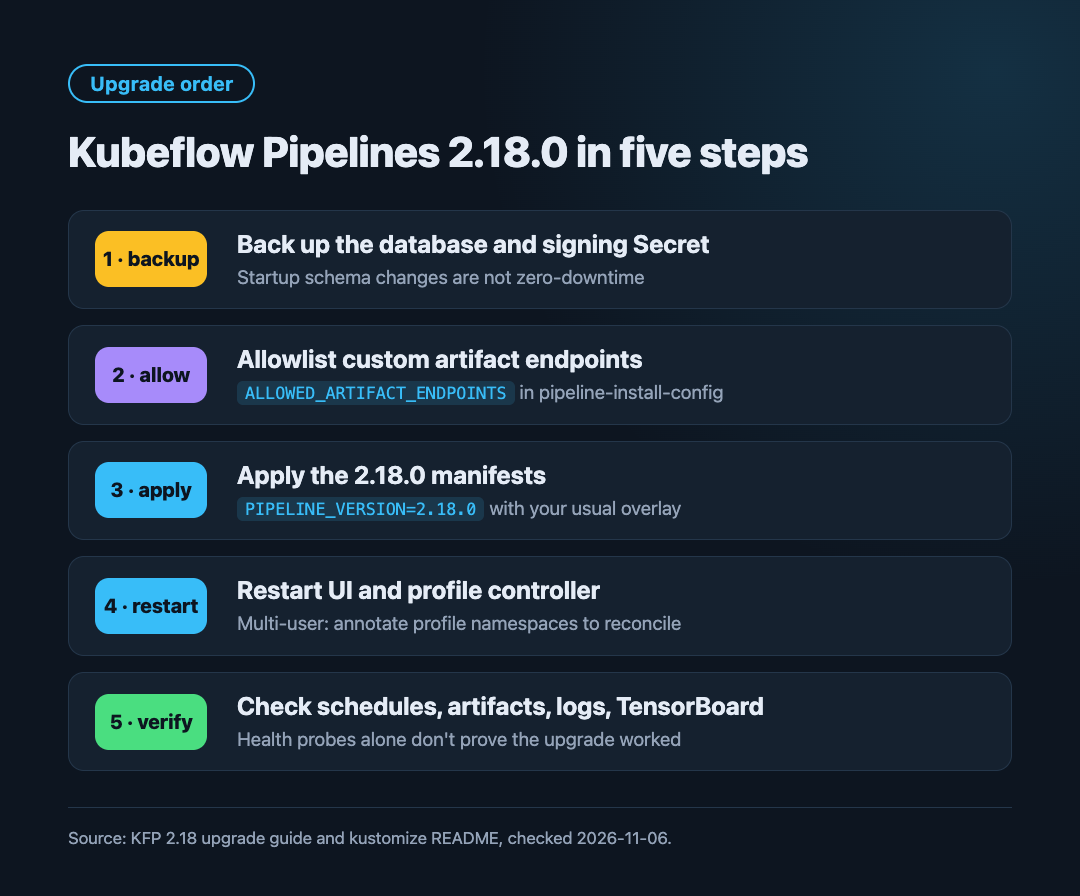
The 2.18 upgrade guide says to use your normal install process. It also warns that this is not zero-downtime: each new API server runs database schema changes at startup, which can delay readiness or block writes on large tables. Plan a window.
1. Back up the database and the signing Secret
The guide asks for a restorable database backup and a backup of the UI signing Secret. With the default standalone manifests (MySQL deployment named mysql, root user without a password), a dump looks like this. Use your own credentials and your managed database's backup tool if you moved off the bundled MySQL.
kubectl -n kubeflow exec deploy/mysql -- \
  mysqldump -u root --all-databases --single-transaction > kfp-backup-2026-11-06.sql
2. Allowlist custom artifact stores first
2.18.0 now rejects artifact endpoints it does not trust, which is the fix for CVE-2026-88981. If you use custom S3 or MinIO endpoints, add their exact origins (scheme, host, port) to ALLOWED_ARTIFACT_ENDPOINTS in the pipeline-install-config ConfigMap before you roll out. Keep the other keys in that ConfigMap. Otherwise artifact reads from those stores will fail after the upgrade.
3. Apply the 2.18.0 manifests
For a standalone install, re-apply the manifests at the new tag. The Kubeflow docs use env/dev for the dev flavor. Use the same overlay you installed with, such as env/platform-agnostic.
export PIPELINE_VERSION=2.18.0
kubectl apply -k "github.com/kubeflow/pipelines/manifests/kustomize/cluster-scoped-resources?ref=$PIPELINE_VERSION"
kubectl wait --for condition=established --timeout=60s crd/applications.app.k8s.io
kubectl apply -k "github.com/kubeflow/pipelines/manifests/kustomize/env/dev?ref=$PIPELINE_VERSION"
If you keep a GitOps copy of the manifests, bump the image tags and the ref there instead. Full platform users either move to kubeflow/manifests 26.10.0-rc1 in a test cluster first or wait for the final 26.10.0 release.
4. Restart the UI and, in multi-user mode, the profile controller
kubectl -n kubeflow rollout status deployment/ml-pipeline
kubectl -n kubeflow rollout restart deployment/ml-pipeline-ui
kubectl -n kubeflow rollout status deployment/ml-pipeline-ui
Multi-user installs also restart the profile controller:
kubectl -n kubeflow rollout restart deployment/kubeflow-pipelines-profile-controller
kubectl -n kubeflow rollout status deployment/kubeflow-pipelines-profile-controller
Standalone installs only need the UI restart. In multi-user mode, the manifests README also asks you to annotate each profile namespace with pipelines.kubeflow.org/reconcile-at so per-profile artifact proxies pick up the new settings. Restarting the webhook alone does not update existing namespaces.
5. Verify
The upgrade guide lists checks that health probes do not cover:
- Enabled schedules submit their next run, disabled ones stay disabled, no duplicates appear.
- A new artifact preview and a normal artifact download both work.
- An archived log still opens after its pod is gone.
- TensorBoard works after the first UI rollout (old TensorBoard URLs stop working).
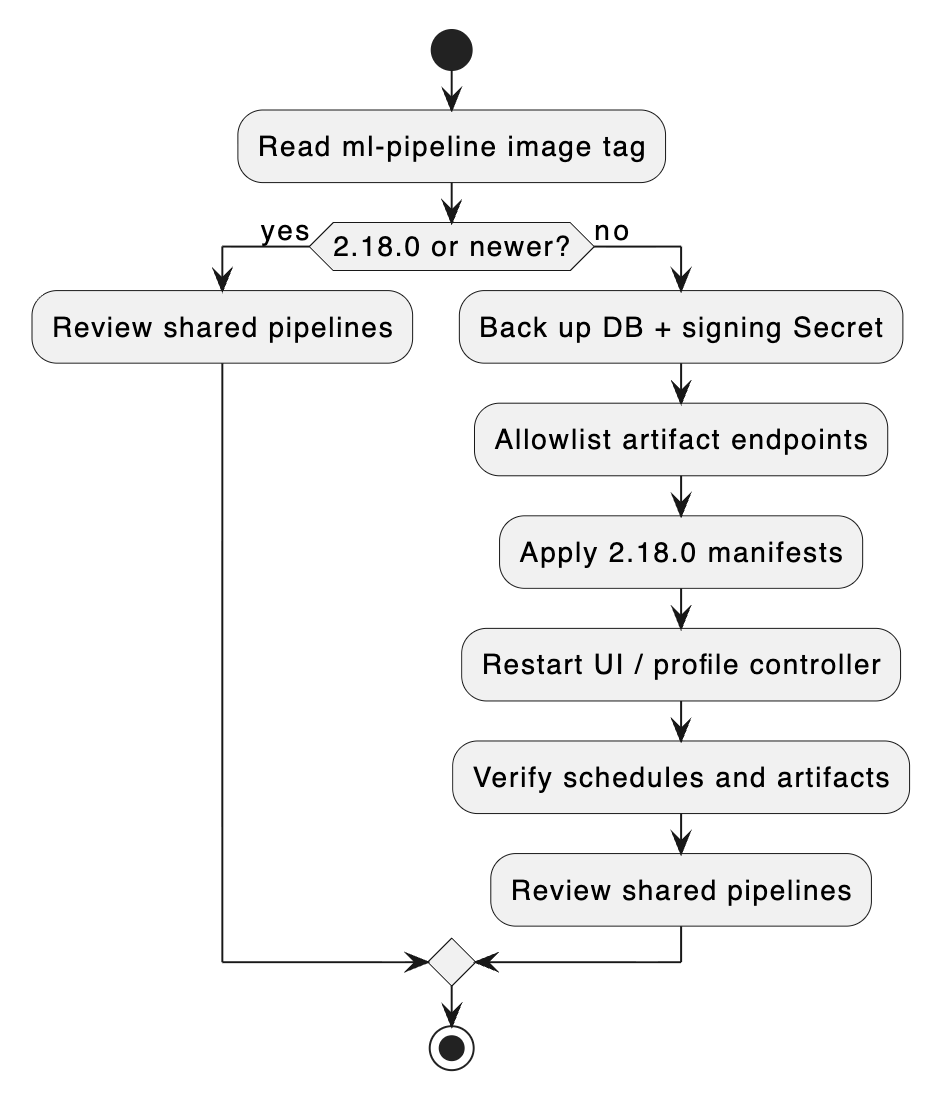
View PlantUML source
@startuml
skinparam shadowing false
skinparam defaultFontSize 14
start
:Read ml-pipeline image tag;
if (2.18.0 or newer?) then (yes)
  :Review shared pipelines;
else (no)
  :Back up DB + signing Secret;
  :Allowlist artifact endpoints;
  :Apply 2.18.0 manifests;
  :Restart UI / profile controller;
  :Verify schedules and artifacts;
  :Review shared pipelines;
endif
stop
@enduml
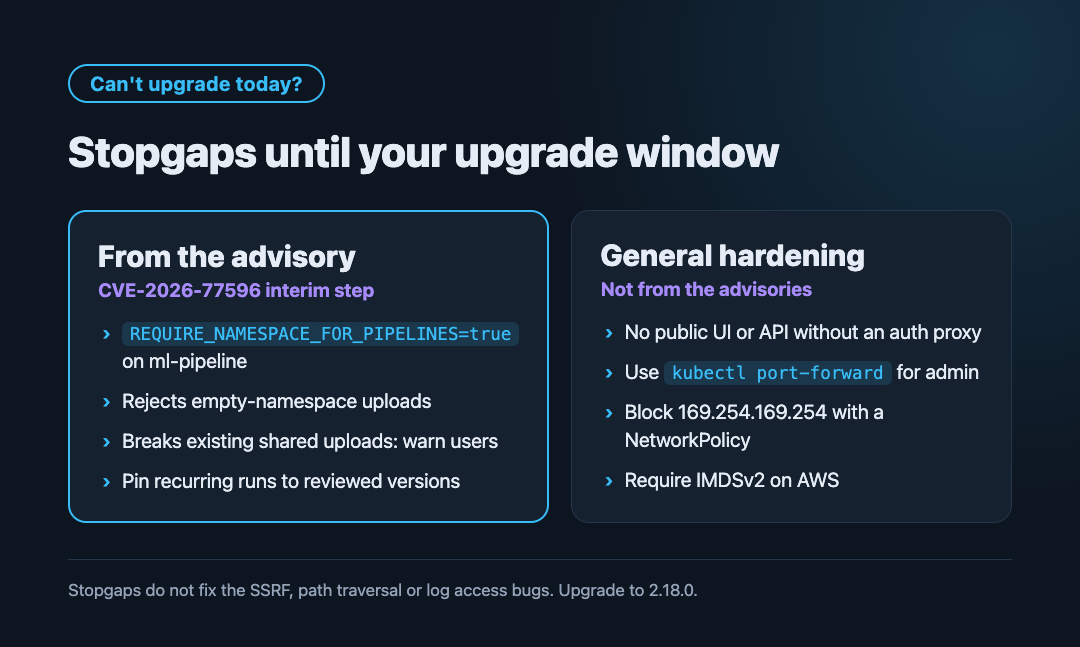
Can't upgrade today? Temporary steps
The CVE-2026-77596 advisory gives one interim setting: REQUIRE_NAMESPACE_FOR_PIPELINES=true on the API server. It rejects empty-namespace operations. It will also break your existing shared uploads, so warn your users first.
kubectl -n kubeflow set env deployment/ml-pipeline REQUIRE_NAMESPACE_FOR_PIPELINES=true
kubectl -n kubeflow rollout status deployment/ml-pipeline
Two general hardening steps (my suggestions, not from the advisories) cut the SSRF exposure while you wait:
- Do not expose
ml-pipeline-uiorml-pipelineto the internet or to the whole office network without an authenticating proxy. Usekubectl port-forwardfor admin access. - Block pod access to the cloud metadata address (
169.254.169.254) with a NetworkPolicy where your workloads don't need it, and require IMDSv2 on AWS.
Review shared pipelines and recurring runs
Upgrading does not remove versions that someone already uploaded through the bypass. The advisory says so directly. Two checks help:
- List versions of shared pipelines and look for ones created by people or at times you can't explain.
- Pin recurring runs to a reviewed pipeline version so the "latest" version can't be swapped in.
This short script uses the KFP SDK client. The first loop prints pipeline versions, newest first. The second prints recurring runs in one namespace and the version each one points to. Replace the host and namespace.
import kfp

client = kfp.Client(host="https://<YOUR_KFP_HOST>")

for p in client.list_pipelines(page_size=100).pipelines or []:
    versions = client.list_pipeline_versions(
        pipeline_id=p.pipeline_id, page_size=20, sort_by="created_at desc"
    ).pipeline_versions or []
    for v in versions:
        print(p.display_name, v.display_name, v.created_at)

for r in client.list_recurring_runs(namespace="<YOUR_NAMESPACE>", page_size=100).recurring_runs or []:
    ref = getattr(r, "pipeline_version_reference", None)
    print(r.display_name, r.status, ref)
A recurring run whose version reference has no pipeline_version_id is following the latest version. Recreate it pointing at a specific version you have reviewed. Field names come from the v2beta1 API. If your SDK version prints different names, check the object with print(r).
For Python SDK uploads after the upgrade, pass namespace= to upload_pipeline for private pipelines. The advisory notes that setting the namespace on the Client alone is not enough.
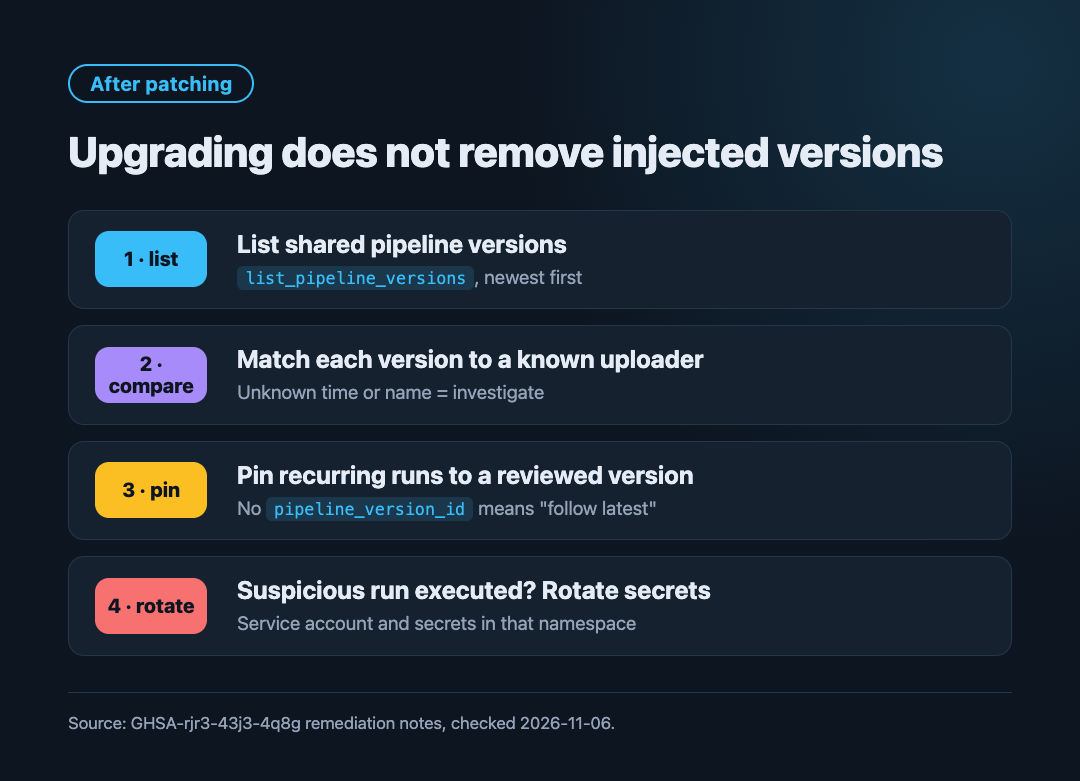
If you find a run that executed an unknown version, treat that namespace's service account and any secrets it could read as exposed. Rotate them and review what the run touched.
If something goes wrong after the upgrade
| Symptom | Likely cause | Fix |
|---|---|---|
| API pods not Ready for minutes | Startup schema changes on large tables | Wait, watch logs; plan a window next time |
| Artifact reads fail on custom S3/MinIO | Endpoint not in ALLOWED_ARTIFACT_ENDPOINTS | Add the exact origin and roll out again |
| Shared uploads now return 403 | New permission check on shared writes | Grant create on pipelines in the KFP system namespace to the right identity only |
| Private pipeline not found by name | Name lookups without a namespace | Pass the namespace, then use IDs |
SCHEDULE_HANDOFF_IN_PROGRESS errors | Schedule adoption still running | Retry after a short wait |
The upgrade guide warns that a downgrade to older writers needs a separate coordinated plan, not a live rolling downgrade. Keep the database backup until you've verified schedules and artifacts.
The guide also lists known limits that 2.18.0 does not fully close: artifact ownership is not fully enforced (full fix deferred to 3.0), and TaskService authorization work is deferred. Network isolation still matters after the upgrade.
FAQ
Is the Python kfp package itself vulnerable? No CVE in this batch targets the SDK. The flaws are in the API server and frontend images. Update the SDK to match the backend anyway.
Does the Kubeflow platform 26.03.1 include the fix? No. Stable 26.03.1 bundles KFP 2.16.1. KFP 2.18.0 is in kubeflow/manifests 26.10.0-rc1 (pre-release, November 3, 2026).
Is CVE-2026-77596 being exploited? As of November 6, 2026, the CVE pages I checked listed no public proof of concept and no CISA KEV entry. That can change, so check the advisory again.
Can I just set REQUIRE_NAMESPACE_FOR_PIPELINES=true and skip the upgrade? It only blocks the empty-namespace upload path. It does nothing for the SSRF, path traversal and log access bugs, and it breaks shared uploads. Treat it as a stopgap.
Do I need to run a migration script? Not for a standard managed install, per the release notes. The migration script in the install docs is for moving to Kubernetes native API mode, a separate change.
Summary
Check the ml-pipeline image tag. If it shows 2.17.3 or older, back up the database, allowlist custom artifact endpoints, apply the 2.18.0 manifests and restart the UI. Then review shared pipeline versions and pin recurring runs. If you run AI tooling next to KFP, our LiteLLM 1.107.0 compromise guide covers a similar "check, clean, pin" routine. Managing the cluster with Terraform? See Terraform Kubernetes provider 3.4 plan errors. Next, we'll look at pinning ML pipeline versions in CI so a "latest" tag never runs unreviewed code.
References
- Kubeflow Pipelines 2.18.0 release — GitHub, checked 2026-11-06
- GHSA-rjr3-43j3-4q8g / CVE-2026-77596: missing authorization on shared pipeline uploads — kubeflow/pipelines, checked 2026-11-06
- GHSA-3pcj-8j5w-jmxq / CVE-2026-88981: SSRF through artifact provider endpoints — kubeflow/pipelines, checked 2026-11-06
- Kubeflow Pipelines security advisories — GitHub, checked 2026-11-06
- KFP 2.18 upgrade guide — kubeflow/pipelines, checked 2026-11-06
- Kustomize manifests README (upgrade and artifact allowlist) — kubeflow/pipelines, checked 2026-11-06
- Installation: Kubeflow Pipelines standalone — Kubeflow docs, checked 2026-11-06
- kubeflow/manifests releases — GitHub, checked 2026-11-06
- CVE-2026-77596 entry — NVD, checked 2026-11-06
- CVE-2026-88980 analysis — TheHackerWire, checked 2026-11-06