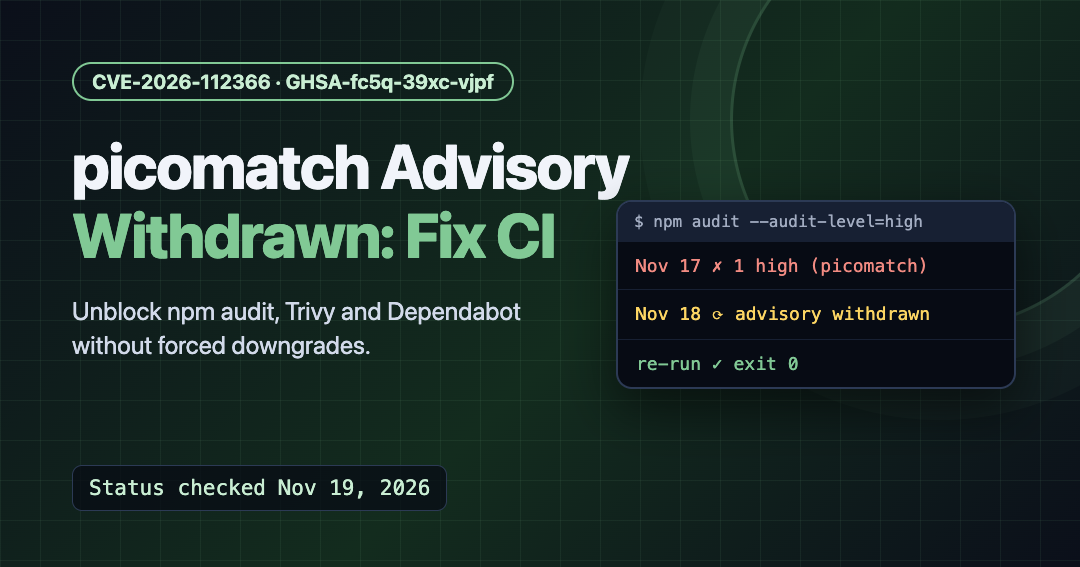
The picomatch CVE-2026-112366 advisory (GHSA-fc5q-39xc-vjpf) that turned npm audit red in CI pipelines on November 17, 2026 was withdrawn by GitHub on November 18 at 15:38 UTC. There is still no new picomatch release: 4.0.7 is the latest, and the finding disappears because the advisory is gone, not because anything was patched. Re-run your audit job first, then remove the emergency workarounds you added (forced downgrades, overrides, ignore entries) and refresh any scanner that keeps its own vulnerability database, such as Trivy.
Written on November 19, 2026. Advisory status, scanner behavior and upstream state below were checked the same day against the GitHub Advisory Database, the picomatch repository and tool documentation.
What happened to the picomatch advisory
picomatch is the glob matcher behind micromatch, Vite, Vitest, tinyglobby, lint-staged and a large share of the npm ecosystem, so almost every JavaScript project has several copies of it in package-lock.json.
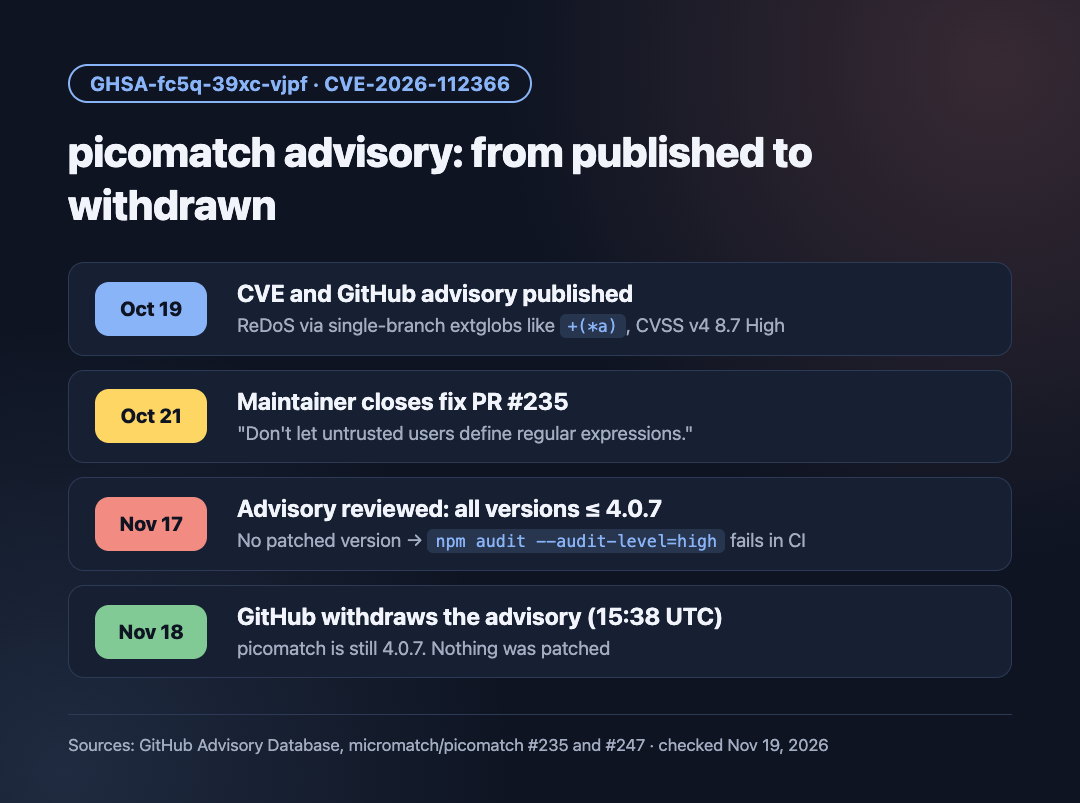
| Date (2026) | Event |
|---|---|
| Oct 19 | CVE-2026-112366 and GHSA-fc5q-39xc-vjpf published: ReDoS through single-branch repeated extglobs such as +(*) or +(*a), CVSS v4 8.7 High |
| Oct 21 | Maintainer closes fix PR #235 unmerged, calling it "not a vulnerability" |
| Nov 17 | GitHub-reviewed advisory now covers all versions <= 4.0.7 with no patched version; npm audit --audit-level=high starts failing |
| Nov 17 | A dispute is filed with the CNAs asking for withdrawal |
| Nov 18 | GitHub withdraws the advisory (15:38:56 UTC); commenters report VulnCheck withdrew its copy too |
The technical claim was that analyzeRepeatedExtglob in lib/parse.js skips single-branch patterns, so a crafted pattern backtracks exponentially and blocks the Node.js event loop. Reproductions in issue #247 show the slowdown is real: about 4 ms at 8 characters, 6.3 seconds at 26 characters for +(*a) on Node 22. The dispute is about scope. The maintainer's position is that globs are regular expressions, and the fix is "Don't let untrusted users define regular expressions." The withdrawal follows that view.
Why npm audit failed your build
npm audit exits non-zero when it finds a vulnerability at or above --audit-level. With no patched version, npm audit fix had nothing to install inside your ranges, and npm audit fix --force offered SemVer-major changes. Several teams reported it proposing a Vite 7 to Vite 3 downgrade. One public CI log shows the pattern clearly: lint, types, tests and build passed, and only npm audit --audit-level=high failed, reporting 17 high-severity packages that all traced back to this one advisory.
The copies usually come from tooling. This is what that public lockfile contained:
| Parent package | picomatch version (that lockfile) | Dependency type |
|---|---|---|
| vite | 4.0.7 | dev (bundled into your build, not shipped) |
| vitest | 4.0.5 | dev |
| tinyglobby | 4.0.4 | dev or runtime |
| micromatch / chokidar / anymatch | 2.3.x | dev or runtime |
Check whether picomatch CVE-2026-112366 still blocks you
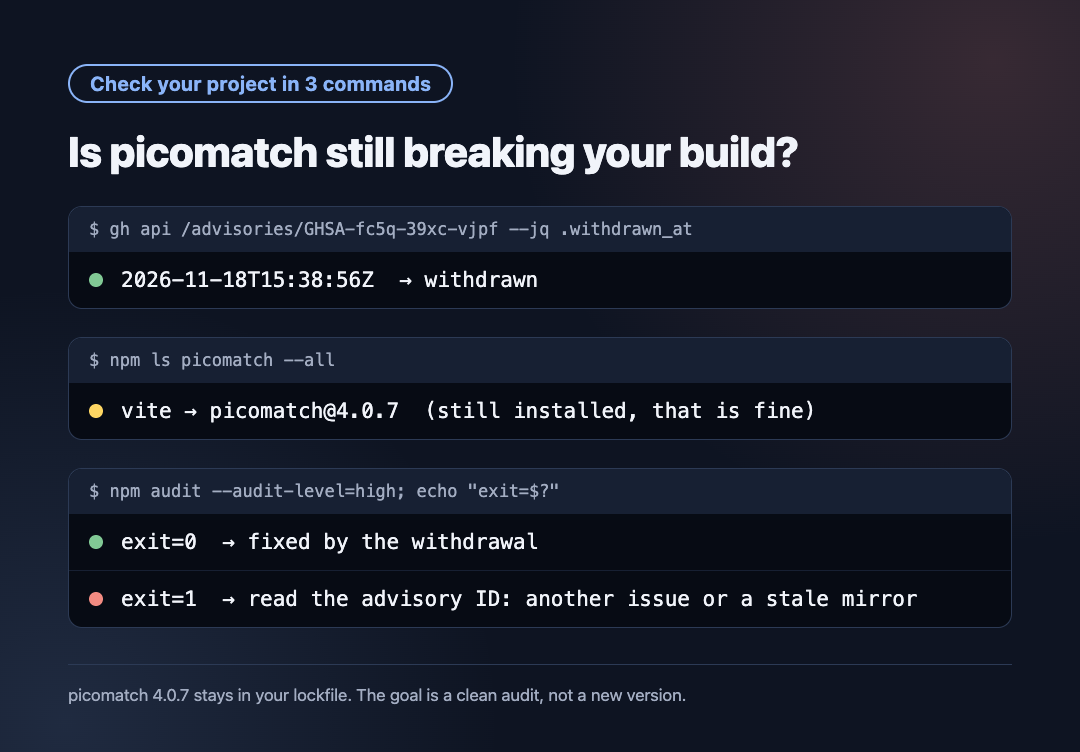
Run these from the project root. You need the GitHub CLI (gh) for the first one.
1. Confirm the advisory is withdrawn
gh api /advisories/GHSA-fc5q-39xc-vjpf --jq '.withdrawn_at'Output 2026-11-18T15:38:56Z means withdrawn. Output null would mean the advisory is active again. You can also open the advisory page in a browser. A withdrawn advisory shows a "Withdrawn" banner at the top.
2. See which copies you have
npm ls picomatch --all   # npm
pnpm why picomatch       # pnpm
yarn why picomatch       # Yarn Berry
Seeing picomatch@4.0.7 here is expected. There is nothing newer to move to, so the goal is a clean audit, not a different version.
3. Re-run the audit and read the exit code
npm audit --audit-level=high; echo "exit=$?"
npm audit --json | jq -r '.vulnerabilities[].via[] | objects | .url' | sort -u
The second command lists only the advisory URLs that are still reported. If exit=0, the withdrawal fixed your build. If it still fails, look at the URLs. If GHSA-fc5q-39xc-vjpf is gone but another ID remains, you have a different problem. If GHSA-fc5q-39xc-vjpf is still listed, go to the troubleshooting section, since you are probably behind a registry proxy.
Fix the npm audit failure in CI, step by step
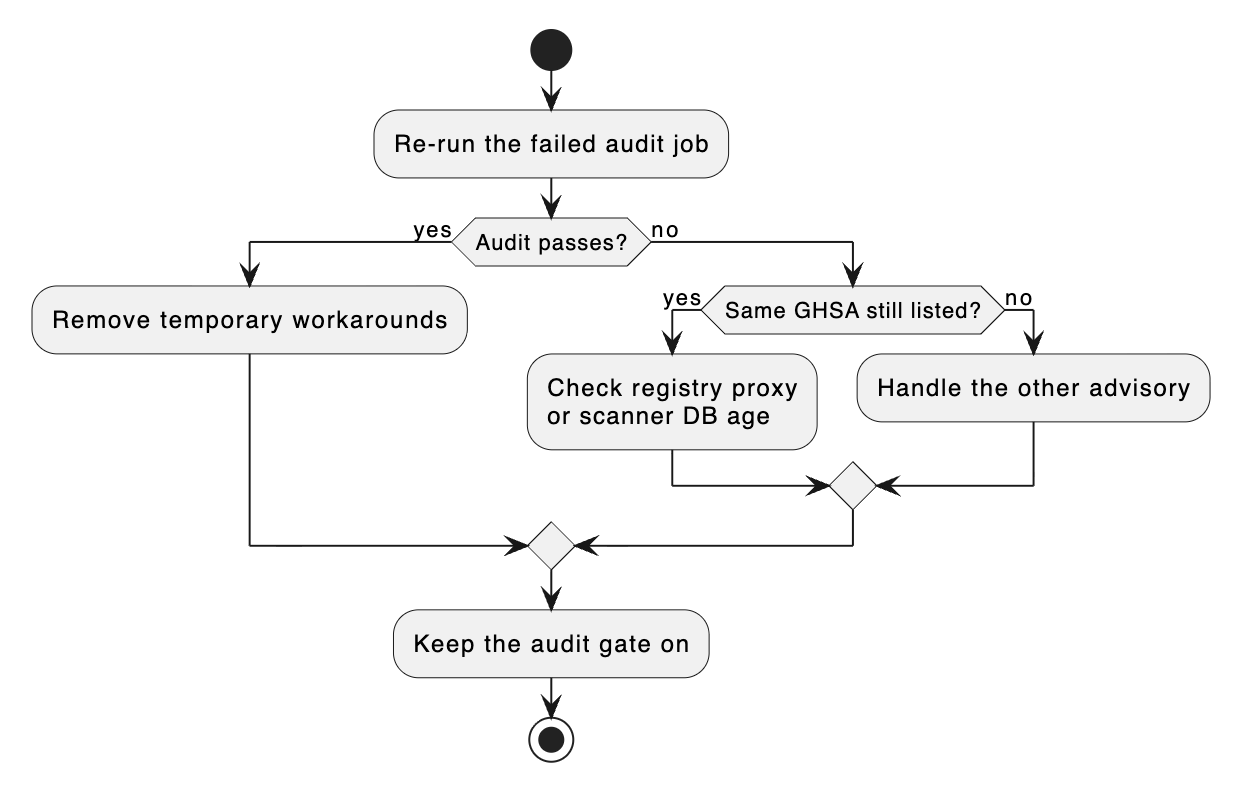
View PlantUML source
@startuml
start
:Re-run the failed audit job;
if (Audit passes?) then (yes)
  :Remove temporary workarounds;
else (no)
  if (Same GHSA still listed?) then (yes)
    :Check registry proxy\nor scanner DB age;
  else (no)
    :Handle the other advisory;
  endif
endif
:Keep the audit gate on;
stop
@enduml- Re-run the failed job.
npm auditasks the registry's bulk advisory endpoint (/-/npm/v1/security/advisories/bulk) on every run. There is no local advisory database to refresh. pnpm and Yarn Berry (yarn npm audit) also query the registry. - Undo a forced fix. If someone ran
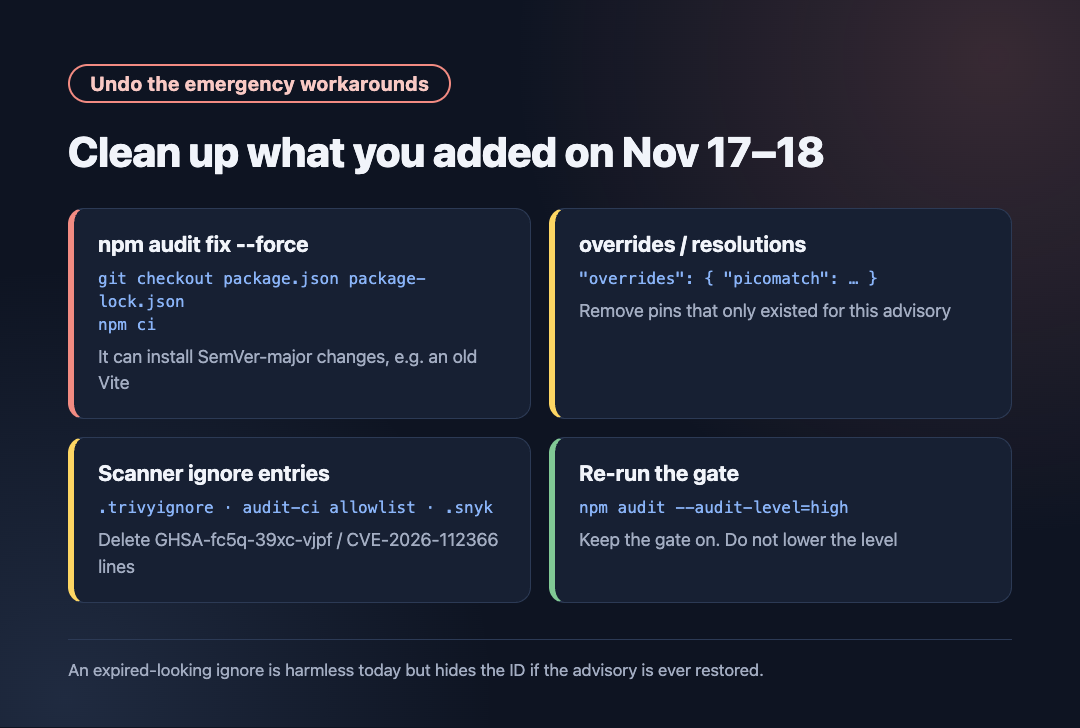
npm audit fix --force, restore the lockfile and reinstall:
git checkout origin/main -- package.json package-lock.json
npm ci
npm run build && npm test- Remove pins added only for this advisory. Look for
overrides(npm),pnpm.overridesorresolutions(Yarn) entries that touch picomatch, and delete them unless they existed before November 17. - Remove ignore entries. Search the repo for both IDs:
git grep -n -e 'GHSA-fc5q-39xc-vjpf' -e 'CVE-2026-112366'Typical hits: .trivyignore, .trivyignore.yaml, audit-ci.jsonc allowlists, .snyk, osv-scanner.toml, and --ignore flags in workflow files. Leaving them is harmless today, but they would hide the ID if the advisory were ever restored.
- Keep the gate. Do not lower
--audit-levelor mark the stepcontinue-on-error. The gate worked as designed. The data was wrong.
If you track supply-chain hygiene across many repositories, the same week is a good time to review the npm staged publishing and 2FA approval setup for your own packages.
Fix Trivy, Dependabot, Snyk and other scanners
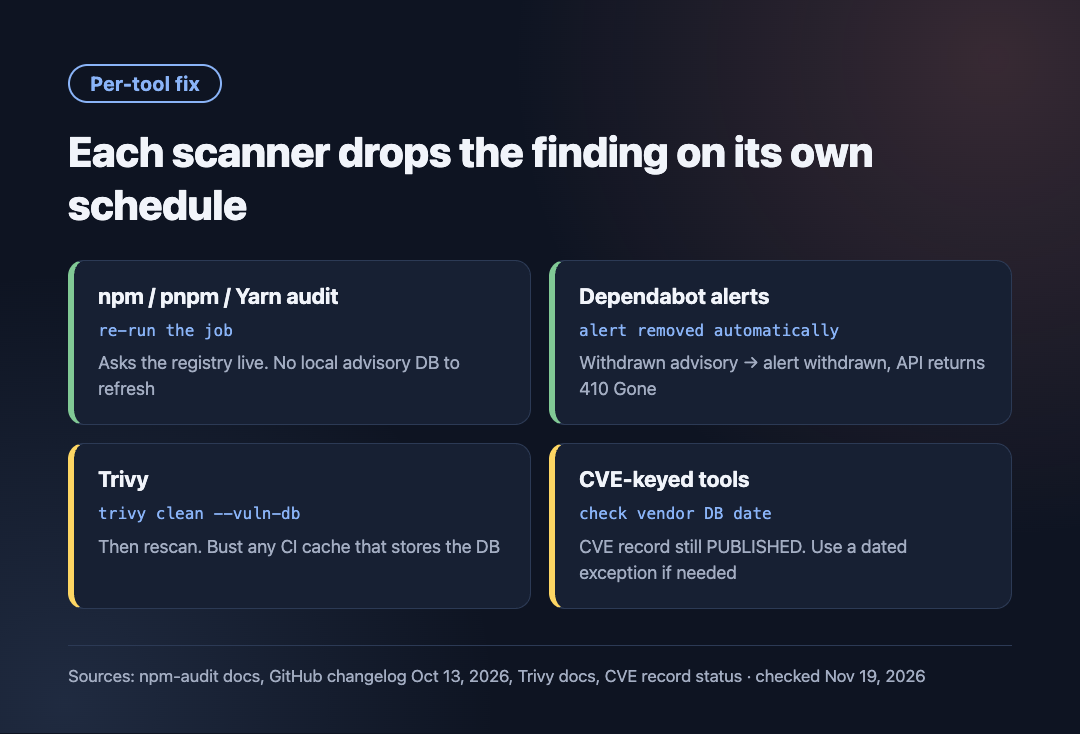
Each tool picks up the withdrawal from its own data source, on its own schedule.
| Tool | Where it gets data | What to do |
|---|---|---|
| npm / pnpm / Yarn audit | Registry, live on every run | Re-run the job |
| Dependabot alerts | GitHub Advisory Database | Nothing: the alert is withdrawn automatically |
| Trivy | Downloaded trivy-db | Clear the cached DB, rescan |
| Snyk, CVE/NVD-based scanners | Vendor database | Re-test; use a dated exception if still flagged |
Dependabot alerts
Since GitHub's October 13, 2026 change, Dependabot withdraws and removes an alert when the advisory behind it is no longer valid. The dependabot_alert webhook sends a withdrawn action, and the REST API returns 410 Gone for that alert number instead of 404. If an automation of yours fetches alert details, handle 410 as "closed, no action." If you dismissed the alert manually on November 17, there is nothing to reopen. For repositories you rarely touch, note that GitHub also pauses Dependabot alerts on inactive repositories from December 8.
Trivy
One public project pinned to Trivy 0.76.2 still saw the HIGH finding at 19:38 UTC on November 18, four hours after the withdrawal, and a clean scan on the same commit later that evening. Trivy's OSV importer skips entries whose withdrawn timestamp is in the past, so a fresh database drops it. Force the refresh:
trivy clean --vuln-db
trivy fs --scanners vuln .
On a runner that splits steps, you can instead fetch the database once with trivy image --download-db-only and scan with --skip-db-update in later steps.
In GitHub Actions, if you cache the Trivy DB with actions/cache, change the cache key (for example add a date) so the job downloads a new copy.
Snyk and CVE-keyed tools
On November 4, commenters in picomatch issue #247 said Snyk appeared to have revoked its entry; I could not confirm that on a Snyk page, so re-test in your own Snyk project. The CVE record itself was still in PUBLISHED state as of November 18, because a GHSA withdrawal does not reject the CVE. Scanners that read NVD or the CVE list may keep reporting CVE-2026-112366 for a while. Use a time-limited exception there, not a permanent one.
If a scanner still flags it: use an expiring exception
When a release is blocked today and a vendor database lags, add a narrow exception with an end date instead of disabling the check.
Trivy (.trivyignore, the exp: date makes the entry stop working on its own):
CVE-2026-112366 exp:2026-12-31Trivy (.trivyignore.yaml, pass it with --ignorefile):
vulnerabilities:
  - id: CVE-2026-112366
    purls:
      - "pkg:npm/picomatch@4.0.7"
    expired_at: 2026-12-31
    statement: GHSA-fc5q-39xc-vjpf withdrawn by GitHub on 2026-11-18
audit-ci (audit-ci.jsonc):
{
  "high": true,
  "allowlist": ["GHSA-fc5q-39xc-vjpf"]
}
npm audit itself has no ignore list. Running npm audit --omit=dev only skips dev dependencies, which hides every dev finding, not just this one. Use it only if your policy already allows production-only audits.
Is there a real risk in your code?
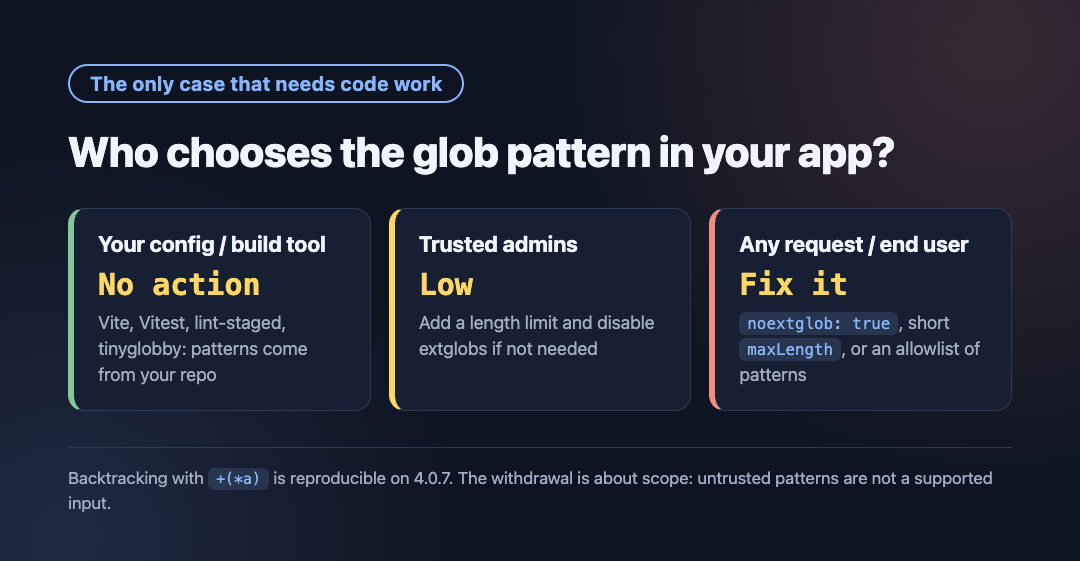
The withdrawal changes the scanner result, not the behavior of picomatch 4.0.7. The slow patterns still exist. They only matter when someone outside your team controls the glob pattern itself, not the file paths being matched.
Search for places where a request, a form field or a tenant setting reaches a matcher:
git grep -n -E "(picomatch|micromatch|minimatch|isMatch)\(" -- '*.js' '*.ts' ':!node_modules'If a user-supplied pattern reaches picomatch, harden the call. Both options below are documented in the picomatch README:
import picomatch from 'picomatch';

// noextglob: disables +( ), *( ), @( ), ?( ), !( ) extglobs
// maxLength: throws if the pattern is longer than this (default 65536)
export function userMatcher(pattern) {
  return picomatch(pattern, { noextglob: true, maxLength: 200 });
}
Better still, let users pick from a fixed list of patterns, or run matching in a worker thread you can terminate after a time limit.
Decision table: what to do and when
| Your situation | Priority | Action |
|---|---|---|
| CI blocked by the picomatch audit finding | Now | Re-run; revert any forced fix |
| Ignore entries or overrides added Nov 17–18 | This week | Remove them, re-run the gate |
| Trivy or CVE-based scanner still red | This week | Refresh DB; dated exception if needed |
| App accepts glob patterns from users | This week | noextglob, maxLength or allowlist |
| Patterns only in config and build tools | No impact | Nothing to do |
Troubleshooting
npm audit still lists GHSA-fc5q-39xc-vjpf
Check which registry answers the audit call:
npm config get registryIf it points to Artifactory, Nexus, Verdaccio or another proxy, the proxy may serve cached or its own advisory data for the bulk endpoint. Ask the registry admin to refresh it, or compare with a direct run:
npm audit --registry=https://registry.npmjs.org/ --audit-level=highThe audit passes, but the build broke after the scare
Someone probably merged an npm audit fix --force result or an override that pinned picomatch to an incompatible major version. Compare lockfiles with git diff origin/main~5 -- package-lock.json | grep -n picomatch, then revert with git checkout <last-good-commit> -- package.json package-lock.json and npm ci. If you are upgrading Node at the same time, keep that in a separate PR; see the Node.js 26.13.1 security update guide for that path.
Dependabot opened a PR that pins an unofficial fork
Some forks vendor picomatch 4.0.7 with the rejected patch. Close those PRs. Upstream has not merged any fix (PRs #237, #238 and #246 were still open when checked), and a fork swaps a disputed advisory for a real supply-chain question.
FAQ
Is picomatch CVE-2026-112366 fixed? No patch was released. picomatch 4.0.7 is still the latest version. GitHub withdrew the advisory on November 18, 2026, so audit tools that use the GitHub Advisory Database stop reporting it.
Should I upgrade or downgrade picomatch? No. There is no fixed version to upgrade to, and forced downgrades (for example of Vite) add risk without removing anything. Keep your lockfile as it was before November 17.
Why does Trivy still report CVE-2026-112366? Your Trivy database is older than the withdrawal, or your CI restores a cached copy. Run trivy clean --vuln-db, change the cache key, and scan again.
Was the advisory withdrawn because it is fake? The slow-pattern behavior is reproducible. The picomatch side and the dispute filer argue it is not a security issue because glob patterns should never come from untrusted users. If your app accepts user patterns, apply the hardening above.
Can the advisory come back? Withdrawals can be reversed in principle. That is why you should delete ignore entries rather than leave a permanent one, so the gate would catch it again.
References
- GitHub Advisory Database: GHSA-fc5q-39xc-vjpf (withdrawn) — checked November 19, 2026
- micromatch/picomatch PR #235 and maintainer response — checked November 19, 2026
- micromatch/picomatch issue #247: CVE-2026-112366 discussion — checked November 19, 2026
- picomatch README: options (noextglob, maxLength) — checked November 19, 2026
- npm Docs: npm audit — checked November 19, 2026
- GitHub Changelog: Improved detection for withdrawn Dependabot alerts (Oct 13, 2026) — checked November 19, 2026
- Trivy Docs: Filtering and .trivyignore — checked November 19, 2026
- GitHub REST API: Get a global security advisory — checked November 19, 2026
- Trivy propagation case study (SvenKulessa/Capital-AI #788) — checked November 19, 2026