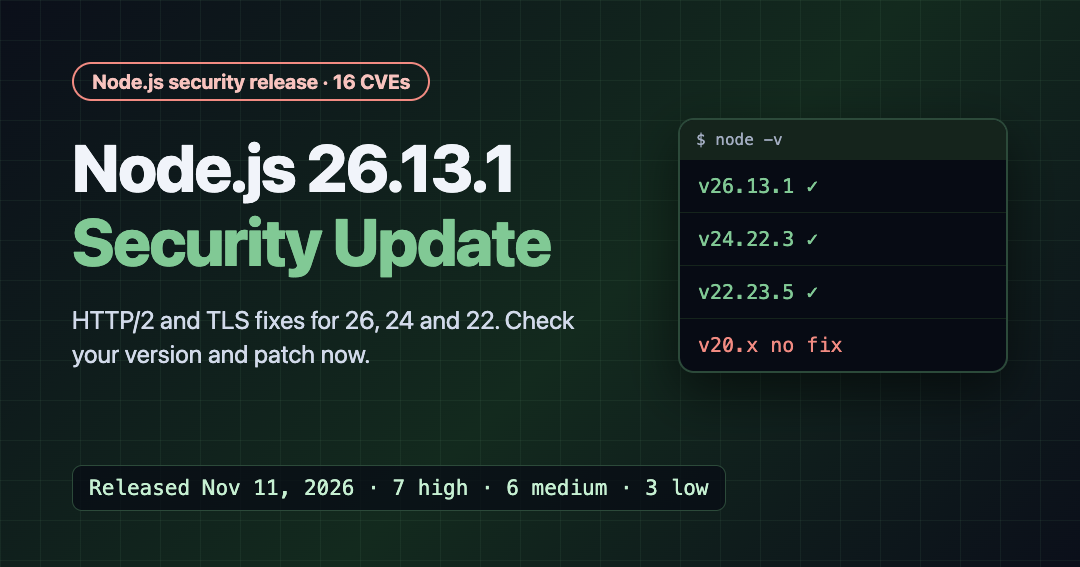
The Node.js 26.13.1 security update, released on November 11, 2026 with 24.22.3 and 22.23.5, fixes 16 CVEs. Seven are rated High, and most of them are in the HTTP/2 and TLS code. The worst one (CVE-2026-123864) can make an HTTPS server copy its own heap memory, including TLS private keys, into a response. If you run any Node.js 22, 24 or 26 release older than these builds, upgrade to the patch release for your line today. Node.js 20 and older get no fix at all.
Written November 12, 2026, 07:30 KST (Nov 11, 22:30 UTC). Facts checked on November 12, 2026 against the Node.js security advisory "Wednesday, November 11, 2026 Security Releases", the release notes for v26.13.1, v24.22.3 and v22.23.5, the nodejs.org/dist/index.json release index and the Docker Hub tag list for the official node image. I have not reproduced these vulnerabilities or run these upgrades on a specific server for this post. The commands below are standard Node.js, Docker and package-manager commands.
On November 5, I wrote about how to prepare for this Node.js security release when only the pre-announcement was public. Now the patches and the full CVE list are out. This post is the "patch it" follow-up.
What the Node.js 26.13.1 security update fixes
The advisory lists 16 CVEs: 7 High, 6 Medium and 3 Low. The table below groups them by the part of Node.js they touch, because that decides whether your app is exposed.
| CVE | Severity | Area | What can happen | Lines |
|---|---|---|---|---|
| CVE-2026-123864 | High | HTTPS / llhttp | Server copies heap memory (other requests, TLS keys) into a response | 22, 24, 26 |
| CVE-2026-123872 | High | TLS 1.2 | Client changes servername during renegotiation and bypasses per-host client-cert rules | 22, 24, 26 |
| CVE-2026-126051 | High | TLS server | Remote, unauthenticated crash via deferred handshake callbacks | 24, 26 |
| CVE-2026-123866 | High | HTTP/2 | Stream teardown can send freed response memory to the peer | 22, 24, 26 |
| CVE-2026-123863 | High | HTTP/2 | Remote abort when a handler responds before the request body ends | 24, 26 |
| CVE-2026-123865 | High | HTTP/2 | Sessions never clean up after a protocol error during shutdown | 22, 24, 26 |
| CVE-2026-123874 | High | HTTP/2 | Use-after-free with respondWithFile() when a stream is reset | 24, 26 |
| CVE-2026-123828 | Medium | HTTP/2 | Heap overflow in session.altsvc() with a long origin | 24, 26 |
| CVE-2026-123867 | Medium | TLS / mTLS | CA-only SNI contexts fall back to the default CA | 22, 24, 26 |
| CVE-2026-123868 | Medium | HTTP/2 | Data queued on an undrained stream is not charged to session memory | 24, 26 |
| CVE-2026-123871 | Medium | HTTP client | Proxy credentials leak into ERR_PROXY_INVALID_CONFIG messages | 22, 24, 26 |
| CVE-2026-123877 | Medium | https.Agent | Certificate validation bypass via TLS session reuse across policies | 22, 24, 26 |
| CVE-2026-123875 | Medium | HTTP/2 | Cancelled respondWithFile() download crashes the server | 22, 24, 26 |
| CVE-2026-123829 | Low | Permission Model | Recursive fs.watch leaks names of denied files | 22, 24, 26 |
| CVE-2026-123862 | Low | zlib | params() plus destroy() throws an uncatchable error | 22, 24, 26 |
| CVE-2026-106071 | Low | Permission Model | Wildcard --allow-fs-* rules match paths they should not | 22, 24, 26 |
Source: Node.js advisory, November 11, 2026, checked Nov 12, 2026. The release notes for all three builds also list a Low fix titled "permission: check heap snapshot destination" (CVE-2026-123873), which is not on the advisory page.
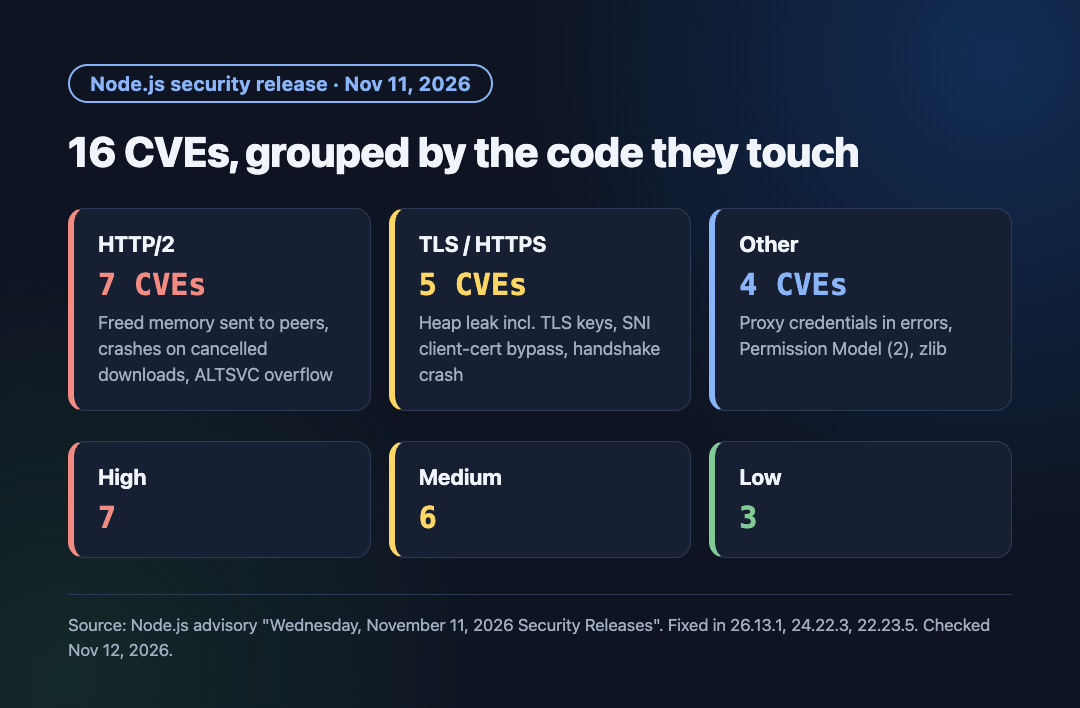
Three points matter most:
- CVE-2026-123864 is a memory leak to the network. The advisory says an unauthenticated client can "read memory belonging to other connections, including TLS private keys". It needs a handler that calls
res.flushHeaders()before the request body ends and laterres.end()with data. Cleartextnode:httpis not affected. - HTTP/2 servers carry most of the risk. Seven of the 16 CVEs are in
node:http2. Two of them, CVE-2026-123863 and CVE-2026-123875, need no crafted frames. A normal client cancelling a download or a handler replying early is enough to crash the process. - The release also updates bundled libraries. All three lines move to llhttp 9.4.4 and sqlite 3.54.1. Node 26 gets undici 8.12.4 and Node 24 gets undici 7.30.2. Node 26 and 24 also pick up brotli 1.2.1, the library behind CVE-2026-111497, the Brotli flaw covered in October.
Which Node.js version you need: 26.13.1, 24.22.3 or 22.23.5
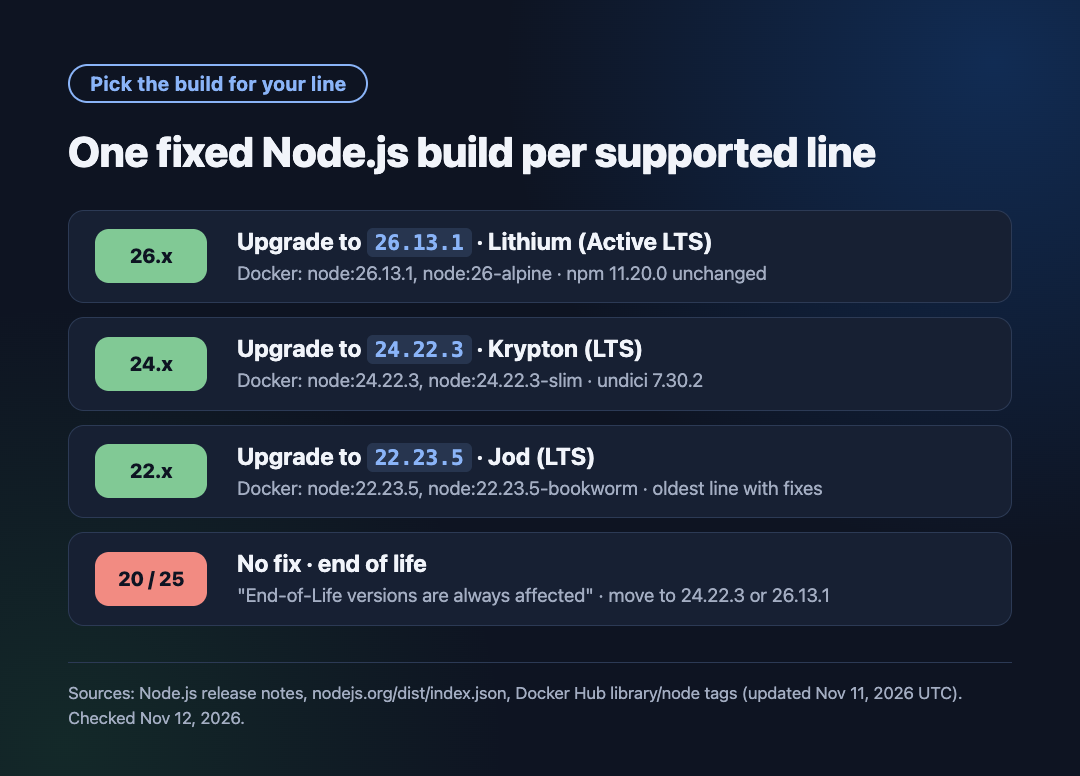
Each supported line has exactly one fixed build. Stay on your major version; you do not need to jump lines to get the fix.
| Your line | Patched version | Codename | Official Docker tag |
|---|---|---|---|
| Node.js 26.x (Active LTS) | 26.13.1 | Lithium | node:26.13.1, node:26-alpine |
| Node.js 24.x (LTS) | 24.22.3 | Krypton | node:24.22.3, node:24-slim |
| Node.js 22.x (LTS) | 22.23.5 | Jod | node:22.23.5, node:22-bookworm |
| Node.js 20.x, 25.x and older | No fix | — | Upgrade to a supported line |
Sources: Node.js release notes and nodejs.org/dist/index.json (26.13.1 is flagged "security": true), Docker Hub library/node tags updated Nov 11, 2026, 19:24–20:42 UTC. Checked Nov 12, 2026.
The advisory is blunt about old versions: "End-of-Life versions are always affected when a security release occurs." If you are still on Node.js 20 or an odd-numbered release, the fastest safe move is usually Node 24.22.3. If you were planning the bigger jump anyway, see the Node.js 26 LTS upgrade checklist.
How to check if your Node.js version is vulnerable
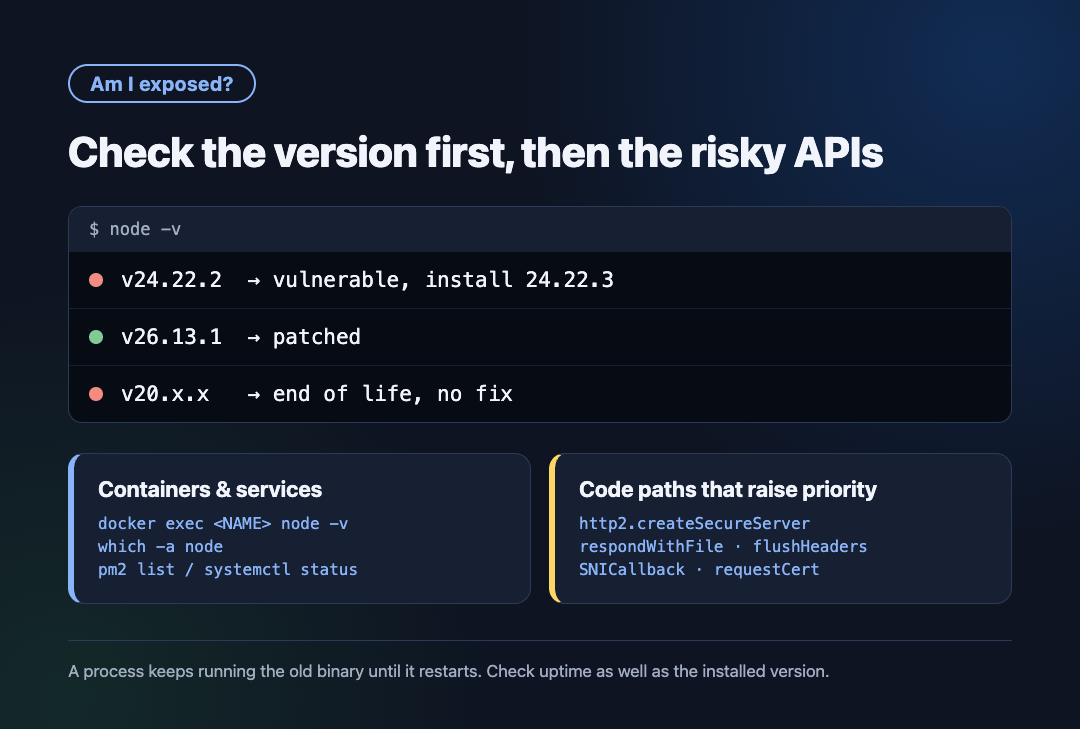
You need two answers: which Node binary actually runs your app, and which risky APIs your code uses.
Step 1: Find the running version
On a workstation or a plain server:
node -v
which -a node        # macOS/Linux: every node on PATH, first one wins
On Windows (PowerShell):
node -v
Get-Command node -All | Select-Object Source
In Docker, ask the image, not your laptop:
docker run --rm <YOUR_IMAGE>:<TAG> node -v
docker ps --format '{{.Names}} {{.Image}}'
docker exec <CONTAINER_NAME> node -v
Inside a running process (useful for long-lived services that were started before an upgrade):
node -p "process.version + ' ' + JSON.stringify(process.versions.llhttp)"Example output on an unpatched 24.x host:
v24.22.2How to read it:
Output of node -v | Status |
|---|---|
v26.13.1 or later 26.x | Patched |
v26.0.0 – v26.13.0 | Vulnerable, upgrade to 26.13.1 |
v24.22.3 or later 24.x | Patched |
below v24.22.3 | Vulnerable, upgrade to 24.22.3 |
v22.23.5 or later 22.x | Patched |
below v22.23.5 | Vulnerable, upgrade to 22.23.5 |
v20.x, v25.x, v23.x or older | Vulnerable, no fix will ship |
A version check only tells you what is installed. A Node process keeps running the old binary until you restart it, so check the service too (systemctl status <YOUR_SERVICE> start time, pm2 list uptime or container creation time).
Step 2: Find the risky code paths
Run this from your project root. It lists the APIs named in the High and Medium CVEs:
grep -rnE "http2\.create(Secure)?Server|respondWith(File|FD)|\.altsvc\(|https\.createServer|tls\.createServer|SNICallback|addContext\(|flushHeaders\(|requestCert" \
  --include='*.js' --include='*.mjs' --include='*.cjs' --include='*.ts' \
  --exclude-dir=node_modules .
Frameworks hide some of these calls. Fastify with http2: true, Next.js custom servers with HTTPS, and gRPC servers built on @grpc/grpc-js all use node:http2 or node:tls under the hood. Treat them as HTTP/2 or TLS servers even if your own code has no matches.
Node.js security update priority by environment
Use the version check plus the grep results to decide how fast to move. Every unpatched version should be upgraded; the table only sets the order.
| Your setup | Most relevant CVEs | When to upgrade |
|---|---|---|
| Node terminates HTTPS or HTTP/2 itself, reachable from the internet | 123864, 123866, 126051, 123863 | Today |
mTLS or per-host client certificates (requestCert, addContext) | 123872, 123867 | Today |
Plain http behind nginx, a load balancer or a CDN that terminates TLS | 123871, 123877 (client side) | This week |
| CLI tools, build scripts, CI runners with no listening server | 123877, 123871, zlib, Permission Model | This week (next image rebuild) |
Uses --permission with --allow-fs-* wildcards | 106071, 123829 | This week |
| Node.js 20, 25 or older anywhere | All of them, permanently | Plan a line upgrade now |
| Bun or Deno runtime, no Node binary | Not covered by this advisory | Not affected by these releases |
A note on the "behind a proxy" row: if your proxy speaks plain HTTP/1.1 to Node, most of the High bugs are not reachable from outside. That is my reading of the advisory conditions, not an official statement. It does not hold if the proxy passes HTTP/2 or TLS straight through to Node (TCP passthrough, gRPC, some Kubernetes ingress setups).
How to update to Node.js 26.13.1, 24.22.3 or 22.23.5
Pick the path that matches how Node got onto the machine. Mixing installers is the most common reason an upgrade "does not stick".
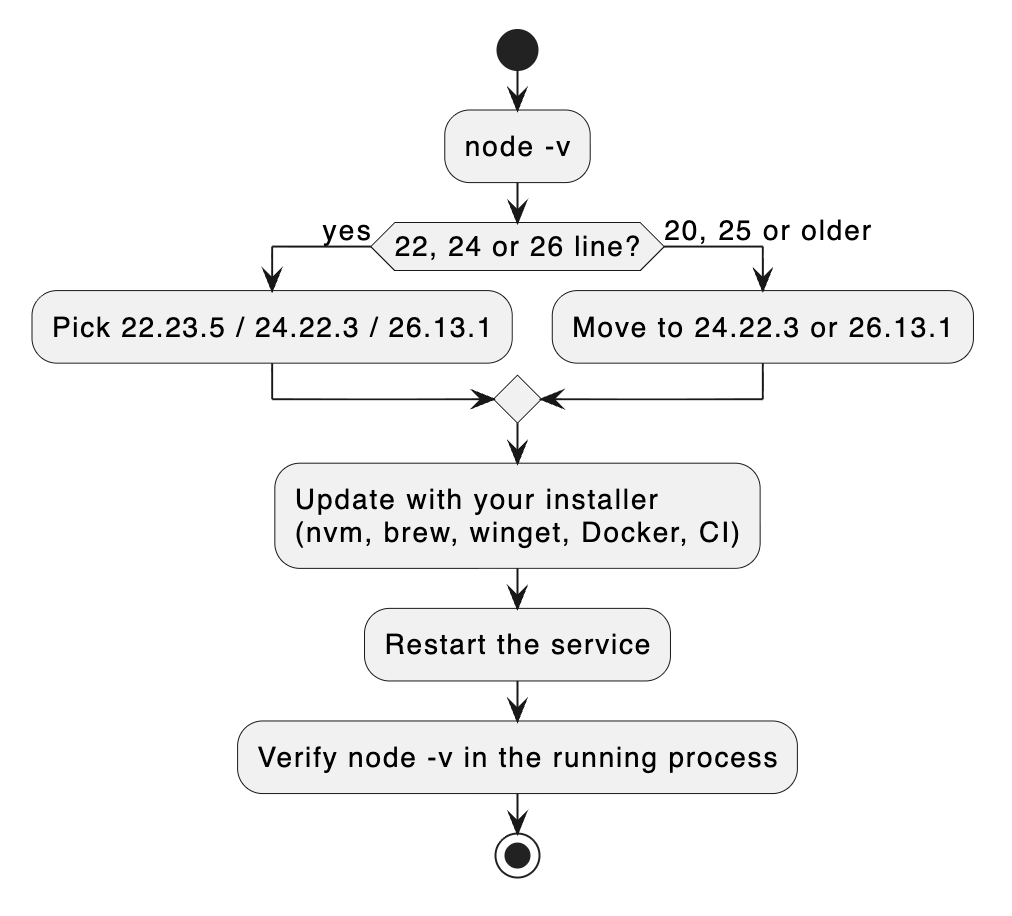
View PlantUML source
@startuml
skinparam shadowing false
skinparam defaultFontSize 14
start
:node -v;
if (22, 24 or 26 line?) then (yes)
  :Pick 22.23.5 / 24.22.3 / 26.13.1;
else (20, 25 or older)
  :Move to 24.22.3 or 26.13.1;
endif
:Update with your installer\n(nvm, brew, winget, Docker, CI);
:Restart the service;
:Verify node -v in the running process;
stop
@enduml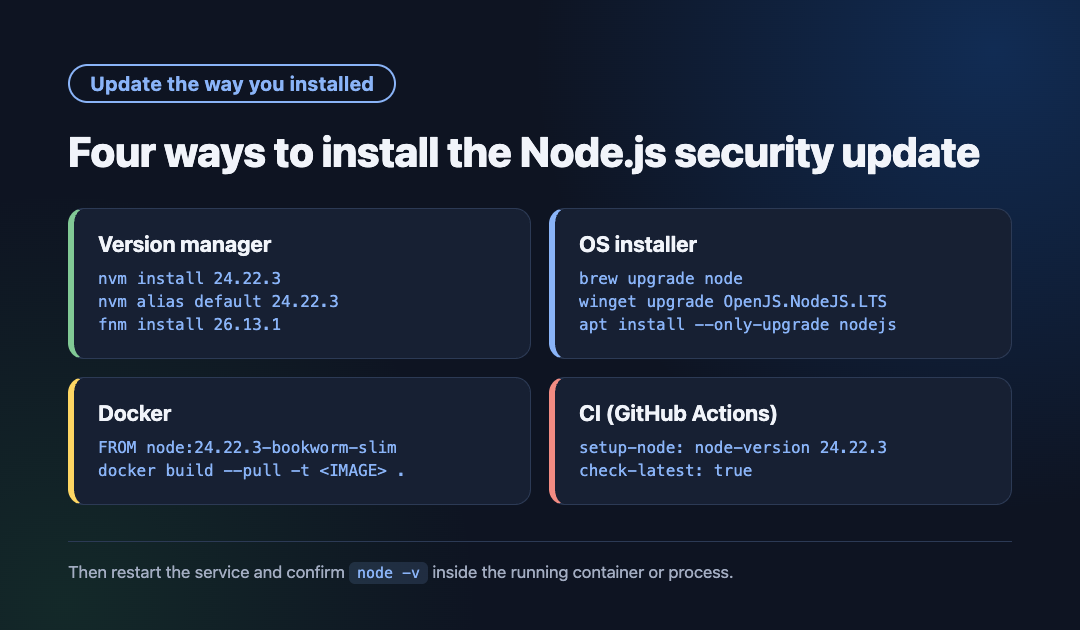
Version managers (nvm, fnm, Volta)
With nvm (macOS/Linux):
nvm install 24.22.3
nvm alias default 24.22.3
nvm uninstall 24.22.2          # optional: remove the vulnerable build
With fnm:
fnm install 26.13.1 && fnm default 26.13.1With Volta, which also pins the version in package.json:
volta install node@22.23.5
volta pin node@22.23.5
Repeat for every line you keep installed. nvm ls shows all of them.
macOS with Homebrew
brew update
brew info node            # confirm the formula shows 26.13.1 before upgrading
brew upgrade node         # or node@24 / node@22 for the older lines
node -v
Homebrew formulas usually follow upstream within a day or two. If brew info still shows an older version, use the official installer from nodejs.org or a version manager for now.
Windows
winget upgrade --id OpenJS.NodeJS.LTS
node -v
If winget does not offer the new build yet, download the 26.13.1, 24.22.3 or 22.23.5 .msi from nodejs.org/en/download.
Close and reopen terminals and editors afterwards; they keep the old PATH.
Linux packages
If you installed from the NodeSource or official nodejs.org repositories, a normal upgrade pulls the new build:
sudo apt update && sudo apt install --only-upgrade nodejs   # Debian / Ubuntu
sudo dnf upgrade nodejs                                       # RHEL / Fedora / Rocky
node -v
Distribution-maintained packages (Ubuntu's or Debian's own nodejs) keep their own version numbers and backport fixes on their own schedule. Check your distribution's security tracker for the CVE IDs above instead of comparing version strings.
Docker
The official node image tags for all three builds were on Docker Hub by Nov 11, 2026, 20:42 UTC. Pin the patch version and force a fresh base pull:
FROM node:24.22.3-bookworm-slimdocker build --pull -t <YOUR_IMAGE>:<TAG> .
docker run --rm <YOUR_IMAGE>:<TAG> node -v # expect v24.22.3If you use a floating tag such as node:24-alpine or node:lts, --pull is what makes the new digest land. Without it, Docker reuses the cached base image.
CI (GitHub Actions)
- uses: actions/setup-node@v7
  with:
    node-version: '24.22.3'     # or '24.x' with check-latest
    check-latest: true
Without check-latest: true, a cached toolcache version can keep serving the older build for a while.
Verify after the restart
sudo systemctl restart <YOUR_SERVICE>
pm2 reload all                     # if you use PM2
curl -s localhost:<PORT>/health    # your own health check
ps -o pid,lstart,cmd -C node       # start time should be after the upgrade
If you can't update Node.js right away
The advisory gives no official workaround. Its only guidance is to upgrade. The steps below reduce exposure while you schedule the patch. They are my suggestions based on the advisory's trigger conditions, not Node.js project guidance, and each has a cost.
| Temporary measure | Reduces | Side effect |
|---|---|---|
| Terminate TLS and HTTP/2 at nginx, a load balancer or CDN, and speak plain HTTP/1.1 to Node | 123864, 123866, 126051, HTTP/2 crashes | Extra hop; you lose end-to-end TLS to the Node process |
Serve HTTP/1.1 only from Node (drop http2.createSecureServer, or set http2: false in Fastify) | All 7 HTTP/2 CVEs | Clients fall back to HTTP/1.1; no multiplexing |
Set minVersion: 'TLSv1.3' on TLS servers that use client certificates | Renegotiation path of 123872 (not the resumption path) | Old TLS 1.2-only clients fail to connect |
Avoid res.flushHeaders() on HTTPS routes that accept request bodies | 123864 trigger | Clients wait longer for headers on streaming endpoints |
Run with a process manager that restarts on crash (systemd Restart=always, PM2) | Downtime from crash bugs | Hides the crash; attackers can still trigger it repeatedly |
None of these fixes the bugs. Plan the real upgrade within days, not weeks.
Troubleshooting after the Node.js update
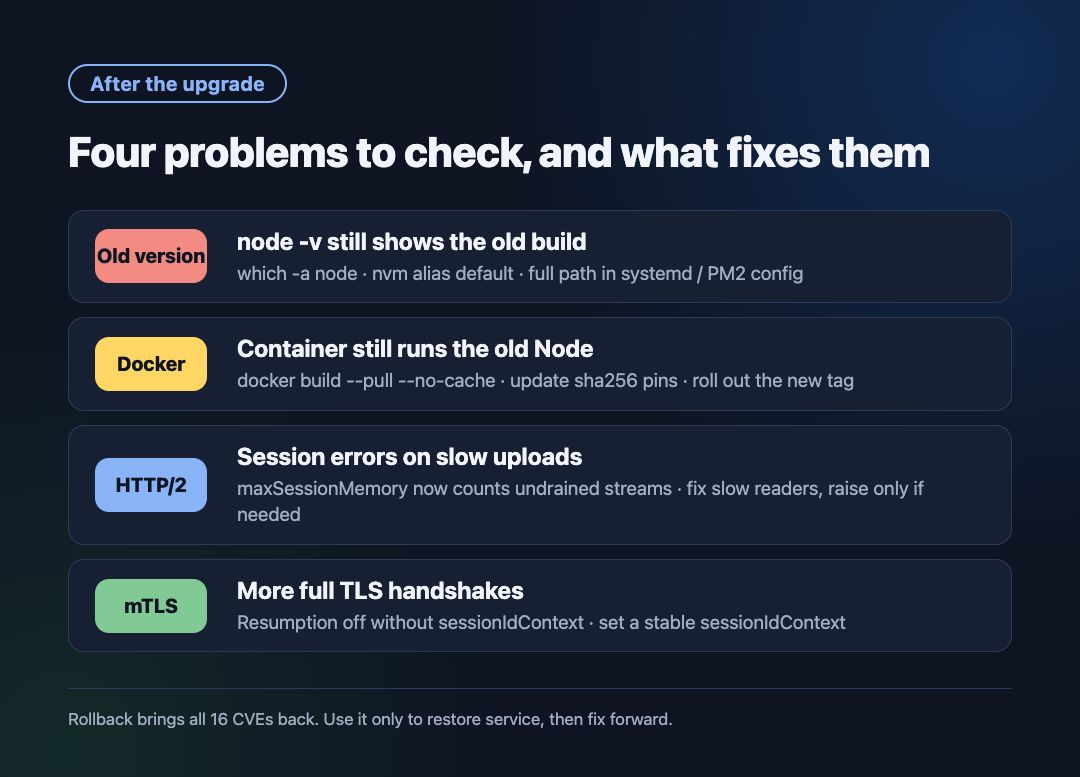
1. node -v still shows the old version. Two installs are fighting over PATH. Run which -a node (or Get-Command node -All on Windows). With nvm, the shell still uses the old default until you run nvm alias default <VERSION> and open a new terminal. For services, check the full path in the systemd unit or PM2 ecosystem file; it often points at an old ~/.nvm/versions/node/v24.x.x/bin/node.
2. The container still reports the old version. The build reused a cached base layer, or your Dockerfile pins a digest. Rebuild with docker build --pull --no-cache, and update any FROM node:...@sha256: pin. If you deploy with Kubernetes, make sure the new image tag (not :latest with imagePullPolicy: IfNotPresent) actually rolls out.
3. New HTTP/2 errors under heavy uploads. The fix for CVE-2026-123868 now counts data held by undrained streams against maxSessionMemory. If a server reads request bodies slowly, sessions that used to survive may now be closed with NGHTTP2_ENHANCE_YOUR_CALM. This is my reading of the commit title "charge inbound DATA retained by streams to maxSessionMemory"; I have not seen it reported yet. The setting is a documented http2.createSecureServer() option:
const server = http2.createSecureServer({
  key, cert,
  maxSessionMemory: 20, // MB per session; default is 10
});
Raise it only if you see these errors, and fix slow body consumers first.
4. More full TLS handshakes on mTLS servers. The CVE-2026-123872 fix "disable[s] resumption for mTLS with no session id context". If your server uses requestCert: true without sessionIdContext, clients can no longer resume sessions. Set a stable context string (the tls.createServer() option is documented) to get resumption back:
tls.createServer({ key, cert, ca, requestCert: true, sessionIdContext: '<YOUR_APP_ID>' });How to roll back (short term only)
Rolling back puts all 16 CVEs back. Do it only to restore service, and only for as long as it takes to fix the real problem.
nvm install 24.22.2 && nvm alias default 24.22.2    # version manager
docker build --pull -t <YOUR_IMAGE>:<TAG> .          # Docker, after pinning the previous tag in FROM
Write down which error made you roll back. If it looks like a regression, search the nodejs/node issue tracker for the version number before you open a new issue.
FAQ
Is the Node.js 26.13.1 security update being exploited? The advisory does not say any of the 16 CVEs are exploited in the wild. Several High issues need no special client, though, so assume scanners will look for them soon.
I only use Node.js for build tools. Do I still need to update? Yes, but it is less urgent. CLI and CI use touches the client-side bugs (CVE-2026-123877 in https.Agent, CVE-2026-123871 proxy credential leak in error messages). Upgrade on your next image or runner rebuild this week.
Does this release change npm? No npm update is listed in the three release notes. The bundled npm stays the same as in the previous build of each line (11.20.0 on Node 26).
Why is Node.js 20 not patched? Node.js 20 reached end of life in April 2026. The project does not ship security fixes for end-of-life lines, and the advisory says they are "always affected". Move to 24.22.3 or 26.13.1.
Are Bun and Deno affected? This advisory covers the Node.js runtime only. Bun and Deno implement node:http2 and node:tls with their own code, so check their own release notes.
References
- Node.js: Wednesday, November 11, 2026 Security Releases (checked Nov 12, 2026)
- Node.js v26.13.1 release notes (checked Nov 12, 2026)
- Node.js v24.22.3 release notes (checked Nov 12, 2026)
- Node.js v22.23.5 release notes (checked Nov 12, 2026)
- Node.js release index (dist/index.json) (checked Nov 12, 2026)
- Node.js security policy (checked Nov 12, 2026)
- Node.js documentation: http2 maxSessionMemory option (checked Nov 12, 2026)
- Docker Hub: official node image tags (checked Nov 12, 2026)
- nodejs/docker-node PR #2692: v22.23.5, v24.22.3, v26.13.1 (checked Nov 12, 2026)
Still on Node.js 22? It is the oldest line that gets fixes, so use this patch window to plan your move to 24 or 26 with the same check-and-pin steps above.