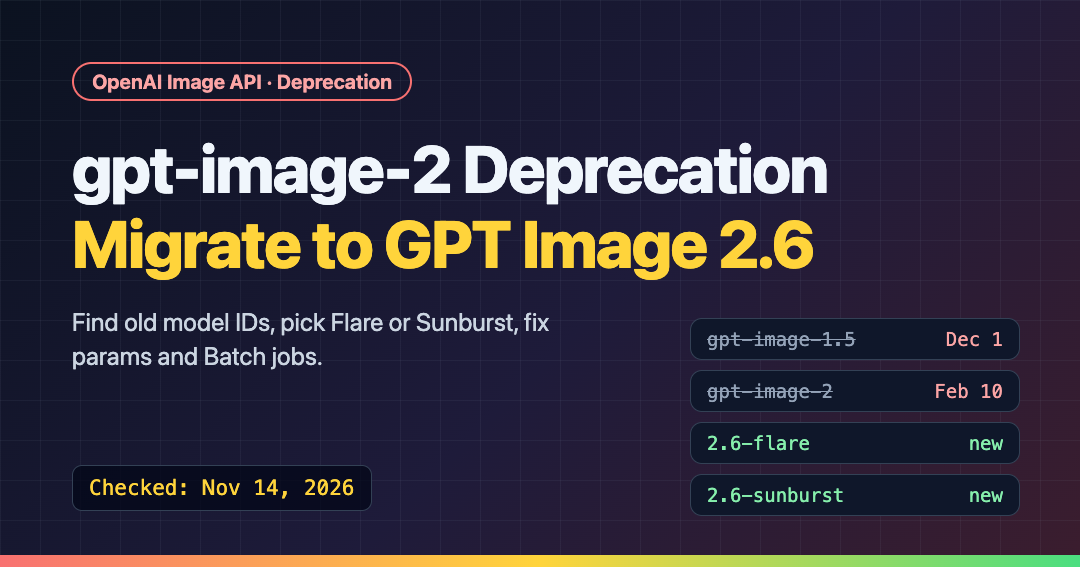
The gpt-image-2 deprecation is official: on November 10, 2026 OpenAI marked gpt-image-2 and its snapshot gpt-image-2-2026-04-21 as deprecated, with shutdown on February 10, 2027. Older image models go first: gpt-image-1.5, gpt-image-1-mini and chatgpt-image-latest stop accepting API requests on December 1, 2026. The replacement for all of them is gpt-image-2.6-flare (fast) or gpt-image-2.6-sunburst (detailed edits). In most apps the migration is a model-name change plus a few parameter fixes, but Batch jobs need a redesign.
Written November 14, 2026. Facts checked on November 14, 2026 (KST) against OpenAI's deprecations page, the image generation guide and the model pages for GPT Image 2.6 Flare, Sunburst, gpt-image-2 and gpt-image-1.5. The commands and code below are my own examples, not OpenAI templates. I have not measured image quality or latency differences myself.
gpt-image-2 deprecation dates and replacements
OpenAI's deprecations page lists these image models as deprecated. "Shutdown" means the model no longer accepts requests through the standard API.
| Model ID | Notice | Shutdown | Replacement |
|---|---|---|---|
gpt-image-1.5, gpt-image-1.5-2025-12-16 | Jun 2, 2026 | Dec 1, 2026 | 2.6 Flare or Sunburst |
gpt-image-1-mini | Jun 2, 2026 | Dec 1, 2026 | 2.6 Flare or Sunburst |
chatgpt-image-latest | Jun 2, 2026 | Dec 1, 2026 | 2.6 Flare or Sunburst |
gpt-image-2, gpt-image-2-2026-04-21 | Nov 10, 2026 | Feb 10, 2027 | 2.6 Flare or Sunburst |
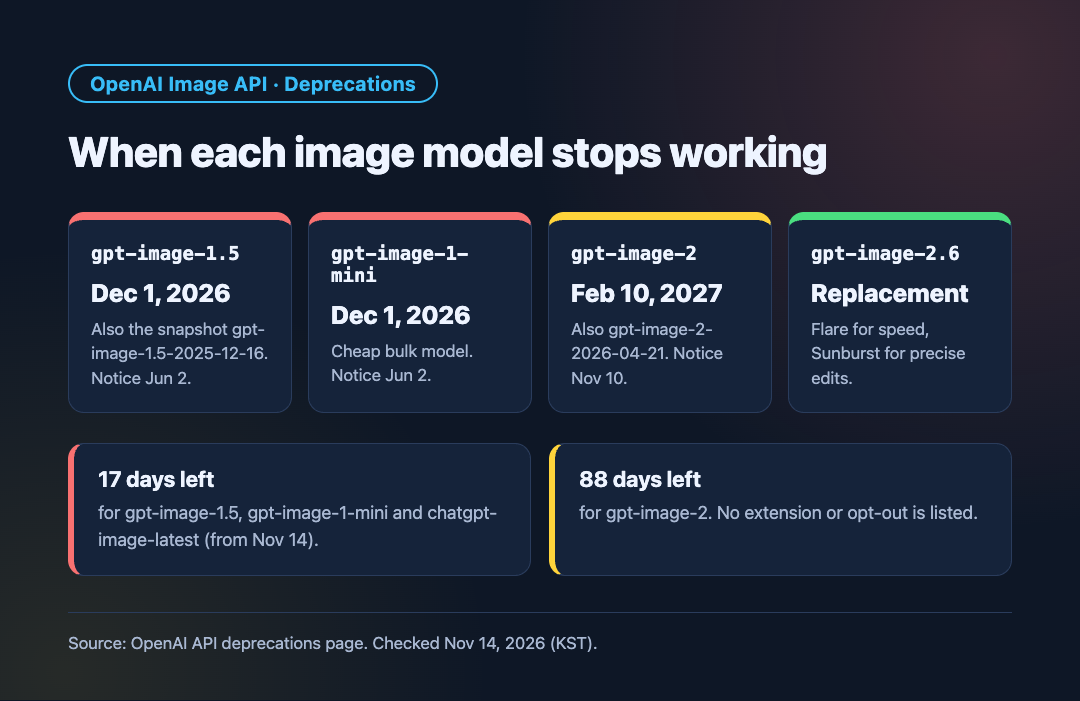
As of today that is 17 days until the December 1 cutoff and 88 days until gpt-image-2 stops. OpenAI's policy gives image generation models at least 3 months of notice, which matches the gpt-image-2 timeline. gpt-image-1 already shut down on October 23, 2026, and dall-e-2 and dall-e-3 on May 12, 2026. The gpt-image-2.5-* models have no shutdown row yet.
This is an API change. It does not tell you anything about which model the ChatGPT app uses.
Check if your code uses a deprecated image model
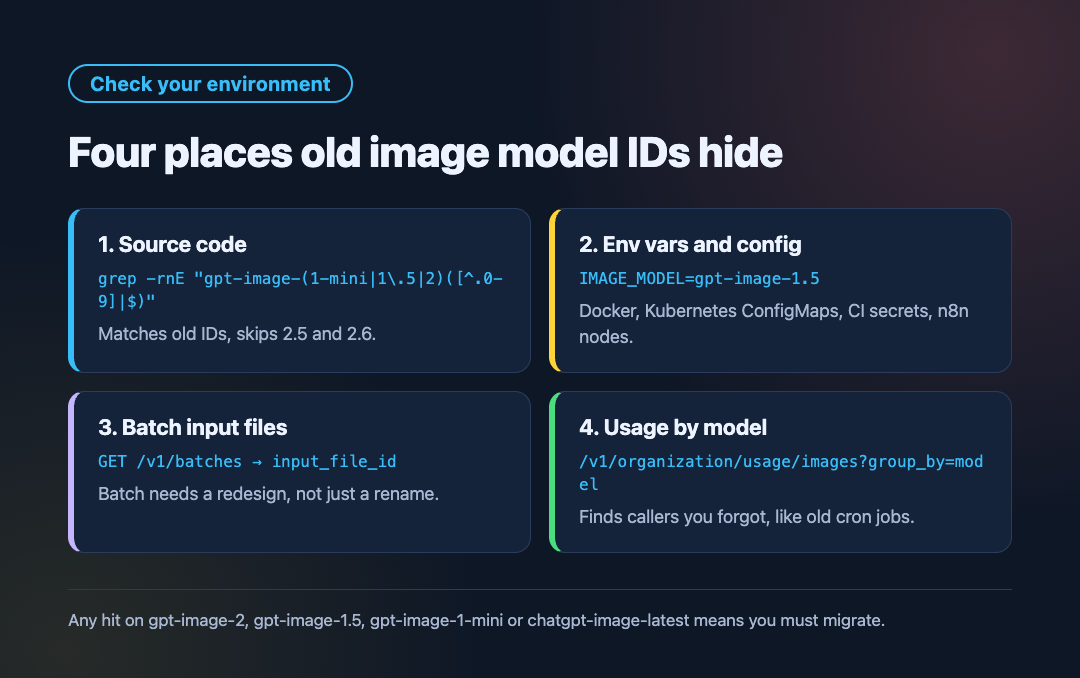
Look in four places: source code, config and environment variables, Batch input files, and your usage data. Any hit on the old IDs means you need to migrate.
1. Search your code and config
On macOS or Linux, from the root of your repo:
grep -rnE "gpt-image-(1-mini|1\.5|2)([^.0-9]|$)|chatgpt-image-latest" . \
  --include="*.py" --include="*.js" --include="*.ts" --include="*.mjs" \
  --include="*.json" --include="*.yaml" --include="*.yml" --include="*.env" \
  --exclude-dir=node_modules --exclude-dir=.git
The pattern matches gpt-image-2, gpt-image-2-2026-04-21, gpt-image-1.5, gpt-image-1-mini and chatgpt-image-latest, but not gpt-image-2.5-* or gpt-image-2.6-*. Example output:
./app/images.py:14:    model="gpt-image-2",
./config/prod.env:3:IMAGE_MODEL=gpt-image-1.5
Both lines are affected. The .env line has the earlier deadline (December 1).
On Windows PowerShell:
Get-ChildItem -Recurse -Include *.py,*.js,*.ts,*.json,*.yml,*.env |
  Where-Object { $_.FullName -notmatch '\\node_modules\\' } |
  Select-String -Pattern 'gpt-image-(1-mini|1\.5|2)([^.0-9]|$)|chatgpt-image-latest'
Also check where the model name lives outside the repo: CI secrets, Kubernetes ConfigMaps, n8n or Make HTTP nodes, and no-code tools that call the Images API with a hard-coded model.
2. Check deployed environment variables
docker exec <CONTAINER_NAME> printenv | grep -i image          # Docker
kubectl get configmap <CONFIGMAP_NAME> -o yaml | grep -i "gpt-image"   # Kubernetes
If you see IMAGE_MODEL=gpt-image-2 or any of the other old IDs, that service is affected even if the code default looks new.
3. Check Batch jobs
gpt-image-2 and gpt-image-1.5 list the Batch API (v1/batch) as supported. Find the Batch input files that request image models:
curl -s "https://api.openai.com/v1/batches?limit=100" \
  -H "Authorization: Bearer <YOUR_API_KEY>" \
  | jq -r '.data[] | select(.endpoint | test("images")) | [.id, .status, .input_file_id] | @tsv'
Download an input file with GET /v1/files/<FILE_ID>/content and look for "model" in each line. Batch is the one place where a name swap is not enough (see below).
4. Check usage by model
In the OpenAI dashboard, open Usage, filter to images, and group by model. With an Admin API key you can do the same from the Usage API:
curl -s "https://api.openai.com/v1/organization/usage/images?start_time=$(date -v-30d +%s)&group_by=model" \
  -H "Authorization: Bearer <YOUR_ADMIN_KEY>" | jq '.data[].results[] | {model, images}'
On Linux, replace date -v-30d +%s with date -d '30 days ago' +%s. Any non-zero count on an old model in the last 30 days means a live caller still exists. Usage data is the best way to catch callers you forgot about, such as a cron job on an old server.
Flare or Sunburst: pick the right GPT Image 2.6 model
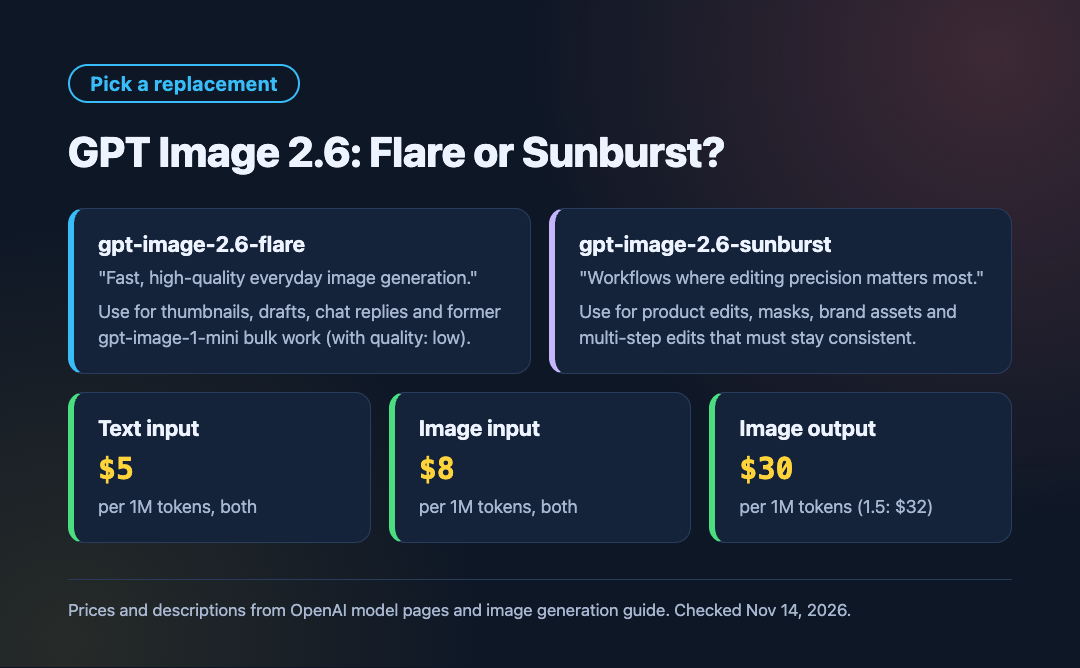
The image generation guide describes Sunburst as the model for "workflows where editing precision matters most" and Flare for "fast, high-quality everyday image generation". Both have the same list price.
| If your old model was used for | Start with | Why |
|---|---|---|
| Thumbnails, drafts, chat replies | gpt-image-2.6-flare | Built for fast iteration |
| Product edits, masks, brand assets | gpt-image-2.6-sunburst | Built for editing precision |
gpt-image-1-mini (cheap bulk) | gpt-image-2.6-flare + quality: low | Closest cost profile |
| Mixed traffic | Both, chosen per request | Same price, same endpoints |
Prices per million tokens, from the model pages:
| Model | Text input | Image input | Image output |
|---|---|---|---|
gpt-image-2.6-flare | $5 | $8 | $30 |
gpt-image-2.6-sunburst | $5 | $8 | $30 |
gpt-image-1.5 (deprecated) | $5 | $8 | $32 |
The gpt-image-2 model page no longer lists token prices. The guide's historical per-image prices for gpt-image-2 were $0.006 (low), $0.053 (medium) and $0.211 (high) for a 1024×1024 image. OpenAI does not publish per-image prices for 2.6, so compare cost with a short test run before you switch high-volume traffic. Cost tracking works the same way as in my GPT-6.1 Terra API migration guide.
How to migrate from gpt-image-2 to GPT Image 2.6
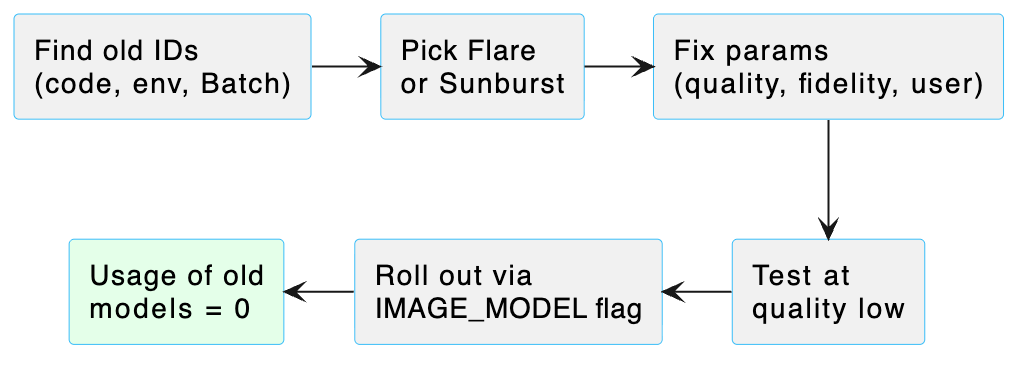
View PlantUML source
@startuml
skinparam shadowing false
skinparam defaultFontSize 14
skinparam rectangleBorderColor #38BDF8
rectangle "Find old IDs\n(code, env, Batch)" as a
rectangle "Pick Flare\nor Sunburst" as b
rectangle "Fix params\n(quality, fidelity, user)" as c
rectangle "Test at\nquality low" as d
rectangle "Roll out via\nIMAGE_MODEL flag" as e
rectangle "Usage of old\nmodels = 0" as f #E4FFE9
a -right-> b
b -right-> c
c -down-> d
d -left-> e
e -left-> f
@enduml
Step 1: Move the model name to config
Do not just replace one string with another. Read the model from an environment variable so you can switch, or switch back, without a deploy:
IMAGE_MODEL=gpt-image-2.6-flare # in .env or your deployment configStep 2: Update the request (curl)
Before:
curl -s https://api.openai.com/v1/images/generations \
  -H "Authorization: Bearer <YOUR_API_KEY>" \
  -H "Content-Type: application/json" \
  -d '{"model":"gpt-image-2","prompt":"Flat icon of a paper plane","size":"1024x1024","quality":"medium"}'
After:
curl -s https://api.openai.com/v1/images/generations \
  -H "Authorization: Bearer <YOUR_API_KEY>" \
  -H "Content-Type: application/json" \
  -d '{"model":"gpt-image-2.6-flare","prompt":"Flat icon of a paper plane","size":"1024x1024","quality":"medium"}' \
  | jq -r '.data[0].b64_json' | base64 --decode > plane.png
Step 3: Python and Node.js
import os, base64
from openai import OpenAI

client = OpenAI()  # reads OPENAI_API_KEY
model = os.environ.get("IMAGE_MODEL", "gpt-image-2.6-flare")

result = client.images.generate(
    model=model,
    prompt="Flat icon of a paper plane on a white background",
    size="1024x1024",
    quality="medium",
)
open("plane.png", "wb").write(base64.b64decode(result.data[0].b64_json))
import OpenAI from "openai";
import fs from "node:fs";
const client = new OpenAI(); // reads OPENAI_API_KEY
const model = process.env.IMAGE_MODEL ?? "gpt-image-2.6-sunburst";
const result = await client.images.edit({
model,
image: fs.createReadStream("product.png"),
prompt: "Replace the background with light gray. Keep the product identical.",
});
fs.writeFileSync("product-gray.png", Buffer.from(result.data[0].b64_json, "base64"));If you call image generation through the Responses API tool, the tool's model field selects the image model. Change it there too:
{ "tools": [{ "type": "image_generation", "model": "gpt-image-2.6-flare" }] }Step 4: Fix the parameters that changed
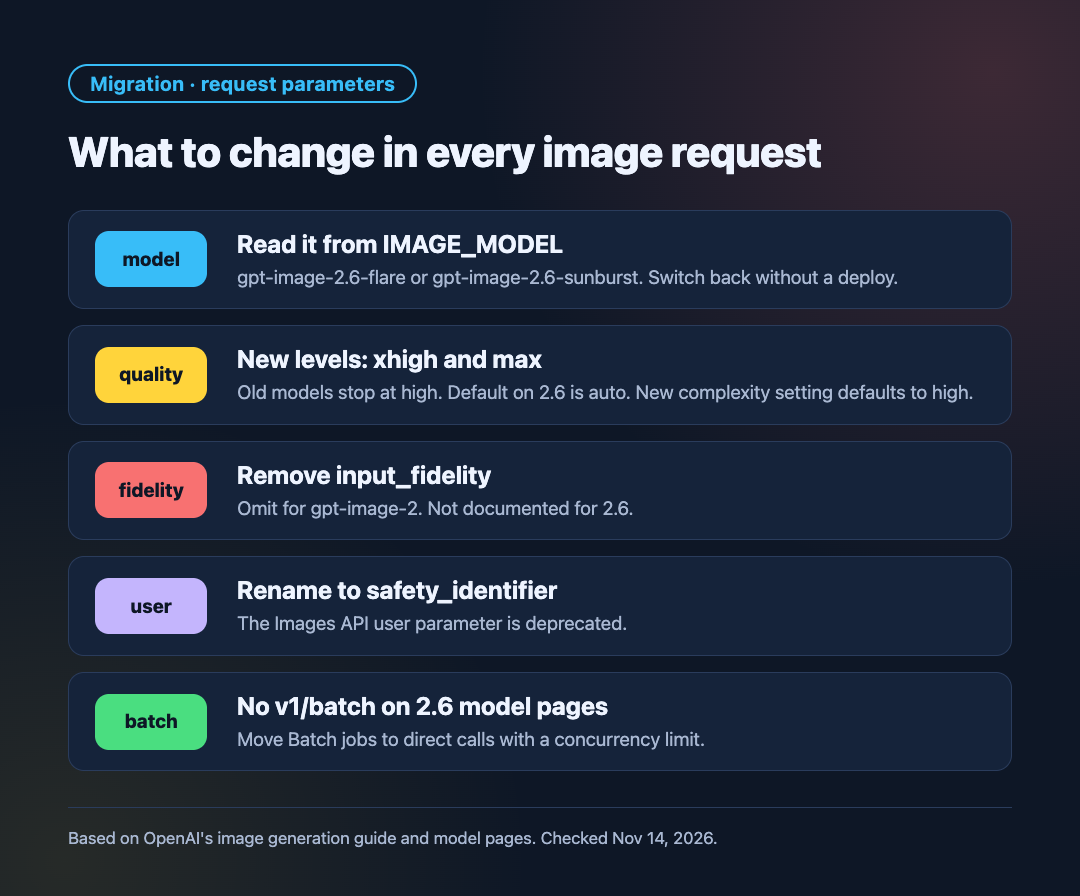
| Parameter | Old models | GPT Image 2.6 | What to do |
|---|---|---|---|
quality | up to high (+ auto) | adds xhigh, max | Keep your value; test new levels separately |
complexity | not available | low/medium/high, default high | Try low for simple images |
input_fidelity | 1.5: settable; 2: omit | not documented | Remove it |
user | deprecated | use safety_identifier | Rename the field |
Size rules for 2.6 are the same shape as gpt-image-2: both edges in multiples of 16, ratio up to 3:1, no edge above 3840 px, and 655,360 to 8,294,400 total pixels. OpenAI recommends 1024x1024, 1536x1024 and 1024x1536, and calls anything above 2560x1440 experimental. Transparent backgrounds still need background: "transparent" with png or webp output.
2.6 also adds SVG and animated GIF output. If you want to try GIFs after the migration, see how to make a GIF in ChatGPT and the Image API.
Step 5: Replace Batch jobs
As of November 14, 2026, the Flare and Sunburst model pages list only v1/images/generations and v1/images/edits as supported. Batch (v1/batch) is marked not supported. If you generate images in nightly Batch runs, plan for direct calls with a concurrency limit and retries:
import asyncio, base64
from openai import AsyncOpenAI

client = AsyncOpenAI()
sem = asyncio.Semaphore(4)  # stay under your images-per-minute limit

async def make(i, prompt):
    async with sem:
        r = await client.images.generate(model="gpt-image-2.6-flare", prompt=prompt, quality="low")
        open(f"out-{i}.png", "wb").write(base64.b64decode(r.data[0].b64_json))

prompts = ["Blue cube icon", "Green cone icon", "Red sphere icon"]
asyncio.run(asyncio.gather(*(make(i, p) for i, p in enumerate(prompts))))
You lose the Batch discount and the 24-hour window, so check your rate limits on the organization limits page before moving a large job. The 2.6 model pages do not publish TPM or IPM numbers.
Step 6: Confirm the switch
- Re-run the search from the checking section above. It should return nothing.
- Run a few real requests at
quality: lowand compare outputs with the old model. - A day after deploy, group usage by model again. Old models should show 0 images.
If you can't migrate before the deadline
OpenAI's deprecations page does not offer an extension or opt-out. There is no official mitigation that keeps gpt-image-1.5 working after December 1, 2026.
What you can do:
- Move
gpt-image-1.5andgpt-image-1-minicallers togpt-image-2as a stopgap. It runs until February 10, 2027 and keeps Batch support. The cost: you migrate twice, and gpt-image-2 processes every image input at high fidelity, which can mean more input tokens on edits. - Put a fallback in code. Catch errors from the old model and retry once with
IMAGE_MODEL_FALLBACK=gpt-image-2.6-flare. The cost: output can look different from what users expect. - Turn the feature off cleanly. If an image feature is low value, hide it before December 1 rather than show broken requests.
gpt-image-2 deprecation troubleshooting and rollback
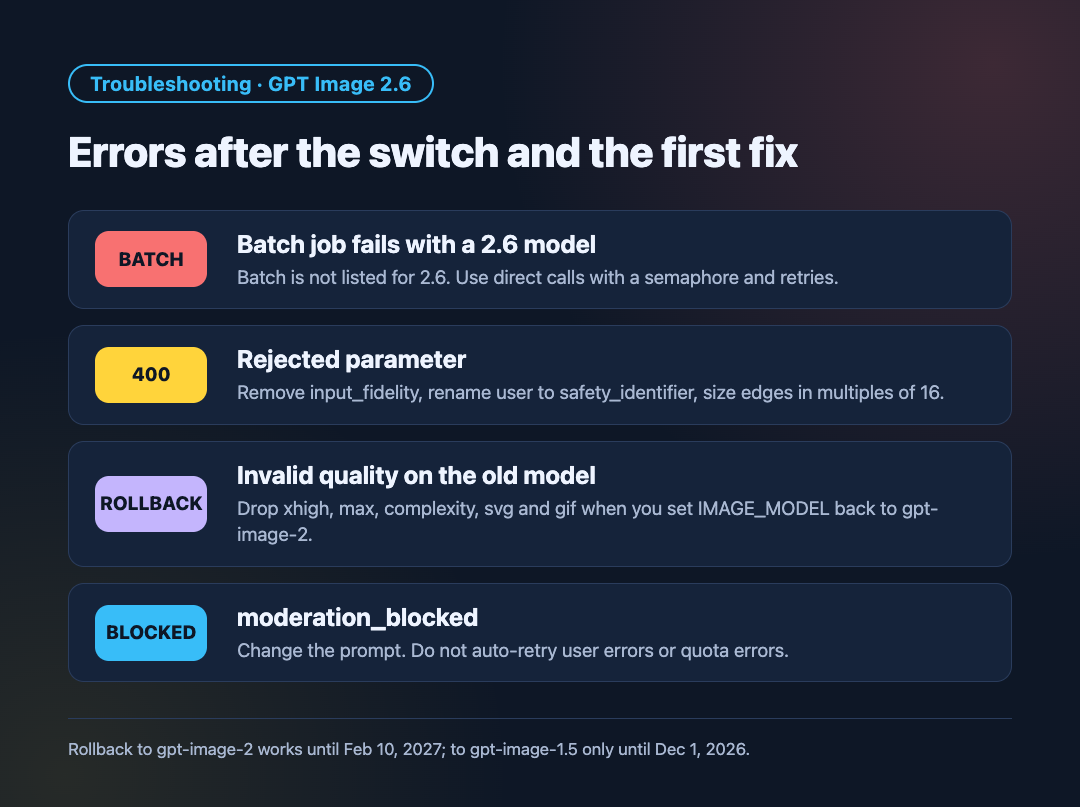
| Error after the switch | Likely cause | Fix |
|---|---|---|
| Batch job fails for 2.6 model | Batch not listed for 2.6 | Use direct calls (Step 5) |
400 naming input_fidelity | Old parameter still sent | Remove it |
400 on quality after rollback | xhigh/max sent to gpt-image-2 | Use high or auto on old models |
400 on size | Edge not a multiple of 16 or ratio over 3:1 | Use a recommended size |
moderation_blocked | Prompt or output blocked | Change the prompt; do not auto-retry |
The guide says not to auto-retry image_generation_user_error without changing the prompt or inputs, to retry rate-limit and server errors with backoff, and not to auto-retry quota errors.
Rollback: if the 2.6 output breaks something, set IMAGE_MODEL back to gpt-image-2 and restart. This works until February 10, 2027. Rolling back to gpt-image-1.5 only works until December 1, 2026. Remove any 2.6-only values (xhigh, max, complexity, svg, gif) from the request when you roll back.
Decision table: what to do this week
| Your setup | Deadline | Action |
|---|---|---|
gpt-image-1.5 or gpt-image-1-mini | Dec 1, 2026 | Migrate now |
chatgpt-image-latest | Dec 1, 2026 | Migrate now |
gpt-image-2 via Batch | Feb 10, 2027 | Plan this week (no Batch on 2.6) |
gpt-image-2 via Images API | Feb 10, 2027 | This month (name swap + tests) |
gpt-image-2.5-* or gpt-image-2.6-* | None listed | No action |
| ChatGPT app only | Not affected | No action |
Other AI providers are retiring models on similar timelines. If you also call Gemini audio models, see the Gemini preview shutdown guide.
FAQ
What happens to gpt-image-2 requests after February 10, 2027? OpenAI defines shutdown as the model no longer accepting requests through the standard API. The page does not name the exact error, so add error handling and do not wait for that date to test it.
Is GPT Image 2.6 more expensive than gpt-image-2? The 2.6 token prices are $5 text input, $8 image input and $30 image output per million tokens. OpenAI no longer lists gpt-image-2 token prices and does not publish per-image prices for 2.6, so measure your own cost with a test batch.
Should I pick gpt-image-2.6-flare or gpt-image-2.6-sunburst? Use Flare for fast, everyday generation and drafts. Use Sunburst when edit precision and consistency matter. Both cost the same, so you can route by request type.
Can I keep using Batch for image generation? Not with 2.6 as of November 14, 2026: its model pages list Batch as not supported. gpt-image-2 still supports Batch until February 10, 2027.
Does this affect DALL-E? No. dall-e-2 and dall-e-3 already shut down on May 12, 2026.
Sources
- Deprecations (OpenAI API docs, checked Nov 14, 2026)
- Image generation guide (OpenAI API docs, checked Nov 14, 2026)
- GPT-Image-2.6 Flare model page (OpenAI, checked Nov 14, 2026)
- GPT-Image-2.6 Sunburst model page (OpenAI, checked Nov 14, 2026)
- gpt-image-2 model page (OpenAI, checked Nov 14, 2026)
- gpt-image-1.5 model page (OpenAI, checked Nov 14, 2026)
Dates and endpoint support can change, so recheck the deprecations page before your final cutover. Next, put your text model names behind the same kind of config flag, so the next deprecation notice is a one-line change.