You can now make a GIF in ChatGPT: since the Images 2.6 update on November 4, 2026, you type a prompt (or attach a still image), ask for a looping animated GIF, then adjust the speed or fix single frames before you download it. Developers get the same thing in the Image API by setting output_format to "gif" with 2 to 16 frames. GIF creation is still rolling out, so some accounts do not see it yet.
Written November 9, 2026. Facts checked on November 9, 2026 (KST) against OpenAI's Images 2.6 announcement in the OpenAI Developer Community, the OpenAI image generation guide and the GPT Image 2.6 Flare model page, plus news coverage for the ChatGPT app details. I have not tested GIF creation on every ChatGPT plan, and the prompts and scripts below are my own examples, not OpenAI templates.
What Images 2.6 added to ChatGPT
OpenAI's announcement says you can "turn a prompt or image into an animated GIF", change its speed, edit individual frames and set it to loop. The same release added three other changes.
| Feature | Where | What it does |
|---|---|---|
| Animated GIFs | ChatGPT, API | Prompt or still image to looping GIF |
| Reference images | ChatGPT | Save a person, pet or character and reuse it |
| SVG output | ChatGPT, API | Vector icons with editable paths |
| Flare and Sunburst | API | Faster model and higher-quality model |
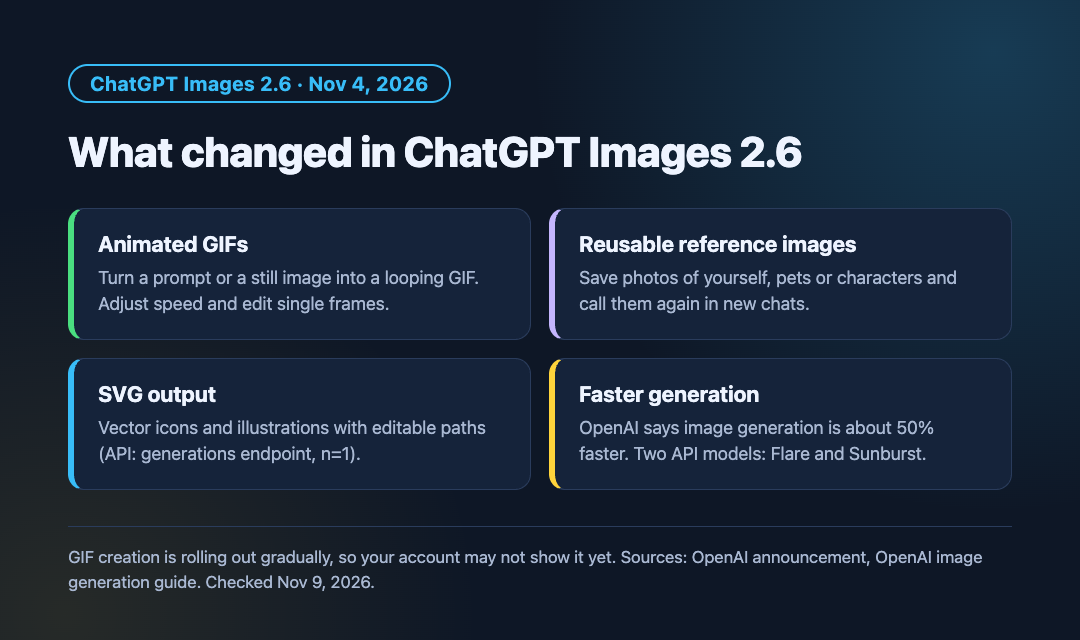
OpenAI says image generation is about 50% faster than before. Notebookcheck reports that the update is available on subscription plans across desktop, mobile and web, but that OpenAI's help article still described GIF creation as rolling out as of November 7. OpenAI has not published GIF limits per plan.
If you use other OpenAI media features, the same pattern applies to voice: see OpenAI prompt-to-voice: create a custom voice from text.
How to make a GIF in ChatGPT, step by step
You do not need a special mode. You ask for an animated GIF in a normal chat.
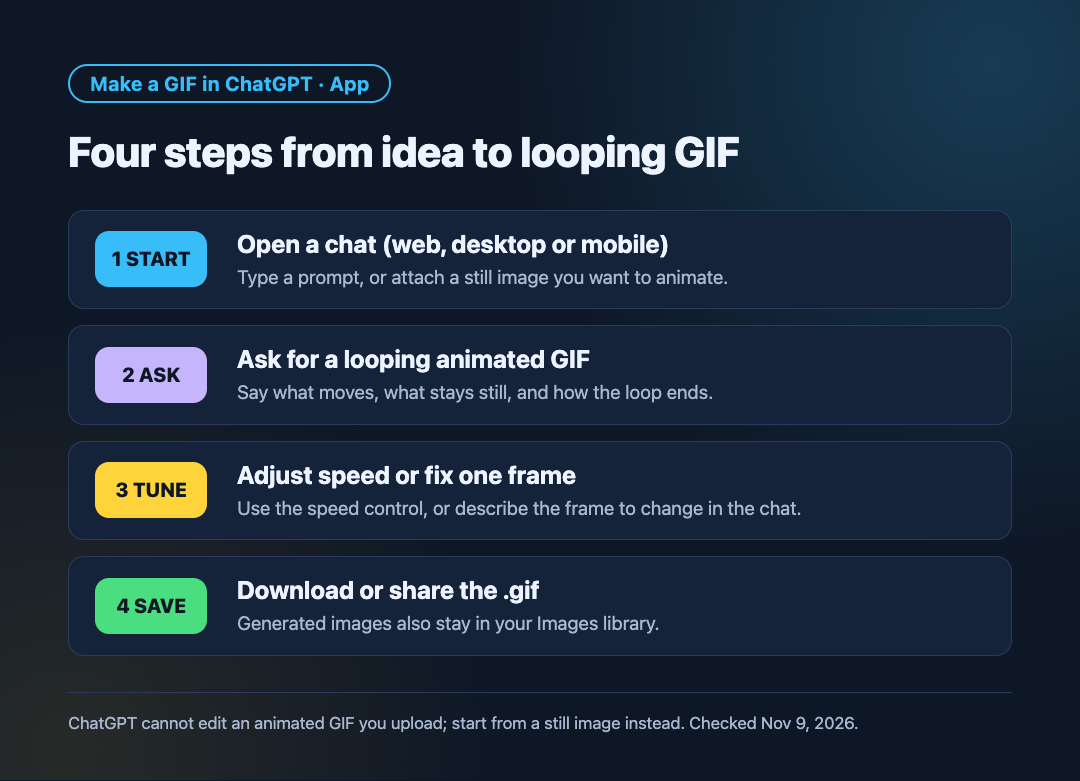
- Open a new chat on chatgpt.com, the desktop app or the mobile app.
- Give it a starting point. Either describe the scene, or attach a still image (PNG or JPG) you want to animate.
- Ask for a looping animated GIF. Say what moves and what stays still.
- Review the result. Use the speed control, or describe the frame you want changed, for example "make frame 5 match frame 1".
- Download or share the
.giffile.
Two limits to know before you start:
- ChatGPT cannot edit an animated GIF you upload. News reports on the launch say it only creates new GIFs. To change an existing GIF, export one frame as a PNG and animate that.
- Generated images are saved in your Images library. Notebookcheck reports they are removed only when you delete the chat that created them.
A first prompt you can copy
Create a looping animated GIF of a flat-style coffee mug on a wooden table.
Only the steam moves: it rises and curls slowly.
The mug, table and lighting stay exactly the same in every frame.
The last frame should match the first so the loop is seamless.
Calm, slow pace. Square format.
Animate a photo with a saved reference image
Images 2.6 also lets you save reference images. According to Notebookcheck's summary of OpenAI's help article, you upload a photo, give it a name, and call it later with an @ mention, so you do not have to upload it again.
Make a short looping GIF of @Pepper wagging her tail on a beach at sunset.
Keep her face and fur color the same in every frame.
Only save photos of other people with their consent. Uploads are part of your chats, and whether they can be used for model training follows your Data Controls setting.
Write a GIF prompt that loops cleanly
Most bad GIFs come from too much motion. One subject doing one thing loops better than a whole scene moving at once.
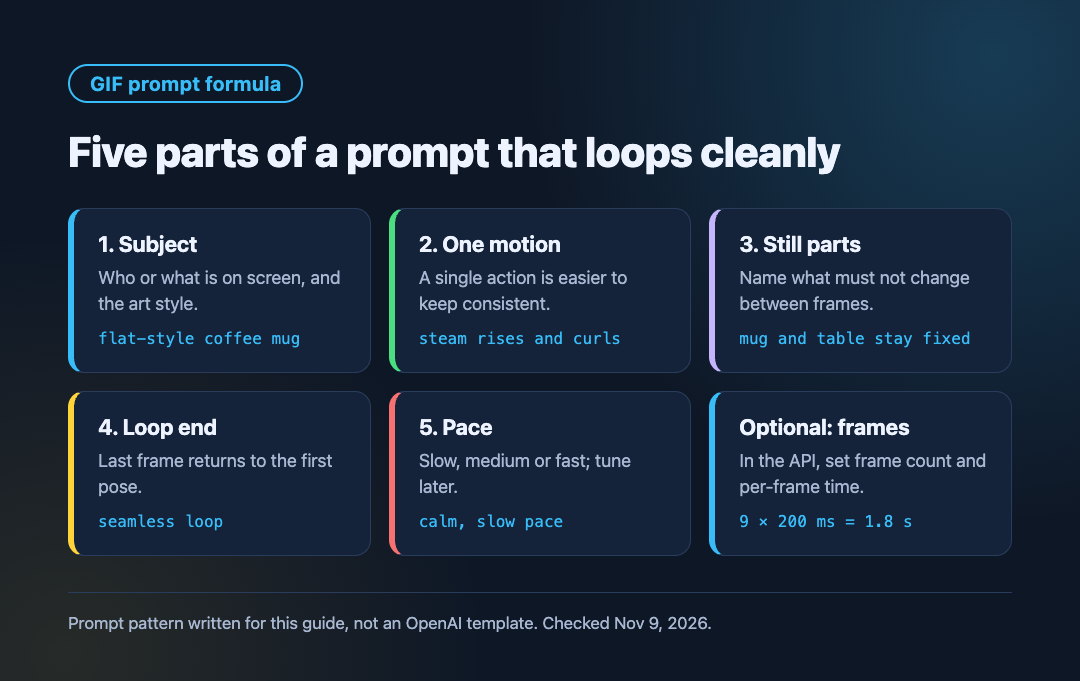
| Part | Why it helps | Example |
|---|---|---|
| Subject and style | Fixes the look | "flat-style coffee mug" |
| One motion | Fewer changes per frame | "steam rises and curls" |
| Still parts | Stops drift | "mug and table stay fixed" |
| Loop end | No jump at restart | "last frame matches the first" |
Then set the pace with words like "slow" or "fast" and fine-tune with the speed control. If a face or product changes between frames, Images 2.6 is supposed to keep clothing, faces and product details more consistent during edits, but naming the fixed parts in the prompt still helps.
Make a GIF with the OpenAI Image API
If you need GIFs in an app or a batch job, use the Image API instead of the ChatGPT UI. The image generation guide documents GIF output for the GPT Image 2.6 models (gpt-image-2.6-flare for fast drafts, gpt-image-2.6-sunburst for higher quality).
| Parameter | Allowed values | Default |
|---|---|---|
output_format | "gif" | png |
frame_count | 2 to 16 | 9 |
frame_duration_ms | 20 to 2000 (rounded to 10) | 200 |
size | auto or WxH, multiples of 16 | auto |
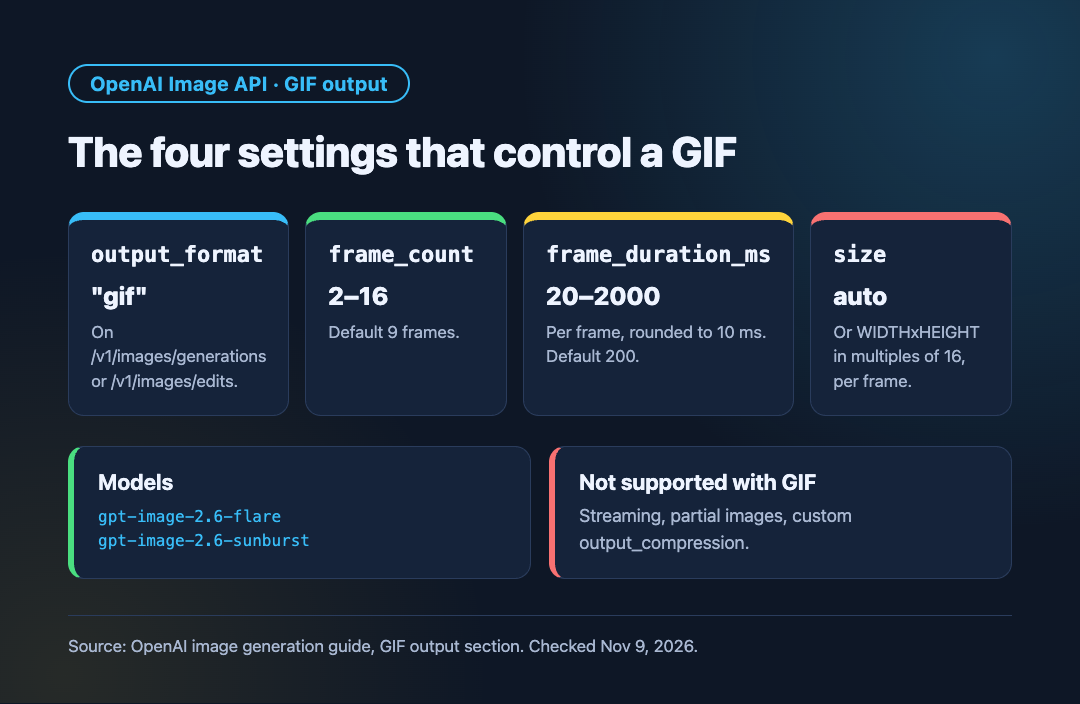
The loop length is frame_count × frame_duration_ms. The defaults give 9 × 200 ms = 1.8 seconds. Streaming, partial images and custom output_compression are not supported with GIF output.
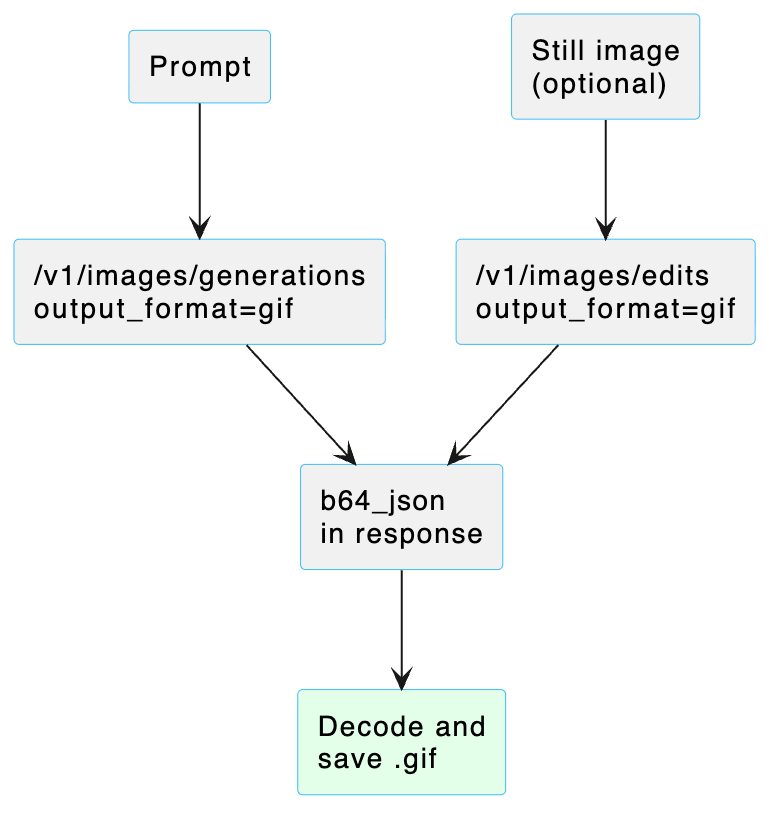
View PlantUML source
@startuml
skinparam shadowing false
skinparam defaultFontSize 14
skinparam rectangleBorderColor #38BDF8
rectangle "Prompt" as p
rectangle "Still image\n(optional)" as s
rectangle "/v1/images/generations\noutput_format=gif" as g
rectangle "/v1/images/edits\noutput_format=gif" as e
rectangle "b64_json\nin response" as r
rectangle "Decode and\nsave .gif" as f #E4FFE9
p -down-> g
s -down-> e
g -down-> r
e -down-> r
r -down-> f
@enduml
Generate a GIF from a prompt (curl)
export OPENAI_API_KEY="<YOUR_API_KEY>"

curl -s https://api.openai.com/v1/images/generations \
  -H "Authorization: Bearer $OPENAI_API_KEY" \
  -H "Content-Type: application/json" \
  -d '{
    "model": "gpt-image-2.6-flare",
    "prompt": "Looping animation of a paper plane circling a desk lamp. Only the plane moves. Last frame matches the first.",
    "output_format": "gif",
    "frame_count": 9,
    "frame_duration_ms": 200,
    "quality": "low"
  }' | jq -r '.data[0].b64_json' | base64 --decode > plane.gif
On older Linux base64 builds, use base64 -d. Start with "quality": "low" while you tune the prompt, then switch to gpt-image-2.6-sunburst or a higher quality for the final file.
Animate a still image (edits endpoint)
The guide says to send still images to the edit endpoint when you want them to guide the animation. The edits endpoint takes multipart form data.
curl -s https://api.openai.com/v1/images/edits \
  -H "Authorization: Bearer $OPENAI_API_KEY" \
  -F model="gpt-image-2.6-sunburst" \
  -F image=@logo.png \
  -F prompt="Make the logo gently pulse and return to its original size. Keep colors identical. Seamless loop." \
  -F output_format="gif" \
  -F frame_count=12 \
  -F frame_duration_ms=100 \
  | jq -r '.data[0].b64_json' | base64 --decode > logo.gif
Python example
The new GIF parameters may not be in your SDK's type hints yet, so this example passes them through extra_body.
import base64
from openai import OpenAI

client = OpenAI()  # reads OPENAI_API_KEY

result = client.images.generate(
    model="gpt-image-2.6-flare",
    prompt="Looping GIF of a loading spinner made of three dots. Seamless loop.",
    extra_body={
        "output_format": "gif",
        "frame_count": 8,
        "frame_duration_ms": 120,
    },
)

with open("spinner.gif", "wb") as f:
    f.write(base64.b64decode(result.data[0].b64_json))
What a GIF costs in the API
The Flare model page lists image output at $30 per million tokens, image input at $8 and text input at $5 per million tokens. OpenAI does not publish a fixed price per GIF, and more frames and larger sizes mean more output, so run a few low-quality tests and check your usage page before a batch job. For a broader look at managing OpenAI API costs, see GPT-6.1 Terra API: migrate and cut costs.
ChatGPT GIF not working? Fixes to try
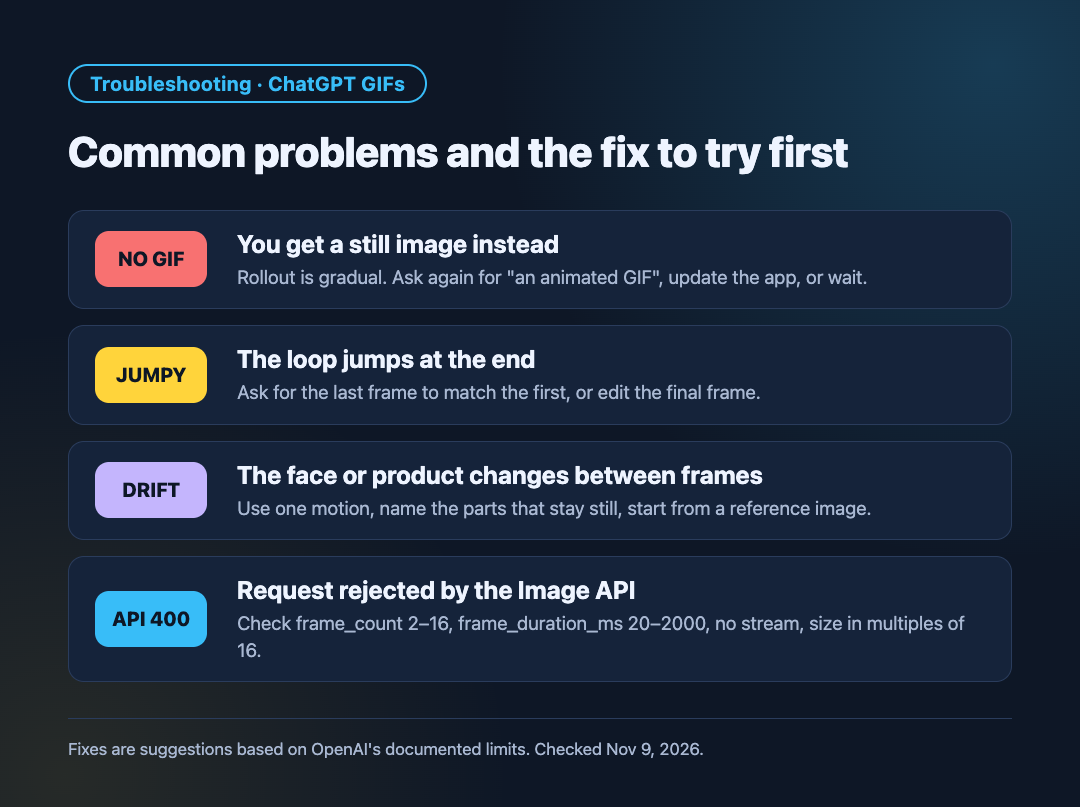
| Problem | Likely cause | Try this |
|---|---|---|
| You get a still image | GIF not rolled out to you yet | Ask for "an animated GIF", update the app, try later |
| Loop jumps at the end | Last frame differs from first | Ask for a matching last frame, or edit that frame |
| Face or product drifts | Too many moving parts | One motion, name fixed parts, use a reference |
| API returns 400 | Value out of range | frame_count 2–16, frame_duration_ms 20–2000, no stream |
| GIF too large | Many frames at full size | Fewer frames, or a smaller size in multiples of 16 |
If the API says the request is too big, the guide says frame count, frame size and n must fit the model's pixel budget together, so lower one of them. If you build tools on top of ChatGPT outputs, the same workflow ideas apply to decks too: ChatGPT Slides: create, share and export a deck.
FAQ
Is GIF creation in ChatGPT free? OpenAI has not published GIF limits per plan. Reports say Images 2.6 is on subscription plans across web, desktop and mobile, with GIF creation rolling out gradually, so check your own account.
Can ChatGPT edit a GIF I upload? No. According to launch coverage, ChatGPT cannot edit an uploaded animated GIF. Export a single frame as PNG and ask ChatGPT to animate it instead.
How many frames can a ChatGPT GIF have? In the API, frame_count is 2 to 16, default 9. OpenAI has not published a frame limit for the ChatGPT app.
Can I make a GIF with a transparent background? The guide lists transparent backgrounds for PNG and WebP output only. It does not mention transparency for GIF, so plan for a solid background.
Which model should I use in the API? Use gpt-image-2.6-flare and low quality while you test prompts. Switch to gpt-image-2.6-sunburst when you need better quality and consistency across edits.
Sources
- OpenAI image generation guide — Animated GIF output and SVG output (OpenAI, checked Nov 9, 2026)
- GPT Image 2.6 Flare model page and pricing (OpenAI, checked Nov 9, 2026)
- Images, upgraded — introducing ChatGPT Images 2.6 (OpenAI Developer Community announcement, Nov 4, 2026, checked Nov 9, 2026)
- Introducing ChatGPT Images 2.6 (OpenAI, Nov 4, 2026)
- ChatGPT can now make GIFs and save your photos for later chats (Notebookcheck, updated Nov 8, 2026, checked Nov 9, 2026)
GIF creation is still rolling out, so the app behavior may change in the coming weeks. Next, read how OpenAI's prompt-to-voice feature works if you want sound to go with your animations.