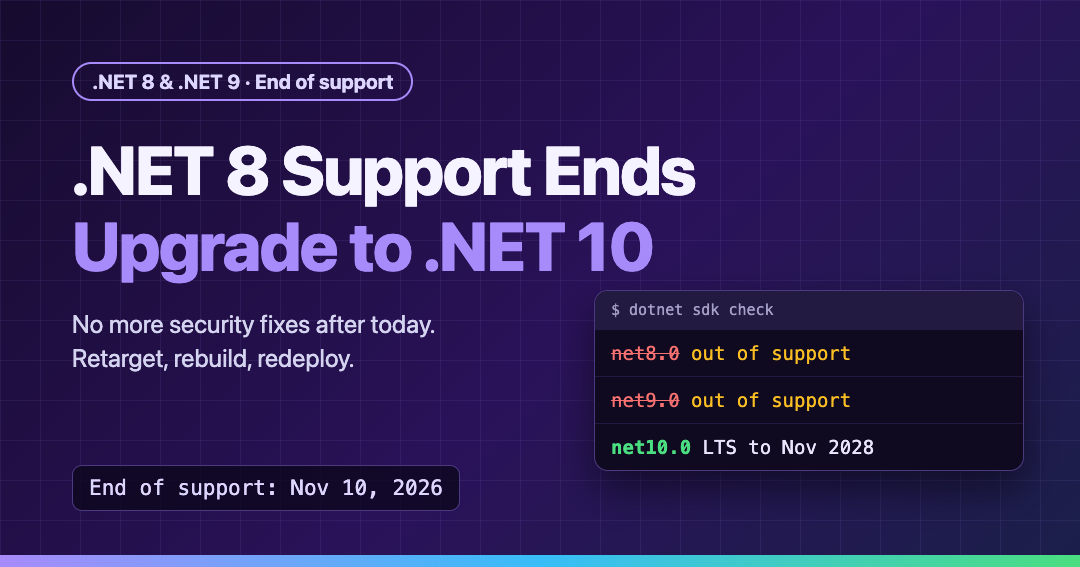
.NET 8 end of support is today, November 10, 2026, and .NET 9 ends support on the same day. Your .NET 8 and .NET 9 apps keep running, but Microsoft stops shipping security fixes for them after today's Patch Tuesday. The fix is to retarget to .NET 10 (LTS, supported until November 14, 2028), update the SDK, container images and CI, then rebuild and redeploy.
Written November 10, 2026, 20:00 KST (11:00 UTC, 03:00 PST). At that time Microsoft's Patch Tuesday release for November had not shipped yet, and .NET 11 had not launched (the .NET Conf launch keynote is set for November 10, 8:00 AM PST). Facts checked on November 10, 2026 against the .NET support policy page, the official .NET release metadata (releases-index.json), the .NET Blog end-of-support post and the .NET 10 breaking changes docs on Microsoft Learn. I have not upgraded a production app for this post. The commands are standard .NET CLI, Docker and GitHub Actions commands from the official docs. Try them on one project first.
What .NET 8 end of support means today
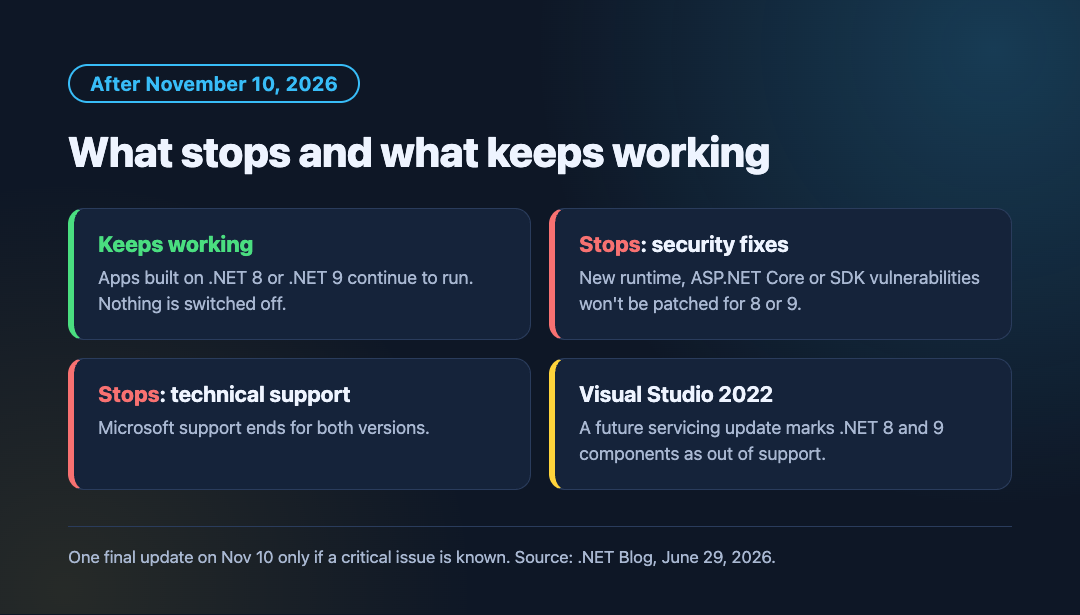
Microsoft announced the date on the .NET Blog on June 29, 2026. The post says three things change after November 10:
- No new security updates for .NET 8 or .NET 9.
- No technical support for either version.
- A future Visual Studio 2022 servicing update will mark the .NET 8 and .NET 9 components as out of support.
What does not change: "Applications built on .NET 8 or .NET 9 will continue to run." Nothing is switched off. The risk is that the next vulnerability in the runtime, ASP.NET Core or the SDK won't get a patch for these versions.
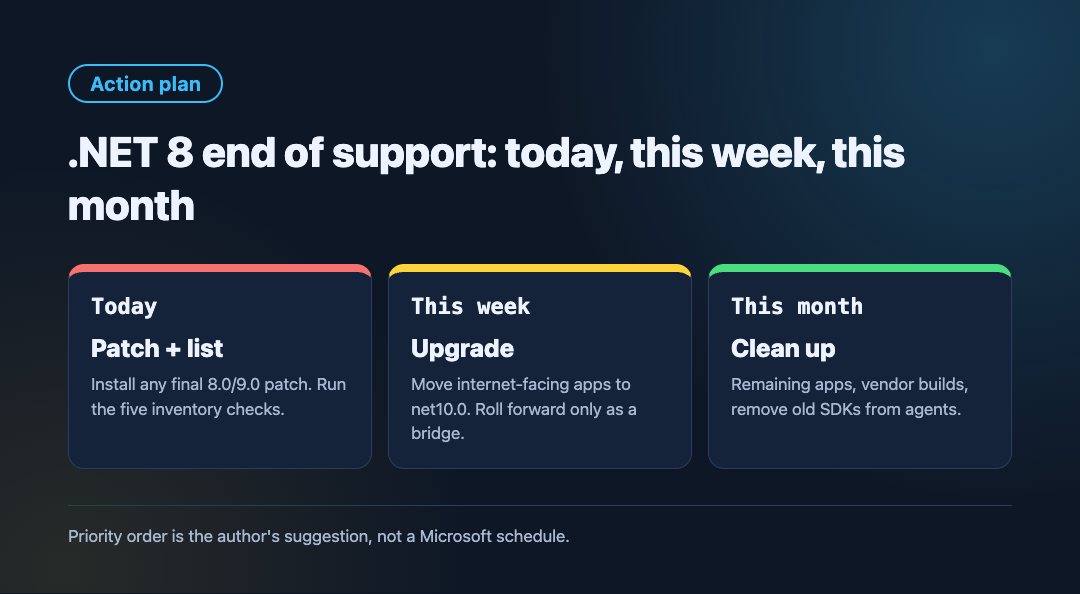
The blog also says each version may get one last update today, but only if there's a known critical issue. So don't count on an 8.0.34. Check the download page after Patch Tuesday (usually US morning) and install it if it appears.
Why .NET 9 ends on the same day
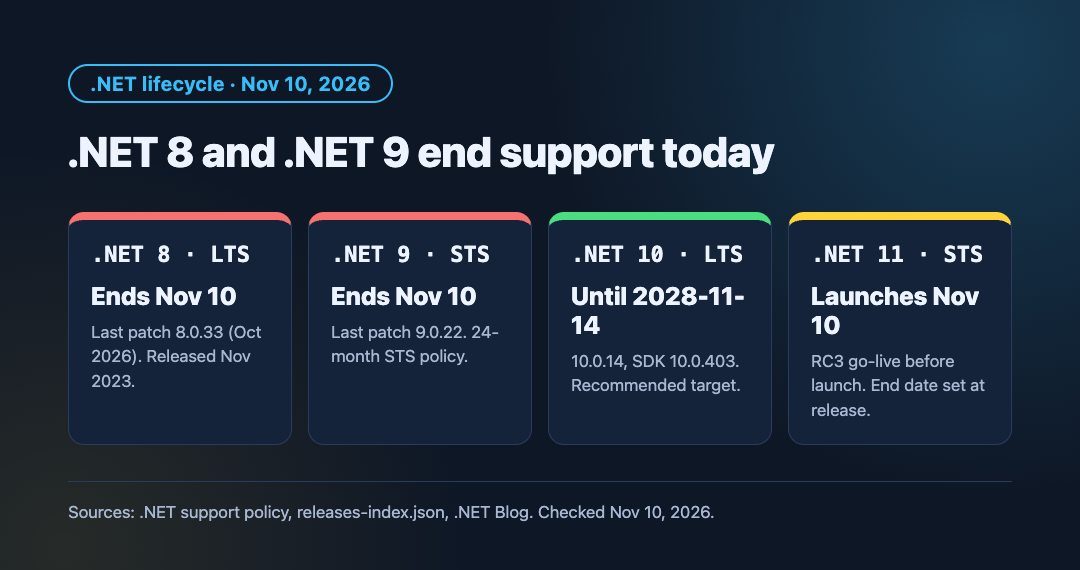
.NET 9 is an STS (Standard Term Support) release. In September 2025 Microsoft extended STS support from 18 to 24 months, starting with .NET 9. That moved its end date from May 12, 2026 to November 10, 2026, the same day as .NET 8 LTS.
| Version | Type | Latest patch (Nov 10) | End of support |
|---|---|---|---|
| .NET 8 | LTS | 8.0.33 / SDK 8.0.427 | Nov 10, 2026 |
| .NET 9 | STS | 9.0.22 / SDK 9.0.320 | Nov 10, 2026 |
| .NET 10 | LTS | 10.0.14 / SDK 10.0.403 | Nov 14, 2028 |
| .NET 11 | STS | 11.0.0-rc.3 (go-live) | Not published yet |
Source: releases-index.json and the .NET support policy, checked Nov 10, 2026. Latest patches are dated October 2026.
.NET 10 or .NET 11?
Pick .NET 10 for production today. It's the LTS release, it's been out for a year (released November 11, 2025), and it has 14 servicing updates behind it. .NET 11 is STS. With the 24-month STS policy it should end around November 2028 too, but Microsoft publishes the exact date at launch, and on launch day it's still a brand-new major version. Move to .NET 10 now. Look at .NET 11 later if you need a specific feature.
Check if you still run .NET 8 or .NET 9
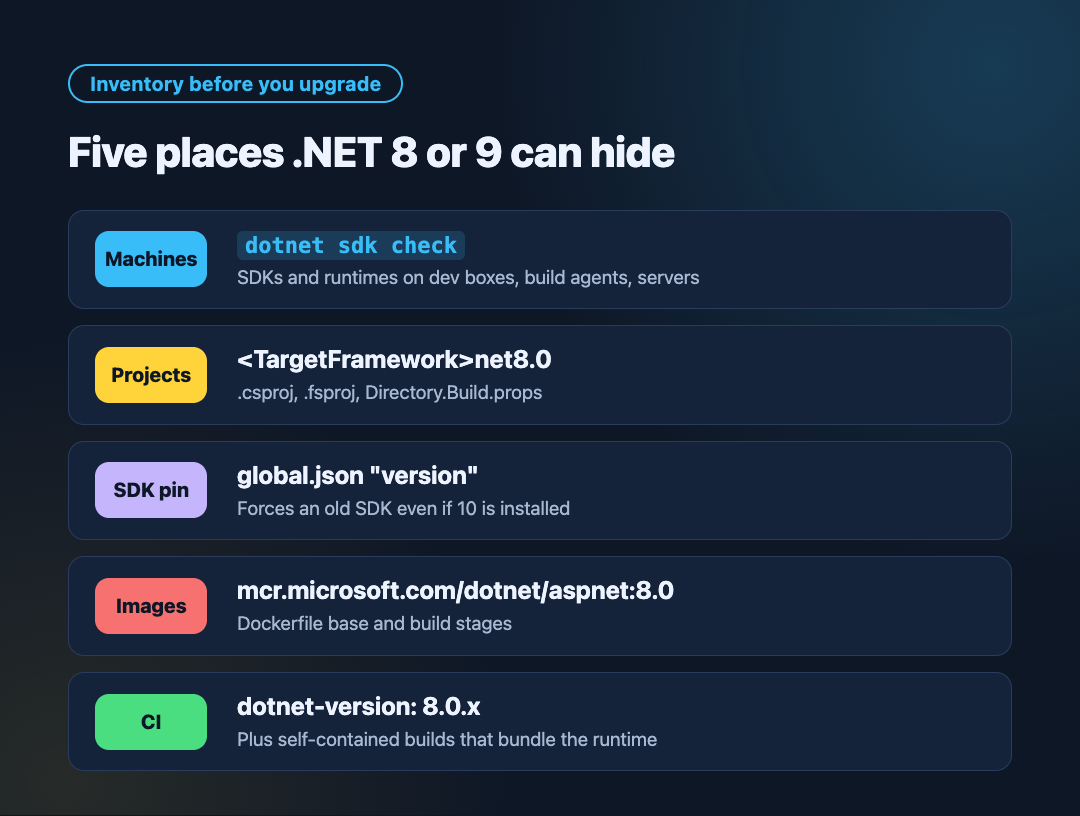
The version can hide in five places. Check all five, because fixing the project file alone won't change the runtime in your container or on the server.
1. Installed SDKs and runtimes (dev machines, build agents, servers):
dotnet --list-sdks
dotnet --list-runtimes
dotnet sdk check
dotnet sdk check (SDK 6 and later) prints a status for each SDK and runtime, including lines like ".NET 8.0 is out of support" once the metadata flips.
2. Project files:
grep -rnE "<TargetFrameworks?>" --include="*.csproj" --include="*.fsproj" --include="*.vbproj" --include="Directory.Build.props" .Look for net8.0, net9.0, and platform variants like net8.0-windows or net9.0-android.
3. SDK pinning:
find . -name global.json -not -path "*/node_modules/*" -exec grep -H '"version"' {} \;4. Container images:
grep -rnE "mcr.microsoft.com/dotnet/(sdk|aspnet|runtime|runtime-deps):(8|9)\.0" .5. CI pipelines:
grep -rnE "dotnet-version|DOTNET_VERSION|UseDotNet" .github/ azure-pipelines*.yml 2>/dev/nullOne more case: self-contained apps (--self-contained or <SelfContained>true</SelfContained>) ship their own copy of the runtime. Installing a new runtime on the server does nothing for them. They need a rebuild.
How to upgrade from .NET 8 to .NET 10
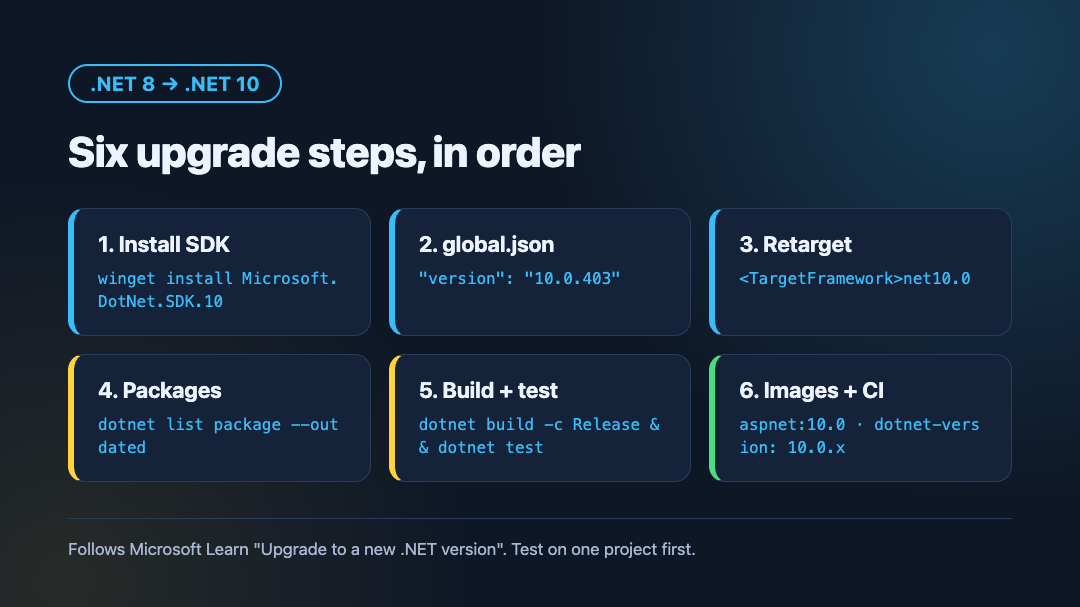
This is the path the official upgrade guide describes, in the order that keeps the build green.

View PlantUML source
@startuml
skinparam shadowing false
skinparam defaultFontSize 14
skinparam rectangleBorderColor #2563EB
skinparam rectangleBackgroundColor #EFF6FF
left to right direction
rectangle "Install\nSDK 10" as A
rectangle "global.json\n10.0.403" as B
rectangle "net10.0\n+ packages" as C
rectangle "Build\n+ test" as D
rectangle "Fix breaking\nchanges" as E
rectangle "Images\n+ CI" as F
rectangle "Staging,\nthen prod" as G
A --> B
B --> C
C --> D
D --> E : fails
E --> D
D --> F : passes
F --> G
@enduml
Step 1: Install the .NET 10 SDK
Windows:
winget install Microsoft.DotNet.SDK.10macOS with Homebrew:
brew install --cask dotnet-sdkLinux or any CI box, with the official install script:
curl -sSL https://dot.net/v1/dotnet-install.sh -o dotnet-install.sh
chmod +x dotnet-install.sh
./dotnet-install.sh --channel 10.0
On Windows servers that host ASP.NET Core in IIS, install the .NET 10 Hosting Bundle from the .NET 10 download page, then restart IIS. Linux package names differ by distro, so follow Microsoft's install docs for Linux.
Step 2: Update global.json
If the repo pins an SDK, point it at 10.0 and let feature bands roll forward:
{
  "sdk": {
    "version": "10.0.403",
    "rollForward": "latestFeature"
  }
}
Step 3: Retarget to net10.0
Change every project, or once in Directory.Build.props:
<PropertyGroup>
  <TargetFramework>net10.0</TargetFramework>
</PropertyGroup>
For multi-targeted libraries, replace net8.0 in <TargetFrameworks> with net10.0. If you publish a library others still consume on .NET 8, you can keep both for now (net8.0;net10.0), but your own apps should run on 10.
Step 4: Update packages
Framework packages such as Microsoft.AspNetCore.*, Microsoft.EntityFrameworkCore.* and Microsoft.Extensions.* should move to their 10.0.x versions together.
dotnet list package --outdated
dotnet list package --vulnerable --include-transitive
Then bump the versions in the .csproj files, or in Directory.Packages.props if you use central package management. EF Core has its own list of EF Core 10 breaking changes. Read it before you run migrations.
Step 5: Build, test, and fix breaking changes
dotnet restore
dotnet build -c Release
dotnet test
Most apps build with few or no changes. The ones that break usually hit one of the items in the troubleshooting table below. The full list is on Breaking changes in .NET 10, and web apps should also read Migrate from ASP.NET Core 9 to 10.
Update Docker images and CI for .NET 10
Dockerfile
FROM mcr.microsoft.com/dotnet/sdk:10.0 AS build
WORKDIR /src
COPY . .
RUN dotnet publish -c Release -o /app

FROM mcr.microsoft.com/dotnet/aspnet:10.0
WORKDIR /app
COPY --from=build /app .
ENTRYPOINT ["dotnet", "MyApp.dll"]
Heads-up: the default 10.0 tags are Ubuntu 24.04 (Noble), not Debian. Microsoft doesn't ship Debian images for .NET 10. Most Dockerfiles work as-is because both use apt-get, but check any apt-get install line for package names that differ between Debian and Ubuntu. If you need a smaller image, Alpine tags like 10.0-alpine are still published.
GitHub Actions
- uses: actions/setup-dotnet@v5
  with:
    dotnet-version: '10.0.x'
If you use global-json-file: global.json instead, step 2 already covers it. Pinned toolchains in CI are the same trap I described in the Go 1.27.4 security release guide: the project says one version, the build agent quietly uses another.
If you can't upgrade today
Not every app can move in one day. Here's what you can do in the meantime, from best to worst:
| Option | What it does | Catch |
|---|---|---|
| Install the last 8.0/9.0 patch | Closes known holes up to today | No fixes after today |
| Roll forward to .NET 10 runtime | Runs net8.0 builds on 10 | Not a tested setup |
| Paid extended support | Third-party patches | Costs money, not Microsoft |
| Isolate the app | Shrinks attack surface | Doesn't fix anything |
Roll forward is an official runtime setting. A framework-dependent app built for net8.0 won't start on a machine that only has .NET 10, because the default roll-forward policy (Minor) doesn't cross major versions. You can allow it:
Per process:
export DOTNET_ROLL_FORWARD=Major
dotnet MyApp.dll
Or in the project, then rebuild:
<PropertyGroup>
  <RollForward>Major</RollForward>
</PropertyGroup>
This gets you onto a patched runtime fast, but your app still compiles against .NET 8 APIs and the .NET 10 runtime behavior changes still apply. Treat it as a bridge for days or weeks, not a fix. Details are in the runtime roll-forward docs.
Vendors such as HeroDevs sell post-EOL security patches for .NET. I haven't evaluated these services. If you buy one, check what it covers (runtime only, or ASP.NET Core and SDK too).
Troubleshooting the .NET 10 upgrade
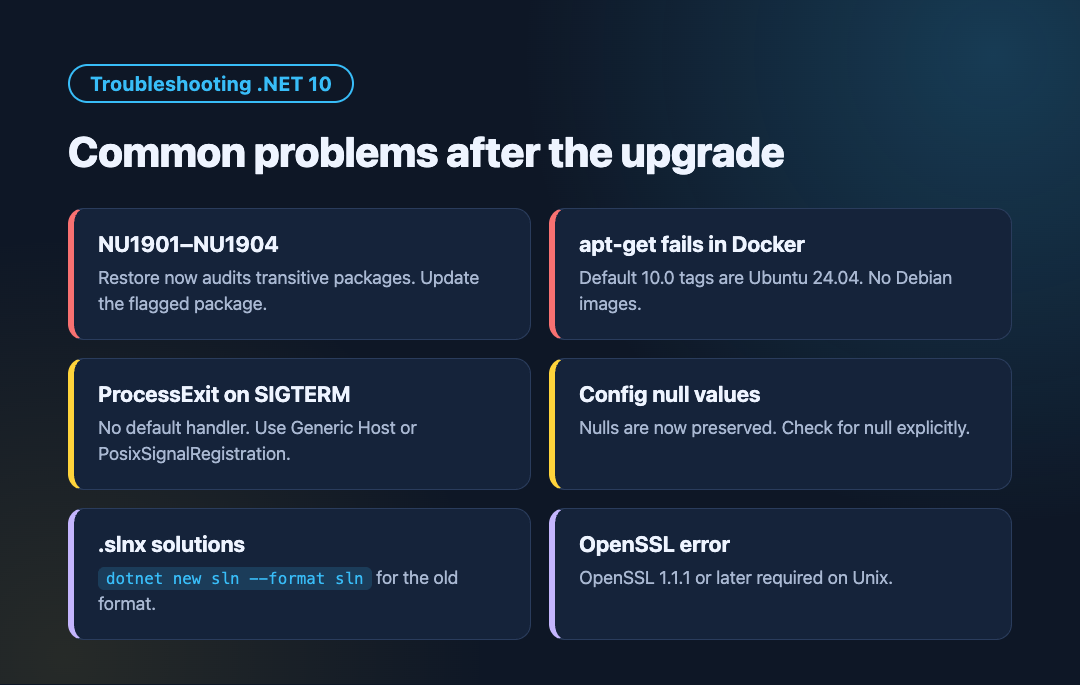
| Symptom | Likely cause | Fix |
|---|---|---|
| New NU1901–NU1904 warnings (errors with warnings-as-errors) | dotnet restore now audits transitive packages | Update the flagged package; NuGetAuditMode = direct restores the old scope |
| NU1510 warning | NuGet prunes direct refs already in the framework | Remove the redundant PackageReference |
apt-get install fails in Docker | Default image is Ubuntu now | Fix package names or use -alpine |
ProcessExit doesn't fire on SIGTERM (plain console apps) | Runtime dropped default SIGTERM handlers | Use Generic Host, or PosixSignalRegistration.Create in Main |
Config value is null instead of missing | Null values preserved in configuration | Check for null explicitly |
dotnet new sln makes .slnx | SLNX is the new default | Use --format sln if tools need it |
| Crypto error on old Linux | OpenSSL 1.1.1+ required | Upgrade the base OS |
If the build breaks and you need to ship a hotfix, revert the TargetFramework and global.json commits, release from the old branch, and keep the upgrade on a separate branch. Don't uninstall the .NET 8 SDK from build agents until every pipeline is on 10.
FAQ
Will my .NET 8 app stop working after November 10, 2026? No. Microsoft says apps built on .NET 8 or .NET 9 continue to run. They just stop receiving security fixes and technical support.
Is there a final .NET 8 patch today? Maybe. The .NET Blog says .NET 8 and .NET 9 may get one last update on November 10 only if there's a known critical issue. Check the .NET 8 download page after Patch Tuesday.
Should I upgrade to .NET 10 or wait for .NET 11? Upgrade to .NET 10. It's LTS, supported until November 14, 2028, and has a year of servicing behind it. .NET 11 is an STS release launching today.
Do I need to change code to move from .NET 8 to .NET 10? Often only the TargetFramework and package versions. Read the .NET 10 and ASP.NET Core 10 breaking-change lists, and run your tests before you deploy.
What about apps from a vendor that run on .NET 8? Ask the vendor for a .NET 10 build, as Microsoft recommends. If the app is framework-dependent, DOTNET_ROLL_FORWARD=Major can be a short-term bridge, but check with the vendor first.
For a similar runtime jump on the JavaScript side, see the Node.js 26 LTS upgrade checklist. If your .NET services run in Docker, it's also a good moment to set up Docker log rotation while you rebuild the images.
References
- .NET 8 and .NET 9 will reach End of Support on November 10, 2026 — .NET Blog (checked Nov 10, 2026)
- .NET and .NET Core Support Policy — Microsoft (checked Nov 10, 2026)
- .NET release metadata: releases-index.json — Microsoft (checked Nov 10, 2026)
- .NET STS releases now supported for 24 months — .NET Blog (checked Nov 10, 2026)
- Breaking changes in .NET 10 — Microsoft Learn (checked Nov 10, 2026)
- Default .NET container tags now use Ubuntu — Microsoft Learn (checked Nov 10, 2026)
- Upgrade to a new .NET version — Microsoft Learn (checked Nov 10, 2026)
- dotnet sdk check — Microsoft Learn (checked Nov 10, 2026)
- Download .NET 10.0 — Microsoft (checked Nov 10, 2026)
- .NET 8 & .NET 9 end of support — HeroDevs, third-party (checked Nov 10, 2026)
2 thoughts on “.NET 8 End of Support Is Today: How to Upgrade to .NET 10”