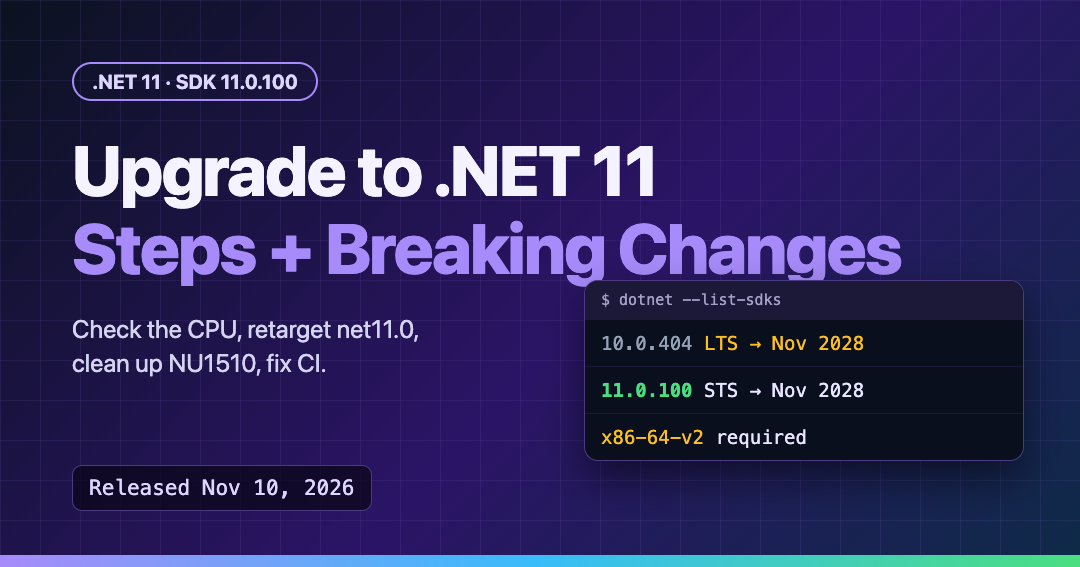
You can upgrade to .NET 11 today: Microsoft shipped it on November 10, 2026 as runtime 11.0.0 with SDK 11.0.100. Install the SDK, change TargetFramework to net11.0, remove the Microsoft.Extensions packages that are now built in, then rebuild and test. Before you start, check two things that can block you: the new x86-64-v2 CPU baseline and the SDK changes that hit CI.
Written November 13, 2026 (KST). Facts checked on November 13, 2026 against the .NET Blog launch post, the .NET support policy page, the .NET 11 download page, the 11.0.0 release notes and the .NET 11 breaking-change pages on Microsoft Learn. I haven't migrated a production app to .NET 11 for this post. The commands come from Microsoft's docs or are standard .NET CLI, Linux and PowerShell commands. Try them on one project first.
What changed in .NET 11
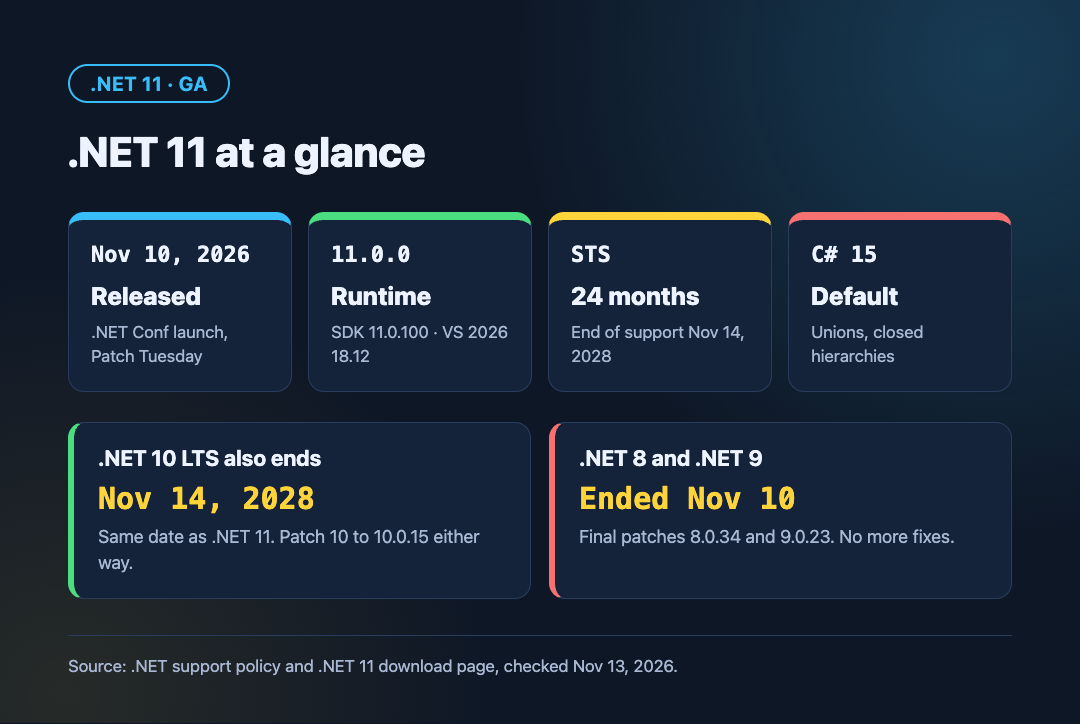
.NET 11 is a Standard Term Support (STS) release. The .NET support policy lists these dates:
| Version | Type | Latest patch (Nov 10, 2026) | End of support |
|---|---|---|---|
| .NET 11 | STS | 11.0.0 (SDK 11.0.100) | Nov 14, 2028 |
| .NET 10 | LTS | 10.0.15 (SDK 10.0.404 / 10.0.115) | Nov 14, 2028 |
| .NET 9 | STS | 9.0.23 (final) | Nov 10, 2026 |
| .NET 8 | LTS | 8.0.34 (final) | Nov 10, 2026 |
The odd part: .NET 10 and .NET 11 both end on November 14, 2028. STS releases now get 24 months, LTS releases get 36, and both dates land on the same Patch Tuesday. You don't get a longer support window by moving to 11, and staying on 10 doesn't shorten yours.
The launch post highlights:
- C# 15 is the default for
net11.0: union types, closed hierarchies, collection expression arguments, extension indexers, and labeledbreak/continue. - Runtime Async is still a preview feature, but you no longer need
EnablePreviewFeatures. You opt in with<Features>runtime-async=on</Features>. - SDK: the NativeAOT CLI host and the MSBuild server are now on by default.
dotnet testgets--timeoutand--maximum-failed-tests. - Libraries: Zstandard in
System.IO.Compression, LINQFullJoin, a biggerProcessAPI, and union support inSystem.Text.Json. - ASP.NET Core 11: OpenAPI 3.2 is now the default document version, plus async validation for Minimal APIs and Blazor forms.
The 11.0.0 release notes also list 22 CVEs. The download pages mark both 11.0.0 and 10.0.15 as security releases. So even if you stay on .NET 10, install 10.0.15 this week.
Should you upgrade to .NET 11 now?
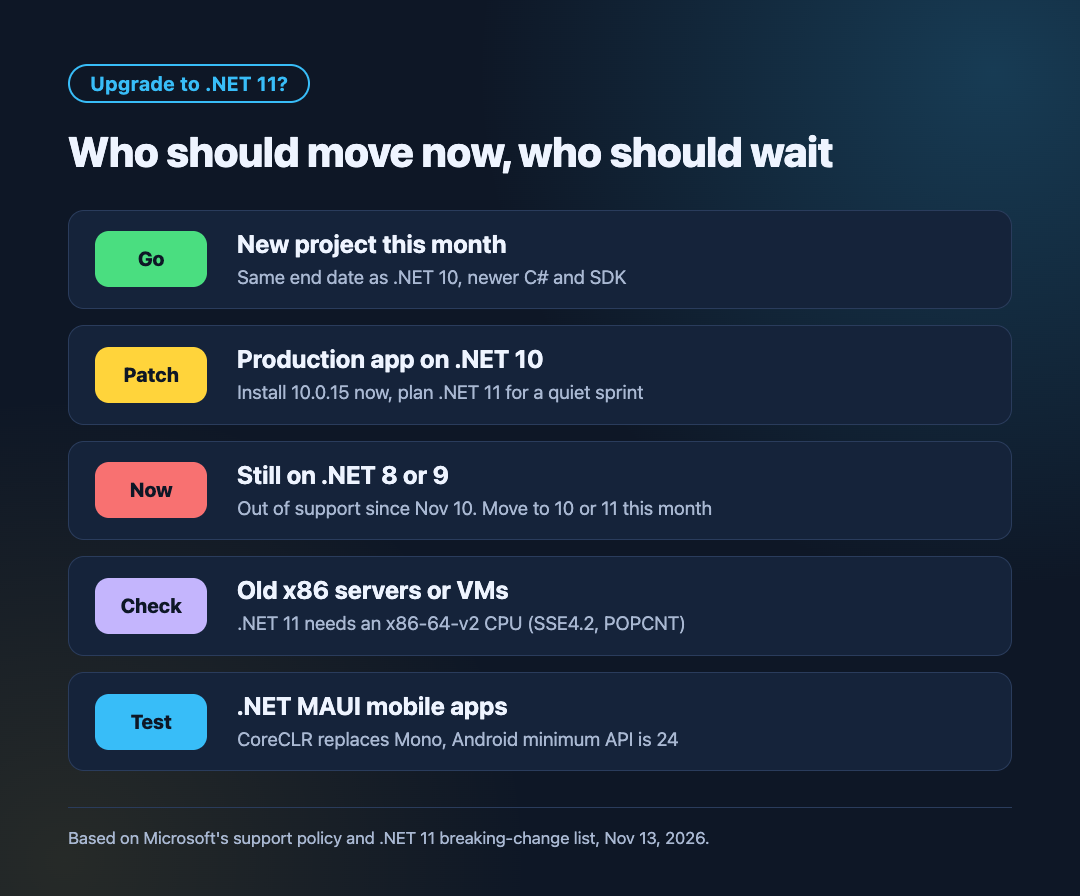
Since both versions end on the same day, decide on features and risk:
| Your situation | Recommendation | Why |
|---|---|---|
| New project starting this month | .NET 11 | Same end date as 10, newer C# and SDK |
| Production app on .NET 10 | Patch to 10.0.15 now, plan 11 for a quiet sprint | 10.0.15 has the security fixes, 11.0.0 is brand new |
| App still on .NET 8 or 9 | Go to 10 or 11 this month | 8 and 9 stopped getting fixes on Nov 10 |
| Fleet with very old x86 servers | Check CPUs first | .NET 11 won't start without x86-64-v2 |
| .NET MAUI Android or iOS app | Wait and test | Mono is replaced by CoreCLR, Android min API is now 24 |
If you're still on .NET 8, read the .NET 8 end of support guide first. The inventory steps there also work for this upgrade.
Check your environment before you upgrade
1. Which SDKs and runtimes are installed
Works the same on Windows, macOS and Linux:
dotnet --list-sdks
dotnet --list-runtimes
dotnet sdk check
Example output after installing .NET 11:
10.0.404 [/usr/share/dotnet/sdk]
11.0.100 [/usr/share/dotnet/sdk]
If dotnet --version inside your repo still prints 10.0.x after you install 11, that's not an install problem. A global.json file is pinning the SDK. Step 2 below fixes that.
2. Which projects target what
macOS and Linux:
grep -rn --include=*.csproj --include=*.fsproj --include=*.props "<TargetFramework" .Windows PowerShell:
Get-ChildItem -Recurse -Include *.csproj,*.fsproj,*.props |
  Select-String '<TargetFramework' | Select-Object Path, Line
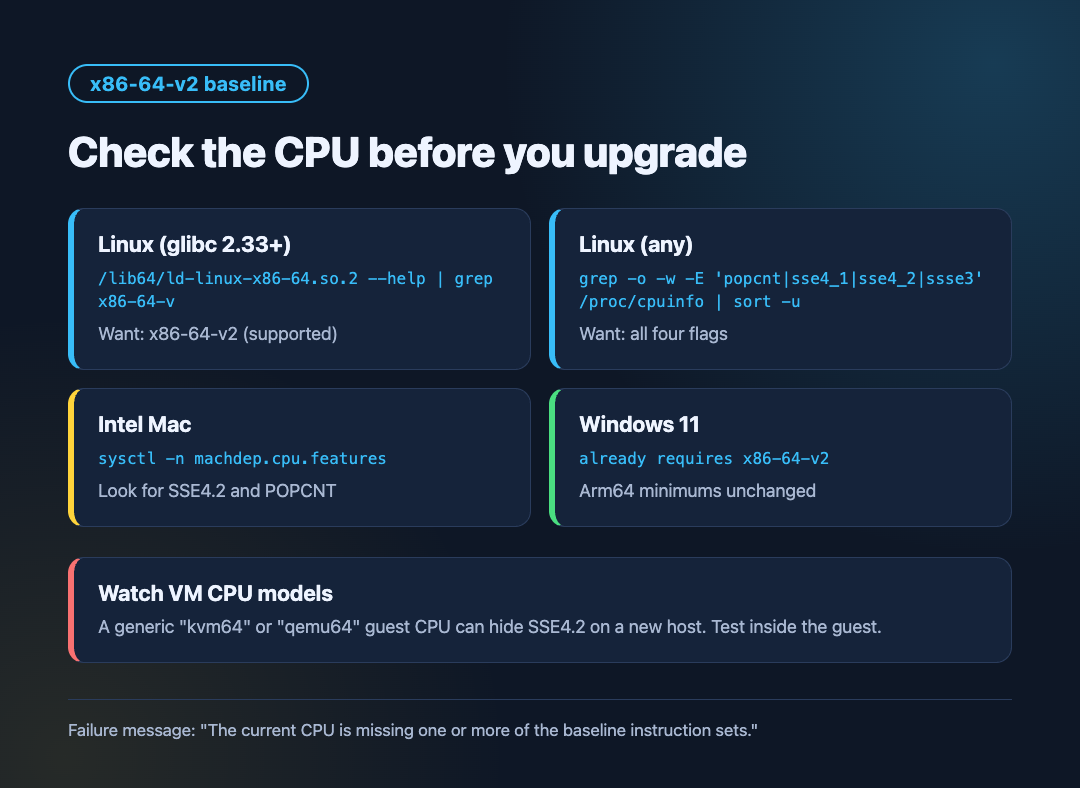
3. Does the CPU meet the x86-64-v2 baseline
This is the one change that can stop an app from starting at all. Per the minimum hardware breaking change, .NET 11 on x86/x64 requires x86-64-v2, which adds CX16, POPCNT, SSE3, SSSE3, SSE4.1 and SSE4.2. On unsupported hardware it fails with:
The current CPU is missing one or more of the baseline instruction sets.Linux with glibc 2.33 or newer:
/lib64/ld-linux-x86-64.so.2 --help | grep x86-64-vIf you see x86-64-v2 (supported, searched), you're fine. On older distros, check the flags directly. You want all four:
grep -o -w -E 'popcnt|sse4_1|sse4_2|ssse3' /proc/cpuinfo | sort -uIntel Mac:
sysctl -n machdep.cpu.features | tr ' ' '\n' | grep -E 'SSE4\.2|POPCNT'Windows: Microsoft says Windows 11 already requires this baseline, as do all x86/x64 CPUs officially supported on Windows 10. Most affected chips went out of support around 2013. Pay attention to old hypervisor CPU models. A VM set to a generic "kvm64" or "qemu64" CPU type can hide SSE4.2 even on a new host, so test the guest, not the host. Arm64 minimums didn't change. Some Arm64 Linux and Windows devices may start a bit slower because ReadyToRun code falls back to the JIT.
How to upgrade to .NET 11, step by step
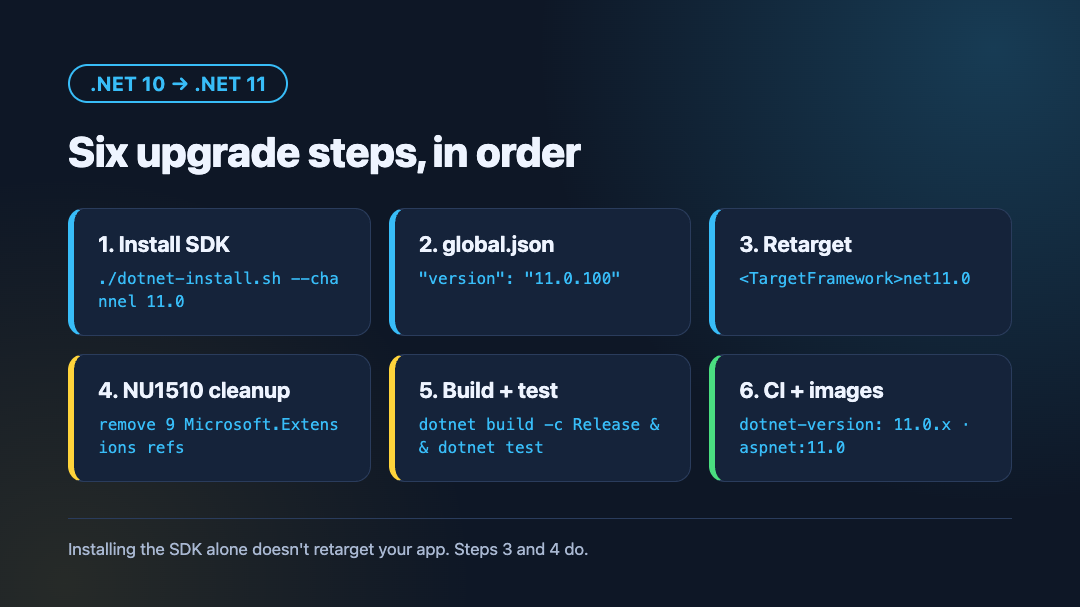
The order follows the launch post's upgrade steps: SDK, target framework, packages, breaking changes, tests.

View PlantUML source
@startuml
skinparam shadowing false
skinparam defaultFontSize 14
skinparam rectangleBorderColor #7C3AED
skinparam rectangleBackgroundColor #F5F3FF
left to right direction
rectangle "Check CPU\n+ SDKs" as A
rectangle "Install\nSDK 11.0.100" as B
rectangle "global.json\n+ net11.0" as C
rectangle "Remove\nNU1510 refs" as D
rectangle "Build\n+ test" as E
rectangle "Fix breaking\nchanges" as F
rectangle "CI +\ncontainers" as G
A --> B
B --> C
C --> D
D --> E
E --> F : fails
F --> E
E --> G : passes
@enduml
Step 1: Install the .NET 11 SDK
Visual Studio users get SDK 11.0.100 with Visual Studio 2026 version 18.12. Update through the Visual Studio Installer.
Windows with WinGet: Microsoft's WinGet IDs follow the pattern Microsoft.DotNet.SDK.<major>. The Windows install page hadn't added the 11 row when I checked, so confirm the ID first:
winget search Microsoft.DotNet.SDK
winget install Microsoft.DotNet.SDK.11
Linux, macOS or a CI agent, using the official install script:
curl -sSL https://dot.net/v1/dotnet-install.sh -o dotnet-install.sh
chmod +x dotnet-install.sh
./dotnet-install.sh --channel 11.0
On Ubuntu, Microsoft's install page still listed only .NET 10, 9 and 8 for each release on November 13. If apt-cache policy dotnet-sdk-11.0 shows nothing, use the script above or the binaries from the .NET 11 download page until the packages arrive. Don't mix Microsoft and Ubuntu feeds for the same version.
Verify:
dotnet --list-sdks | grep '^11\.'Step 2: Update global.json
{
  "sdk": {
    "version": "11.0.100",
    "rollForward": "latestFeature"
  }
}
Step 3: Retarget to net11.0
In each project, or once in Directory.Build.props:
<PropertyGroup>
  <TargetFramework>net11.0</TargetFramework>
</PropertyGroup>
Keep platform suffixes, for example net11.0-windows for WinForms or WPF. Libraries that other teams still consume on .NET 10 can multi-target net10.0;net11.0.
Step 4: Clean up packages (NU1510)
.NET 11 moves nine Microsoft.Extensions.* libraries into the shared framework: Caching.Abstractions, Configuration.Abstractions, DependencyInjection.Abstractions, Diagnostics.Abstractions, FileProviders.Abstractions, Hosting.Abstractions, Logging.Abstractions, Options and Primitives. If a net11.0-only project still references one, you get build warning NU1510. The official fix is to delete the reference:
<!-- delete these when the project targets only net11.0 -->
<PackageReference Include="Microsoft.Extensions.Logging.Abstractions" Version="..." />
<PackageReference Include="Microsoft.Extensions.Options" Version="..." />
Multi-targeted projects don't raise NU1510. Then update the rest:
dotnet list package --outdated
dotnet list package --vulnerable --include-transitive
Move Microsoft.AspNetCore.* and Microsoft.EntityFrameworkCore.* to 11.0.x together. EF Core 11 requires .NET 11, and it has its own breaking-change list.
Step 5: Build and test
dotnet restore
dotnet build -c Release
dotnet test --timeout 30m
Installing the SDK doesn't retarget anything. Only steps 3 and 4 do. Then run the app under a realistic load. The launch post specifically asks you to measure, not assume.
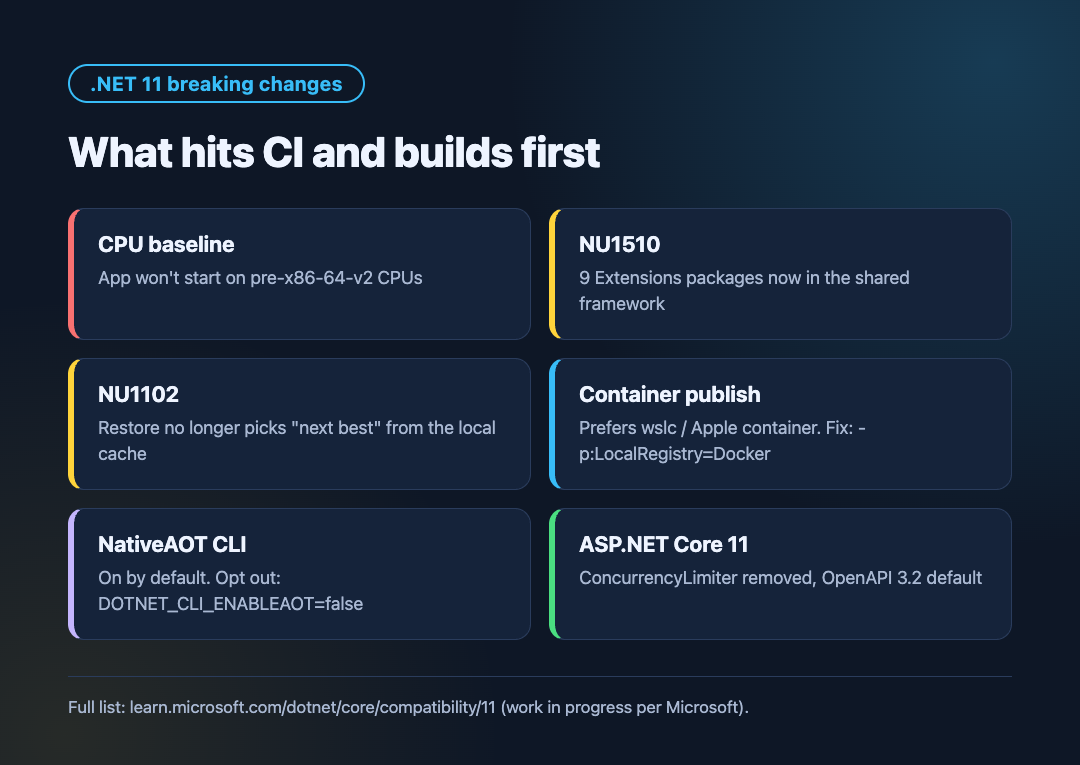
.NET 11 breaking changes that hit CI and builds first
The full list is on Breaking changes in .NET 11, and Microsoft notes it's still a work in progress. These are the entries most likely to show up on day one:
| Change | Symptom | Fix |
|---|---|---|
| x86-64-v2 CPU baseline | App won't start: "missing one or more of the baseline instruction sets" | Move to a newer host or VM CPU model, or stay on .NET 10 |
| Extensions in shared framework | NU1510 warnings, which become errors with TreatWarningsAsErrors | Remove the nine package references |
| Restore ignores global packages folder for "next best" version | New NU1102 error, or a different version picked | Reference versions that exist on your feeds |
Container publish prefers wslc / Apple container | Image lands in the wrong local runtime | -p:LocalRegistry=Docker |
| NativeAOT CLI host on by default | Rare CLI behavior difference | DOTNET_CLI_ENABLEAOT=false, then report it |
| ASP.NET Core: ConcurrencyLimiter middleware removed | Restore error (no 11.x package) or compile error | AddRateLimiter + AddConcurrencyLimiter |
| ASP.NET Core: OpenAPI 3.2 is the default | Clients or generators that only read 3.1 fail | Set OpenApiVersion back to 3.1 (below) |
The ASP.NET Core 11 list also has changes for Kestrel (stricter HTTP protocol compliance) and passkey sign-in (now enforces email/phone confirmation and lockout). Test both if you use them. If a client SDK generator or API gateway can't read OpenAPI 3.2 yet, Microsoft's fix is one line:
builder.Services.AddOpenApi(options =>
{
    options.OpenApiVersion = Microsoft.OpenApi.OpenApiSpecVersion.OpenApi3_1;
});
CI and containers
GitHub Actions:
- uses: actions/setup-dotnet@v5
  with:
    dotnet-version: '11.0.x'
Or point global-json-file at the file from step 2. If you pin action versions, the GitHub Actions lockfile guide covers how to update them safely.
Docker images follow the usual major.minor tags:
FROM mcr.microsoft.com/dotnet/sdk:11.0 AS build
WORKDIR /src
COPY . .
RUN dotnet publish -c Release -o /app

FROM mcr.microsoft.com/dotnet/aspnet:11.0
WORKDIR /app
COPY --from=build /app .
ENTRYPOINT ["dotnet", "MyApp.dll"]
The release notes confirm the images were updated for 11.0.0. Check the tag list on Microsoft Artifact Registry for the distro you want before you pin one. If you build containers with dotnet publish /t:PublishContainer on a Windows or macOS dev box that also has Docker, add the LocalRegistry property:
dotnet publish /t:PublishContainer -p:LocalRegistry=DockerIf you run dotnet test inside containers, there's also a container breaking change: it needs a writable VSTest artifacts base directory. Read-only root filesystems need a writable mount.
If you can't upgrade to .NET 11 yet
There's nothing urgent forcing a move from .NET 10, because it's supported just as long. What you do need this week:
- Patch .NET 10 to 10.0.15 (SDK 10.0.404 or 10.0.115). It's the November security release.
- Keep global.json pinned to 10.0.x so installing SDK 11 on a shared build agent doesn't silently change builds. If no
global.jsonexists, the newest installed SDK wins. - Leave the 10.0 runtime installed next to 11. SDKs and runtimes install side by side.
On Windows servers, Microsoft Update can deliver .NET patches. The registry value BlockMU under HKLM\SOFTWARE\Microsoft\.NET blocks that. Only use it if you patch another way, because it also blocks the security fixes.
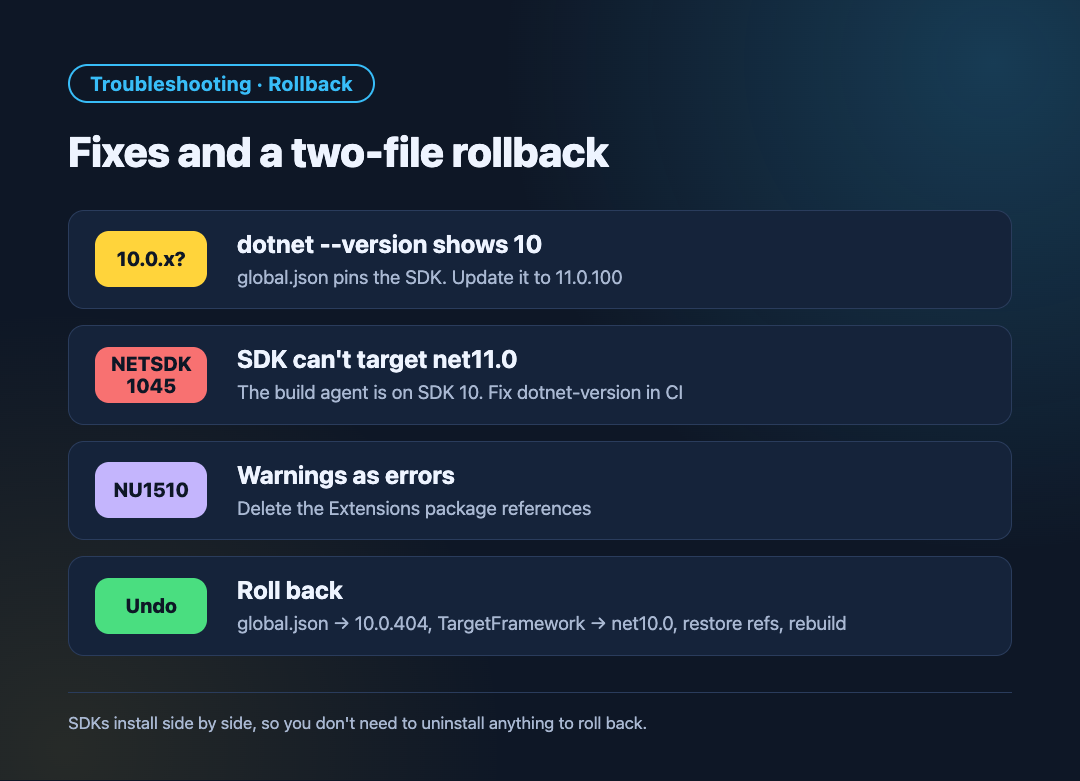
Troubleshooting and rollback
dotnet --version still shows 10.0.x. global.json is pinning the SDK. Update it (step 2), or run dotnet --list-sdks to confirm 11.0.100 is actually installed.
NETSDK1045: the current .NET SDK does not support targeting .NET 11.0. The build is using SDK 10. Check the agent's SDK list and the dotnet-version in CI.
Build breaks with NU1510 as an error. Remove the Extensions package references from step 4. That's Microsoft's recommended fix, and the assemblies aren't copied to the output folder anymore anyway. If a dependency was compiled against an old version of these packages and you hit MissingMethodException or TypeLoadException, recompile that dependency against .NET 11.
App crashes at startup on one server only. Look for the CPU baseline message in the logs and run the checks from earlier on that host.
Rollback. The SDKs install side by side, so rolling back is a two-file change, not an uninstall:
git revert <UPGRADE_COMMIT>
dotnet restore && dotnet build -c Release
Without a single upgrade commit, undo by hand: set global.json back to "version": "10.0.404", set TargetFramework back to net10.0, and restore the PackageReference lines you removed.
Redeploy on the aspnet:10.0 image or the 10.0.15 runtime. Remove SDK 11 only after you've confirmed nothing else on the machine uses it.
FAQ
Is .NET 11 LTS? No. It's STS with 24 months of support, ending November 14, 2028. That's the same day .NET 10 LTS ends.
Do I need Visual Studio 2026 for .NET 11? For Visual Studio, yes. SDK 11.0.100 comes with Visual Studio 2026 version 18.12. You can also build from the CLI or VS Code with the C# Dev Kit using the standalone SDK.
Will .NET 11 run on my old server? On x86/x64 only if the CPU supports x86-64-v2 (SSE4.2, POPCNT and related sets). Arm64 minimums didn't change.
Is Runtime Async on by default? No. It's still a preview feature. Projects targeting net11.0 opt in with <Features>runtime-async=on</Features>, and you no longer need EnablePreviewFeatures.
I'm still on .NET 8. Should I skip 10 and go straight to 11? You can, because both end on the same day. The jump is bigger, though: you take on the .NET 9, 10 and 11 breaking changes at once. If you want fewer surprises, go to .NET 10 first.
If your .NET services run in Docker, you can set up Docker log rotation while you're rebuilding images. Next, look at the C# 15 union types, the biggest language change in this release.
References
- Announcing .NET 11 — .NET Blog (checked Nov 13, 2026)
- .NET and .NET Core Support Policy — Microsoft (checked Nov 13, 2026)
- Download .NET 11.0 — Microsoft (checked Nov 13, 2026)
- .NET 11.0.0 release notes — dotnet/core on GitHub (checked Nov 13, 2026)
- What's new in .NET 11 — Microsoft Learn (checked Nov 13, 2026)
- Breaking changes in .NET 11 — Microsoft Learn (checked Nov 13, 2026)
- Minimum hardware requirements updated — Microsoft Learn (checked Nov 13, 2026)
- Some Microsoft.Extensions packages included in shared framework — Microsoft Learn (checked Nov 13, 2026)
- NativeAOT CLI command handling enabled by default — Microsoft Learn (checked Nov 13, 2026)
- SDK local container runtime selection — Microsoft Learn (checked Nov 13, 2026)
- Breaking changes in ASP.NET Core 11 — Microsoft Learn (checked Nov 13, 2026)
- Download .NET 10.0 (10.0.15) — Microsoft (checked Nov 13, 2026)