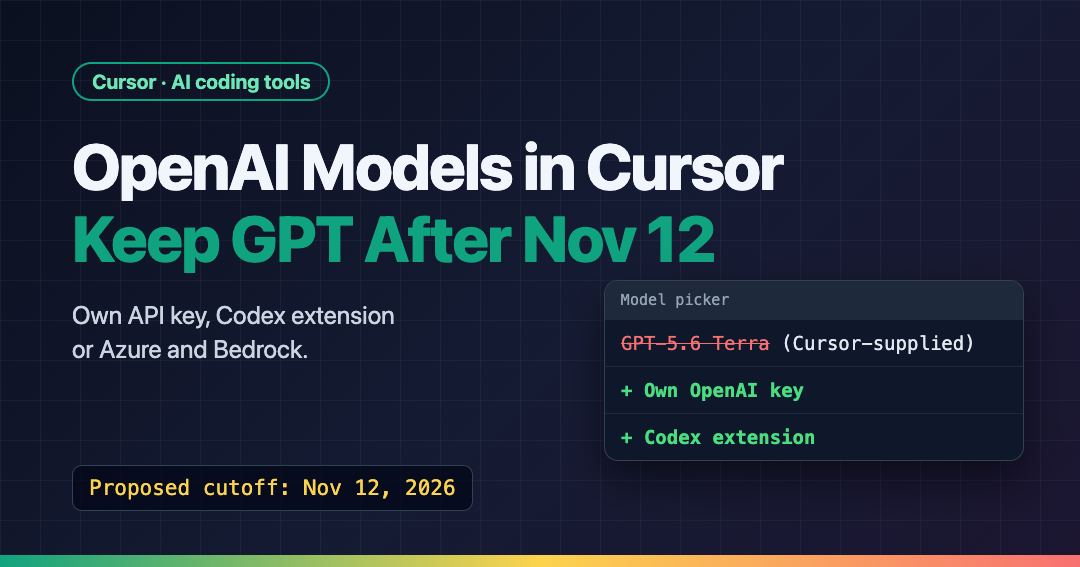
OpenAI models in Cursor are scheduled to stop working through Cursor's own model supply on November 12, 2026, two days from now. That is OpenAI's proposed date, it is still not confirmed, and Cursor can end access sooner. If you want to keep using GPT models in the editor, you have three paths: add your own OpenAI API key, install OpenAI's Codex extension inside Cursor, or route through Azure OpenAI or Amazon Bedrock. None of them bring back Tab, Auto, Background Agents, the Cursor CLI or the Cursor SDK on OpenAI models.
This guide was written on November 10, 2026 (KST) from OpenAI's announcement, OpenAI's help article as quoted in coverage, Cursor's docs and CNBC's report. We did not run these steps on a live Cursor account, so treat the settings paths as Cursor documents them and check your own screen.
What changes for OpenAI models in Cursor on November 12
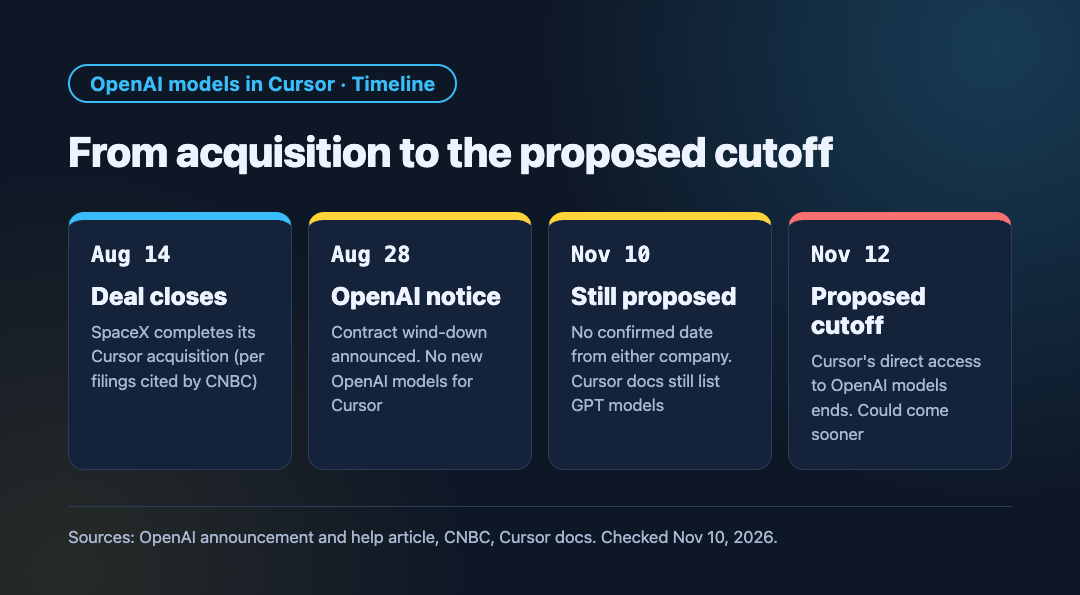
OpenAI announced on August 28, 2026 that it would wind down the contract that supplies its models to Cursor. The trigger was SpaceX's acquisition of Cursor, which closed on August 14 according to financial filings cited by CNBC. OpenAI said it "cannot be confident that SpaceX will use our technology within our terms of service." It also said it would not provide future models to Cursor.
| Item | What we know (Nov 10, 2026) |
|---|---|
| Announced | August 28, 2026 (OpenAI) |
| Proposed cutoff | November 12, 2026 |
| Confirmed? | No. OpenAI says it will share the official date once both companies confirm it |
| Earlier cutoff? | Possible. "Cursor may choose to end access sooner" |
| New OpenAI models in Cursor | None during the wind-down |
| Other providers | Not affected: Anthropic, Google, Cursor's Grok and Composer, others |
Cursor CEO Michael Truell said OpenAI models serve "about 5% of Cursor user traffic" and that the companies were talking. We found no report from November 9 or 10 that confirms or moves the date. Cursor's models page, checked on November 10, still lists the OpenAI models and has no retirement notice. It even shows GPT-5.6 Sol with "promotional pricing through November 21, 2026", which runs past the proposed cutoff. Don't read that as a sign the cutoff moved.
Who is affected
You are affected if you pick a GPT model in Cursor's model picker today. Cursor lists GPT-5, GPT-5 Mini, the GPT-5.x Codex models, GPT-5.4, GPT-5.5 and the GPT-5.6 Luna, Sol and Terra models under OpenAI.
Check your plan first. Cursor's pricing page says the Free plan has no third-party models and the Plus plan ($8/month) uses Cursor models only. Third-party models such as GPT start at Premium ($30/month), billed at API list price from prepaid credit. So if you are on Free or Plus, nothing changes for you.
Also check anything that pins a GPT model without a human in the loop. Automations, Background Agents, CLI scripts and SDK code that name a GPT model have no documented in-Cursor fallback, according to OpenAI's exclusion list.
Run this in your repos to find pinned GPT models in Cursor config and scripts:
grep -rniE "gpt-5|gpt-6|codex-(mini|max)" \
  .cursor/ scripts/ .github/ package.json 2>/dev/null
If you built a bot with the Cursor SDK, as in our Cursor Agent SDK PR review bot tutorial, check its model setting too.
Your three options to keep GPT in Cursor
| Option | Works in | Billing | Does not cover |
|---|---|---|---|
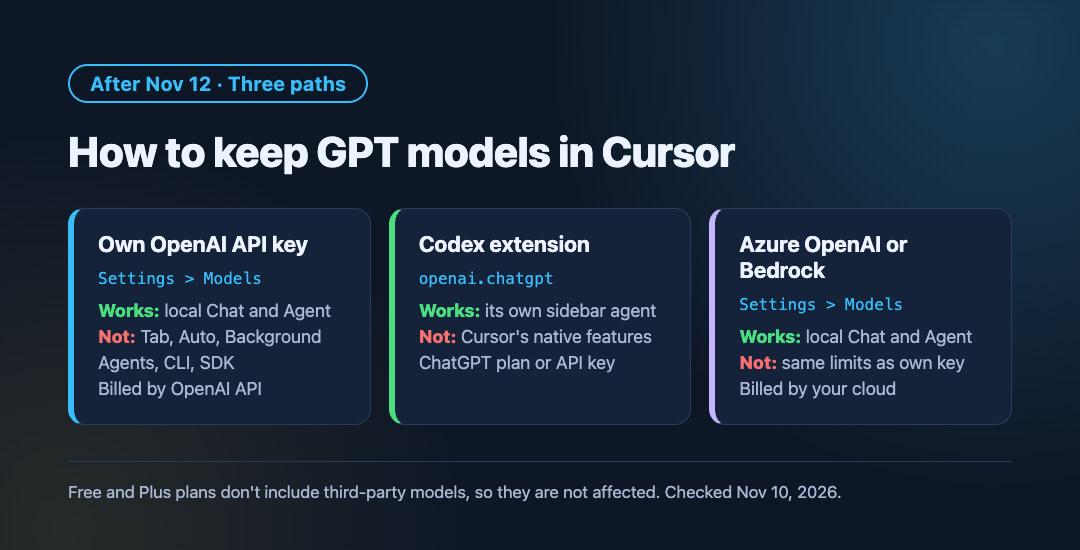
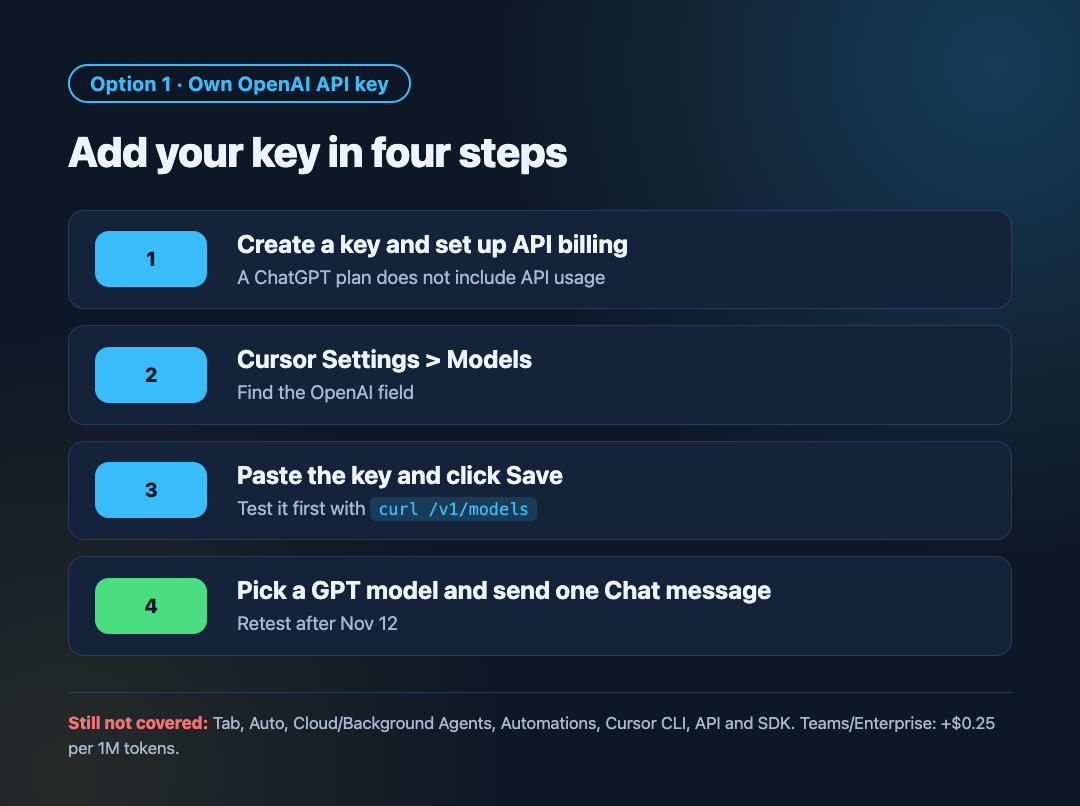
| Own OpenAI API key | Local Chat and Agent | Your OpenAI API account | Tab, Auto, Cloud/Background Agents, Automations, CLI, API/SDK |
| Codex extension | Its own sidebar in Cursor | ChatGPT plan or API key | Cursor's native features |
| Azure OpenAI or Bedrock | Local Chat and Agent | Your cloud account | Same limits as own key |
The short version: use your own key if you want GPT inside Cursor's normal chat panel. Use the Codex extension if you already pay for ChatGPT and want a full coding agent without API billing. Use Azure or Bedrock if your company already buys OpenAI models through a cloud contract.
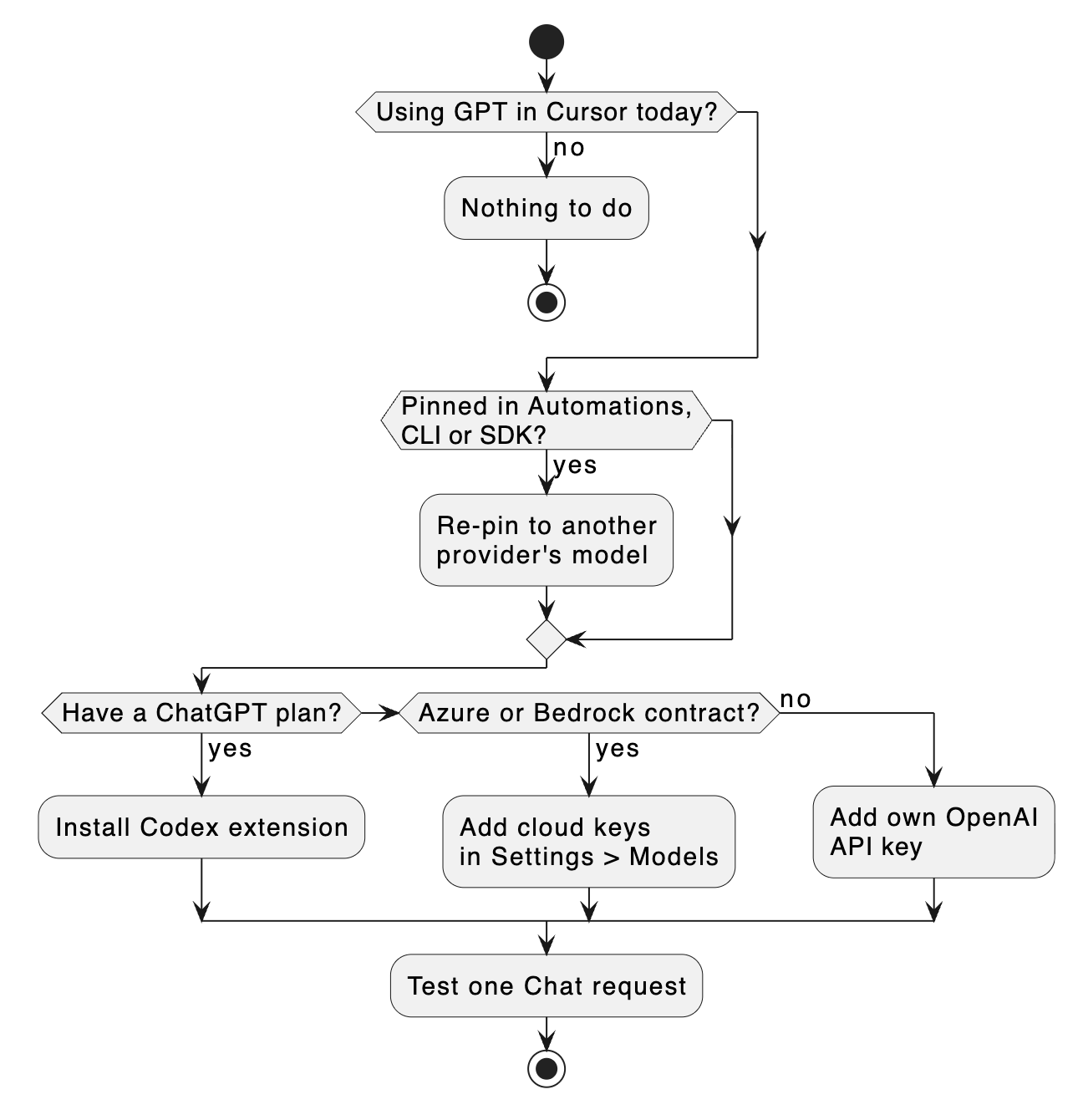
View PlantUML source
@startuml
skinparam defaultFontSize 15
start
if (Using GPT in Cursor today?) then (no)
  :Nothing to do;
  stop
endif
if (Pinned in Automations,\nCLI or SDK?) then (yes)
  :Re-pin to another\nprovider's model;
endif
if (Have a ChatGPT plan?) then (yes)
  :Install Codex extension;
elseif (Azure or Bedrock contract?) then (yes)
  :Add cloud keys\nin Settings > Models;
else (no)
  :Add own OpenAI\nAPI key;
endif
:Test one Chat request;
stop
@enduml
Option 1: Add your own OpenAI API key in Cursor
Cursor's help page describes the steps:
- Create an API key in the OpenAI Platform dashboard and make sure billing is set up. A ChatGPT subscription does not include API usage.
- In Cursor, open Cursor Settings > Models.
- Find OpenAI, paste the key into the field and click Save.
- The OpenAI models now show in the model picker. Pick one and send a short Chat message.
Before you paste the key, confirm it works from your terminal:
curl -s https://api.openai.com/v1/models \
  -H "Authorization: Bearer <YOUR_OPENAI_API_KEY>" | grep -o '"id": *"gpt-[^"]*"' | head
If you get a list of gpt- IDs, the key and billing are fine. A 401 means the key is wrong or revoked.
Know the trade-offs before you switch:
- Scope. OpenAI's help article says your key "applies only to supported local Chat and Agent requests." Cursor's help adds that Tab completion keeps using Cursor's built-in models.
- Cost. On individual plans, OpenAI bills you directly and those requests don't use your Cursor allowance. On Teams and Enterprise, Cursor still adds its Cursor Token Rate of $0.25 per million tokens, even with your own key.
- Privacy. Cursor's Zero Data Retention policy does not apply to your own keys. OpenAI's API data policy applies instead.
- Storage. Cursor says the key is not stored on its servers. It is sent with each request over an encrypted connection.
- Future models. OpenAI said it won't supply new models to Cursor. Whether a newer API model like
gpt-6.1-terrashows up in the picker with your own key is not documented. Our GPT-6.1 Terra API migration guide covers that model outside Cursor.
OpenAI calls its own-key guidance "directional", and some coverage notes that own-key access after the cutoff still depends on later clarification. Test it again after November 12.
Option 2: Use the Codex extension inside Cursor
OpenAI's Codex IDE extension runs in VS Code and Cursor. Its marketplace ID is openai.chatgpt.
- Open the Extensions view in Cursor and search for Codex by OpenAI (ID
openai.chatgpt). OpenAI's docs also offer a directcursor:extension/openai.chatgptinstall link. - Click the Codex icon in the sidebar. If you don't see it, run Codex: Open Codex Sidebar from the Command Palette.
- Sign in. Choose Sign in with ChatGPT to use your ChatGPT plan, or Use API Key to pay standard API rates.
- Add the open file or a selection as context and start a chat.
OpenAI's auth docs note that cloud tasks need ChatGPT sign-in, and some workspace features may not work with an API key. Admins can force one method with the forced_login_method setting (chatgpt or api).
The catch: Codex is its own panel. It does not plug GPT into Cursor's Tab, Agent mode or Background Agents. You get two assistants side by side. OpenAI's docs suggest a Git checkpoint before and after each Codex task so you can roll back edits:
git add -A && git commit -m "checkpoint: before codex task"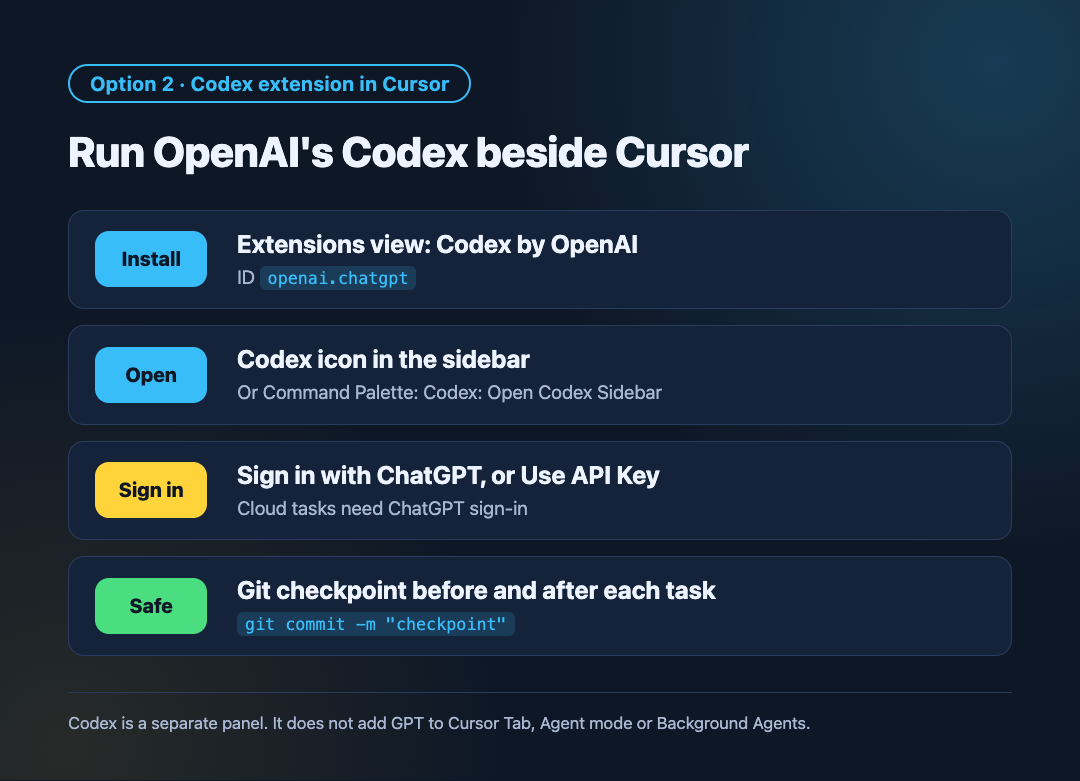
Option 3: Route through Azure OpenAI or Amazon Bedrock
Cursor's help says it supports Azure OpenAI and AWS Bedrock keys in the same Settings > Models screen. For Azure, the model must already be deployed in your Azure OpenAI resource. For Bedrock, you can paste access and secret keys in the IDE, or set up IAM roles from the Cursor dashboard.
This path has the same limits as your own OpenAI key: local Chat and Agent only. Which GPT models you can reach depends on what your cloud provider offers in your region. It makes sense when your company already has a cloud contract and wants usage on one bill.
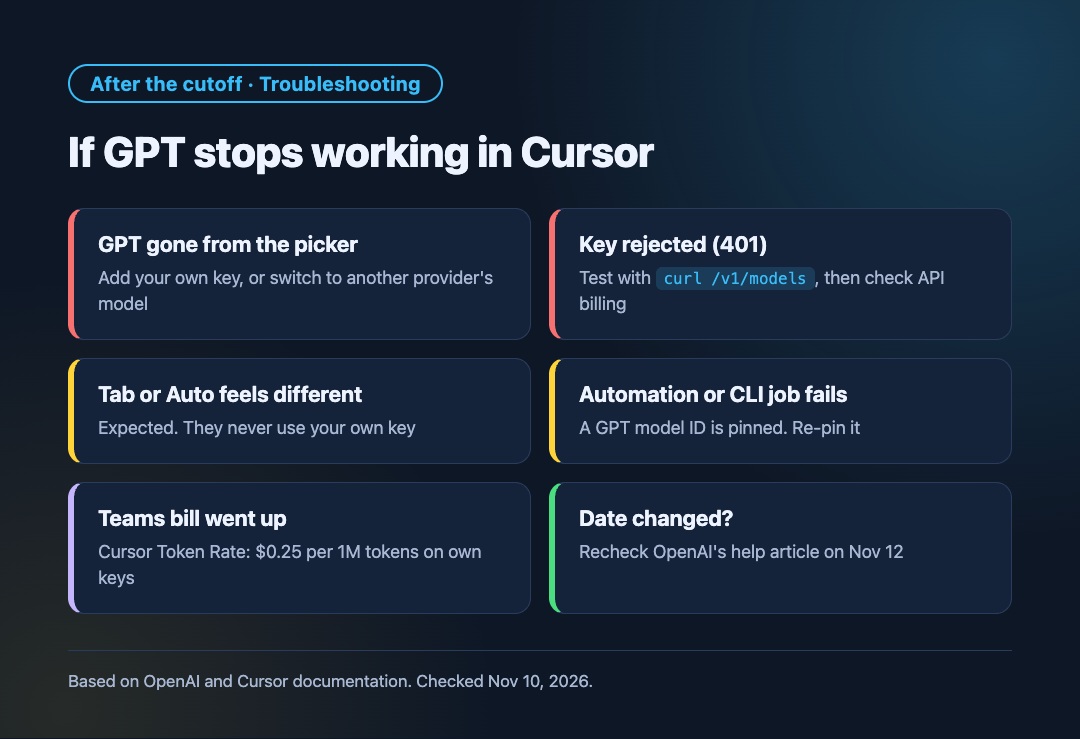
If GPT stops working in Cursor
| Symptom | Likely cause | Fix |
|---|---|---|
| GPT gone from picker | Cutoff hit, no own key | Add a key or pick another model |
| Key rejected | Wrong key or no API billing | Test with the curl above, add billing |
| Tab or Auto feels different | They never used your key | Expected. Tab uses Cursor models |
| Automation or CLI job fails | Pinned GPT model ID | Re-pin to another provider |
| Teams bill higher | Cursor Token Rate on own keys | $0.25 per 1M tokens, check admin usage |
If you want local models as a backup, our Copilot CLI Ollama setup guide shows a provider-independent route in the terminal.
FAQ
Is November 12 the confirmed date? No. As of November 10, 2026, OpenAI calls it a proposed transition date and says it will publish the official date once both companies confirm it. Cursor can also end access earlier.
Will my old chats with GPT models disappear? Neither company says so. The announcements cover model access, not chat history. If a past conversation matters, copy the important parts into your repo docs now.
Can I use my ChatGPT Plus or Pro plan in Cursor's own chat? No. A ChatGPT plan does not include API usage. Your plan works only through the Codex extension with Sign in with ChatGPT.
Does Cursor charge extra when I use my own OpenAI key? On individual plans, no. OpenAI bills you directly. On Teams and Enterprise, Cursor adds a $0.25 per million token rate to eligible third-party requests, including own-key requests.
Are Claude and Gemini models affected? No. This change covers OpenAI models only. Anthropic, Google, Cursor's own Grok and Composer models, and the other providers stay in the picker.
Check OpenAI's help article again on November 12. If the date moves or own-key access changes, we will update this post at the top.
References
Checked on November 10, 2026.
- Using OpenAI models in Cursor — OpenAI Help Center (the page blocked automated access on Nov 10; quotes are taken from coverage that cites it)
- Our decision on Cursor following its acquisition by SpaceX — OpenAI, August 28, 2026
- API keys — Cursor Help
- Models and pricing — Cursor Docs
- Codex IDE extension — OpenAI docs
- Codex authentication — OpenAI docs
- OpenAI to end model access to Cursor after acquisition by Elon Musk's SpaceX — CNBC, August 29, 2026
- OpenAI Is Cutting Off Cursor's Access to Its Models — Digital Applied