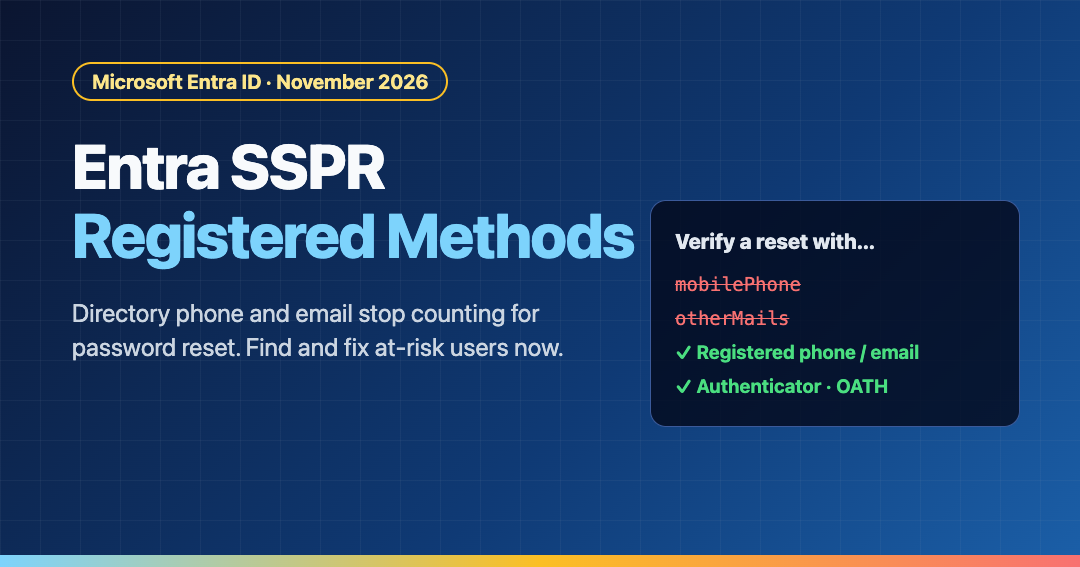
Entra SSPR registered methods are now the only proof of identity Microsoft plans to accept for self-service password reset. Phone numbers and alternate emails that sit in directory attributes (mobilePhone, businessPhones, otherMails) stop counting unless the user also registered them as authentication methods. Find every SSPR-enabled user who has no registered method today, add or request a real method, and test a reset before your helpdesk gets the calls.
Written November 7, 2026. Facts checked on November 7, 2026 (KST) against Microsoft 365 Message Center post MC1325414, the Microsoft Learn pages for SSPR prepopulation, SSPR deep dive, SSPR policies, Authentication Methods Activity and the SMS and voice retirement FAQ, and the Microsoft Graph reference for userRegistrationDetails and phoneMethods. The commands below follow the official examples. They were not run against a live tenant for this post.
What the Entra SSPR registered methods change does
Until now, SSPR could verify a user with contact data that an admin or a sync job put on the user object, even if that user never opened My Security Info. Microsoft's Message Center post MC1325414 says SSPR "will require explicitly registered authentication methods for verification." Directory attributes such as mobilePhone, businessPhones and otherMails no longer qualify on their own.
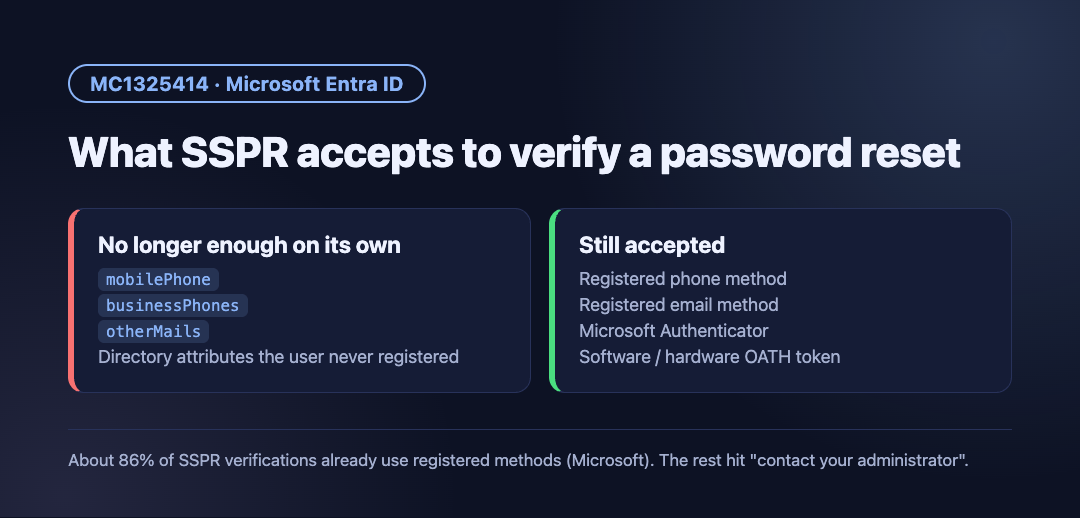
| Data on the user | Before | After the change |
|---|---|---|
| Registered phone method (Authentication methods) | Works | Works |
| Registered email method / Authenticator / OATH | Works | Works |
mobilePhone or businessPhones only | Works | Not accepted |
otherMails (alternate email) only | Works | Not accepted |
Microsoft says about 86% of SSPR verifications already use registered methods. The other 14% is exactly the group that hits a "contact your administrator" page: often hybrid users whose phone numbers were synced from on-premises Active Directory, or accounts an admin prefilled with PowerShell.
The change applies to all users with SSPR enabled, administrators included, in the public cloud and the US Government clouds (GCC, GCC High, DoD), according to MC1325414.
When it takes effect: November or February?
Microsoft's own sources disagree, so plan for the earliest date.
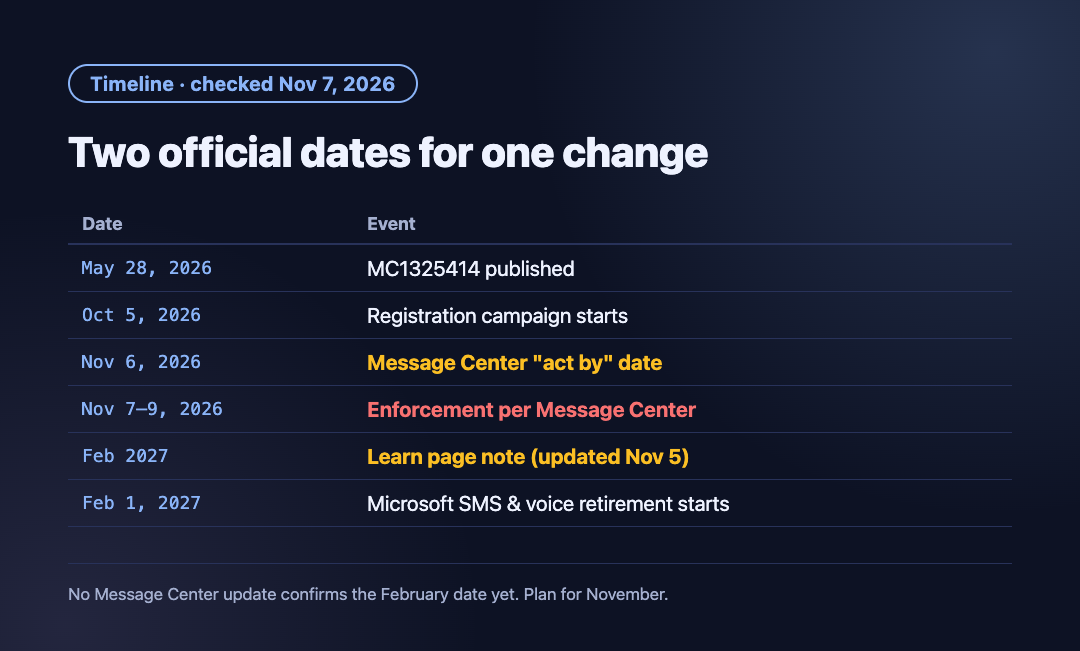
- May 28, 2026: MC1325414 published. The first schedule pointed to September 2026.
- August 4, 2026: MC1325414 updated. General availability moved to early through mid-November 2026.
- October 5, 2026: Registration campaign start, per MC1325414.
- November 6, 2026: "Act by" date in MC1325414.
- November 7 / November 9, 2026: MC1325414 says enforcement begins November 7 in its body and "starting November 9" in its title.
- November 5, 2026: The Microsoft Learn page Prepopulate contact information for SSPR was updated. Its note now reads: "Starting February 2027, SSPR will only accept explicitly registered authentication methods."
As of November 7, 2026, I found no Message Center update that confirms a move to February 2027. The Learn note may reflect a new schedule, or the two pages may simply be out of sync. Either way, the safe reading is that enforcement can reach your tenant any day during the November rollout. Fixing users now costs nothing if the date does slip.
If your tenant runs into other identity enforcement this month, our guide to NTLMv1 Enforce mode after KB5127648 covers the Windows side.
Who gets locked out of password reset
A user is at risk when all three are true:
- SSPR is enabled for them (
isSsprEnabledis true). - They have not registered enough methods to meet your SSPR policy (
isSsprRegisteredis false). - They have contact data only in directory attributes, so reset works today and stops working after enforcement.
Typical groups:
- Hybrid users synced by Entra Connect. By default Connect maps on-premises
telephoneNumberto Office phone andmobileto Mobile phone. Those values never went through registration. - Accounts prefilled by script. Older runbooks used
Update-MgUser -mobilePhoneor-otherMailsso new hires could reset on day one. - Admins. Admin accounts use a fixed two-gate policy: two pieces of authentication data, no security questions. An admin with one registered method fails even if their directory phone is filled in.
- Shared and rarely used accounts. Nobody signs in, so nobody sees a registration prompt.
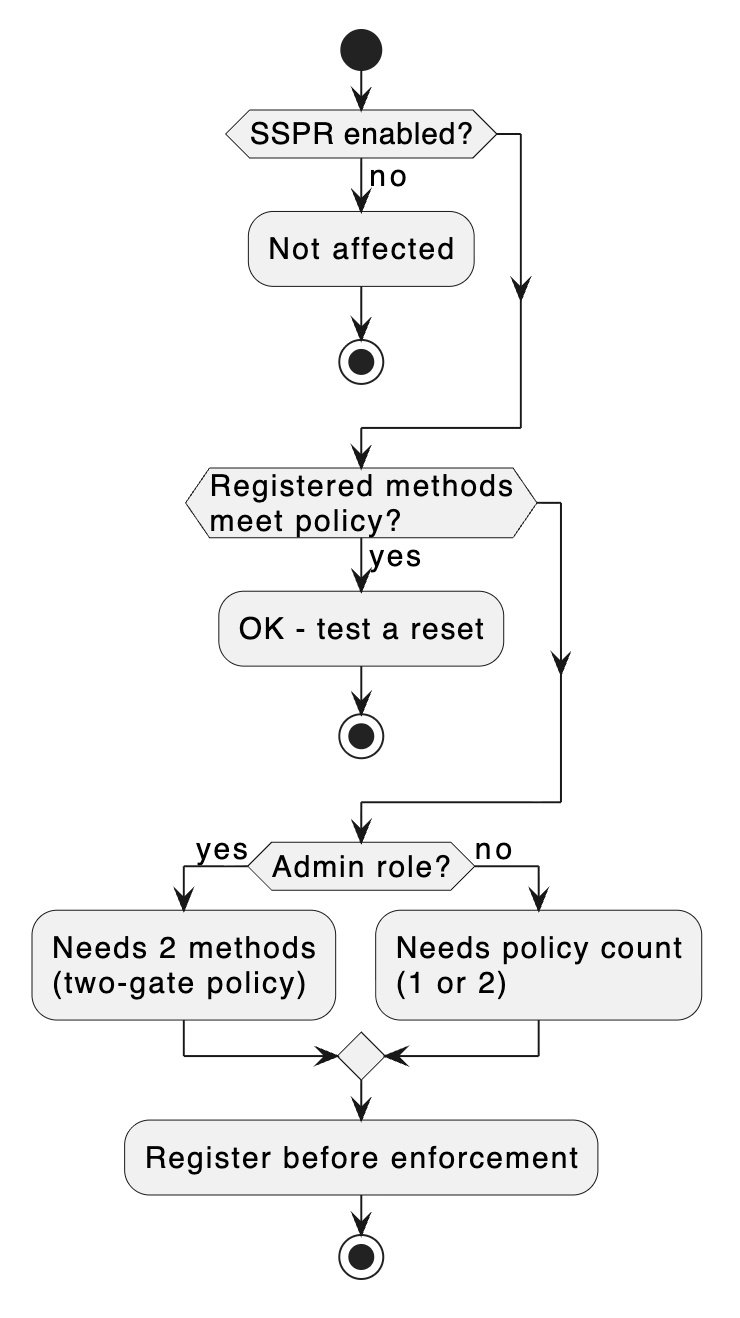
View PlantUML source
@startuml
skinparam shadowing false
skinparam defaultFontSize 15
start
if (SSPR enabled?) then (no)
  :Not affected;
  stop
endif
if (Registered methods\nmeet policy?) then (yes)
  :OK - test a reset;
  stop
endif
if (Admin role?) then (yes)
  :Needs 2 methods\n(two-gate policy);
else (no)
  :Needs policy count\n(1 or 2);
endif
:Register before enforcement;
stop
@enduml
Find affected users in the Entra admin center
The fastest check uses the built-in report.
- Sign in to the Microsoft Entra admin center with a role that can read reports, such as Reports Reader, Security Reader or Global Reader.
- Go to Entra ID > Authentication methods > Activity, then open the Registration tab.
- Select Users capable of self-service password reset to open the user registration details list.
- Filter SSPR Enabled = Enabled and SSPR Registered = Not Registered.
- Download the list.
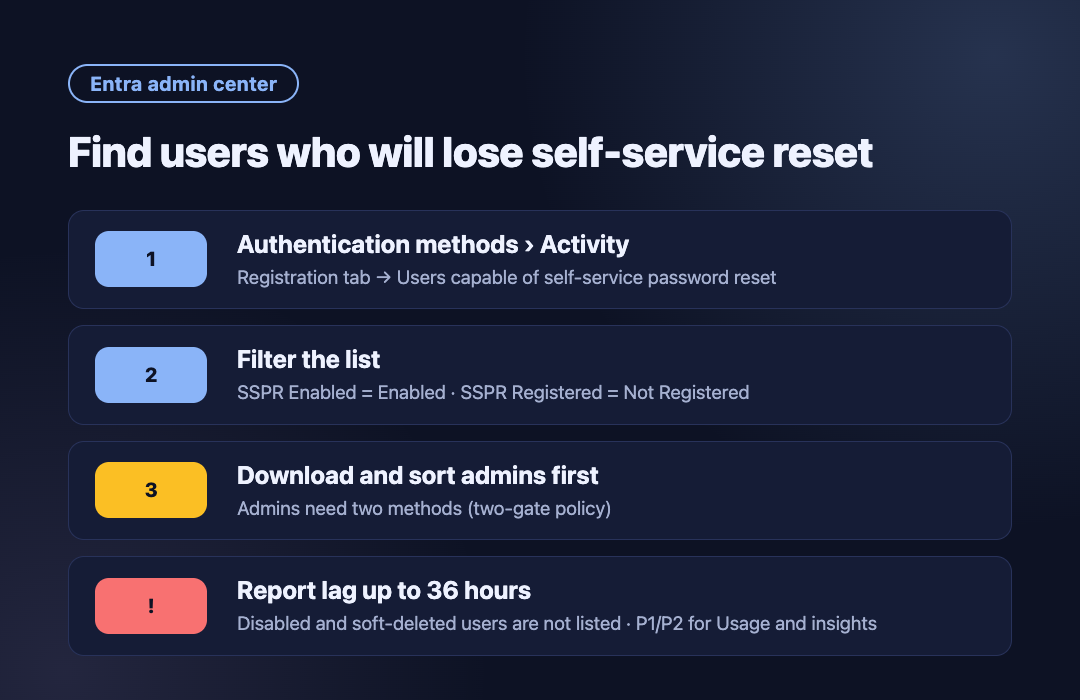
Two limits from Microsoft's documentation matter here. The report can lag by up to 36 hours, so a user who registered this morning may still show as not registered. Disabled and soft-deleted users are not listed. Microsoft also states that a Microsoft Entra ID P1 or P2 license is required for Usage and insights.
Export the list with Microsoft Graph PowerShell
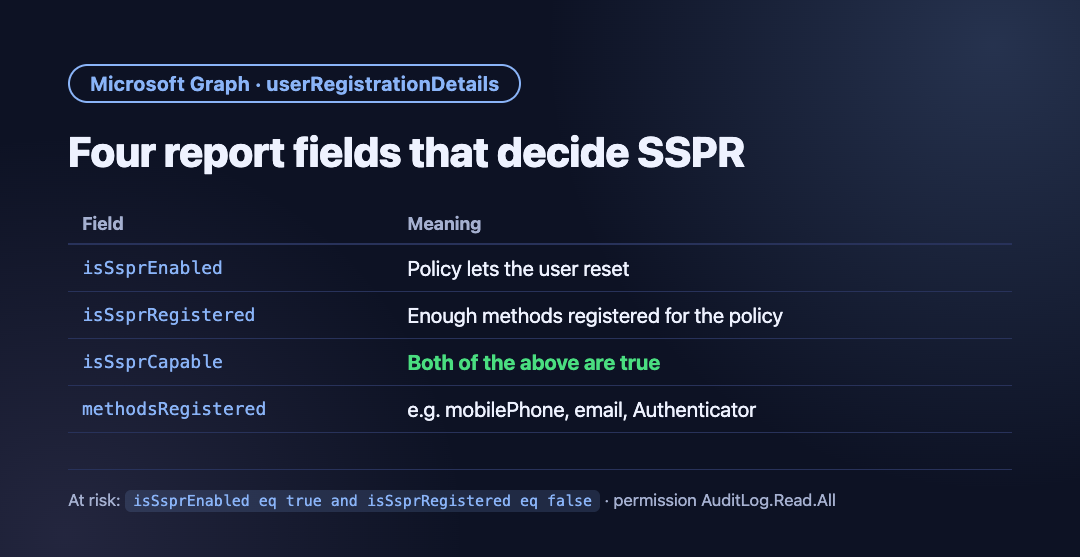
For large tenants, or to compare against directory data, use the Graph report API. The userRegistrationDetails endpoint needs the AuditLog.Read.All permission.
Install-Module Microsoft.Graph -Scope CurrentUser   # once per machine
Connect-MgGraph -Scopes "AuditLog.Read.All","User.Read.All"

<# SSPR-enabled users who have NOT registered enough methods #>
$atRisk = Get-MgReportAuthenticationMethodUserRegistrationDetail -All `
  -Filter "isSsprEnabled eq true and isSsprRegistered eq false"

<# Add the directory contact data they rely on today #>
$report = foreach ($r in $atRisk) {
  $u = Get-MgUser -UserId $r.Id -Property "userPrincipalName,mobilePhone,businessPhones,otherMails"
  [pscustomobject]@{
    UPN            = $r.UserPrincipalName
    IsAdmin        = $r.IsAdmin
    Registered     = ($r.MethodsRegistered -join ";")
    DirMobile      = $u.MobilePhone
    DirOffice      = ($u.BusinessPhones -join ";")
    DirAltEmail    = ($u.OtherMails -join ";")
  }
}
$report | Export-Csv .\sspr-at-risk.csv -NoTypeInformation
$report | Group-Object IsAdmin | Select-Object Name, Count
Read the CSV in three buckets:
| Bucket | What it means | Action |
|---|---|---|
| Directory data filled, nothing registered | Reset works today, fails after enforcement | Register a method (next section) |
| Nothing anywhere | Already cannot reset | Same fix, lower urgency |
IsAdmin true, one method | Fails the two-gate policy | Add a second method |
If you prefer raw HTTP, the same report is GET https://graph.microsoft.com/v1.0/reports/authenticationMethods/userRegistrationDetails?$filter=isSsprRegistered eq false.
Fix it: get users registered
1. Make registration mandatory at sign-in
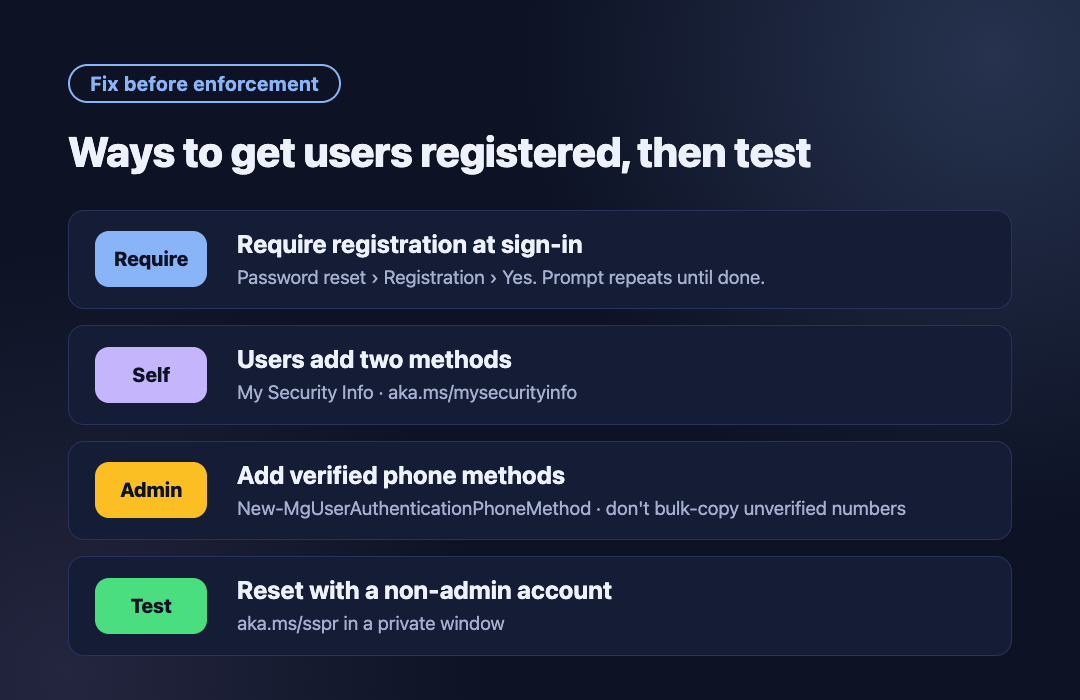
In Entra ID > Password reset > Registration, set Require users to register when signing in to Yes. Users who sign in with modern authentication or a browser get a registration page. They can cancel, but the prompt returns at every sign-in until they finish. MC1325414 also tells admins to turn on the registration campaign so users are nudged automatically.
Point users to My Security Info (or https://aka.ms/ssprsetup) and ask for at least two methods. Two methods also cover the admin two-gate policy.
2. Add a method for a user yourself
An Authentication Administrator or Privileged Authentication Administrator can add a phone method on the user's behalf. This writes a registered method, not a directory attribute.
Connect-MgGraph -Scopes "UserAuthenticationMethod.ReadWrite.All"

$params = @{
  phoneNumber = "+1 2065550100"   # format: +CountryCode Number (use the user's real number)
  phoneType   = "mobile"
}
New-MgUserAuthenticationPhoneMethod -UserId "<USER_UPN>" -BodyParameter $params
The phone number needs a space between the country code and the number. A user can have only one phone of each type (mobile, alternateMobile, office), so the call fails if a mobile method already exists.
Do not bulk-copy mobilePhone into phone methods without checking the numbers. That is the unverified data Microsoft is removing from the reset path. Copy only numbers you trust, for example ones your HR system confirmed, and prefer having users register themselves.
3. Pick methods that survive 2027
Microsoft-provided SMS and voice are being retired across Microsoft Entra, SSPR included. The retirement starts February 1, 2027 for most users and July 1, 2027 for Global Administrators and external users, unless your tenant configures a telephony provider through Microsoft Security Store. A user whose only SSPR method is an SMS phone number may need fixing twice. Register Microsoft Authenticator, an email method or an OATH token alongside the phone.
One catch: in the SSPR policy, Authenticator cannot be the only method when one method is required. Enable at least one other method next to it.
Test a reset and handle failures
Test with an account that has no admin role, because admins follow a different policy. Open https://aka.ms/sspr in a private browser window and go through the reset.
| Symptom | Likely cause | What to do |
|---|---|---|
| "Contact your administrator" after entering the user name | No registered method, or fewer than the policy requires | Check the user in the report, add a method |
| Admin can't reset but a normal user can | Two-gate policy needs two methods, no security questions | Register a second method for the admin |
| Number shows under Contact info but not in reset | It is a directory attribute, not a registered method | Add it as a phone method, or have the user register |
| Report still shows "Not Registered" after a fix | Report lag up to 36 hours | Recheck tomorrow, test with a real reset |
| Hybrid user resets but on-prem password doesn't change | Password writeback off | Enable writeback in Connect / cloud sync |
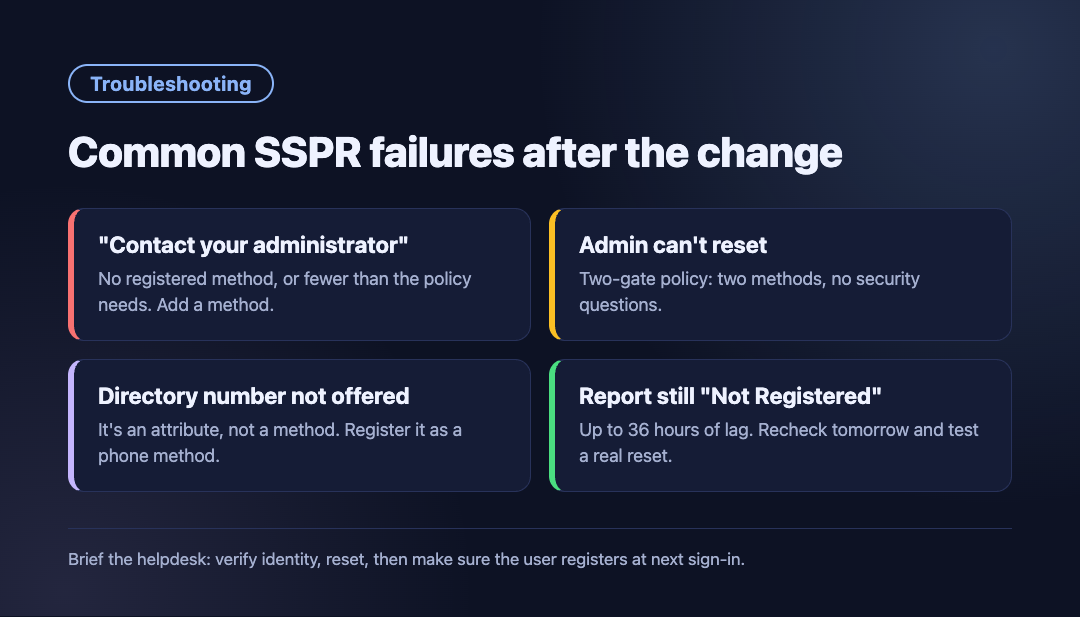
Prepare your helpdesk for the gap. Users who miss registration will call to get a password reset. Give the desk a short script: verify identity your usual way, reset the password, then make sure the user registers methods at the next sign-in.

View PlantUML source
@startuml
skinparam shadowing false
skinparam defaultFontSize 15
left to right direction
rectangle "1. Export\nat-risk users" as A
rectangle "2. Require\nregistration" as B
rectangle "3. Add verified\nmethods" as C
rectangle "4. Test reset +\nbrief helpdesk" as D
A --> B
B --> C
C --> D
@enduml
Running other admin deadlines this month? Google Workspace has one too: see Google Workspace MCP agentic OAuth clients.
FAQ
Does this change affect sign-in or MFA? No. MC1325414 is about verification inside self-service password reset. Sign-in and MFA use the methods users registered, as before. The separate SMS and voice retirement in 2027 does affect MFA.
Will users who already reset passwords with a directory phone number lose access? They keep their current password and can still sign in. What they lose is the ability to reset it themselves until they register a method.
Do I need to turn off Entra Connect phone sync? No. Synced telephoneNumber and mobile values still populate the user object. They just don't count for SSPR verification. Users can confirm a synced number when they register, and then it becomes a registered method.
Is the deadline November 9, 2026 or February 2027? Microsoft's sources disagree as of November 7, 2026: MC1325414 says November 7 to 9, and a Learn page updated November 5 says February 2027. Treat November as the deadline and check the Message Center post in your tenant for updates.
Which methods should I ask users to register? At least two from what your SSPR policy allows, ideally Microsoft Authenticator plus email or a phone. Don't rely on SMS alone because Microsoft-provided SMS and voice retire in 2027.
Bottom line
Run the report today, filter SSPR-enabled users who are not registered, and get them to register two methods before enforcement reaches your tenant. Give admins a second method, test with a non-admin account, and tell the helpdesk what is coming. After this, the next item on the same list is planning your move off Microsoft-provided SMS and voice before February 1, 2027.
References
- MC1325414: Microsoft Entra ID SSPR will require registered authentication methods — Microsoft 365 Message Center (sign-in required); public mirror mc.merill.net, checked Nov 7, 2026
- Prepopulate contact information for SSPR — Microsoft Learn, updated Nov 5, 2026, checked Nov 7, 2026
- Self-service password reset deep dive — Microsoft Learn, checked Nov 7, 2026
- Self-service password reset policies — Microsoft Learn, checked Nov 7, 2026
- Authentication Methods Activity — Microsoft Learn, checked Nov 7, 2026
- FAQ for Microsoft-provided SMS and voice retirement — Microsoft Learn, updated Nov 4, 2026, checked Nov 7, 2026
- List userRegistrationDetails and Create phoneMethod — Microsoft Graph reference, checked Nov 7, 2026
- Microsoft Entra ID SSPR to Require Registered Authentication Methods — Petri, June 1, 2026 (original September schedule), checked Nov 7, 2026
1 thought on “Entra SSPR Registered Methods: Find Users Who Can’t Reset”