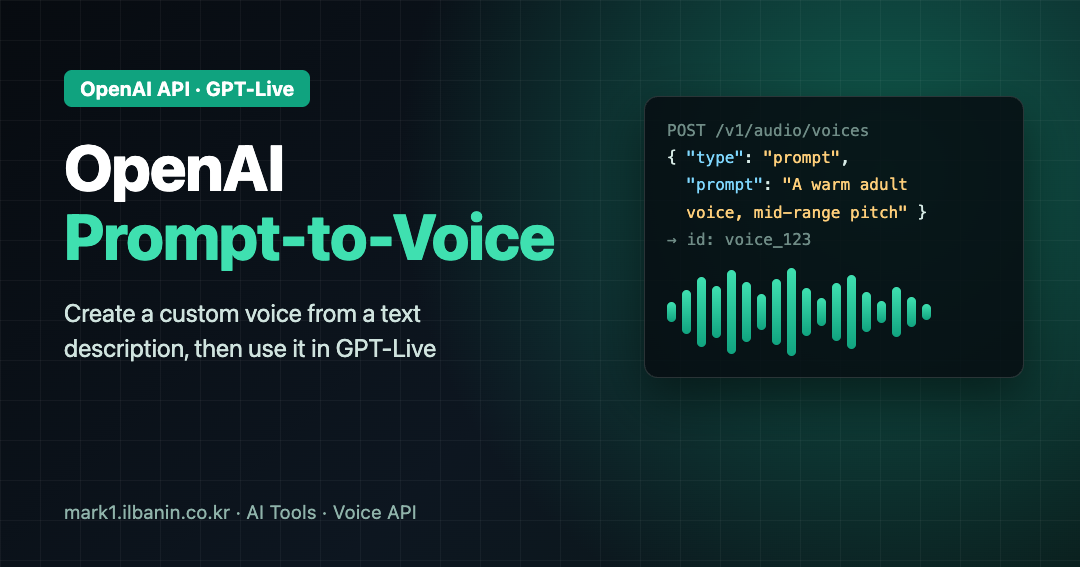
OpenAI prompt-to-voice lets you create a custom voice from a plain text description. You send one POST request to /v1/audio/voices with "type": "prompt", get back a voice ID, and use that ID in a GPT-Live session. You do not need a recording or a consent clip. Creating the voice is free, and the speech it produces is billed at normal GPT-Live session rates.
OpenAI made prompt-to-voice available to all API customers on October 16, 2026. This guide covers the request, how to write a good description, how to plug the voice into a session, and the limits and policy rules to check before you ship. Everything here comes from OpenAI's changelog and API guides, checked on October 19, 2026.
1. What OpenAI prompt-to-voice does, and where it works
Prompt-to-voice turns a written description of vocal qualities (age, pitch, timbre, pace, and so on) into a reusable voice. You get back a voice object with an id. You do not get audio back. To hear the voice, you run a GPT-Live session with it.
OpenAI now offers two ways to make a custom voice. They are not interchangeable:
| Item | From a description | From a recording |
|---|---|---|
| Input | Text prompt | Voice sample + consent recording |
| Access | All API customers | Eligible customers (contact sales) |
| Works with | GPT-Live only | GPT-Live, TTS, Realtime, Chat Completions audio |
| Limit per org | 100 voices | 20 voices |
The key point is the "Works with" row. A prompt-generated voice cannot be used with the Text to Speech API or the older Realtime API. If you need a custom voice for batch narration through TTS, this feature does not cover that case.
2. What you need before you start
- An OpenAI API key, stored in the
OPENAI_API_KEYenvironment variable curl(or any HTTP client)- An app that talks to GPT-Live (model
gpt-live-1) over WebRTC or WebSocket, or the voice Playground for quick tests
Set the key in your shell:
export OPENAI_API_KEY="<YOUR_OPENAI_API_KEY>"One note for regulated workloads: OpenAI's guide says voice creation through the API is not compatible with Zero Data Retention. Check this with your account settings before you build on it.
3. Create a custom voice with prompt-to-voice (step by step)
The flow has three steps: describe the voice, save the returned ID, and reference that ID in your session config.
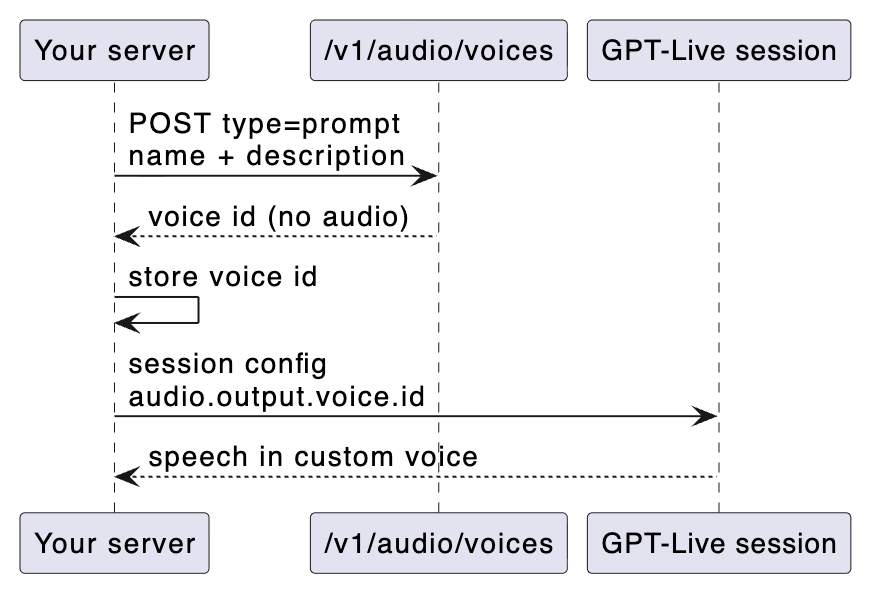
View PlantUML source
@startuml
skinparam shadowing false
skinparam defaultFontSize 14
participant "Your server" as S
participant "/v1/audio/voices" as V
participant "GPT-Live session" as L
S -> V : POST type=prompt\nname + description
V --> S : voice id (no audio)
S -> S : store voice id
S -> L : session config\naudio.output.voice.id
L --> S : speech in custom voice
@enduml
Step 1: Send the create request
This is the request from OpenAI's custom voices guide. It writes the response to voice.json:
curl --fail-with-body https://api.openai.com/v1/audio/voices \
  -H "Authorization: Bearer $OPENAI_API_KEY" \
  -H "Content-Type: application/json" \
  -d '{
    "type": "prompt",
    "name": "Support assistant",
    "prompt": "A warm adult voice with a mid-range pitch and smooth, rich timbre. Use moderate vocal effort and an unhurried, reassuring delivery.",
    "model": "auto"
  }' \
  -o voice.json
The request fields:
| Field | Required | What it does |
|---|---|---|
type | Yes | "prompt" for a voice made from a description |
name | Yes | Your label for the voice |
prompt | Yes | The description of vocal qualities |
model | Yes in the example | The guide uses "auto" and lists no other values |
script_hint | No | Up to 2,000 characters of sample speech to guide generation |
script_hint is useful when the voice will mostly say one kind of thing. For a support bot, paste a few typical replies. For a language tutor, paste a short lesson.
Step 2: Save the voice ID
The response is a small JSON object with these fields (values below are placeholders):
{
  "object": "audio.voice",
  "id": "voice_123",
  "name": "Support assistant",
  "created_at": 1792368000,
  "type": "prompt",
  "prompt": "A warm adult voice with a mid-range pitch..."
}
Pull out the ID with jq and keep it in your config or database:
jq -r '.id' voice.jsonTreat the ID like any other piece of configuration. Store it once and reuse it. Each create call makes a new voice and counts toward the 100-voice limit.
Step 3: Use the voice in a GPT-Live session
Set audio.output.voice.id in the session config. The guide gives this structure:
{
  "model": "gpt-live-1",
  "instructions": "You are a helpful voice assistant. Speak in a calm, reassuring way.",
  "audio": { "output": { "voice": { "id": "voice_123" } } }
}
Where this JSON goes depends on the transport:
- WebRTC: put it in the
sessionfield of the request that creates the session. - WebSocket: include it in the first
session.startevent.
OpenAI recommends WebRTC when the client is a browser or mobile app. Here is the Node server route from OpenAI's WebRTC guide, with the custom voice added. The browser sends its SDP offer to /api/session, and the server forwards it:
app.post("/api/session", async (request, response) => {
  const result = await client.live.create({
    session: {
      model: "gpt-live-1",
      instructions: "You are a helpful voice assistant. Be concise.",
      audio: { output: { voice: { id: process.env.CUSTOM_VOICE_ID } } },
    },
    transport: {
      type: "webrtc",
      sdp: request.body.sdp,
    },
  });
  response.status(201).json(result);
});
Keep the API key on the server. The browser only sees the SDP answer that comes back in result.transport.sdp.
To test without writing an app, open the voice Playground and set session.audio.output.voice.id to your new ID. Listening there runs a real GPT-Live session, so it is billed like one.
4. How to write a good voice description
OpenAI's examples describe the sound itself, not a person. Cover these qualities and you will get more predictable results:
| Quality | Example wording |
|---|---|
| Age and accent | "adult", "neutral American accent" |
| Pitch and timbre | "mid-range pitch, smooth, rich timbre" |
| Loudness and effort | "moderate vocal effort", "soft-spoken" |
| Pace and delivery | "unhurried", "brisk and upbeat" |
| Texture | "slightly breathy", "clear and crisp" |
A few rules from the guide:
- Describe qualities only. Do not ask for an imitation of a named person, public figure or fictional character.
- Adult voices only. Children's voices are not allowed.
- Uniqueness is not guaranteed. Another customer may end up with a similar-sounding voice, so do not treat a prompt voice as a brand trademark.
Put tone and personality in the session instructions as well. The voice controls how it sounds. The instructions control what it says and how formal it is.
5. OpenAI prompt-to-voice limits, pricing and policy
| Item | Rule (as of October 19, 2026) |
|---|---|
| Creating a voice | Free |
| Using a voice | Billed at regular GPT-Live session rates |
| Prompt voices per organization | Up to 100 |
script_hint length | Up to 2,000 characters |
| Supported API | GPT-Live only |
| Zero Data Retention | Not compatible for voice creation via API |
OpenAI's usage rules for custom voices also say you must tell listeners the speech is AI-generated and keep any provenance metadata. In practice, add a short spoken or on-screen notice at the start of a call ("You are talking to an AI assistant").
The guide does not document endpoints for listing or deleting prompt voices. Keep your own record of the IDs and names you create so you do not hit the 100-voice cap by accident.
6. Common problems and fixes
Problem 1. The voice works in the Playground but not with the TTS endpoint
This is expected. Prompt-generated voices only work with GPT-Live. For TTS, use a built-in voice or a recording-based voice (if your account has access).
Problem 2. The response has no audio
The create call only returns metadata. Start a GPT-Live session with the ID to hear it.
Problem 3. The voice does not sound like the description
Make the prompt more specific about each quality in the table in section 4, and add a script_hint with text close to what the voice will actually say. Remove any names of real people or characters, or any request for a child's voice, because those break the usage rules.
Problem 4. Keys leak to the browser
Never call /v1/audio/voices or create sessions from client-side code with your API key. Use a server route like the one above.
If you run voice jobs from scripts or cron, the same server-side pattern applies to other AI tools too. Our guide on how to run Claude Code headless with n8n on macOS shows one way to keep keys and locks on the host instead of in the workflow.
FAQ
Is OpenAI prompt-to-voice free?
Creating the voice is free. Every second of speech the voice produces runs inside a GPT-Live session, and that session is billed at the normal GPT-Live rates, including tests in the Playground.
Can I use a prompt-generated voice with the Text to Speech API?
No. As of October 19, 2026, OpenAI's guide lists GPT-Live as the only supported API for voices made from a description. Recording-based voices work with TTS, Realtime and Chat Completions audio, but they need sales approval.
How many custom voices can I create?
Up to 100 prompt-generated voices per organization. Recording-based voices have a separate cap of 20 per organization.
Can I make a voice that sounds like a celebrity?
No. The guide tells you to describe vocal qualities and not to request imitation of a named person, public figure or fictional character. Children's voices are also not allowed.
Which new built-in voices came with this release?
OpenAI added nine built-in GPT-Live voices on the same day: Nuri, Juni and Flitz (German), Brise and Sillage (French), Nira (Hindi), Harema and Shida (Japanese), and Noeul (Korean). Try those first if you only need a language or accent, not a fully custom sound.
Summary
Write a description of the voice, send one POST /v1/audio/voices request with "type": "prompt", save the ID, and set audio.output.voice.id in your GPT-Live session. Before you ship, confirm three things: you only need GPT-Live, your org does not depend on Zero Data Retention, and your app tells users the voice is AI-generated.
This guide reflects OpenAI's documentation as of October 19, 2026. OpenAI may add list and delete endpoints or wider API support later, so check the custom voices guide before you build on these limits.
References
- OpenAI API changelog, October 16, 2026 entry (checked 2026-10-19)
- OpenAI custom voices guide: create a voice from a description (checked 2026-10-19)
- OpenAI live conversations guide: voice options (checked 2026-10-19)
- OpenAI WebRTC connection guide for GPT-Live (checked 2026-10-19)
2 thoughts on “OpenAI Prompt-to-Voice: Create a Custom Voice from Text”