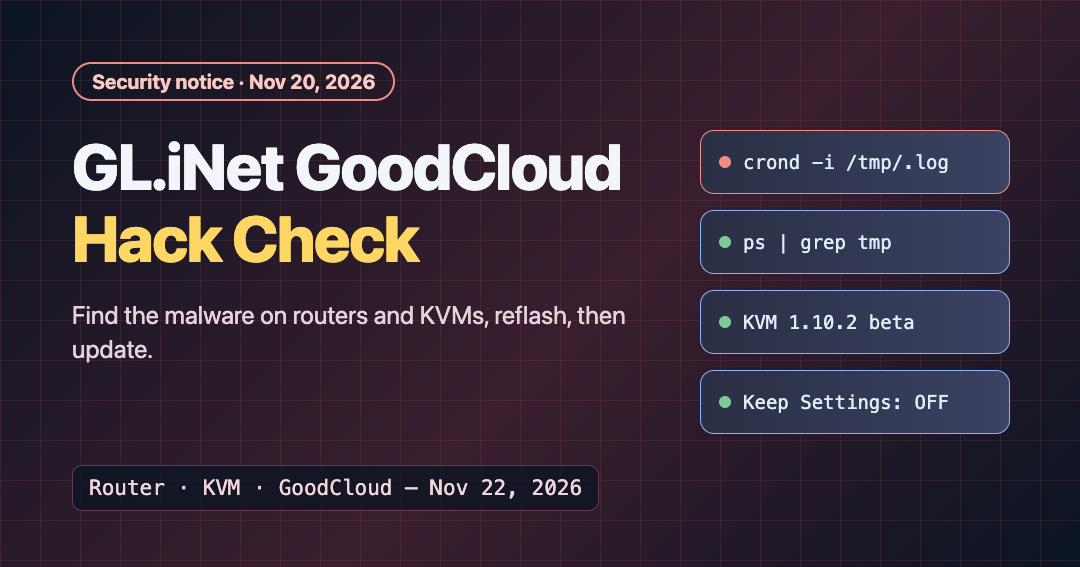
The GL.iNet GoodCloud hack hit some GL.iNet routers and KVM devices through a flaw in the company's cloud remote management service, disclosed on November 20, 2026. GL.iNet says the attack path is now blocked, but devices that were already infected stay infected. Check every device for the process crond -i /tmp/.log now. If you find it, reflash without keeping settings (KVMs: 1.10.2 beta or later, RMQ1: 1.8.6 beta). Then install the stable security firmware GL.iNet scheduled for November 22, and turn GoodCloud off until you have it.
Written November 22, 2026. The GL.iNet security notice (last updated November 21, 2026 UTC), the official forum announcements and the GL.iNet router docs were checked on November 22, 2026 (KST). I haven't run these checks on a GL.iNet device. The commands come from GL.iNet's notice and docs. Where something comes from the community rather than GL.iNet, I say so.
What happened in the GL.iNet GoodCloud hack
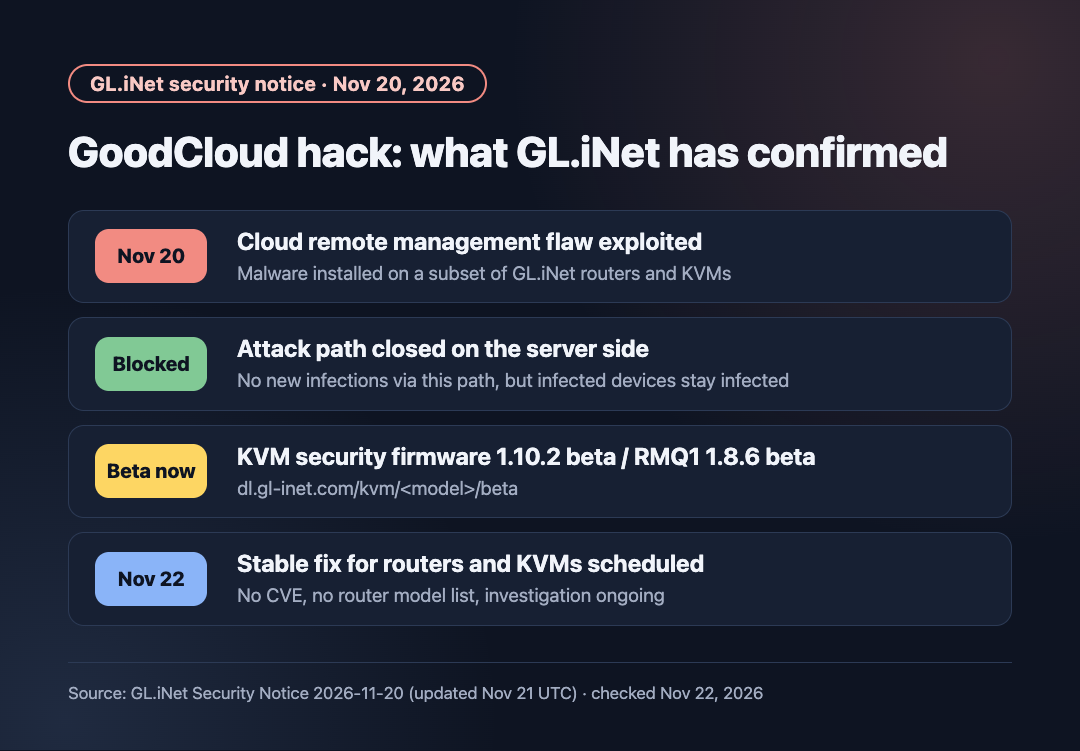
GL.iNet's notice is short. Here is what the company has confirmed:
- November 20, 2026: GL.iNet "identified a security vulnerability in our cloud remote management services." An unauthorized party used it to install malicious software "on a subset of GL.iNet routers and KVM devices." The forum announcement is titled "GoodCloud / KVM / Routers."
- Server side: "The attack path has been blocked." GL.iNet says devices can no longer be newly infected through this path. It also says these measures "do not remove malware from devices that were already infected."
- Firmware: KVM security betas are out now. Stable firmware with security fixes for routers and KVMs is "scheduled for November 22, 2026." The notice lists no router version numbers. At 11:00 UTC on November 22 I couldn't confirm that the stable builds were published, so check the download center yourself.
- Not stated: no CVE ID, no model list for routers, and no root-cause details. GL.iNet is still investigating, "including whether computers connected to affected KVM devices were impacted."
Community researchers on the official forum filled in some gaps. GL.iNet hasn't confirmed this analysis. They traced the router-side entry point to the GoodCloud client building an iptables rule for a chain called SDWAN_IP_MAPPING from cloud-supplied values without sanitizing them. If that's right, it explains two reports in the thread: disabling remote SSH or remote web access didn't help, and only devices bound to GoodCloud were hit, even ones that weren't reachable from the internet.
Which GL.iNet devices are at risk?
Your exposure depends mostly on one question: was the device bound to GoodCloud (your GL.iNet cloud account)?
| Your setup | Risk | Why |
|---|---|---|
| GL.iNet KVM (RM1, RM10, RMQ1 family) bound to GoodCloud | High | Named in the notice, beta fix available now |
| GL.iNet router bound to GoodCloud | High | Named in the notice, stable fix scheduled Nov 22 |
| GL.iNet device never bound to GoodCloud | Lower | Community checks found infections only on bound devices |
| Router running vanilla OpenWrt | Not affected | GL.iNet staff answered "Not affected" on the forum |
GL.iNet will email affected customers at the address on their cloud account. You "do not need to wait for an email." Check now.
How to check a GL.iNet router for the malware
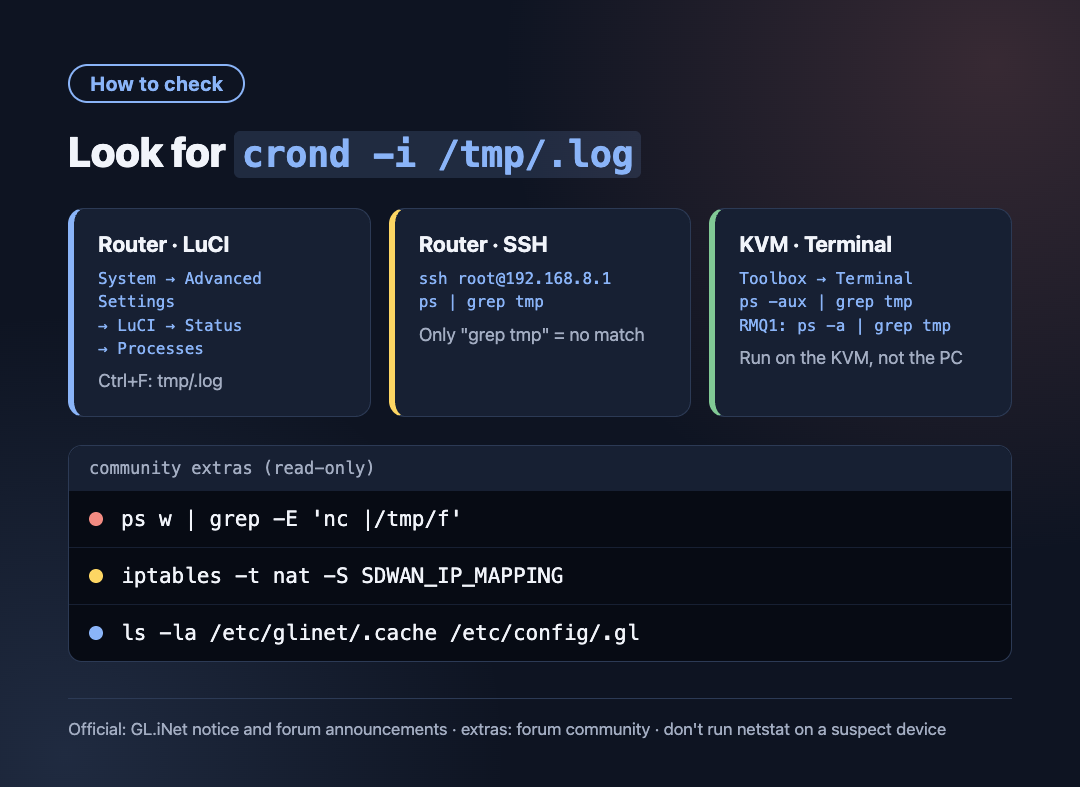
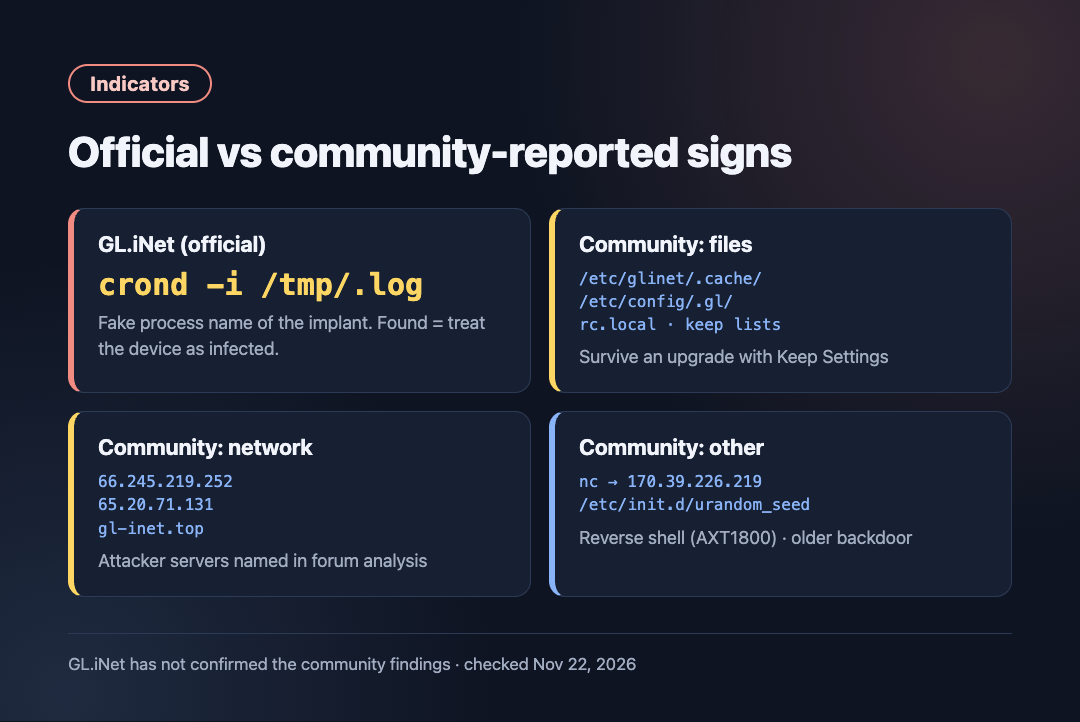
GL.iNet's indicator is the exact text crond -i /tmp/.log in a running process. The real GL.iNet cron daemon looks different, for example /usr/sbin/crond -f -c /tmp/gl_crontabs -l 10. That line is normal.
Option 1: Admin Panel and LuCI
- Open the Admin Panel (usually
http://192.168.8.1). - Go to System → Advanced Settings and sign in to LuCI.
- In LuCI, open Status → Processes.
- Press Ctrl+F (Command+F on macOS) and search for
tmp/.log.
Option 2: SSH
ssh root@192.168.8.1
ps | grep tmp
A normal router shows only the grep line and the real cron daemon:
 2817 root      1092 S    /usr/sbin/crond -f -c /tmp/gl_crontabs -l 10
 9921 root      1088 S    grep tmp
An infected one shows this exact text:
1453 root 1100 S crond -i /tmp/.logGL.iNet's note: "A line showing only the grep command is not a match." The PIDs and memory numbers above are illustrative. Only the command text matters.
Extra checks the official one misses
ps | grep tmp is a point-in-time check. Forum members found two other patterns it doesn't catch, including an in-memory reverse shell on a GL-AXT1800 running 4.8.3. These read-only commands look for the community-reported indicators. They are not from GL.iNet. First, the reverse shell pattern (a named pipe plus nc) reported on the GL-AXT1800, and the iptables chain the exploit abused:
ps w | grep -E 'nc |/tmp/f' | grep -v grep
ls -la /tmp/f 2>/dev/null
iptables -t nat -S SDWAN_IP_MAPPING 2>/dev/null
Then hidden implant folders, boot persistence, and a separate, older backdoor reported in the same thread:
ls -la /etc/glinet/.cache /etc/config/.gl 2>/dev/null
cat /etc/rc.local
head -20 /etc/init.d/urandom_seed
ps w | grep -E 'monitord|ujaild' | grep -v grep
Don't run netstat on a device you suspect. The community analysis found the implant replaces it with a wrapper that hides the attacker's connections.
How to check a GL.iNet KVM
Run the check on the KVM itself, not on the computer it's plugged into.
- Open the KVM web interface.
- Go to Toolbox → Terminal → Access.
- Run the command for your model. On the RMQ1:
ps -a | grep tmpOn the RM1, RM1V2, RM1PE, RM4PE, RM10, RM10RC and other models:
ps -aux | grep tmpThe indicator is the same: crond -i /tmp/.log. If your KVM is infected, GL.iNet also tells you to check the connected computer for unfamiliar programs, browser extensions, accounts, startup items or scheduled tasks, and to run a full scan with current security software. A KVM sees your keyboard, video and mouse, so treat any passwords typed through it as exposed.
| Signal | Source | What it means |
|---|---|---|
crond -i /tmp/.log process | GL.iNet notice | Infected: reflash |
/etc/glinet/.cache/ or /etc/config/.gl/ | Community | Implant files that survive "keep settings" |
nc to 170.39.226.219, /tmp/f pipe | Community | Reverse shell, memory only |
Connections to 66.245.219.252, 65.20.71.131, gl-inet.top | Community | Attacker servers |
Extra lines in /etc/init.d/urandom_seed | Community | Older, separate backdoor |
How to fix an infected GL.iNet device
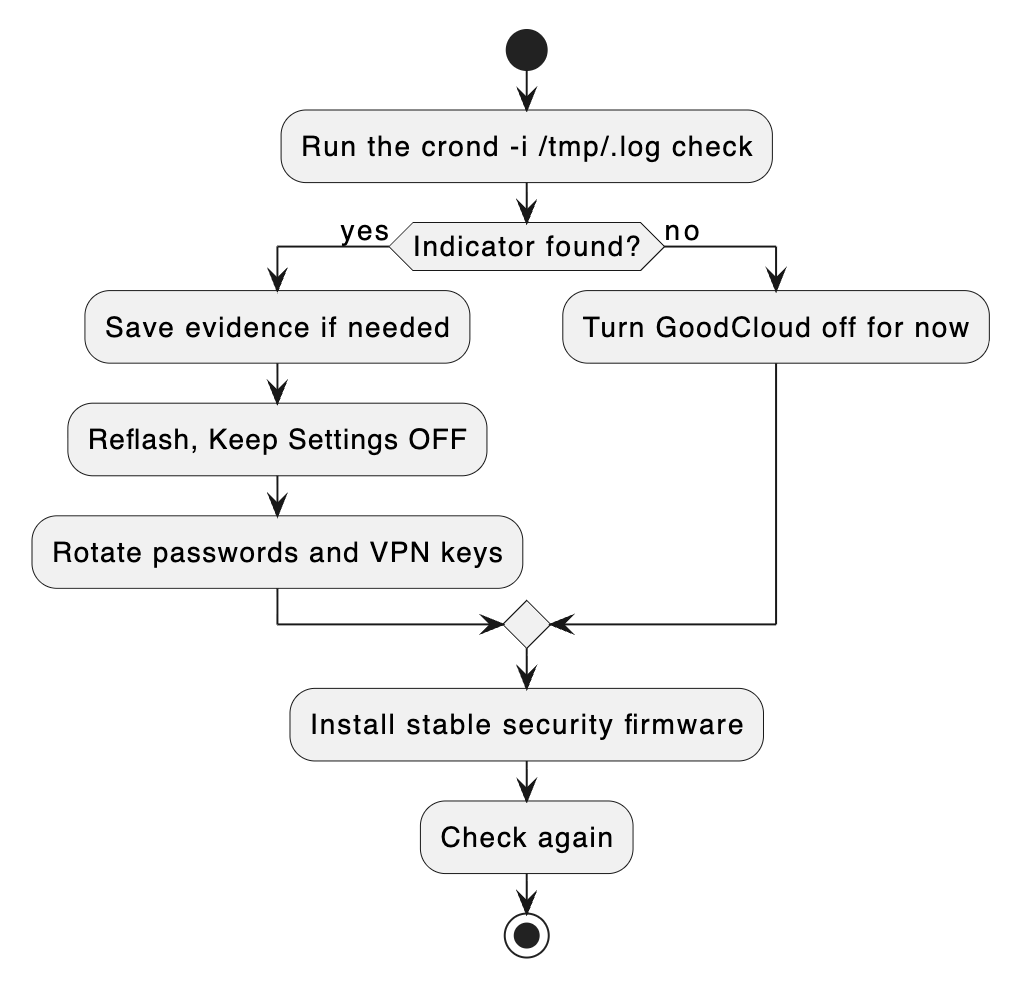
View PlantUML source
@startuml
skinparam shadowing false
skinparam defaultFontSize 14
start
:Run the crond -i /tmp/.log check;
if (Indicator found?) then (yes)
  :Save evidence if needed;
  :Reflash, Keep Settings OFF;
  :Rotate passwords and VPN keys;
else (no)
  :Turn GoodCloud off for now;
endif
:Install stable security firmware;
:Check again;
stop
@enduml
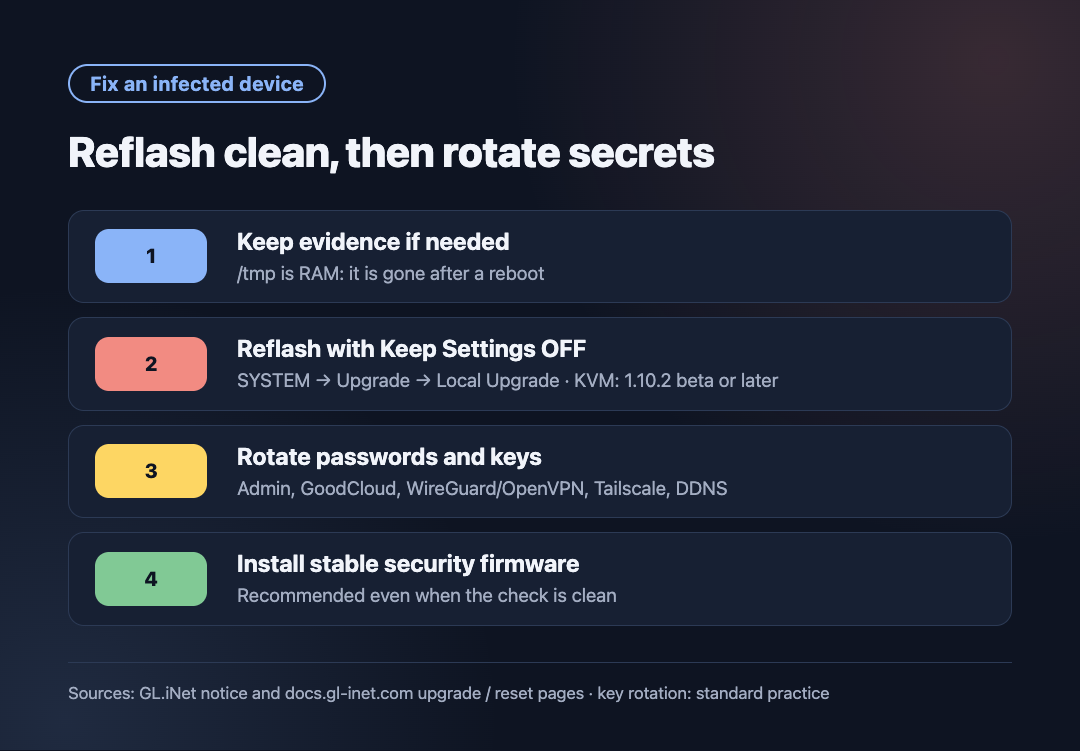
Step 1: Decide whether to keep evidence
If an infected KVM was attached to a sensitive system, forum members suggest powering it off and keeping it as evidence before you wipe it. On routers, /tmp is RAM, so anything there disappears on reboot.
Step 2: Reflash without keeping settings
GL.iNet's instruction for an infected device is to treat it as infected. For KVMs, install the security beta now or factory reset. Then install the stable firmware when it ships.
For a KVM, download the beta from https://dl.gl-inet.com/kvm/<model>/beta:
| KVM model | Fixed firmware |
|---|---|
| RM10, RM10RC, RM1, RM1V2, RM1PE, RM4PE | 1.10.2 beta or later |
| RMQ1 | 1.8.6 beta or later |
For a router on firmware 4.x, use the docs' local upgrade:
- Download the firmware for your exact model from the GL.iNet download center.
- Go to SYSTEM → Upgrade → Local Upgrade and upload the file.
- Uncheck "Keep Settings." Community analysis shows the implant copies itself into a settings folder and the sysupgrade keep list, so a settings-preserving upgrade can carry it over. One forum member reported that a GL-RM10 on the 1.10.2 beta, installed without kept settings, removed the
gl-helperfiles. - Click Install and don't power off until it finishes.
A factory reset (SYSTEM → Reset Firmware → Delete All and Reboot, about 2 minutes) also erases settings. Some forum members argue a reset isn't enough because root can write to /rom, and they recommend a full reflash instead. That's not GL.iNet's position, but a reflash with settings off covers both cases.
Step 3: Rotate what the device knew
GL.iNet's notice doesn't list this step. It's standard practice after a root-level compromise, and forum members recommend it:
- Change the router or KVM admin password and your GoodCloud account password.
- Generate new WireGuard or OpenVPN keys on the device and update your clients.
- Re-authenticate Tailscale or similar agents running on the device.
- Change DDNS credentials and any Wi-Fi passwords stored on it.
Step 4: Install the stable security firmware
Even on clean devices, GL.iNet recommends the stable update "even if the check finds no signs of infection." Check the version under SYSTEM → Upgrade after it installs, then run the ps check once more.
Can't update today? Turn GoodCloud off
GL.iNet's notice doesn't give a workaround, because it says the cloud path is already closed. The community-run detection script still tells users to turn off GoodCloud and AstroWarp until the stable firmware is installed. One forum member also reported that removing a device on the GoodCloud website didn't stop it reconnecting, while disabling it on the device did.
On router firmware 4.x (from GL.iNet's cloud docs):
- v4.7 or later: click the cloud icon at the top right of the Admin Panel. In the Cloud Service pop-up, click the gear icon and select Disable.
- v4.6 or earlier: go to APPLICATIONS → GoodCloud, toggle it off and click Apply.
The side effect: you lose remote web and SSH access through GoodCloud. If you manage a remote site, set up another path first, such as a WireGuard server on the router or a Tailscale node behind it, before you switch GoodCloud off.
Community detection script: read it before you run it
A forum member published an MIT-licensed script, glinet-csa-2026-01, that checks for the indicators above and can clean up. GL.iNet's quick-check announcement links to its web page, marked "unofficial." The README says plainly that it's "not an official GL.iNet tool" and "does not replace the factory reset." The name CSA-2026-01 is community naming, not a GL.iNet advisory ID.
On the device as root, download it, read it, then run the read-only check:
curl -fsSL https://app.gl-i.net/csa-2026-01-fix -o gl-helper-triage.sh
less gl-helper-triage.sh
sh gl-helper-triage.sh
Exit code 0 means clean and 1 means indicators found. The --fix mode saves evidence first, but it doesn't remove the older urandom_seed backdoor. A reflash is still the cleaner answer.
Troubleshooting after the reflash
| Problem | Likely cause | Fix |
|---|---|---|
| Device vanished from GoodCloud | Upgrading without kept settings unbinds the cloud account (GL.iNet staff) | Bind it again only after the stable firmware is installed |
| Lost remote access to a site | GoodCloud was disabled | Add WireGuard or Tailscale before disabling, or visit on site |
| Need to roll back to older firmware | Downgrade | Local upgrade with Keep Settings unchecked (GL.iNet docs say never keep settings when downgrading). Rolling back to a pre-fix build reopens the hole |
ps shows only grep tmp | That's your own command | Not a match, the device is clean by the official check |
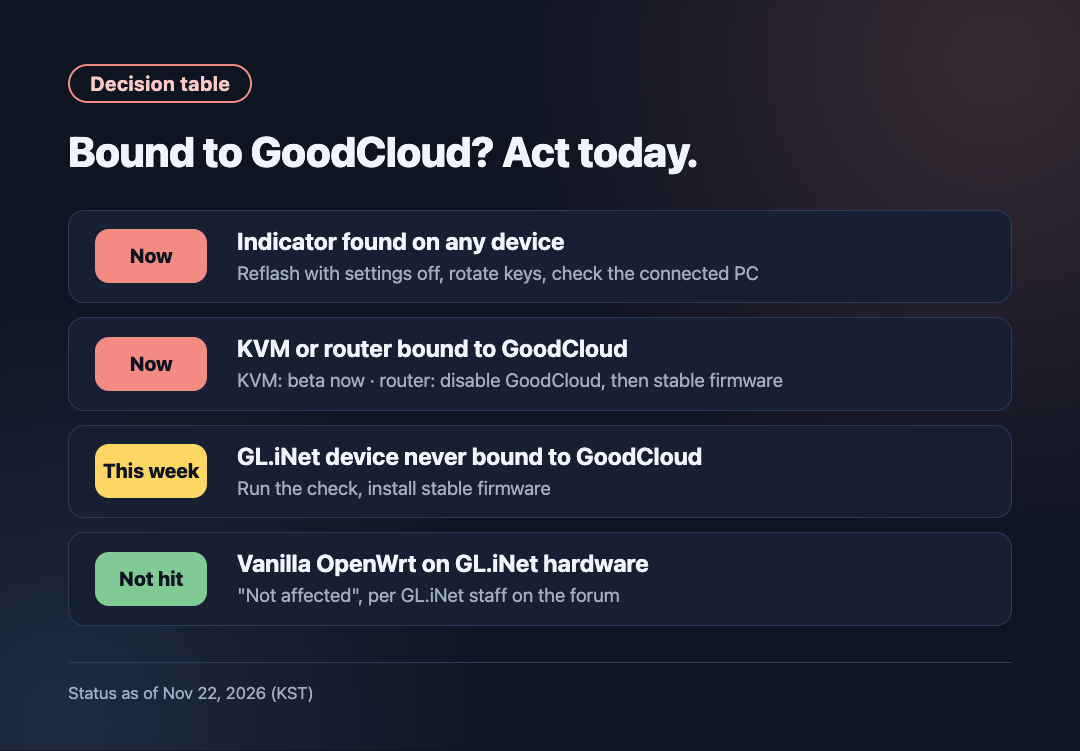
Decision table: update now, this week, or not affected
| Situation | Action | When |
|---|---|---|
| Indicator found on any device | Reflash with settings off, rotate keys | Now |
| KVM bound to GoodCloud, clean | Install 1.10.2 beta (RMQ1: 1.8.6) or the stable build | Now |
| Router bound to GoodCloud, clean | Disable GoodCloud, install stable firmware when out | Now / today |
| GL.iNet device never bound to GoodCloud | Run the check, install stable firmware | This week |
| Vanilla OpenWrt on GL.iNet hardware | Nothing for this incident | Not affected |
If you run a home lab behind that router, this is a good moment to review what else talks to a vendor cloud. My Home Assistant 2026.11 upgrade checklist covers the same "update, then verify" habit for smart-home servers. And edge devices keep getting hit through management features: the SonicWall SSLVPN SAML bypass followed the same pattern.
FAQ
Is there a CVE for the GL.iNet GoodCloud vulnerability? Not as of November 22, 2026. GL.iNet's notice gives no CVE ID or advisory number. "CSA-2026-01" comes from the community script, not from GL.iNet.
I never used GoodCloud. Am I safe? Your risk is lower. Forum members who checked several routers found infections only on devices bound to GoodCloud. Still run the ps check and install the stable security firmware, which GL.iNet recommends for everyone.
Is a factory reset enough? GL.iNet says a reset device "cannot be reinfected through that vulnerability." Some forum members argue malware with root access can survive a reset and recommend a full reflash with Keep Settings off. The reflash covers both views.
Does disabling remote SSH or remote web access protect me? According to the community analysis, no. The reported entry point is the GoodCloud client itself, which runs as root. Disabling GoodCloud on the device is the step that matters.
My KVM was infected. What about my PC? GL.iNet is still investigating whether connected computers were affected. Check the PC for unfamiliar programs, extensions, accounts, startup items and scheduled tasks, run a full security scan, and change passwords you typed through the KVM.
Next, look at how you reach your network remotely. A self-hosted WireGuard or Tailscale setup means one less vendor cloud holding root on your router.
References
- GL.iNet, Security Notice 2026-11-20 (issued Nov 20, updated Nov 21, 2026 UTC; checked Nov 22, 2026)
- GL.iNet Forum, "2026-11-20: GL.iNet Security Notice – GoodCloud / KVM / Routers" (checked Nov 22, 2026)
- GL.iNet Forum, "Quickly check if your Router is under attack" (Nov 21, 2026; checked Nov 22, 2026)
- GL.iNet Forum, "Quickly check if your KVM is under attack" (Nov 21, 2026; checked Nov 22, 2026)
- GL.iNet Docs, Cloud services (GoodCloud) (checked Nov 22, 2026)
- GL.iNet Docs, Firmware upgrade (checked Nov 22, 2026)
- GL.iNet Docs, Reset firmware (checked Nov 22, 2026)
- GL.iNet download center (checked Nov 22, 2026)
- admonstrator, glinet-csa-2026-01 community script (unofficial) (checked Nov 22, 2026)
- RemoteToHome, GL.iNet security incident 2026 findings (unofficial) (checked Nov 22, 2026)
1 thought on “GL.iNet GoodCloud Hack: Check Your Router and KVM for Malware”