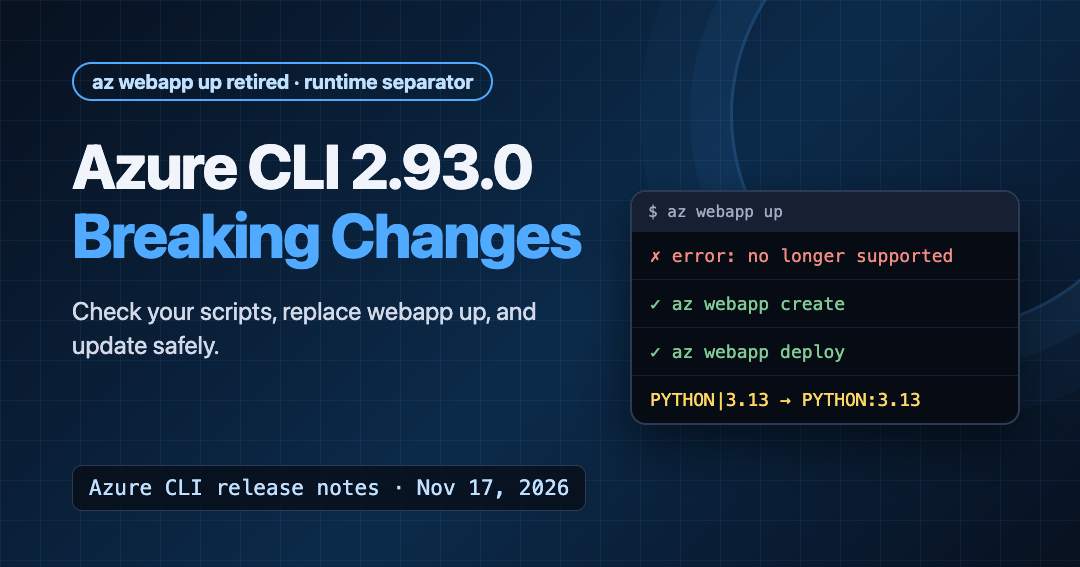
Azure CLI 2.93.0 breaking changes hit deployment scripts first. az webapp up no longer deploys anything. It now exits with an error, so any pipeline that still calls it will fail as soon as its agent picks up 2.93.0. Replace it with az webapp create plus az webapp deploy. Also check any script that parses az webapp list-runtimes, because the runtime separator changed from | to :.
Written November 18, 2026, 13:30 KST (04:30 UTC). Facts checked on November 18, 2026 against the Azure CLI release notes, the az webapp command reference, the Azure CLI install pages for Linux, Windows, macOS and Docker, the azure/cli GitHub Action, Azure CLI pull request #34344 and the Azure App Service blog post on CLI 2.87.0. The commands below follow those documents. I have not run them against a live subscription for this post.
What changed in Azure CLI 2.93.0
The Azure CLI release notes date version 2.93.0 to November 17, 2026. The GitHub release entry for azure-cli-2.93.0 shows November 15, so some machines may already have it. Microsoft's install pages now list 2.93.0 as the current version.
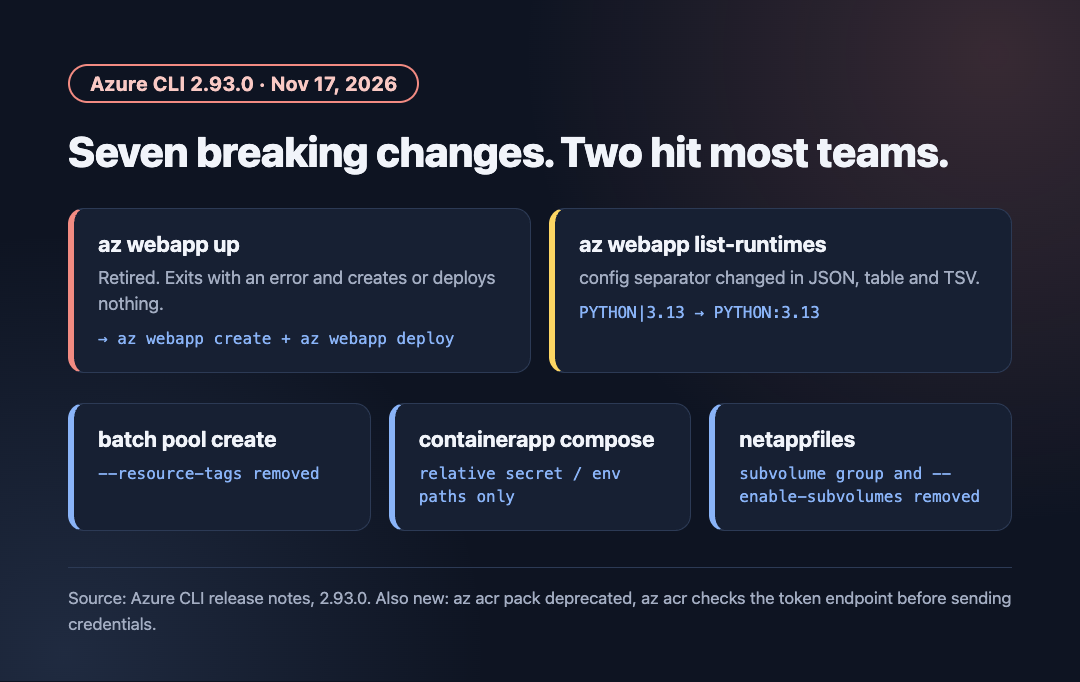
The release has seven items marked [BREAKING CHANGE]:
| Command | What changed | Who breaks |
|---|---|---|
az webapp up | Retired: exits with an error, creates and deploys nothing | Any script or pipeline that uses it |
az webapp list-runtimes | config separator changed from | to : in JSON, table and TSV | Scripts that compare runtime strings |
az batch pool create | --resource-tags removed (listed as removed in 2.80.0 but still accepted until now) | Batch pool scripts |
az containerapp compose create | Secret and env files must use relative paths inside the Compose file's folder | Compose files with absolute paths |
az netappfiles subvolume | Command group removed | NetApp Files subvolume scripts |
az netappfiles volume create/update | --enable-subvolumes removed | Same as above |
Two non-breaking items are worth knowing too. az acr pack is now deprecated, and az acr validates the token endpoint before it sends credentials.
The az webapp up change did not come out of nowhere. Azure CLI 2.87.0 (June 2026) formally deprecated it, but the command kept working. Pull request #34344, merged November 6, replaced it with a retirement error. The command reference now says: "Invocations exit with an error without creating or deploying resources. Legacy arguments are accepted only to report this error and are hidden from help."
Check your Azure CLI version and scripts
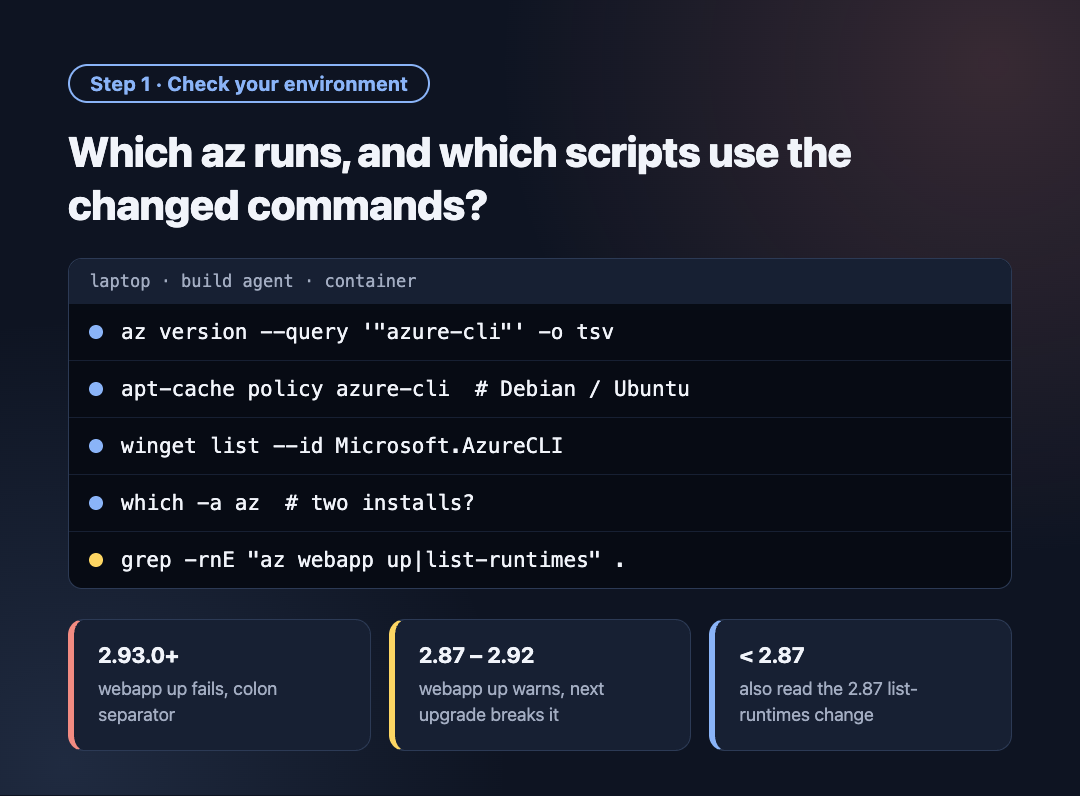
Start with the version on every machine that runs az: your laptop, self-hosted build agents and container images.
## Full version list, including extensions
az version

## Just the core version (works in bash and PowerShell)
az version --query '"azure-cli"' -o tsv
Example output:
2.93.0How to read it:
- 2.93.0 or later:
az webapp upfails, andlist-runtimesprintsPYTHON:3.13style values. - 2.87.0 to 2.92.0:
az webapp upstill runs but prints a deprecation warning. Your next upgrade will break it. - Older than 2.87.0: also update, and read the 2.87.0 notes. That release changed
list-runtimesto return structured objects and removed--linuxand--show-runtime-details.
Check by install method, so you know which updater owns the binary:
## Debian / Ubuntu
apt-cache policy azure-cli

## RHEL / Fedora / CentOS Stream
dnf list --installed azure-cli

## macOS (Homebrew)
brew list --versions azure-cli

## More than one az on PATH? This shows all of them
which -a az
## Windows
winget list --id Microsoft.AzureCLINow search your repositories for the commands that changed. Run this at the repo root:
grep -rnE "az webapp up|list-runtimes|--resource-tags|netappfiles (subvolume|volume)|enable-subvolumes|containerapp compose create" \
  --include='*.sh' --include='*.ps1' --include='*.yml' --include='*.yaml' --include='Makefile' .
If az webapp up shows up in .github/workflows, azure-pipelines.yml or a deploy script, that job will fail on 2.93.0. A list-runtimes hit only matters if the script reads its output.
Replace az webapp up with create and deploy
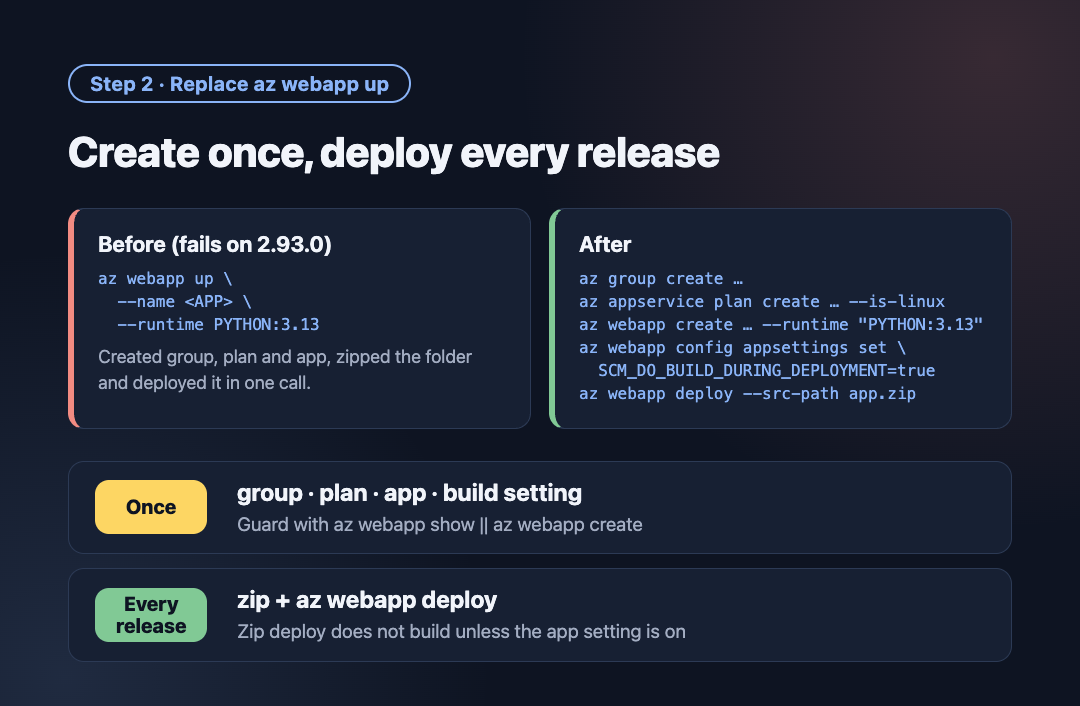
az webapp up did four things in one call: it created a resource group, an App Service plan and a web app, then zipped and deployed the current folder. Microsoft's replacement is two explicit commands, az webapp create and az webapp deploy. Here is a full first-time setup for a Linux Python app:
RG=<YOUR_RESOURCE_GROUP>
PLAN=<YOUR_PLAN_NAME>
APP=<YOUR_UNIQUE_APP_NAME>
LOCATION=<YOUR_REGION>

## 1) Resource group and Linux plan (one time)
az group create --name "$RG" --location "$LOCATION"
az appservice plan create -g "$RG" -n "$PLAN" --is-linux --sku B1

## 2) Web app with a runtime from list-runtimes (one time)
az webapp create -g "$RG" -p "$PLAN" -n "$APP" --runtime "PYTHON:3.13"

## 3) Let the platform install requirements.txt during deploy
az webapp config appsettings set -g "$RG" -n "$APP" \
  --settings SCM_DO_BUILD_DURING_DEPLOYMENT=true

## 4) Package and deploy (every release)
zip -r app.zip . -x '.git/*' '.venv/*'
az webapp deploy -g "$RG" -n "$APP" --src-path app.zip --type zip
Step 3 matters. The az webapp deploy reference says zip deployment "does NOT automatically run build automation". az webapp up handled that for you. Without the setting, a Python or Node app that ships source only will start with missing packages. If you build in CI and ship a ready-to-run package, skip step 3.
Pick the runtime string from your own region and OS:
az webapp list-runtimes --os-type linux --runtime python --output tableFor everyday releases you only need step 4. To keep one script for both first run and later runs, guard the create step:
az webapp show -g "$RG" -n "$APP" >/dev/null 2>&1 || \
  az webapp create -g "$RG" -p "$PLAN" -n "$APP" --runtime "PYTHON:3.13"
GitHub Actions example
In a workflow, swap the az webapp up line for the deploy command. Pinning azcliversion keeps the job from changing under you when the runner image updates:
- uses: azure/login@v2
  with:
    client-id: ${{ secrets.AZURE_CLIENT_ID }}
    tenant-id: ${{ secrets.AZURE_TENANT_ID }}
    subscription-id: ${{ secrets.AZURE_SUBSCRIPTION_ID }}

- name: Deploy to App Service
  uses: azure/cli@v2
  with:
    azcliversion: 2.93.0
    inlineScript: |
      az version --query '"azure-cli"' -o tsv
      zip -r app.zip . -x '.git/*'
      az webapp deploy -g <YOUR_RESOURCE_GROUP> -n <YOUR_APP_NAME> --src-path app.zip --type zip
If you already pin actions by commit, the same habit applies here. See GitHub Actions lockfile: how to lock workflow dependencies for that approach.
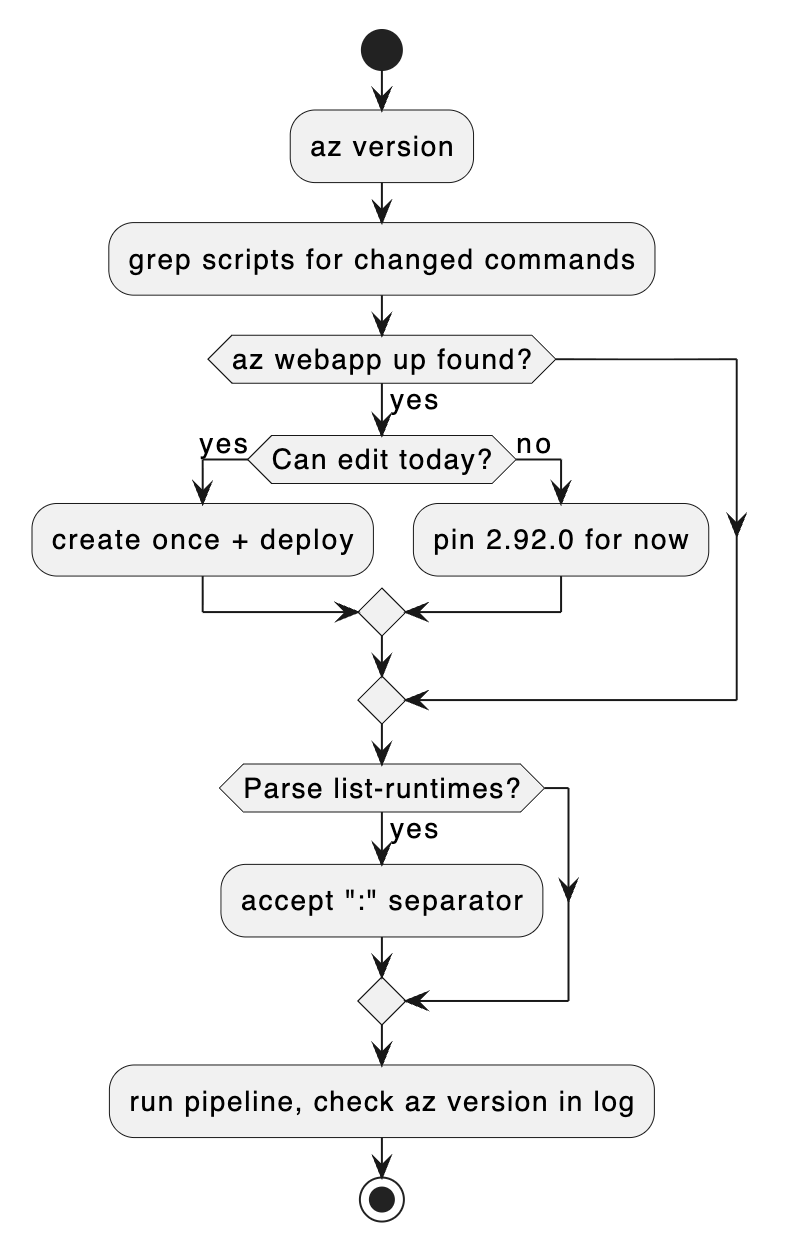
View PlantUML source
@startuml
skinparam shadowing false
skinparam defaultFontSize 14
start
:az version;
:grep scripts for changed commands;
if (az webapp up found?) then (yes)
  if (Can edit today?) then (yes)
    :create once + deploy;
  else (no)
    :pin 2.92.0 for now;
  endif
endif
if (Parse list-runtimes?) then (yes)
  :accept ":" separator;
endif
:run pipeline, check az version in log;
stop
@enduml
Fix scripts that parse list-runtimes output
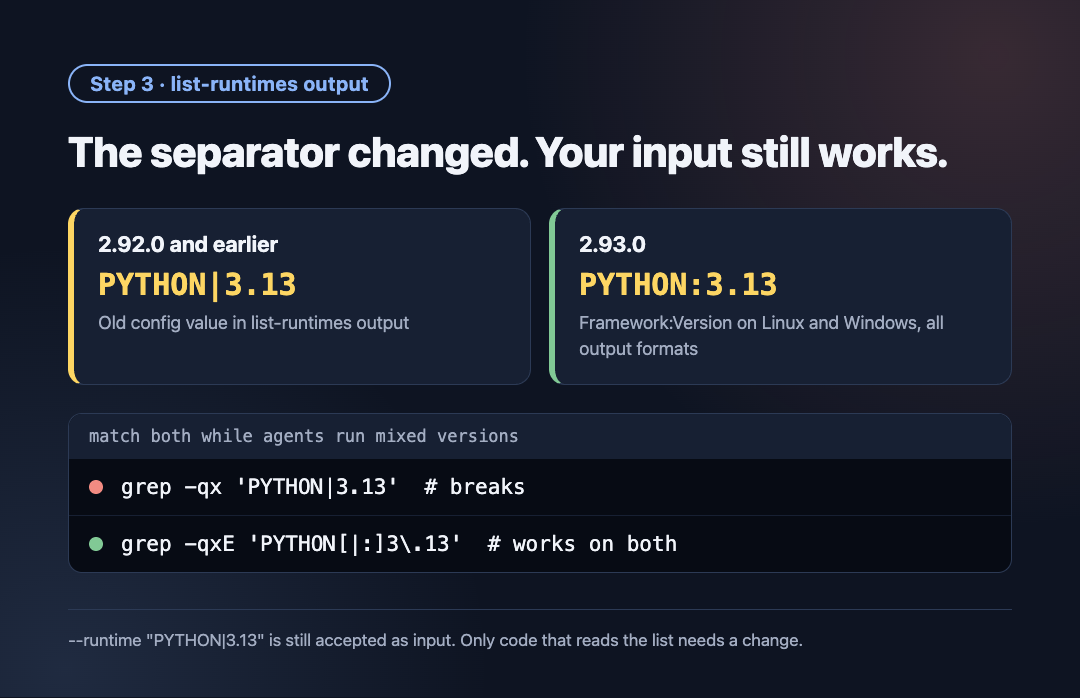
In 2.93.0, the config field of az webapp list-runtimes uses Framework:Version on both Linux and Windows, in every output format. The command reference says the value "can be passed directly to --runtime" and that "existing pipe-separated runtime input remains accepted".
So az webapp create --runtime "PYTHON|3.13" still works. What breaks is code that reads the list and looks for the old string:
## Breaks on 2.93.0: the list now holds PYTHON:3.13
az webapp list-runtimes --os-type linux --runtime python --query "[].config" -o tsv \
  | grep -qx 'PYTHON|3.13' || echo "runtime not supported"
Accept both separators so the script works on old and new agents:
az webapp list-runtimes --os-type linux --runtime python --query "[].config" -o tsv \
  | grep -qxE 'PYTHON[|:]3\.13' || echo "runtime not supported"
In PowerShell, normalize before comparing:
$runtimes = az webapp list-runtimes --os-type linux --runtime python --query "[].config" -o tsv
$runtimes = $runtimes | ForEach-Object { $_ -replace '\|', ':' }
if ($runtimes -notcontains 'PYTHON:3.13') { Write-Error 'runtime not supported' }
The release note covers list-runtimes output only. It does not say other fields, such as a site's linuxFxVersion, changed. Don't rewrite those comparisons unless your own output shows a difference.
Update Azure CLI on each platform
Once your scripts are ready, update. az upgrade works on every install method since 2.11.0 and also updates extensions:
az upgradeOr use the package manager that installed it:
## Debian / Ubuntu
sudo apt-get update && sudo apt-get install --only-upgrade -y azure-cli

## RHEL / Fedora / CentOS Stream
sudo dnf update azure-cli

## macOS
brew update && brew upgrade azure-cli

## Docker: pull a pinned tag rather than latest in pipelines
docker pull mcr.microsoft.com/azure-cli:2.93.0-azurelinux3.0
## Windows
winget upgrade --exact --id Microsoft.AzureCLIThen confirm, and open a new terminal on Windows first:
az version --query '"azure-cli"' -o tsv   # expect 2.93.0
az webapp up                               # expect the retirement error, nothing created
On hosted build agents you don't control the update date. Add az version as the first line of any Azure step so the log shows which version ran. For the bigger picture on platform-driven build breaks, see Heroku-22 end of life: fix failing builds and upgrade now.
Can't change scripts yet? Pin Azure CLI 2.92.0
Microsoft publishes no setting that brings az webapp up back. The only short-term option is to stay on 2.92.0 where you control the version:
## Debian / Ubuntu: install 2.92.0 and stop apt from upgrading it
sudo apt-get install --allow-downgrades -y azure-cli=2.92.0-1~$(lsb_release -cs)
sudo apt-mark hold azure-cli

## RHEL family: list exact package names, then install the 2.92.0 one
dnf list --showduplicates azure-cli

## Docker
docker run --rm -it mcr.microsoft.com/azure-cli:2.92.0-azurelinux3.0
## Windows: if winget refuses because a newer version is installed, uninstall first
winget uninstall --exact --id Microsoft.AzureCLI
winget install --exact --id Microsoft.AzureCLI --version 2.92.0In GitHub Actions, set azcliversion: 2.92.0 on azure/cli@v2. Homebrew has no simple way to install an old version, so on macOS use the Docker image instead.
Side effects to accept:
- 2.92.0 still prints the deprecation warning for
az webapp up. The pin buys time, not a fix. - You miss the 2.93.0 changes, including the ACR token endpoint check.
apt-mark holdalso blocks future security fixes for the CLI. Remove it withsudo apt-mark unhold azure-cliwhen you finish the migration.
Troubleshooting after the upgrade
The pipeline fails at the deploy step right after a runner update. Look for the retirement message from az webapp up in the log. Replace the call as shown above, or pin azcliversion: 2.92.0 for one run while you fix it.
The app deploys but crashes with missing modules. This happens when az webapp deploy sends source without a build. Set SCM_DO_BUILD_DURING_DEPLOYMENT=true and deploy again, or build dependencies into the zip in CI.
az version still shows the old number after updating. You probably have two installs, for example apt plus pip, or an old Homebrew formula plus the new cask. Run which -a az and remove the extra one. On macOS, Microsoft's guide says to run brew uninstall azure-cli, brew update, then brew install azure-cli once if you installed it before the move to Homebrew Cask.
az batch pool create fails with an unrecognized --resource-tags argument. Remove the argument. Check az batch pool create -h on 2.93.0 for the options your version supports.
az containerapp compose create rejects a secret or env file. Move the file next to the Compose file (or below it) and use a relative path.
Rolling back. Use the pin commands above. On Windows, the versioned MSI follows the URL pattern https://azcliprod.blob.core.windows.net/msi/azure-cli-<version>-x64.msi.
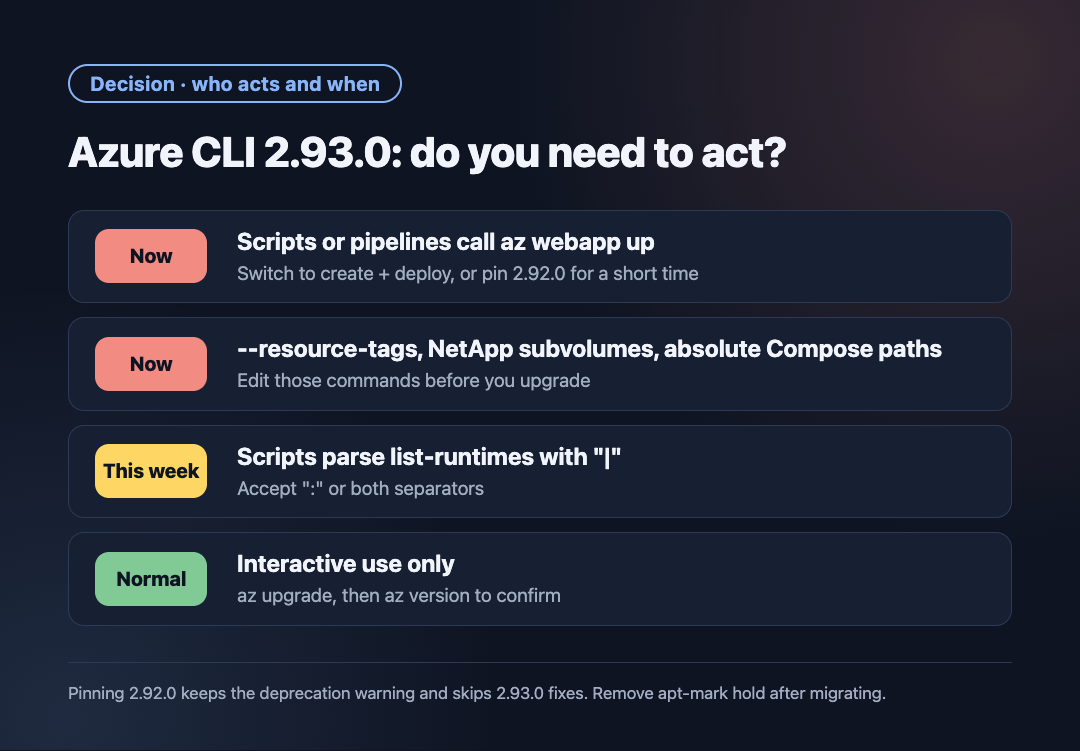
Should you act now? Decision table
| Your situation | Action | When |
|---|---|---|
Scripts or pipelines call az webapp up | Switch to create + deploy, or pin 2.92.0 | Now |
Scripts parse list-runtimes output with | | Accept : (or both) | This week |
You use --resource-tags, NetApp subvolumes or absolute Compose paths | Edit those commands before upgrading | Now, if used |
| Interactive use only, none of the above | Run az upgrade | Normal update |
| Azure CLI older than 2.87.0 | Also review the 2.87.0 list-runtimes change | Before upgrading |
If you are cleaning up a pipeline anyway, the same week is a good time to check other dated CI changes, such as the pull_request_target brownout.
FAQ
Is az webapp up removed or only deprecated in Azure CLI 2.93.0? It is still listed, but it does nothing useful. The command reference says invocations exit with an error without creating or deploying resources.
What is the official replacement for az webapp up? Microsoft's message says to use webapp create and webapp deploy. Create the plan and app once, then run az webapp deploy for each release.
Do I have to change –runtime "PYTHON|3.13" in my scripts? Not right away. The reference says pipe-separated runtime input is still accepted. Only scripts that compare list-runtimes output need a change. Using PYTHON:3.13 going forward matches what the CLI now prints.
Does this affect the Azure portal or ARM/Bicep deployments? These release notes cover the Azure CLI only. Nothing in them changes portal, ARM or Bicep behavior.
How do I see which Azure CLI version my GitHub Actions job used? Add az version --query '"azure-cli"' -o tsv to the step, or pin azcliversion in azure/cli@v2 so the version is fixed and visible in the workflow file.
References
- Microsoft Learn, Azure CLI release notes (2.93.0, November 17, 2026; 2.92.0, November 3, 2026): learn.microsoft.com (checked November 18, 2026)
- Microsoft Learn,
az webappcommand reference (up,create,deploy,list-runtimes): learn.microsoft.com (checked November 18, 2026) - Microsoft Learn, Install the Azure CLI on Linux: learn.microsoft.com (checked November 18, 2026)
- Microsoft Learn, Install the Azure CLI on Windows: learn.microsoft.com (checked November 18, 2026)
- Microsoft Learn, Install Azure CLI on macOS: learn.microsoft.com (checked November 18, 2026)
- Microsoft Learn, Run Azure CLI in a Docker container: learn.microsoft.com (checked November 18, 2026)
- GitHub, Azure/azure-cli pull request #34344, "
az webapp up: Deprecate support for the command": github.com (checked November 18, 2026) - GitHub, Azure/azure-cli releases: github.com (checked November 18, 2026)
- GitHub, Azure/cli action (
azcliversioninput): github.com (checked November 18, 2026) - Azure App Service blog, "What's new for Azure App Service in Azure CLI 2.87.0", June 2, 2026: azure.github.io (checked November 18, 2026)