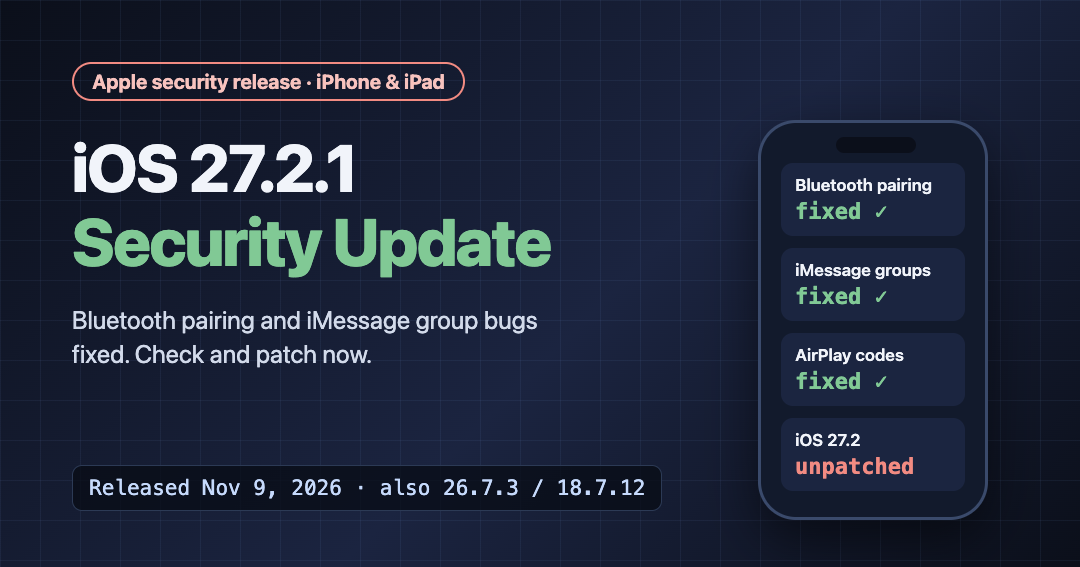
The iOS 27.2.1 security update, released by Apple on November 9, 2026, fixes nine flaws. Four let an attacker in Bluetooth range pair with your iPhone or corrupt memory, and two let the wrong people read iMessage group chats. Install iOS 27.2.1 (or iOS 26.7.3 if you stay on iOS 26, or iOS 18.7.12 on iPhone XS and XR) from Settings → General → Software Update. Apple's notes do not say any of these bugs are being exploited. Even so, the Bluetooth and iMessage fixes are worth installing today, not next month.
Written November 11, 2026, 20:00 KST (11:00 UTC). Facts checked on November 11, 2026 against Apple's security release pages for iOS 27.2.1 (support article 149715), iOS 26.7.3 (149716), iOS 18.7.12 (149717) and the Apple security releases index. I have not tested these flaws or run the update on a specific device for this post. The steps below follow Apple's documented menus and standard tools.
What the iOS 27.2.1 security update fixes
Apple lists nine entries for iOS 27.2.1 and iPadOS 27.2.1. The table groups them by where an attacker has to be. That tells you more about your real risk than the CVE numbers do.
| Component | CVE | What an attacker could do | Attacker position |
|---|---|---|---|
| CoreUtils | CVE-2026-113965 | Malicious Bluetooth device pairs without user interaction | Bluetooth range |
| CoreUtils | CVE-2026-113964 | Bypass the pairing-code rate limit and pair without interaction | Bluetooth range |
| Bluetooth | CVE-2026-113970 | Use-after-free that may corrupt process memory | Bluetooth range |
| AirPlay | CVE-2026-113968 | Bypass the rate limit on pairing-code attempts | Bluetooth range |
| rapportd | CVE-2026-113969 | Bypass the AirPlay pairing-code rate limit | Same network |
| Messages | CVE-2026-113961 | Join an iMessage group chat and receive its messages | Remote |
| Messages | CVE-2026-113960 | A newly added member reads messages sent before they joined | Group member |
| brotli | CVE-2026-111497 | Crafted compressed input may corrupt memory | Content you open |
| App Intents | CVE-2026-113963 | An app may access sensitive user data | Installed app |
Source: Apple, "About the security content of iOS 27.2.1 and iPadOS 27.2.1", November 9, 2026, checked Nov 11, 2026.
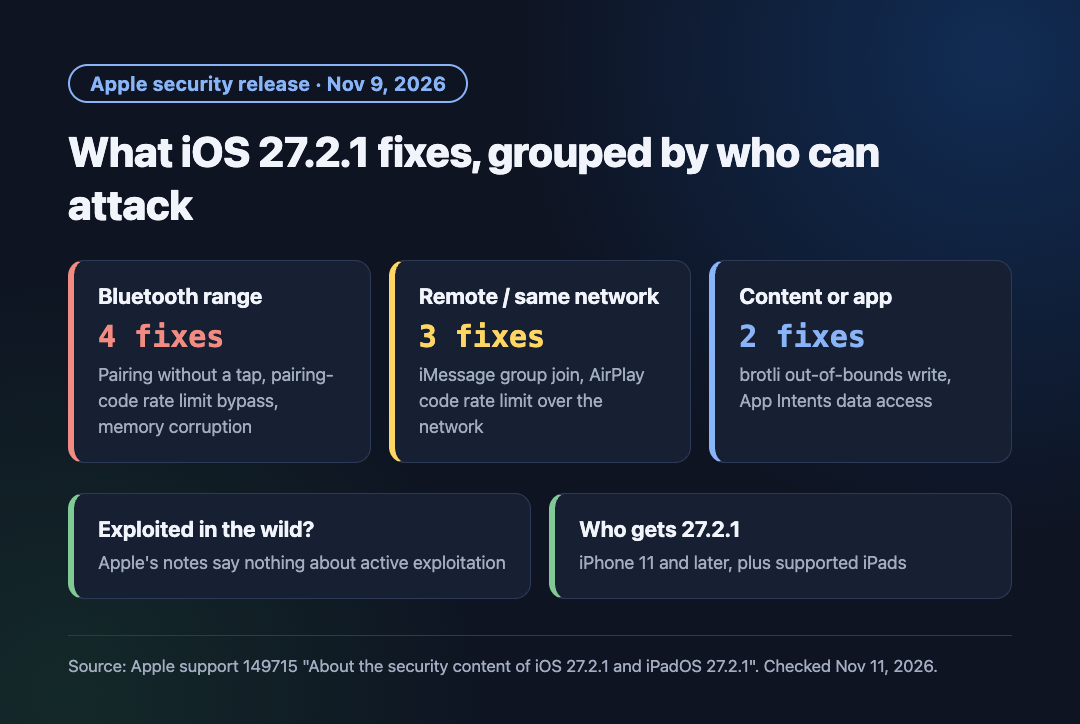
What stands out:
- Bluetooth pairing without a tap. Two CoreUtils bugs let a nearby device pair with your phone without you confirming. Rate-limit bypasses in AirPlay and rapportd make pairing codes easier to brute-force. A crowded train or office is the realistic setting.
- iMessage group privacy. CVE-2026-113961 is the only remote entry. Apple says a remote attacker "may join an iMessage group chat and receive its messages." The companion bug, CVE-2026-113960, let a new member see history from before they were added. Apple fixed it by removing the vulnerable code.
- brotli is not new. CVE-2026-111497 is the Brotli out-of-bounds write that hit Node, .NET, Python and Linux packages in October. I covered the server side in the CVE-2026-111497 Brotli patch guide. iOS 27.2.1 is Apple's fix for its own copy.
No exploitation noted. None of the three iOS pages mention active exploitation, and none uses Apple's usual "may have been exploited" wording. That makes this a "patch this week" update, not an emergency. If you manage phones for people who sit in shared spaces or run sensitive group chats, move it up the list.
Which iOS version you need: 27.2.1, 26.7.3 or 18.7.12
Apple shipped three patched iOS builds on the same day. Which one you need depends on the device and whether you moved to iOS 27.
| If your device runs | Install | Devices | Fixes |
|---|---|---|---|
| iOS 27.x | iOS 27.2.1 | iPhone 11 and later | 9 |
| iOS 26.x (staying on 26) | iOS 26.7.3 | iPhone 11 and later | 8 |
| iOS 18.x | iOS 18.7.12 | iPhone XS, XS Max, XR, iPad 7th gen | 6 |
Sources: Apple support articles 149715, 149716 and 149717, checked Nov 11, 2026.
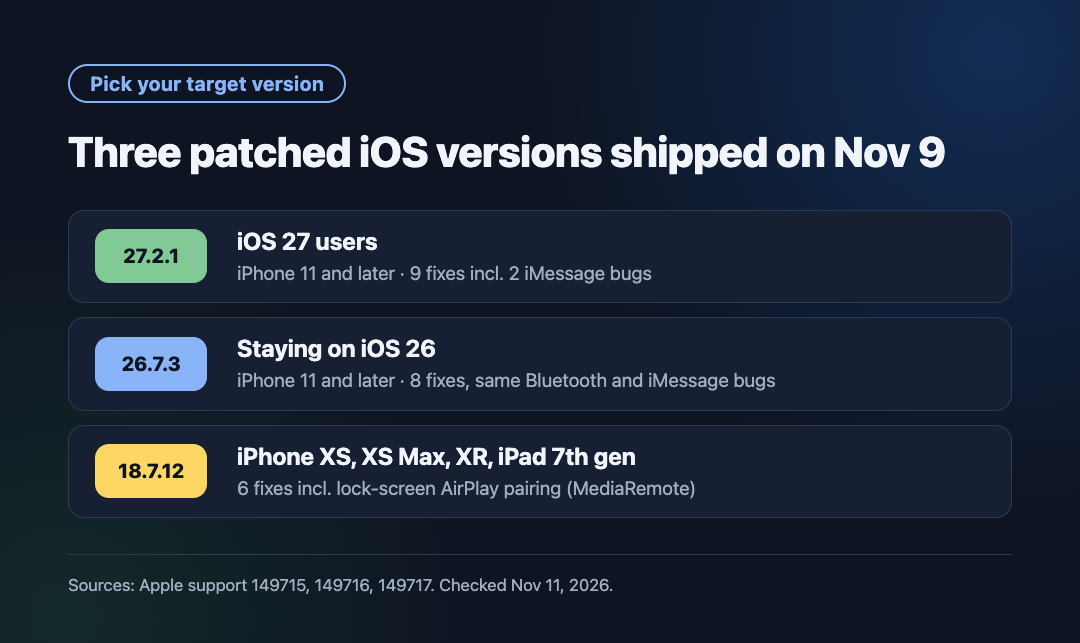
A few details from the pages:
- iOS 26.7.3 gets the same Bluetooth, AirPlay, brotli and iMessage fixes. It does not list the App Intents entry, so it has eight.
- iOS 18.7.12 does not list the iMessage or brotli entries. It adds one of its own: MediaRemote, CVE-2026-113971. Someone with physical access could pair the device with an AirPlay receiver from the lock screen.
- iPad support differs between 27.2.1 and 26.7.3. iPadOS 27.2.1 needs iPad Pro 12.9-inch 4th gen or later, iPad Pro 11-inch 2nd gen or later, iPad Air 4th gen or later, iPad 9th gen or later and iPad mini 6th gen or later. iPadOS 26.7.3 still covers one generation older of each.
The same day, Apple also released macOS Golden Gate 27.2.1, macOS Tahoe 26.7.3, macOS Sequoia 15.8.3, watchOS 27.2.1, watchOS 26.6.1 and visionOS 27.2.1. If you have a Mac or Apple Watch, check those too.
How to check your iOS version
Do this before you update, so you know which build to expect. On a fleet, it shows you which devices are still exposed.
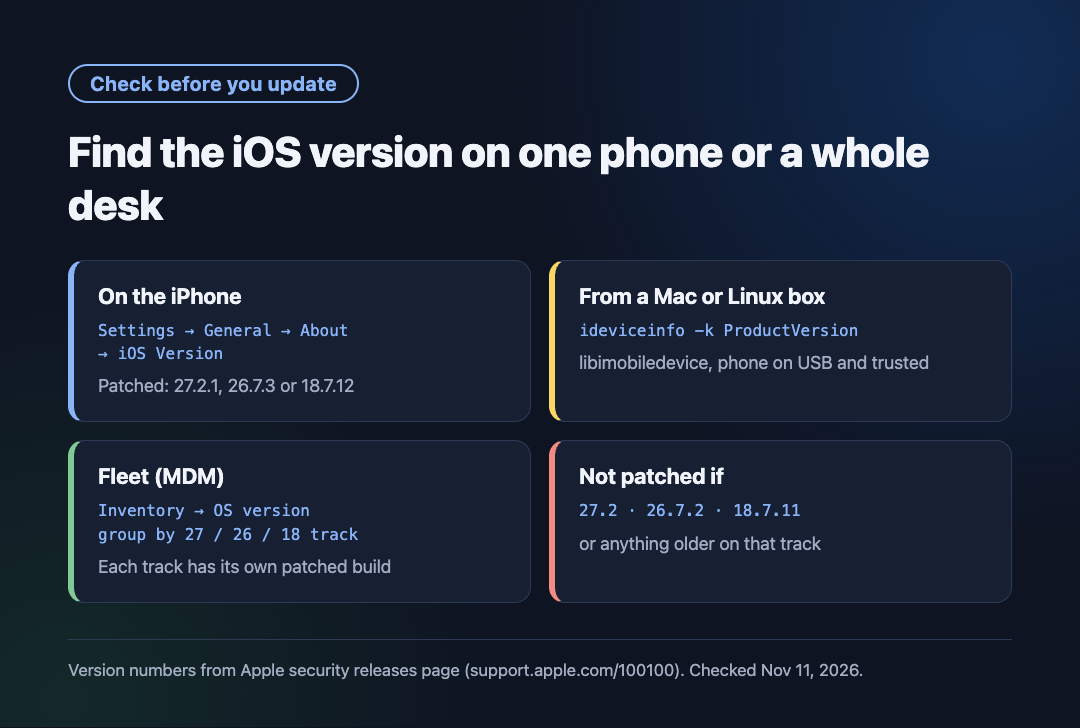
On the iPhone or iPad. Open Settings → General → About and read iOS Version. You are patched if it shows 27.2.1, 26.7.3 or 18.7.12 (or later). If it shows 27.2, 26.7.2 or 18.7.11, you are one release behind.
From a Mac or Linux machine. The open-source libimobiledevice tools read the version over USB. Connect the phone, unlock it and tap Trust, then run:
Install the tools with brew install libimobiledevice on macOS or sudo apt install libimobiledevice-utils on Debian and Ubuntu.
ideviceinfo -k ProductVersion   # 27.2.1 = patched on the iOS 27 track
ideviceinfo -k ProductType      # e.g. iPhone12,1 = iPhone 11
ProductType helps when you script a check across many phones and need to know which track each one belongs on.
For many devices. Your MDM inventory (Jamf, Intune, Kandji, Mosyle and others) reports the OS version per device. Group devices by track. Anything on iOS 27 below 27.2.1, on iOS 26 below 26.7.3, or on iOS 18 below 18.7.12 still needs the update.
How to install the iOS 27.2.1 update
Back up first. iCloud backup (Settings → [your name] → iCloud → iCloud Backup → Back Up Now) or a backup to your computer both work.
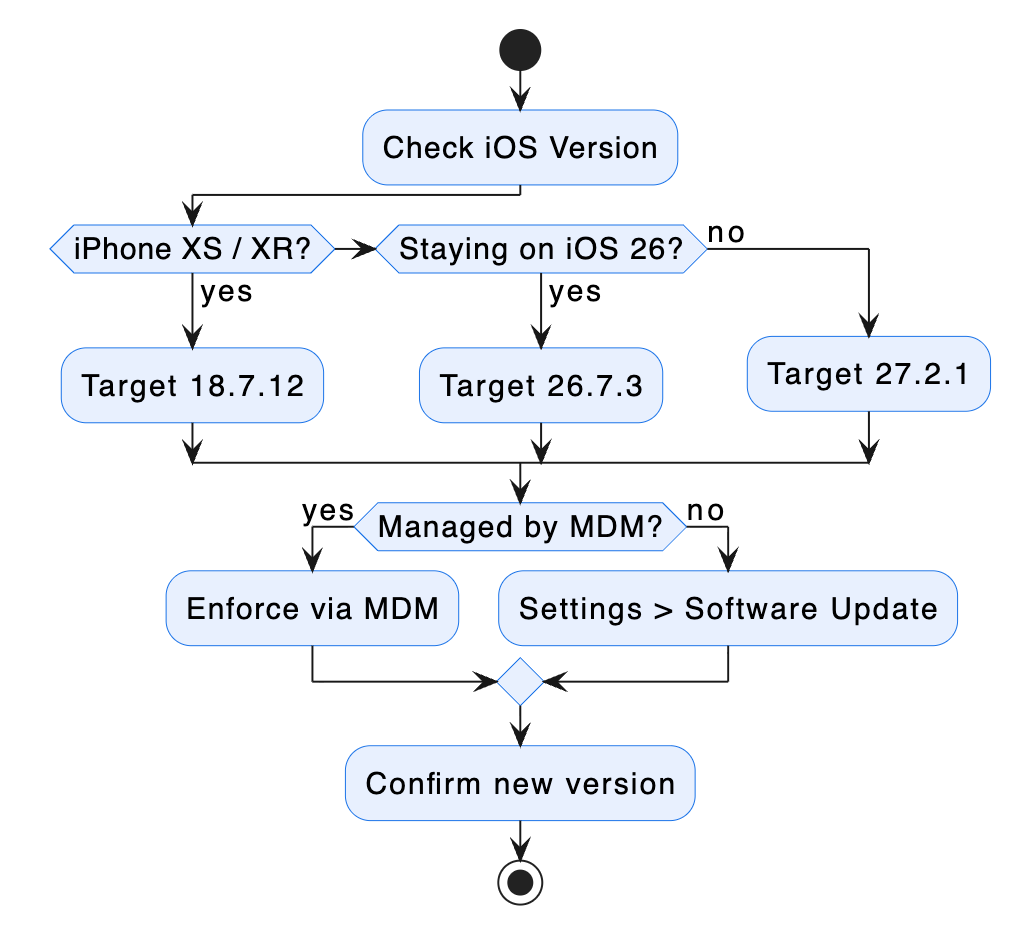
View PlantUML source
@startuml
skinparam defaultFontSize 15
skinparam ActivityBorderColor #1a73e8
skinparam ActivityBackgroundColor #e8f0fe
start
:Check iOS Version;
if (iPhone XS / XR?) then (yes)
  :Target 18.7.12;
elseif (Staying on iOS 26?) then (yes)
  :Target 26.7.3;
else (no)
  :Target 27.2.1;
endif
if (Managed by MDM?) then (yes)
  :Enforce via MDM;
else (no)
  :Settings > Software Update;
endif
:Confirm new version;
stop
@enduml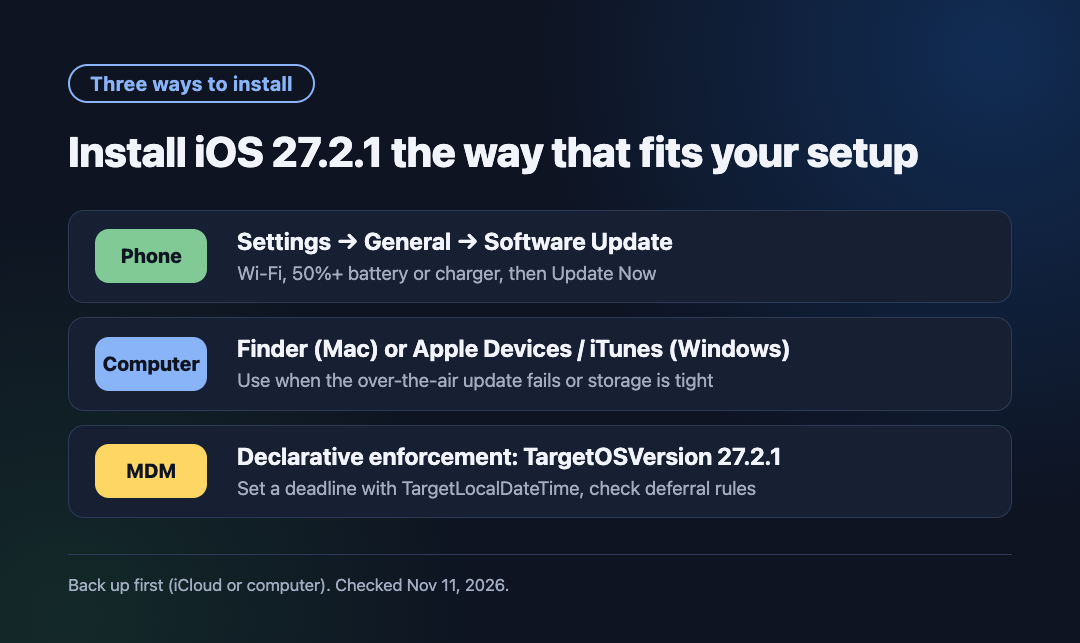
Over the air (most people)
- Connect to Wi-Fi and plug in, or make sure the battery is above 50%.
- Open Settings → General → Software Update.
- If you are on iOS 26 and see both iOS 27.2.1 and iOS 26.7.3, pick the one you want. Choosing 26.7.3 keeps you on iOS 26 with the security fixes.
- Tap Update Now, enter your passcode and let the phone restart.
- Go back to Settings → General → About and confirm the new version.
Turn on Automatic Updates on the same screen (iOS Updates and Security Responses & System Files) so the next fix installs overnight.
From a computer
Use this when the over-the-air update keeps failing or the phone is short on storage. A computer update needs less free space on the device.
- Mac: connect the phone, open Finder, select the device in the sidebar, then click Check for Update on the General tab.
- Windows: use the Apple Devices app (or iTunes on older setups), select the device, then click Check for Update.
Managed devices (MDM)
If you run declarative device management, a software update enforcement declaration sets a target version and a deadline. Apple publishes the schema in its device-management repository. The core payload looks like this:
{
  "Type": "com.apple.configuration.softwareupdate.enforcement.specific",
  "Identifier": "ios-27-2-1-enforce",
  "Payload": {
    "TargetOSVersion": "27.2.1",
    "TargetLocalDateTime": "2026-11-14T18:00:00",
    "DetailsURL": "https://<YOUR_INTRANET>/ios-update"
  }
}
Most MDM consoles expose the same settings as a form ("Target OS version", "Enforcement deadline"), so you rarely write the JSON by hand. Make a separate declaration with "TargetOSVersion": "26.7.3" for devices you keep on iOS 26. Older devices that can't run iOS 26 or 27 need 18.7.12. Check that no update deferral (up to 90 days) is holding the new build back.
If the update doesn't show up or fails
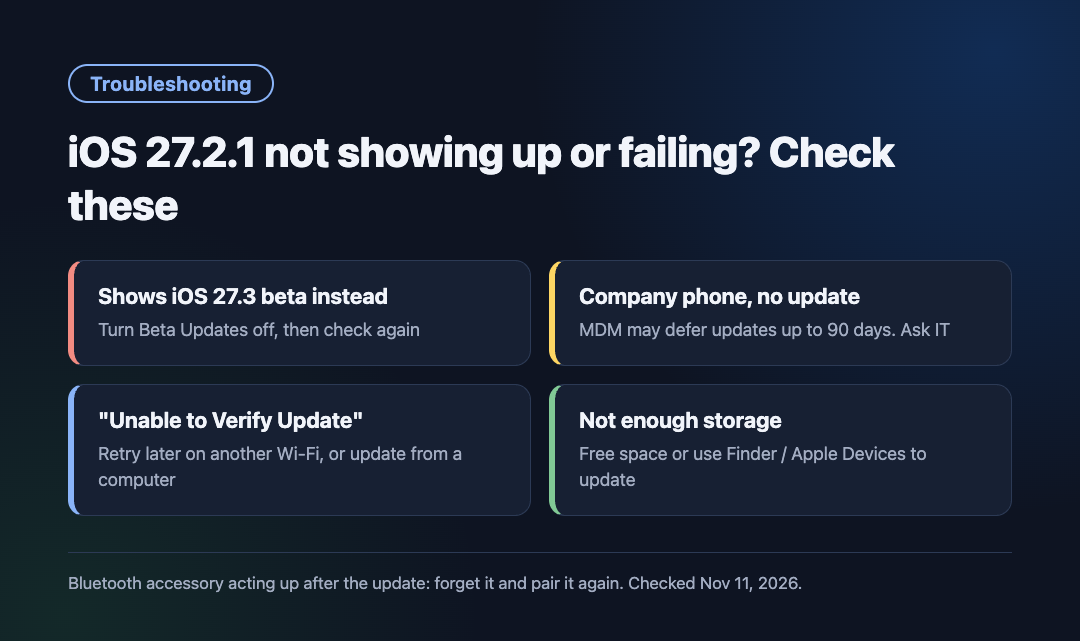
| Symptom | Likely cause | Fix |
|---|---|---|
| Only an iOS 27.3 beta is offered | Beta Updates is on | Settings → General → Software Update → Beta Updates → Off, then check again |
| Company phone shows no update | MDM deferral or enforcement on another version | Ask IT. Deferral can delay new builds up to 90 days |
| "Unable to Verify Update" or "Unable to Check for Update" | Network or Apple server load | Try another Wi-Fi network later, or update from a computer |
| "Not enough storage" | Too little free space for the download | Delete large apps or videos, or update from a computer |
| Device not on the list | Hardware too old for iOS 18 | No patch exists. Retire the device from sensitive use |
Until you can update. The riskiest bugs need Bluetooth. Turning Bluetooth off in Settings → Bluetooth (not just the Control Center button, which only disconnects accessories) removes that exposure for now. For iMessage groups, check member lists in sensitive chats and remove anyone you don't recognize. This is a stopgap. It is not a replacement for the update.
After the update. If an accessory such as earbuds or a car kit won't reconnect, open Settings → Bluetooth, tap the info button next to the device, choose Forget This Device, and pair it again. A clean re-pair is the quickest test before you dig deeper.
If you also look after Android phones, the Android November 2026 security update guide covers the matching patch level check. For browsers, see the Chrome 156 security update steps, which use the same check-then-patch approach.
FAQ
Is iOS 27.2.1 an emergency update? No exploitation is mentioned on Apple's pages, so it is not flagged as an emergency. The Bluetooth pairing and iMessage group fixes still make it worth installing within a few days, especially on phones used in shared spaces.
Can I get the security fixes without moving to iOS 27? Yes. iOS 26.7.3 carries the same Bluetooth, AirPlay, brotli and iMessage fixes for iPhone 11 and later. In Software Update, choose the iOS 26.7.3 option instead of upgrading to iOS 27.
My iPhone XR can't run iOS 27. Is it protected? Install iOS 18.7.12. It fixes the Bluetooth and AirPlay pairing bugs and adds a lock-screen AirPlay fix (CVE-2026-113971). Apple's 18.7.12 page does not list the iMessage group fixes.
Does iOS 27.2.1 add new features? Apple's security page lists only security content. For anything else in the update, read the short release note on the Software Update screen before you tap Update Now.
Do I need to update my Apple Watch and Mac too? Apple released watchOS 27.2.1, watchOS 26.6.1 and macOS updates on the same day. Check each device's software update screen. This post covers iPhone and iPad only.
References
- Apple Support: About the security content of iOS 27.2.1 and iPadOS 27.2.1 (checked Nov 11, 2026)
- Apple Support: About the security content of iOS 26.7.3 and iPadOS 26.7.3 (checked Nov 11, 2026)
- Apple Support: About the security content of iOS 18.7.12 and iPadOS 18.7.12 (checked Nov 11, 2026)
- Apple Support: Apple security releases (checked Nov 11, 2026)
- Apple device-management schema repository (declarative software update enforcement) (checked Nov 11, 2026)
- libimobiledevice project (checked Nov 11, 2026)