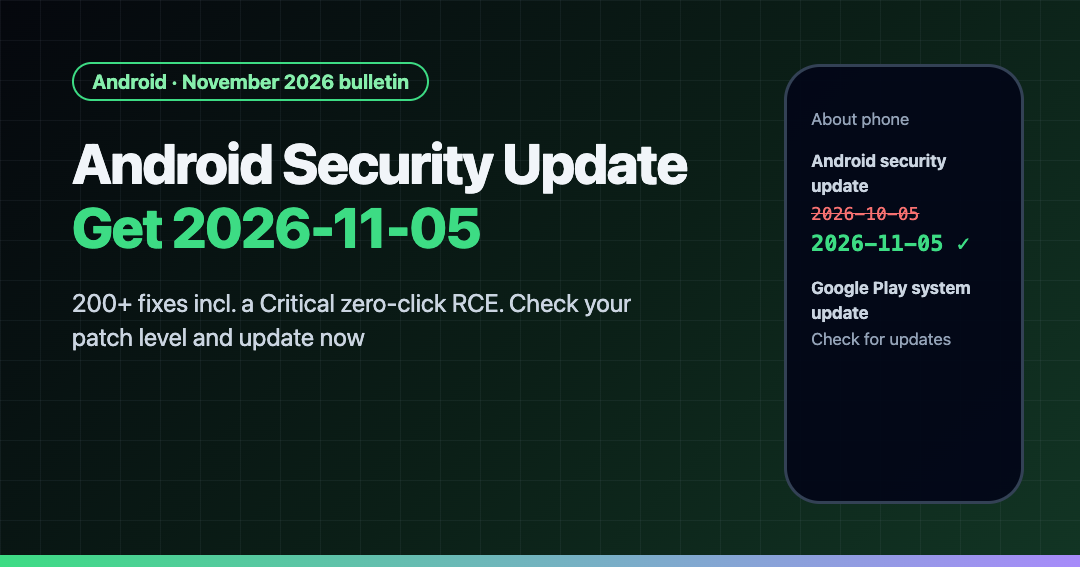
The Android November 2026 security update fixes more than 200 vulnerabilities, and the version you want to see on your phone is security patch level 2026-11-05. A device on 2026-11-01 has only the first half of the fixes. The most severe bug, CVE-2026-58868 in the Android Framework, is rated Critical and can lead to remote code execution with no user interaction, so check your patch level today and install the update as soon as your phone maker ships it.
Written 2026-11-04. Facts come from Google's Android Security Bulletin for November 2026 (published November 2, 2026), Samsung's SMR-NOV-2026 bulletin (published November 3, 2026), Google's Android Help page on checking updates and SecurityWeek's November 3 report, all checked on 2026-11-04. I did not run the adb commands below against a specific device; they are standard Android platform tools commands, not steps from Google's bulletin. Settings menu names vary by phone maker.
This guide follows the order you need on a busy morning: what changed, how to check your own phone or a fleet of devices, how to install the update, and what to do when the update doesn't show up.
What the Android November 2026 security update changes
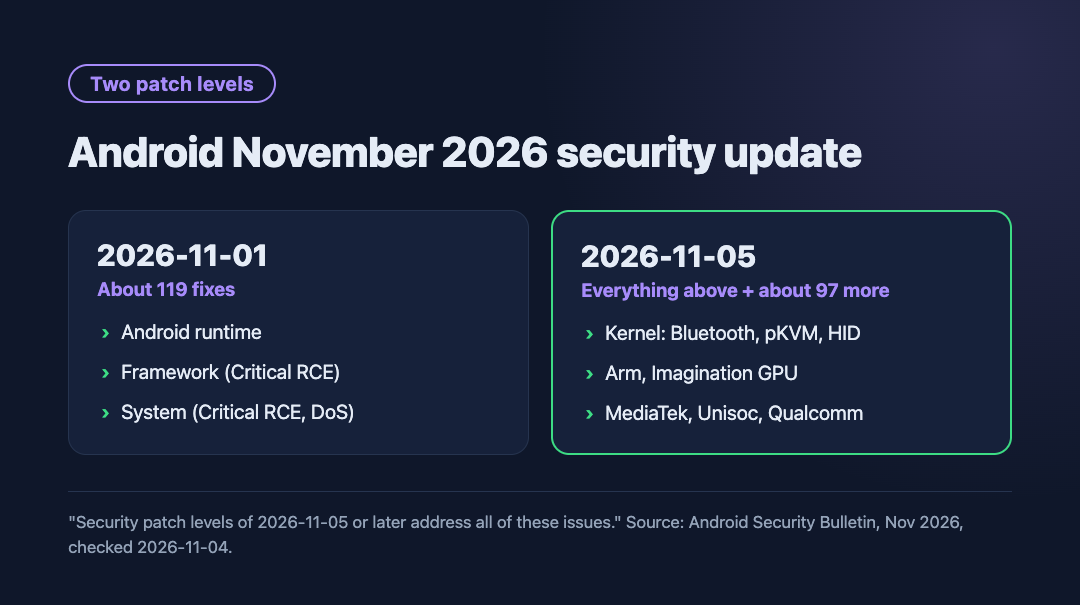
Google split this month's bulletin into two security patch levels. Phone makers can ship the first one quickly and the second one when chip vendors' fixes are ready.
| Patch level | What it covers | Issues (approx.) | Most severe |
|---|---|---|---|
| 2026-11-01 | Android runtime, Framework, System | 119 | Critical RCE (Framework, System) |
| 2026-11-05 | Kernel, Arm, Imagination, MediaTek, Unisoc, Qualcomm | about 97–98 | Critical (Bluetooth, pKVM, modem) |
| Google Play system update | Media Codecs, MediaProvider, Telephony, WiFi, Profiling | subset of the above | Shipped through Google Play |
The issue counts come from SecurityWeek and my own tally of the bulletin tables, which differ by one on the vendor half. Google's own line is the one that matters: "Security patch levels of 2026-11-05 or later address all of these issues."
The Critical bugs to know about
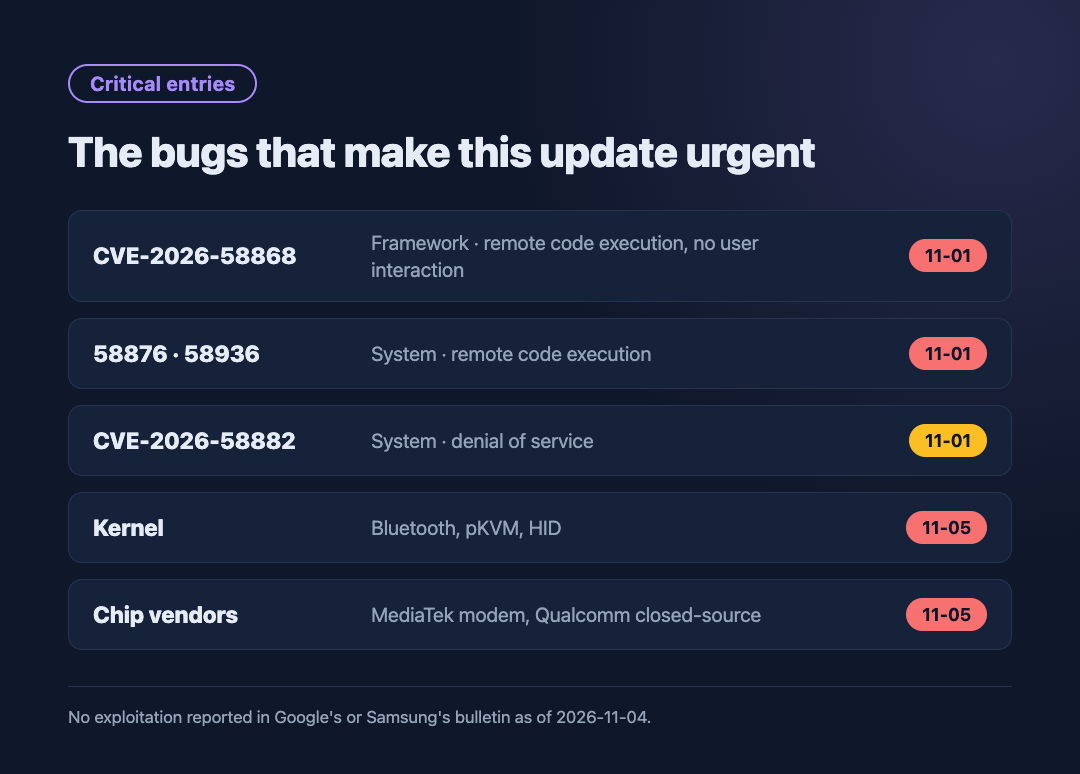
These are the entries the bulletin rates Critical that most readers will ask about. The affected-version column for the Framework and System bugs lists Android 14, 15, 16, 16 QPR2 and 17.
| CVE | Component | Type | Fixed in patch level |
|---|---|---|---|
| CVE-2026-58868 | Framework | Remote code execution | 2026-11-01 |
| CVE-2026-58876, CVE-2026-58936 | System | Remote code execution | 2026-11-01 |
| CVE-2026-58882 | System | Denial of service | 2026-11-01 |
| CVE-2026-53256, CVE-2026-89774 | Kernel (Bluetooth) | Critical | 2026-11-05 |
| CVE-2026-59044, CVE-2026-59045 | Kernel (pKVM) | Critical | 2026-11-05 |
| CVE-2026-20499, CVE-2026-20545 and others | MediaTek modem | Critical | 2026-11-05 |
Google's bulletin does not say that any of these bugs are being exploited in the wild, and neither does Samsung's bulletin or the SecurityWeek report. That lowers the panic level, not the priority: a zero-click remote code execution bug in Framework is the kind of flaw attackers study as soon as patches land in the Android Open Source Project, which Google says happens within 48 hours of the bulletin.
Seventeen of the fixes also went out early through Google Play system updates (Project Mainline), according to SecurityWeek. That part reaches many phones without waiting for the maker, but it does not replace the full security update.
Check your Android security patch level
You need two values: the Android security update date and the Google Play system update date.
On the phone
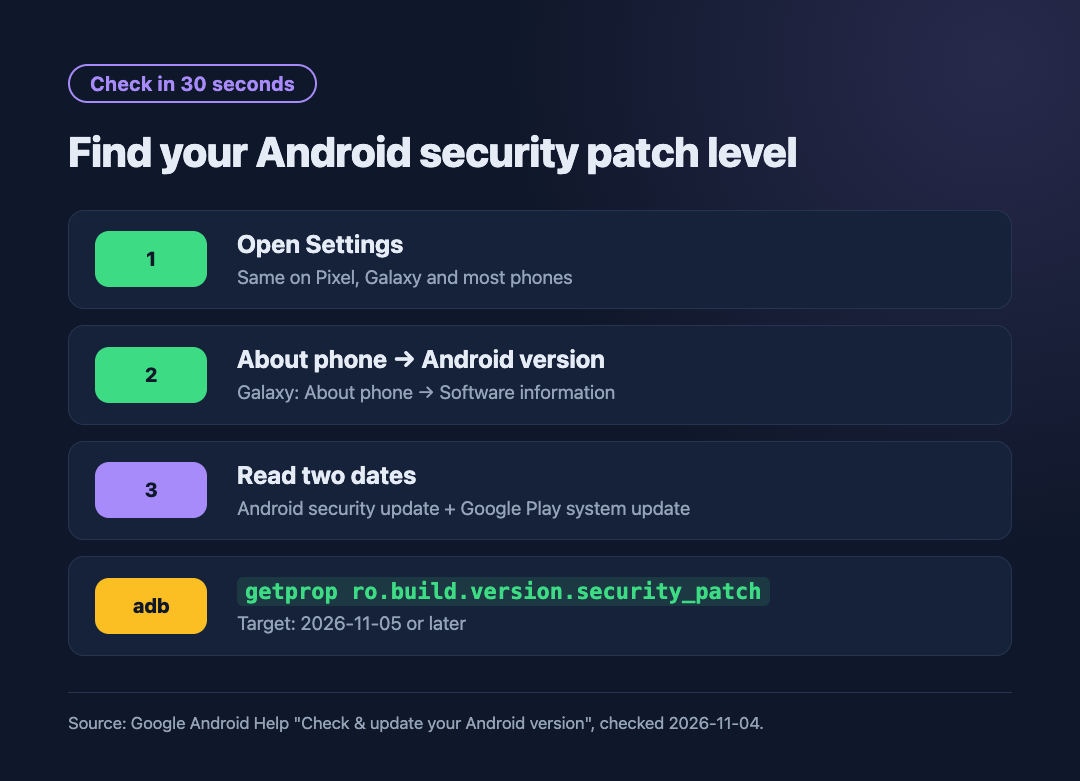
Google's Android Help page gives these steps:
- Open Settings.
- Tap About phone (or About tablet), then Android version.
- Read Android security update, Google Play system update and Build number.
On Samsung Galaxy phones the same values sit under Settings > About phone > Software information. Read the result like this:
| You see | What it means | What to do |
|---|---|---|
| November 5, 2026 or later | Both halves installed | Nothing, you're done |
| November 1, 2026 | Framework and System fixed, kernel and chip fixes missing | Watch for the next update |
| October 2026 or older | November fixes missing | Install the update now |
| No update for 3+ months | Device may be out of support | Check the maker's support page |
With adb (developers and test labs)
If you have Android SDK Platform-Tools installed and USB debugging turned on, one command prints the patch level:
adb shell getprop ro.build.version.security_patchA fully patched device prints 2026-11-05 or a later date.
To check every connected device at once (handy for a test bench):
for s in $(adb devices | awk 'NR>1 && $2=="device" {print $1}'); do
  model=$(adb -s "$s" shell getprop ro.product.model | tr -d '\r')
  release=$(adb -s "$s" shell getprop ro.build.version.release | tr -d '\r')
  patch=$(adb -s "$s" shell getprop ro.build.version.security_patch | tr -d '\r')
  if [[ "$patch" < "2026-11-05" ]]; then flag="NEEDS UPDATE"; else flag="OK"; fi
  echo "$s | $model | Android $release | $patch | $flag"
done
The patch level is an ISO date string, so a plain string comparison against 2026-11-05 is enough. If you manage company phones, set the same date as the minimum security patch level in your MDM compliance policy (Microsoft Intune, for example, has a "Minimum security patch level" setting for Android Enterprise devices).
How to install the November 2026 Android update
Google's help page says the update usually arrives as a notification. If you missed it:
- Open Settings.
- Tap System > Software updates (Pixel and many other phones) or Software update > Download and install (Samsung).
- Follow the on-screen steps and restart when asked.
- Back in Settings > About phone > Android version, tap Google Play system update and install anything pending. It often needs its own restart.
Before you start, charge the battery above 50% or plug in, join Wi-Fi and free a few gigabytes of storage. Monthly updates are usually smaller than that, but a full Android version upgrade can arrive in the same menu.
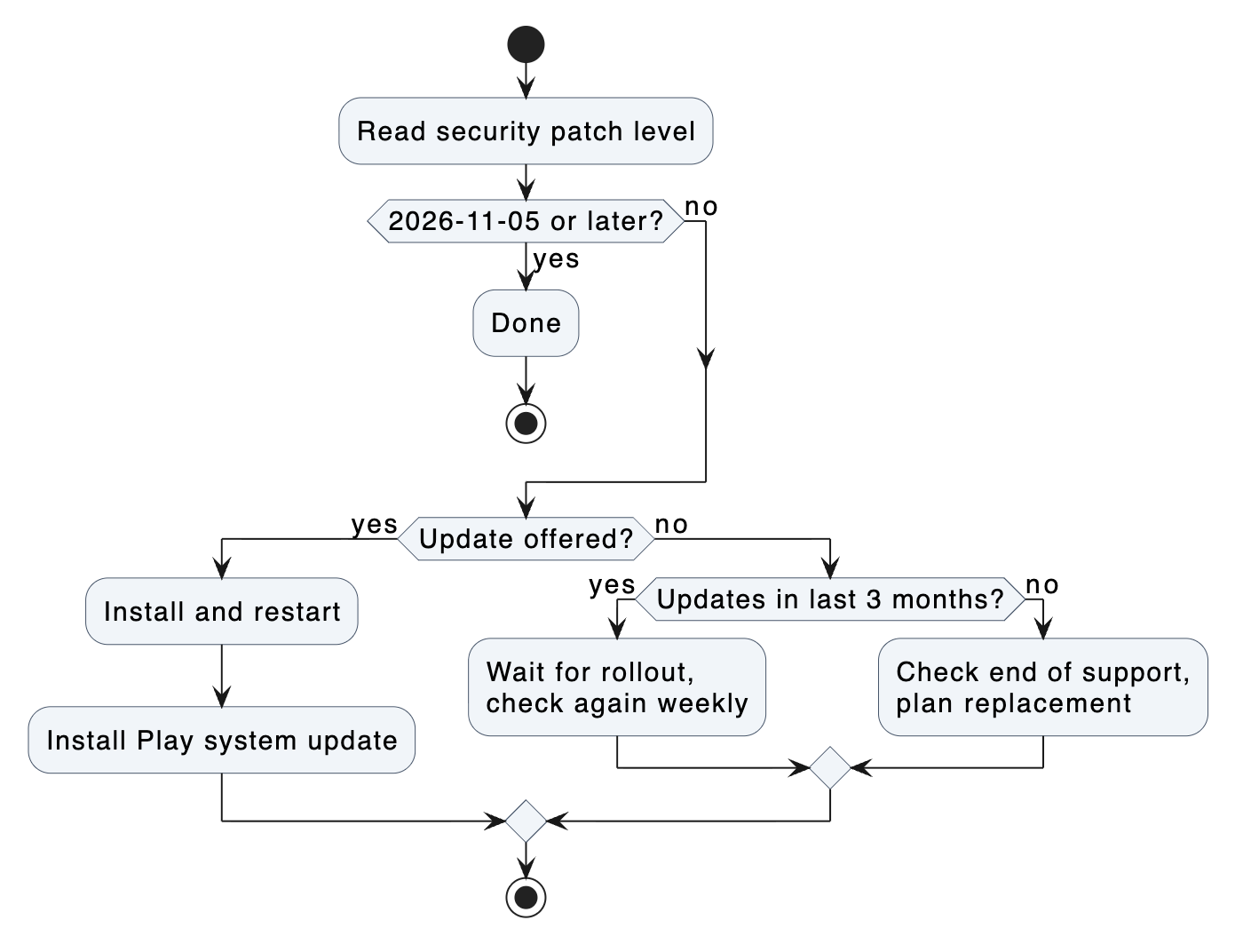
View PlantUML source
@startuml
skinparam defaultFontSize 15
skinparam ActivityBorderColor #475569
skinparam ActivityBackgroundColor #F1F5F9
start
:Read security patch level;
if (2026-11-05 or later?) then (yes)
  :Done;
  stop
else (no)
endif
if (Update offered?) then (yes)
  :Install and restart;
  :Install Play system update;
else (no)
  if (Updates in last 3 months?) then (yes)
    :Wait for rollout,\ncheck again weekly;
  else (no)
    :Check end of support,\nplan replacement;
  endif
endif
stop
@enduml
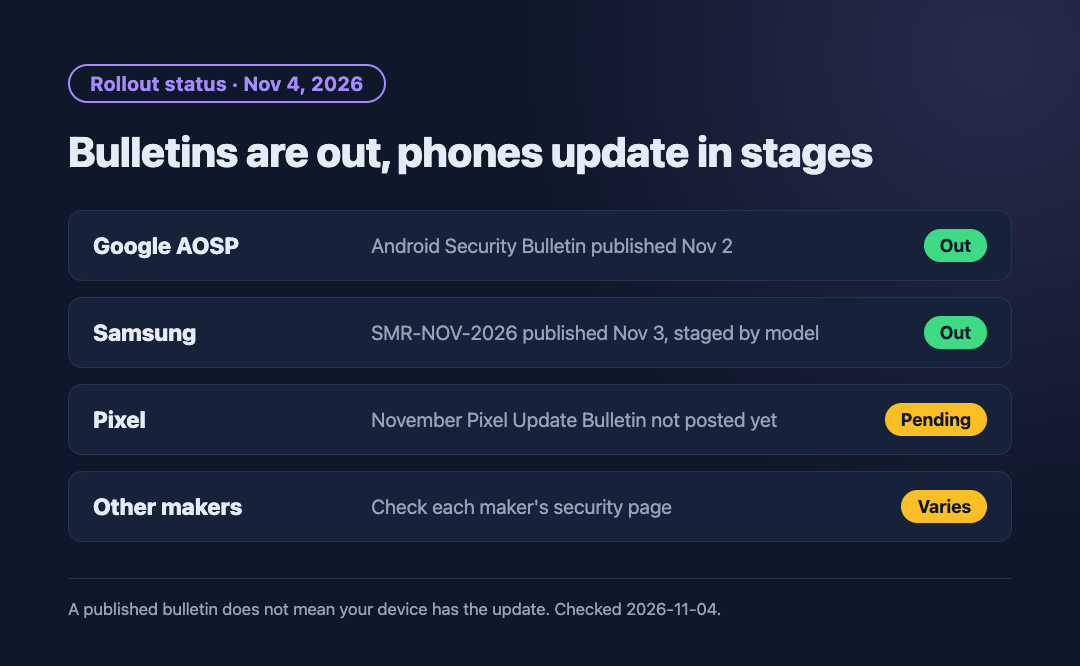
Where each phone maker stands (as of November 4, 2026)
| Source | Status on Nov 4, 2026 | Note |
|---|---|---|
| Google Android bulletin | Published Nov 2 | Defines 2026-11-01 and 2026-11-05 |
| Samsung SMR-NOV-2026 | Published Nov 3 | "Maintenance release for major flagship models" |
| Pixel Update Bulletin | Not posted when I checked | October bulletin was the latest |
| Other makers | Varies | Check the maker's security page |
A published bulletin is not the same as an update on your phone. Samsung and other makers roll updates out in stages by model, region and carrier, so a phone can show nothing for days or weeks after the bulletin date.
Patching the OS is only half the job on most phones. The browser updates on its own schedule, so also make sure Chrome is current; our Chrome 156 security update guide shows how to check the version.
If the Android security update doesn't show up or fails
| Problem | Likely cause | Fix |
|---|---|---|
| "Your system is up to date" but patch is October | Staged rollout by model, region or carrier | Check again in a few days; don't sideload random files |
| Stuck at 2026-11-01 | Maker shipped the first half only | Normal; wait for the 2026-11-05 build |
| Download fails or pauses | Low storage or metered network | Free storage, switch to Wi-Fi, retry |
| Install fails after restart | Interrupted install or low battery | Charge, restart, run the update again |
| No update for months | Device past end of support | Check the maker's support page, plan a replacement |
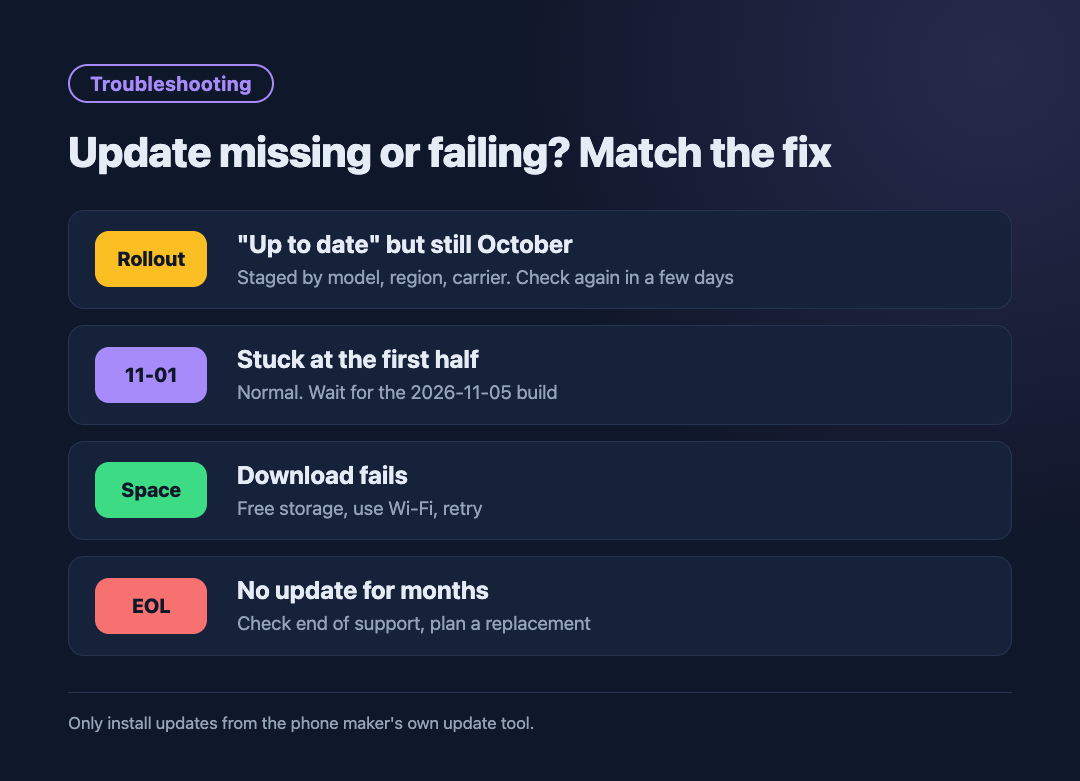
Two warnings. First, don't install update files from download sites or forums to jump the queue; only use the maker's own update tool. Second, if your phone runs Android 13 or older, note that the bulletin's affected-version column lists only Android 14 through 17. That reflects the versions Google still patches, not proof that older versions are safe. A phone that no longer gets monthly updates will keep missing fixes like these.
For servers and Linux laptops, the same "check, patch, verify" routine applies; see our Linux kernel patch guide for CVE-2026-98432.
FAQ
Is the Android November 2026 security update urgent if nothing is exploited yet? Yes. CVE-2026-58868 is a Critical remote code execution bug that needs no user interaction. No exploitation is reported as of November 4, 2026, but source patches become public in AOSP within 48 hours of the bulletin, which makes the bugs easier to study.
What is the difference between 2026-11-01 and 2026-11-05? 2026-11-01 covers the Android runtime, Framework and System. 2026-11-05 adds kernel and chip-vendor fixes (Arm, Imagination, MediaTek, Unisoc, Qualcomm). Only 2026-11-05 or later includes everything in the bulletin.
My Galaxy phone shows no update. Is something wrong? Probably not. Samsung published its November bulletin on November 3, 2026, but rolls updates out by model, region and carrier. Check Settings > Software update again over the next days.
Does a Google Play system update replace the security update? No. It delivers fixes for Mainline components like Media Codecs and WiFi, and 17 November fixes shipped that way. Framework, System, kernel and chip fixes still need the maker's full security update.
How do I check many test devices at once? Use the adb loop above to print each device's model, Android version and patch level, and flag anything older than 2026-11-05.
After you've patched, keep an eye on the Pixel Update Bulletin page for November; Google lists Pixel-specific fixes there once the Pixel update ships.
References
- Android Security Bulletin—November 2026 — Google, published 2026-11-02, checked 2026-11-04
- Check & update your Android version — Google Android Help, checked 2026-11-04
- Samsung Mobile Security Updates (SMR-NOV-2026) — Samsung, published 2026-11-03, checked 2026-11-04
- Pixel Update Bulletins — Google, November bulletin not yet posted, checked 2026-11-04
- SDK Platform-Tools release notes — Android Developers, checked 2026-11-04
- Android's November 2026 Updates Patch Over 200 Vulnerabilities — SecurityWeek, 2026-11-03, checked 2026-11-04