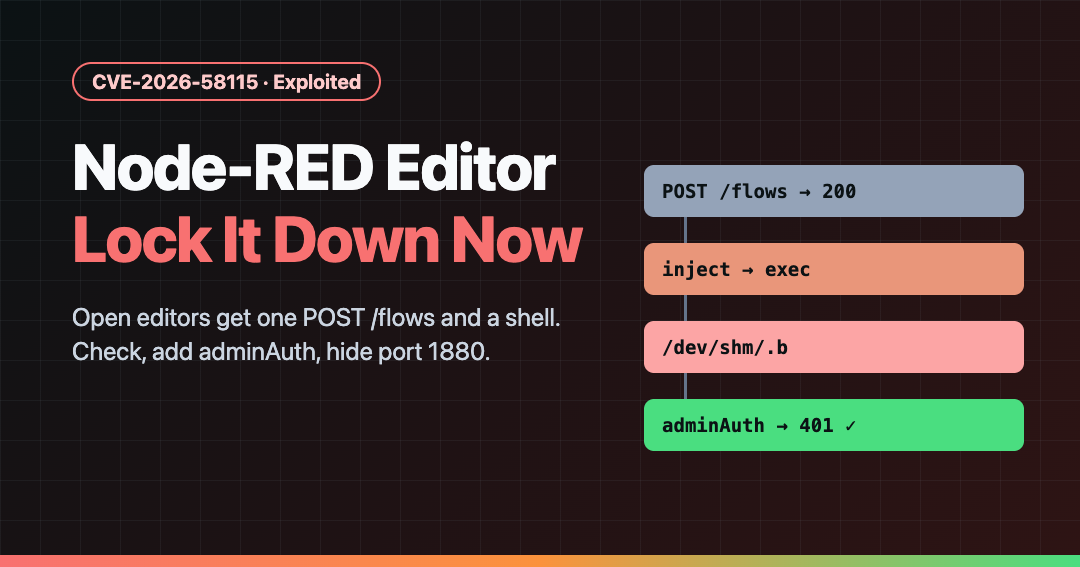
Node-RED CVE-2026-58115 is a missing-authentication flaw in the Node-RED editor, and attackers are exploiting it right now. Anyone who can reach an unsecured editor can deploy a flow with one POST /flows request and run shell commands on the host. If your Node-RED port is open to the internet and adminAuth is not set, assume it is exposed: block the port, turn on adminAuth, then check your flows for code you did not write.
Written November 6, 2026. Facts checked on November 6, 2026 against Siemens advisory SSA-834709 (V1.1, updated November 4, 2026), the VulnCheck exploitation report (November 2, 2026), the Node-RED "Securing Node-RED", configuration, Docker and admin tool docs, and the Node-RED GitHub releases page. The commands are standard Node-RED, Docker, curl, jq and nginx commands. They were not run against a live compromised host for this post, so check the output on your own systems.
What changed: Node-RED CVE-2026-58115 in short
Siemens published CVE-2026-58115 on August 11, 2026 for Node-RED on its SIMATIC IoT2050 devices. The advisory says the devices "do not enforce authentication on the Node-RED HTTP interface." That lets an unauthenticated attacker create flows that run system commands with maximum privileges. Siemens rates it CVSS 3.1 10.0 and CVSS 4.0 10.0 (CWE-306, missing authentication for a critical function).
The news this week is exploitation. VulnCheck reported on November 2, 2026 that one of its canaries caught an attacker using the bug on October 30, 2026. The same source IP sent 16 attempts between October 30 and November 1. VulnCheck added the CVE to its own KEV list. CISA had not listed it at the time of the report.
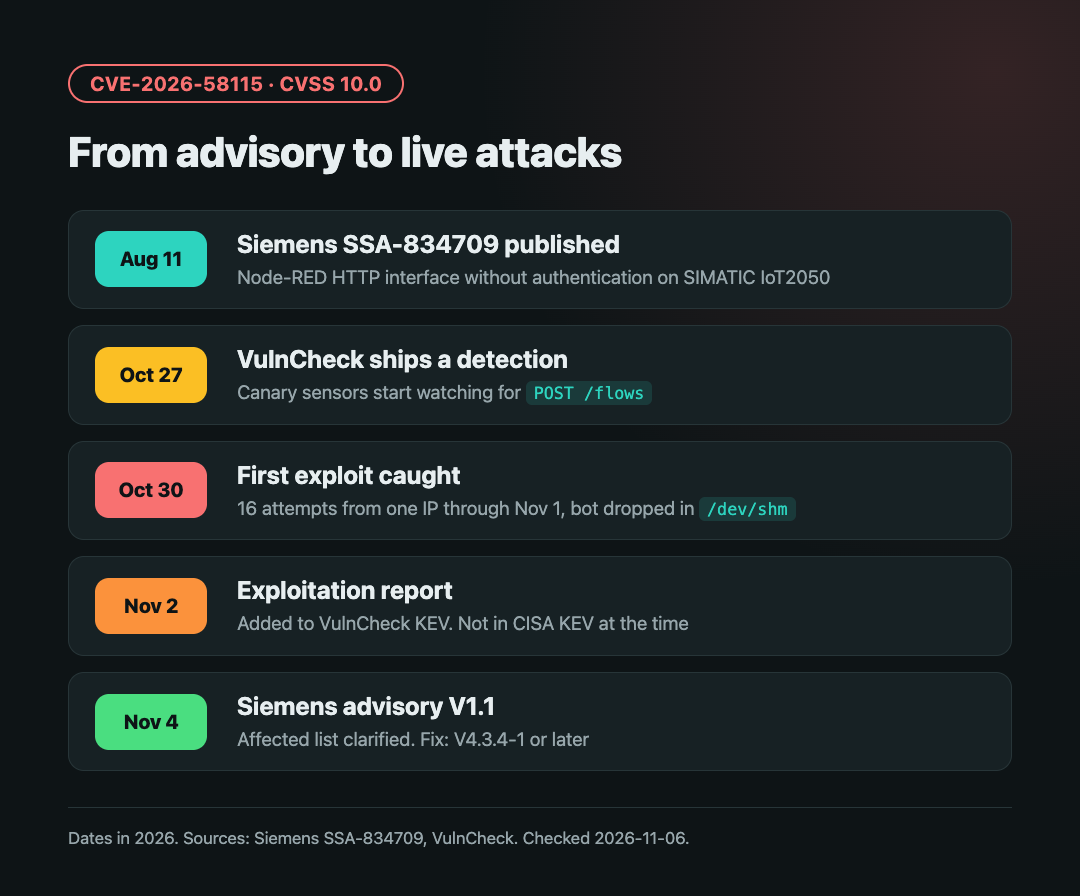
| Date (2026) | Event | Source |
|---|---|---|
| Aug 11 | CVE-2026-58115 published, CVSS 10.0 | Siemens SSA-834709 V1.0 |
| Oct 27 | VulnCheck ships a detection | VulnCheck |
| Oct 30 | First exploit caught by a canary | VulnCheck |
| Nov 1 | New payloads and webshells seen | VulnCheck update |
| Nov 2 | Exploitation report published | VulnCheck |
| Nov 4 | Affected product list clarified | Siemens SSA-834709 V1.1 |
Who is affected by CVE-2026-58115
The CVE itself names Siemens products. The attack technique works on any Node-RED editor without authentication, because that is the Node-RED default. The Node-RED docs say it plainly: "By default, the Node-RED editor is not secured."
| Setup | Status | What to do |
|---|---|---|
| SIMATIC IoT2050 with Node-RED, below V4.3.4-1 | Named in the CVE | Update to V4.3.4-1 or later |
Any Node-RED, no adminAuth, port reachable | Same attack works | Block the port and add adminAuth |
Node-RED with adminAuth, local network only | Not exploitable this way | Still review flows and update |
Node-RED bound to 127.0.0.1 only | Not reachable remotely | Keep it that way |
The affected Siemens models are the SIMATIC IoT2050 Advanced, Basic, M.2 and SM with Industrial OS and Node-RED installed. VulnCheck also notes that Emerson documentation mentions Node-RED, but it has not checked whether Emerson products are affected.
There is no separate Node-RED project advisory or CVE for the upstream package as of November 6, 2026. The latest Node-RED releases, 5.0.9 and 4.1.17 (October 21, 2026), are maintenance releases. Their notes do not describe a security fix for this, so updating alone does not secure an open editor.
How the attack works
VulnCheck saw a single POST /flows request from curl/8.5.0. The flow had an inject node set to fire once after one second and an exec node wired to it. It runs as soon as it is deployed. The shell command was base64 encoded, so a filter that looks for wget or curl in the request body would miss it.
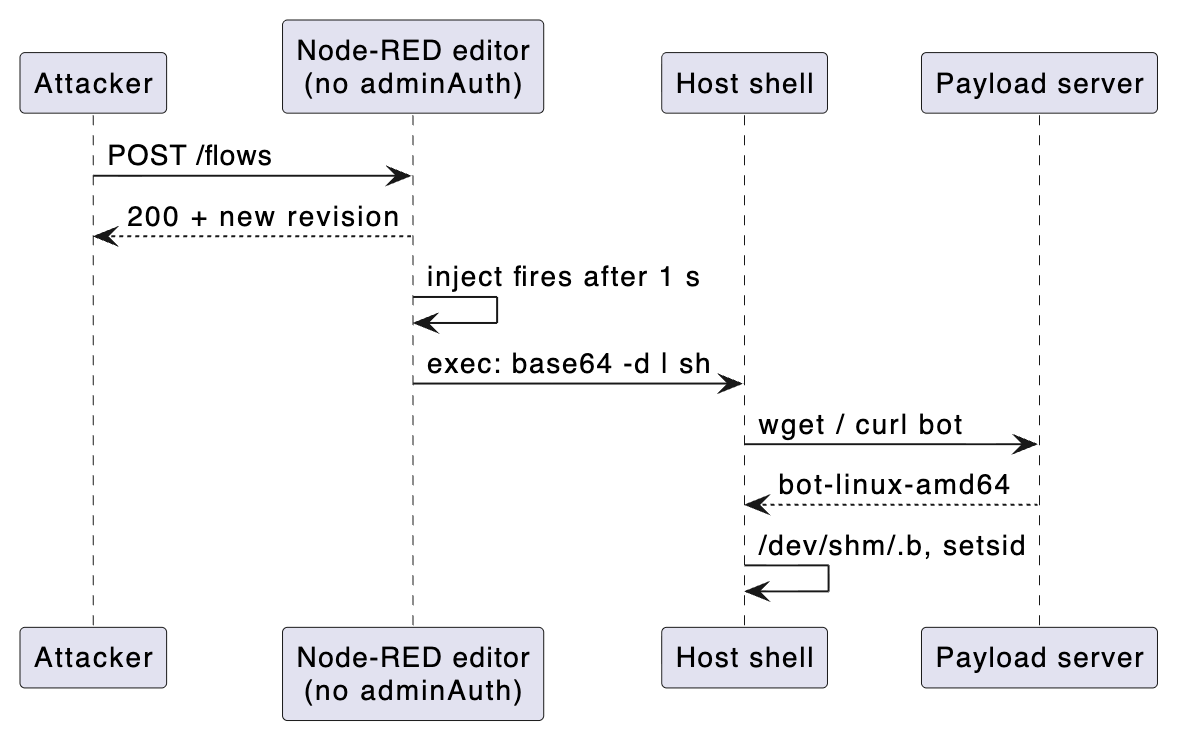
View PlantUML source
@startuml
skinparam shadowing false
skinparam defaultFontSize 14
participant "Attacker" as A
participant "Node-RED editor\n(no adminAuth)" as N
participant "Host shell" as H
participant "Payload server" as P
A -> N : POST /flows
N --> A : 200 + new revision
N -> N : inject fires after 1 s
N -> H : exec: base64 -d | sh
H -> P : wget / curl bot
P --> H : bot-linux-amd64
H -> H : /dev/shm/.b, setsid
@enduml
Later variants fetched a script to /tmp/.s, a second binary to /tmp/.kworker, or added a webshell. The webshell is an http in endpoint such as /cmd, wired through a function node to an exec node. That one survives a reboot because it lives in your flows.
Check your environment
Run three checks on every Node-RED instance: is the editor reachable, does it ask for a login, and do your flows contain anything you did not build.
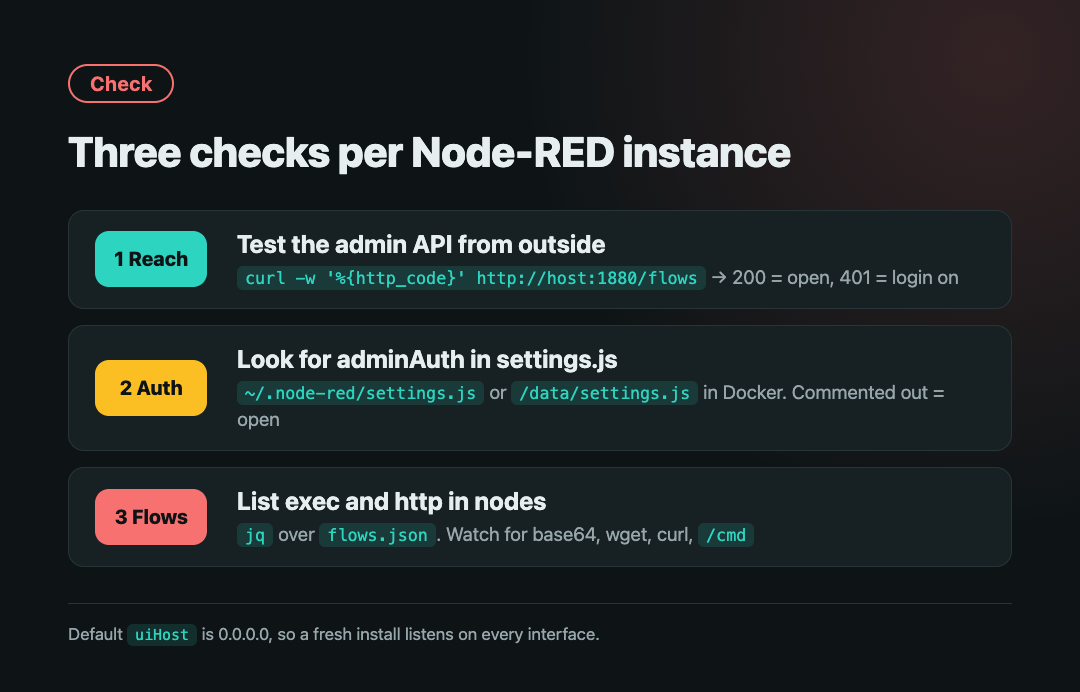
1. Can the outside world reach the editor?
From a machine outside your network (a phone hotspot or a cloud VM works), request the admin API. Replace <YOUR_HOST> with your public IP or domain.
curl -s -o /dev/null -w '%{http_code}\n' http://<YOUR_HOST>:1880/flows| Result | Meaning |
|---|---|
200 | The editor is open with no login. Treat it as exposed. |
401 | adminAuth is on. The API wants a token. |
000 or timeout | Not reachable from there. Good. |
If you moved the editor with httpAdminRoot, add that path before /flows. Then check what the host listens on:
sudo ss -ltnp | grep 18800.0.0.0:1880 or *:1880 means every interface. That is the default, because uiHost defaults to 0.0.0.0.
2. Is adminAuth set?
Find the settings file. For a normal install it is in the user directory, ~/.node-red/settings.js by default. In the official Docker image it is /data/settings.js. The Node-RED startup log prints the path on the "Settings file" line.
grep -n "adminAuth" ~/.node-red/settings.js
docker exec <YOUR_CONTAINER> grep -n "adminAuth" /data/settings.js
If the only match starts with //, the block is commented out and the editor is open.
3. Do your flows contain exec or http in nodes you did not add?
List every node type that the attackers used. Flows are stored in flows.json in the same directory. Older installs may use flows_<hostname>.json.
jq -r '.[] | select(.type=="exec" or .type=="http in" or .type=="function")
  | [.id, .type, (.name // ""), (.command // .url // "")] | @tsv' \
  ~/.node-red/flows.json
Look for exec commands that contain base64, wget, curl, sh or /dev/shm, and for http in URLs you do not recognise, such as /cmd. Then check the host for the file paths VulnCheck listed:
ls -la /dev/shm/.b /tmp/.s /tmp/.kworker 2>/dev/null
ps -ef | grep -E 'kworker|\.b$|bot-linux' | grep -v grep
A real kernel worker shows up in ps as [kworker/...] in square brackets, with no file on disk. A process started from /tmp/.kworker is not a kernel thread.
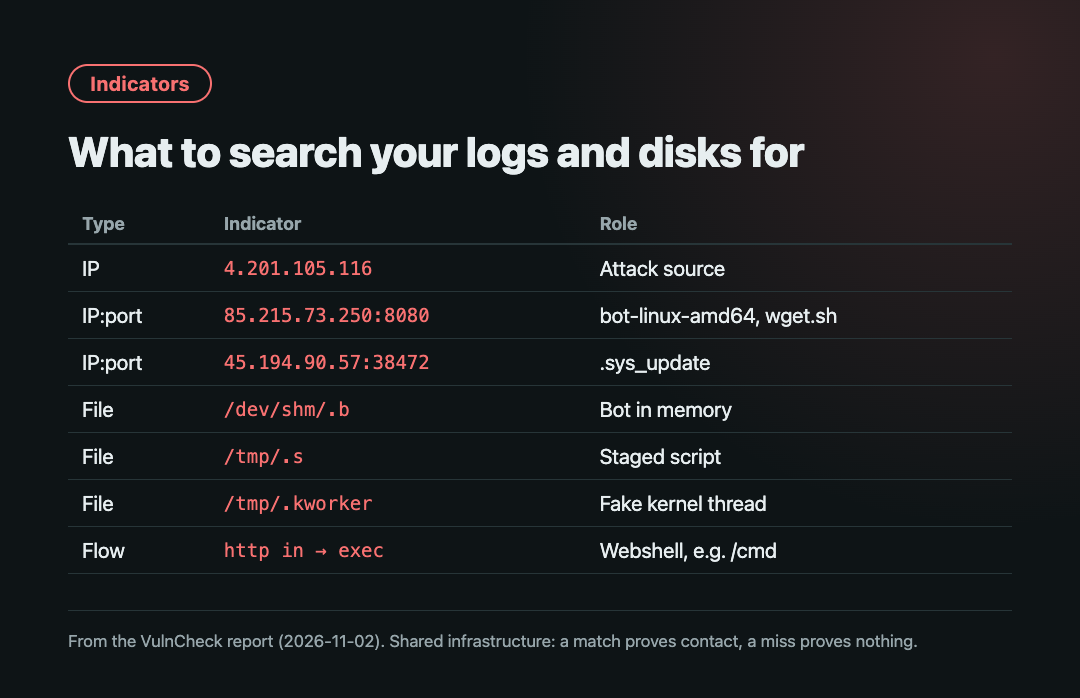
VulnCheck's indicators are below. The source IP looks like rented or shared infrastructure, so a match proves contact, and a miss proves nothing.
| Type | Indicator |
|---|---|
| Attack source IP | 4.201.105.116 |
| Payload server | 85.215.73.250 port 8080 (/bot-linux-amd64, /wget.sh) |
| Second payload server | 45.194.90.57 port 38472 (/.sys_update) |
| Files | /dev/shm/.b, /tmp/.s, /tmp/.kworker |
Search your firewall, proxy or web server logs for these IPs and for POST /flows requests you did not make.
How to secure Node-RED against CVE-2026-58115
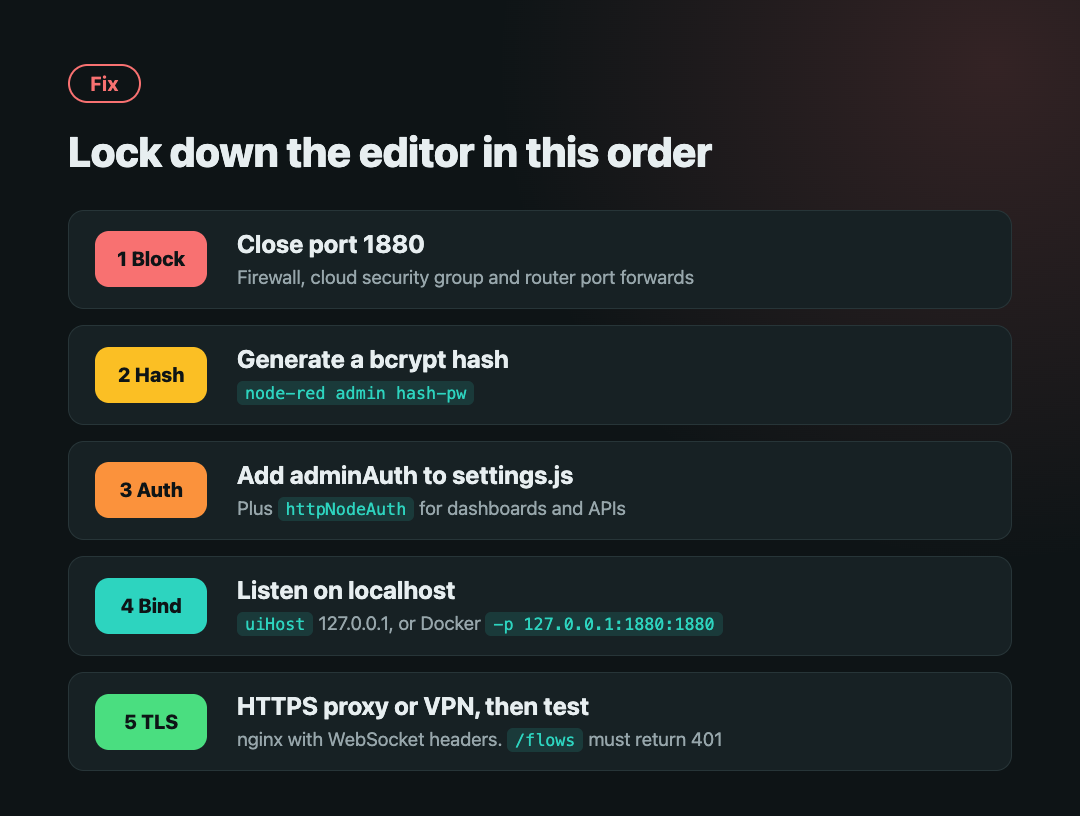
Fix the exposure first, then add the login, then put TLS in front. Do it in this order so the editor is never open while you work on it.
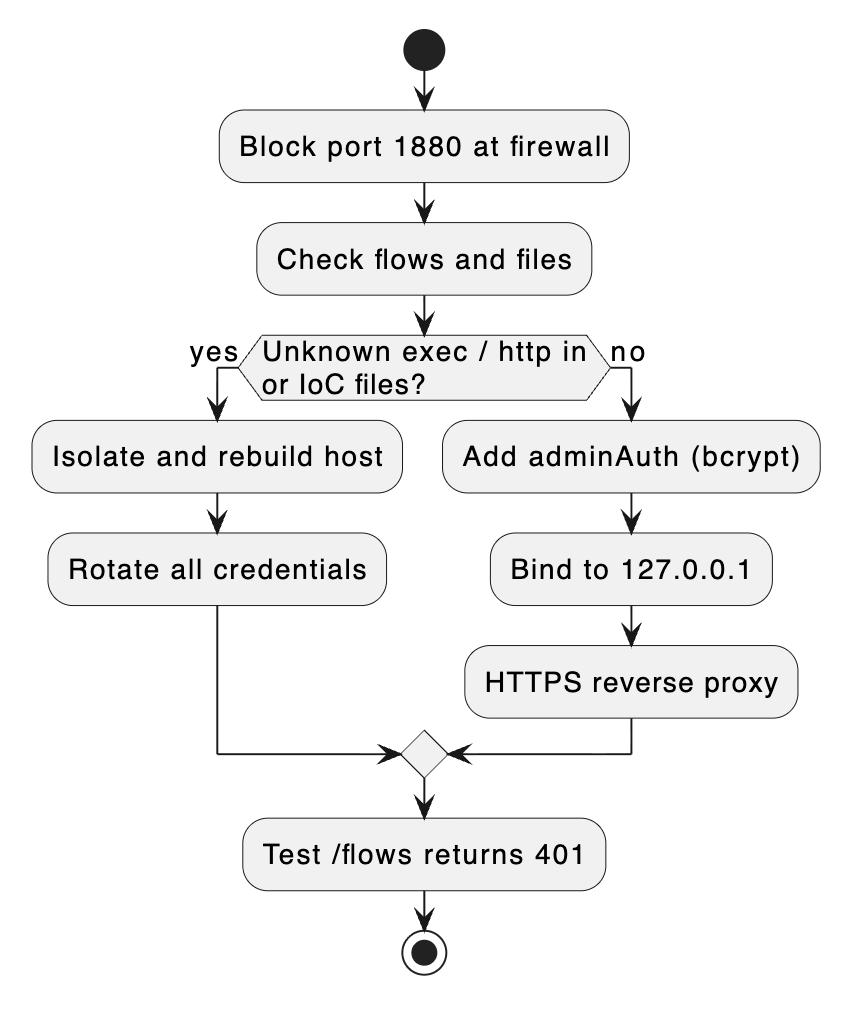
View PlantUML source
@startuml
skinparam shadowing false
skinparam defaultFontSize 14
start
:Block port 1880 at firewall;
:Check flows and files;
if (Unknown exec / http in\nor IoC files?) then (yes)
  :Isolate and rebuild host;
  :Rotate all credentials;
else (no)
  :Add adminAuth (bcrypt);
  :Bind to 127.0.0.1;
  :HTTPS reverse proxy;
endif
:Test /flows returns 401;
stop
@enduml
1. Close the port now
On a Linux host with ufw:
sudo ufw deny 1880/tcp
sudo ufw status numbered
On a cloud VM, also remove port 1880 from the security group or firewall rule. In a router, remove any port forward to 1880.
2. Generate a password hash
Node-RED stores passwords as bcrypt hashes, never in plain text. Since Node-RED 1.1.0 the admin tool is built in:
node-red admin hash-pwIt prompts for a password and prints a hash that starts with $2a$ or $2b$. If the node-red command is not on your path, install the standalone tool with npm install -g node-red-admin and run node-red-admin hash-pw. The command does not need a running instance or a login.
3. Turn on adminAuth
Open settings.js, find the commented adminAuth block and replace it with this. Put your own hash in place of <YOUR_BCRYPT_HASH>.
adminAuth: {
    type: "credentials",
    sessionExpiryTime: 86400,
    users: [{
        username: "admin",
        password: "<YOUR_BCRYPT_HASH>",
        permissions: "*"
    }]
},
permissions: "*" is full access. Use "read" for a view-only account. sessionExpiryTime is in seconds; the default is 7 days, and 86400 makes it one day.
If you serve dashboards or APIs from http in nodes, those routes are a separate surface. Protect them with httpNodeAuth, which takes the same bcrypt format:
httpNodeAuth: { user: "api", pass: "<YOUR_BCRYPT_HASH>" },4. Listen on localhost only
If a reverse proxy runs on the same host, Node-RED does not need to listen on every interface. Set uiHost in settings.js:
uiHost: "127.0.0.1",For Docker, publish the port on loopback only. The Node-RED docs use -p 1880:1880, which binds every interface.
docker run -d --name mynodered \
  -p 127.0.0.1:1880:1880 \
  -v node_red_data:/data \
  nodered/node-red:latest
Do not set uiHost to 127.0.0.1 inside a container. The container would then refuse connections from the published port. Use the loopback -p mapping instead.
5. Put HTTPS in front with nginx
The adminAuth login travels in the request. Without TLS, anyone on the path can read it. A reverse proxy is the simplest way to add HTTPS and keep port 1880 closed. The editor keeps a WebSocket open to the runtime, so pass the upgrade headers.
server {
    listen 443 ssl;
    server_name <YOUR_DOMAIN>;

    ssl_certificate     /etc/letsencrypt/live/<YOUR_DOMAIN>/fullchain.pem;
    ssl_certificate_key /etc/letsencrypt/live/<YOUR_DOMAIN>/privkey.pem;

    location / {
        proxy_pass http://127.0.0.1:1880;
        proxy_http_version 1.1;
        proxy_set_header Upgrade $http_upgrade;
        proxy_set_header Connection "upgrade";
        proxy_set_header Host $host;
        proxy_set_header X-Forwarded-For $proxy_add_x_forwarded_for;
        proxy_set_header X-Forwarded-Proto $scheme;
    }
}
Node-RED can also serve TLS itself with the https setting (key and cert in PEM format). The proxy route is easier to renew with Let's Encrypt and lets you add IP allow lists in one place. If only you use the editor, a VPN or an SSH tunnel is even tighter than a public HTTPS name:
ssh -L 1880:127.0.0.1:1880 <YOUR_USER>@<YOUR_SERVER>Then open http://localhost:1880 on your own machine.
6. Restart and test
sudo systemctl restart nodered     # Raspberry Pi script installs
docker restart mynodered           # Docker
curl -s -o /dev/null -w '%{http_code}\n' https://<YOUR_DOMAIN>/flows
You want 401. The editor page itself should now show a login form. Your service name may differ; node-red started by hand just needs a stop and start.
Update Node-RED too
Updating does not replace adminAuth, but staying current keeps you on supported code. The current lines are 5.0.9 and 4.1.17 (October 21, 2026).
npm install -g --unsafe-perm node-red@latest   # npm global install
docker pull nodered/node-red:latest && docker rm -f mynodered   # then run again with the same -v
Pin a tag in production instead of latest so an update is a choice, not a surprise. Siemens IoT2050 owners should follow the Siemens update to V4.3.4-1 or later, linked in the references.
If your Node-RED was compromised
If step 3 found an unknown exec node, an http in webshell or one of the files, treat the host as compromised. Removing the flow is not enough, because the dropped binary may have set up its own persistence. VulnCheck did not retrieve the bot, so nobody has published what it does.
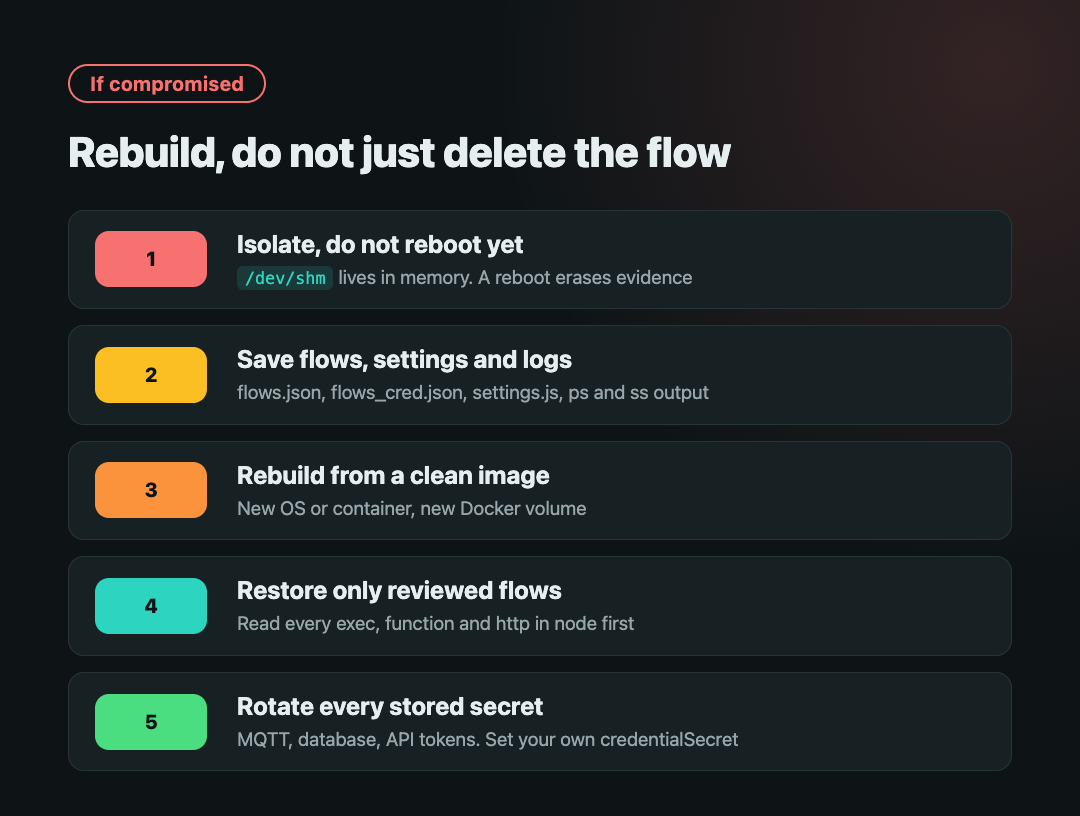
- Isolate the host from the network. Do not just restart it:
/dev/shmis in memory and a reboot erases the evidence. - Save evidence: copy
flows.json,flows_cred.json,settings.js, the Node-RED log andps/ssoutput to another machine. - Rebuild from a clean OS or a fresh container image. For Docker, create a new volume rather than reusing the old one.
- Restore only reviewed flows. Import your own flow export and read every
exec,functionandhttp innode before you deploy. - Rotate secrets. Every credential stored in Node-RED (MQTT, database, API tokens, cloud keys) was readable by the attacker. Change them at the source, and set your own
credentialSecretin the newsettings.js. - Watch outbound traffic for the payload server IPs for a few weeks.
The same steps apply to other self-hosted automation tools. If you also run n8n, see n8n security update: patch the October 2026 advisories.
Troubleshooting after adding adminAuth
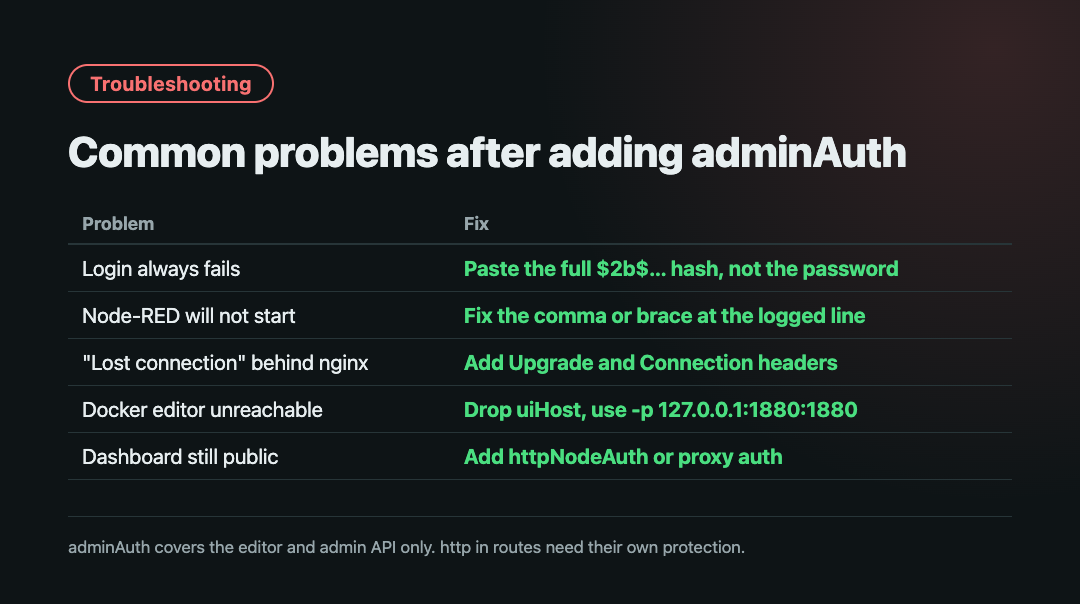
| Problem | Likely cause | Fix |
|---|---|---|
| Login always fails | Plain password pasted instead of the hash | Paste the full $2b$... hash |
| Node-RED will not start | Missing comma or brace in settings.js | Check the log line number, fix the syntax |
| Editor shows "Lost connection" behind nginx | WebSocket headers missing | Add Upgrade and Connection headers |
| Docker editor unreachable after change | uiHost: "127.0.0.1" set inside the container | Remove it, use -p 127.0.0.1:1880:1880 |
| Dashboard or API still public | http in routes are not covered by adminAuth | Add httpNodeAuth or proxy auth |
If you also run Node-RED as part of a home automation stack, plan the change together with your other upgrades. Our Home Assistant 2026.11 upgrade checklist covers the Home Assistant side.
FAQ
Is there a Node-RED patch for CVE-2026-58115? Siemens fixed its IoT2050 products in V4.3.4-1. For upstream Node-RED, the issue is the unsecured default, not a code bug, and no Node-RED advisory was published as of November 6, 2026. The fix is configuration: adminAuth, a closed port and TLS.
Is CVE-2026-58115 in the CISA KEV catalog? Not at the time of VulnCheck's November 2 report. VulnCheck listed it in its own KEV catalog. Check the CISA catalog for the current status.
My Node-RED is only on my home network. Do I need to act? The automated attacks scan the internet, so a LAN-only editor is not their target. Anyone on your network, including a compromised device, can still deploy flows. Adding adminAuth takes a few minutes and is worth it.
Does adminAuth protect my dashboard and HTTP endpoints? No. adminAuth covers the editor and admin API. Routes created by http in nodes need httpNodeAuth or authentication at the reverse proxy.
Will a reboot remove the malware? It removes the in-memory file at /dev/shm/.b, but not a webshell flow, files in /tmp on disk-backed systems, or any persistence the bot added. Rebuild instead.
Summary
Test http://<YOUR_HOST>:1880/flows from outside your network today. A 200 means anyone can run commands on that host. Close port 1880, add adminAuth with a bcrypt hash, bind Node-RED to localhost behind an HTTPS proxy or VPN, and confirm the API returns 401. If you find unknown exec or http in nodes, rebuild the host and rotate every credential your flows used. If you run Node-RED in Docker, keep its logs from filling the disk as well: Docker log rotation with the local and json-file drivers.
References
- SSA-834709: Missing Authentication Vulnerability in Node-RED on SIMATIC IoT2050 — Siemens security advisory, V1.1 (2026-11-04), checked 2026-11-06
- Securing Node-RED — Node-RED docs (adminAuth, httpNodeAuth, https), checked 2026-11-06
- Node-RED configuration — uiHost, httpAdminRoot and other settings, checked 2026-11-06
- Running Node-RED under Docker — /data volume and settings.js path, checked 2026-11-06
- Node-RED admin command line tool — hash-pw, checked 2026-11-06
- Node-RED releases on GitHub — 5.0.9 and 4.1.17 notes, checked 2026-11-06
- Exploitation Targeting Node-RED, a Tool Embedded in ICS Products — VulnCheck, published 2026-11-02 with data through 2026-11-01, checked 2026-11-06
- Attackers exploit critical Node-RED flaw (CVE-2026-58115) — Help Net Security, 2026-11-03, checked 2026-11-06