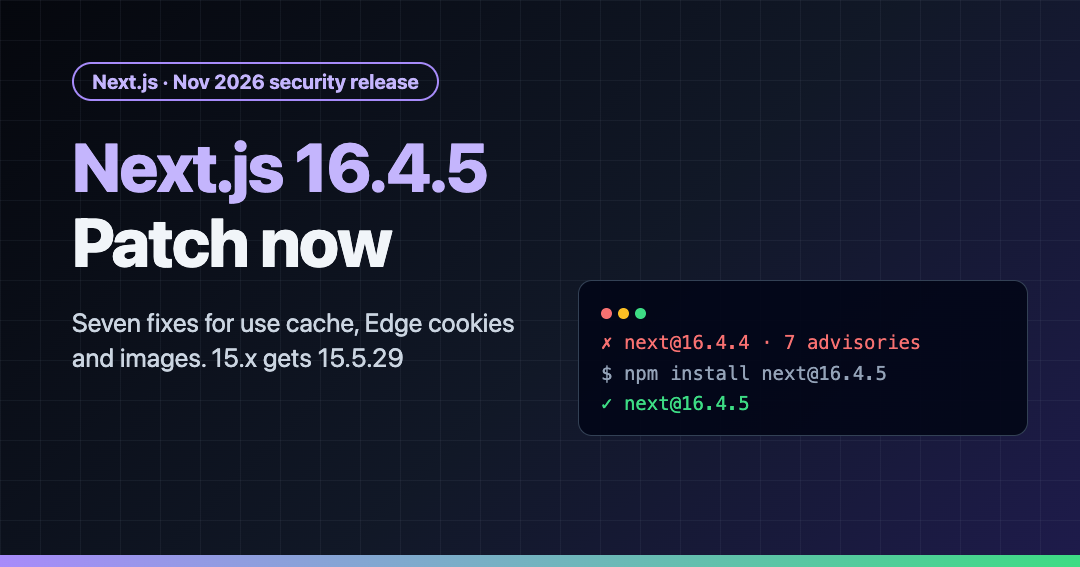
The Next.js security update released on November 3, 2026 fixes seven vulnerabilities, and the fix is a version bump: move to Next.js 16.4.5 on the 16.x line or 15.5.29 on the 15.x line. Most of the bugs sit in Cache Components (use cache), Edge routes that set cookies, and Image Optimization, so check those first. Apps on 14.x or older get no patch and need a major upgrade.
Written 2026-11-04. Facts come from the Next.js blog post "November 2026 Security Release" (published November 3, 2026), the GitHub security advisories it links, the v16.4.5 release notes and the Next.js support policy, all checked on 2026-11-04. I did not run these commands against a live project. The version-check and package-manager commands are standard tooling, not commands from the Next.js advisory.
Vercel pre-announced this release on October 27 as part of its monthly security schedule, so many teams already have a ticket open. If yours doesn't, this guide walks through what changed, how to tell if your app is exposed, the upgrade commands, and what to do when the upgrade breaks something.
What the November 2026 Next.js security update fixes
The release post lists seven issues. The table below uses the severity labels from that post and the CVSS v4 scores from the GitHub advisories.
| Issue | Where it lives | Severity | CVE / CVSS v4 |
|---|---|---|---|
Cross-tenant cache disclosure (unstable_cache + use cache) | Cache Components | High (post) | CVE-2026-119790 / 6.3 |
Cross-root-param leak in nested use cache | Cache Components | Medium | CVE-2026-119351 / 6.3 |
Cache disclosure and poisoning via binary use cache arguments | Cache Components | Medium | CVE-2026-119349 / 6.3 |
| Shared shell cache poisoning | Self-hosted next start + Cache Components | Medium | No advisory ID in the post |
| Response injection via stale compressed framing | Self-hosted, behind pipelining HTTP/1.1 proxy | Medium | CVE-2026-119348 / 6.3 |
HttpOnly cookie exposure in x-middleware-set-cookie | Edge Route Handlers and Edge API routes | Medium | CVE-2026-119346 / 6.0 |
| SVG rejection bypass in Image Optimization | next/image optimizer | Medium | CVE-2026-119347 / 6.9 |
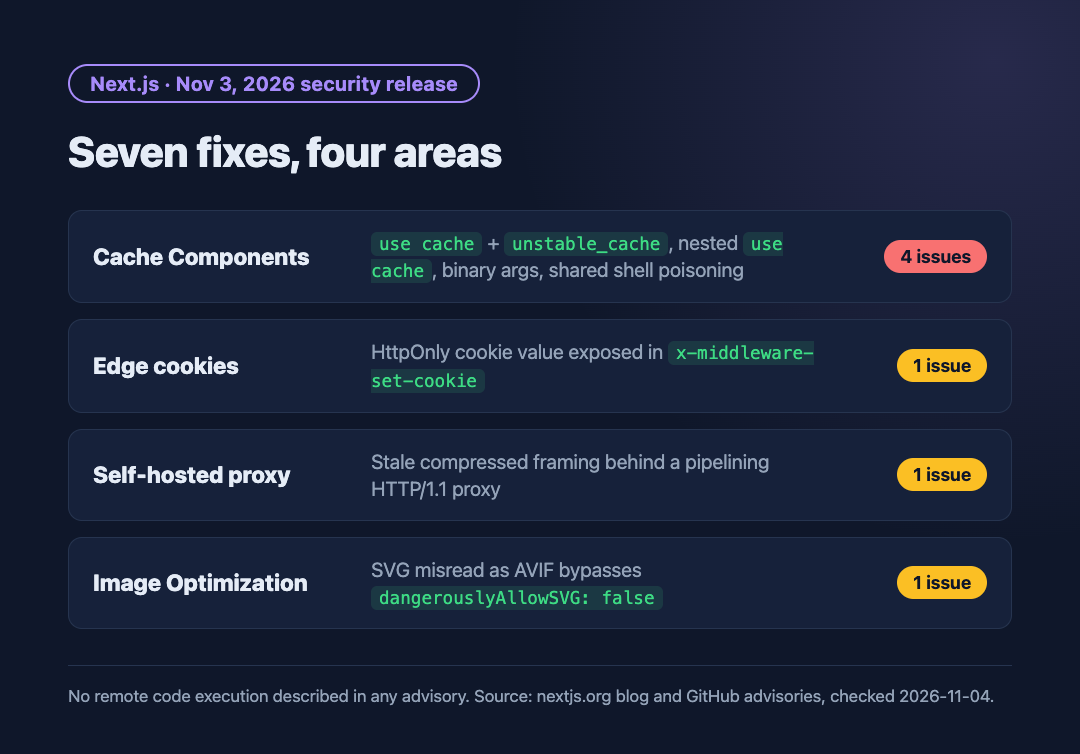
One labeling detail: the blog post calls the first issue "High Severity," while its GitHub advisory and the v16.4.5 release notes rate it Moderate (CVSS 6.3). The October 27 pre-announcement described the whole batch as "seven medium vulnerabilities." Plan on Medium, but don't skip it if you run a multi-tenant app.
What the bugs are not: none of the advisories describe remote code execution. They are data-mixing bugs (one user or tenant seeing another's cached data), a cookie leak that needs attacker JavaScript already on your origin, a proxy-specific response mix-up, and a way to push SVG bytes into the image decoder. The advisories I read list no workaround except for CVE-2026-119790.
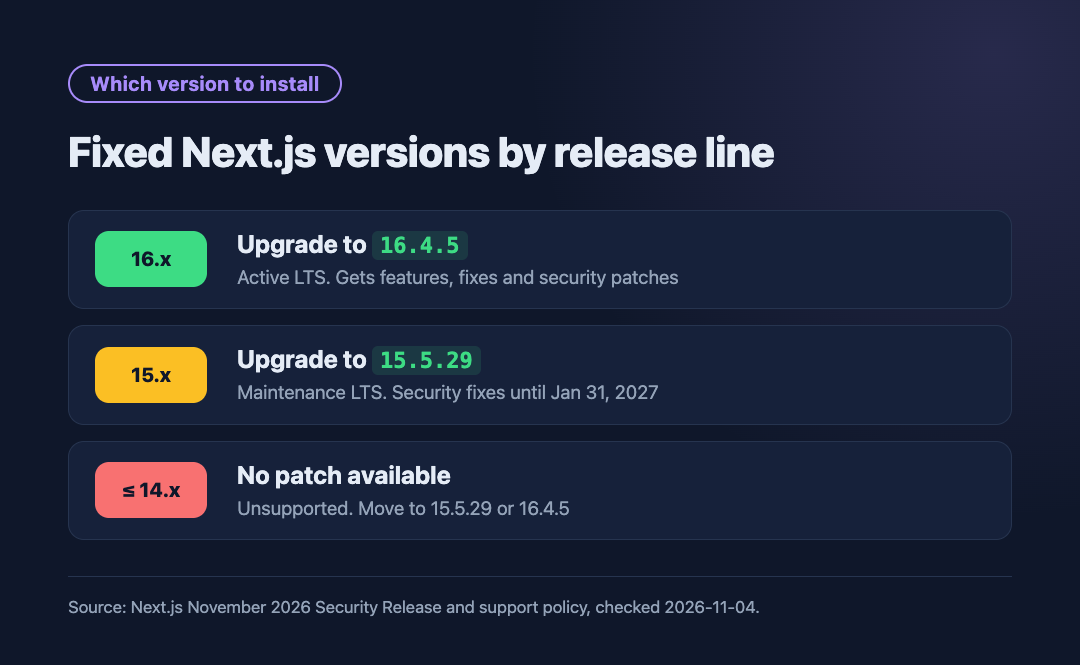
Fixed versions and support status
| Line | Status (support policy) | Fixed version | Action |
|---|---|---|---|
| 16.x | Active LTS | 16.4.5 | Upgrade now |
| 15.x | Maintenance LTS, security fixes until Jan 31, 2027 | 15.5.29 | Upgrade now, plan the move to 16 |
| 14.x and older | Unsupported | None | Upgrade to 15.5.29 or 16.4.5 |
The affected ranges on the advisory pages vary by bug, because some features only exist in newer releases. CVE-2026-119790 lists >= 16.3.0, CVE-2026-119351 lists >= 16.2.0, and the Edge cookie and SVG advisories cover 15.0.0 and later on 15.x and 16.0.0 and later on 16.x. A few advisory pages show upper bounds or patched versions that don't match the release post (for example, an upper bound of 16.4.2). I treat the release post's 16.4.5 and 15.5.29 as the target, since that's what Vercel tells everyone to install.
Check if your Next.js app is affected
Start with the installed version, not the version range in package.json. A caret range like ^16.4.0 can still resolve to 16.4.4 in your lockfile.
npm ls next            # version actually installed in this project
pnpm why next          # same check with pnpm
yarn why next          # same check with Yarn
npx next --version     # version reported by the CLI
In a monorepo, run the check from the root so you see every app. Anything below 16.4.5 (16.x) or 15.5.29 (15.x) needs the update.
Next, look for the features that the bugs depend on. This tells you how urgent the fix is, not whether to patch. Patch either way.
Cache Components and use cache (four of the seven issues):
grep -n "cacheComponents\|partialPrefetching" next.config.*
grep -rln "use cache" app src 2>/dev/null
grep -rln "unstable_cache" app src 2>/dev/null
Edge routes that set cookies (CVE-2026-119346):
grep -rln "runtime = 'edge'" app pages src 2>/dev/null
grep -rn "cookies.set" app pages src 2>/dev/null
SVG and image optimizer settings (CVE-2026-119347):
grep -n "dangerouslyAllowSVG\|remotePatterns\|unoptimized" next.config.*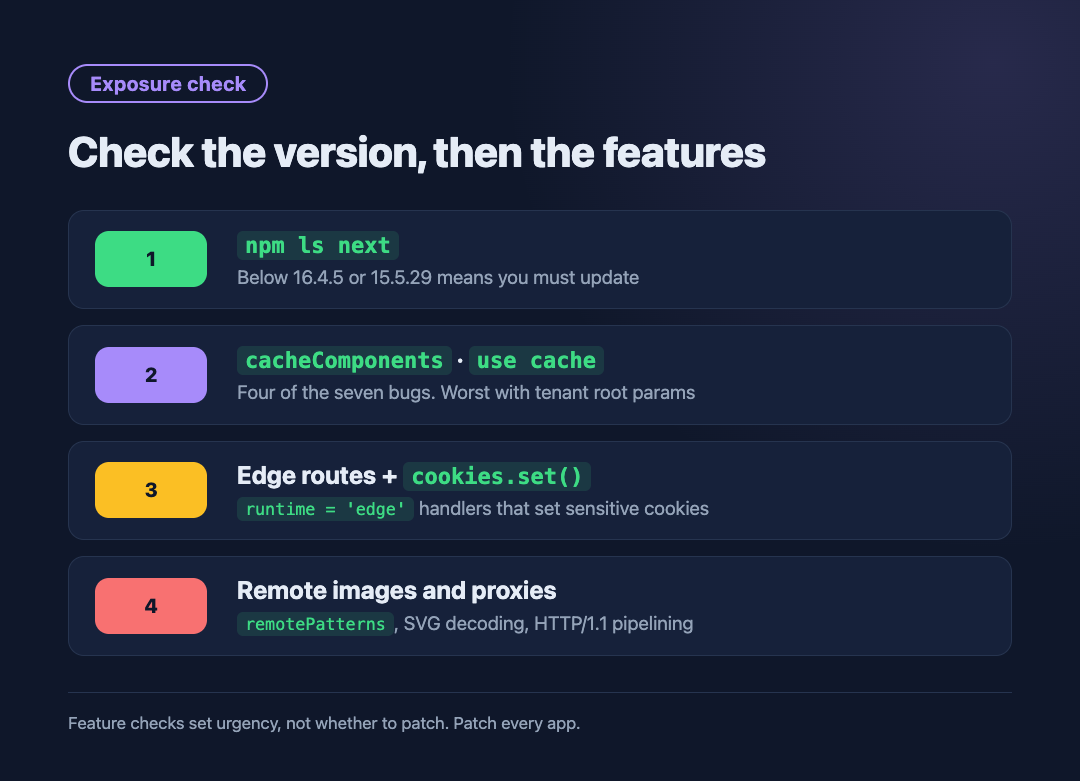
Here is how to read the results:
use cachecalled insideunstable_cache. This is the CVE-2026-119790 pattern. It only matters if the cached function reads a root parameter such as a tenant or locale.cacheComponents: truewithnext start. Self-hosted apps are in scope for the shared shell poisoning bug, especially withpartialPrefetchingset tofalseor left unset.- Edge routes calling
NextResponse.cookies.set(). The advisory says Node.js Route Handlers andcookies().set()were not affected in the reproduced leak. - Images from remote sources. The SVG bypass needs an image from a source you already allow, plus a native backend that can decode SVG.
- A fetched
Responsereturned unchanged, behind an HTTP/1.1 proxy that pipelines requests. That's CVE-2026-119348. The advisory says it does not apply to every reverse-proxy configuration, so check how your proxy reuses backend connections.
If you deploy on a managed platform, the patched code still has to come from your own build. The release post doesn't say any host fixes this for you, so rebuild and redeploy after you upgrade.
How to upgrade to Next.js 16.4.5 or 15.5.29
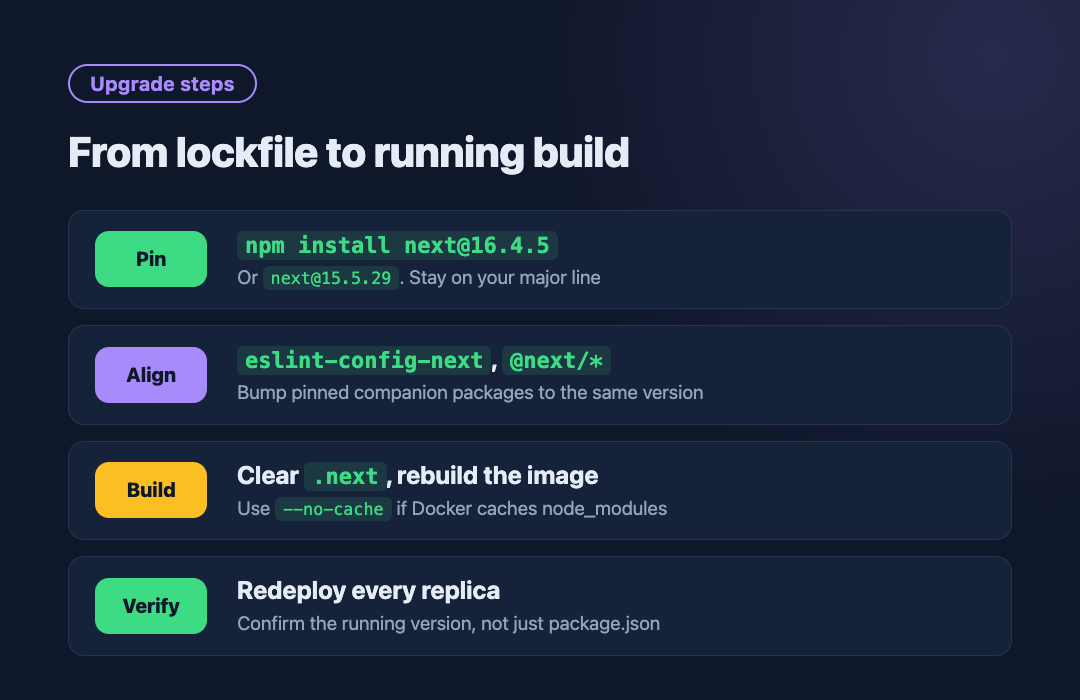
Pin the exact version. Stay on your current major line. Jumping from 15 to 16 under time pressure is a separate project.
npm install next@16.4.5    # 16.x line (Active LTS)
npm install next@15.5.29   # 15.x line (Maintenance LTS)
The same thing with other package managers:
pnpm add next@16.4.5      # or next@15.5.29
yarn add next@16.4.5      # or next@15.5.29
bun add next@16.4.5       # or next@15.5.29
If your project also pins eslint-config-next or @next/* packages to the same version, bump those together so the versions stay in step. Then confirm and rebuild:
npm ls next              # should print 16.4.5 or 15.5.29
rm -rf .next             # clear the old build output
npm run build
npm run start            # or your normal deploy step
For Docker images, the fix only lands when the image is rebuilt from the updated lockfile. Bump the lockfile, rebuild with --no-cache if your Dockerfile caches node_modules, and redeploy every replica. Commit the lockfile change so CI builds the same version. If you're also moving runtimes, see the Node.js 26 LTS upgrade checklist, and if your CI uses npm 12, the npm 12 install scripts fix covers the approval prompts you may hit on a fresh install.
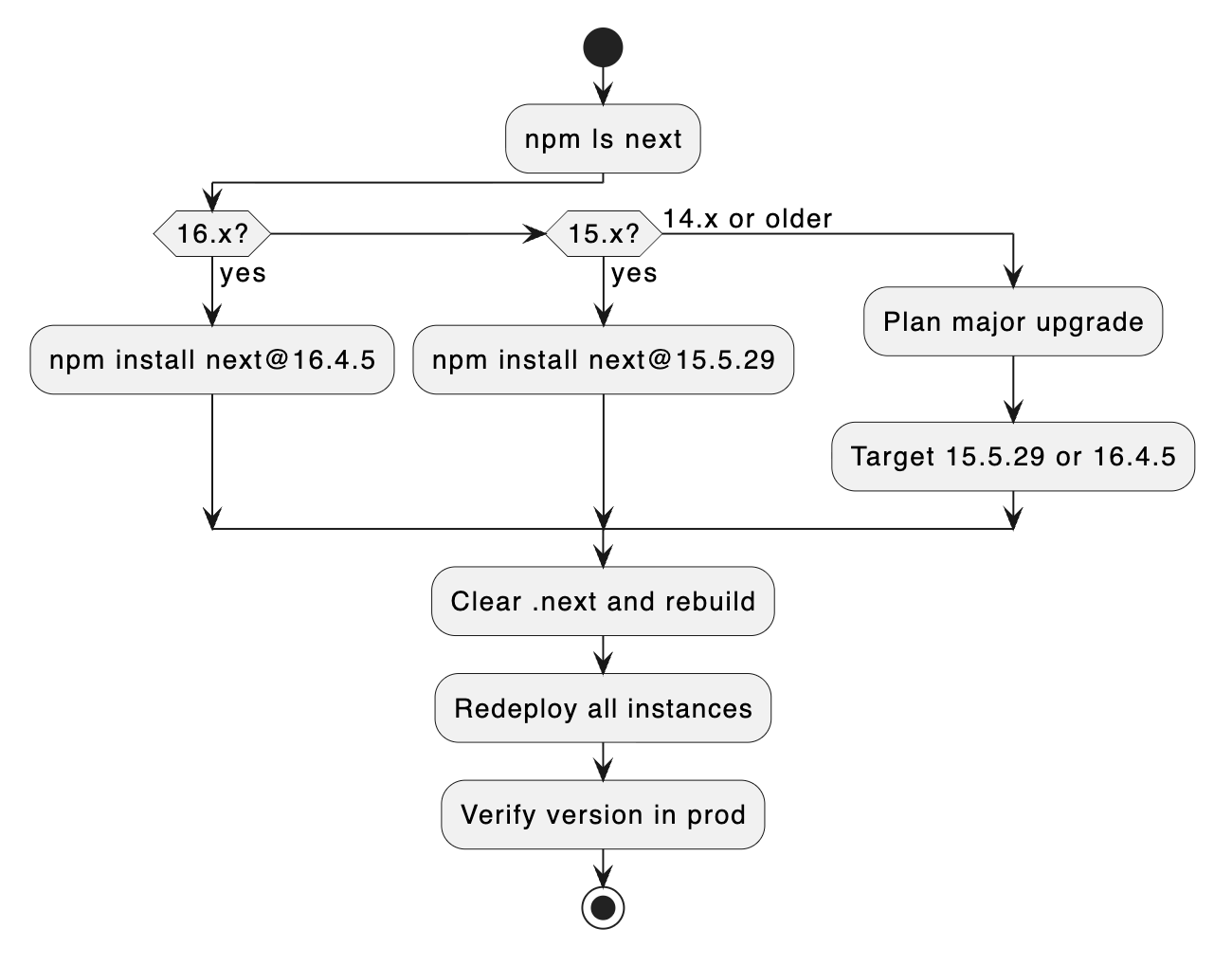
View PlantUML source
@startuml
skinparam shadowing false
skinparam defaultFontSize 14
start
:npm ls next;
if (16.x?) then (yes)
  :npm install next@16.4.5;
elseif (15.x?) then (yes)
  :npm install next@15.5.29;
else (14.x or older)
  :Plan major upgrade;
  :Target 15.5.29 or 16.4.5;
endif
:Clear .next and rebuild;
:Redeploy all instances;
:Verify version in prod;
stop
@enduml
Temporary measures if you can't upgrade today
Only one advisory, CVE-2026-119790, lists a workaround: stop calling a use cache function from inside unstable_cache(). The advisory calls avoiding that nesting "a complete workaround." For the others, these are general risk reducers, not fixes from Vercel:
- Set
partialPrefetching: trueif you self-host with Cache Components. The release post says configurations with Partial Prefetching enabled were not affected in the reported tests for the shell poisoning bug. - Move cookie-setting Edge routes to the Node.js runtime, or set cookies with
cookies().set(), which the advisory says was not affected in the reproduced leak. - Keep
images.remotePatternsas narrow as possible until you patch the SVG bypass. - Wrap or rebuild fetched responses instead of returning them unchanged, if you proxy upstream content.
Next.js security update problems and fixes
| Symptom | Likely cause | Fix |
|---|---|---|
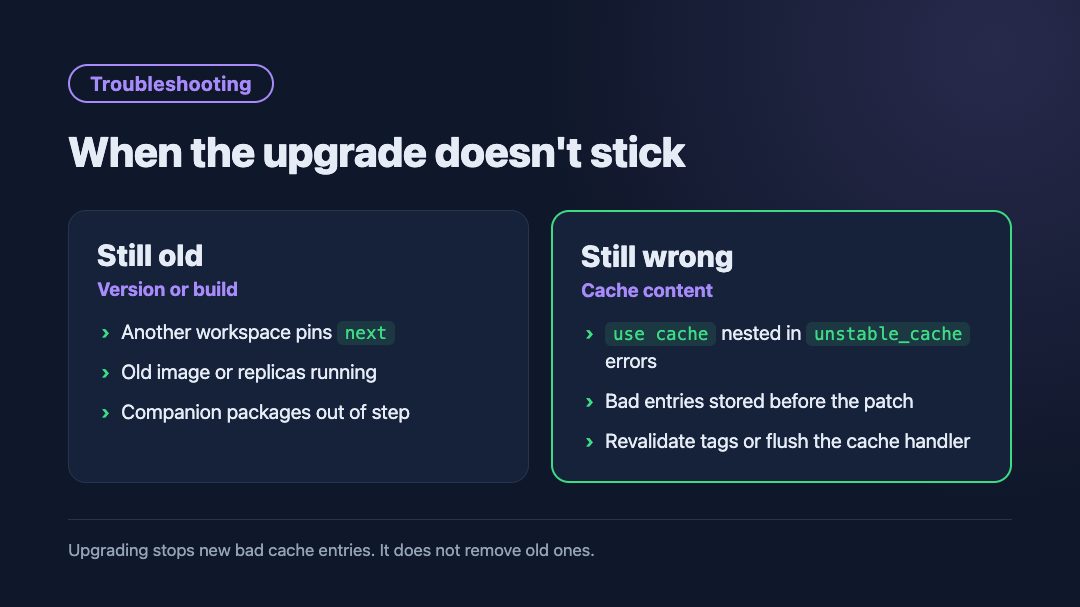
npm ls next still shows the old version | Another workspace or a dependency pins its own next | Run the check from the monorepo root, update each app, dedupe the lockfile |
| Production still serves old behavior | Old image or replicas still running | Rebuild without cache and roll every instance |
| Build fails after the bump | eslint-config-next or @next/* packages out of step | Bump them to the same version as next |
Error about use cache inside unstable_cache | That nesting already errors outside the race | Call the use cache function directly or refactor the unstable_cache wrapper |
| Cached pages look wrong right after deploy | Bad entries stored before the patch | Revalidate affected tags or paths, or clear your cache handler |
The last row matters for the cache bugs. The advisory for CVE-2026-119790 says a wrong result "can then be stored and served to later callers" until the entry is revalidated or evicted. Upgrading stops new bad entries. It doesn't clean up old ones. If you run a multi-tenant app on Cache Components, revalidate tenant-scoped tags after the deploy, or flush your cache handler if you use a remote one.
If you want to keep the next one of these from slipping, put a weekly dependency check in CI. The GitHub Actions lockfile guide shows how to pin workflow dependencies so those checks don't drift too.
FAQ
Is there remote code execution in this Next.js security update? None of the seven advisories describe remote code execution. The SVG advisory explicitly says it does not by itself demonstrate cross-site scripting or remote code execution. The fixes are about data leaks between users or tenants, cache poisoning, and cookie exposure.
I don't use Cache Components or Edge routes. Do I still need to update? Yes. Some issues, like the SVG bypass and the response framing bug, don't depend on Cache Components. A patch-level bump inside the same major line is low risk, so patch rather than trying to prove you're unaffected.
Does Next.js 14 get a fix? No. The support policy lists 14.x as unsupported. Upgrade to 15.5.29 (security fixes until January 31, 2027) or to 16.4.5.
Why does the blog post say "High" when the advisory says Moderate? The release post labels the unstable_cache plus use cache issue as High, while the GitHub advisory and release notes rate it Moderate with a CVSS v4 score of 6.3. Treat it as urgent if your app separates tenants with root parameters.
Will npm audit catch this? npm audit reads the GitHub Advisory Database, so it should flag these once the advisories are in that database. Don't rely on it alone. npm ls next gives you a definite answer in seconds.
What to do next
Run npm ls next in every Next.js project today, bump to 16.4.5 or 15.5.29, rebuild, and redeploy. If you're still on 14.x, start the major upgrade now, because there will be no 14.x patches for this or the next monthly release.
References
All checked on 2026-11-04.
- Next.js blog: November 2026 Security Release (Nov 3, 2026)
- Next.js blog: Upcoming Next.js November Security Release (Oct 27, 2026)
- GitHub advisory GHSA-mfr8-8qww-v76h (CVE-2026-119790)
- GitHub advisory GHSA-vc7v-qv4w-wrv8 (CVE-2026-119351)
- GitHub advisory GHSA-rhh4-g77r-r9qj (CVE-2026-119349)
- GitHub advisory GHSA-pc58-hwjq-p385 (CVE-2026-119348)
- GitHub advisory GHSA-f3mh-rxg3-f5g2 (CVE-2026-119346)
- GitHub advisory GHSA-7qx7-33qx-rqx2 (CVE-2026-119347)
- Next.js v16.4.5 release notes
- Next.js support policy
- Next.js docs: cacheComponents