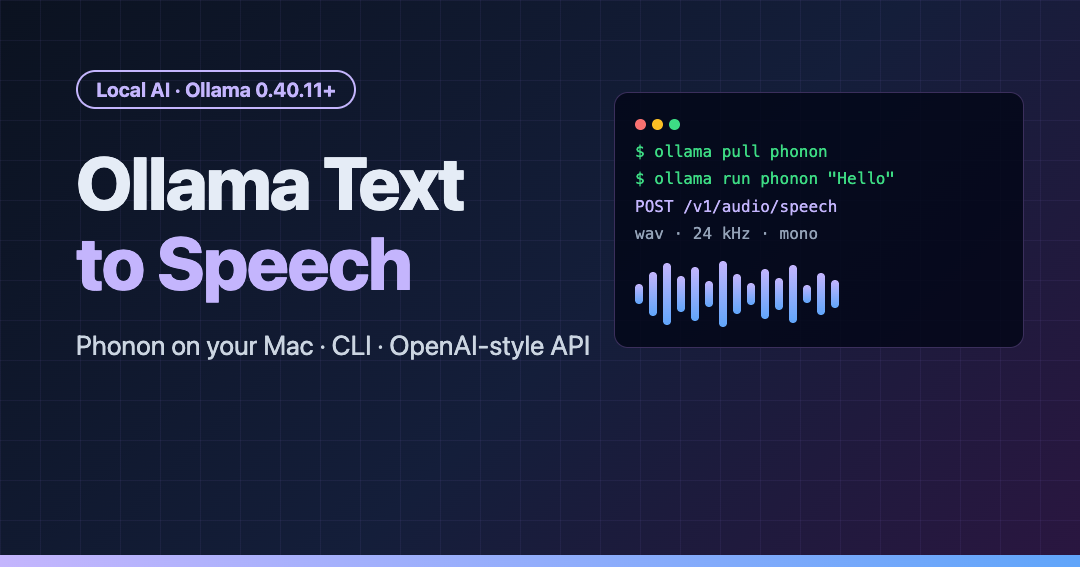
Ollama text to speech arrived in Ollama 0.40.11 (October 24, 2026) through Phonon, a small speech model family from Gradium. On an Apple Silicon Mac, you update Ollama, run ollama pull phonon, and then ollama run phonon "Hello" speaks out loud. Apps can call the OpenAI-compatible /v1/audio/speech endpoint and get 24 kHz WAV back. Windows and Linux are not supported for Phonon yet, and only the default English model may be used commercially.
Written 2026-10-30. Versions, commands, model tags and API limits were checked that day against the Ollama blog post "Speech models in Ollama" (October 24, 2026), the Ollama GitHub release notes, the Phonon model page and the Ollama OpenAI compatibility docs. I did not run benchmarks for this post. The commands below come from those official pages, so re-check them if you read this much later.
What Ollama text to speech can do now
Until this release, Ollama only produced text. Version 0.40.11 added a "Speech" section to its release notes: ollama run can now play text, or a chat model's reply, aloud while the audio is being generated. The same feature is exposed to apps through /v1/audio/speech, the endpoint shape the OpenAI SDKs already use.
| Item | Value (checked 2026-10-30) |
|---|---|
| First release with speech | Ollama 0.40.11, October 24, 2026 |
| Latest release | Ollama 0.40.13, October 28, 2026 |
| Speech model | phonon (Gradium), English 31M by default |
| Platform | macOS on Apple Silicon only |
| Output | 16-bit mono, 24 kHz, WAV or raw PCM |
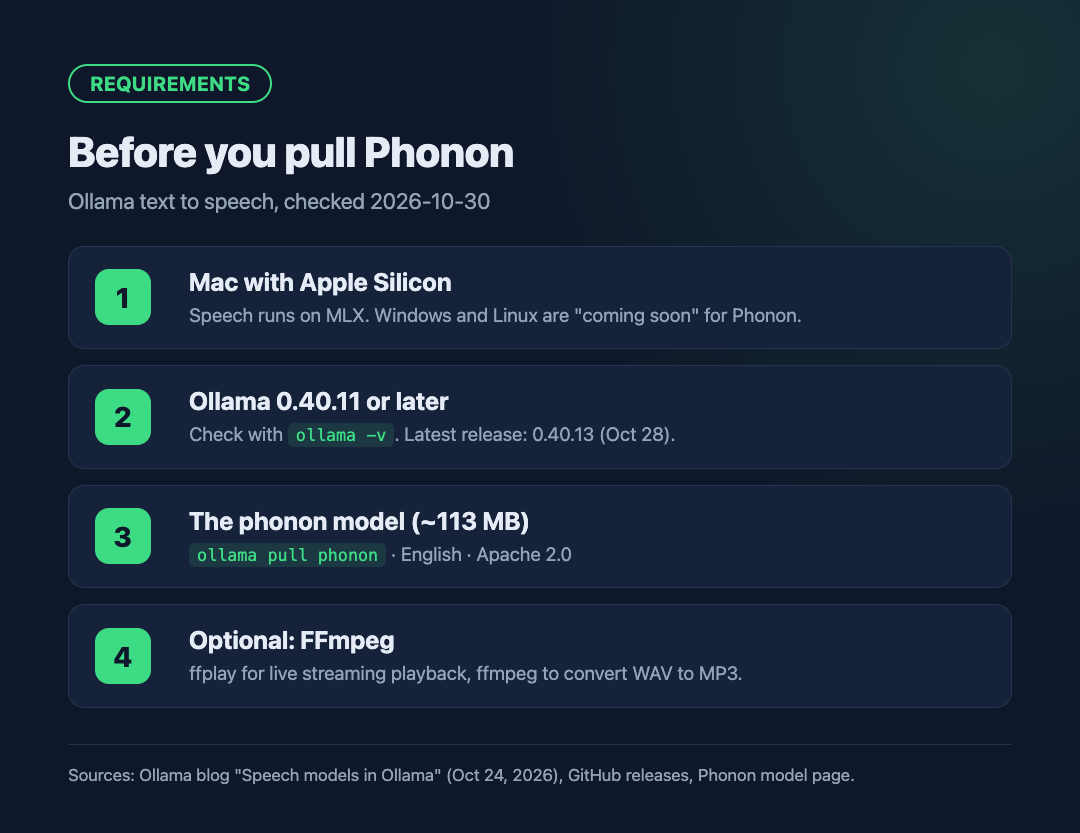
Ollama says Phonon runs through Apple's MLX framework on Apple Silicon. In its own test on a MacBook Pro with an M5 Max, Ollama reports it was 35% faster than Gradium's own runtime, and that its word error rate matches the Hugging Face Transformers reference. Those are Ollama's numbers, not mine.
If you already use Ollama as a local backend for coding tools, such as in our Copilot CLI Ollama setup, you can add speech to the same server. No extra service is needed.
Check your Ollama version and pull Phonon
The blog post says you need Ollama 0.40.11 or later. (The Phonon model page lists 0.40.9 as the minimum, but speech support first appears in the 0.40.11 release notes, so aim for 0.40.11 or newer.)
Check what you have:
ollama -vIf you installed with Homebrew, upgrade like this. If you use the Ollama Mac app, update it from the app or download the latest build from ollama.com.
brew upgrade ollama
ollama -v
Then pull the model:
ollama pull phononPhonon model tags and licenses
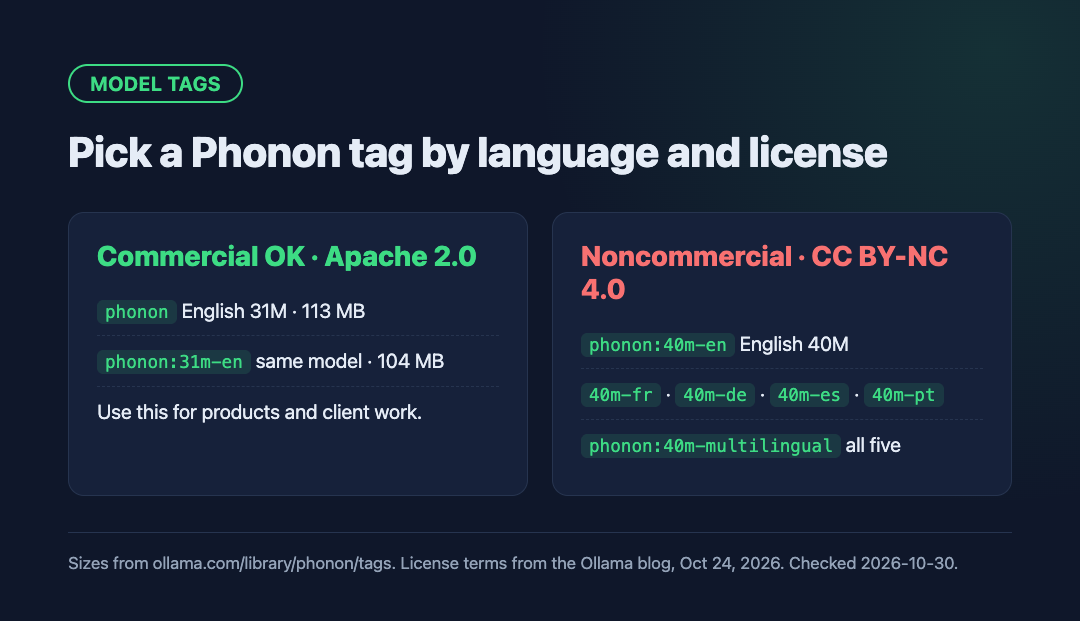
The default tag is small. On the tags page, phonon:latest is listed at 113 MB. The other languages use larger 40M models with a different license.
| Tag | Language | Size (tags page) | License |
|---|---|---|---|
phonon / phonon:31m-en | English | 113 MB / 104 MB | Apache 2.0 |
phonon:40m-en | English | 132 MB | CC BY-NC 4.0 |
phonon:40m-fr, -de, -es, -pt | One language each | 125–129 MB | CC BY-NC 4.0 |
phonon:40m-multilingual | All five | 148 MB | CC BY-NC 4.0 |
The license column matters more than the size. CC BY-NC 4.0 means noncommercial use only. If you are building a product or a client project, stay on the default phonon tag unless you have cleared the license.
Speak text from the terminal
The simplest test reads a sentence aloud:
ollama run phonon "Hello from Ollama."To use a specific voice, add --voice:
ollama run phonon --voice Hadley "Hello from Ollama."The voices come from Gradium's voice catalog. The Ollama blog uses Hadley and Zoey in its examples, while the Phonon model page lists only default for the 31M English model at the time of writing. So check the list on your own install before you hard-code a name:
ollama show phononSave speech to a WAV file
Redirect the output to a file instead of the speakers:
ollama run phonon "Save this to a file." > speech.wav
afplay speech.wav
afplay is the audio player built into macOS. Ollama does not output MP3. If you need MP3 for a podcast feed or a web page, convert the WAV with a tool such as ffmpeg:
ffmpeg -i speech.wav -codec:a libmp3lame -q:a 2 speech.mp3Make a chat model talk
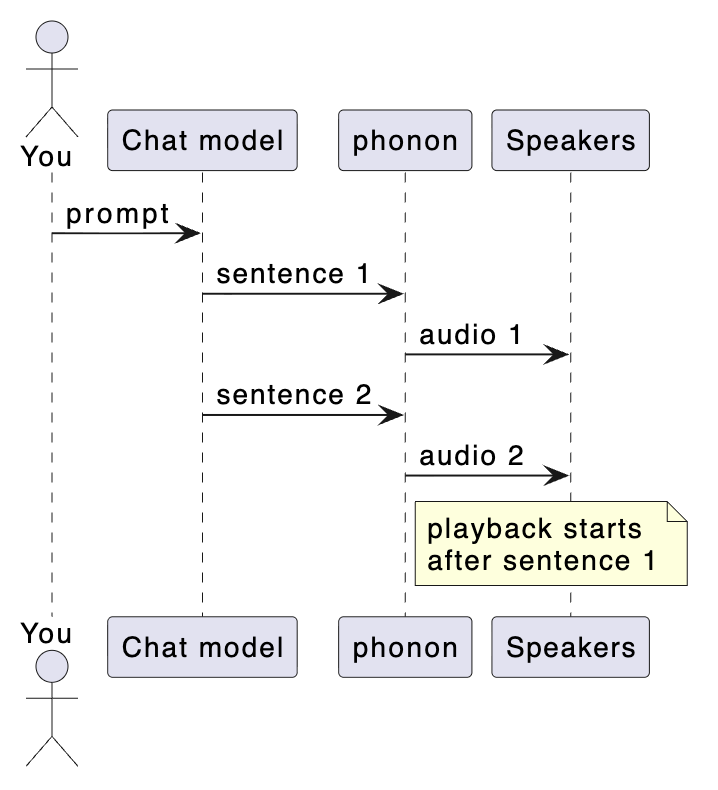
You can pipe a chat model straight into Phonon. Ollama says text is spoken as it arrives, so playback starts after the first sentence instead of after the whole answer.
ollama run gemma4 --hidethinking "Tell me a fun fact about owls in two sentences." | ollama run phononSwap gemma4 for any chat model you already have. --hidethinking keeps a reasoning model's thinking text out of the audio.
View PlantUML source
@startuml
skinparam shadowing false
skinparam defaultFontSize 14
actor You
participant "Chat model" as LLM
participant "phonon" as TTS
participant "Speakers" as SPK
You -> LLM : prompt
LLM -> TTS : sentence 1
TTS -> SPK : audio 1
LLM -> TTS : sentence 2
TTS -> SPK : audio 2
note right of TTS : playback starts\nafter sentence 1
@enduml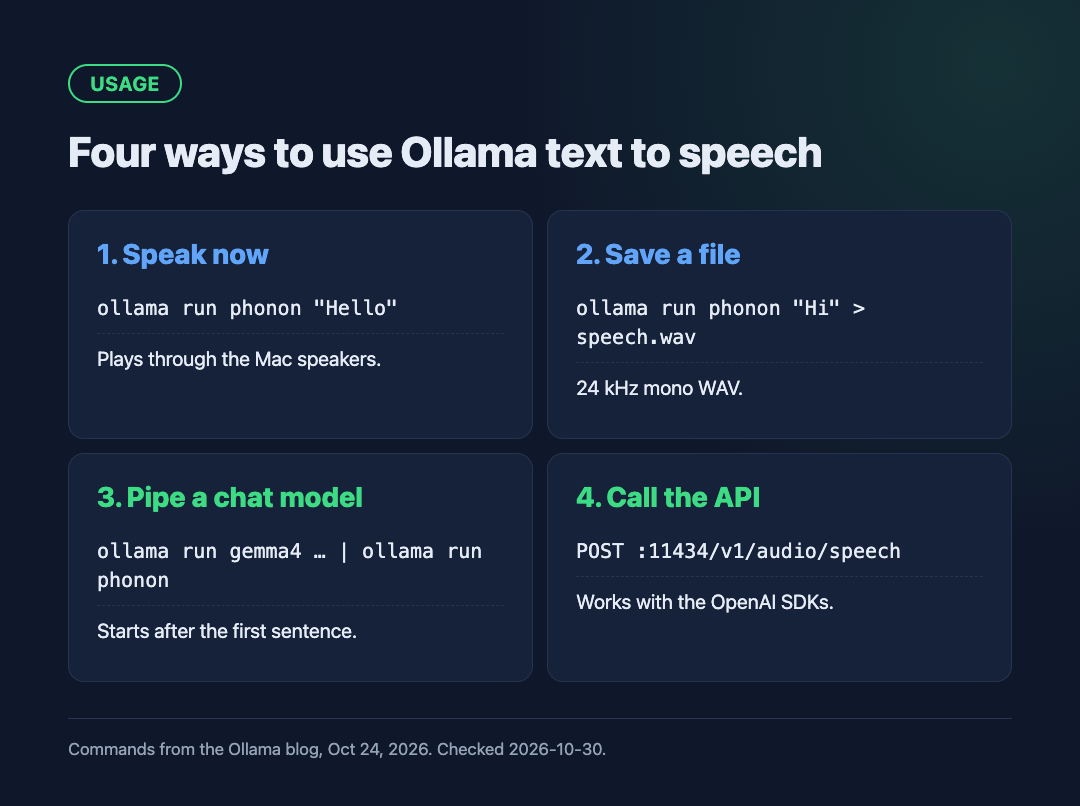
Use the Ollama text to speech API
Phonon works with the OpenAI-compatible endpoint at http://localhost:11434/v1/audio/speech. Ollama's docs say this endpoint was added in 0.40.8, but you still need a speech model, which arrived with 0.40.11.
curl
curl http://localhost:11434/v1/audio/speech \
  -H "Content-Type: application/json" \
  -d '{
    "model": "phonon",
    "voice": "Zoey",
    "input": "Hello from Ollama."
  }' --output speech.wav
Leave out voice to use the model's default voice. To hear audio while it streams, pipe it to ffplay (part of FFmpeg):
curl -sN http://localhost:11434/v1/audio/speech \
  -H "Content-Type: application/json" \
  -d '{"model": "phonon", "input": "Playback starts right away."}' \
  | ffplay -nodisp -autoexit -loglevel error -
Python (OpenAI SDK)
Point the OpenAI client at Ollama. The API key is required by the SDK but not checked by Ollama, so any string works.
from openai import OpenAI

client = OpenAI(base_url="http://localhost:11434/v1", api_key="ollama")

with client.audio.speech.with_streaming_response.create(
    model="phonon",
    voice="Zoey",
    input="Hello from Ollama.",
    response_format="wav",
) as response:
    response.stream_to_file("speech.wav")
JavaScript (OpenAI SDK)
import fs from "node:fs"
import OpenAI from "openai"

const openai = new OpenAI({ baseURL: "http://localhost:11434/v1", apiKey: "ollama" })

const response = await openai.audio.speech.create({
  model: "phonon",
  voice: "Zoey",
  input: "Hello from Ollama.",
  response_format: "wav",
})
fs.writeFileSync("speech.wav", Buffer.from(await response.arrayBuffer()))
Which request fields work
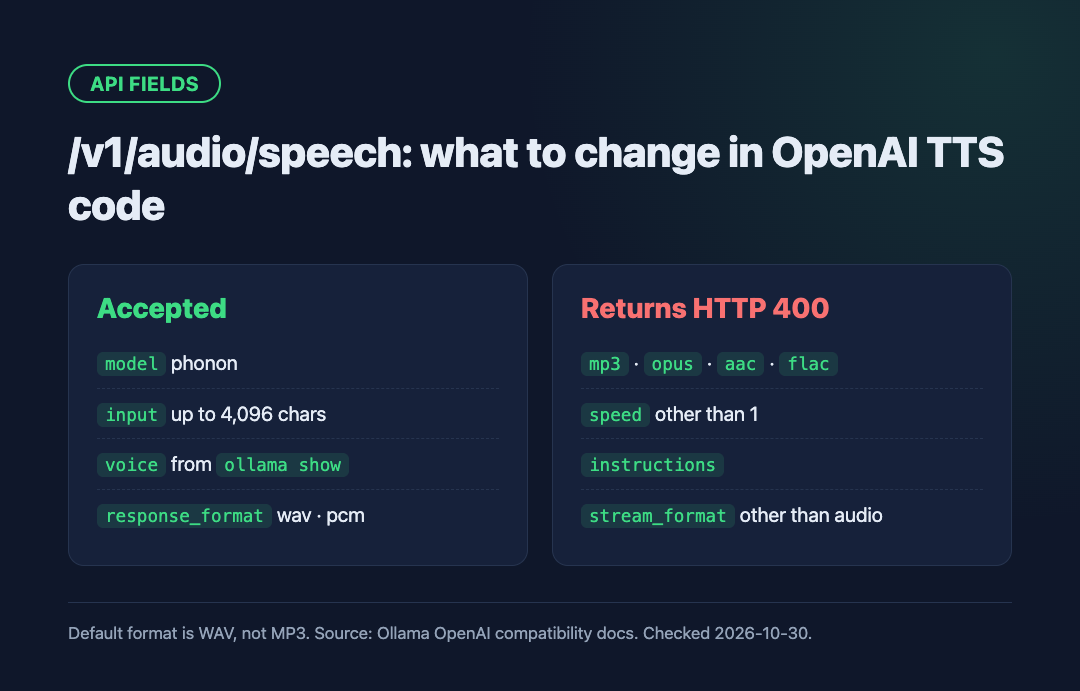
Ollama's endpoint is compatible with the OpenAI request shape, not identical to it. The docs say unsupported values return HTTP 400 instead of being ignored. That is the main thing that breaks code copied from an OpenAI TTS project.
| Field | Ollama support | Note |
|---|---|---|
input | Yes | Up to 4,096 characters |
voice | Yes | Names from ollama show; case and accents ignored |
response_format | wav, pcm | No mp3, opus, aac, flac |
speed | Only 1 | Other values return 400 |
stream_format | Only audio | No SSE events |
instructions | No | Remove it from requests |
Note the default: OpenAI's TTS endpoint defaults to MP3, while Ollama defaults to WAV. If your code saves to speech.mp3 without setting a format, you will get WAV bytes in a file named .mp3. Set response_format="wav" and name the file to match. pcm returns raw little-endian samples with no header, so the player has to be told it is 24 kHz, 16-bit, mono.
Phonon vs a cloud TTS API
Phonon is not a drop-in replacement for every cloud voice. Pick it for what it is good at.
| Need | Ollama + Phonon | Cloud TTS API |
|---|---|---|
| Text stays on your machine | Yes | No |
| Cost per character | None after download | Billed |
| Windows / Linux | Not yet (Phonon) | Yes |
| Style instructions | Not supported | Often supported |
Good fits: reading build or test results aloud, private notes, local prototypes, and voice for an offline assistant on a Mac. If you need a designed voice with style control, a cloud API is the better tool. Our post on OpenAI prompt-to-voice covers that route.
What about Windows and Linux?
Ollama's blog says Windows and Linux support for speech models is "coming soon", with no date. Ollama 0.40.13 (October 28) brought Liquid AI's LFM3 models, including lfm3-audio with text-to-speech, to Linux and Windows. Its model page shows chat examples only, though, and no /v1/audio/speech example. I could not confirm from the official pages that lfm3-audio works with the speech endpoint, so treat it as something to test, not a documented path.
Troubleshooting Ollama speech
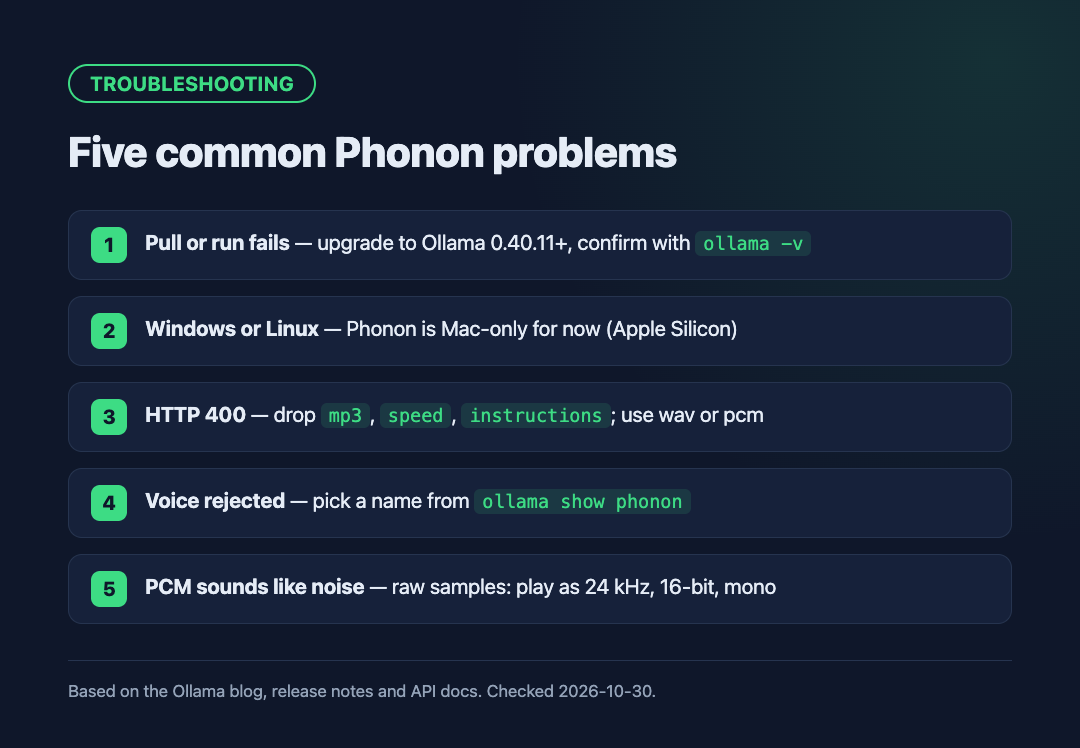
| Symptom | Likely cause | Fix |
|---|---|---|
phonon pull or run fails | Ollama older than 0.40.11 | Upgrade, then ollama -v |
| Not available on Windows or Linux | Phonon is Mac-only for now | Use a Mac with Apple Silicon |
| HTTP 400 from the API | mp3, speed, or instructions in the request | Use wav or pcm, drop the extras |
| Voice name rejected | Voice not in your model's list | Run ollama show phonon |
| PCM file plays as noise | Raw samples, no header | Play as 24 kHz, 16-bit, mono |
For automation, a short script that sends job results to /v1/audio/speech is enough. If you already run local jobs through n8n, as in running Claude Code headless with n8n on macOS, an HTTP Request node pointed at the same endpoint can produce the WAV file.
FAQ
Is Ollama text to speech free? Ollama and the default phonon model (Apache 2.0) are free to run locally. The 40M language models are CC BY-NC 4.0, so they are free only for noncommercial use.
Does Ollama support MP3 output? No. The speech endpoint returns WAV (default) or raw PCM. Convert WAV to MP3 with a tool such as ffmpeg if you need it.
Can I use Phonon on Windows or Linux? Not as of 2026-10-30. Ollama says speech models are macOS-only for now, with Windows and Linux "coming soon".
Does my OpenAI TTS code work with Ollama? Mostly. Change the base URL to http://localhost:11434/v1, set the model to phonon, use a voice from ollama show phonon, and remove instructions, non-1 speed and MP3 format, which return 400.
How long can the input text be? Up to 4,096 characters per request. Split longer text into chunks and join the WAV files afterward.
Speech is new in Ollama, so expect more voices, languages and platforms in the next releases. I will update this guide when Windows and Linux support lands. Next, try wiring Phonon into a local agent so it reads its results aloud.
References
- Speech models in Ollama — official Ollama blog, October 24, 2026, checked 2026-10-30
- OpenAI compatibility: /v1/audio/speech — official docs, supported fields and formats, checked 2026-10-30
- Ollama v0.40.11 release notes — official, Speech section, checked 2026-10-30
- Ollama v0.40.13 release notes — official, LFM3 on Linux and Windows, checked 2026-10-30
- Phonon model page — official model library, tags, sizes and licenses, checked 2026-10-30
- lfm3-audio model page — official model library, checked 2026-10-30
1 thought on “Ollama Text to Speech: Run Phonon Locally on Your Mac”