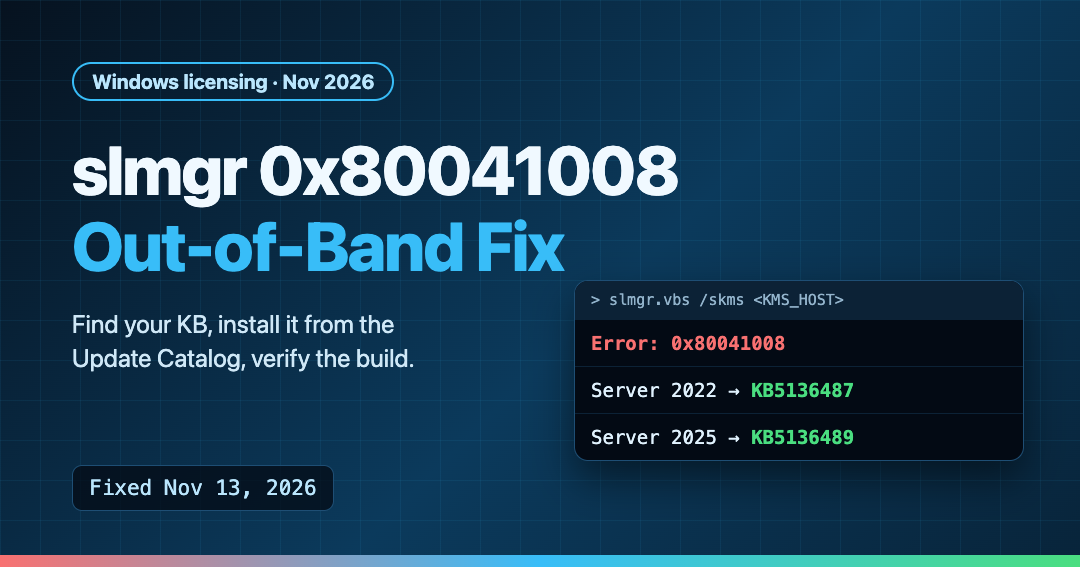
The slmgr 0x80041008 error ("Invalid parameter") after the November 2026 Windows update is a known bug that Microsoft fixed on November 13, 2026. The fix is an out-of-band (OOB) cumulative update, and on most versions you must download it from the Microsoft Update Catalog yourself. Find your KB in the table below, install it, reboot, and run your slmgr command again.
Written November 14, 2026 (KST). Facts checked on November 14, 2026 against the Windows message center and the five KB articles Microsoft published on November 13. I haven't reproduced the error on my own machines for this post. The commands come from Microsoft's KB pages or are standard Windows, DISM and PowerShell commands. Test them on one machine before you roll them out.
What broke: slmgr 0x80041008 after the November update
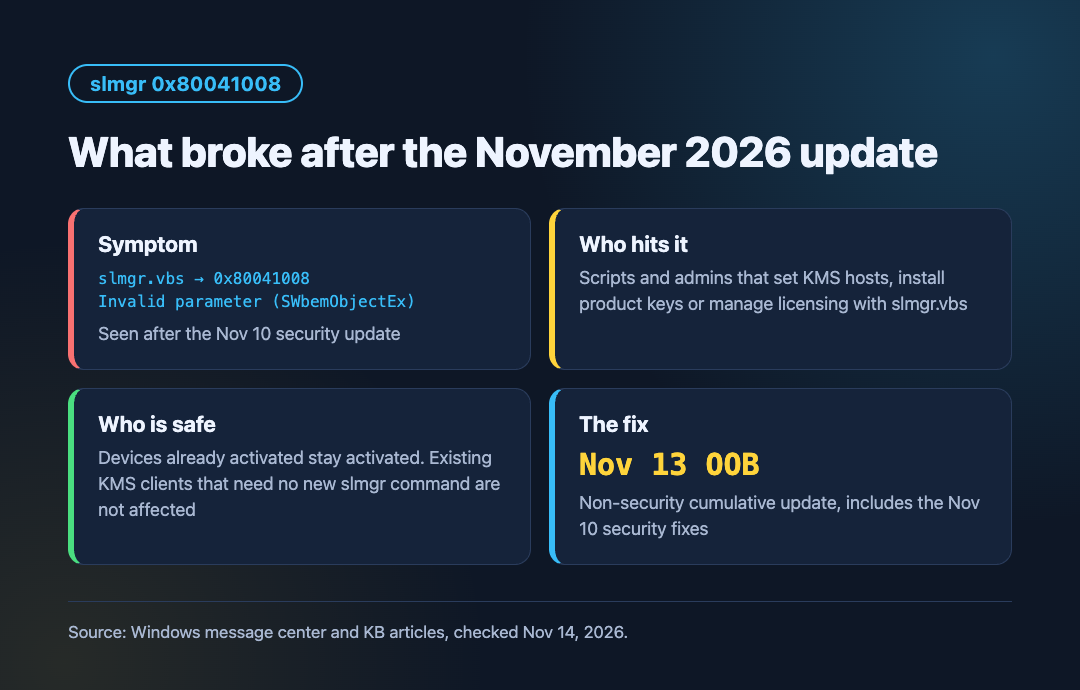
The November 10 security update (the Patch Tuesday release) changed something in Windows licensing. Afterward, some SLMGR (Software Licensing Management Tool) operations fail with 0x80041008. Admins describe the full message as "Invalid parameter (SWbemObjectEx)".
Microsoft's Windows message center entry from November 13 says three things matter:
- It mainly hits organizations that use
slmgr.vbscommands or scripts to set up KMS activation, install product keys or manage licensing. - Devices that are already activated stay activated. Machines with an existing KMS setup that don't need new
slmgr.vbscommands aren't affected. - The fix is a non-security cumulative update. It includes everything in the November 10 security update, so you don't lose any security fixes when you install it.
In practice, you'll see it when you build new servers, change KMS hosts, convert evaluation editions, or run activation scripts in a task sequence.
Which out-of-band update fixes 0x80041008 on your version
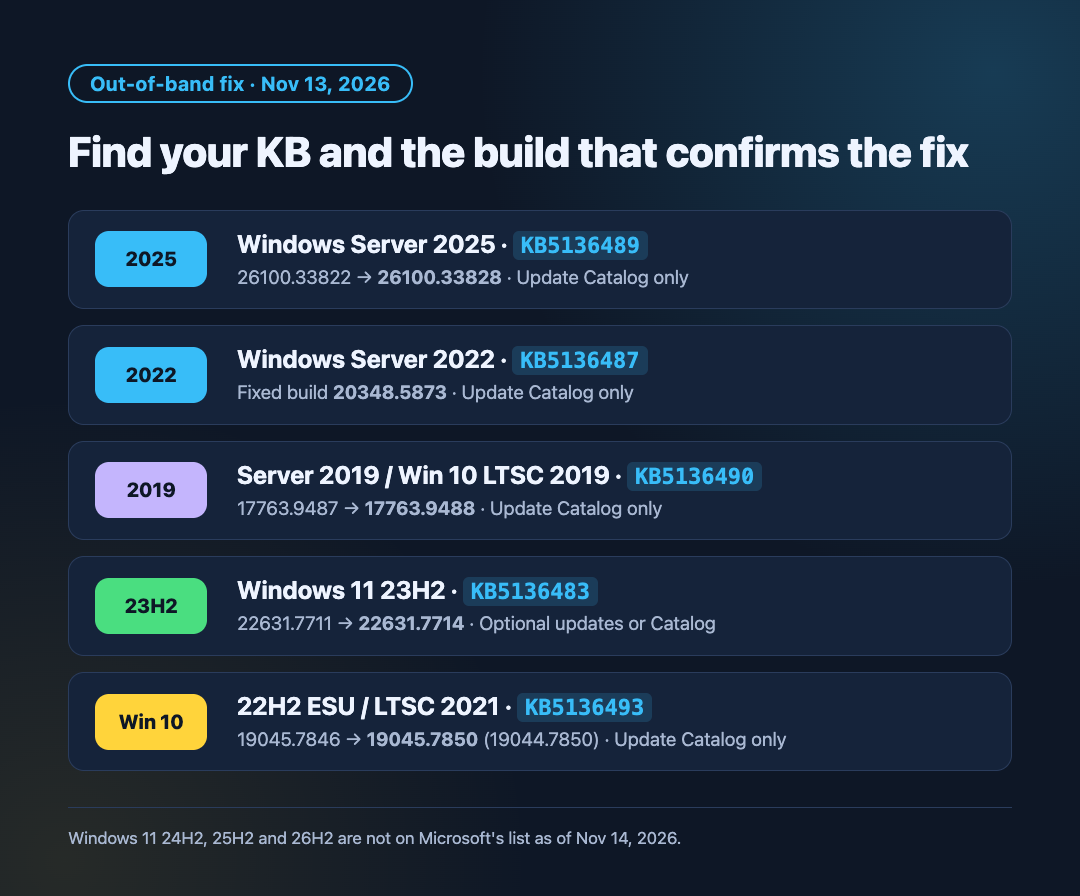
Each Windows version gets its own KB. The build number tells you if the fix is already on a machine.
| Windows version | Fix KB (Nov 13) | Build after fix | Where to get it |
|---|---|---|---|
| Windows Server 2025 | KB5136489 | 26100.33828 | Update Catalog only |
| Windows Server 2022 | KB5136487 | 20348.5873 | Update Catalog only |
| Server 2019 / Win 10 LTSC 2019 | KB5136490 | 17763.9488 | Update Catalog only |
| Windows 11 23H2 | KB5136483 | 22631.7714 | Optional updates or Catalog |
| Win 10 22H2 ESU / 21H2 LTSC 2021 | KB5136493 | 19045.7850 / 19044.7850 | Update Catalog only |
The November 10 builds these replace were 26100.33822 (KB5131080), 17763.9487 (KB5131085), 22631.7711 (KB5131087) and 19045.7846 / 19044.7846 (KB5131096). Server 2022's November 10 update was KB5131090.
Windows 11 24H2, 25H2 and 26H2 aren't in Microsoft's list. As of November 14, Microsoft hasn't published an OOB update or a known-issue entry for this error on those versions. If you see 0x80041008 there, check Windows release health before you assume it's the same bug. For the regular November update on those versions, see the KB5132061 install and fix guide.
How to check if your machine is affected
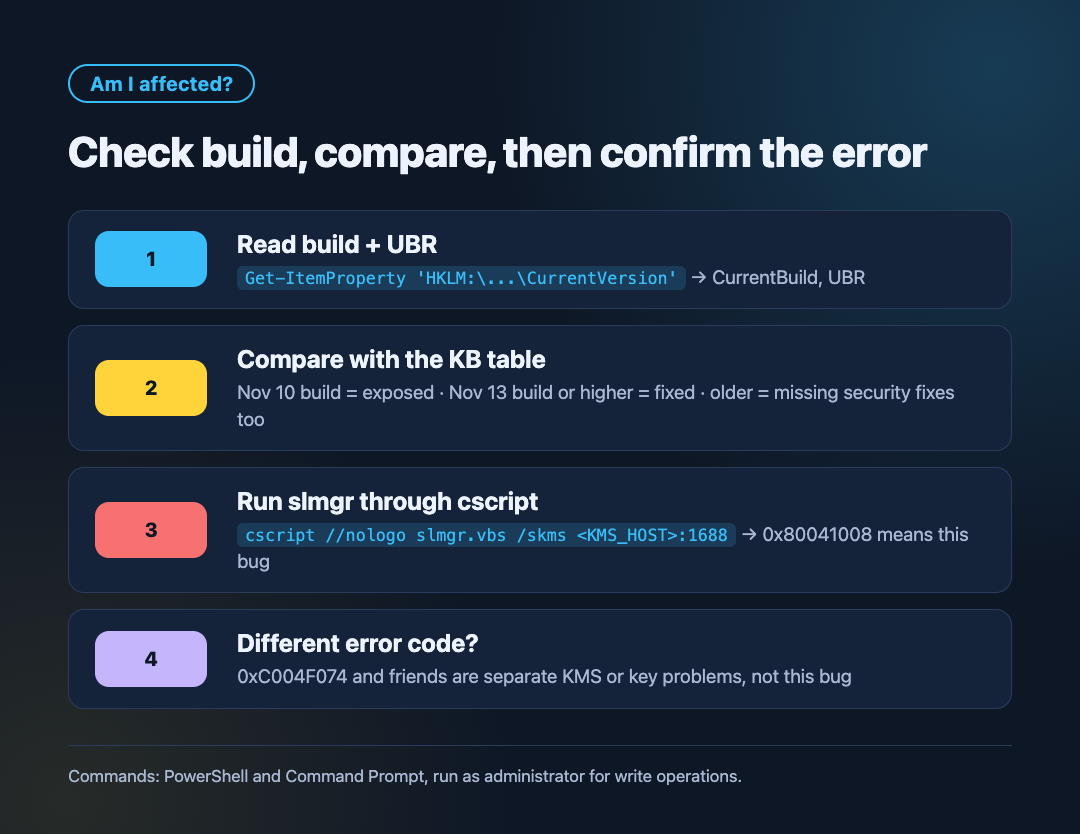
You need two facts: the OS build (with UBR, the number after the dot) and whether slmgr actually fails.
Check the build number
In PowerShell:
Get-ItemProperty 'HKLM:\SOFTWARE\Microsoft\Windows NT\CurrentVersion' |
  Select-Object ProductName, DisplayVersion, CurrentBuild, UBR
Example output on a patched Server 2022 host:
ProductName    DisplayVersion CurrentBuild UBR
-----------    -------------- ------------ ---
Windows Server 2022 Datacenter 21H2       20348        5873
In Command Prompt, ver gives the same build:
verHow to read it:
- UBR lower than the November 10 build (for example 17763.9400): you don't have the November update. You can't have this bug, but you're missing security fixes. Install the OOB update anyway. It's cumulative and covers both.
- UBR equals the November 10 build (26100.33822, 20348 with KB5131090, 17763.9487, 22631.7711, 19045.7846): you're exposed. Install the OOB update.
- UBR equals or exceeds the "Build after fix" column: you're fixed.
You can also check for the KB directly:
Get-HotFix -Id KB5136487 -ErrorAction SilentlyContinueOn Server 2025 and newer builds, Get-HotFix may not list combined SSU + LCU packages. Trust the UBR value over it.
Check many servers at once
$servers = Get-Content .\servers.txt
Invoke-Command -ComputerName $servers -ScriptBlock {
  $v = Get-ItemProperty 'HKLM:\SOFTWARE\Microsoft\Windows NT\CurrentVersion'
  [pscustomobject]@{ Build = "$($v.CurrentBuild).$($v.UBR)" }
} | Sort-Object PSComputerName | Format-Table PSComputerName, Build
Confirm the slmgr error itself
Run slmgr through cscript so the result prints in the console instead of a pop-up:
cscript //nologo %windir%\system32\slmgr.vbs /dlv
cscript //nologo %windir%\system32\slmgr.vbs /skms <KMS_HOST>:1688
/dlv only reads license details. The /skms line is the kind of write operation Microsoft says can fail. If it returns 0x80041008 on an unpatched November build, you have this bug. If it returns a different code (like 0xC004F074, "KMS can't be reached"), that's a separate activation problem.
How to install the out-of-band update
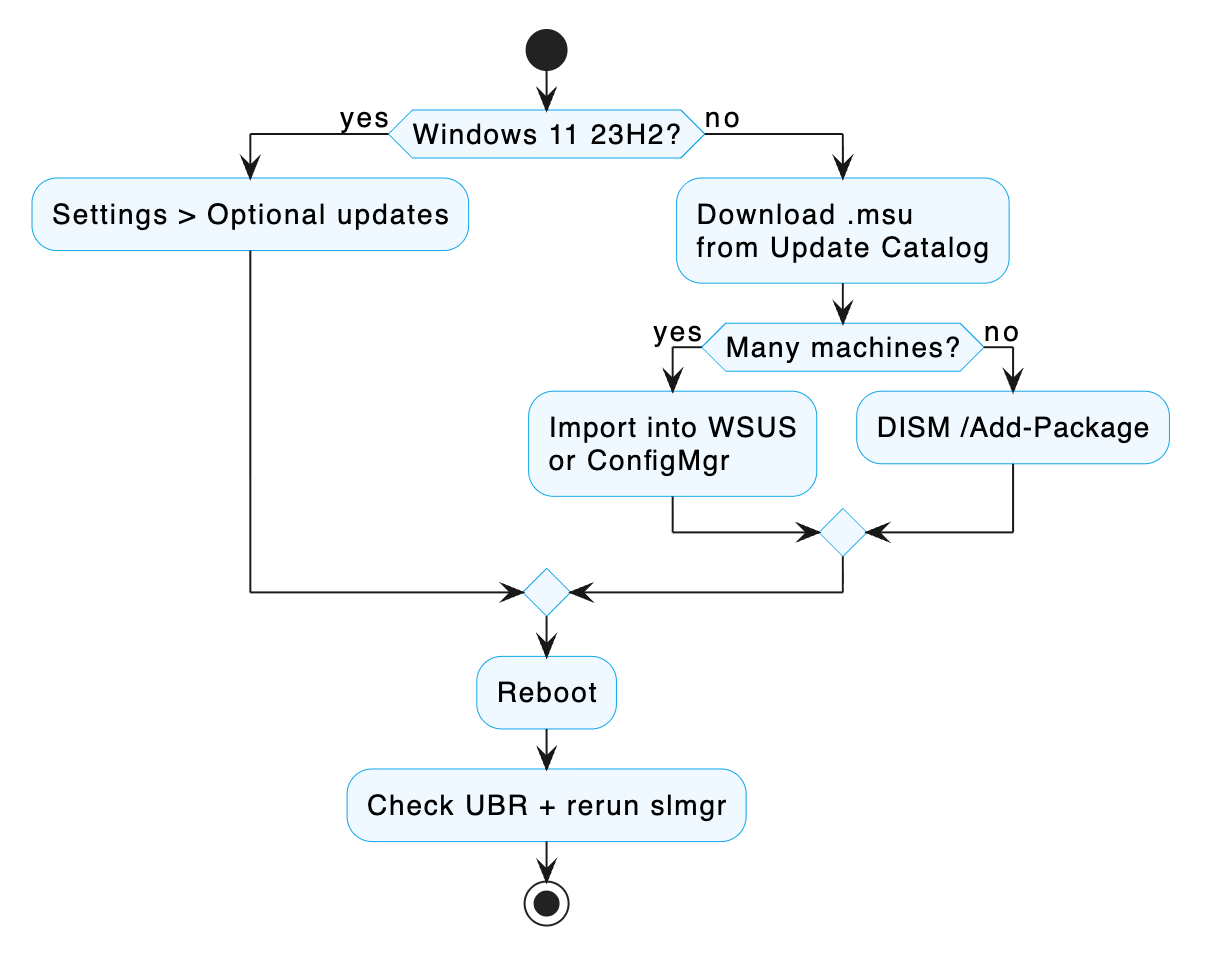
Pick the path that matches how you patch.
View PlantUML source
@startuml
skinparam shadowing false
skinparam defaultFontSize 14
skinparam activityBorderColor #0EA5E9
skinparam activityBackgroundColor #F0F9FF
start
if (Windows 11 23H2?) then (yes)
  :Settings > Optional updates;
else (no)
  :Download .msu\nfrom Update Catalog;
  if (Many machines?) then (yes)
    :Import into WSUS\nor ConfigMgr;
  else (no)
    :DISM /Add-Package;
  endif
endif
:Reboot;
:Check UBR + rerun slmgr;
stop
@enduml
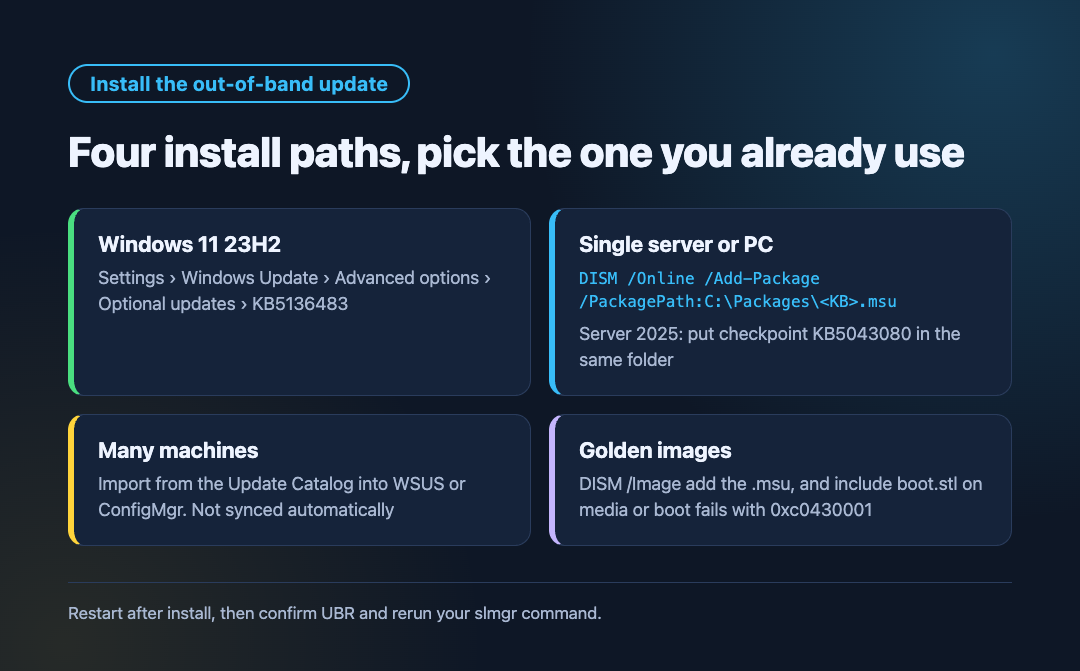
Windows 11 23H2: Optional updates
- Open Settings > Windows Update > Advanced options > Optional updates.
- Select KB5136483 and choose Download and install.
- Restart.
Microsoft says this KB isn't offered through Windows Update for Business. Those devices get the change in the next security update, or you can install the Catalog package.
Note: Windows 11 23H2 Enterprise and Education reached end of updates on November 10, 2026. Plan your move to 26H2. The steps in the Windows 11 24H2 end of updates guide also work from 23H2.
Servers and Windows 10: Microsoft Update Catalog + DISM
- Open the Microsoft Update Catalog and search for your KB (for example
KB5136487). - Download the x64
.msuinto an empty folder such asC:\Packages. - Server 2025 only: also download the checkpoint update
KB5043080into the same folder. DISM installs it first. - Install from an elevated prompt:
DISM /Online /Add-Package /PackagePath:C:\Packages\windows10.0-kb5136487-x64_<HASH>.msuThe PowerShell equivalent:
Add-WindowsPackage -Online -PackagePath "C:\Packages\windows10.0-kb5136487-x64_<HASH>.msu"Replace the file name with the one you downloaded. On Server 2025 the file starts with windows11.0-kb5136489.
- Restart, then check that UBR matches the table.
Many machines: WSUS or ConfigMgr
Microsoft doesn't publish these OOB updates to WSUS automatically. Import them from the Catalog with Import Updates in the WSUS console (or your ConfigMgr software update point), approve them for a test group, then widen. If you only need the fix on machines that run activation scripts (build servers, imaging, KMS hosts), approve it for that group first.
Golden images and install media
If you build images, slipstream the OOB update so new machines don't start with the bug:
DISM /Mount-Image /ImageFile:C:\Images\install.wim /Index:1 /MountDir:C:\Mount
DISM /Image:C:\Mount /Add-Package /PackagePath:C:\Packages\
DISM /Unmount-Image /MountDir:C:\Mount /Commit
Every KB page carries the same warning: when you update installation media, include the matching boot.stl file. Without it, devices can fail to boot from the media with 0xc0430001. Microsoft recommends its Update WinPE script for this.
If you can't install the fix yet
Microsoft lists no official workaround for 0x80041008. What you can do in the meantime:
- Don't touch licensing on activated machines. They stay activated, and existing KMS clients keep renewing without new
slmgrcommands. - Hold activation changes. Postpone KMS host changes and key swaps until the OOB update is on the target machine.
- Patch new builds first. Add the OOB update to your image or task sequence before the step that runs
slmgr.
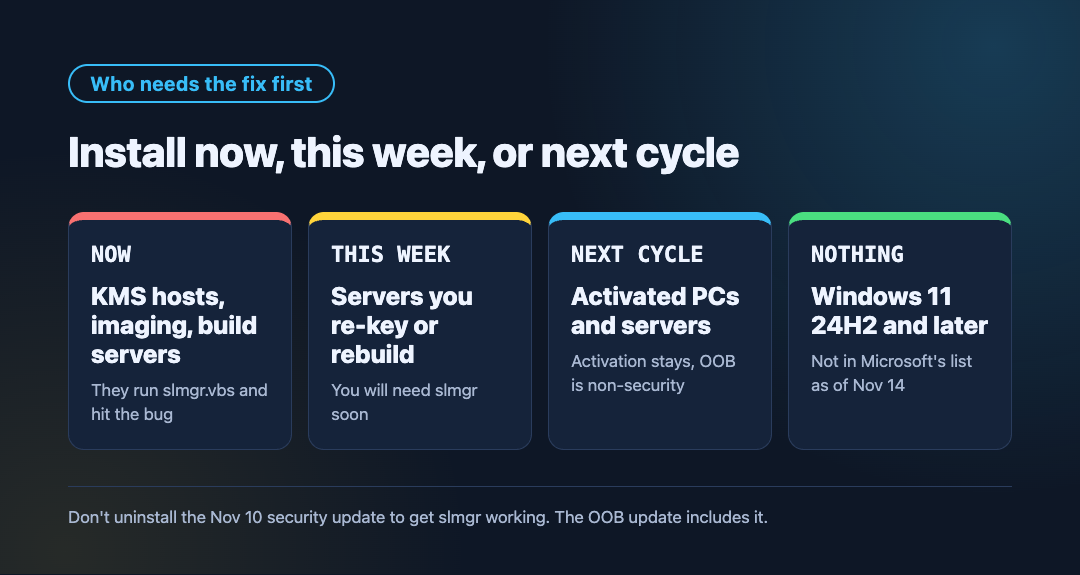
Don't uninstall the November 10 security update to make slmgr work. You would remove the security fixes in it, and the OOB update already gives you both.
Troubleshooting the out-of-band update
| Symptom | Likely cause | Fix |
|---|---|---|
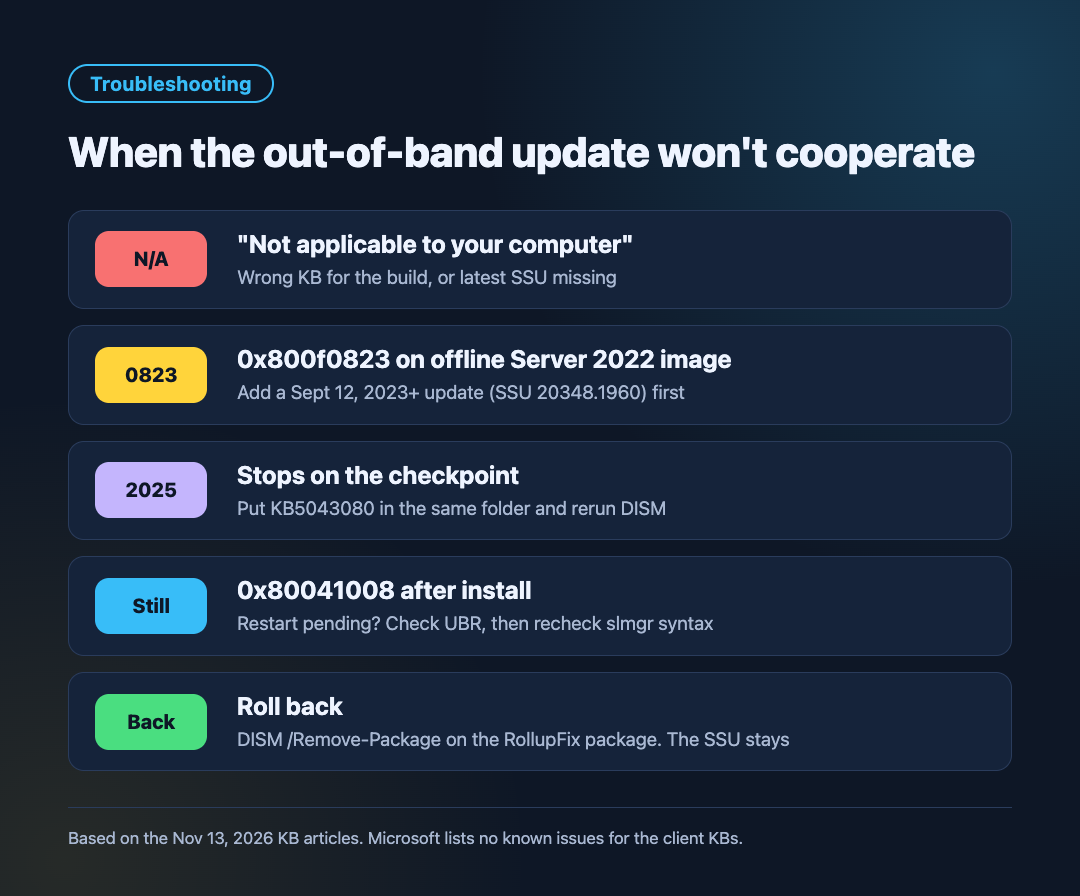
| "The update is not applicable to your computer" | Wrong KB for the OS, or the latest SSU is missing | Match the KB to your build. Install the latest SSU first |
0x800f0823 on an offline Server 2022 image | Image SSU is too old | Add a September 12, 2023 or later update (SSU 20348.1960) first |
| Server 2025 install stops on checkpoint | KB5043080 missing | Put KB5043080 in the same folder and rerun DISM |
Still 0x80041008 after install | Restart pending, or the command really has a bad parameter | Restart, confirm UBR, recheck slmgr syntax |
Media won't boot, 0xc0430001 | boot.stl missing | Add boot.stl from Windows\Boot\EFI or use Update WinPE |
How to roll back
The OOB package combines the servicing stack update (SSU) and the cumulative update (LCU). You can't remove the SSU, and wusa /uninstall doesn't remove combined packages. Remove only the LCU with DISM:
DISM /Online /Get-Packages /Format:Table | findstr /i "RollupFix"
DISM /Online /Remove-Package /PackageName:<PACKAGE_IDENTITY>
Copy the package identity of the November 13 rollup from the first command. After a restart you'll be on the previous cumulative build. On Server 2019 and Windows 10, Get-WindowsPackage -Online | Where-Object PackageName -like '*RollupFix*' gives the same list.
Should you install it now?
| Your situation | Action | Why |
|---|---|---|
| KMS hosts, build servers, imaging or activation scripts | Install now | These run slmgr and hit the bug |
| Server 2019/2022/2025 that you rebuild or re-key often | This week | You'll need slmgr soon |
| Already-activated desktops and servers you don't re-key | Next patch cycle is fine | Activation stays, the OOB is non-security |
| Windows 11 24H2, 25H2, 26H2 | No OOB to install | Not in Microsoft's affected list as of Nov 14 |
If you also use NTLM-based sign-in on these servers, note that the same November update turned on NTLM message signing by default for clients (CVE-2026-118737, KB5135557). The NTLMv1 Enforce mode guide covers how to find legacy NTLM traffic.
FAQ
Does error 0x80041008 mean my Windows is deactivated? No. Microsoft says devices that were already activated stay activated. The bug blocks new licensing operations like installing a key or setting a KMS host.
Is the out-of-band update a security update? No, it's a non-security update. But it's cumulative and includes the November 10 security fixes, so you don't lose anything by installing it instead of, or after, the November update.
Why don't I see KB5136487 in Windows Update? For Server 2025, Server 2022, Server 2019 and Windows 10, Microsoft only publishes these packages in the Update Catalog. Only Windows 11 23H2 gets it under Optional updates.
I'm on Windows 11 24H2 or later and see 0x80041008. Which KB do I install? None yet. Microsoft hasn't listed those versions as affected. Check the release health dashboard, and check your slmgr syntax and KMS reachability first.
Can I just wait for the December update? For activated machines, yes. On the Windows 11 23H2 page, Microsoft says the change will come in the next security update for Windows Update for Business devices. Machines that need slmgr before then should get the OOB package.
References
- Microsoft, Windows message center: Out-of-band update released to address Windows licensing and activation errors (checked November 14, 2026)
- Microsoft Support, KB5136489 (OS Build 26100.33828) Out-of-band, Windows Server 2025 (checked November 14, 2026)
- Microsoft Support, KB5136487 (OS Build 20348.5873) Out-of-band, Windows Server 2022 (checked November 14, 2026)
- Microsoft Support, KB5136490 (OS Build 17763.9488) Out-of-band, Windows Server 2019 (checked November 14, 2026)
- Microsoft Support, KB5136483 (OS Build 22631.7714) Out-of-band, Windows 11 23H2 (checked November 14, 2026)
- Microsoft Support, KB5136493 (OS Builds 19045.7850 and 19044.7850) Out-of-band, Windows 10 (checked November 14, 2026)
- Microsoft Update Catalog (checked November 14, 2026)
- Born's Tech and Windows World, Windows out-of-band update fixes licensing error (Nov 13, 2026) (German, checked November 14, 2026)