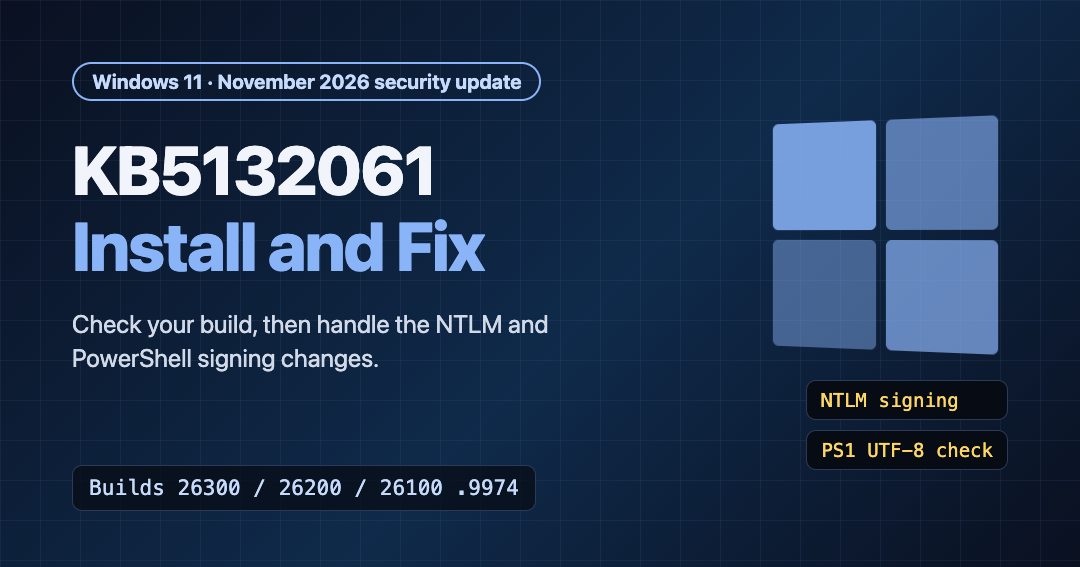
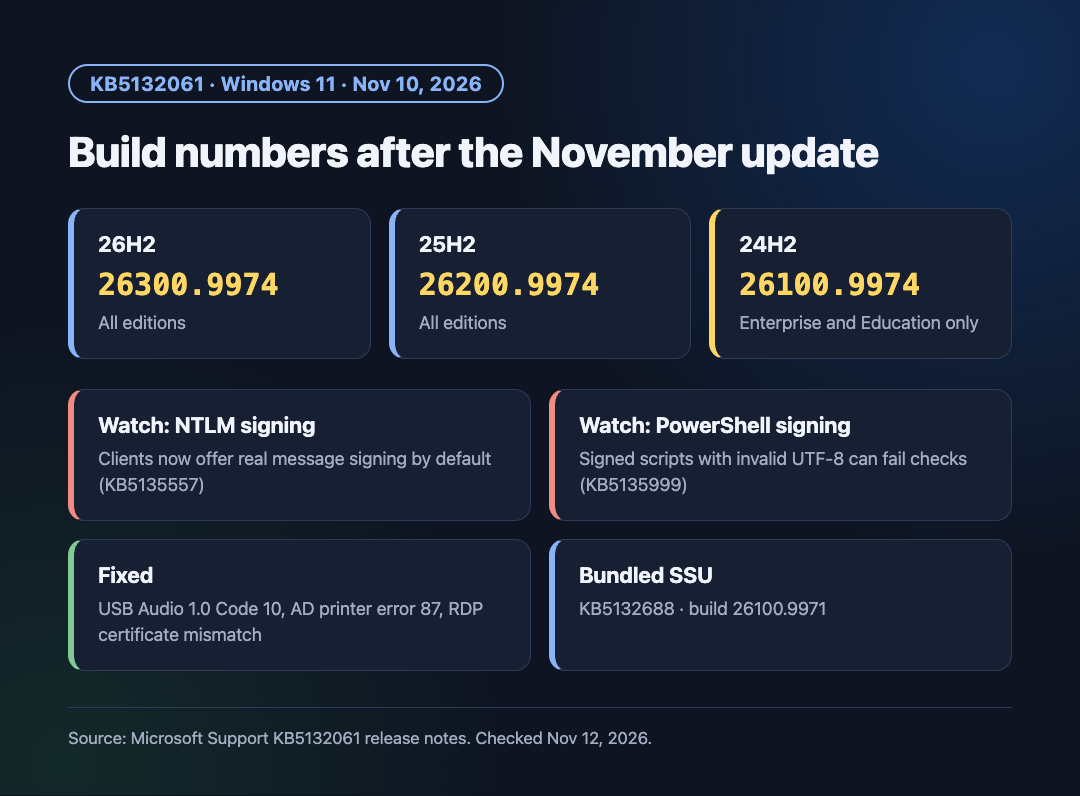
KB5132061 is the November 10, 2026 Windows 11 security update. It moves 26H2 to build 26300.9974, 25H2 to 26200.9974 and 24H2 (Enterprise and Education) to 26100.9974. Install it this week. Before you roll it out widely, check two changes that can break things: NTLM clients now offer message signing by default, and Windows now rejects signed PowerShell scripts that contain invalid UTF-8.
Written November 12, 2026, 13:30 KST (Nov 12, 04:30 UTC). Facts checked on November 12, 2026 against Microsoft's KB5132061 release notes, KB5135557 (NTLM signing), KB5135999 (PowerShell script signing) and the Windows 11 release health pages. I have not installed this update on a test fleet for this post. The commands below are standard Windows, DISM and PowerShell commands, and the expected values come from Microsoft's documentation.
If you are still on 24H2 Home or Pro, this update is not for you. Read Windows 11 24H2 end of updates: how to upgrade to 26H2 first.
What KB5132061 changes
Most of the release is security fixes listed in the Security Update Guide for November 2026. The items that change behavior are below.
| Change | Who notices | Risk after install |
|---|---|---|
| NTLM clients offer real message signing by default (CVE-2026-118737, KB5135557) | Domain networks, NAS, old SMB or HTTP apps that use NTLM | Low now. Servers start to require signing in May 2027 |
| Stricter UTF-8 check for signed PowerShell scripts (KB5135999) | Admins who sign scripts, WDAC / AppLocker shops | Medium. Signed scripts can show NotSigned |
| USB Audio 1.0 "Code 10" fix | Users of older USB headsets and DACs | Fix, no risk |
| Error 87 when adding an AD-published printer fixed | Office networks | Fix, no risk |
| RDP client certificate-mismatch failure fixed | Users who installed the October preview | Fix, no risk |
| Cuba stays on UTC-04:00 | Devices in Cuba | Clock change only |
The update also bundles servicing stack update KB5132688 (build 26100.9971). Microsoft's KB page says it is "not currently aware of any issues with this update" as of November 12.
Check if KB5132061 is installed
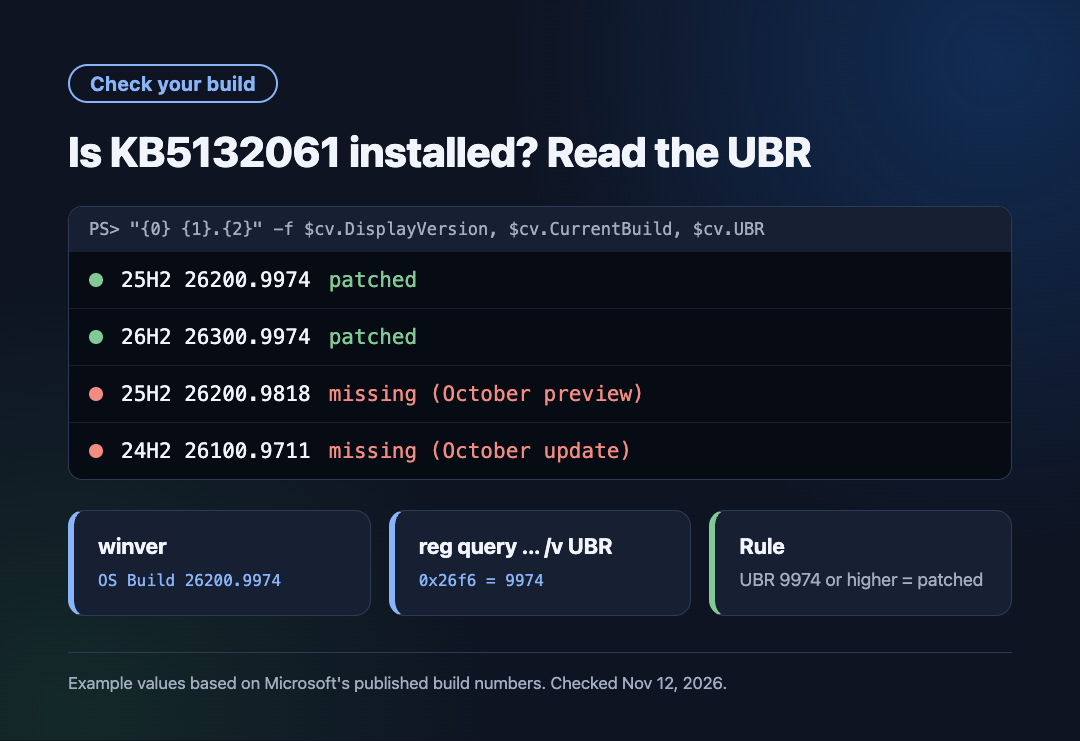
You need the build number and the UBR (update build revision). The UBR is the part after the dot. 9974 or higher means you have KB5132061 or a later update.
Method 1: Settings and winver
- Press Win + R, type
winverand press Enter. - Read the line "OS Build 26200.xxxx" (or 26300 / 26100).
- Or open Settings > Windows Update > Update history and look for "2026-11 Cumulative Update … (KB5132061)".
Method 2: PowerShell (works remotely too)
$cv = Get-ItemProperty 'HKLM:\SOFTWARE\Microsoft\Windows NT\CurrentVersion'
"{0} {1}.{2}" -f $cv.DisplayVersion, $cv.CurrentBuild, $cv.UBR

Get-HotFix -Id KB5132061 -ErrorAction SilentlyContinue
On a patched 25H2 PC the first command prints 25H2 26200.9974.
Check many machines at once from an admin box:
$pcs = Get-Content .\pcs.txt
Invoke-Command -ComputerName $pcs -ScriptBlock {
  $cv = Get-ItemProperty 'HKLM:\SOFTWARE\Microsoft\Windows NT\CurrentVersion'
  [pscustomobject]@{ Ver = $cv.DisplayVersion; Build = "$($cv.CurrentBuild).$($cv.UBR)" }
} | Sort-Object Build | Format-Table PSComputerName, Ver, Build
Method 3: Command Prompt
reg query "HKLM\SOFTWARE\Microsoft\Windows NT\CurrentVersion" /v UBR
systeminfo | findstr /i "KB5132061"
reg query prints the UBR in hex. 0x26f6 is 9974.
Install KB5132061
Pick the path that matches how the PC gets updates.
Home and small office PCs
- Open Settings > Windows Update.
- Select Check for updates, then Download & install if it is listed.
- Restart when asked, then run
winveragain to confirm the build.
Offline install from the Microsoft Update Catalog
The Catalog has standalone .msu files for x64 and Arm64. The KB page says to install checkpoint update KB5043080 first, then KB5132061. Put both files in one folder, for example C:\packages, and run from an elevated prompt:
DISM /Online /Add-Package /PackagePath:C:\packages\windows11.0-kb5043080-x64_<HASH>.msu
DISM /Online /Add-Package /PackagePath:C:\packages\windows11.0-kb5132061-x64_<HASH>.msu
Or in PowerShell:
Add-WindowsPackage -Online -PackagePath "C:\packages\windows11.0-kb5132061-x64_<HASH>.msu"Use the exact file names shown in the Catalog. Replace <HASH> with the hash in the downloaded file name.
WSUS and Configuration Manager
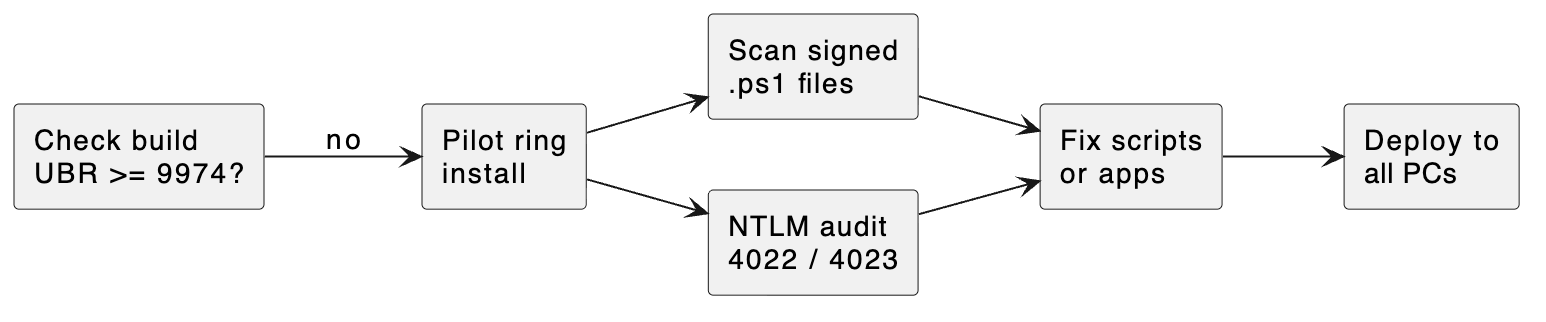
KB5132061 syncs to WSUS when the product is Windows 11 and the classification is Security Updates. Approve it for a pilot ring first if you sign PowerShell scripts or still have NTLM-only apps.
Prerequisites
| Version | Needs first |
|---|---|
| 26H2 | An update from Sept 22, 2026 or later (for example KB5124010) and SSU 26100.9539+ |
| 25H2, 24H2 | An update from June 10, 2025 or later (for example KB5060842) and SSU 26100.4193+ |
Check the servicing stack with DISM /Online /Get-Packages | findstr /i "ServicingStack".
View PlantUML source
@startuml
skinparam shadowing false
skinparam defaultFontSize 14
left to right direction
rectangle "Check build\nUBR >= 9974?" as A
rectangle "Pilot ring\ninstall" as B
rectangle "Scan signed\n.ps1 files" as C
rectangle "NTLM audit\n4022 / 4023" as D
rectangle "Fix scripts\nor apps" as E
rectangle "Deploy to\nall PCs" as F
A --> B : no
B --> C
B --> D
C --> E
D --> E
E --> F
@enduml
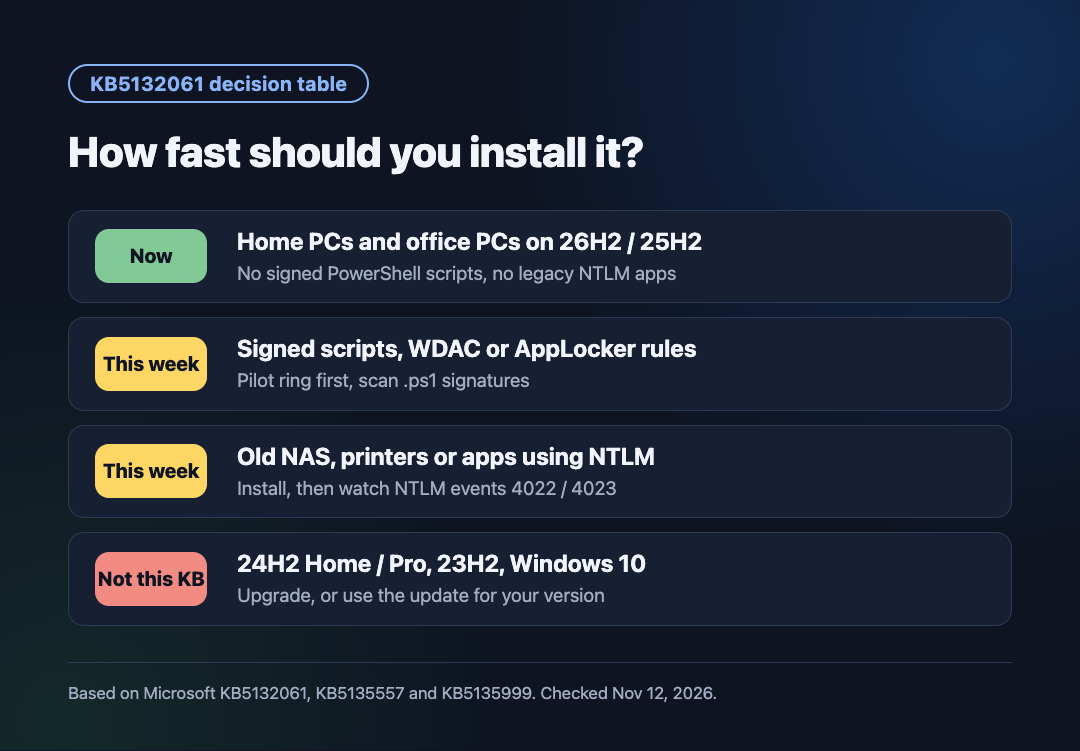
Decide how fast to install
| Your setup | Action |
|---|---|
| Home or personal PC on 26H2 or 25H2 | Install now |
| Office PCs, no signed PowerShell scripts | Install now |
| You sign PowerShell scripts or use WDAC / AppLocker script rules | Pilot this week, scan scripts first |
| Old NAS, printers or apps that log on with NTLM | Install this week, then watch the NTLM log |
| SQL Server with linked servers to Oracle or PostgreSQL | Install, but plan for the open-connection issue (see below) |
| 24H2 Home or Pro, 23H2 | Not covered by this KB. Upgrade to a supported version |
NTLM message signing: what changed and how to audit it
Before this update, many NTLM sessions only carried a legacy "always sign" placeholder flag. It gave no cryptographic protection and left room for relay attacks. Now, Windows clients offer real signing (the SIGN flag, 0x10) and a session key on every non-anonymous NTLM connection. Kerberos is not affected. Anonymous and Guest connections are exempt.
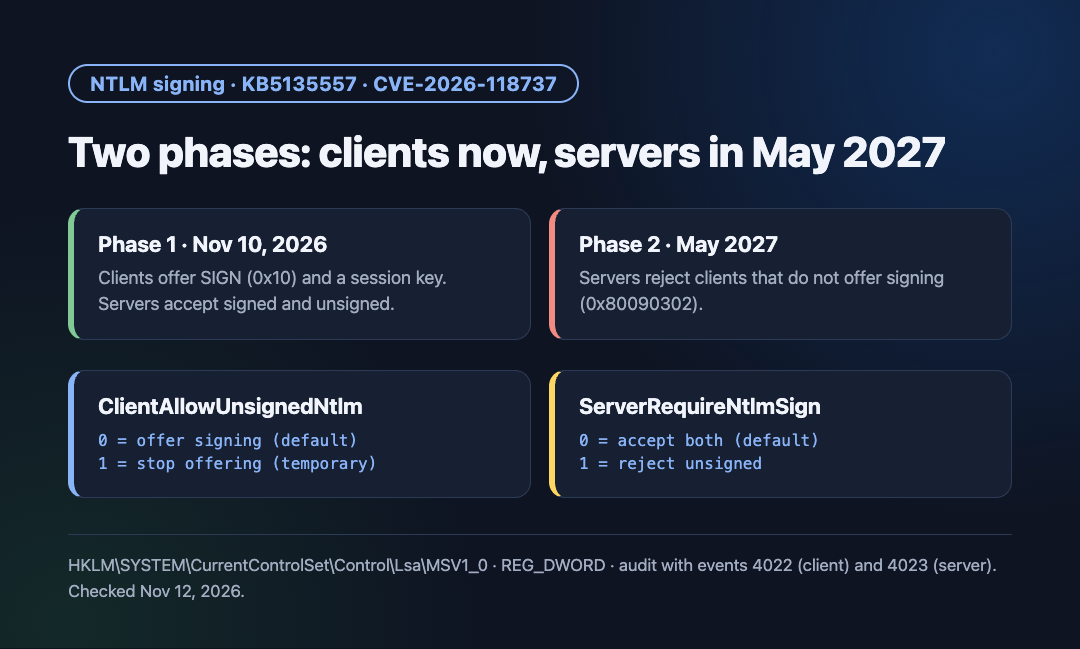
Microsoft splits the change into two phases:
| Phase | Date | Client | Server |
|---|---|---|---|
| 1 | Nov 10, 2026 | Offers signing by default | Accepts signed and unsigned |
| 2 | May 2027 | Same | Rejects unsigned clients by default |
So Phase 1 should not break logons. If a server does not echo the SIGN flag, the client falls back to the old behavior without failing. The real deadline is May 2027, and the time to find unsigned clients is now.
Turn on the NTLM log and find unsigned clients
The events are in Applications and Services Logs > Microsoft > Windows > NTLM > Operational. Event 4022 is the client side and 4023 is the server side. They need NTLM enhanced auditing, which Microsoft says is available on Windows Server 2019 and later.
Run this in an elevated PowerShell. The first line makes sure the log is enabled. The rest lists NTLM events whose Negotiated Flags lack the SIGN bit (0x10).
wevtutil sl Microsoft-Windows-NTLM/Operational /e:true

Get-WinEvent -LogName 'Microsoft-Windows-NTLM/Operational' -MaxEvents 5000 |
  Where-Object { $_.Id -in 4022, 4023 } |
  ForEach-Object {
    if ($_.Message -match 'Negotiated Flags:\s*(0x[0-9A-Fa-f]+)') {
      $flags = [Convert]::ToUInt32($matches[1], 16)
      if (-not ($flags -band 0x10)) {
        [pscustomobject]@{ Time = $_.TimeCreated; Id = $_.Id; Flags = $matches[1] }
      }
    }
  } | Format-Table -AutoSize
This is a short filter for a quick look. Microsoft's KB5135557 has a fuller script that also prints the client IP, machine name, user and process. Use that one for a real inventory.
How to read the flags, from KB5135557:
0xE0888215with Session Key "Present" means ready for Phase 2.0xA0888205with Session Key "Missing" needs attention.- Both appear at Warning level. Filter on the 0x10 bit, not the event level.
Registry switches (temporary only)
Both values live under HKLM\SYSTEM\CurrentControlSet\Control\Lsa\MSV1_0 as REG_DWORD. Microsoft says no restart is needed.
| Value | 0 (default) | 1 |
|---|---|---|
| ClientAllowUnsignedNtlm | Client offers signing | Client stops offering signing (compatibility only) |
| ServerRequireNtlmSign | Server accepts both | Server rejects unsigned clients |
If one legacy app breaks on a specific client, this restores the old behavior on that machine:
reg add "HKLM\SYSTEM\CurrentControlSet\Control\Lsa\MSV1_0" /v ClientAllowUnsignedNtlm /t REG_DWORD /d 1 /fThe side effect: that client loses the relay protection this update adds. Set it back to 0 once the app is fixed. Microsoft also notes these keys might be removed later. If you already fixed NTLMv1 problems after October's update, see NTLMv1 Enforce mode: fix Wi-Fi and VPN sign-in. That is a different setting.
PowerShell script signing: find and fix broken scripts
After KB5132061, Windows rejects malformed UTF-8 in signed scripts instead of silently replacing bad bytes. A script that was valid last month can fail now. Symptoms from KB5135999:
Get-AuthenticodeSignatureshowsStatus : NotSignedfor a script you know is signed.Set-AuthenticodeSignaturereturnsUnknownErrorwith "No mapping for the Unicode character exists in the target multi-byte code page."- On App Control for Business (WDAC) devices, the script runs in
ConstrainedLanguagemode.
Quick check
Get-ChildItem C:\Scripts -Recurse -Include *.ps1, *.psm1 |
  Get-AuthenticodeSignature |
  Where-Object Status -ne 'Valid' |
  Format-Table Path, Status, StatusMessage -Wrap
Run this on a patched pilot PC. Files that show Valid before the update and not after are your candidates.
Fix with Microsoft's repair script
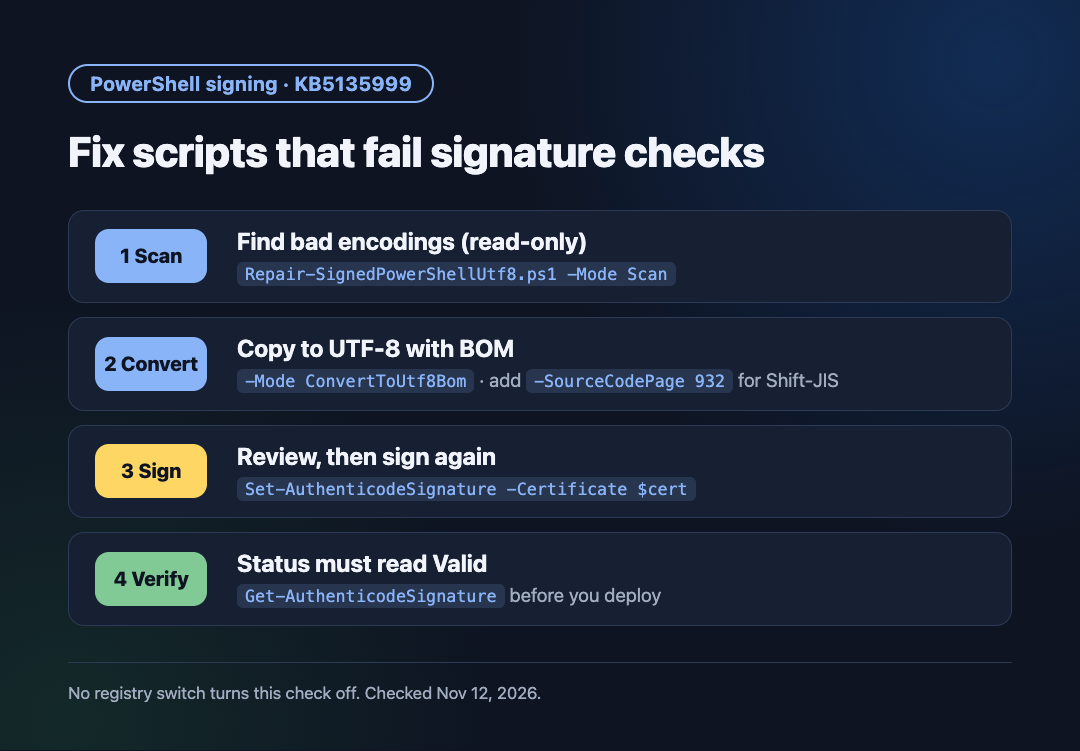
KB5135999 links to Repair-SignedPowerShellUtf8.ps1. Scan mode is read-only:
.\Repair-SignedPowerShellUtf8.ps1 -Mode Scan -Path C:\Scripts -Recurse |
  Format-Table Path, Issue, SignatureStatus, Action -Wrap
The recommended fix converts a copy to UTF-8 with a BOM. You then review it and sign it again:
The converted copy is written next to the original as C:\Scripts\Deploy.utf8bom.ps1. For Shift-JIS and similar files, add -SourceCodePage 932 (or your original code page).
.\Repair-SignedPowerShellUtf8.ps1 -Mode ConvertToUtf8Bom -Path C:\Scripts\Deploy.ps1

$cert = Get-ChildItem Cert:\CurrentUser\My -CodeSigningCert | Select-Object -First 1
Set-AuthenticodeSignature -FilePath C:\Scripts\Deploy.utf8bom.ps1 -Certificate $cert
Get-AuthenticodeSignature C:\Scripts\Deploy.utf8bom.ps1 | Format-List Status, StatusMessage
Look for Status : Valid. If you do not hold the signing certificate (a vendor script, for example), -Mode Repair tries to keep the existing signature. Microsoft says "a repair is not guaranteed" and it does not work for language-specific encodings. In that case, ask the publisher for a fixed, signed copy. There is no registry switch to turn this check off.
Troubleshooting after the update
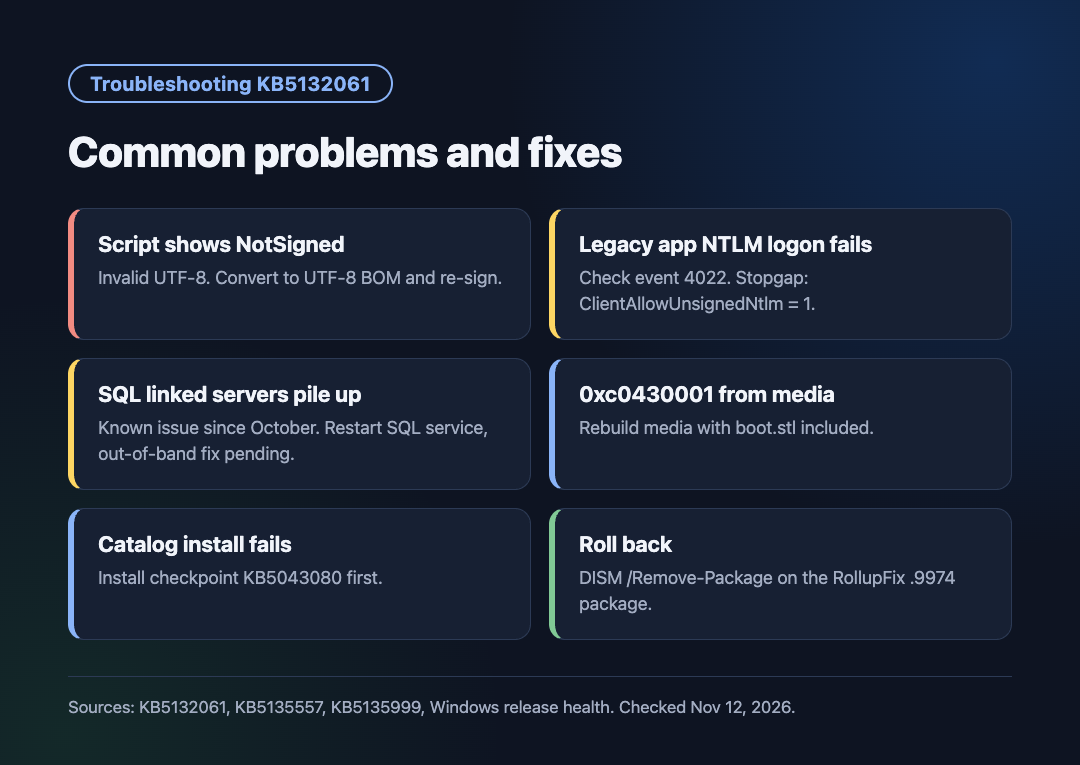
| Symptom | Likely cause | What to do |
|---|---|---|
Signed script shows NotSigned, runs in ConstrainedLanguage | Invalid UTF-8 (KB5135999) | Scan, convert to UTF-8 BOM, re-sign |
| Legacy app fails NTLM logon on one client | App cannot handle signing | Check event 4022, set ClientAllowUnsignedNtlm=1 on that client as a stopgap |
| SQL Server linked-server connections to Oracle or PostgreSQL keep growing | Known issue since KB5127648 (October), confirmed Nov 11 | Restart the SQL service to relieve load, contact Microsoft support for the mitigation, wait for the out-of-band fix |
Install fails from custom media with 0xc0430001 | Media built without boot.stl | Rebuild media with the Update WinPE script, include boot.stl |
| Install fails from the Catalog | Checkpoint update missing | Install KB5043080 first |
Roll back KB5132061
The package contains both the servicing stack and the cumulative update, so wusa /uninstall does not remove it. Use DISM:
DISM /Online /Get-Packages | findstr /i "RollupFix"
DISM /Online /Remove-Package /PackageName:<PACKAGE_NAME_FROM_ABOVE>
Pick the RollupFix package whose version ends in .9974. The servicing stack update cannot be removed. Rolling back also removes the November security fixes, including CVE-2026-118737, so treat it as a short-term step while you fix the app or script.
FAQ
Is KB5132061 a mandatory update? Yes. It is the November 2026 monthly security update for Windows 11 26H2, 25H2 and 24H2 Enterprise/Education, so Windows Update installs it automatically unless updates are paused or managed.
Will KB5132061 break my NAS or file shares? Not in Phase 1. Servers still accept unsigned clients, and clients fall back if a server does not support signing. Check the NTLM Operational log now, because servers start requiring signing in May 2027.
How do I know if my PowerShell scripts are affected? Run Get-AuthenticodeSignature on your signed scripts on a patched PC. Anything that is not Valid needs checking with Microsoft's repair script in Scan mode.
Does KB5132061 apply to Windows 10? No. Windows 10 ESU devices get their own November package (KB5131096). The NTLM and PowerShell changes also apply to Windows Server 2016 to 2025 and Windows 10 Enterprise LTSC 2021 through their own November updates.
Is there a December preview update? No. Microsoft says it will skip the December 2026 non-security preview. Normal servicing resumes in January 2027.
The next date to watch is May 2027, when servers start rejecting unsigned NTLM clients. Use the audit steps above to build your list before then.
References
- Microsoft Support: KB5132061, November 10, 2026 (OS Builds 26300.9974, 26200.9974, 26100.9974) (checked Nov 12, 2026)
- Microsoft Support: KB5135557, NTLM signing security improvements (checked Nov 12, 2026)
- Microsoft Support: KB5135999, PowerShell script signing UTF-8 validation (checked Nov 12, 2026)
- Microsoft Learn: Windows 11, version 25H2 known issues and notifications (checked Nov 12, 2026)
- Microsoft Learn: Windows message center (checked Nov 12, 2026)
1 thought on “KB5132061 Windows 11 Update: Install It and Fix What Breaks”