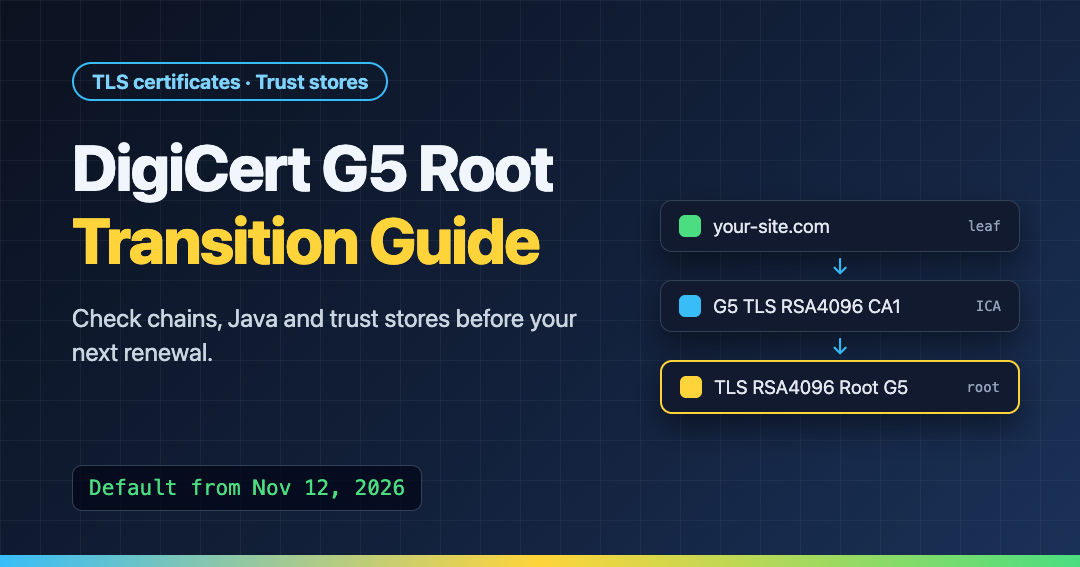
The DigiCert G5 root transition happens on November 12, 2026: from that day, new, renewed and reissued public TLS certificates from DigiCert, GeoTrust, Thawte, RapidSSL and Encryption Everywhere chain to the G5 roots by default instead of Global Root G2 or G3. Modern browsers already trust G5, so most websites need no action. The risk sits in old Java runtimes, custom trust stores, pinned intermediates and scripts that expect a fixed chain — check those now, before your next renewal picks up the new chain.
Written November 9, 2026. Facts checked on November 9, 2026 (KST) against the DigiCert CertCentral change log, the DigiCert knowledge base articles "DigiCert G5 root and intermediate CA certificate update", "DigiCert root strategy" and "DigiCert Trusted Root Authority Certificates", and OpenJDK bug JDK-8318759. I have not watched a G5 renewal break a client myself. The shell commands below are my own examples, not DigiCert's, and I did not run them against your systems — test them first.
What the DigiCert G5 root transition changes
DigiCert is moving public TLS issuance to two roots: DigiCert TLS RSA4096 Root G5 and DigiCert TLS ECC P384 Root G5. The reason is Chrome's root program, which will limit each CA to two active TLS roots. DigiCert's knowledge base gives the switch window as November 12, 2026, 11:00–13:00 MST (18:00–20:00 UTC). It was first planned for October 15 and was postponed.
Three things to keep in mind:
- Only new issuance changes. The new default applies to new orders, renewals, reissues and duplicates. A certificate you installed last month keeps its current chain until you replace it.
- All brands move together: DigiCert, GeoTrust, Thawte, RapidSSL and Encryption Everywhere, for DV, OV and EV.
- G2 and G3 do not disappear yet. You can still pick them explicitly for a while, but the clock is running.
| Date | What happens | Who should care |
|---|---|---|
| Nov 12, 2026 | G5 becomes the default for new and renewed certs | Everyone renewing |
| Feb 28, 2027 | G2/G3 certificate lifetimes start being cut short | Teams staying on G2/G3 |
| Mar 1, 2027 | clientAuth EKU removed from public TLS certs | mTLS users |
| Sep 14, 2027 | G2/G3 issuance options removed | Exception holders |
| Sep 15, 2027 | Chrome stops trusting G2/G3 hierarchies | Anyone still on G2/G3 |
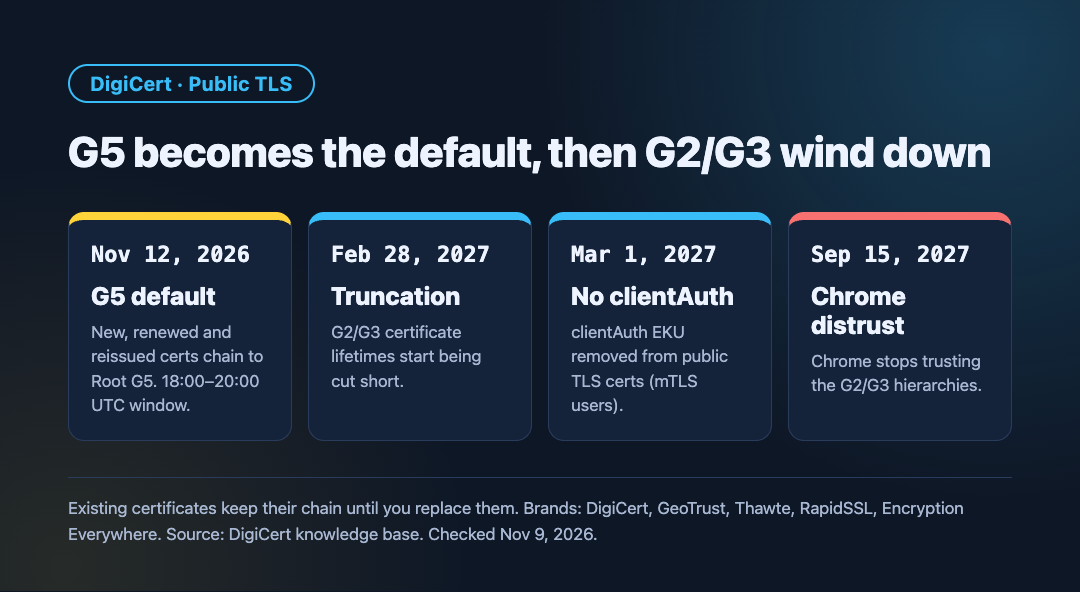
Times are from DigiCert's knowledge base, checked November 9. The CertCentral change log words the same date as "no sooner than 07:00 MST (14:00 UTC)", so treat the whole of November 12 (UTC) as the switch day.
The new G5 chain, in one line
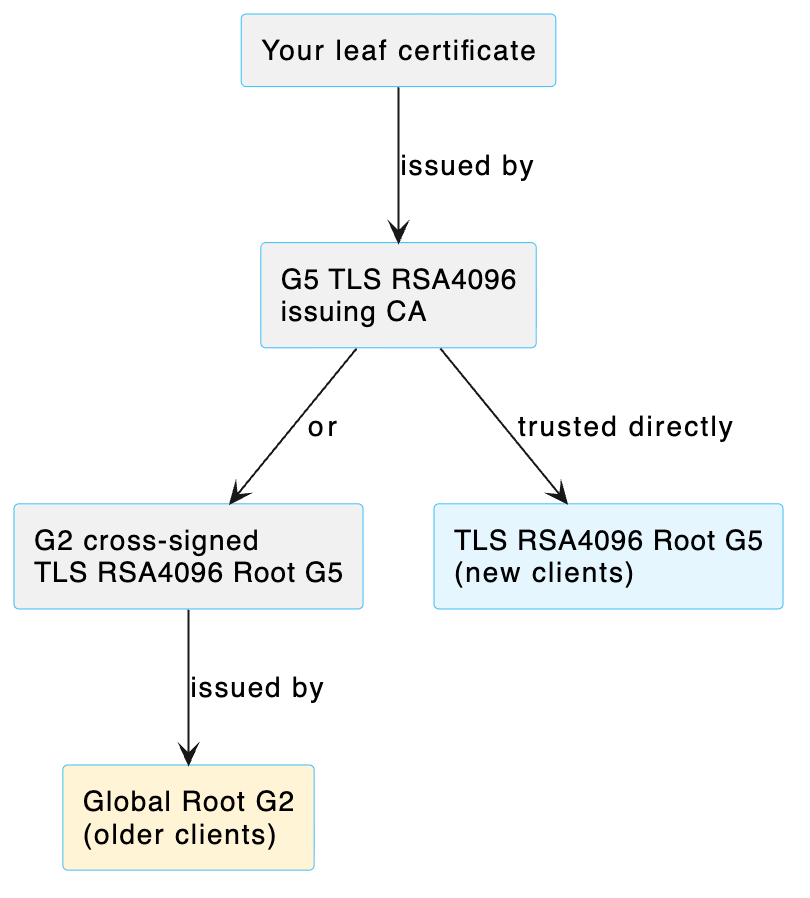
After the switch, a typical RSA certificate chains like this: your leaf certificate → DigiCert G5 TLS RSA4096 SHA384 2021 CA1 (an issuing intermediate) → DigiCert TLS RSA4096 Root G5. Other brands use their own G5 intermediates, such as "GeoTrust G5 TLS RSA4096 SHA384 2022 CA1" or "RapidSSL G5 TLS ECC P-384 SHA384 2022 CA1".
DigiCert also publishes cross-signed copies of the G5 roots: the RSA G5 root signed by Global Root G2, and the ECC G5 root signed by Global Root G3. If you send that cross-sign in your server chain, a client that only knows G2 or G3 can still build a path. DigiCert recommends this as the safest server-side option.
View PlantUML source
@startuml
skinparam shadowing false
skinparam defaultFontSize 14
skinparam rectangleBorderColor #38BDF8
rectangle "Your leaf certificate" as leaf
rectangle "G5 TLS RSA4096\nissuing CA" as ica
rectangle "G2 cross-signed\nTLS RSA4096 Root G5" as cross
rectangle "TLS RSA4096 Root G5\n(new clients)" as g5 #E6F6FF
rectangle "Global Root G2\n(older clients)" as g2 #FFF4D6
leaf -down-> ica : issued by
ica -down-> g5 : trusted directly
ica -down-> cross : or
cross -down-> g2 : issued by
@enduml
Who is affected by the G5 switch
DigiCert says most customers need no action if they always install the full chain it provides. That still leaves several groups who should check this week.
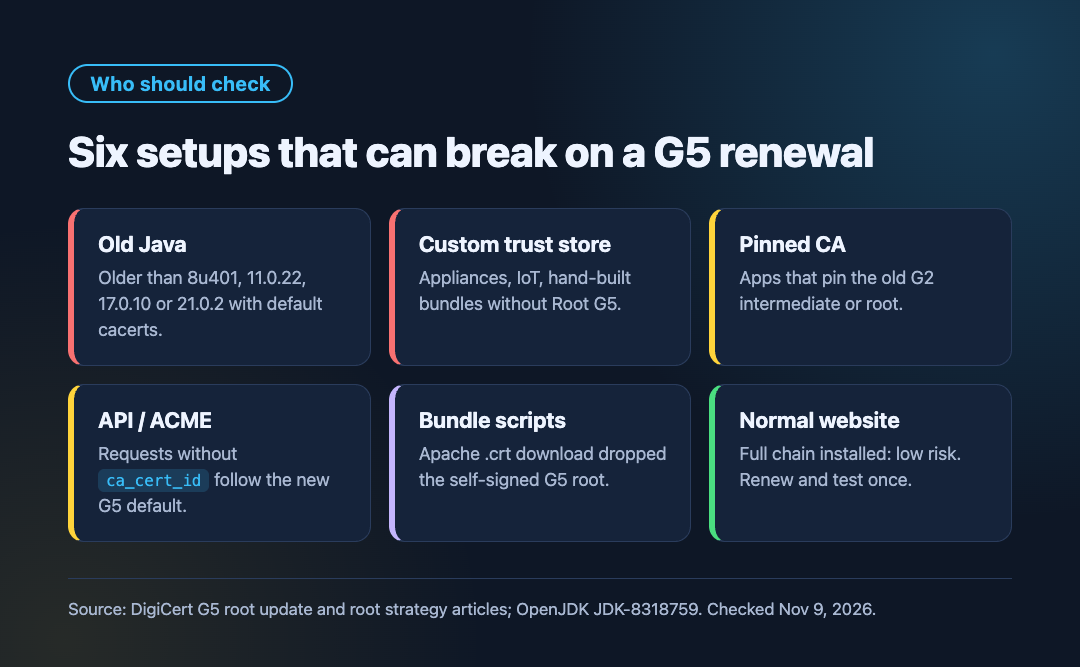
| Your setup | Risk after renewal | What to do |
|---|---|---|
| Normal website, full chain installed | Low | Renew as usual, test once |
| Old Java, appliances, IoT clients | Client may not know G5 | Update, or serve the cross-sign |
| Custom or pinned trust store | Handshake fails | Add G5 roots and intermediates |
| Pinned intermediate or root | Pin mismatch | Remove or update the pin |
| API/ACME issuance with no CA chosen | Silently moves to G5 | Set ca_cert_id if needed |
| Scripts that edit the Apache bundle | Wrong cert removed | Match by name, not position |
Java is the big one. OpenJDK added the four DigiCert G5 roots (two TLS, two code signing) in JDK 22 under JDK-8318759, and backported them to 21.0.2, 17.0.10, 11.0.22 and 8u401. A Java client older than those builds, using the default cacerts, may not trust a pure G5 chain.
Apache bundle downloads changed too. Since October 20, 2026, the Apache .crt download in CertCentral no longer includes the self-signed G5 root (and, in some accounts, the self-signed G2 root), because that extra root caused chain errors in some clients. If a deployment script deletes "the last certificate in the file", it can now remove something you need.
How to check your servers and clients
Run these checks before your next renewal. Replace <YOUR_DOMAIN> with your host name.
1. See which chain your server sends today
openssl s_client -connect <YOUR_DOMAIN>:443 -servername <YOUR_DOMAIN> -showcerts </dev/null 2>/dev/null \
  | grep -E '^ *[0-9]+ s:|^ *i:'
Look at the i: (issuer) lines. "DigiCert Global G2 TLS RSA SHA256 2020 CA1" or a "Global Root G2" issuer means you are on the old hierarchy. A name with "G5" means you have already moved.
Check when the current certificate expires — that is roughly when the G5 chain will reach you:
openssl s_client -connect <YOUR_DOMAIN>:443 -servername <YOUR_DOMAIN> </dev/null 2>/dev/null \
  | openssl x509 -noout -issuer -enddate
2. Check that your clients trust the G5 roots
| Platform | Command |
|---|---|
| Debian / Ubuntu | ls /etc/ssl/certs | grep -i "root_g5" |
| RHEL / Fedora | trust list | grep -i "Root G5" |
| macOS | security find-certificate -a -c "Root G5" /System/Library/Keychains/SystemRootCertificates.keychain | grep labl |
| Java | keytool -list -cacerts -storepass changeit | grep -i g5 |
| Windows | Get-ChildItem Cert:\LocalMachine\Root | ? Subject -like "*Root G5*" |
On Windows, an empty result does not prove the root is missing: Windows can download trusted roots on demand. Test a real connection instead.
3. Test a real connection against DigiCert's G5 demo site
DigiCert runs test sites that use a G5 chain. If these work from a client, that client trusts G5:
curl -sS -o /dev/null -w "%{http_code}\n" https://digicert-tls-rsa4096-root-g5.chain-demos.digicert.com/
curl -sS -o /dev/null -w "%{http_code}\n" https://digicert-tls-ecc-p384-root-g5.chain-demos.digicert.com/
A 200 (or any HTTP status) means the TLS handshake passed. An error such as unable to get local issuer certificate means the client's trust store lacks G5. Run the same test from inside your containers and app runtimes, not just from your laptop — a slim container image may ship an old CA bundle. For Python, test with the interpreter your app actually uses:
python3 -c "import urllib.request; print(urllib.request.urlopen('https://digicert-tls-rsa4096-root-g5.chain-demos.digicert.com/').status)"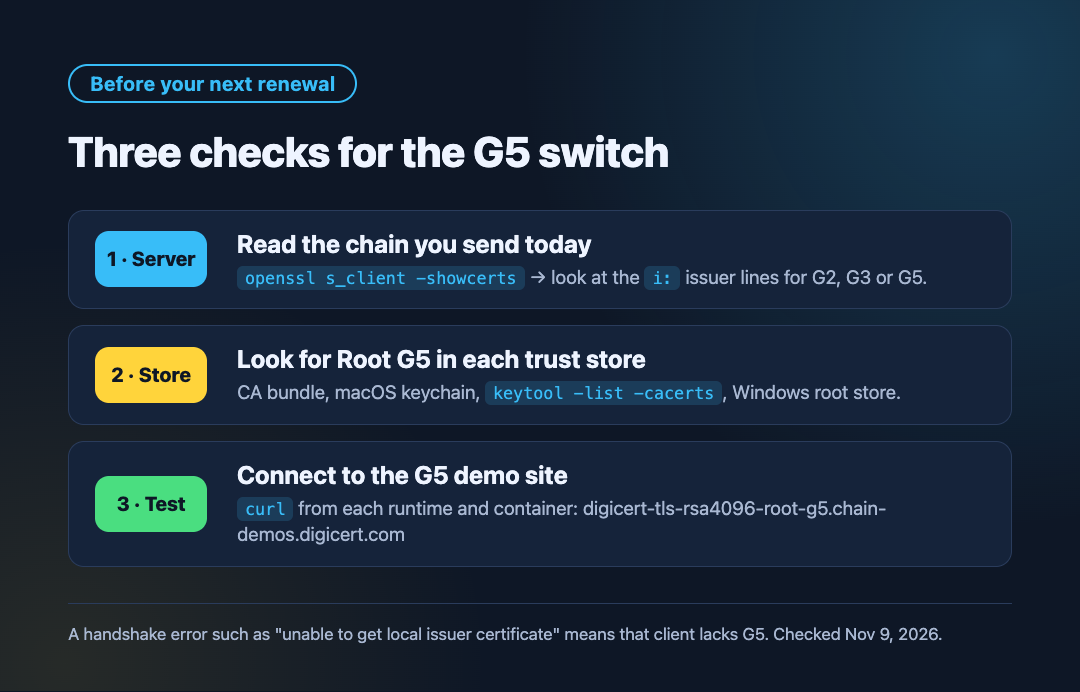
Fix it before the DigiCert G5 switch
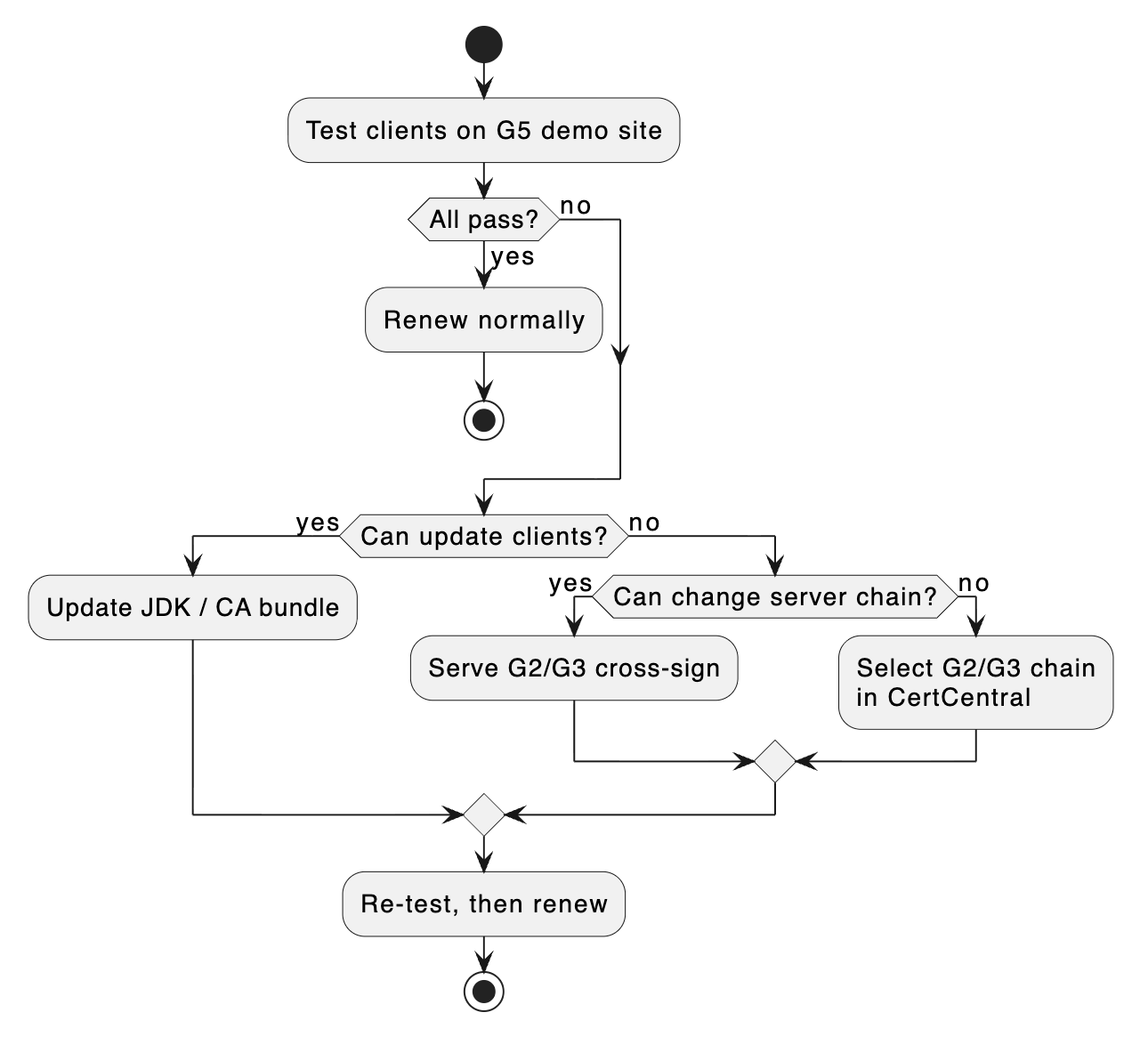
Pick the option that matches what your check found. You can combine them.
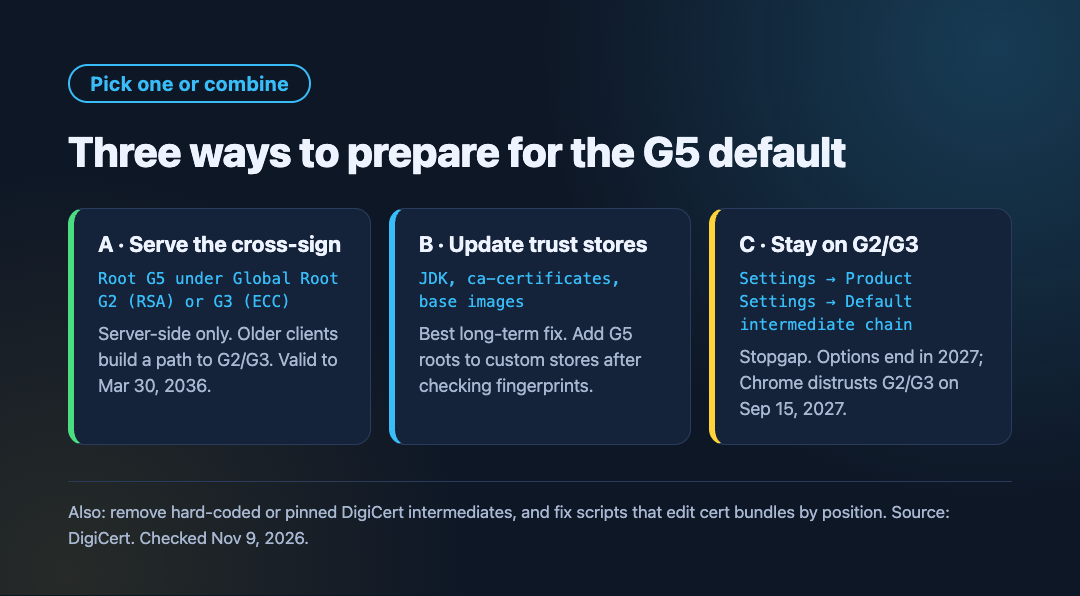
Option A: Serve the G2 or G3 cross-sign (server side)
This keeps older clients working without touching them. Download the cross-sign, confirm its fingerprint, and append it to your chain file.
For RSA certificates, use the G5 root cross-signed by Global Root G2:
curl -fsSO https://cacerts.digicert.com/DigiCertTLSRSA4096RootG5_under_DigiCertGlobalRootG2_2026.crt.pem
openssl x509 -in DigiCertTLSRSA4096RootG5_under_DigiCertGlobalRootG2_2026.crt.pem -noout -fingerprint -sha256
The output should match DigiCert's published SHA-256 fingerprint: 60:C2:66:6D:A5:E2:33:21:70:E1:D3:BF:CD:95:BF:8C:9A:6D:4E:63:47:3F:3A:8B:BB:8C:F4:2B:3F:9F:03:8A. Then build the chain file in order — leaf, issuing CA, cross-sign:
cat leaf.crt g5-intermediate.crt DigiCertTLSRSA4096RootG5_under_DigiCertGlobalRootG2_2026.crt.pem > fullchain.pemFor ECC certificates, use DigiCertTLSECCP384RootG5_under_DigiCertGlobalRootG3_2026.crt.pem from the same host. Its SHA-256 fingerprint starts with 31:42:F9:9D. Point nginx ssl_certificate (or Apache SSLCertificateFile) at the new full chain and reload. Both cross-signs are valid until March 30, 2036.
DigiCert also lists a cross-sign under the old G1 "Global Root CA". It is valid only until November 9, 2031, and DigiCert recommends it just for specific legacy systems that need G1 trust. Chrome and Mozilla already removed G1 on April 15, 2026, so don't use it by default.
Option B: Update the client trust store
The best fix is updating the runtime or OS package that owns the trust store: a current JDK, a current ca-certificates package, a fresh base image. If you manage a custom store, add the G5 roots yourself:
On Debian or Ubuntu:
curl -fsSO https://cacerts.digicert.com/DigiCertTLSRSA4096RootG5.crt.pem
sudo cp DigiCertTLSRSA4096RootG5.crt.pem /usr/local/share/ca-certificates/DigiCertTLSRSA4096RootG5.crt
sudo update-ca-certificates
On RHEL or Fedora:
sudo cp DigiCertTLSRSA4096RootG5.crt.pem /etc/pki/ca-trust/source/anchors/
sudo update-ca-trust
For a custom Java cacerts (JDK 9+ syntax):
keytool -importcert -cacerts -alias digicert-tls-rsa4096-root-g5 \
  -file DigiCertTLSRSA4096RootG5.crt.pem -storepass <YOUR_STOREPASS> -noprompt
Repeat with DigiCertTLSECCP384RootG5.crt.pem if you use ECC certificates. Before importing any root, compare its SHA-256 fingerprint with the value on DigiCert's root certificate page. For the RSA G5 root it begins 37:1A:00:DC, and for the ECC G5 root 01:8E:13:F0. If you already maintain trust stores by hand, the steps match the ones in our eMudhra trust store patch guide. On older Linux servers, upgrading the distribution often brings the CA bundle up to date as well; see how to upgrade to Ubuntu 26.10.
Option C: Stay on G2 or G3 for now (CertCentral)
If a device fleet cannot be updated in time, keep issuing from the old chain on purpose:
- In CertCentral, go to Settings → Product Settings.
- Choose the product and set Default intermediate chain to the G2 or G3 chain you need.
- Select Save Settings before November 12.
If you don't see that menu, ICA selection is not enabled for your account; contact your account manager or DigiCert Support. For API or ACME issuance, a request without ca_cert_id follows the product default, so set ca_cert_id explicitly where it matters. This is a stopgap: G2/G3 options go away in 2027 and Chrome stops trusting them on September 15, 2027.
Fix bundle scripts and pins
- Bundle scripts: remove a self-signed root only if it is present, matched by subject, and always keep the cross-signed root.
- Pins: DigiCert says not to pin or hard-code root or intermediate certificates. If an app pins the old G2 intermediate, ship an update that accepts the G5 intermediate before renewal, or drop the pin.
View PlantUML source
@startuml
skinparam shadowing false
skinparam defaultFontSize 14
start
:Test clients on G5 demo site;
if (All pass?) then (yes)
  :Renew normally;
  stop
else (no)
endif
if (Can update clients?) then (yes)
  :Update JDK / CA bundle;
else (no)
  if (Can change server chain?) then (yes)
    :Serve G2/G3 cross-sign;
  else (no)
    :Select G2/G3 chain\nin CertCentral;
  endif
endif
:Re-test, then renew;
stop
@enduml
If something breaks after renewal
| Symptom | Likely cause | Fix |
|---|---|---|
PKIX path building failed (Java) | JDK older than 8u401 / 11.0.22 / 17.0.10 / 21.0.2 | Update JDK or serve the cross-sign |
unable to get local issuer certificate | Old CA bundle or missing intermediate | Send the full chain; update ca-certificates |
| Mobile app fails, browsers fine | Pinned G2 intermediate | Update pins or remove pinning |
| Deploy script breaks after download | Apache bundle has fewer certs | Match certs by subject |
| mTLS fails after March 1, 2027 | clientAuth EKU removed | Move client auth to a private CA |
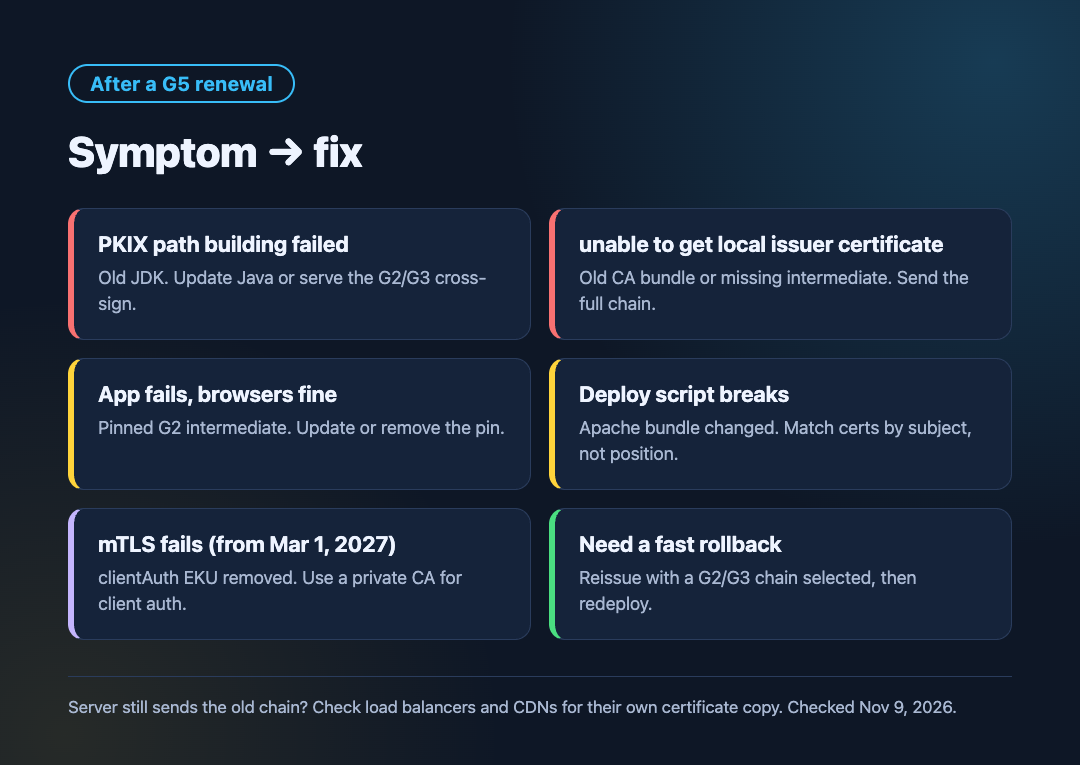
If you need to roll back quickly, reissue the certificate with a G2 or G3 chain selected (Option C) and redeploy.
To confirm a fix, run the openssl s_client check from the failing client's network and compare the chain with the one you deployed. If the server still sends the old file, a load balancer or CDN may hold its own copy of the certificate.
FAQ
Do I have to do anything if I use Let's Encrypt or another CA? No. This change is about certificates issued by DigiCert and its brands (GeoTrust, Thawte, RapidSSL, Encryption Everywhere). Your own clients, however, may still connect to other sites that move to G5, so the Java and trust store checks are worth doing anyway.
Will my current DigiCert certificate stop working on November 12? No. The new default applies to new orders, renewals, reissues and duplicates. Your current certificate keeps its chain until you replace it.
Do browsers trust the G5 roots? DigiCert says it started adding G5 to trust stores, including Microsoft's, in 2021, and that most customers who install the full chain need no action. It also says no one can guarantee every browser, OS and application has G5, which is why it recommends serving the cross-sign.
Is the G2 cross-sign the same as staying on G2? No. Your certificate is issued from a G5 intermediate. The cross-sign only gives older clients a second path to a root they already trust. Staying on G2 means selecting a G2 chain in CertCentral, which is available only until 2027.
What is the clientAuth change on March 1, 2027? Public TLS certificates chaining to Global G2, G3 and the TLS G5 roots will no longer include the clientAuth extended key usage. If you use public certificates for mutual TLS, DigiCert suggests a private PKI or its Assured ID roots instead.
The G5 default starts in three days. Test your Java and container clients against the demo site today, and keep the cross-sign ready for anything you cannot update before renewal.
References
- DigiCert: CertCentral change log (checked November 9, 2026)
- DigiCert Knowledge Base: DigiCert G5 root and intermediate CA certificate update (checked November 9, 2026)
- DigiCert Knowledge Base: DigiCert root strategy: aligning with industry standards (checked November 9, 2026)
- DigiCert Knowledge Base: DigiCert Trusted Root Authority Certificates (fingerprints, downloads and demo sites; checked November 9, 2026)
- OpenJDK: JDK-8318759 Add four DigiCert root certificates (checked November 9, 2026)
- DigiCert blog: What is certificate pinning? (checked November 9, 2026)