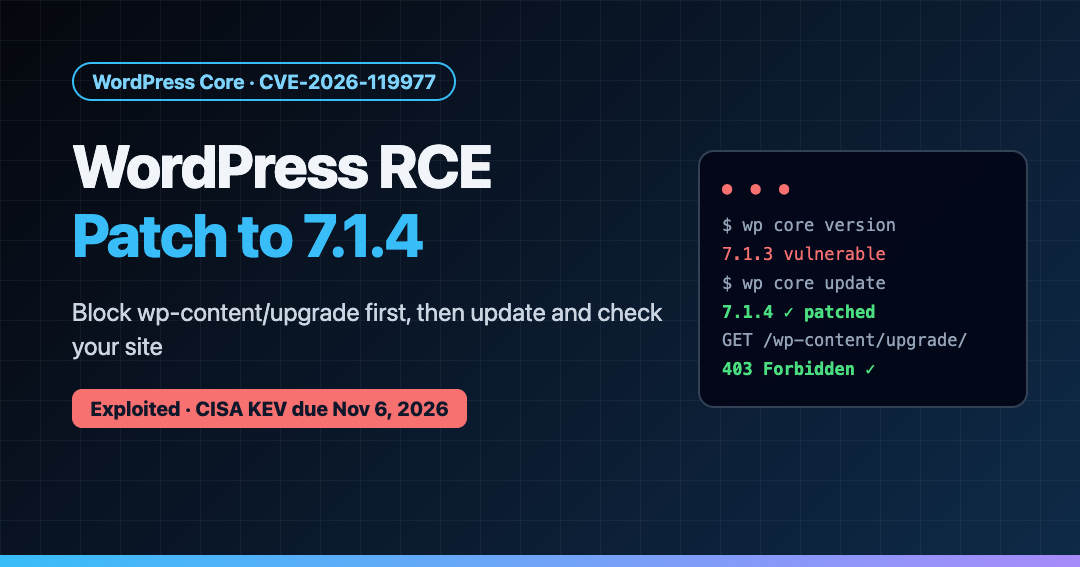
WordPress CVE-2026-119977 is now on CISA's Known Exploited Vulnerabilities list. It was added on November 3, 2026, and US federal agencies have until November 6, 2026 to fix it. The fix is WordPress 7.1.4, or the security release for your branch (7.0.8, 6.9.11, 6.8.12 and so on back to 4.7.39). Before you click Update, block web access to wp-content/upgrade/. The update that installs the fix still runs through the old, vulnerable code path.
Written 2026-11-04. Facts come from the WordPress 7.1.4 release post (October 28, 2026), the WordPress security advisory GHSA-4w3m-c66w-69mg (October 29), the CVE record published by Wordfence (October 31) and CISA's KEV entry (November 3). All were checked on 2026-11-04. Attack figures come from Wordfence as reported by SecurityOnline on October 30. The nginx, Apache and WP-CLI commands below are standard syntax I wrote for this guide. They are not copied from the advisories. Test them on staging first.
The order below follows what you need to do today: what changed, how to check your site, how to patch safely, and what to look for if you think someone beat you to it.
What changed with WordPress CVE-2026-119977
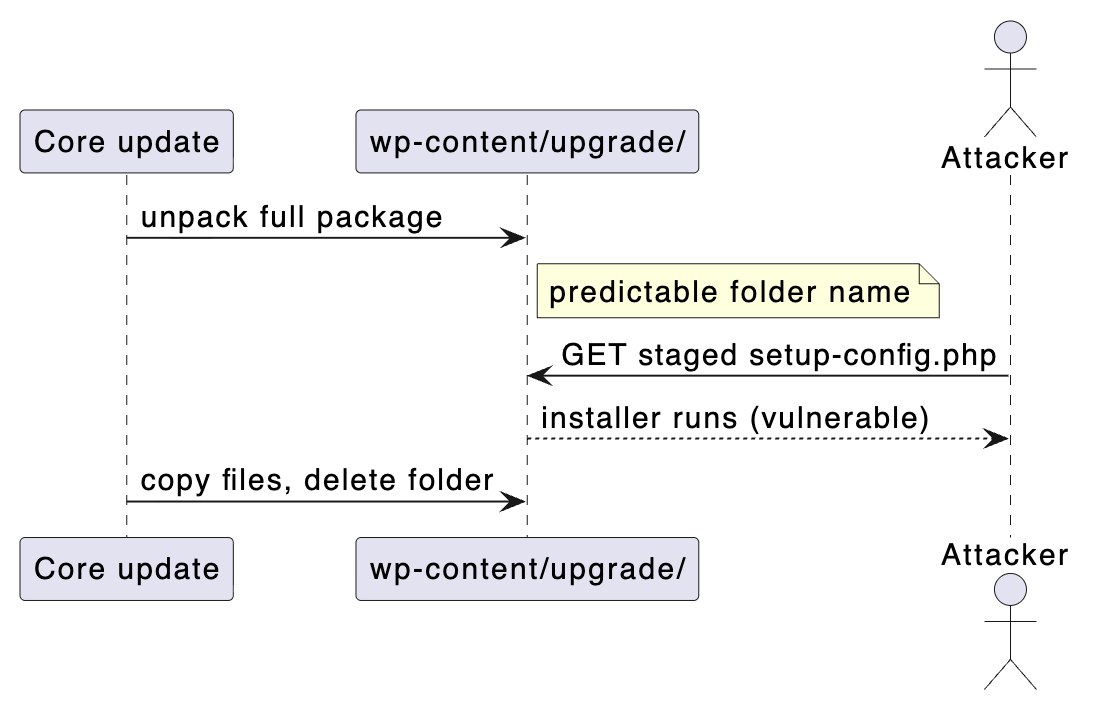
The bug lives in the core updater. When WordPress installs a complete core package (a full core update, not a small partial update), affected versions unpack the new files into a folder under wp-content/upgrade/ with a predictable name. That temporary copy includes the WordPress installer (wp-admin/setup-config.php). On many servers the folder can be reached over the web. An unauthenticated attacker who requests the staged installer at the right moment can run PHP code as the web server user.
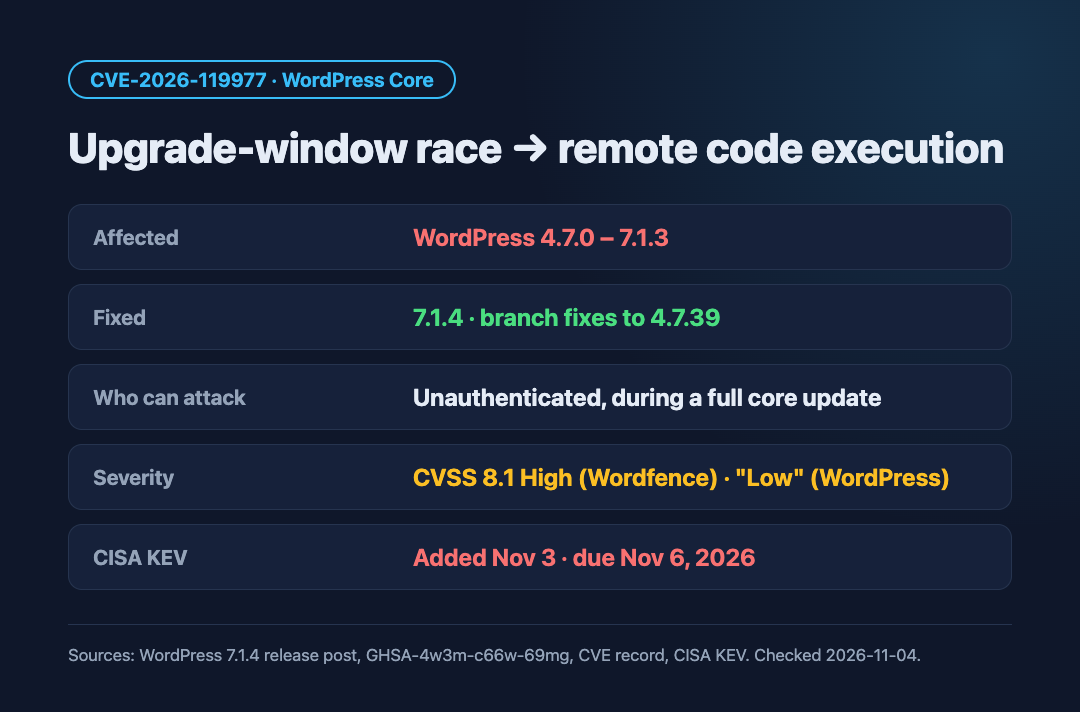
| Item | Value |
|---|---|
| CVE | CVE-2026-119977 (CWE-367, time-of-check time-of-use race) |
| Affected | WordPress 4.7.0 through 7.1.3 |
| Fixed | 7.1.4 and branch releases back to 4.7.39 |
| Severity | CVSS 3.1 8.1 High (Wordfence) · "Low" (WordPress advisory) |
| CISA KEV | Added 2026-11-03, federal due date 2026-11-06 |
The two ratings disagree for a reason. The CVSS vector has AC:H (high attack complexity): the staging folder normally exists for only seconds. WordPress rates the race itself as Low. CISA's listing shows that real attackers think the race is worth trying, and that matters more for your patch schedule than either label.
How the upgrade-window race works
View PlantUML source
@startuml
skinparam defaultFontSize 15
skinparam shadowing false
participant "Core update" as U
participant "wp-content/upgrade/" as D
actor "Attacker" as A
U -> D : unpack full package
note right of D : predictable folder name
A -> D : GET staged setup-config.php
D --> A : installer runs (vulnerable)
U -> D : copy files, delete folder
@enduml
According to Wordfence's telemetry, as reported by SecurityOnline on October 30, attackers sent more than 18,500 requests to staged installer paths in the first 21 hours after the fix shipped. Some sources repeatedly polled small groups of sites for about 14.5 hours, which fits trying to catch the short window. Those were attempts. Wordfence had not reported confirmed break-ins in that coverage. CISA's KEV entry on November 3 is the first official statement that exploitation is happening.
What else 7.1.4 fixes
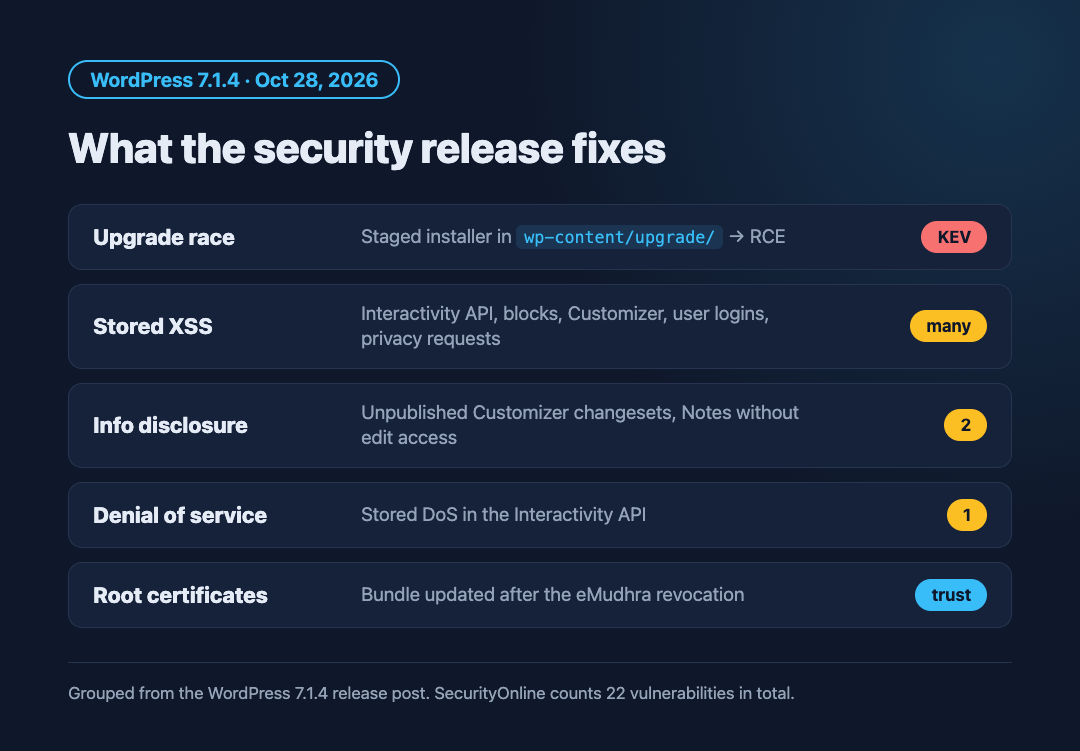
7.1.4 fixes 22 vulnerabilities in total, according to SecurityOnline's count. The release post lists the updater race plus several stored XSS fixes (Interactivity API, block markup, Customizer selective refresh, Categories, Playlist, image and comment pagination blocks), a stored DoS in the Interactivity API, unpublished Customizer changesets visible to logged-out visitors, and Notes readable by users without edit access. It also updates the bundled root certificates because of the eMudhra revocation. If you run your own servers, my guide to patching trust stores after the eMudhra compromise covers the same issue outside WordPress.
Check your WordPress version and exposure
You need three answers: which version runs, whether automatic core updates are on, and whether wp-content/upgrade/ is reachable from the internet.
Find the installed version
In the dashboard, go to Dashboard > Updates. The page shows your current version. With WP-CLI on the server:
cd /var/www/html          # your WordPress root
wp core version
wp core check-update
Without WP-CLI, read the version straight from the file:
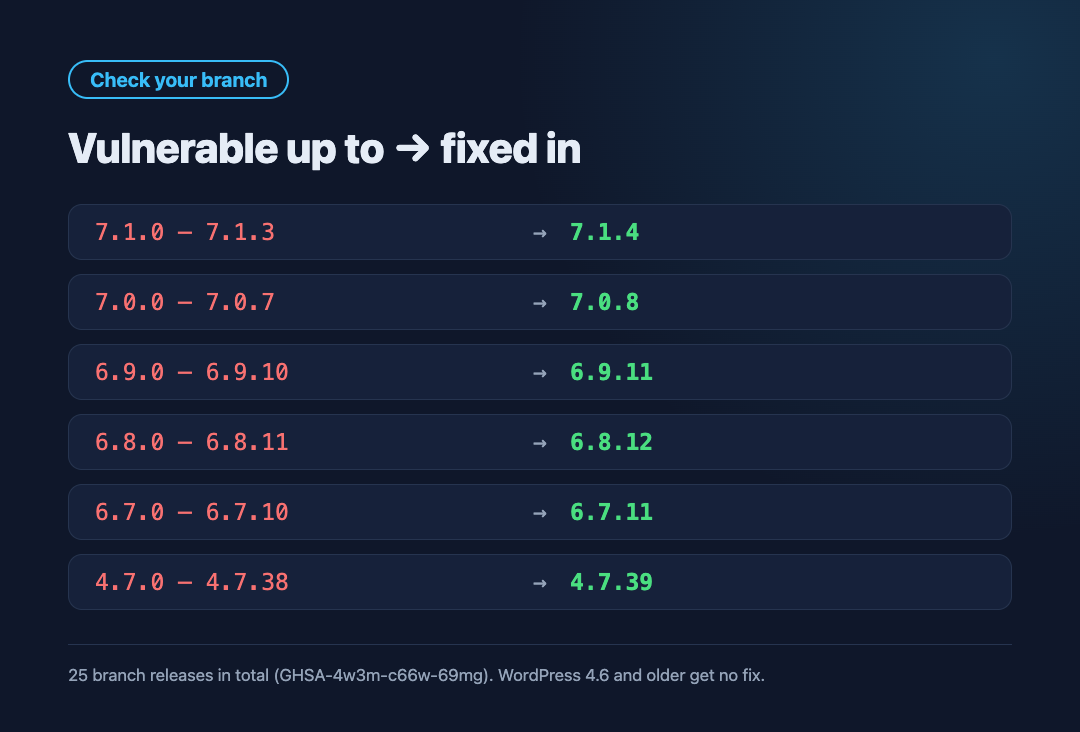
grep "wp_version =" wp-includes/version.phpCompare the result with this table. Your site is safe from this CVE only if it runs the fixed release for its branch or anything newer.
| Your branch | Vulnerable up to | Fixed in |
|---|---|---|
| 7.1 | 7.1.3 | 7.1.4 |
| 7.0 | 7.0.7 | 7.0.8 |
| 6.9 | 6.9.10 | 6.9.11 |
| 6.8 | 6.8.11 | 6.8.12 |
| 6.7 / 6.6 / 6.5 | 6.7.10 / 6.6.10 / 6.5.13 | 6.7.11 / 6.6.11 / 6.5.14 |
| 6.4 to 4.7 | see advisory | 6.4.14 … 4.7.39 |
| 4.6 and older | all | no fix |
The full list of 25 branch releases is in GHSA-4w3m-c66w-69mg. The WordPress release post says only the latest version is actively supported, so a branch release is a stopgap, not a long-term plan.
Check automatic updates
Sites with automatic background updates may already be on 7.1.4. Look for settings that turn updates off:
grep -nE "WP_AUTO_UPDATE_CORE|AUTOMATIC_UPDATER_DISABLED|DISALLOW_FILE_MODS" wp-config.phpAUTOMATIC_UPDATER_DISABLED set to true, WP_AUTO_UPDATE_CORE set to false or DISALLOW_FILE_MODS set to true means the site will not patch itself. Many managed hosts and Git-based deployments set these on purpose. In that case you patch through your deploy pipeline.
Test whether the staging folder is public
Run this from a machine outside your server. Replace the domain with your own:
curl -s -o /dev/null -w "%{http_code}\n" https://<YOUR_DOMAIN>/wp-content/upgrade/A 403 means the web server already refuses the folder. A 200, a directory listing or an empty 200 page means the folder is served. A 404 alone proves little, because the folder may simply not exist right now, and it only appears during updates.
Block wp-content/upgrade, then update to 7.1.4
Do it in this order. The block closes the window for the update you are about to run. The update then removes the predictable folder name for future updates.
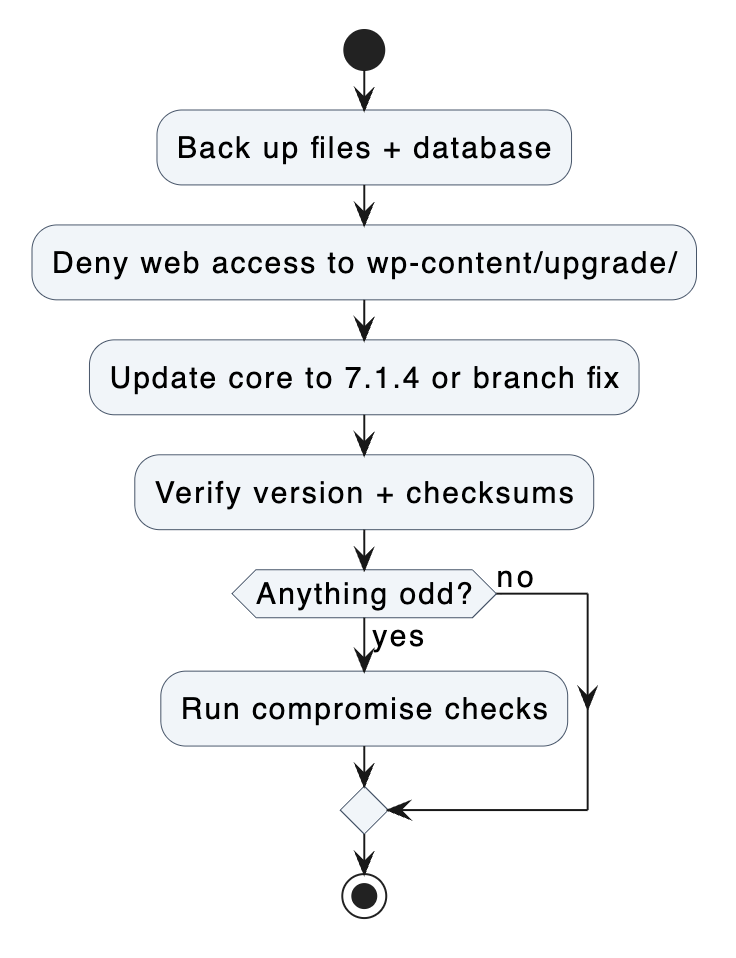
View PlantUML source
@startuml
skinparam defaultFontSize 15
skinparam ActivityBorderColor #475569
skinparam ActivityBackgroundColor #F1F5F9
start
:Back up files + database;
:Deny web access to wp-content/upgrade/;
:Update core to 7.1.4 or branch fix;
:Verify version + checksums;
if (Anything odd?) then (yes)
  :Run compromise checks;
else (no)
endif
stop
@enduml
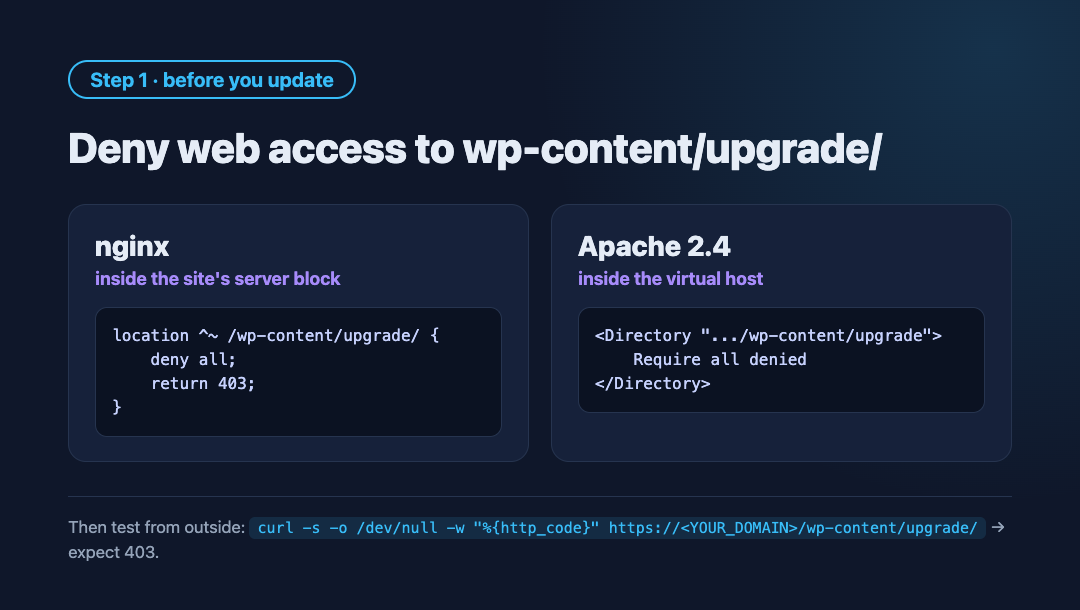
Step 1: Deny web access at the web server
Rescana's summary of Patchstack's guidance says to block the folder in the server configuration, not with a file placed inside the upgrade folder. WordPress creates and clears that folder during updates. WordPress reads and writes these files through PHP on the server's filesystem, not over HTTP, so blocking web requests should not stop the update. Confirm that on staging anyway.
nginx (inside the server block for the site):
location ^~ /wp-content/upgrade/ {
    deny all;
    return 403;
}
^~ makes this prefix win over the usual location ~ \.php$ block, so PHP files in the folder are never passed to PHP-FPM. Reload and test:
sudo nginx -t && sudo systemctl reload nginxApache 2.4 (in the virtual host, adjust the path):
<Directory "/var/www/html/wp-content/upgrade">
    Require all denied
</Directory>
sudo apachectl configtest && sudo systemctl reload apache2On shared hosting without access to the server config, ask your host whether they block the folder, or use the host's WAF. Wordfence says the request bypasses WordPress, so a firewall that runs inside WordPress may never see it. Run the curl test again afterward. You want 403.
Step 2: Update core
Back up first. Then pick one method:
| Method | Command or path | Notes |
|---|---|---|
| Dashboard | Dashboard > Updates > Update Now | Same as the release post |
| WP-CLI, latest | wp core update | Moves to 7.1.4 |
| WP-CLI, stay on branch | wp core update --minor | Gets e.g. 6.9.11 on 6.9 |
| Multisite | wp core update then wp core update-db --network | Updates every site's database |
wp db export ~/backup-before-7.1.4.sql
wp core update
wp core update-db
For Docker or Git-based deployments, change the WordPress version your build installs to 7.1.4 or later, rebuild and redeploy. Then run wp core version inside the running container to confirm. Updating the image does not touch the wp-content volume, so the folder block still matters for sites that update from the dashboard.
If you have a staging copy for testing 7.2, my WordPress 7.2 beta test setup guide shows four ways to spin one up. Use the same setup to try 7.1.4 before production.
Step 3: Verify the result
wp core version                 # expect 7.1.4 or your branch fix
wp core verify-checksums        # core files match wordpress.org
ls -la wp-content/upgrade/      # should be empty or nearly empty
verify-checksums reports any core file that differs from the official package. An added or changed file in wp-admin or wp-includes needs a closer look.
If you think the site was hit
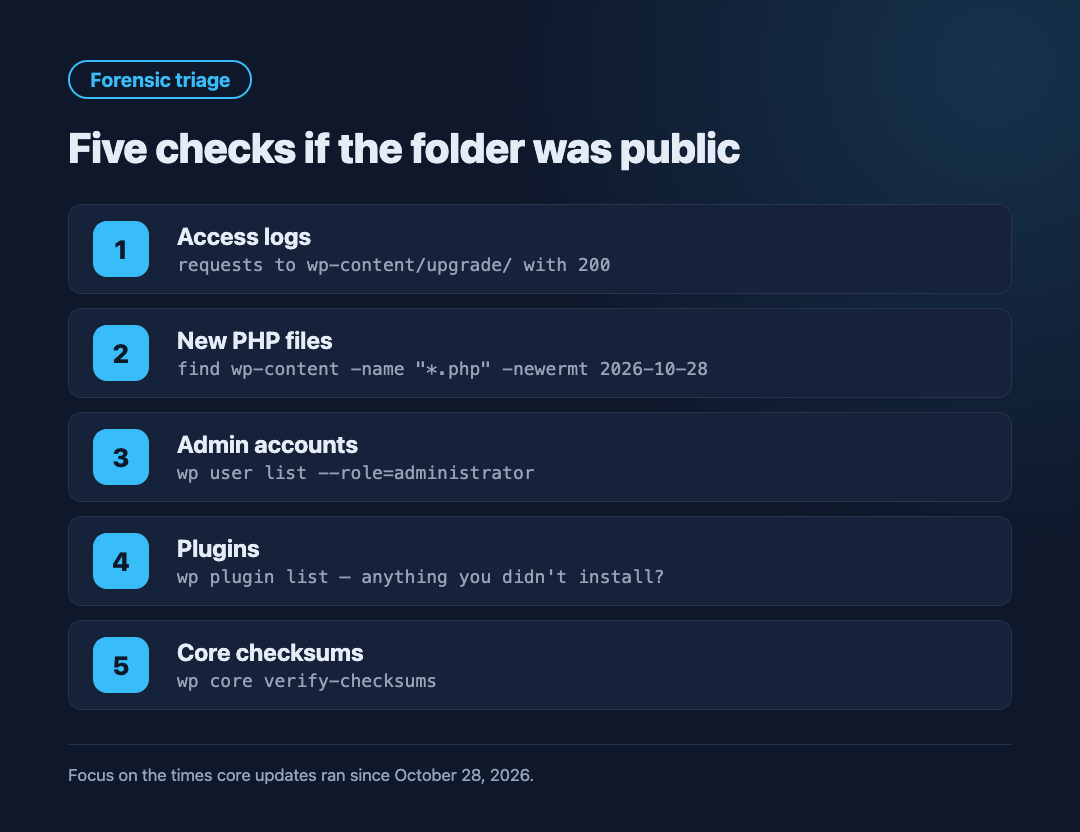
CISA's KEV entry asks federal agencies to apply the fix and do forensic triage. That's a good rule for everyone whose site could have been updating while unblocked. Focus on the times your core updates ran, especially since October 28.
Search the access logs
The path below is the nginx default. On Apache, use /var/log/apache2/access.log* instead.
sudo zgrep -h "wp-content/upgrade/" /var/log/nginx/access.log* | awk '{print $1, $4, $7, $9}' | sort | uniq -c | sort -rn | head -50Repeated requests for setup-config.php under wp-content/upgrade/ are the pattern Wordfence described. A 200 response next to an update time is the line to worry about.
Look for new PHP files and accounts
find wp-content -name "*.php" -newermt "2026-10-28" -not -path "*/cache/*" -ls
wp user list --role=administrator --fields=ID,user_login,user_email,user_registered
wp plugin list --fields=name,status,version
Check every recent PHP file in uploads, any admin account you don't recognize and any plugin you didn't install. Rescana's write-up lists unexpected PHP files, admin accounts and plugins as the signs to look for.
If something is wrong
- Take the site offline or put it behind maintenance mode at the web server.
- Keep copies of the logs and the suspicious files before deleting anything.
- Change database, hosting, SFTP and admin passwords, and rotate the salts in
wp-config.php. - Restore from a backup made before the suspicious time, or reinstall core with
wp core download --force --skip-content, then re-run the checks. - Keep the folder block in place even after 7.1.4. It costs nothing.
If PHP itself is out of date on the same server, patch it in the same window. See my PHP security release checklist.
FAQ
Is my site vulnerable if it never updates core? The race only exists while a full-package core update is unpacking, so a site that never updates has no window. It is still exposed to the other 21 issues fixed in 7.1.4, and the next update you run would open the window. Block the folder and update.
I updated to 7.1.4 automatically on October 28. Am I done? You're patched against future races. The update that took you to 7.1.4 still used the old updater, so if wp-content/upgrade/ was public at that moment, run the log and file checks above. Then keep the folder blocked.
Why does WordPress call it Low while CISA lists it as exploited? WordPress rates the race as hard to win because the folder exists for seconds. Wordfence's CVSS 8.1 reflects the full impact (code execution) with high complexity. CISA's listing on November 3 means it has evidence of exploitation.
Does a security plugin protect me? Not reliably. Wordfence says the request bypasses WordPress, so a firewall that runs inside WordPress may never see it. A web server rule or an edge WAF sits in front of WordPress and can block it.
What about WordPress 4.6 and older? There is no fix. Upgrade to a supported release or take the site offline.
After this is done, add a recurring check to your calendar for the next WordPress release post, since the WordPress security team has shipped four security releases in 41 days.
References
- WordPress 7.1.4 Security Release — WordPress.org, 2026-10-28, checked 2026-11-04
- GHSA-4w3m-c66w-69mg: A race condition during core updates that could lead to remote code execution — WordPress, 2026-10-29, checked 2026-11-04
- CVE-2026-119977 record — CVE Program (CNA: Wordfence), published 2026-10-31, checked 2026-11-04
- CISA Adds One Known Exploited Vulnerability to Catalog — CISA, 2026-11-03, checked 2026-11-04
- Known Exploited Vulnerabilities Catalog — CISA, entry due date 2026-11-06, checked 2026-11-04
- The Core Security Initiative: two months in — Make WordPress Security, 2026-10-29, checked 2026-11-04
- WP-CLI wp core update — WordPress Developer Resources, checked 2026-11-04
- WordPress core vulnerability exploited — SecurityOnline, 2026-10-30, checked 2026-11-04
- WordPress Core 7.1.4 fixes an unauthenticated upgrade-window race RCE — Rescana, checked 2026-11-04