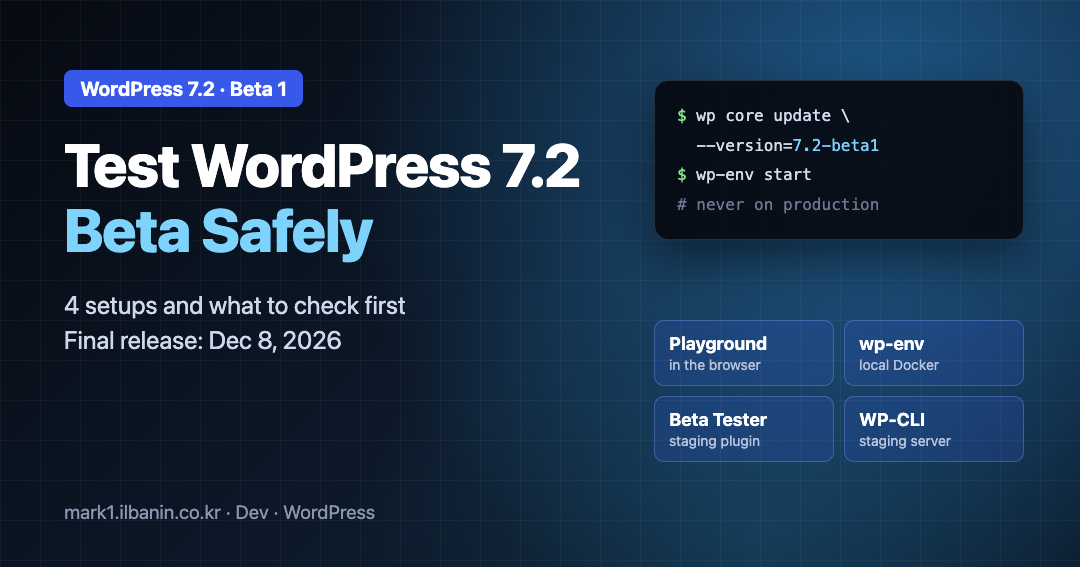
You can test WordPress 7.2 beta today in four safe ways: WordPress Playground in the browser, a local wp-env site, the WordPress Beta Tester plugin on a staging copy, or WP-CLI with wp core update --version=7.2-beta1. Beta 1 shipped on October 20, 2026, and the final release is planned for December 8, 2026. Never run it on a production site.
This guide shows each setup step by step, then lists what to check first: the new Secrets API, browser-side image processing, the wp_kses() rewrite and the NO_BACKSLASH_ESCAPES change. Facts come from the official WordPress.org announcement and Make WordPress posts, checked on October 22, 2026.
WordPress 7.2 release schedule
All milestones start at 15:00 UTC, according to the official release party schedule.
| Milestone | Date (2026) |
|---|---|
| Beta 1 | Oct 20 |
| Beta 2 | Oct 27 |
| Beta 3 | Nov 3 |
| Beta 4 | Nov 10 |
| RC 1 | Nov 17 |
| RC 2 / RC 3 | Nov 24 / Dec 1 |
| Final release | Dec 8 |
If you maintain a plugin or theme, the useful window is now through RC 1. After RC 1, changes are usually limited to bug fixes, so problems you find later are harder to get fixed before launch.
Choose a way to test WordPress 7.2 beta
Pick the method by what you need to test, not by habit.
| Method | Setup time | Best for | Needs |
|---|---|---|---|
| WordPress Playground | Seconds | Quick look at editor features | A browser |
| wp-env (local) | Minutes | Plugin and theme developers | Docker, Node.js |
| Beta Tester plugin | Minutes | A staging copy of a real site | Staging site |
| WP-CLI | One command | Servers and scripted staging | Shell access |
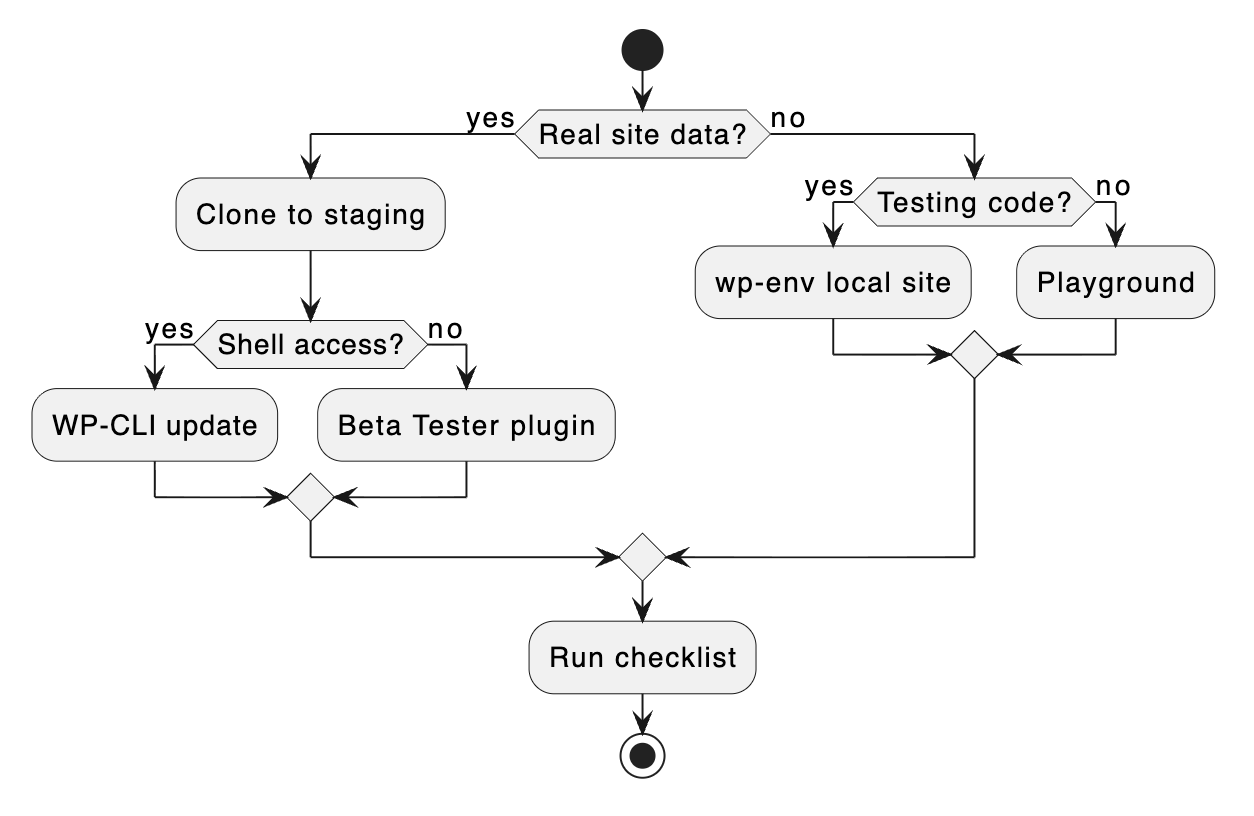
View PlantUML source
@startuml
skinparam shadowing false
skinparam defaultFontSize 14
start
if (Real site data?) then (yes)
  :Clone to staging;
  if (Shell access?) then (yes)
    :WP-CLI update;
  else (no)
    :Beta Tester plugin;
  endif
else (no)
  if (Testing code?) then (yes)
    :wp-env local site;
  else (no)
    :Playground;
  endif
endif
:Run checklist;
stop
@enduml
Option 1: WordPress Playground (no install)
Playground runs WordPress in your browser with WebAssembly. The official Beta 1 post links a ready instance; the important URL parameters are wp=beta and php=8.3:
https://playground.wordpress.net/?wp=beta&php=8.3&networking=noUse it to click through the editor: text shadows, responsive Gallery settings, the Navigation block search and Notes. Data is temporary, so it is not the place for plugin compatibility tests that need your real content.
Option 2: wp-env with the Beta 1 zip
wp-env is the official Docker-based local environment for WordPress development. Its core setting accepts a zip URL, so you can point it straight at the beta build. Install it once:
npm -g i @wordpress/envCreate .wp-env.json in your plugin or theme folder:
{
  "core": "https://wordpress.org/wordpress-7.2-beta1.zip",
  "phpVersion": "8.3",
  "plugins": [ "." ],
  "config": {
    "WP_DEBUG": true,
    "WP_DEBUG_LOG": true
  }
}
Then start it and confirm the version:
wp-env start
wp-env run cli wp core version      # should print 7.2-beta1
The site opens at http://localhost:8888 (login admin / password). When a new beta lands, change the zip URL (for example to wordpress-7.2-beta2.zip on October 27) and run wp-env start --update. Use wp-env stop to free the ports and wp-env destroy to remove everything.
wp-env needs Docker and a current Node.js LTS. If you are still on an older Node line, our Node.js 26 LTS upgrade checklist covers the move.
Option 3: WordPress Beta Tester plugin on staging
This is the easiest way to test a copy of a real site from the dashboard. Clone your site to staging first (most hosts have a one-click staging tool), then on the staging copy:
- Install and activate the WordPress Beta Tester plugin.
- Go to Tools → Beta Testing.
- Select Bleeding edge, then the Beta/RC Only stream, and click Save Changes.
- Go to Dashboard → Updates and run the update to 7.2 Beta.
Beta/RC Only gives you each beta and release candidate. Choose Nightlies only if you want daily builds and can live with more breakage.
Option 4: WP-CLI on a staging server
If you manage staging over SSH, WP-CLI is the fastest route. Back up first, then update:
cd /var/www/<YOUR_STAGING_SITE>
wp db export ~/backup-before-7.2-beta1.sql
wp core update --version=7.2-beta1
wp core update-db
wp core version
wp core update-db applies any database changes that come with the new version. To go back, restore the database export and reinstall your previous version with wp core update --version=<YOUR_OLD_VERSION> --force.
What to check first in WordPress 7.2 beta
Turn on WP_DEBUG and WP_DEBUG_LOG on the test site, update your themes and plugins, then work through these areas. The order is by how likely each change is to break existing code.
1. The wp_kses() sanitizer rewrite
The WordPress developer blog says wp_kses() is being rebuilt on top of the HTML API, targeting 7.2 or 7.3 depending on testing results. The new version normalizes output markup, strips the contents of script and style elements, and rejects some malformed SVG, MathML and comments.
Test anything that saves user HTML: custom blocks, shortcodes, form plugins, SVG uploads and imported content. Compare the saved HTML before and after the update. A wp_kses_force_legacy_parser filter restores the old parser, but the developer blog calls it a stopgap, so report breakage on Trac ticket #66208 instead of relying on it.
2. NO_BACKSLASH_ESCAPES is turned off
From 7.2, wpdb removes the NO_BACKSLASH_ESCAPES SQL mode from WordPress's own database session. The dev note says this is unlikely to affect most sites. Check your server's current mode:
wp db query "SELECT @@SESSION.sql_mode;"If you truly depend on that mode, the official workaround is a filter in a db.php drop-in (plugins and mu-plugins load too late):
add_filter( 'incompatible_sql_modes', function ( $modes ) {
	return array_diff( $modes, [ 'NO_BACKSLASH_ESCAPES' ] );
} );
3. Secrets API
7.2 adds a standard way to store credentials such as API keys and tokens, with encryption at rest, credential rotation and pluggable storage providers. The developer blog describes it as tentative and CLI-only in 7.2, with a UI planned later. Function names were not listed in the announcement posts as of October 22, 2026, so check the dev notes before writing code against it.
The official test plan asks you to:
- Open Tools → Site Health and look for Secrets API checks on the Status tab and encryption details on the Info tab.
- Confirm stored secrets are encrypted in the database and never appear in plain text.
- Confirm secret values are redacted from REST API responses, debug logs, Site Health info and XML exports.
- Make invalid calls and confirm they fail without fatal errors.
If your plugin stores API keys in wp_options today, this is the feature to watch. Do not migrate production code until the API is final.
4. Client-side media processing
The editor can now resize, compress and convert images in the browser before upload. In a Chromium browser, upload an animated GIF or WebP and check that the Thumbnail, Medium and Large sizes still animate. Upload AVIF, WebP and HEIC files too. Then repeat in Safari or Firefox and confirm uploads fall back to server-side processing without errors.
If your plugin hooks into image sub-size generation on the server, confirm it still runs when the browser has already done the work.
5. Editor and admin changes
These are lower risk but visible to users:
| Area | What changed | Quick test |
|---|---|---|
| Design tools | Text shadows, responsive Gallery settings | Styles → Typography → Shadow |
| Navigation | Grouped link search, current-page styles | Add a link inside a Navigation block |
| Notes | Emoji reactions, margin notes, minimized mode | Leave a note on a block |
| Admin | New icons, per-asset loading, prefetching | Check custom admin menus and CSS |
The Dashicons in the admin bar and sidebar are replaced by icons from the WordPress icon library. If your plugin styles its own admin menu icon with CSS that targets Dashicons, look at it now.

View PlantUML source
@startuml
skinparam shadowing false
skinparam defaultFontSize 14
left to right direction
rectangle "Update to\nnext beta" as A
rectangle "Enable\nWP_DEBUG_LOG" as B
rectangle "Run checks" as C
rectangle "Read\ndebug.log" as D
rectangle "Report\nTrac / GitHub" as E
A --> B
B --> C
C --> D
D --> E
E --> A
@enduml
How to report a bug you find
Search the known bugs list first. Then:
- Core bugs (PHP, database, media, Secrets API): open a ticket on WordPress Trac.
- Editor bugs (blocks, Site Editor, Notes): open an issue in the Gutenberg GitHub repository.
- Not sure: post in the Alpha/Beta support forum or the #core-test channel on Making WordPress Slack.
Include the WordPress version (7.2-beta1), PHP version, database and version, active theme and plugins, exact steps to reproduce, and the relevant lines from wp-content/debug.log.
If you also maintain the server, keep PHP patched while you test. Our guide to the October 2026 PHP security release shows how to check which PHP version your web server actually runs.
FAQ
Is it safe to install WordPress 7.2 beta on my live site? No. The official announcement says the beta is for testing and development only and should not run on production or mission-critical sites. Use Playground, a local site or a staging copy.
When will WordPress 7.2 be released? The final release is scheduled for December 8, 2026 at 15:00 UTC. RC 1 is planned for November 17, 2026. Dates can move, so check the official schedule post.
How do I move from Beta 1 to Beta 2? With the Beta Tester plugin on Beta/RC Only, the next beta appears in Dashboard → Updates. With WP-CLI, run wp core update --version=7.2-beta2 after it is published. With wp-env, change the zip URL and run wp-env start --update.
Can I roll back from the beta to 7.1? Not cleanly through the dashboard. Restore the database backup you made before updating, then reinstall your previous version with WP-CLI using --force. This is why testing on a copy is the safer path.
Does the Secrets API replace storing keys in wp_options? It is meant to give plugins a standard, encrypted place for credentials. In 7.2 it is described as tentative and CLI-only, so treat it as something to test, not to ship against, until the dev note and final release confirm the API.
Summary
To test WordPress 7.2 beta, use Playground for a quick look, wp-env for plugin and theme code, and the Beta Tester plugin or WP-CLI on a staging copy of a real site. Focus first on the wp_kses() rewrite, the NO_BACKSLASH_ESCAPES change, the Secrets API and browser-side image processing, and repeat your checks with each beta until RC 1 on November 17.
Written on October 22, 2026, two days after Beta 1. Features can change or be pulled before the final release; check the official posts below for updates.
References
- WordPress.org News, "WordPress 7.2 Beta 1 is Ready for Download and Testing" (Oct 20, 2026) — wordpress.org (checked Oct 22, 2026)
- Make WordPress Core, "WordPress 7.2 release party schedule" (Oct 6, 2026) — make.wordpress.org (checked Oct 22, 2026)
- Make WordPress Test, "Help test WordPress 7.2" (Oct 20, 2026) — make.wordpress.org (checked Oct 22, 2026)
- WordPress Developer Blog, "What's new for developers? (October 2026)" — developer.wordpress.org (checked Oct 22, 2026)
- Make WordPress Core, "NO_BACKSLASH_ESCAPES SQL mode is now turned off by default in WordPress 7.2" (Oct 9, 2026) — make.wordpress.org (checked Oct 22, 2026)
- Block Editor Handbook, "@wordpress/env" — developer.wordpress.org (checked Oct 22, 2026)
- WordPress Beta Tester plugin — wordpress.org/plugins (checked Oct 22, 2026)