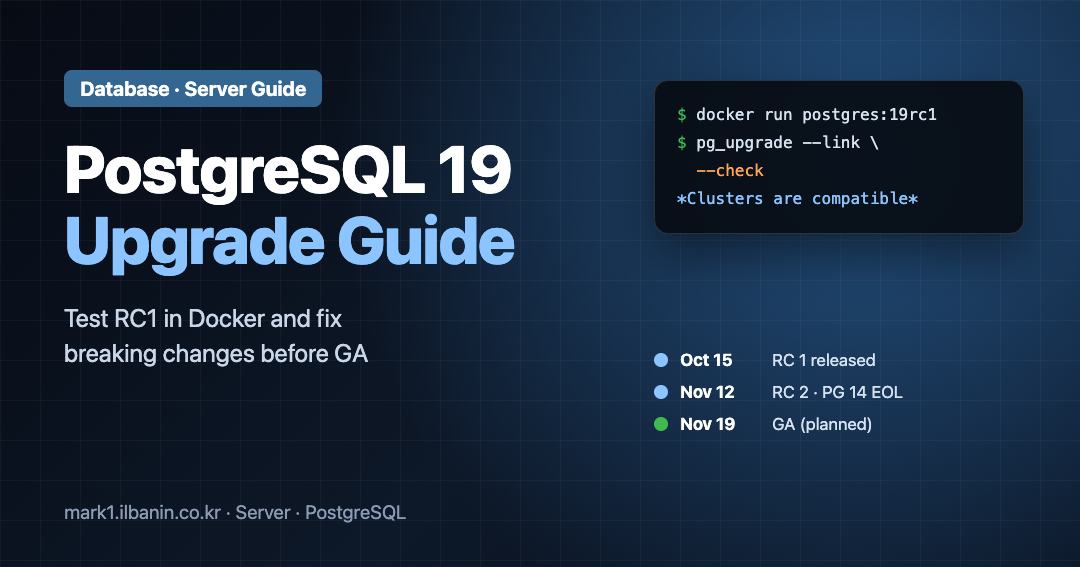
A PostgreSQL 19 upgrade is a major-version upgrade, so you need pg_upgrade, a dump and restore, or logical replication. You cannot just swap binaries. The first release candidate (RC 1) shipped on October 15, 2026, and general availability is planned for November 19, 2026. The best use of the next four weeks: restore a copy of your data into the postgres:19rc1 Docker image, run the pre-upgrade checks below, and fix the few changes that make pg_upgrade refuse to run.
This guide covers the release schedule, the breaking changes that matter most, a side-by-side Docker test, pg_upgrade --check, and what to do after the upgrade. Every fact comes from the PostgreSQL 19 release notes, the RC 1 announcement and the official docs, checked on October 21, 2026. RC builds are not for production. The project says so plainly, and some fixes can still land before the final release.
PostgreSQL 19 release schedule and support dates
| Date | Event | What it means for you |
|---|---|---|
| Oct 15, 2026 | 19 RC 1 released | Start testing now |
| Nov 12, 2026 | 19 RC 2 + minor releases; PostgreSQL 14 reaches end of life | Retest on RC 2; 14 users should move now |
| Nov 19, 2026 (planned) | PostgreSQL 19 GA | Upgrade production after your tests pass |
The GA date can slip if a release candidate turns up a serious bug. PostgreSQL 14's final release is November 12, 2026, according to the versioning policy page. If you still run 14, the upgrade is no longer optional. PostgreSQL 18 (currently 18.6) is supported until November 2030, so 18 users can wait for 19.1 if they prefer.
Breaking changes that can stop a PostgreSQL 19 upgrade
The release notes list 17 compatibility items. Most affect extension authors. Two make pg_upgrade refuse to run, and several others change behavior quietly. These are the ones to check first:
| Change in 19 | Who is affected | What to do |
|---|---|---|
btree_gist gist_inet_ops / gist_cidr_ops indexes block pg_upgrade | GiST indexes on inet/cidr built with btree_gist | Rebuild with the built-in inet_ops |
CR or LF characters in database, role or tablespace names block pg_upgrade | Rare, usually from scripts | Rename the object |
standard_conforming_strings is always on | Dumps made with pre-19 tools while it was off | Dump with the 19 pg_dump / pg_dumpall |
| RADIUS authentication removed | radius lines in pg_hba.conf | Move to another auth method |
MULE_INTERNAL encoding removed | Databases using that encoding | Dump and restore with another encoding |
jit is now off by default | Analytics workloads that relied on JIT | Benchmark; set jit = on if it helped |
max_locks_per_transaction default 64 → 128, lock sizing changed | Anyone who set it by hand | Double your custom value |
| Warning after successful MD5 password login | Roles with MD5 passwords | Move to SCRAM-SHA-256 |
json_array() over zero rows returns [], not NULL | SQL that tests for NULL | Update the check |
READ ONLY transactions pass to postgres_fdw | Read-only transactions that wrote through FDW | Use a read-write transaction |
Smaller renames can break monitoring dashboards. pg_stat_subscription_stats.sync_error_count is now sync_table_error_count, and the wait event type BUFFERPIN is now BUFFER. The server setting escape_string_warning is gone. A new setting, password_expiration_warning_threshold, warns users seven days before a password expires by default.
Pre-upgrade audit queries
Run these on your current server (any version from 14 to 18). Each query should return zero rows, except the settings check at the end.
-- 1. btree_gist inet/cidr indexes (pg_upgrade will refuse these)
SELECT n.nspname AS schema, c.relname AS index_name, o.opcname
FROM pg_index i
JOIN pg_class c ON c.oid = i.indexrelid
JOIN pg_namespace n ON n.oid = c.relnamespace
JOIN pg_opclass o ON o.oid = ANY (i.indclass::oid[])
WHERE o.opcname IN ('gist_inet_ops', 'gist_cidr_ops');

-- 2. Names containing carriage return or line feed
SELECT 'database' AS kind, datname AS name FROM pg_database WHERE datname ~ '[\r\n]'
UNION ALL
SELECT 'role', rolname FROM pg_roles WHERE rolname ~ '[\r\n]'
UNION ALL
SELECT 'tablespace', spcname FROM pg_tablespace WHERE spcname ~ '[\r\n]';

-- 3. MULE_INTERNAL databases
SELECT datname FROM pg_database
WHERE pg_encoding_to_char(encoding) = 'MULE_INTERNAL';

-- 4. RADIUS lines in pg_hba.conf
SELECT line_number, type, database, user_name, auth_method
FROM pg_hba_file_rules WHERE auth_method = 'radius';

-- 5. Roles that still use MD5 passwords (superuser only)
SELECT rolname FROM pg_authid WHERE rolpassword LIKE 'md5%';

-- 6. Settings whose default changes in 19
SELECT name, setting, source FROM pg_settings
WHERE name IN ('jit', 'max_locks_per_transaction', 'standard_conforming_strings');
In the regular expressions, \r and \n are regex escapes, so they work with the default standard_conforming_strings = on.
If query 1 returns an index, replace it before you upgrade. This is the pattern from the btree_gist docs. Use CONCURRENTLY on a busy table:
CREATE INDEX CONCURRENTLY hosts_addr_gist_new
  ON hosts USING GIST (addr inet_ops);
DROP INDEX CONCURRENTLY hosts_addr_gist_old;
The docs explain why: the old operator classes can miss rows that should match, and that flaw cannot be fixed without rebuilding the index.
For query 5, set password_encryption = 'scram-sha-256', have each user change their password, then switch the matching pg_hba.conf lines from md5 to scram-sha-256. MD5 passwords have been deprecated since PostgreSQL 18. In 19 they still work, but each successful MD5 login logs a warning unless you set md5_password_warnings = off.
Test PostgreSQL 19 RC 1 in Docker with a copy of your data
The official image publishes postgres:19rc1 tags (Debian trixie and bookworm, plus Alpine). One detail changed in 18 and carries into 19: the image's volume is /var/lib/postgresql, and PGDATA is version-specific (/var/lib/postgresql/18/docker for 18). Mount the parent directory, not the old /var/lib/postgresql/data path.

View PlantUML source
@startuml
left to right direction
skinparam defaultFontSize 15
skinparam rectangleBackgroundColor #EEF4FF
skinparam rectangleBorderColor #336791
skinparam ArrowColor #336791
rectangle "1. Audit queries\non current server" as A
rectangle "2. Fix indexes,\nnames, auth" as B
rectangle "3. Start\npostgres:19rc1" as C
rectangle "4. Dump with 19 tools,\nrestore into RC 1" as D
rectangle "5. App tests,\nslow queries" as E
rectangle "6. pg_upgrade --check,\nretest on RC 2" as F
A --> B
B --> C
C --> D
D --> E
E --> F
@enduml
Step 1: Start an RC 1 container next to your current server
docker network create pg19-test

docker run -d --name pg19rc \
  --network pg19-test \
  -e POSTGRES_PASSWORD=<YOUR_TEST_PASSWORD> \
  -p 5433:5432 \
  -v pg19rc-data:/var/lib/postgresql \
  postgres:19rc1

docker exec pg19rc psql -U postgres -c "SELECT version();"
Port 5433 keeps it away from a local server on 5432. Use a new, empty volume. Never point the RC at a production data directory.
Step 2: Dump with the PostgreSQL 19 tools and restore
The release notes warn that dumps made with pre-19 pg_dump or pg_dumpall while standard_conforming_strings was off will not load correctly into 19. Use the 19 client inside the container to read your old server:
docker exec -e PGPASSWORD=<OLD_SERVER_PASSWORD> pg19rc \
  pg_dumpall -h <OLD_SERVER_HOST> -p 5432 -U postgres -f /tmp/all.sql

docker exec pg19rc psql -U postgres -d postgres -f /tmp/all.sql 2>&1 \
  | grep -E "ERROR|FATAL" | sort | uniq -c
<OLD_SERVER_HOST> must be reachable from the container. For an old server that runs in another container, attach it with docker network connect pg19-test <OLD_CONTAINER> and use its container name. One role "postgres" already exists error is expected, because the image creates that role. Investigate every other error. Common ones are extensions with no build for 19 yet and the removed features listed above.
For a large database, dump only the schema plus a sample, or use pg_dump -Fc -j 4 per database and pg_restore -j 4. The goal is to find errors and slow queries, not to copy every row.
Step 3: Test the application and your slowest queries
Point a staging copy of your application at localhost:5433 and run your test suite. Then compare plans for your slowest production queries:
EXPLAIN (ANALYZE, BUFFERS) <YOUR_SLOW_QUERY>;
SHOW jit;  -- off by default in 19
If an analytics query was faster on your old server, test it again with SET jit = on; in the session. The release notes say JIT was turned off by default because its cost-based activation proved unreliable. Sites with many large analytic queries now need to enable it themselves.
Also check monitoring queries for sync_error_count and BUFFERPIN. Those names no longer exist in 19.
Run pg_upgrade –check before the real upgrade
On a VM or bare-metal server, pg_upgrade is usually the fastest path. Install the 19 binaries next to the old ones, run initdb for the new cluster without starting it, and install the 19 builds of every extension you use. Then run the check. It does not change any data. It can even run while the old server is up, as long as the two clusters use different ports.
Run it as the postgres OS user. The paths are Debian/Ubuntu-style examples; use your own.
/usr/lib/postgresql/19/bin/pg_upgrade \
  --old-bindir=/usr/lib/postgresql/18/bin \
  --new-bindir=/usr/lib/postgresql/19/bin \
  --old-datadir=/var/lib/postgresql/18/main \
  --new-datadir=/var/lib/postgresql/19/main \
  --link --check
Pass the transfer mode you plan to use (--link here) so the mode-specific checks run too. Choose the mode before the maintenance window:
| Mode | Speed | Old cluster after upgrade | Requirement |
|---|---|---|---|
--copy (default) | Slowest | Still usable | Disk space for a full copy |
--link | Fast | Unusable once the new server starts | Same file system |
--clone | Fast | Untouched | Same file system with reflinks (Btrfs, XFS, APFS) |
--swap | Can be fastest with many tables | Destroyed once transfer starts | Same file system; take a backup |
With --link or --swap, your rollback plan is a backup, not the old data directory. Add --jobs=<CPU_CORES> to process databases in parallel.
After the upgrade: statistics and cleanup
pg_upgrade carries over most optimizer statistics unless you pass --no-statistics. Statistics added by extensions and the cumulative statistics that drive autovacuum are not transferred. The docs recommend two passes:
vacuumdb --all --analyze-in-stages --missing-stats-only --jobs=8
vacuumdb --all --analyze-only --jobs=8
Run any SQL scripts that pg_upgrade reports at the end. Remove the old cluster only after the application has run cleanly on 19.
Two PostgreSQL 19 features worth trying after you upgrade
REPACK reclaims space and can reorder a table by an index. It replaces VACUUM FULL and CLUSTER, which still work. The CONCURRENTLY option keeps the table readable and writable during most of the rebuild. It takes an ACCESS EXCLUSIVE lock only for the final swap.
REPACK (VERBOSE) orders;
REPACK (CONCURRENTLY) orders USING INDEX orders_created_at_idx;
SELECT * FROM pg_stat_progress_repack;
REPACK (CONCURRENTLY) needs a primary key or an index-based replica identity, and a free slot under max_repack_replication_slots (default 5). It does not work on partitioned, unlogged or TOAST tables, and it cannot run inside a transaction block. You also need free disk space roughly equal to the table plus its indexes.
Logical replication without a restart. With the default wal_level = replica, creating the first logical replication slot raises the effective level to logical, and dropping the last one lowers it again. You can watch it with SHOW effective_wal_level;. Version 19 can also replicate sequences with CREATE PUBLICATION ... FOR ALL SEQUENCES. That makes a logical-replication cutover to the next major version easier when you need near-zero downtime.
FAQ
When will PostgreSQL 19 be released? General availability is planned for November 19, 2026, per the RC 1 announcement. It can move if a release candidate needs another round. RC 2 is scheduled for November 12, 2026.
Can I run PostgreSQL 19 RC 1 in production? No. The project advises against running beta and RC builds in production. Use RC 1 to test restores, extensions and query plans, then upgrade production to the GA release or a later minor release.
Can I upgrade an RC 1 cluster to the final PostgreSQL 19 release? The announcement describes RC 1 as mostly identical to the GA release, and some fixes can still be applied before GA. Treat RC data as throwaway. Build your production 19 cluster from the GA binaries.
Why does pg_upgrade fail with a btree_gist inet or cidr error? PostgreSQL 19 no longer accepts gist_inet_ops and gist_cidr_ops indexes from older clusters, because those indexes can miss rows. Create a replacement index with the built-in inet_ops, drop the old one, then run pg_upgrade --check again.
Do I need to upgrade from PostgreSQL 18 right away? No. PostgreSQL 18 is supported until November 14, 2030. Upgrading from 14 is urgent, because 14 receives its final release on November 12, 2026.
Summary: what to do this week
Run the audit queries on your current server, fix any btree_gist inet/cidr indexes and MD5 roles, and restore a dump made with the 19 tools into postgres:19rc1. Then run pg_upgrade --check with the transfer mode you plan to use, retest on RC 2, and upgrade production after GA.
If you are also moving the host OS, see our guide to upgrading to Ubuntu 26.10 from 26.04 LTS. For application runtimes in the same container images, see the Node.js 26 LTS upgrade checklist.
Written on October 21, 2026, against PostgreSQL 19 RC 1. The commands above follow the official documentation and were not run against a live server for this article. Check the release notes for changes after RC 2.
References
- PostgreSQL 19 Release Notes (Migration to Version 19) — postgresql.org (checked Oct 21, 2026)
- PostgreSQL 19 RC 1 Released! (Oct 15, 2026) — postgresql.org (checked Oct 21, 2026)
- pg_upgrade documentation, version 19 — postgresql.org (checked Oct 21, 2026)
- REPACK command reference, version 19 — postgresql.org (checked Oct 21, 2026)
- btree_gist module, inet/cidr opclass deprecation — postgresql.org (checked Oct 21, 2026)
- Write-ahead log settings (
wal_level,effective_wal_level) — postgresql.org (checked Oct 21, 2026) - PostgreSQL versioning policy — postgresql.org (checked Oct 21, 2026)
- Beta testing information — postgresql.org (checked Oct 21, 2026)
- Official
postgresDocker image (tags andPGDATAnotes) — hub.docker.com (checked Oct 21, 2026)
2 thoughts on “PostgreSQL 19 Upgrade: Test RC1 and Fix Breaking Changes”