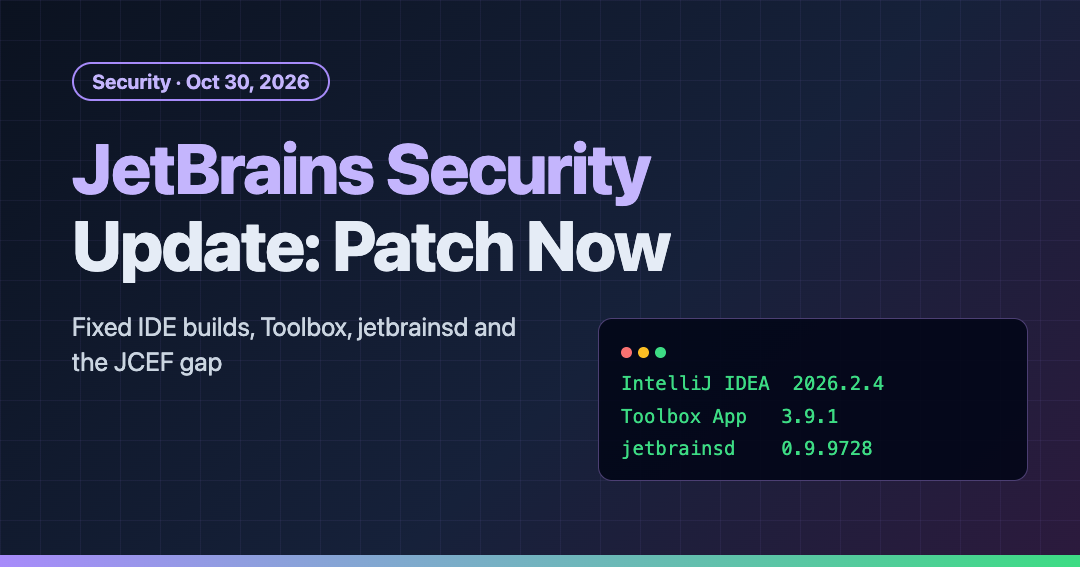
The JetBrains security update of October 30, 2026 fixes tools that still trusted eight compromised eMudhra certificates. Update your IDE to its fixed bugfix build, such as IntelliJ IDEA 2026.2.4, and update Toolbox App to 3.9.1 or 3.8.2. Then confirm that the jetbrainsd background service reads 0.9.9728 or later, because it keeps a separate certificate list.
Written 2026-10-31. JetBrains' advisory pages refused direct fetches from my tools, so I read them through search-index excerpts and cross-checked versions against the CVE records and the NixOS tracking issue. I did not run these commands on a JetBrains install. Check the JetBrains advisory for your exact product before you rely on a build number.
What changed in the JetBrains security update
Private keys for eight eMudhra intermediate certificates were compromised. Anyone holding them could impersonate a service your tools connect to, if they can also get onto your network path. The wider incident, and how to fix servers and runtimes, is in the eMudhra certificate compromise guide.
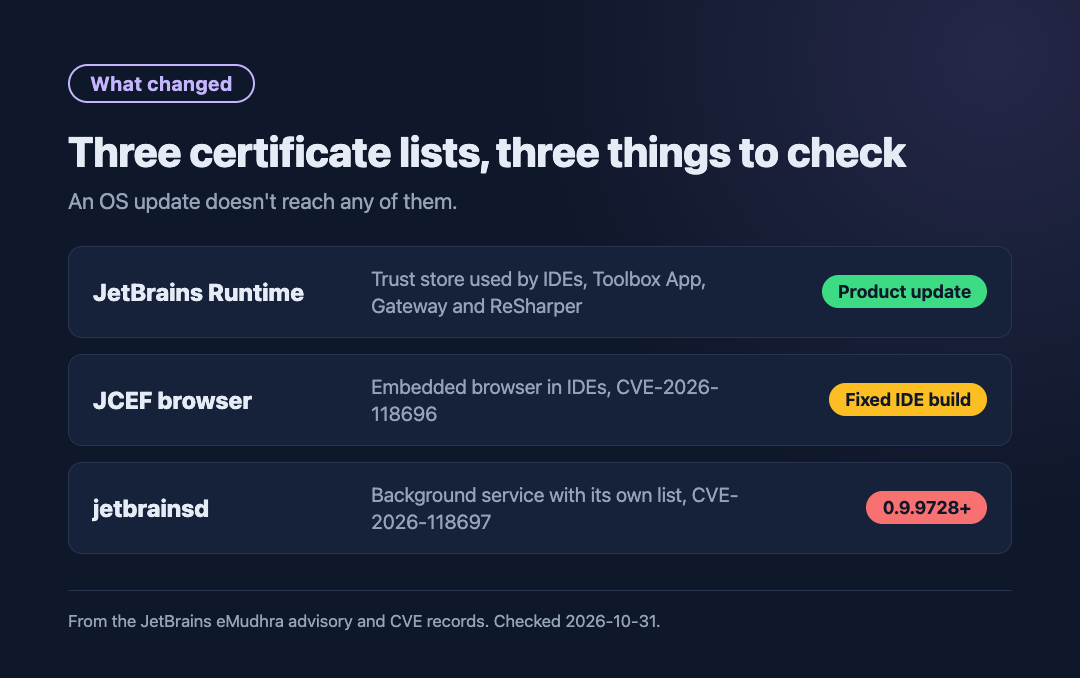
An OS update won't fix JetBrains tools. They check certificates against lists they carry themselves, and there are three of those lists:
| Certificate list | Used by | How it gets fixed |
|---|---|---|
| JetBrains Runtime (JBR) trust store | IDEs, Toolbox App, Gateway, ReSharper | Product update |
| Embedded browser (JCEF) | IDE previews and web views | Fixed IDE build, CVE-2026-118696 |
jetbrainsd built-in list | Background service for jetbrains:// links | Version 0.9.9728, CVE-2026-118697 |
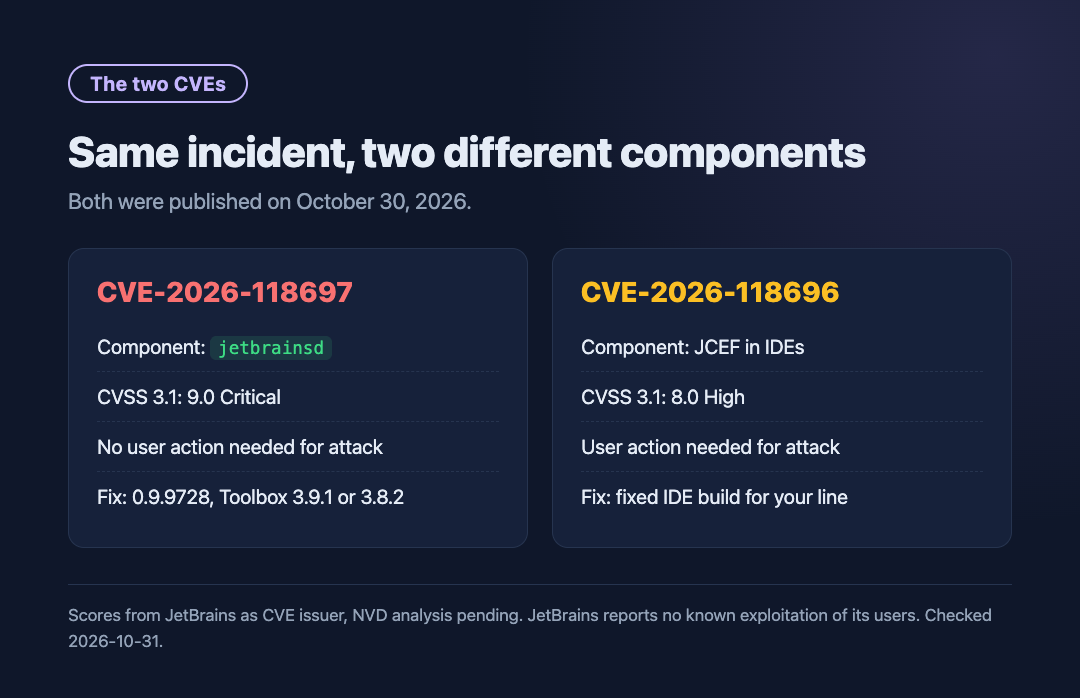
The two CVEs were published on October 30, 2026:
| CVE | Component | CVSS 3.1 | Fixed in |
|---|---|---|---|
| CVE-2026-118697 | jetbrainsd | 9.0 Critical | jetbrainsd 0.9.9728, Toolbox App 3.9.1 or 3.8.2 |
| CVE-2026-118696 | JCEF in IDEs | 8.0 High | The IDE builds in the table below |
Both scores come from JetBrains as the CVE issuer, and NVD analysis was still pending on October 31. Both vectors rate attack complexity as high. JetBrains says it isn't aware of any exploitation against its users, and the CVE-2026-118697 tracker entry listed no public exploit or CISA KEV entry on the same day.
Check your JetBrains IDE, Toolbox and jetbrainsd versions
Check all three. A current IDE doesn't prove the service is current, and the reverse is also true.
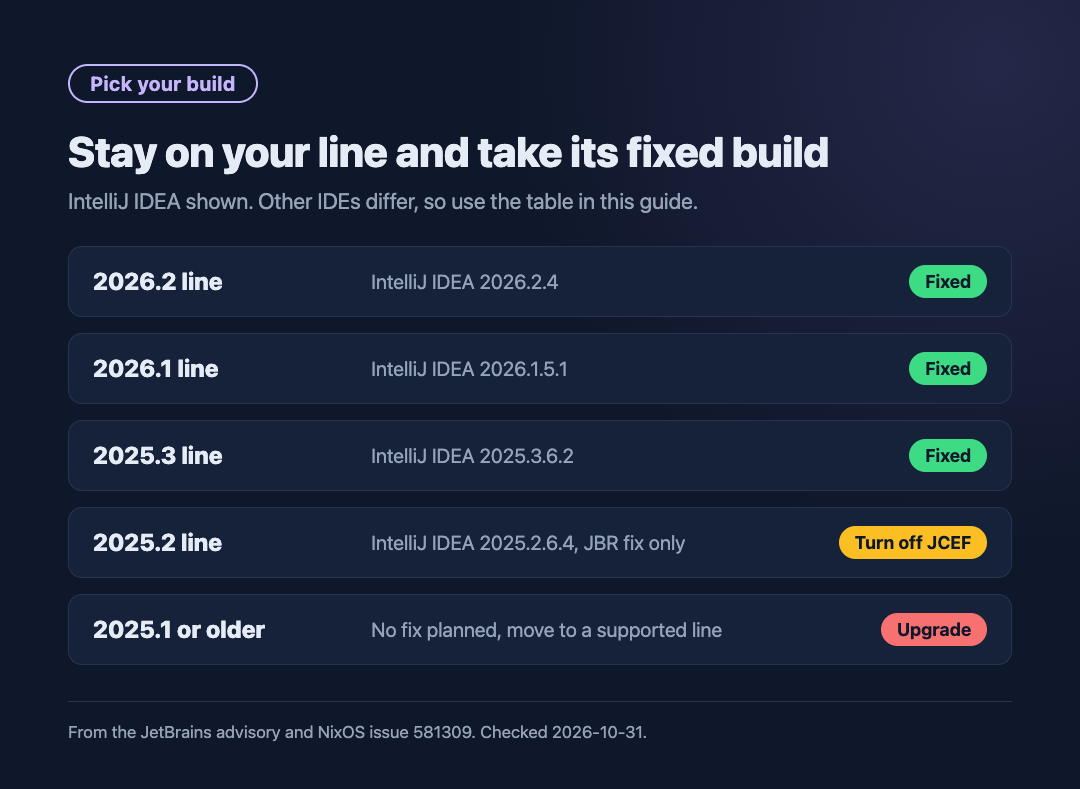
IDE: Open Help > About, or IntelliJ IDEA > About IntelliJ IDEA on macOS. Note the version and the runtime line. Compare the version with this table, which follows the NixOS tracking issue and matches the CVE-2026-118696 record for the lines that record covers:
| Product | 2026.2 | 2026.1 | 2025.3 | 2025.2 |
|---|---|---|---|---|
| IntelliJ IDEA | 2026.2.4 | 2026.1.5.1 | 2025.3.6.2 | 2025.2.6.4 |
| PyCharm, PhpStorm, RubyMine, WebStorm | 2026.2.4 | 2026.1.5.1 | 2025.3.6.2 | 2025.2.6.3 |
| GoLand | 2026.2.4 | 2026.1.5.1 | 2025.3.5.2 | 2025.2.6.3 |
| CLion | 2026.2.4.1 | 2026.1.5.2 | 2025.3.6.3 | 2025.2.6.3 |
| Rider | 2026.2.4 | 2026.1.5.3 | 2025.3.5.3 | Not listed |
| DataGrip | 2026.2.6.1 | 2026.1.4.1 | 2025.3.6.1 | 2025.2.6.1 |
| RustRover | 2026.2.5 | 2026.1.4.1 | 2025.3.7.1 | 2025.2.6.1 |
| DataSpell | Not listed | 2026.1.3.1 | 2025.3.3.1 | 2025.2.4.1 |
| Gateway | 2026.2.4 | 2026.1.4 | 2025.3.3 | 2025.2.6 |
ReSharper's fixed builds are 2026.2.4, 2026.1.5.3 and 2025.3.5.3. The 2026.3 pre-releases are also patched, as RC or EAP builds depending on the product.
If you use JBR directly, the fixed builds are 21.0.11b1163.125, 21.0.9b1038.91, 25.0.4.1b635.79, 25.0.4.1b508.41 and 25.0.4.1b329.142.
Toolbox App: Open its settings and look for the version and Check for updates. Toolbox 3.9.0 and anything older than 3.8.2 are affected.
jetbrainsd: JetBrains' docs put the running copy in a current folder. On Linux, run this:
~/.local/share/JetBrains/Daemon/bundles/current/jetbrainsd --versionIf you set XDG_DATA_HOME, the folder sits under that path instead. I could only confirm the Linux command from the advisory excerpts, so on macOS and Windows find the binary first, then run it with --version. On macOS:
find "$HOME/Library/Application Support/JetBrains/Daemon/bundles/current" -type f -name 'jetbrainsd*'On Windows, in PowerShell:
Get-ChildItem "$env:LOCALAPPDATA\JetBrains\Daemon\bundles\current" -Recurse -Filter "jetbrainsd*"The result should be 0.9.9728 or later.
Update your JetBrains IDE and Toolbox App
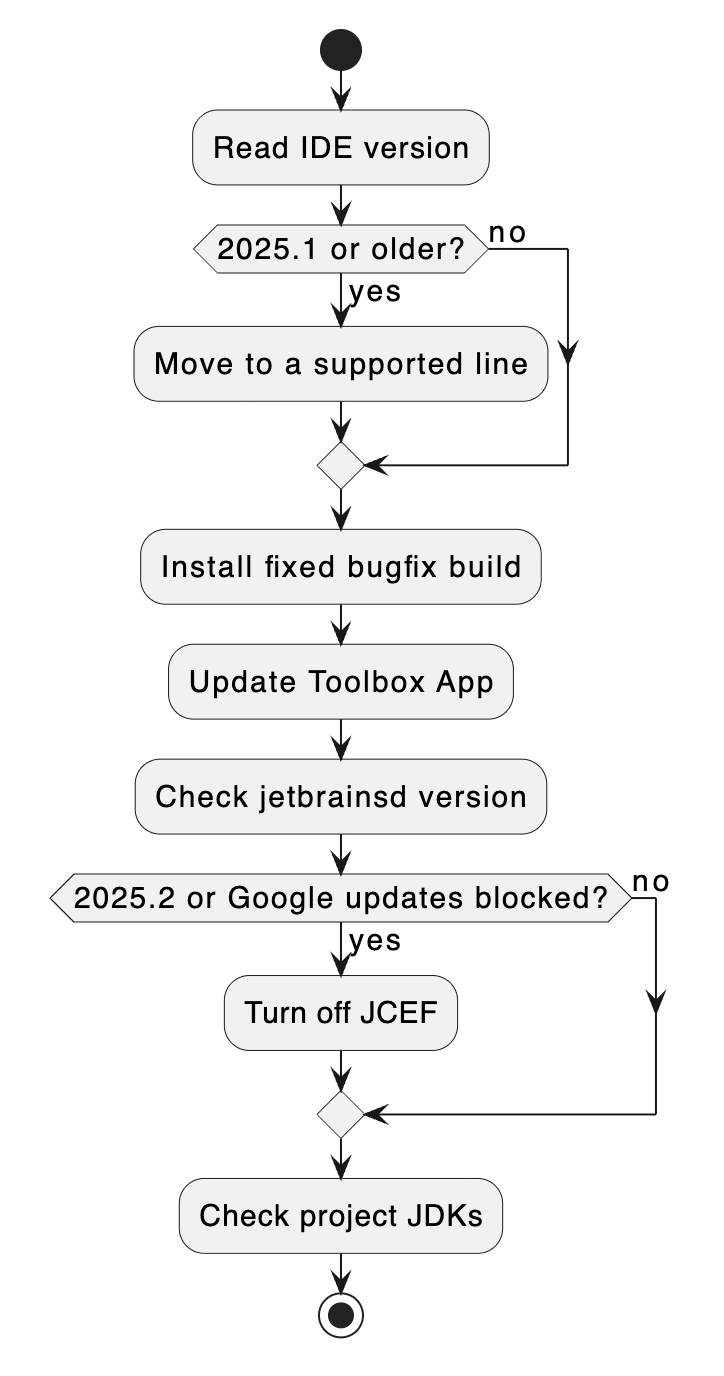
View PlantUML source
@startuml
skinparam shadowing false
skinparam defaultFontSize 15
start
:Read IDE version;
if (2025.1 or older?) then (yes)
  :Move to a supported line;
else (no)
endif
:Install fixed bugfix build;
:Update Toolbox App;
:Check jetbrainsd version;
if (2025.2 or Google updates blocked?) then (yes)
  :Turn off JCEF;
else (no)
endif
:Check project JDKs;
stop
@enduml
Standalone install
Go to Help > Check for Updates, or IntelliJ IDEA > Check for Updates on macOS, and restart when asked. JetBrains' update docs note that a machine with no outside HTTP access can't fetch patches, so download the new version and install it by hand.
Toolbox App
Update Toolbox first. JetBrains says this fixes jetbrainsd for all your IDEs, even ones you can't update today. Then update each IDE from the Toolbox window. To avoid a repeat, open Toolbox settings, expand Tools and select Update all tools automatically.
Snap on Linux
snap list
sudo snap refresh intellij-idea
Use the name snap list shows for each product. Linux packagers can lag behind, so check that the new version is really there. The Nix packages, for example, were still waiting on an update PR when the tracking issue opened on October 31.
Plan a second step for 2025.2 and older
The 2025.2.6.x builds contain only the JBR fix, and JetBrains plans a separate JCEF hotfix for them. Until then, follow the JCEF steps below on that line.
Versions 2025.1 and earlier, and Toolbox 3.7 and earlier, get no fix. Move those to a supported line. A daily.dev summary of the advisory's FAQ cites 2025.2.6 or later for most IDEs, but the 2025.3 or newer lines avoid the JCEF gap.
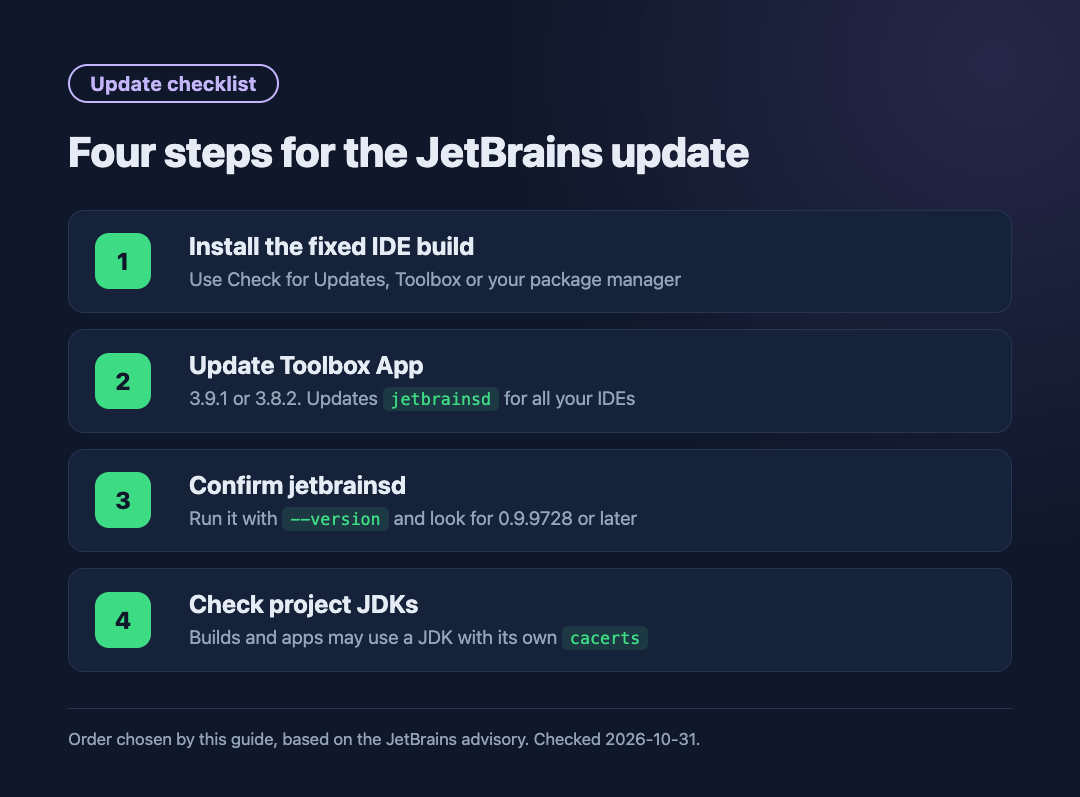
Check the JDKs your projects use
The update covers the runtime that runs the IDE. Your Maven or Gradle builds and your apps may use another JDK, and that JDK has its own cacerts file. Update those separately, using the Java steps in the eMudhra guide. Then check other tool runtimes, such as Node.js or Python, the same way.
If the JetBrains update causes problems
| Symptom | Likely cause | Fix |
|---|---|---|
jetbrainsd still shows an old version | It updates on first startup of the bundling app | Restart the updated Toolbox or IDE, check again |
| Markdown or HTML preview is blank | JCEF is off | Expected, turn it back on after a fixed update |
| Jupyter output doesn't display | JCEF is off | Same as above |
| An internal server stops connecting | Its chain uses a removed root | Reissue the server certificate from another CA |
| JCEF stays exposed on a fixed build | Network blocks Google's update servers | Allow them, or turn JCEF off |
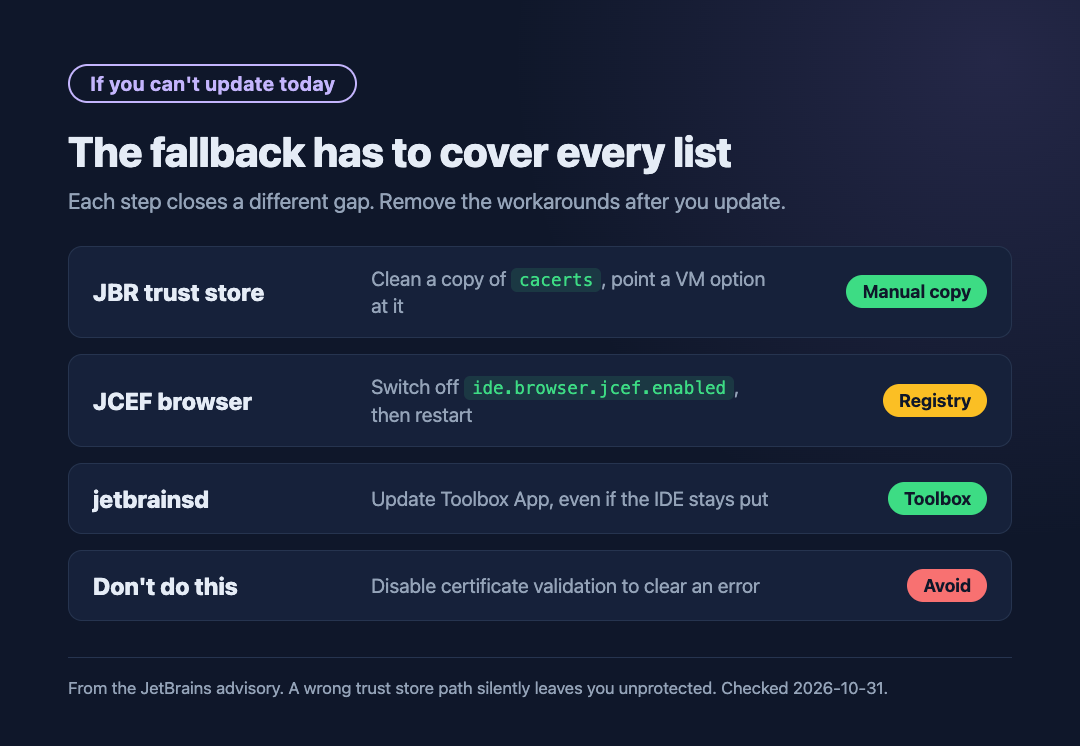
Don't disable certificate validation to get past a connection error. JetBrains specifically advises against that.
Turn off JCEF
Fixed 2025.3 and later builds download Chrome's certificate updates from Google's servers shortly after the IDE starts. JetBrains says to turn JCEF off in two cases: on 2025.2.6.4 and earlier, or on any version when your network blocks those servers.
- Open Help > Find Action and search for
Registry. - Find
ide.browser.jcef.enabledand switch it off. - Restart the IDE.
Turn it back on once you have a build that covers your case.
If you can't update the IDE today
JetBrains describes a manual fallback: clean a copy of the JBR trust store and point the IDE at the copy. Its two named roots are emSign ECC Root CA G3 and AAA Certificate Services.
<IDE_HOME> is the install folder. On macOS, the JBR files are under IntelliJ IDEA.app/Contents/jbr/Contents/Home, not jbr.
cp "<IDE_HOME>/jbr/lib/security/cacerts" "$HOME/jetbrains-cacerts"
"<IDE_HOME>/jbr/bin/keytool" -list -keystore "$HOME/jetbrains-cacerts" \
  -storepass changeit | grep -iE 'emsign|comodoaaa'
Delete the aliases for those two roots. Guillaume Laforge's write-up gives them as emsigneccrootcag3 [jdk] and comodoaaaca [jdk] in the JDK store, but use whatever your listing prints:
"<IDE_HOME>/jbr/bin/keytool" -delete -keystore "$HOME/jetbrains-cacerts" \
  -storepass changeit -alias "<ALIAS>"
Open Help > Edit Custom VM Options, add this line with the full path, and restart:
-Djavax.net.ssl.trustStore=/full/path/to/jetbrains-cacertsJetBrains warns that a wrong path silently leaves you unprotected, so copy it carefully. Removing AAA Certificate Services distrusts that whole root, so a legitimate older server can stop connecting. This fallback covers only JBR, so you still need the JCEF and jetbrainsd steps. Remove the VM option after you update.
Other JetBrains products
The JetBrains status post was still listing some fixes as in progress when I checked it, including TeamCity, Kotlin, MPS and Qodana CLI. Check it again for those. On TeamCity servers and agents, check Java as well, because JetBrains warns that a TeamCity update alone may not change it. For a CI server with a fix ready today, see the Jenkins security update guide.
FAQ
Is a JetBrains IDE update enough on its own? Often, but confirm it. Check jetbrainsd separately, and treat 2025.2 builds as still needing the JCEF workaround. Your project JDKs also need their own update.
Does updating Windows, macOS or Linux fix this? No. JetBrains tools check against the certificates in their bundled runtime, so the OS update doesn't reach them.
Are attackers exploiting these JetBrains flaws? JetBrains says it isn't aware of any exploitation against its users. That status can change, and the fix is available now, so don't wait for a report.
Do I need to upgrade to a new major version? Not if your line is 2025.2 or newer. JetBrains says the latest bugfix release of your current version is enough, with the JCEF caveat for 2025.2.
What is jetbrainsd, and should I remove it? It's a JetBrains background service that passes jetbrains:// links, such as SSH and OAuth callbacks, to your tools. It runs with user privileges and opens no external ports. The docs I read don't describe removing it, so update it instead.
References
All checked 2026-10-31.
- JetBrains: Compromised eMudhra Certificates, update your tools (read through search excerpts)
- JetBrains: eMudhra incident status and guidance (read through search excerpts and a daily.dev summary)
- JetBrains docs: jetbrainsd service
- JetBrains docs: Update IntelliJ IDEA
- CVE-2026-118697 record on Strix
- CVE-2026-118696 record on Strix
- OffSeq Radar: CVE-2026-118697
- NixOS/nixpkgs issue 581309
- daily.dev summary of the JetBrains advisory
- SecurityOnline: JetBrains patches after certificate breach
- Guillaume Laforge: the eMudhra CA compromise and the JVM