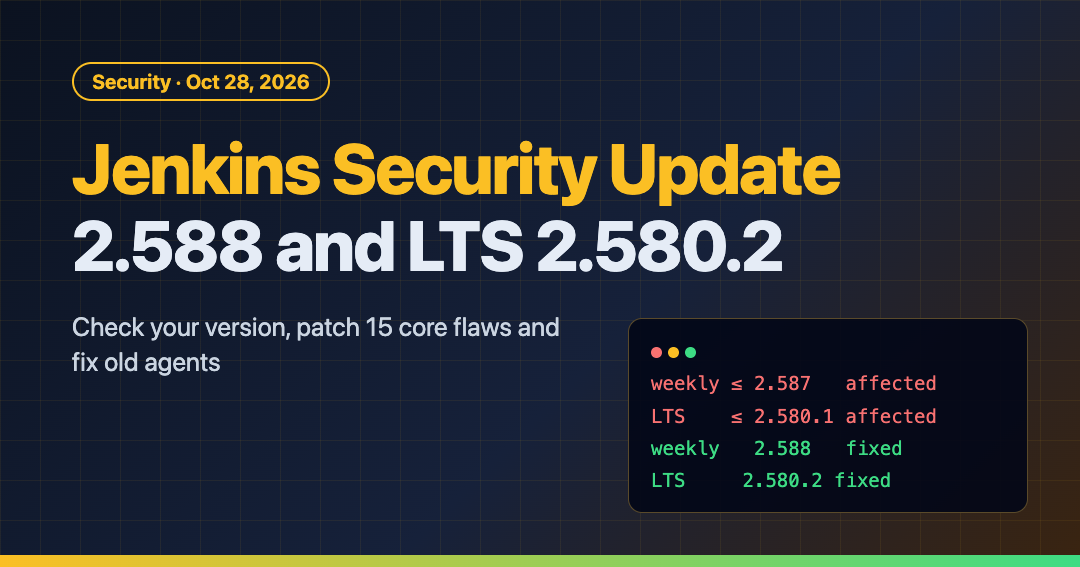
The Jenkins security update of October 28, 2026 fixes 15 flaws in Jenkins core. Upgrade weekly installs to 2.588 and LTS installs to 2.580.2. Then check for agents that still use an old launch command, because the fix stops converting them.
Written 2026-10-31. Facts come from the Jenkins advisory, changelogs and docs, checked that day. I ran the <agentCommand> search on sample config files. I did not run the backup, upgrade, Docker, Helm or systemctl commands, and I did not reproduce any flaw.
What changed in the Jenkins security update
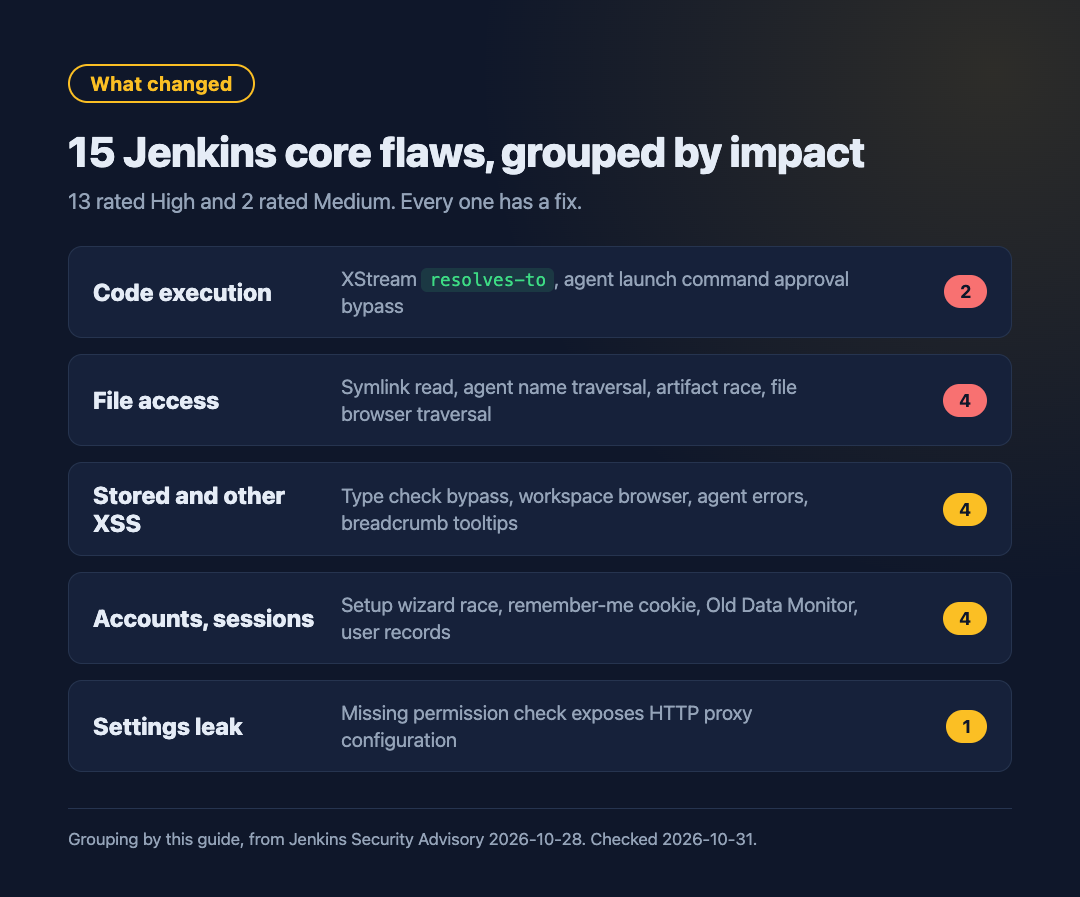
The Jenkins Security Advisory 2026-10-28 covers Jenkins core only and lists no plugins. Thirteen issues are rated High and two Medium. The advisory has no "no fix" section, so every issue has a patch.
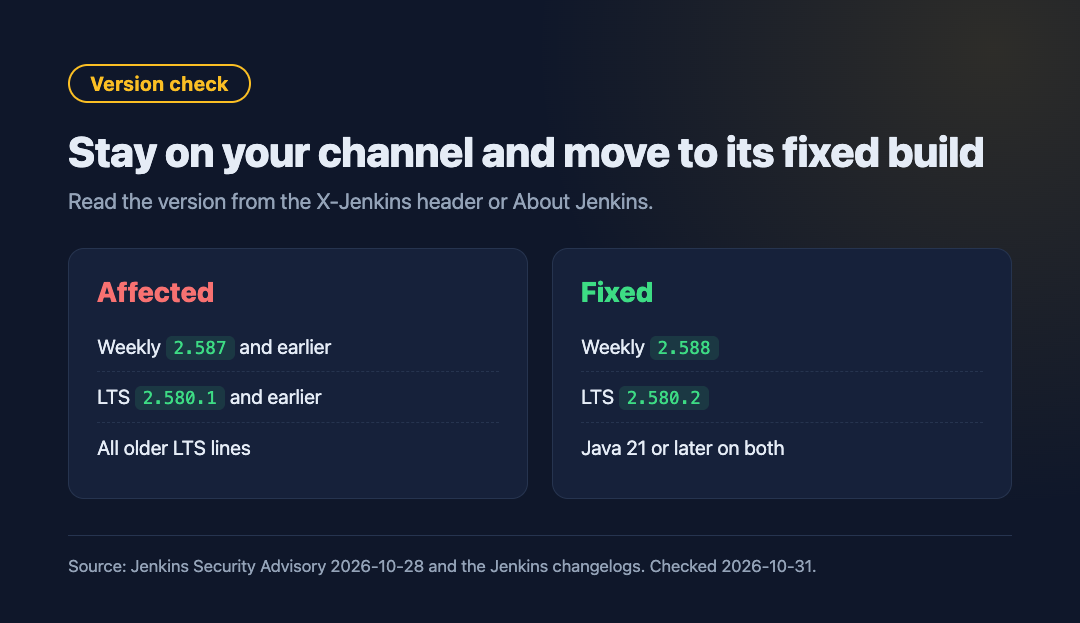
| Channel | Affected | Fixed |
|---|---|---|
| Weekly | 2.587 and earlier | 2.588 |
| LTS | 2.580.1 and earlier | 2.580.2 |
These are the flaws to read first:
| CVE | Impact | Who can use it |
|---|---|---|
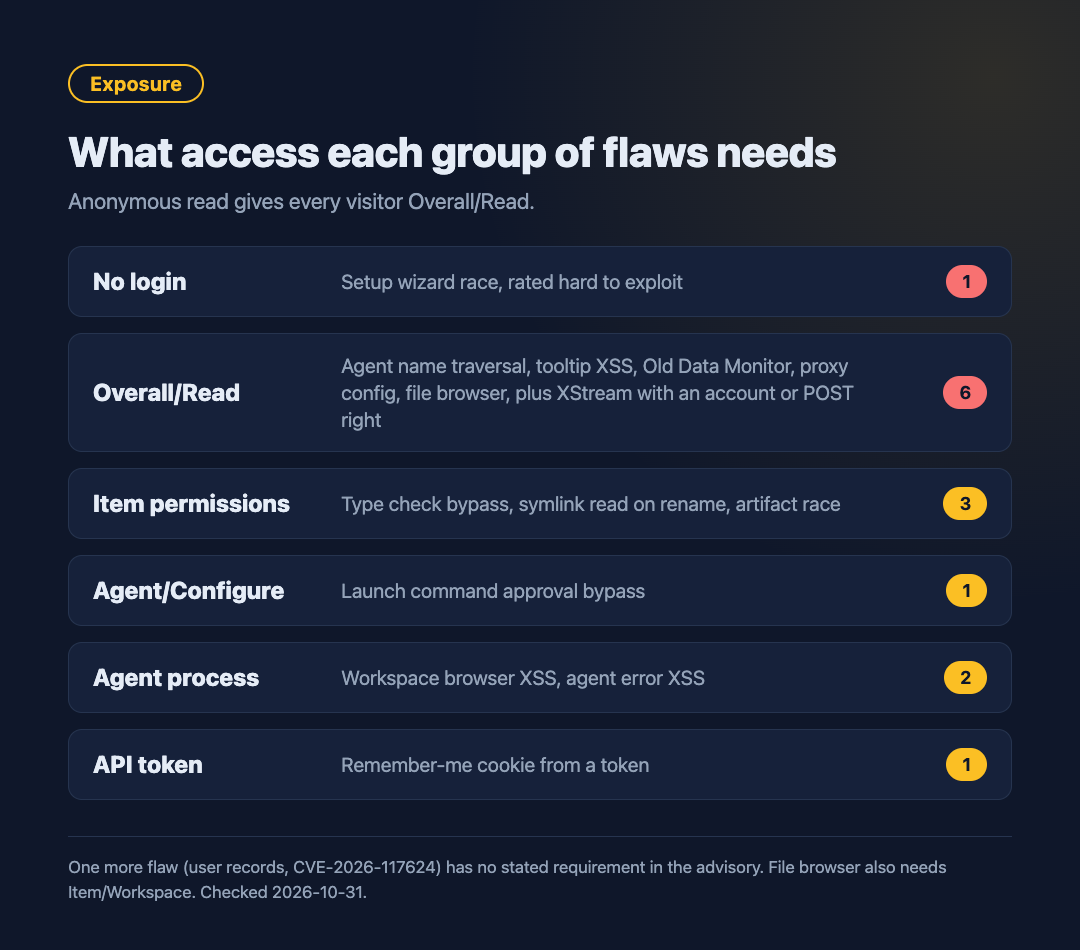
| CVE-2026-117612 | Possible code execution through XStream, the XML library Jenkins uses to load config | Overall/Read, plus a user account or a right to POST config.xml |
| CVE-2026-117614 | Code execution on the controller | Agent/Configure |
| CVE-2026-117616 | Load any config.xml as an agent, overwrite files on save | Overall/Read |
| CVE-2026-117618 | Create an admin during setup, in a race that is hard to win | No login |
| CVE-2026-117619 | Remember-me cookie outlives a revoked API token | Holder of the token |
The other ten cover XSS, symlink file read, arbitrary file creation, admin takeover through the Old Data Monitor, user record creation and two information leaks.
Is this Jenkins flaw being exploited?
I found no report of attacks. The advisory doesn't mention exploitation, and SecurityOnline's summary says none is confirmed. That can change, and the details are now public, so don't wait for a report before you patch.
Check your Jenkins version and exposure
Jenkins sends its version in the X-Jenkins response header, as the remote access API docs describe. You can also read it under Manage Jenkins > About Jenkins.
curl -sI https://<JENKINS_URL>/ | grep -i '^x-jenkins:'On the host itself, ask the package manager or the container. The three commands below cover Debian or Ubuntu, RPM systems and the official Docker image, in that order:
dpkg -s jenkins | grep '^Version'
rpm -q jenkins
docker exec jenkins printenv JENKINS_VERSION
Use this table to pick your target:
| Your version | Upgrade to | Note |
|---|---|---|
| Weekly 2.587 or lower | 2.588 | Stays on the weekly channel |
| 2.580.1 or 2.580 | 2.580.2 | Upgrade notes list nothing new for this step |
| LTS older than 2.580 | 2.580.2 | Read the upgrade guide, check Java and plugins first |
| 2.588 or 2.580.2 | Stay | Go to the post-upgrade checks |
Test whether anonymous users have read access
Many of these flaws need only Overall/Read. If your instance grants that to anonymous users, a visitor with no account already holds the permission the advisory names. Test it from a browser or machine that isn't logged in:
curl -s -o /dev/null -w '%{http_code}\n' https://<JENKINS_URL>/api/jsonA 200 usually means anonymous read is on, and a 403 means a login is required. Check the setting under Manage Jenkins > Security > Authorization. A Jenkins instance reachable from the internet with anonymous read should move to the front of your patch queue.
Update Jenkins to 2.588 or LTS 2.580.2
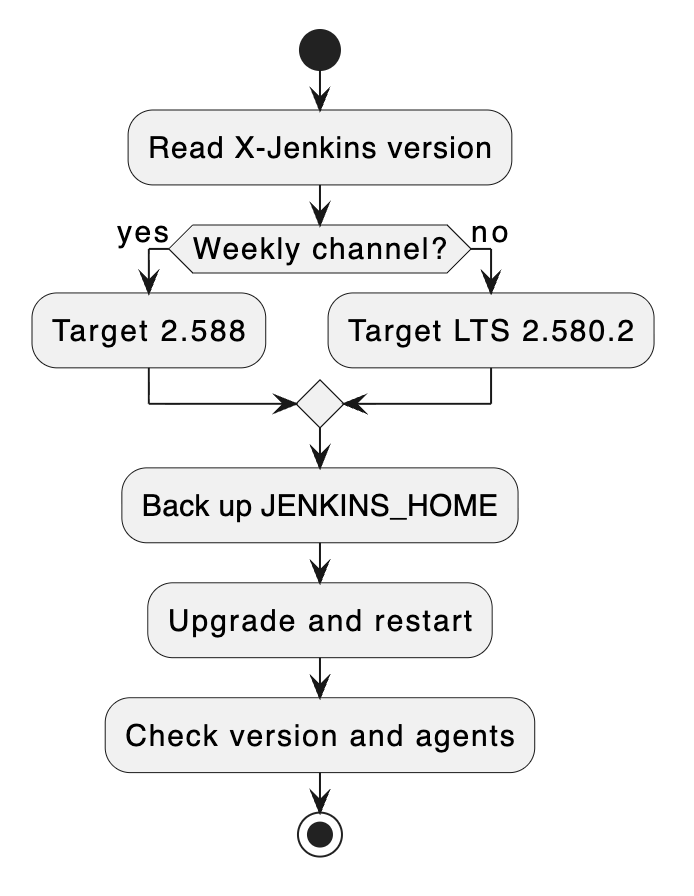
View PlantUML source
@startuml
skinparam shadowing false
skinparam defaultFontSize 15
start
:Read X-Jenkins version;
if (Weekly channel?) then (yes)
  :Target 2.588;
else (no)
  :Target LTS 2.580.2;
endif
:Back up JENKINS_HOME;
:Upgrade and restart;
:Check version and agents;
stop
@enduml
Prepare: Java and a backup
Both fixed versions need Java 21 or later. The stable changelog lists JDK 21 and 25 for 2.580.2, and the Java support policy puts the last LTS for Java 17 at 2.541.3. Run java -version on the controller before you start.
Use Manage Jenkins > Prepare for Shutdown so no new builds start. The changelog notes that the CLI's blocking quiet-down option doesn't wait for running Pipeline jobs, so check the build queue yourself.
Then back up. The Jenkins backup docs warn against keeping the controller key with your backups, so store secrets/master.key somewhere separate and secure:
sudo systemctl stop jenkins
sudo tar -czf /backup/jenkins-home-$(date +%F).tar.gz \
  --exclude='secrets/master.key' \
  --exclude='workspace' \
  -C /var/lib jenkins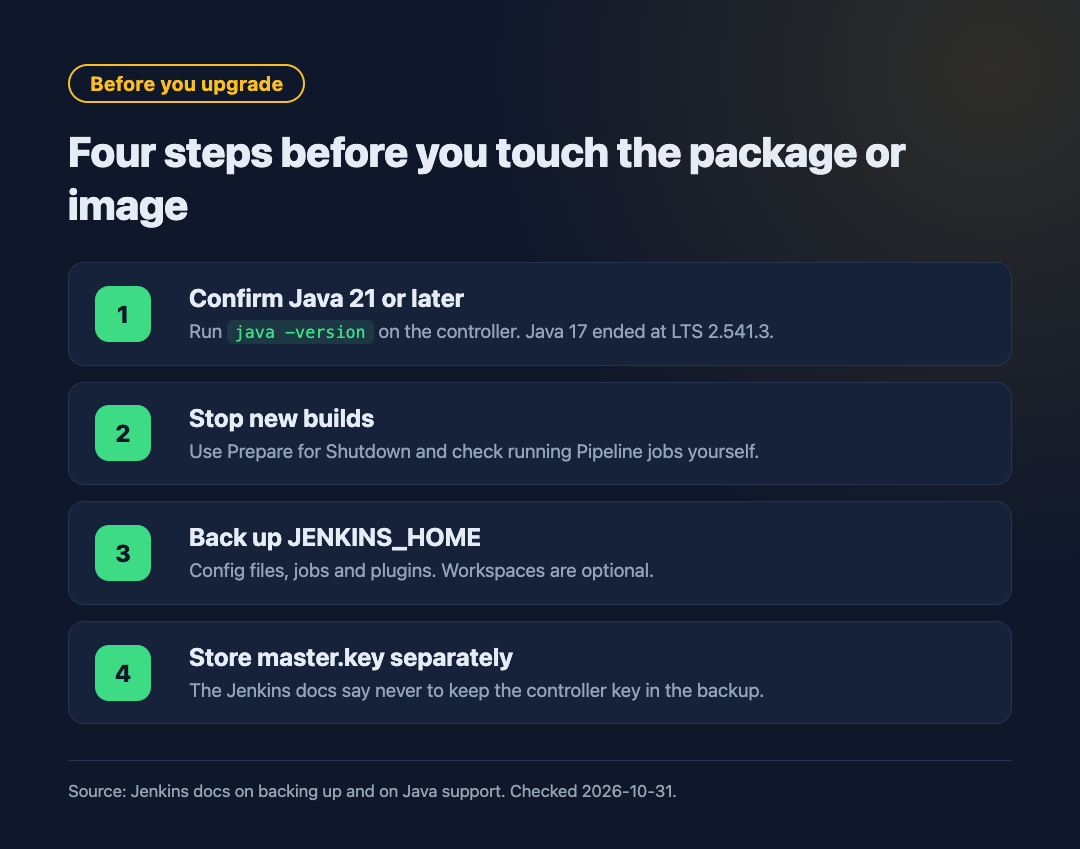
Debian and Ubuntu
sudo apt update
sudo apt install --only-upgrade jenkins
sudo systemctl restart jenkins
LTS uses the debian-stable repository and weekly uses debian. To check which one you have, read /etc/apt/sources.list.d/jenkins.list.
Fedora, RHEL and derivatives
sudo dnf upgrade jenkins
sudo systemctl daemon-reload
sudo systemctl restart jenkins
The repo file is /etc/yum.repos.d/jenkins.repo. LTS points to rpm-stable and weekly to rpm. On older RHEL systems, use yum in place of dnf.
Docker and Compose
These tags are live on Docker Hub. Pin the exact version so you know what you run:
docker pull jenkins/jenkins:2.580.2-lts-jdk21
docker stop jenkins
docker rm jenkins
Then run your usual docker run command with the new tag and the same volume. Weekly users pull jenkins/jenkins:2.588-jdk21 instead. With Compose, change image: and run docker compose up -d. If you build your own image, change the FROM line and rebuild. Your builds and config survive only if /var/jenkins_home is on a volume, so confirm that before docker rm. While you're on that host, Docker log rotation is worth setting up for a chatty controller.
Kubernetes with Helm
The chart's controller.image.tag overrides the default tag, and its label setting is then ignored, so give the full tag:
helm repo update
helm upgrade <RELEASE_NAME> jenkins/jenkins -n <NAMESPACE> \
  --reuse-values \
  --set controller.image.tag=2.580.2-lts-jdk21
WAR file
Download the fixed WAR, replace the old one and restart. The LTS file is at https://get.jenkins.io/war-stable/2.580.2/jenkins.war, and the same folder has a .sha256 file to verify it.
After the Jenkins upgrade: agents, tokens and plugins
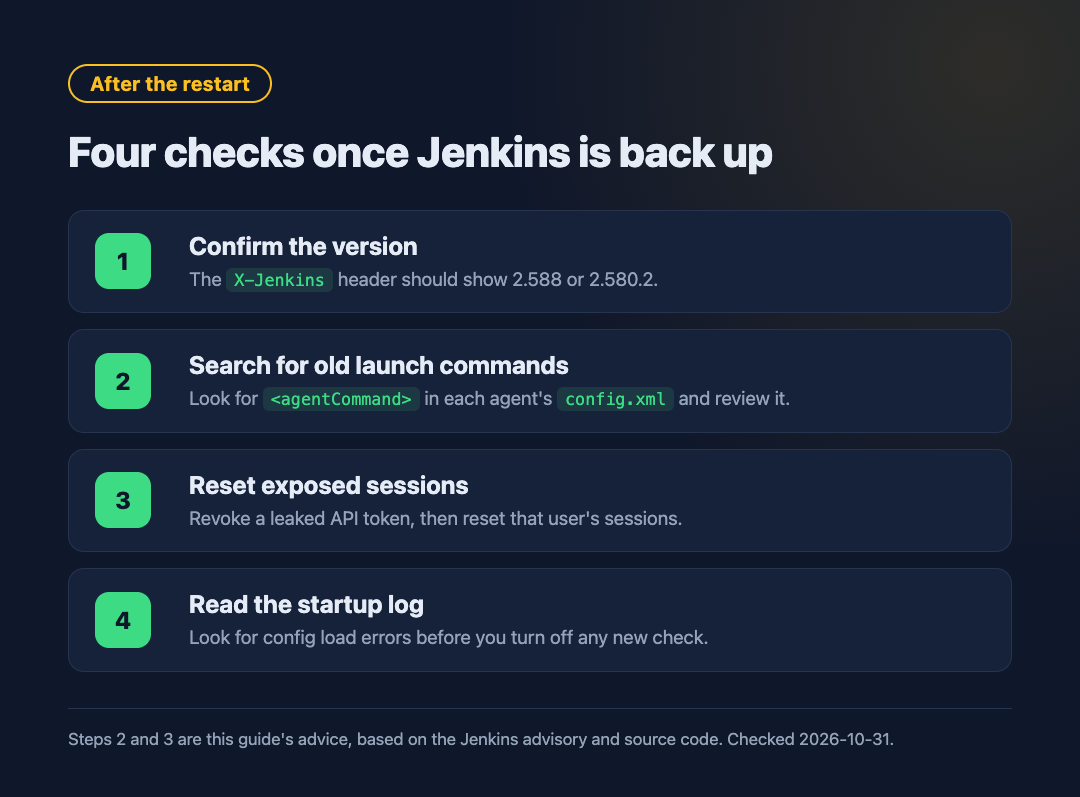
Run the version check again. Then work through the three checks below.
Find agents with old launch commands
This is the change most likely to surprise you. Since Jenkins 2.86, command-based agent launching lives in the Command Agent Launcher plugin. Older versions converted legacy launch commands into plugin launchers without the administrator approval check, which is how CVE-2026-117614 works. Version 2.588 and LTS 2.580.2 no longer convert them.
The advisory doesn't name a marker to search for. The 2.580.1 source stores the old value in a field called agentCommand, so search for that in agent configs:
sudo grep -RIl --include=config.xml '<agentCommand>' /var/lib/jenkins/nodesFor each match, read the command before you restore it, because it runs on the controller. Then set the launch method again in the agent's configuration page and save. In the current Jenkins source, an agent with no launcher falls back to an inbound launcher, so it may sit offline and wait for a connection. I read that in the code and did not test it.
Replace exposed API tokens and end their sessions
Before this fix, Basic authentication with an API token could obtain a remember-me cookie that stayed valid after the token was revoked. The advisory doesn't say that older cookies stop working after the upgrade.
If a token may have leaked, revoking it isn't enough. Reset that user's sessions on their account page too. The 2019 advisory describes that per-user reset, and a password change in Jenkins' own user database has the same effect. The wording of the button may differ in your version.
Scripts should send the token on each request. Any script that relied on the remember-me cookie will need that change. If you are also auditing what your pipelines pull in, see this guide to locking workflow dependencies with a GitHub Actions lockfile.
Update plugins
This advisory covers core only, so it doesn't require any plugin update. Still, open Manage Jenkins > Plugins after the restart and apply what's pending, since the September 16 advisory covered 13 plugins.
If the Jenkins update causes problems
| Symptom | Likely cause | Fix |
|---|---|---|
| Agent stays offline | Old launch command no longer converted | Review the command, set the launch method again |
| Jenkins won't start after a big jump | Java below 21 | Install Java 21, set it for the service |
| Plugin load errors, no update center access | Nine plugins left the WAR in 2.580.1 | Put the plugin files in the plugins folder first |
apt update key error | Old repo signing key | Download jenkins.io-2026.key again |
| Config fails to load, XStream errors | New type checks | See the escape hatches below |
Read the log first with journalctl -u jenkins --since "30 min ago". The 2.580 upgrade guide has the full plugin list for offline sites.
Use the escape hatches only as a short-term fix
The system properties page lists switches that turn off parts of these fixes. Each one gives back some protection, so remove it once the plugin or config is fixed.
Property (set to true) | Turns off |
|---|---|
hudson.util.XStream2.SUPPRESS_TYPE_PERMISSION | Extra type permission checks from CVE-2026-117612's fix |
hudson.util.RobustReflectionConverter.skipFieldValueElementTypeCheck | Collection element checks from CVE-2026-117613's fix |
hudson.util.RobustReflectionConverter.acceptNonIterableCollections | Rejection of values that can't be iterated |
If loading fails only because a collection is huge, raise hudson.util.RobustReflectionConverter.fieldValueElementCheckLimit (default 1,000,000) rather than turning the check off. On a systemd install, add the property to JAVA_OPTS with sudo systemctl edit jenkins:
[Service]
Environment="JAVA_OPTS=-Djava.awt.headless=true -Dhudson.util.XStream2.SUPPRESS_TYPE_PERMISSION=true"
Restart Jenkins for it to take effect.
If you can't patch today
The advisory lists no workaround that replaces the upgrade. These steps reduce exposure until you can:
- Turn off anonymous read access
- Review who holds Overall/Read, Item/Configure and Agent/Configure
- Put the controller behind a VPN or an IP allowlist
- Avoid running the setup wizard on an instance reachable from the internet
Avoid rolling back to a vulnerable build unless you have no other way to restore service. A restored backup brings the old flaws back, so plan the next attempt right away. For the same patch routine on another automation server, see the n8n security update guide.
FAQ
Which Jenkins version fixes the October 2026 flaws? Weekly 2.588 and LTS 2.580.2. No newer advisory was listed on the Jenkins advisories page on October 31, 2026, and older LTS lines have no listed fix, so they need to move to 2.580.2.
Do I need to update plugins for this advisory? No plugin is listed in it. The fixes are in Jenkins core, so a plugin update alone won't close them.
Can someone exploit this Jenkins flaw without an account? One issue, the setup wizard race (CVE-2026-117618), needs no login, and it is rated as hard to exploit. Many others need Overall/Read, which anonymous users hold if your instance allows anonymous read.
Does Content Security Policy protect me from the XSS issues? Partly. The advisory says it reduces the known impact of some XSS issues on 2.539 and LTS 2.541.1 or later. It doesn't cover all of them, so you still need the upgrade.
Will the upgrade break my Pipeline jobs? The 2.580.2 upgrade notes list no changes that need action for that step. The new XStream type checks can still reject unusual config or plugin data, so test on a staging controller if you have one and read the startup log.
References
All checked 2026-10-31.
- Jenkins Security Advisory 2026-10-28
- Jenkins LTS changelog
- Jenkins weekly changelog
- LTS upgrade guide: 2.580.x
- Jenkins docs: Linux installation
- Jenkins docs: Docker
- Jenkins docs: Backing up and restoring
- Jenkins docs: Java support policy
- Jenkins docs: System properties
- Jenkins docs: Managing systemd services
- Jenkins docs: Remote access API
- Jenkins Security Advisory 2019-01-16
- Jenkins Helm chart values
- Jenkins source: Slave.java at 2.580.1
- Docker Hub: jenkins/jenkins tags
- SecurityOnline: Jenkins fixes 15 vulnerabilities
2 thoughts on “Jenkins Security Update: Patch to 2.588 or LTS 2.580.2 Now”