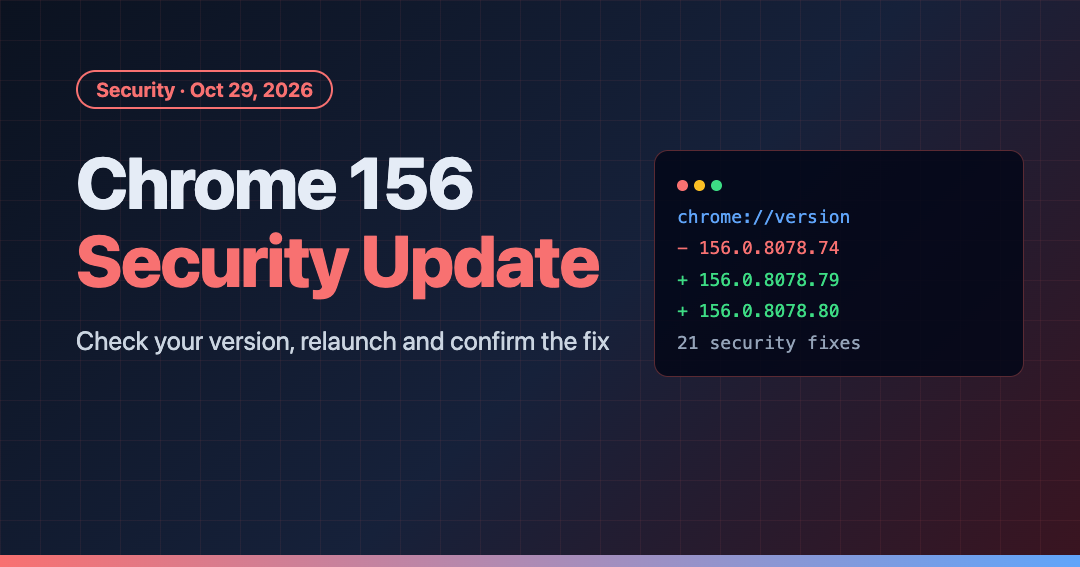
The Chrome 156 security update released on October 29, 2026 fixes 21 vulnerabilities, including one rated Critical. Update to 156.0.8078.79 or .80 on Windows and Mac, or 156.0.8078.79 on Linux, then relaunch the browser. Downloading the update is not enough, because the running browser stays on the old build until it restarts.
Written 2026-10-31. Versions and CVEs come from Google's Chrome Releases posts, checked that day. I confirmed the sort -V version ordering that the script below relies on, using sample version numbers. The other commands and the policy examples follow vendor docs and were not run for this post.
What changed in the Chrome 156 security update
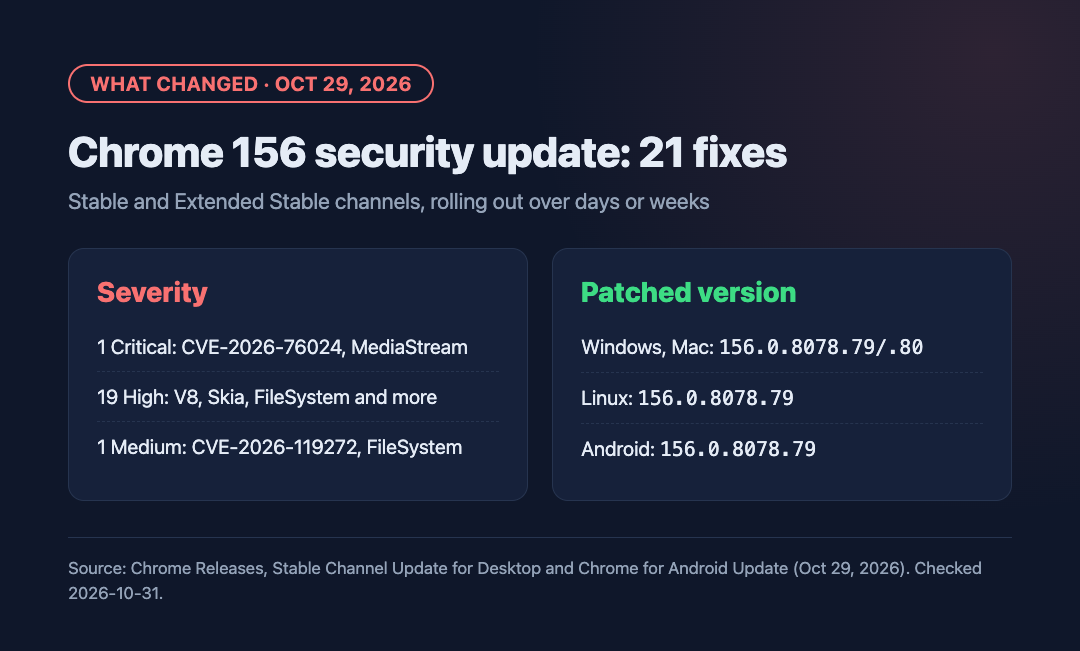
Google moved both the Stable and Extended Stable channels to the new build. The rollout is gradual: the post says it will "roll out over the coming days/weeks", so your browser may not have it yet.
| Platform | Patched version | Status |
|---|---|---|
| Windows, Mac | 156.0.8078.79 or .80 | Rolling out since Oct 29 |
| Linux | 156.0.8078.79 | Rolling out since Oct 29 |
| Android | 156.0.8078.79 | Google Play, "over the next few days" |
The Android post says it contains the same security fixes as the matching desktop release, unless otherwise noted.
The 21 fixes break down like this, counted from the Oct 29 post:
| Severity | Count | Examples |
|---|---|---|
| Critical | 1 | CVE-2026-76024, memory corruption in MediaStream |
| High | 19 | CVE-2026-119262, improper input validation in V8 |
| Medium | 1 | CVE-2026-119272, FileSystem |
By bug type, there are 9 memory corruption bugs, 7 use-after-free bugs, 3 improper input validation bugs, 1 integer overflow and 1 out-of-bounds read.
Is CVE-2026-76024 being exploited?
The Oct 29 post has no statement about exploits in the wild. A search of the CISA Known Exploited Vulnerabilities catalog for CVE-2026-76024 returned no result on 2026-10-31. That only means no public report so far. Google says bug details may stay restricted until most users are updated, so technical details are limited for now. Patch regardless.
This is also the second desktop security build in three days. The Oct 27 build (156.0.8078.73/.74) carried 52 security fixes, so a browser that has not restarted this week may be missing both sets.
Check your Chrome version
The quickest check works on every desktop OS. Type this in the address bar:
chrome://versionThat page shows the build that is running right now. The commands below read the installed files instead, which is handy for scripts and remote sessions. They can show a newer number than the browser that is still open.
On macOS:
defaults read "/Applications/Google Chrome.app/Contents/Info" CFBundleShortVersionStringOn Linux:
google-chrome --versionOn Windows, in PowerShell:
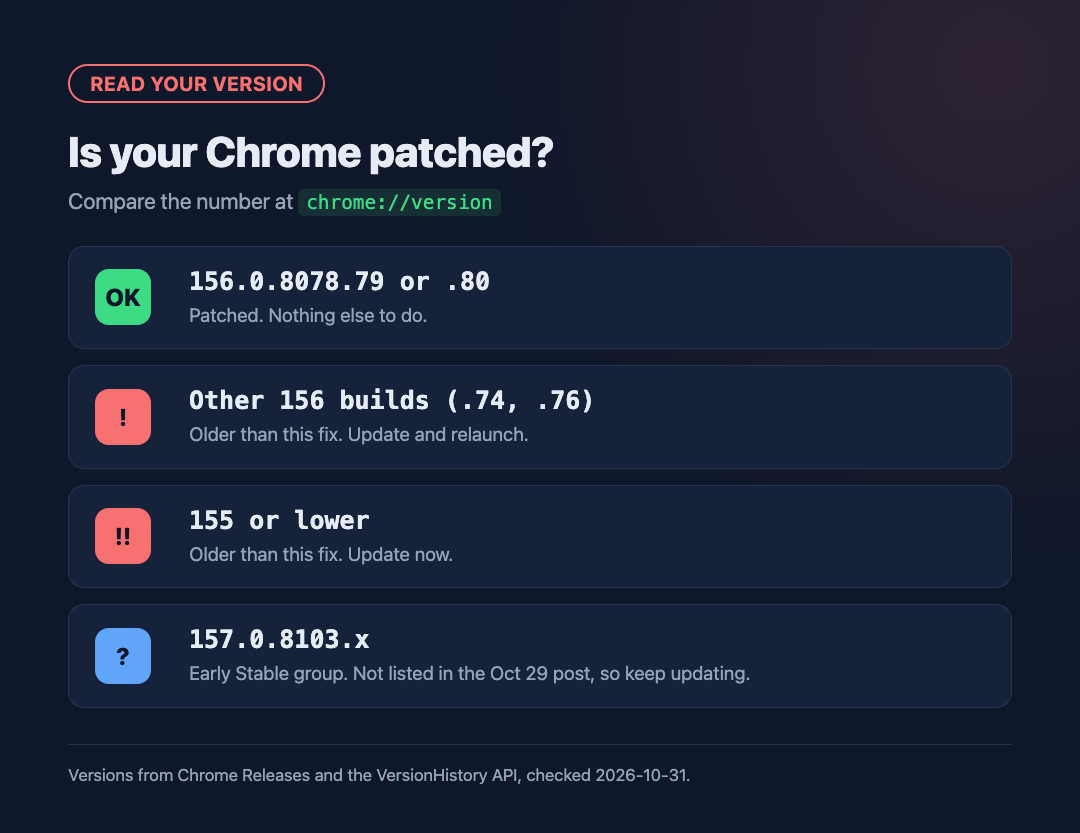
(Get-Item "$env:ProgramFiles\Google\Chrome\Application\chrome.exe").VersionInfo.ProductVersionUse this table to read the result:
| You see | What it means | Action |
|---|---|---|
| 156.0.8078.79 or .80 | Patched | Nothing |
| Other 156 builds, such as .74 or .76 | Older than this fix | Update, relaunch |
| 155 or lower | Older than this fix | Update now |
| 157.0.8103.x | Early Stable group | See note below |
Google's version API still listed .74 and .76 as live alongside .79 and .80 when I checked on Oct 31, so a recent automatic update does not prove you have this fix. If you see 157.0.8103.x, you are in the small Early Stable group. The Oct 29 post does not list that build, so I could not confirm it carries each fix. Keep updating as new builds arrive.
To check many machines from a script, compare each version against the fixed build. Save this as check-chrome.sh and run bash check-chrome.sh <VERSION>:
#!/usr/bin/env bash
FIXED="156.0.8078.79"
V="$1"
LOWEST=$(printf '%s\n%s\n' "$FIXED" "$V" | sort -V | head -n1)
if [ "$LOWEST" = "$FIXED" ]; then
  echo "OK: $V is at or above $FIXED"
else
  echo "UPDATE: $V is below $FIXED"
fi
To see which builds Google is serving at the moment, query the VersionHistory API. Change win64 to mac, mac_arm64, linux or android as needed.
curl -fsSL "https://versionhistory.googleapis.com/v1/chrome/platforms/win64/channels/stable/versions/all/releases?filter=endtime=none" \
  | jq -r '.releases[].version'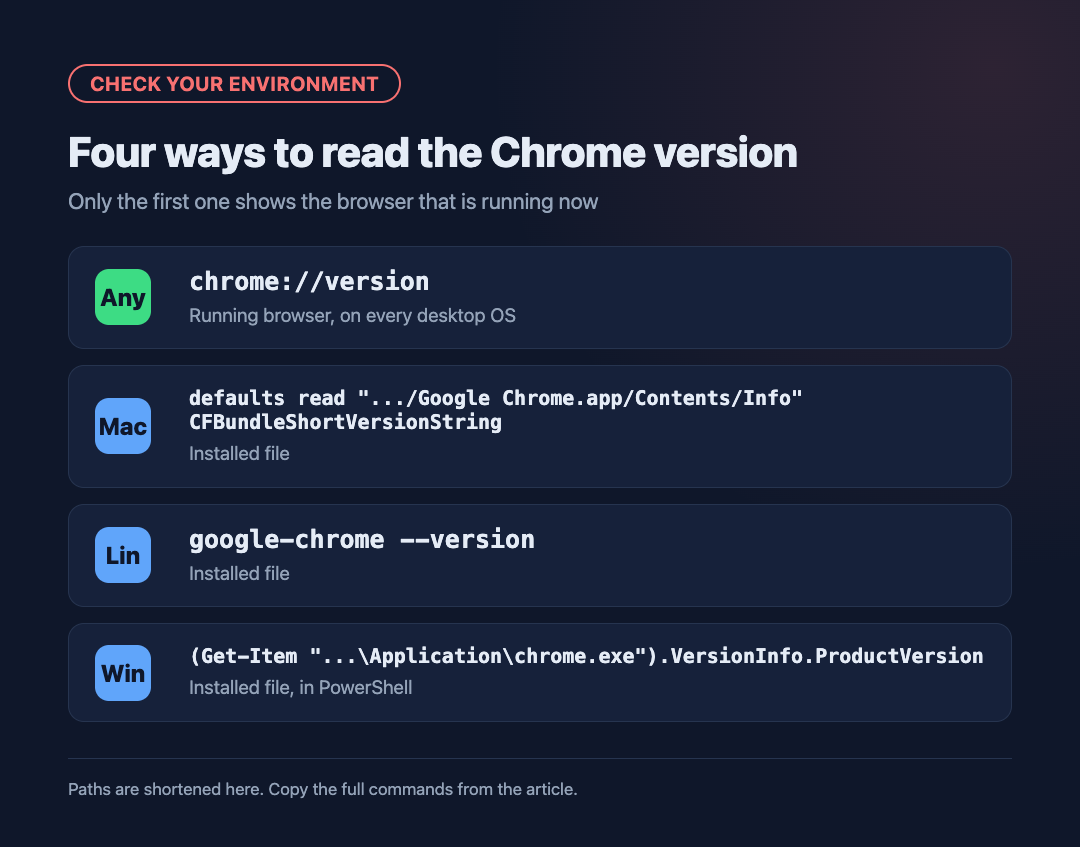
Install the Chrome security update on each platform
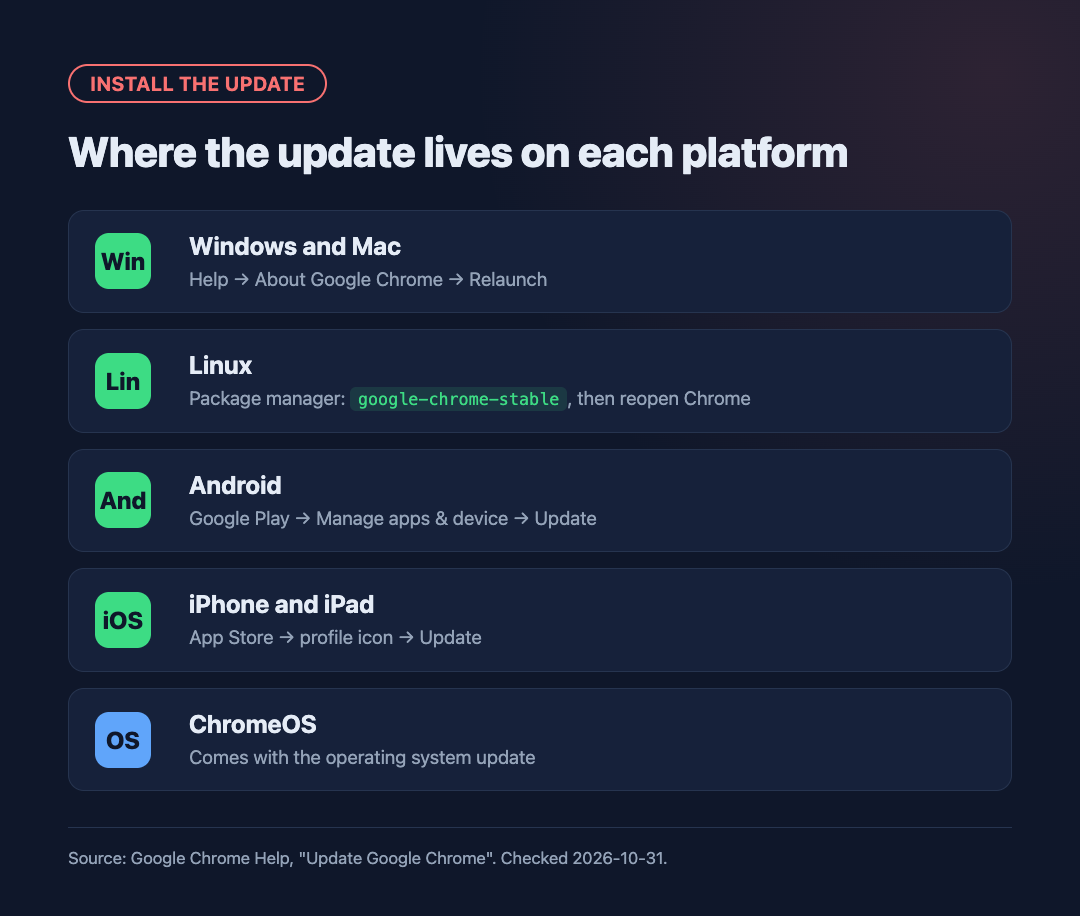
Windows and Mac
- Open Chrome and go to More → Help → About Google Chrome, or paste
chrome://settings/help. - Wait for the update check to finish.
- Click Relaunch.
Google says Chrome saves your open tabs and windows and reopens them after the restart, but Incognito windows do not come back. Save anything in those first. If you pick Not now, the update applies the next time you restart Chrome. If there is no Relaunch button, Google says you are on the latest version available to you, so compare the number with the table above and try again later if it is still below .79.
On Windows, Google's advice is to close all Chrome windows and tabs, then open Chrome again.
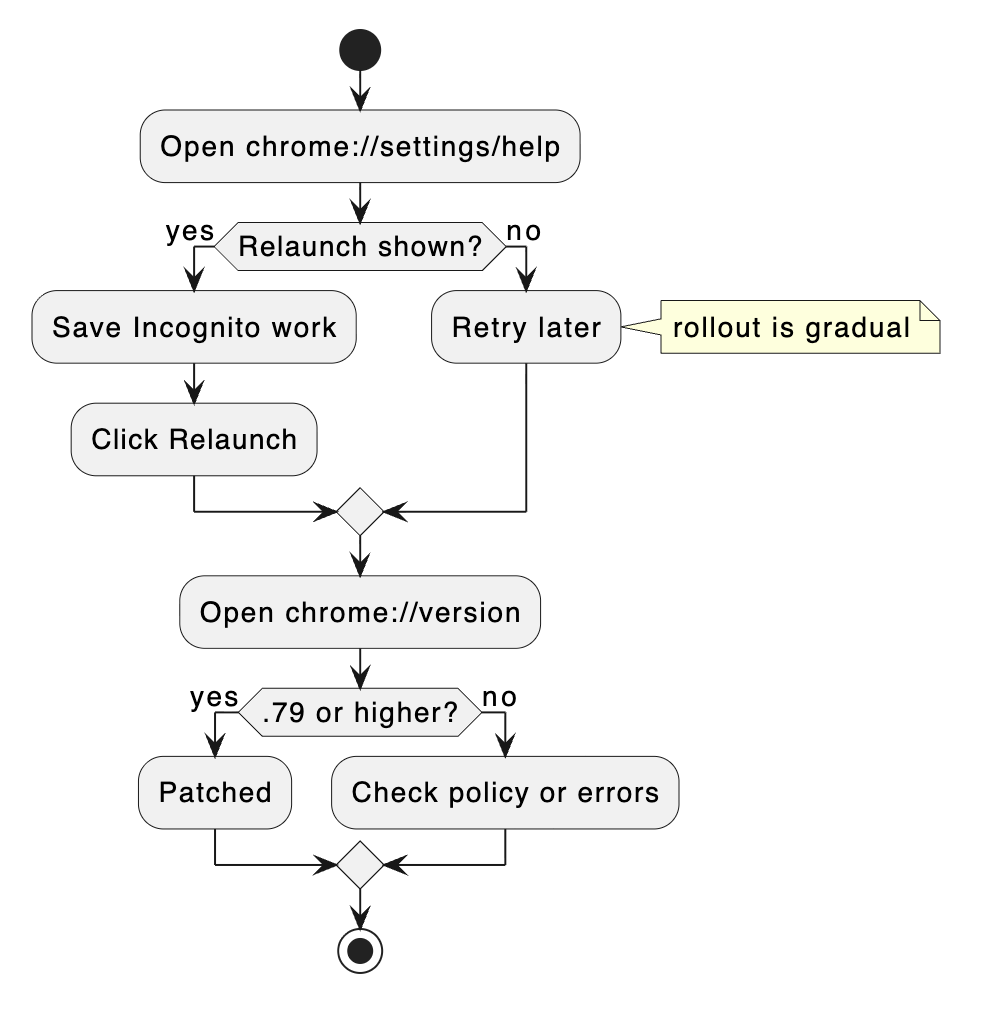
View PlantUML source
@startuml
skinparam shadowing false
skinparam defaultFontSize 14
start
:Open chrome://settings/help;
if (Relaunch shown?) then (yes)
  :Save Incognito work;
  :Click Relaunch;
else (no)
  :Retry later;
  note right: rollout is gradual
endif
:Open chrome://version;
if (.79 or higher?) then (yes)
  :Patched;
else (no)
  :Check policy or errors;
endif
stop
@enduml
Linux
Google's help page says to update through your package manager. The package may reach your mirror after the blog post, so check what is on offer first.
On Debian or Ubuntu:
sudo apt update
apt policy google-chrome-stable
sudo apt install --only-upgrade google-chrome-stable
On Fedora:
sudo dnf upgrade google-chrome-stableClose and reopen Chrome afterwards.
Android, iPhone and iPad
On Android, open Google Play, tap your profile icon, choose Manage apps & device, and update Chrome under Updates available. If Chrome is not listed yet, check again in a day or two, since Google said availability would take a few days.
On iPhone or iPad, open the App Store, tap your profile icon, find Chrome in the pending updates and tap Update. Google's Oct 29 posts give no iOS stable build, so don't compare the iOS number with the desktop table. Install whatever the App Store offers. Current Chrome needs iOS 18 or later.
ChromeOS and Microsoft Edge
ChromeOS updates with the operating system. The Oct 28 ChromeOS stable build uses browser version 156.0.8078.77, which is below .79, so watch for the next OS update.
Edge has its own version numbers. Microsoft released Edge 156.0.4314.56 on Oct 29 and 156.0.4314.58 on Oct 30, both noted as including the latest Chromium security updates. The page had not listed CVEs yet when I checked. Update from edge://settings/help. For other Chromium browsers, check that vendor's release notes.
Force a relaunch on managed computers
If you manage a fleet, the real gap is users who never restart. Chrome's RelaunchNotification policy handles that: value 1 recommends a relaunch and value 2 requires it. RelaunchNotificationPeriod sets the time limit in milliseconds, and the default is 604,800,000 ms (7 days). A one-day period is my suggestion for this update, not a Google rule.
On Linux, add a JSON file in /etc/opt/chrome/policies/managed/:
{
  "RelaunchNotification": 2,
  "RelaunchNotificationPeriod": 86400000
}
On a Mac, set the same two keys in your plist or MDM profile. On Windows, use Group Policy under Administrative Templates → Google → Google Chrome. Enable "Notify a user that a browser relaunch or device restart is recommended or required", then set "Set the time period for update notifications".
In the Google Admin console, go to Devices → Chrome → Settings → User & browser settings → Chrome updates → Relaunch notification. The period there runs from 1 to 168 hours. Warn users first, because Incognito windows do not reopen after a relaunch. Then confirm the policy has loaded at chrome://policy.
If the Chrome update fails
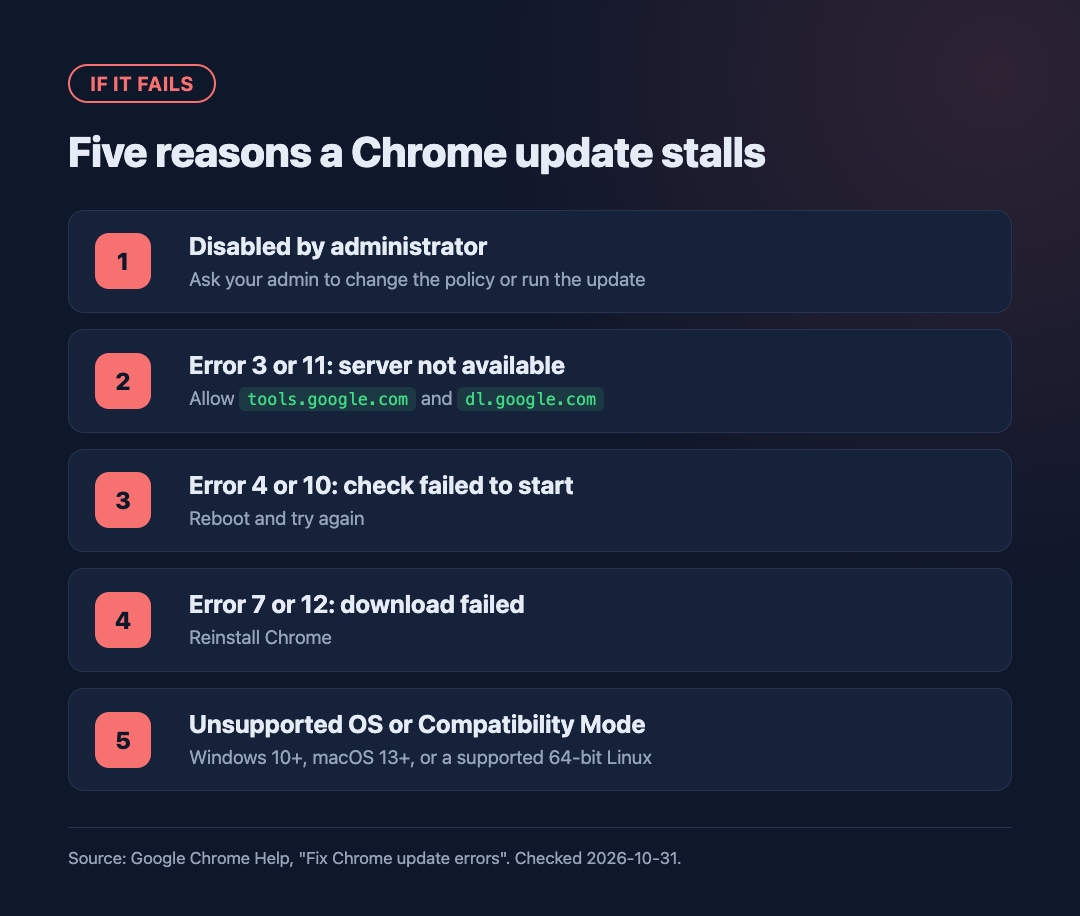
Most failures match one of Google's published error groups:
| Message or code | Likely cause | Fix |
|---|---|---|
| Updates disabled by administrator | Policy blocks updates | Ask your admin to update |
| Error 3 or 11 | Update server unreachable | Allow tools.google.com, dl.google.com |
| Error 4 or 10 | Update check failed to start | Reboot, try again |
| Error 7 or 12 | Download failed | Reinstall Chrome |
If you reinstall on Windows, Google suggests trying the standalone installer. On a Mac, Google suggests downloading Google Software Update again.
An unsupported OS can also be the reason. Google's help page lists Windows 10 or later, macOS 13 Ventura or later, and 64-bit Ubuntu 18.04+, Debian 10+, openSUSE 15.5+ or Fedora 39+. Compatibility Mode on Windows is not supported either, so turn it off in the Chrome shortcut's properties if you get a "no longer supported" error on a supported system.
If you also want to review Chrome's new form-filling option, see our guide to Chrome enhanced autofill. If you are patching servers this week too, the CVE-2026-111497 Brotli guide covers Node.js, .NET, Python and Linux.
FAQ
What is the latest Chrome version with these fixes? On October 29, 2026, Google released 156.0.8078.79/.80 for Windows and Mac and 156.0.8078.79 for Linux. Newer builds may have shipped since, so check the Chrome Releases blog.
Do I have to restart Chrome after the update? Yes. The fix applies when Chrome restarts. Use the Relaunch button or close and reopen the browser, then confirm the build at chrome://version.
Will I lose my tabs when I relaunch? Google says normal tabs and windows reopen automatically. Incognito windows do not, so save that work first.
Is CVE-2026-76024 under active attack? Google's post does not say so, and the CISA catalog search returned no result on 2026-10-31. Details are still restricted, so that may change. Update now and don't wait for more information.
Why does the About page show no update when my version is below .79? The rollout is gradual, and Google said it will take days or weeks. Try again later. On a managed computer, also check chrome://policy, because your admin may control updates.
Google ships Chrome security builds often, so a one-time fix won't last. Next, check that your own devices restart Chrome regularly, and on managed fleets set a relaunch deadline before the next build arrives.
References
- Stable Channel Update for Desktop — Chrome Releases, October 29, 2026, checked 2026-10-31
- Chrome Releases: October 2026 posts — Android, ChromeOS and Oct 27 desktop posts, checked 2026-10-31
- Update Google Chrome — Google Chrome Help, checked 2026-10-31
- Fix Chrome update errors — Google Chrome Help, checked 2026-10-31
- Prompt users to relaunch to apply pending updates — Chrome Enterprise Help, checked 2026-10-31
- VersionHistory API reference — Chrome for Developers, checked 2026-10-31
- Release notes for Microsoft Edge security updates — Microsoft Learn, checked 2026-10-31
- Known Exploited Vulnerabilities Catalog — CISA, searched 2026-10-31
3 thoughts on “Chrome 156 Security Update: Patch to 156.0.8078.79 Now”