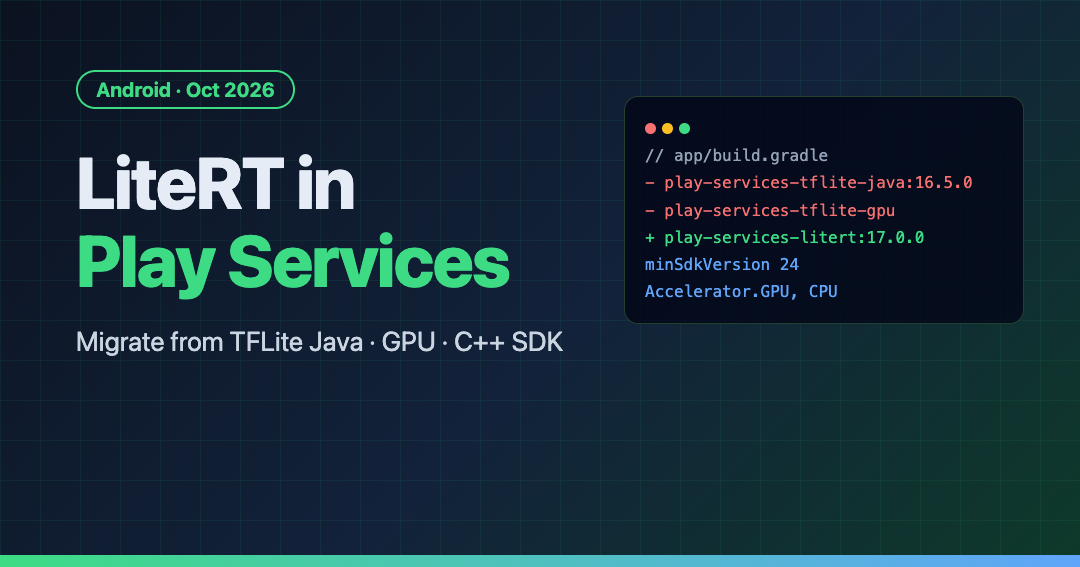
The new LiteRT Google Play services SDK, play-services-litert 17.0.0, replaces play-services-tflite-java and play-services-tflite-gpu. For most apps the migration has two steps. First, swap the Gradle dependency and raise minSdk to 24, and your existing Interpreter code keeps running on CPU. Second, move inference to the CompiledModel API if you want GPU acceleration. The steps that break builds are the removed delegate APIs, the libraries you can no longer pull in alongside it (tflite-gpu, tflite-support, tflite-acceleration-service) and the new C++ SDK setup.
Written 2026-10-30. Artifact names, versions, code and limits were checked that day against the Google Play services release notes (October 28, 2026 entry) and the LiteRT Android guides. I did not build a test app for this post. The code below comes from the official guides, so re-check the linked pages before a production release.
What changed in LiteRT Google Play services
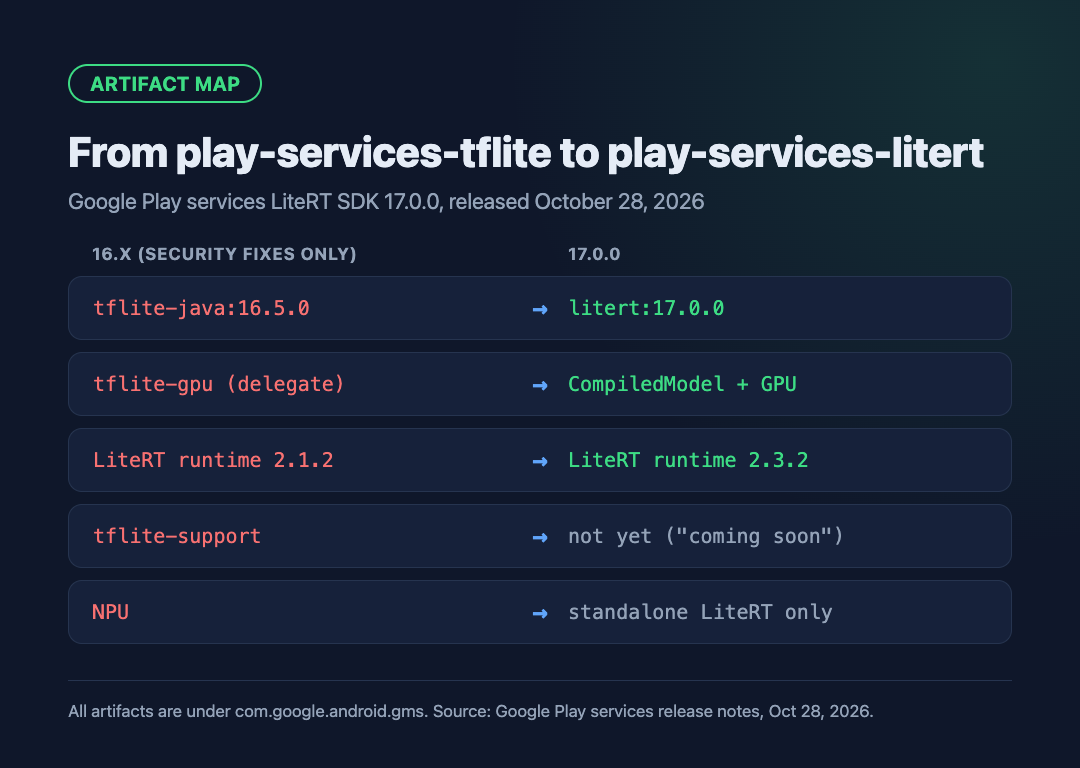
On October 28, 2026, Google released com.google.android.gms:play-services-litert:17.0.0. LiteRT is the new name for TensorFlow Lite. Play services already shipped a shared LiteRT runtime that apps could call without bundling it. The new SDK replaces the old way of reaching that runtime.
| Item | Before (16.x) | After (17.0.0) |
|---|---|---|
| Main artifact | play-services-tflite-java:16.5.0 | play-services-litert:17.0.0 |
| Runtime in Play services | LiteRT 2.1.2 | LiteRT 2.3.2 |
| GPU | play-services-tflite-gpu delegate | CompiledModel with Accelerator.GPU |
| Minimum Android | Lower | minSdkVersion 24 (Android 7.0) |
The old play-services-tflite-* artifacts are not switched off. The LiteRT Play services page says they now receive only critical security fixes, and apps built with them keep working on the Play services runtime. So nothing breaks today, but new features will only come to play-services-litert.
Google lists two practical gains. Apps can shrink by up to about 8 MB, because the runtime and GPU binaries are shared through Play services. And with the CompiledModel API, Google says, GPU inference can run up to 1.4x faster than the old TensorFlow Lite GPU delegate. That is Google's figure. I have not measured it.
Before you migrate: check these blockers
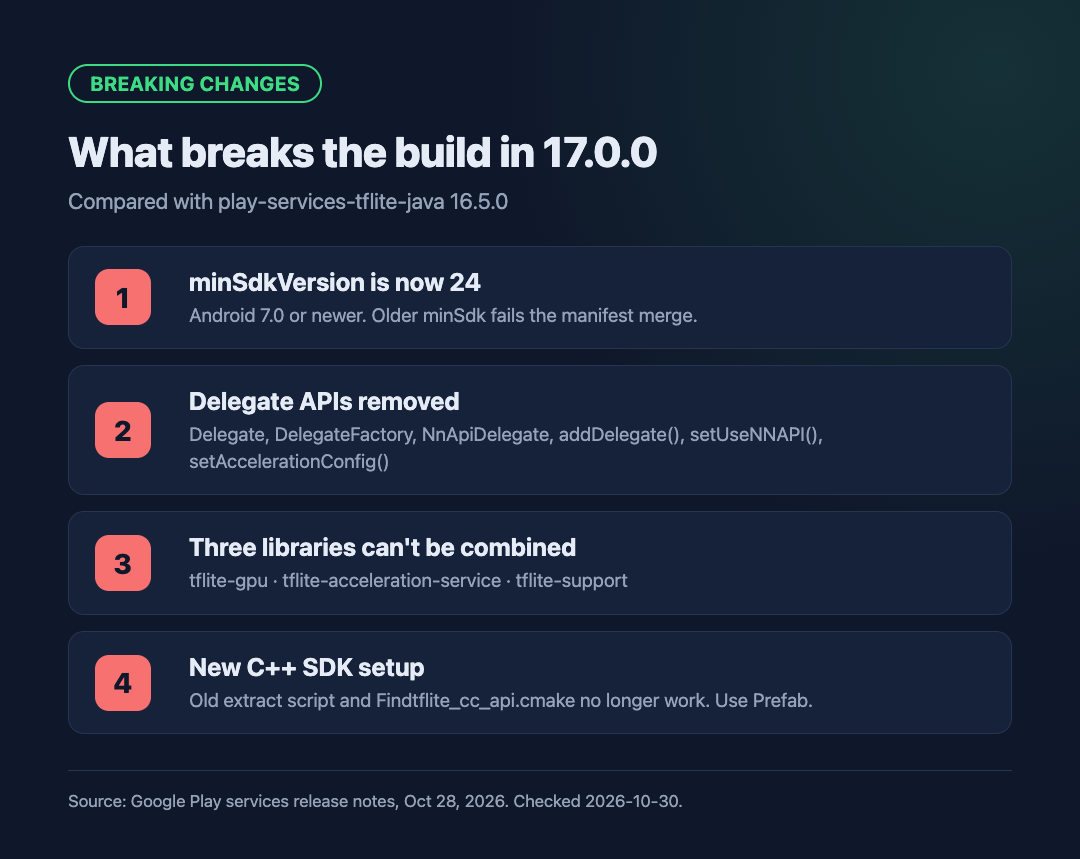
Read this list before you change anything. If one of these applies, plan around it first, or stay on 16.x for now.
| If your app uses… | Status in 17.0.0 | What to do |
|---|---|---|
minSdk below 24 | Not supported | Raise minSdk or stay on 16.x |
play-services-tflite-support (Support Library) | Can't be combined | Wait (Google says "coming soon") or replace the helpers |
Custom ops (litert::CustomOpKernel) | Not supported on Play services runtime | Use standalone LiteRT |
| NPU acceleration | "Coming soon" in Play services | Use standalone LiteRT |
NnApiDelegate, addDelegate(), setUseNNAPI() | Removed | Move to CompiledModel |
Accelerator discovery (getAvailableAccelerators()) | Returns kLiteRtStatusErrorUnsupported for now | Request GPU with a CPU fallback instead |
The Support Library row catches many apps. If you use its TensorImage, ImageProcessor or TensorBuffer helpers from org.tensorflow.lite.support, the build will not accept both libraries. You would have to write your own pre-processing or wait for Google's update.
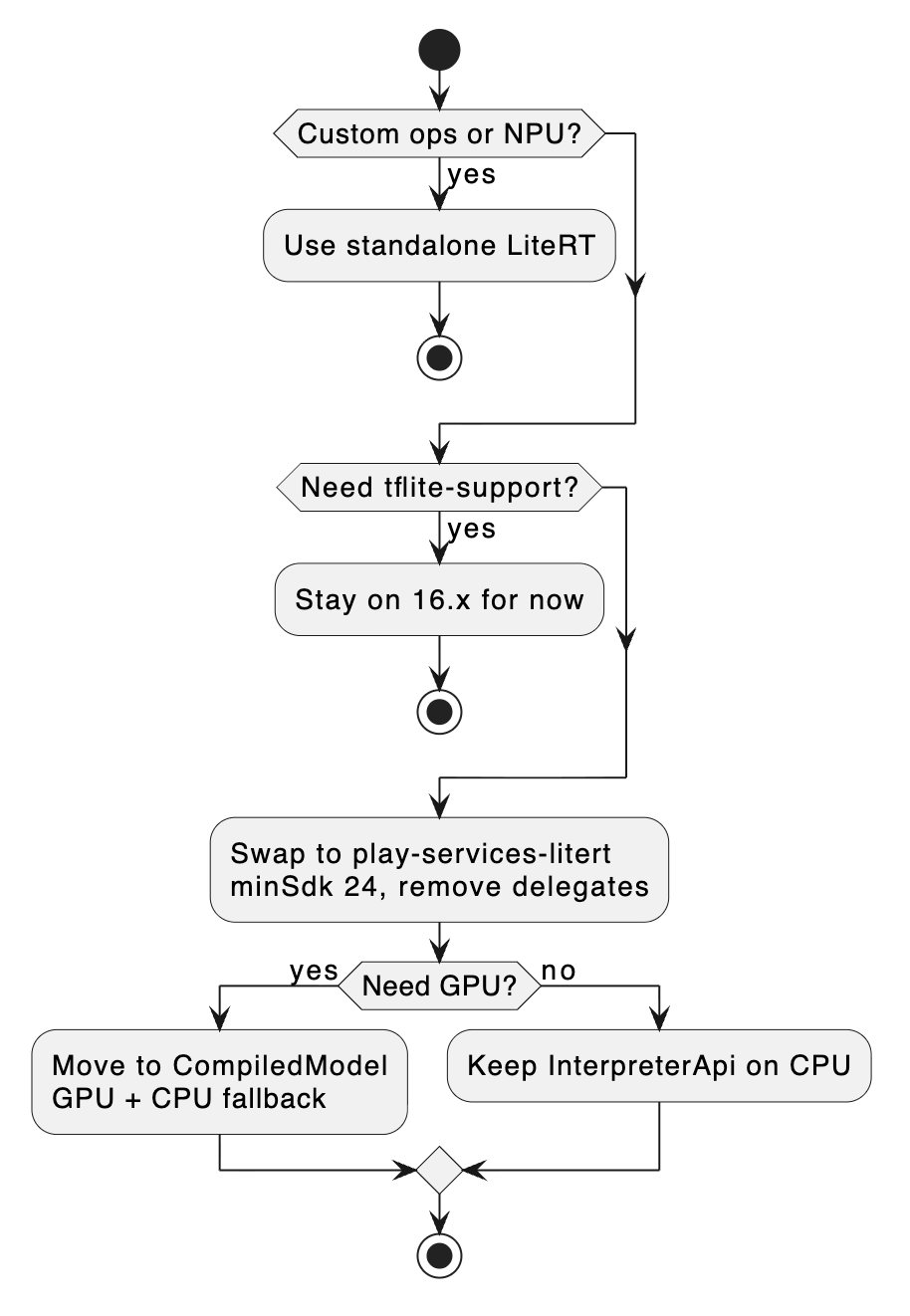
Choose a migration path
You have two paths. You can stop after Path A and do Path B later.
- Path A: swap the dependency. Change the Gradle line and remove the delegate code. Your
InterpreterApicode keeps running, on CPU only. - Path B: move to
CompiledModel. Rewrite the inference code with the new API. This is the only way to get GPU acceleration on the new SDK.
View PlantUML source
@startuml
skinparam shadowing false
skinparam defaultFontSize 14
start
if (Custom ops or NPU?) then (yes)
  :Use standalone LiteRT;
  stop
endif
if (Need tflite-support?) then (yes)
  :Stay on 16.x for now;
  stop
endif
:Swap to play-services-litert\nminSdk 24, remove delegates;
if (Need GPU?) then (yes)
  :Move to CompiledModel\nGPU + CPU fallback;
else (no)
  :Keep InterpreterApi on CPU;
endif
stop
@enduml
Path A: swap to play-services-litert
Step 1: Change the Gradle dependency
In app/build.gradle, replace the old artifacts. Do not keep both: the official page says to use either play-services-litert or play-services-tflite-java, not both.
android {
    defaultConfig {
        minSdkVersion 24
    }
}

dependencies {
    // Remove:
    // implementation 'com.google.android.gms:play-services-tflite-java:16.5.0'
    // implementation 'com.google.android.gms:play-services-tflite-gpu:16.5.0'
    // implementation 'com.google.android.gms:play-services-tflite-support:16.5.0'

    implementation 'com.google.android.gms:play-services-litert:17.0.0'
}
The same in the Kotlin DSL (build.gradle.kts):
android {
    defaultConfig {
        minSdk = 24
    }
}

dependencies {
    implementation("com.google.android.gms:play-services-litert:17.0.0")
}
Also check that play-services-tflite-acceleration-service is not in the dependency tree. It cannot be used with the new SDK either.
./gradlew :app:dependencies --configuration releaseRuntimeClasspath | grep -E "tflite|litert"Step 2: Remove delegate code
17.0.0 removes the delegate APIs from the Interpreter API. A GPU setup like this one, from the 16.x guide, will no longer compile:
// Delegate APIs are removed in play-services-litert 17.0.0
val options = InterpreterApi.Options()
    .setRuntime(TfLiteRuntime.FROM_SYSTEM_ONLY)
    .addDelegateFactory(GpuDelegateFactory())
The full list of removed APIs: Delegate, DelegateFactory, NnApiDelegate, addDelegate(), setUseNNAPI(), setAccelerationConfig() and the C function TfLiteInterpreterOptionsAddDelegate(). Find them all with one search:
grep -rnE "DelegateFactory|NnApiDelegate|addDelegate|setUseNNAPI|setAccelerationConfig|TfLiteInterpreterOptionsAddDelegate|TfLiteGpu" app/srcStep 3: Keep the CPU Interpreter code
After the delegate lines are gone, the remaining InterpreterApi code stays the same. The release notes say the Interpreter API is still available through TfLite.initialize(context), so you can switch the dependency first and migrate the code later.
val initializeTask: Task<Void> by lazy { TfLite.initialize(this) }

initializeTask.addOnSuccessListener {
    val interpreterOption =
        InterpreterApi.Options().setRuntime(TfLiteRuntime.FROM_SYSTEM_ONLY)
    interpreter = InterpreterApi.create(modelBuffer, interpreterOption)
}

// Later, off the UI thread:
interpreter.run(inputBuffer, outputBuffer)
Run your instrumented tests and compare the outputs with a build that still uses 16.x. Both the runtime version and the SDK changed, so check the numbers, not just whether the app crashes.
Path B: move to the CompiledModel API
CompiledModel splits the old single Interpreter object into several objects: an Environment, the compiled model and a list of TensorBuffers. The new SDK also changes how you create the Environment.
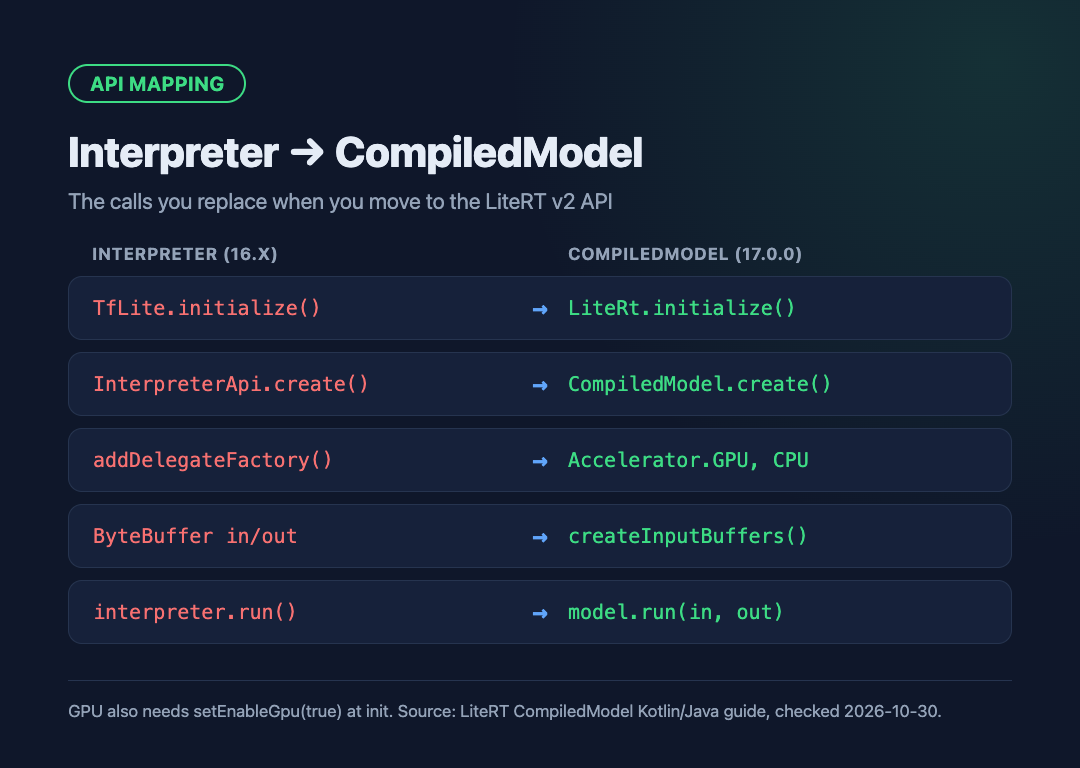
| Task | Interpreter (16.x) | CompiledModel (17.0.0) |
|---|---|---|
| Start runtime | TfLite.initialize(context) | LiteRt.initialize(context) → Environment |
| Load model | InterpreterApi.create(buffer, options) | CompiledModel.create(assets, "model.tflite", options, env) |
| Pick hardware | Delegate factory | CompiledModel.Options(Accelerator.GPU, Accelerator.CPU) |
| Inputs and outputs | ByteBuffers | createInputBuffers() / createOutputBuffers() |
| Run | interpreter.run(in, out) | model.run(inputBuffers, outputBuffers) |
CPU inference in Kotlin
The optional kotlinx-coroutines-play-services dependency adds .await() for the Play services Task:
dependencies {
    implementation("com.google.android.gms:play-services-litert:17.0.0")
    implementation("org.jetbrains.kotlinx:kotlinx-coroutines-play-services:1.10.2")
}
import com.google.android.gms.litert.LiteRt
// Run in a coroutine off the main thread. Create these once and reuse them.
val env: Environment = LiteRt.initialize(context).await()
val model = CompiledModel.create(
context.assets,
"model.tflite",
CompiledModel.Options(Accelerator.CPU),
env,
)
val inputBuffers: List<TensorBuffer> = model.createInputBuffers()
val outputBuffers: List<TensorBuffer> = model.createOutputBuffers()
inputBuffers[0].writeFloat(inputData)
model.run(inputBuffers, outputBuffers)
val output: FloatArray = outputBuffers[0].readFloat()
// When the screen or ViewModel goes away:
inputBuffers.forEach { it.close() }
outputBuffers.forEach { it.close() }
model.close()
env.close()Import the other classes (Environment, CompiledModel, Accelerator, TensorBuffer) as shown in the official CompiledModel guide. Your IDE will suggest them once the dependency syncs.
CPU inference in Java
LiteRt.initialize() returns a Task<Environment>. In Java, wait for it on a background thread. Never call Tasks.await() on the UI thread.
// Background thread only
Environment env = Tasks.await(LiteRt.initialize(context));

CompiledModel model = CompiledModel.create(
    context.getAssets(),
    "model.tflite",
    new CompiledModel.Options(Accelerator.CPU),
    env);

List<TensorBuffer> inputBuffers = model.createInputBuffers();
List<TensorBuffer> outputBuffers = model.createOutputBuffers();

inputBuffers.get(0).writeFloat(inputData);
model.run(inputBuffers, outputBuffers);
float[] output = outputBuffers.get(0).readFloat();

for (TensorBuffer buffer : inputBuffers) { buffer.close(); }
for (TensorBuffer buffer : outputBuffers) { buffer.close(); }
model.close();
env.close();
Turn on GPU with a CPU fallback
GPU needs two changes. Enable it when you initialize the runtime, then list Accelerator.GPU first and Accelerator.CPU as the fallback.
val initOptions = initializationOptions { setEnableGpu(true) }
val env: Environment = LiteRt.initialize(context, initOptions).await()

val model = CompiledModel.create(
    context.assets,
    "model.tflite",
    CompiledModel.Options(Accelerator.GPU, Accelerator.CPU),
    env,
)
LiteRtInitializationOptions initOptions = LiteRtInitializationOptions.builder()
.setEnableGpu(true)
.build();
Task<Environment> environmentTask = LiteRt.initialize(context, initOptions);The CompiledModel guide shows env.getAvailableAccelerators().contains(Accelerator.GPU) as a GPU check. But the October 28 release notes list Environment.getAvailableAccelerators() as a known gap that fails with kLiteRtStatusErrorUnsupported in 17.0.0. Until a later release fixes this, rely on the GPU-then-CPU option list and do not gate features on that call.
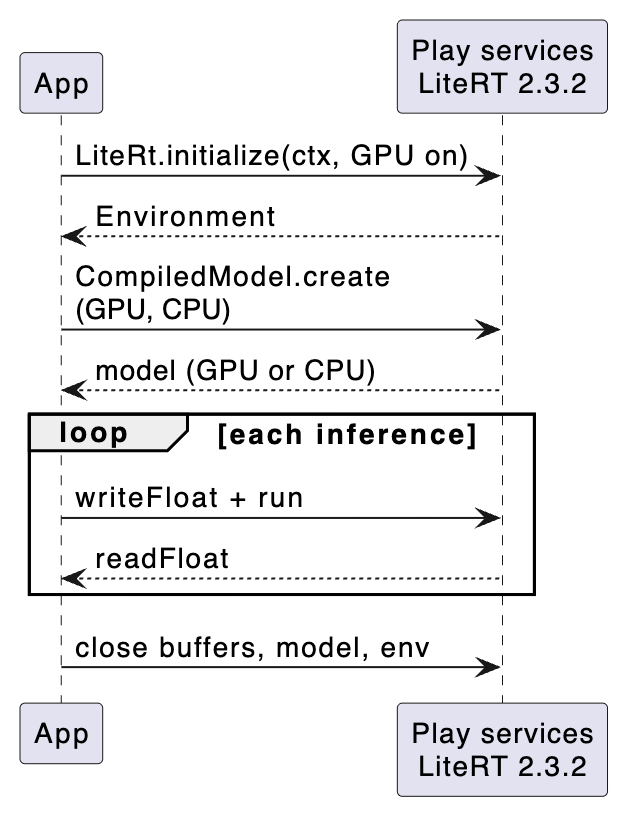
View PlantUML source
@startuml
skinparam shadowing false
skinparam defaultFontSize 14
participant App
participant "Play services\nLiteRT 2.3.2" as GMS
App -> GMS : LiteRt.initialize(ctx, GPU on)
GMS --> App : Environment
App -> GMS : CompiledModel.create\n(GPU, CPU)
GMS --> App : model (GPU or CPU)
loop each inference
  App -> GMS : writeFloat + run
  GMS --> App : readFloat
end
App -> GMS : close buffers, model, env
@enduml
Coming from standalone LiteRT
If your app bundles com.google.ai.edge.litert:litert and litert-gpu and already uses CompiledModel, the move is smaller. Remove those two dependencies, add play-services-litert:17.0.0, and replace Environment.create() with LiteRt.initialize(context). Google says only the dependency and how you create the Environment change. Buffer and inference code stays the same.
C++ and NDK apps
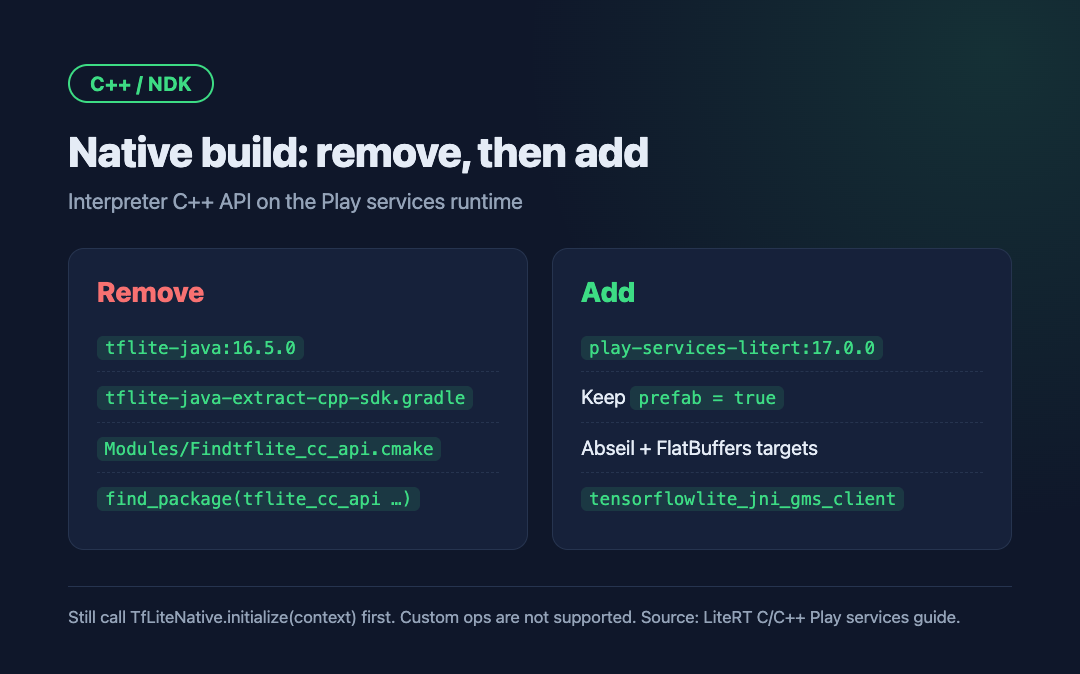
If you call LiteRT from C or C++ through Play services, the build setup changed. The old tflite-java-extract-cpp-sdk.gradle script and Findtflite_cc_api.cmake no longer work. The official steps for the Interpreter C++ API:
- In
build.gradle, changeplay-services-tflite-java:16.5.0toplay-services-litert:17.0.0. Keepprefab = true. - Remove
apply from: 'tflite-java-extract-cpp-sdk.gradle'. - In CMake, delete the
Modulesdirectory withFindtflite_cc_api.cmake, thelist(PREPEND CMAKE_MODULE_PATH ...)line andfind_package(tflite_cc_api REQUIRED MODULE). - Make the Abseil and FlatBuffers CMake targets available, for example with
FetchContent. - Import the SDK from the Prefab package:
find_package(tensorflowlite_jni_gms_client REQUIRED CONFIG)
get_target_property(tflite_cc_api_dir
    tensorflowlite_jni_gms_client::tensorflowlite_jni_gms_client
    INTERFACE_INCLUDE_DIRECTORIES)
add_subdirectory(${tflite_cc_api_dir}/cc_sdk tflite_cc_api_build)
target_link_libraries(sample_app tflite_cc_api::tflite_cc_api)
You still initialize the native runtime from Kotlin or Java before the first C++ call:
val tfLiteInitializeTask: Task<Void> = TfLiteNative.initialize(context)Custom ops (litert::CustomOpKernel) are not supported on the Play services runtime in 17.0.0. If your C++ model needs them, stay on standalone LiteRT.
Errors you may see after the upgrade
| Symptom | Likely cause | Fix |
|---|---|---|
Manifest merger fails on minSdkVersion | App minSdk below 24 | Raise to 24 or stay on 16.x |
Unresolved reference: GpuDelegateFactory / addDelegateFactory | Delegate APIs removed | Remove them, use CompiledModel for GPU |
Duplicate class or conflict errors with tflite packages | Old tflite-java, -gpu, -support or -acceleration-service still in the tree | Remove them, check :app:dependencies |
kLiteRtStatusErrorUnsupported | Calling getAvailableAccelerators() or ModelSelector | Known gap in 17.0.0, use the GPU-then-CPU option list |
CMake can't find tflite_cc_api | Old C++ SDK script and module | Follow the C++ steps above |
| App freezes at start | Tasks.await() on the UI thread | Initialize in a coroutine or background thread |
The exact error text depends on your build tools. The table tells you where to look, not the exact message.
Migration done check
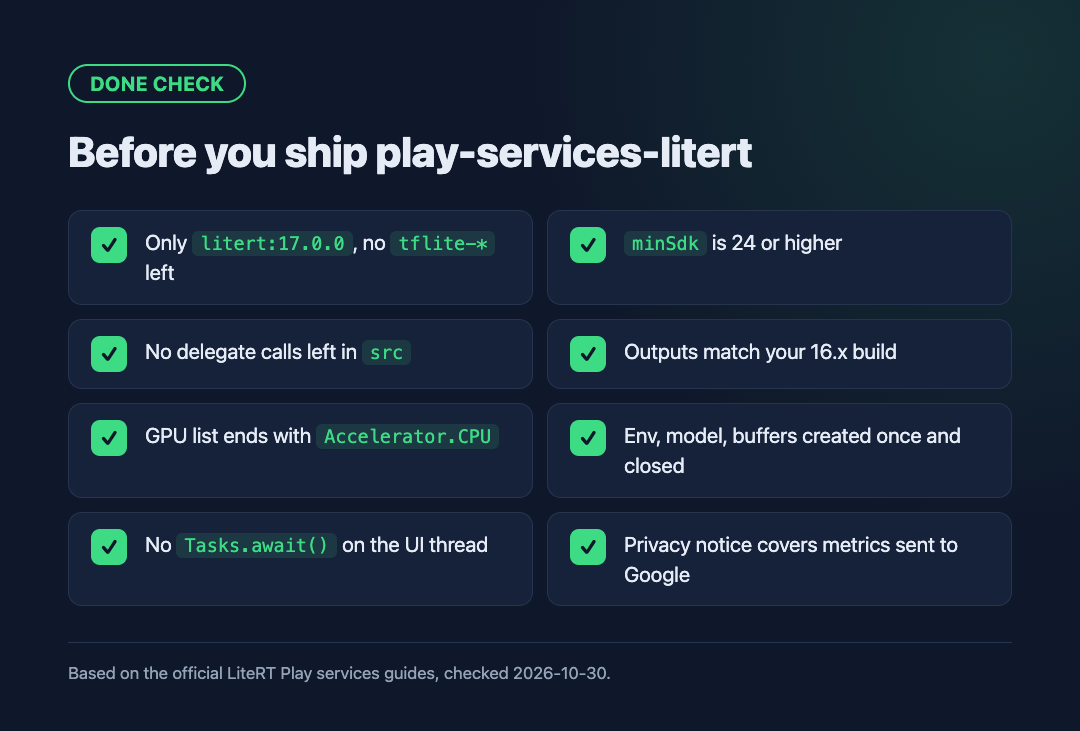
Before you merge, confirm the following:
- Only
play-services-litert:17.0.0is in the dependency tree. Noplay-services-tflite-*artifact is left. minSdkis 24 or higher.- A search for delegate APIs returns nothing.
- Model outputs on a test set match your 16.x build within your tolerance.
- If you use GPU, the options list ends with
Accelerator.CPU. Environment,CompiledModeland buffers are created once and closed inViewModel.onCleared()oronDestroy().- Your privacy disclosure still fits. Google's page says inference runs on the device, but metrics such as device info, app info and error codes are sent to Google.
If you also call cloud models from the same app, compare how they handle a model upgrade. My Gemini 4 Argon API migration guide covers that side. For local models on a developer machine instead of a phone, see Copilot CLI with Ollama.
FAQ
Do I have to migrate to play-services-litert now? No. Apps built with play-services-tflite-java 16.x keep working on the Play services runtime. That line now gets only critical security fixes, though, so plan the move if you want new runtime features or GPU through CompiledModel.
Can I use play-services-litert and play-services-tflite-java together? No. Google's page says to use one or the other. The new SDK also can't be combined with play-services-tflite-gpu, play-services-tflite-support or play-services-tflite-acceleration-service.
Does the Interpreter API get GPU on the new SDK? No. On play-services-litert, the Interpreter API runs on CPU only, because the delegate APIs were removed. GPU acceleration comes through CompiledModel with Accelerator.GPU.
Is NPU supported through Google Play services? Not yet. Google lists NPU as "coming soon" for Play services. If you need NPU today, use standalone LiteRT, which bundles the runtime in your app.
Do my .tflite model files need converting? The official CompiledModel samples still load a model.tflite file, and none of the migration notes mention converting models. Test your own models, especially any that used custom ops, which the Play services runtime doesn't support in 17.0.0.
The Support Library is the gap to watch. When Google ships tflite-support compatibility, apps that depend on it can finally migrate, and I will update this guide.
References
- Google Play services release notes, October 28, 2026 — official,
play-services-litert17.0.0 entry, checked 2026-10-30 - LiteRT in Google Play services — official, checked 2026-10-30
- CompiledModel API in Kotlin and Java (Play services) — official, checked 2026-10-30
- LiteRT in Google Play services Java (and Kotlin) API — official Interpreter guide, checked 2026-10-30
- LiteRT in Google Play services C and C++ API — official, C++ SDK migration section, checked 2026-10-30
- Migrate to LiteRT — official Interpreter to CompiledModel mapping, checked 2026-10-30 (its Play services section still shows the 16.5.0 artifacts)