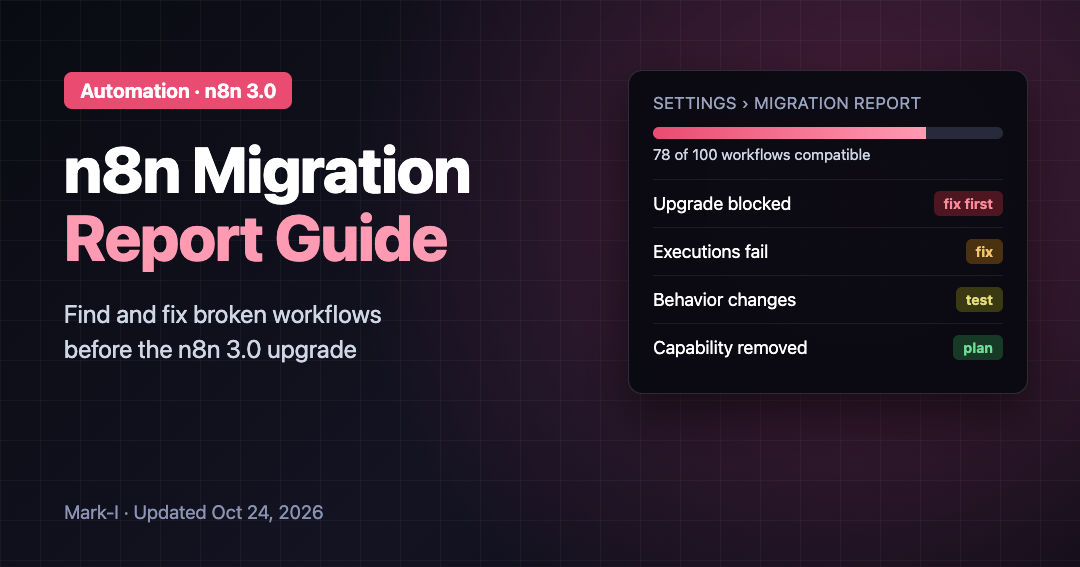
The n8n Migration Report is the built-in checklist for the n8n 3.0 upgrade: open Settings > Migration Report on n8n 2.39 or later, and it lists every workflow and instance setting that 3.0 will break. Fix the "Upgrade blocked" and "Executions fail" items first, then rescan until the progress bar shows all workflows compatible, and only then try the 3.0 beta on a test copy.
n8n announced on October 23, 2026 that the 3.0.0 beta lands on October 27 and the stable 3.x release is planned for early December. Moving to 3.x is one-way (there is no downgrade to 2.x), so the next few weeks are the window to clean up. This guide was written on October 24, 2026. Facts come from the n8n docs, the n8n release notes, the GitHub release pages and the official community announcement. I did not run the report on a production instance for this post, so UI labels are quoted only where n8n documents them.
What the n8n Migration Report checks
The report scans your instance and compares it with the rules for the next major version. It has two tabs:
- Workflow Issues: breaking changes that hit specific workflows, such as a removed node or a node whose output behavior changes.
- Instance Issues: configuration that affects the whole instance, such as environment variables whose defaults change or are removed.
Each rule opens a detail view that lists the affected workflows, whether each one is published, which nodes are affected, and when it last ran. That last column matters: a workflow that has not run in a year is a cleanup candidate, not an emergency.
Who can see it
In the 2.0 version of the report, only global admins could open it. For 3.0, n8n says the report is no longer admin-only: admins see every workflow, and other users see the workflows they have access to. It is available on the free self-hosted edition, on n8n Cloud and on the Business and Enterprise plans.
Impact categories (since n8n 2.43)
n8n 2.43 (October 6, 2026) replaced the old Critical / Medium / Low severity badges with four impact categories, sorted so blockers come first:
| Impact category | What it means | When to fix |
|---|---|---|
| Upgrade blocked | The instance will not upgrade or start cleanly | Before you upgrade |
| Executions fail | Affected workflows error out on 3.0 | Before you upgrade |
| Behavior changes | Workflows run, but output or triggers differ | Before, or test right after |
| Capability removed | A feature is gone; plan a replacement | Before you rely on it |
The overview also shows a progress bar with a "{compatible} of {total} compatible" label, which is the number to drive to 100%.
Which n8n version has which Migration Report features
The report has gained a feature almost every week in October. Check your version first, because the newest pieces are still in the beta channel.
| Version (release date) | Migration Report change | Channel on Oct 24, 2026 |
|---|---|---|
| 2.39+ | Report compares your instance with 3.0 | Stable |
| 2.43 (Oct 6) | Impact categories, progress bar | Stable |
| 2.44 (Oct 13) | State column: Open or Won't fix | Stable (2.44.6) |
| 2.45.0 (Oct 20) | Admins email workflow owners, single or bulk | Beta |
| 2.45.1 (Oct 21) | Workflow editors triage their own findings | Beta |
| 2.45.2 (Oct 22) | Export the report as CSV | Beta (2.45.3) |
On October 24, 2026, the stable tag on GitHub points to 2.44.6 and the beta tag to 2.45.3. n8n's announcement says the latest 2.x release always has the newest version of the report, so it is worth updating within 2.x before you run it.
Check the version you are running (replace n8n with your container name). The second command shows the image tag you deploy:
docker exec -it n8n n8n --version
docker inspect n8n --format '{{.Config.Image}}'
To move to the current stable 2.x on Docker Compose, pin the tag in docker-compose.yml and pull:
services:
  n8n:
    image: docker.n8n.io/n8nio/n8n:2.44.6
docker compose pull n8n && docker compose up -d n8nIf you are still on n8n 1.x, there is no direct path to 3.x. Upgrade to 2.x first. n8n says 1.x support ends on December 31, 2026.
How to use the n8n Migration Report step by step
The flow below is the order I recommend, based on how n8n describes each feature. It keeps the risky items at the front and avoids touching the live instance until the report is clean.

View PlantUML source
@startuml
left to right direction
skinparam defaultFontSize 15
skinparam rectangleBackgroundColor #F5F8FF
skinparam rectangleBorderColor #3E63DD
skinparam ArrowColor #3E63DD
skinparam roundCorner 12
rectangle "Back up\nDB + key" as A
rectangle "Update to\nlatest 2.x" as B
rectangle "Open\nMigration Report" as C
rectangle "Fix blockers,\ntriage the rest" as D
rectangle "Refresh\nscan" as E
rectangle "Test 3.0 beta\non a copy" as F
A --> B
B --> C
C --> D
D --> E
E --> D : not all\ncompatible
E --> F : all\ncompatible
@enduml
Step 1: Back up before you change anything
Back up the database and export workflows and credentials with the n8n CLI. Keep the encryption key (N8N_ENCRYPTION_KEY, or the key stored in ~/.n8n/config) with the backup, because exported credentials are useless without it.
docker exec -u node -it n8n n8n export:workflow --backup --output=/home/node/.n8n/backups/workflows/
docker exec -u node -it n8n n8n export:credentials --backup --output=/home/node/.n8n/backups/credentials/
For Postgres, also dump the database (adjust the user and database name):
docker exec -t postgres pg_dump -U <DB_USER> <DB_NAME> > n8n-$(date +%F).sqlThis matters more than usual: 3.0 turns encryption key rotation on by default and re-encrypts stored data on the next update, so n8n's own docs say to back up the database first.
Step 2: Fix the Instance Issues tab
Instance issues are mostly environment variables. Read each one and decide whether to accept the new 3.0 default or set the old value explicitly now, on 2.x, so nothing changes on upgrade day. The most common ones from the v3.0 breaking changes page:
| Setting | 2.x default | 3.0 default or change |
|---|---|---|
npm / npx n8n installs | Supported | Not supported, Docker only |
N8N_RUNNERS_TASK_TIMEOUT | 300 s | 60 s |
N8N_UNVERIFIED_PACKAGES_ENABLED | true | false |
N8N_COMPRESSION_NODE_MAX_DECOMPRESSED_SIZE_BYTES | 2 GiB | 256 MiB |
N8N_COMPRESSION_NODE_MAX_ZIP_ENTRIES | 5,000 | 1,000 |
N8N_DB_PING_TIMEOUT | Supported | Removed, use DB_PING_TIMEOUT_MS |
| Chat Hub | On | Off unless N8N_ENABLED_MODULES includes chat-hub |
For example, if you have Code nodes that legitimately run for several minutes, keep the old timeout:
services:
  n8n:
    environment:
      - N8N_RUNNERS_TASK_TIMEOUT=300
Two more instance-level changes trip people up. The binary data folder ~/.n8n/binaryData is renamed to ~/.n8n/storage on first start, and n8n refuses to start if both folders exist. And the in-memory binary data mode is gone: N8N_DEFAULT_BINARY_DATA_MODE=default switches to filesystem.
If you installed n8n with npm, this is the item that blocks everything else. n8n 3.0 does not publish a runnable npm package, so move to Docker (the docs offer a one-line setup and a Docker Compose guide) while you are still on 2.x.
Step 3: Fix the Workflow Issues tab, blockers first
Open each rule, starting from the top of the list. For removed nodes, the fix is to swap in the replacement node. These are the ones you are most likely to see in older workflows:
| Removed in 3.0 | Replace with |
|---|---|
| Function, Function Item | Code node ("Run Once for All Items" / "for Each Item") |
| Cron, Interval | Schedule Trigger |
| Item Lists | Split Out, Aggregate, Sort, Limit, Remove Duplicates or Summarize |
| Read Binary File(s), Write Binary File | Read/Write Files from Disk |
| Read PDF | Extract from File ("Extract From PDF") |
| Workflow Trigger | n8n Trigger |
| AI Agent v1 (ReAct, SQL, Conversational…) | Latest AI Agent (Tools Agent) |
$getPairedItem helper | $('<node-name>').item or .itemMatching(<index>) |
A Function node that returned all items usually ports straight into a Code node in "Run Once for All Items" mode:
// Code node, mode: Run Once for All Items
return $input.all().map(item => ({
  json: { ...item.json, processedAt: new Date().toISOString() }
}));
n8n's announcement says many findings can be fixed automatically, and that each automatic fix is saved as a new workflow version that you review before publishing. n8n 2.45.0 also lists "automated migrations for removed nodes" in its release notes, and n8n says AI Transform nodes become Code nodes with the same JavaScript on upgrade. The docs do not yet describe the exact buttons, so treat an automatic fix like any other change: open the new version, run it with test data, then publish.
Step 4: Check the "Behavior changes" rules by hand
These do not fail loudly, so they are the easiest to miss:
- Always Output Data on If and Switch: on 3.0, an empty item is added only when every output is empty, not once per empty branch. Check flagged nodes, especially if a later node counts items.
- Gmail Trigger 1 to 1.3 runs as 1.4: at most 10 emails per poll by default (maximum 50), drafts are skipped unless "Include Drafts" is on, and sent or scheduled mail no longer triggers the workflow.
- Slack API credentials need a signing secret. Until you add it, Slack Trigger workflows fail to publish and the trigger returns 401.
- Chat Trigger WebSocket frames are JSON with a
typefield. Custom chat clients must parse JSON;@n8n/chatneeds 1.31.0 or later. - Import from URL is removed from the editor menu. Use copy-paste, Import from File, the CLI or the API.
Step 5: Triage what you will not fix (2.44+)
Since n8n 2.44, each affected workflow in a rule has a State column with Open or Won't fix. Use Won't fix for workflows you plan to archive or that are already dead. It removes the finding from the overview and the counts without unpublishing the workflow. If a later scan still detects the issue, n8n reopens it automatically, and it marks the finding fixed once the issue is gone.
Do not use Won't fix to hide a blocker you intend to fix "later". Those workflows will still fail on 3.0.
Step 6: Hand findings to workflow owners (2.45 beta)
On large instances, the admin should not fix everything. In 2.45.0, an admin can open a rule and email a workflow's owner. The row then shows Notified, and a second click becomes Remind and resends the email. Bulk notification lets you select several rows and notify all eligible owners at once.
Requirements from the release notes: SMTP must be configured on the instance, the owner needs an email address, and bulk notification needs the breakingChanges:migrate scope. From 2.45.1, workflow editors can triage findings for their own workflows, and from 2.45.2 you can export the report as CSV for a ticket tracker or a spreadsheet.
If you run your instance on the stable 2.44 line, you have Won't fix but not notifications or CSV export. You can either wait for 2.45 to reach stable or share the findings by hand.
Step 7: Rescan and test the 3.0 beta on a copy
Click Refresh on the report (or reload the page) after each batch of fixes. When the progress bar shows all workflows compatible, restore your backup into a separate test instance and run the 3.0 beta there. Self-hosted users install it like any other beta image; n8n Cloud users pick "3.0.0 Beta (early access)" in the version selector.
Never point a 3.0 test container at your production database. The upgrade migrates the database and cannot be rolled back.
n8n 3.0 upgrade timeline and support for 2.x
| Date (per n8n, Oct 23, 2026) | What happens |
|---|---|
| October 27, 2026 | n8n 3.0.0 beta, no sign-up needed |
| Early December 2026 (planned) | Stable 3.x release |
| December 31, 2026 | End of n8n 1.x support |
| 12 months after 3.x stable | End of 2.x security and critical fixes |
New features ship only on 3.x after the stable release. The December date is a plan, not a fixed date, so check the n8n release notes before you schedule production work. If you run n8n self-hosted, also make sure you are on a patched 2.x build first. My earlier guide to the n8n security update for the October 2026 advisories lists the fixed versions.
FAQ
Where is the Migration Report in n8n? Go to Settings > Migration Report. You need n8n 2.39 or later for the 3.0 rules. If the menu is missing, update to the latest 2.x release. On 2.0-era versions, the report was visible to global admins only.
Can I upgrade if some findings are marked Won't fix? Yes, Won't fix only removes a finding from the counts. The workflow itself is not changed, so if the finding was in the "Executions fail" category, that workflow will still fail on 3.0. Use Won't fix for workflows you will archive.
Do I need the Migration Report on n8n Cloud? Yes. Cloud handles hosting changes like the Docker requirement, but workflow-level breaking changes such as removed nodes or the Gmail Trigger behavior apply to Cloud workflows too. Cloud users can switch to the 3.0 beta from the version settings.
Can I go back to 2.x after upgrading to 3.0? No. n8n says the move to 3.x is one-way. Restore a pre-upgrade database backup if you must roll back, and test on a copy first so you never need to.
Will Code nodes break on 3.0? Most will not. Watch for three things: the task timeout drops from 300 to 60 seconds, $evaluateExpression() is removed in insecure runner mode, and $getPairedItem is removed. The report flags affected workflows.
Next step
Run the report today, fix the "Upgrade blocked" items this week, and you will be ready to test the beta on October 27. If you trigger n8n from scripts or AI agents on a Mac, my guide to running Claude Code headless with n8n on macOS uses the Execute Command node, which is worth retesting on the 3.0 beta as well.
References
- n8n Docs, v3.0 breaking changes — docs.n8n.io (checked Oct 24, 2026)
- n8n Docs, Release notes (2.43, 2.44, 2.45) — docs.n8n.io (checked Oct 24, 2026)
- n8n Docs, v2.0 migration tool (report tabs and Refresh) — docs.n8n.io (checked Oct 24, 2026)
- n8n Docs, One-line setup — docs.n8n.io (checked Oct 24, 2026)
- n8n Docs, Rotate encryption keys — docs.n8n.io (checked Oct 24, 2026)
- n8n on GitHub, releases n8n@2.45.0 to 2.45.3 and stable 2.44.6 — github.com (checked Oct 24, 2026)
- n8n Community, "Announcing n8n version 3.0 – coming soon!" (Oct 23, 2026) — community.n8n.io (checked Oct 24, 2026)
4 thoughts on “n8n Migration Report: 7 Steps to Fix Workflows for n8n 3.0”