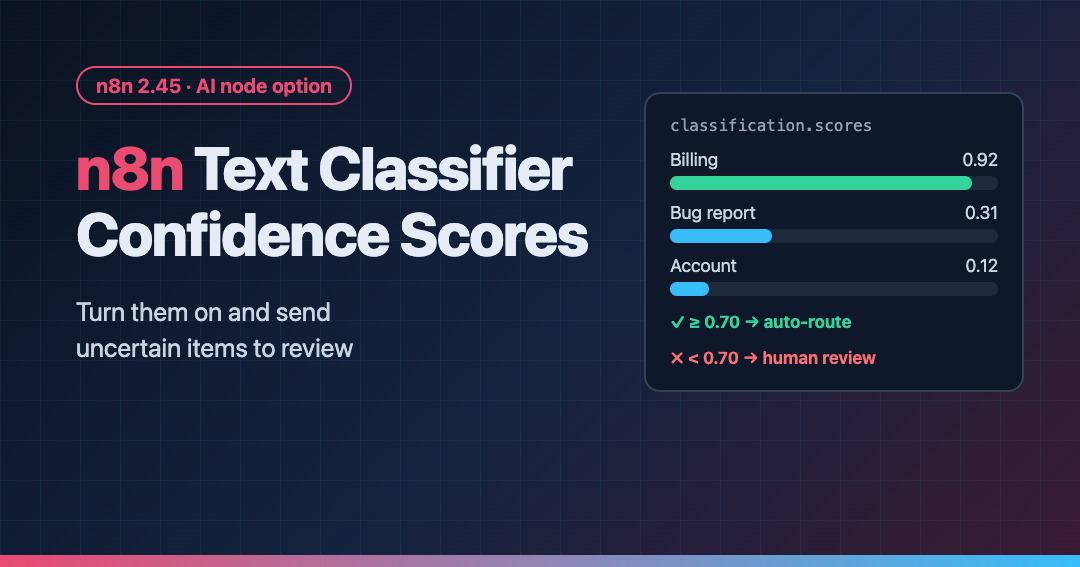
n8n Text Classifier confidence scores arrived in n8n 2.45 (released October 20, 2026) as an opt-in option called Include Confidence Scores. Turn it on and every routed item gets a classification object with the chosen category, a confidence value and a scores map for all categories. That lets you auto-route items the model is sure about and send the rest to a human, which is the main thing this guide sets up.
You will check your version, enable the option, read the new output, build a low-confidence review branch with a Code node and an If node, and pick a threshold from a labeled sample. Facts come from the n8n release notes, the Text Classifier docs and the pull request that added the feature, all checked on October 29, 2026.
What n8n Text Classifier confidence scores add
The Text Classifier node sends each item to an LLM and routes it to one output branch per category. Until 2.45 it never told you how sure the model was, even though the Sentiment Analysis node has offered strength and confidence values through Include Detailed Results for a while. The new option closes that gap.
| Item | Detail (as of Oct 29, 2026) |
|---|---|
| Added in | n8n 2.45, October 20, 2026 (PR #40743) |
| Option name | Include Confidence Scores |
| Default | Off. With it off, output is unchanged |
| Node version bump | None, so existing workflows keep working |
| What the score is | The model's own estimate, not a measured probability |
Because the option is off by default and does not change the node version, nothing breaks when you upgrade. You only see the new fields after you switch it on.
Requirements: n8n 2.45 or later
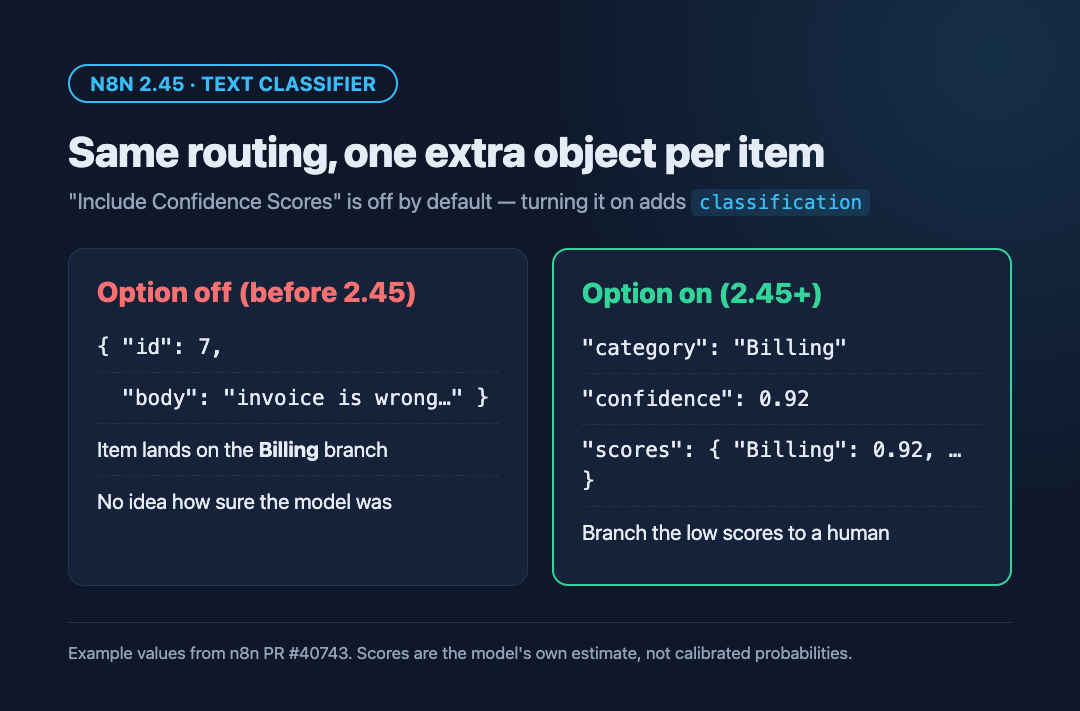
On October 29, 2026 the npm stable and latest tags pointed to n8n 2.45.5, and the beta/next tags pointed to 2.46.1. You do not need the beta. Any 2.45.x build has the option.
Check what you run:
For Docker, run the CLI inside the container. For an npm install, run n8n --version directly.
docker exec <YOUR_CONTAINER_NAME> n8n --versionIn the editor, Help > About n8n shows the same number. If you are on 2.44 or older, update a Docker Compose install with the commands from the n8n Docker docs:
cd </path/to/your/compose/directory>
docker compose pull
docker compose down
docker compose up -d
If your compose file pins a tag, change it to n8nio/n8n:2.45.5 (or newer) first. Back up before any upgrade. If you are planning the bigger jump to 3.0 later this year, run the n8n Migration Report before the 3.0 upgrade, and make sure you are past the fixes in the October 2026 n8n security update.
How to turn on Include Confidence Scores
The example in this guide classifies support emails into three categories. Swap in your own.
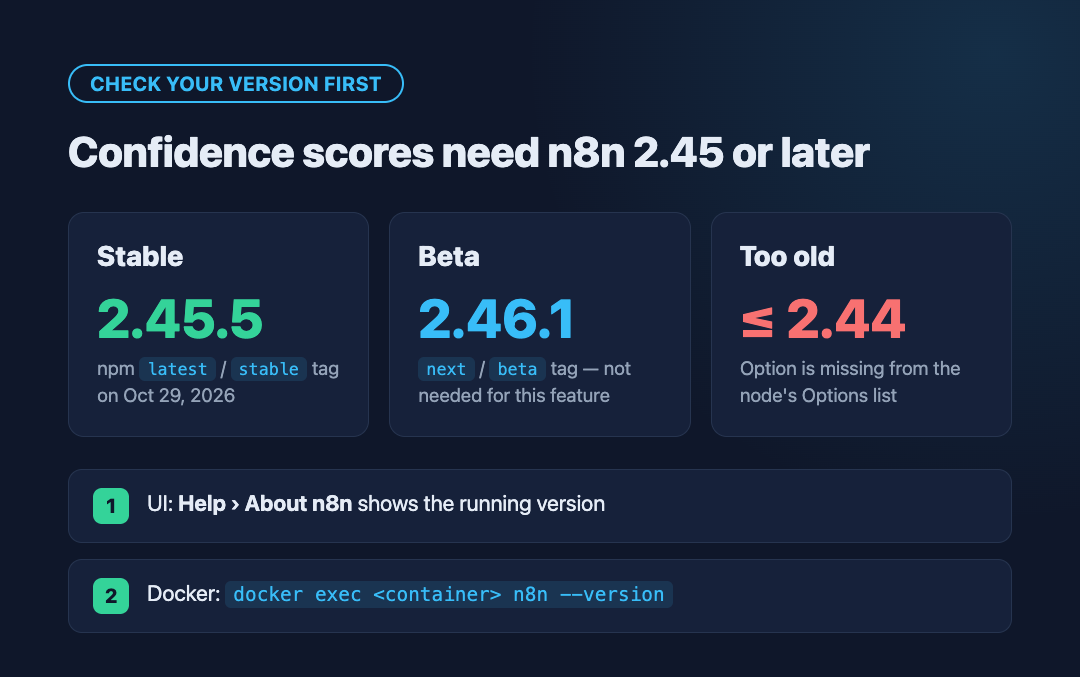
- Add a Text Classifier node and attach a Chat Model sub-node (OpenAI, Anthropic, Gemini or any other supported model).
- Set Input Prompt to the text field, for example
{{ $json.body }}. - Add categories with real descriptions. The docs stress descriptions when a name is not self-explanatory:
- Billing: invoices, refunds, charges, payment methods
- Bug report: something in the product is broken or shows an error
- Account access: login, password reset, 2FA, locked accounts
- Under Options, add When No Clear Match and choose Output on Extra, 'Other' Branch. The default, Discard Item, silently drops unmatched items, which is the opposite of what a review flow wants.
- Under Options, add Include Confidence Scores and switch it on. The node shows a notice that the scores are estimates.
- Execute the step with a few test items and open the output panel.
Leave Allow Multiple Classes To Be True off for now. The reason is in the next section.
Read the confidence score output
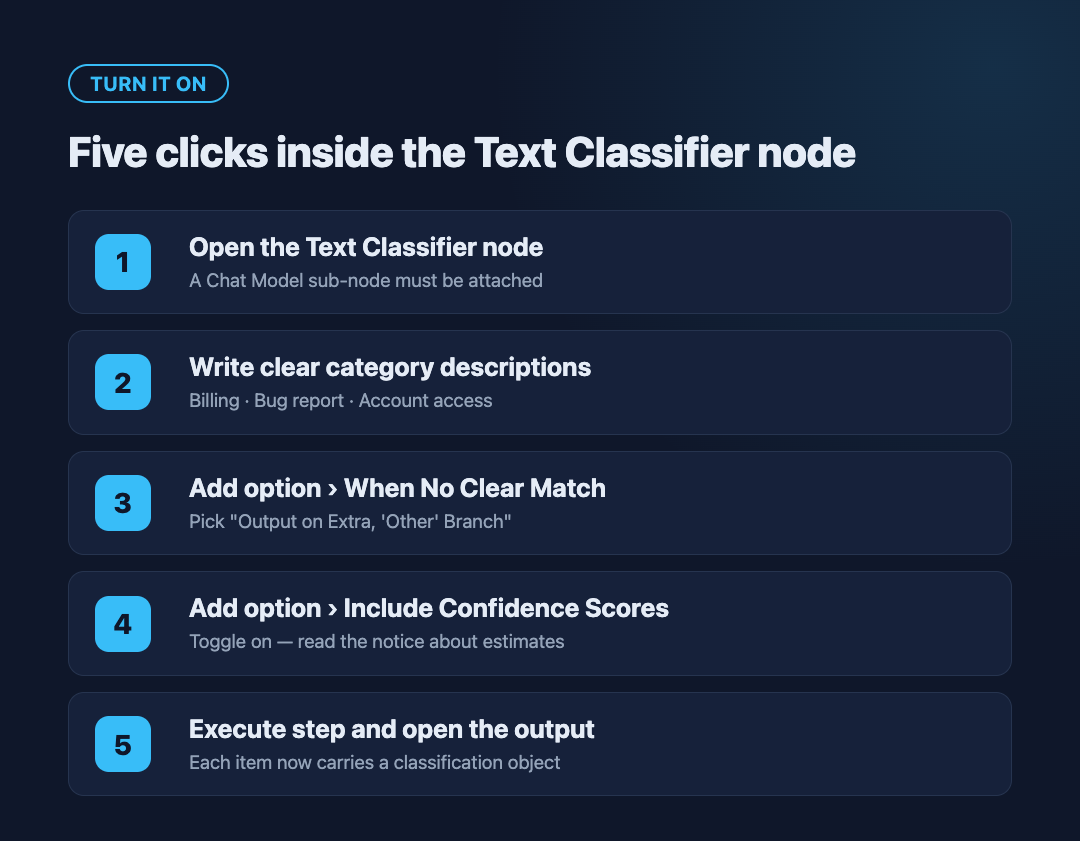
With the option on, each item on a branch looks like this (example from the pull request):
{
  "id": 7,
  "body": "invoice is wrong and I need it fixed today",
  "classification": {
    "category": "Billing",
    "confidence": 0.92,
    "scores": { "Billing": 0.92, "Urgent": 0.61 }
  }
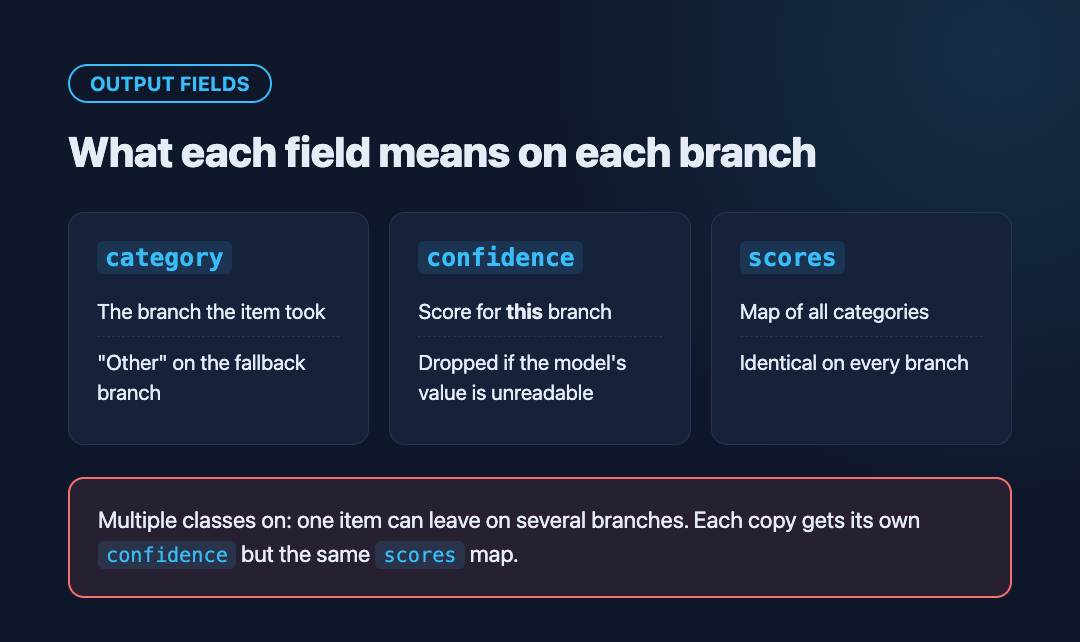
}| Field | Meaning | Watch out for |
|---|---|---|
category | The branch the item took | "Other" on the fallback branch |
confidence | The model's score for that branch | Dropped if the model's value can't be read |
scores | Scores for all categories | Identical on every branch |
A few behaviors from the pull request matter when you build on top of these fields:
- Unreadable scores are dropped, not set to 0. The item still routes, but
confidencemay be missing. Your workflow must handle that case. - Numeric strings are converted. A value like
"0.8"becomes a number. A boolean does not. - The prompt asks the model to rank categories against each other, so scores are meant to spread out instead of all being high.
- Other branch:
categoryis"Other"andconfidenceis the model's fallback answer. - Multiple classes: with Allow Multiple Classes To Be True on, one item can leave on several branches. Each copy has its own
confidenceand the samescoresmap. - Reserved name: with the option on, a category named
confidenceis rejected because it clashes with the output key.
Route low-confidence items to human review
The simplest pattern is to connect every Text Classifier output, including Other, into one Code node. The Code node decides whether the item needs review, an If node splits the flow, and a Switch node routes the confident items by category. You keep one place for the rule instead of copying an If node onto every branch.
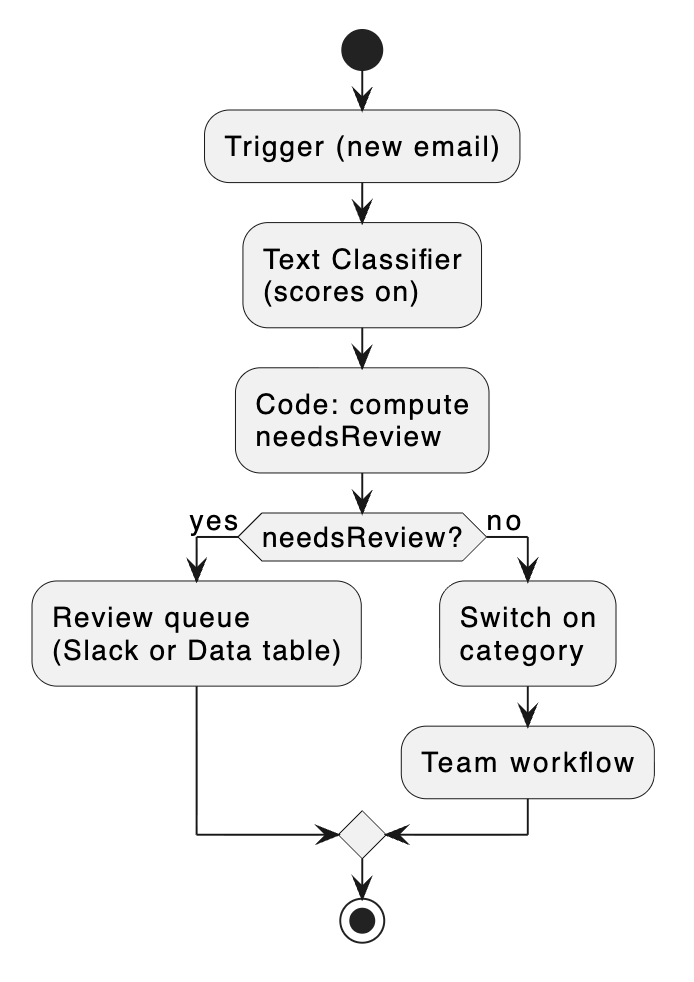
View PlantUML source
@startuml
skinparam shadowing false
skinparam defaultFontSize 14
start
:Trigger (new email);
:Text Classifier\n(scores on);
:Code: compute\nneedsReview;
if (needsReview?) then (yes)
  :Review queue\n(Slack or Data table);
else (no)
  :Switch on\ncategory;
  :Team workflow;
endif
stop
@enduml
Add a Code node after the classifier, set Mode to Run Once for Each Item, and paste:
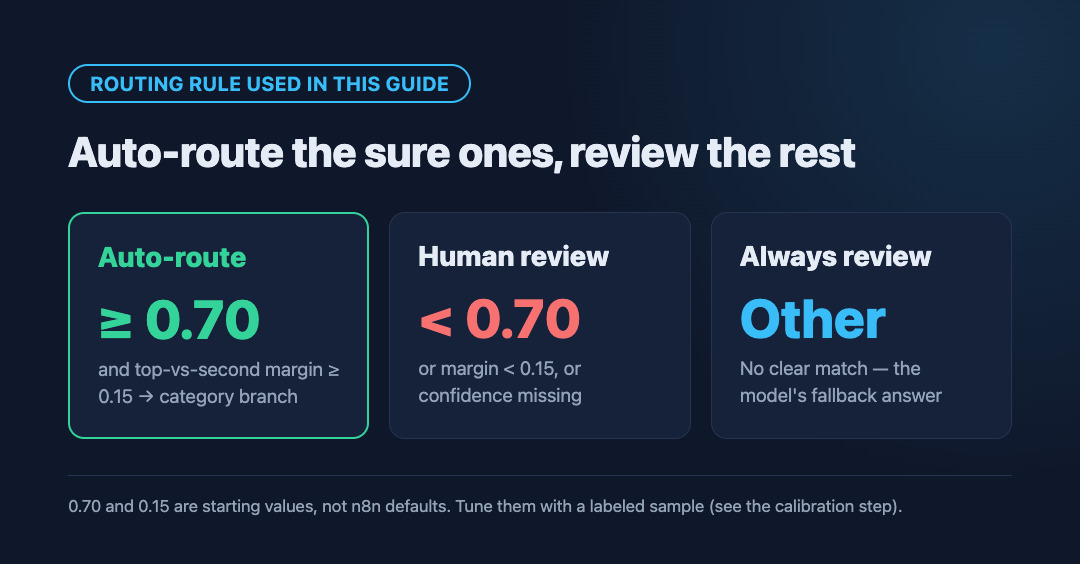
// Starting values, not n8n defaults. Tune them with the calibration step below.
const MIN_CONFIDENCE = 0.7;
const MIN_MARGIN = 0.15;

const item = $input.item.json;
const c = item.classification ?? {};

const confidence = typeof c.confidence === 'number' ? c.confidence : null;
const ranked = Object.values(c.scores ?? {})
  .filter((v) => typeof v === 'number')
  .sort((a, b) => b - a);
const margin = ranked.length > 1 ? ranked[0] - ranked[1] : null;

const reasons = [];
if (confidence === null) reasons.push('missing confidence');
else if (confidence < MIN_CONFIDENCE) reasons.push('low confidence');
if (margin !== null && margin < MIN_MARGIN) reasons.push('close second choice');
if (c.category === 'Other') reasons.push('no clear match');

return {
  json: {
    ...item,
    review: { confidence, margin, needsReview: reasons.length > 0, reasons },
  },
};
Then add an If node with one Boolean condition: {{ $json.review.needsReview }} is true. The true output goes to your review step, such as a Slack message, an email or a row in an n8n Data table with review.reasons so the reviewer sees why it was flagged. The false output goes to a Switch node that routes on {{ $json.classification.category }}.
Why the margin check? A 0.72 for Billing looks fine on its own, but if Bug report scored 0.68 the model was close to a coin flip. The gap between the top two scores catches those cases. It only makes sense with single-class routing, which is another reason to keep multiple classes off here. If you need multiple classes, dedupe by id after the merge or move the rule onto each branch.
Pick a threshold with a labeled sample
Self-reported scores differ between models and prompts, so 0.7 is only a starting point. Measure it:
- Collect 50 to 100 real items and add the correct label to each as
expected(a Google Sheet or a Data table works). - Run them through the same Text Classifier with scores on, then merge all outputs into a Code node set to Run Once for All Items.
- Paste this and read the table it returns:
const rows = $input.all().map((i) => i.json);
const thresholds = [0.5, 0.6, 0.7, 0.8, 0.9];

return thresholds.map((t) => {
  const auto = rows.filter((r) => (r.classification?.confidence ?? 0) >= t);
  const correct = auto.filter((r) => r.classification.category === r.expected).length;
  return {
    json: {
      threshold: t,
      autoRouted: auto.length,
      toReview: rows.length - auto.length,
      accuracy: auto.length ? Number((correct / auto.length).toFixed(3)) : null,
    },
  };
});
Pick the lowest threshold whose accuracy you can live with, and weigh it against how many items land in toReview, since that is the human workload. Re-run the sample whenever you change the chat model, the category descriptions or the system prompt template. Each of these can shift the scores.
If you want a classifier that returns scores without an LLM prompt in the loop, compare this with a dedicated model such as Cloudflare Clef on Workers AI, which has a built-in scoring question type.
Limits of n8n confidence scores
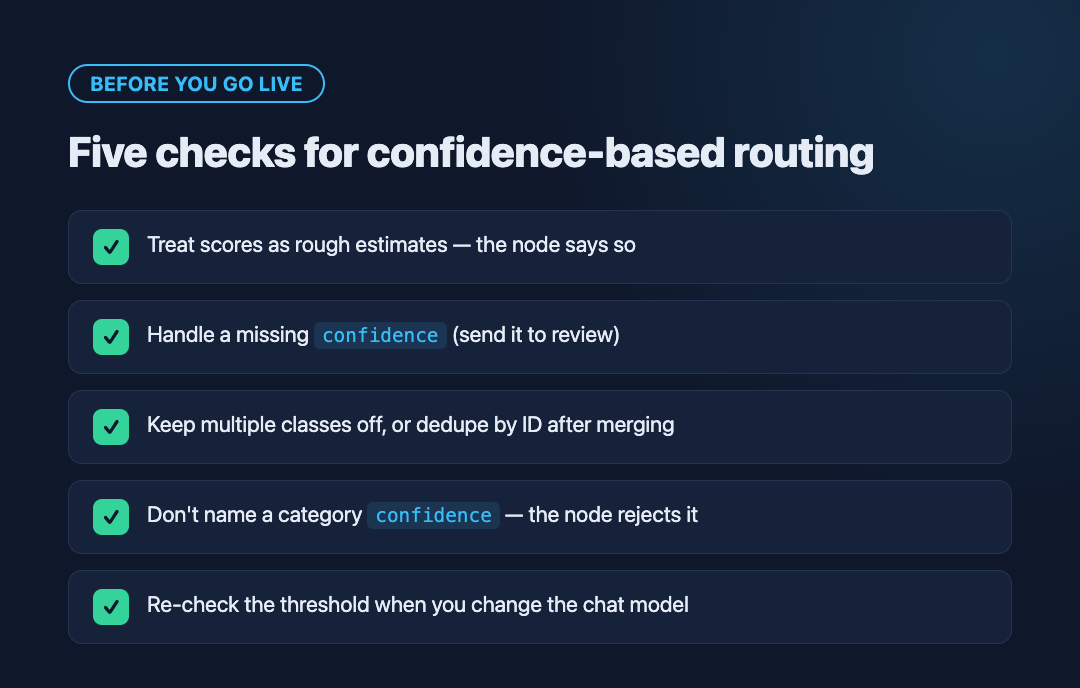
| Limit | What to do |
|---|---|
| Scores are model estimates, not calibrated probabilities | Calibrate with a labeled sample, as above |
confidence can be missing | Treat missing as "needs review" |
Multi-class copies share one scores map | Keep multiple classes off, or dedupe by ID |
Category named confidence is rejected | Rename it, for example Confidence issue |
| Scores can shift when the model or prompt changes | Re-run the calibration sample after changes |
The Sentiment Analysis docs give the same warning about their scores: rough indicators, not precise measurements. Use the score to decide who looks at an item, not to make final decisions on refunds or account changes without a person.
FAQ
Which n8n version has Text Classifier confidence scores? n8n 2.45 and later. It was released on October 20, 2026, and 2.45.5 was the stable release on October 29, 2026.
Will turning the option on break existing workflows? It should not change routing. The option only adds a classification object to each item. Check downstream nodes that send the whole item somewhere, such as an HTTP Request body or a database insert, because they will now include the extra field.
Are the scores real probabilities from logprobs? No. The pull request and the node's notice describe them as the model's own estimate. Treat them as a ranking signal and calibrate a threshold on your data.
Does it work on n8n Cloud and self-hosted? The option is part of the Text Classifier node in 2.45, so it appears on any instance running 2.45 or later. The release notes do not limit it to a plan.
What happens to items with no clear match? That depends on When No Clear Match. With Discard Item (the default) they disappear. With Output on Extra, 'Other' Branch they arrive on the Other branch with category: "Other", which you should always send to review.
Summary
Update to n8n 2.45 or later, add Include Confidence Scores and the Other branch to your Text Classifier, and merge every branch into one Code node that flags missing, low or close scores. Send flagged items to a person, route the rest with a Switch node, and set the threshold from a labeled sample instead of guessing.
Written on October 29, 2026. Version numbers and behaviors are from the n8n release notes, documentation and PR #40743 checked that day; the 0.7 and 0.15 thresholds are this guide's starting values, not n8n defaults.
References
- n8n Docs: Release notes, n8n 2.45 (checked 2026-10-29)
- n8n Docs: Text Classifier node (checked 2026-10-29)
- n8n Docs: Sentiment Analysis node (checked 2026-10-29)
- n8n Docs: If node (checked 2026-10-29)
- n8n Docs: Install with Docker, updating (checked 2026-10-29)
- GitHub: n8n PR #40743, opt-in confidence scores for the Text Classifier (checked 2026-10-29)
- npm: n8n package dist-tags (checked 2026-10-29)