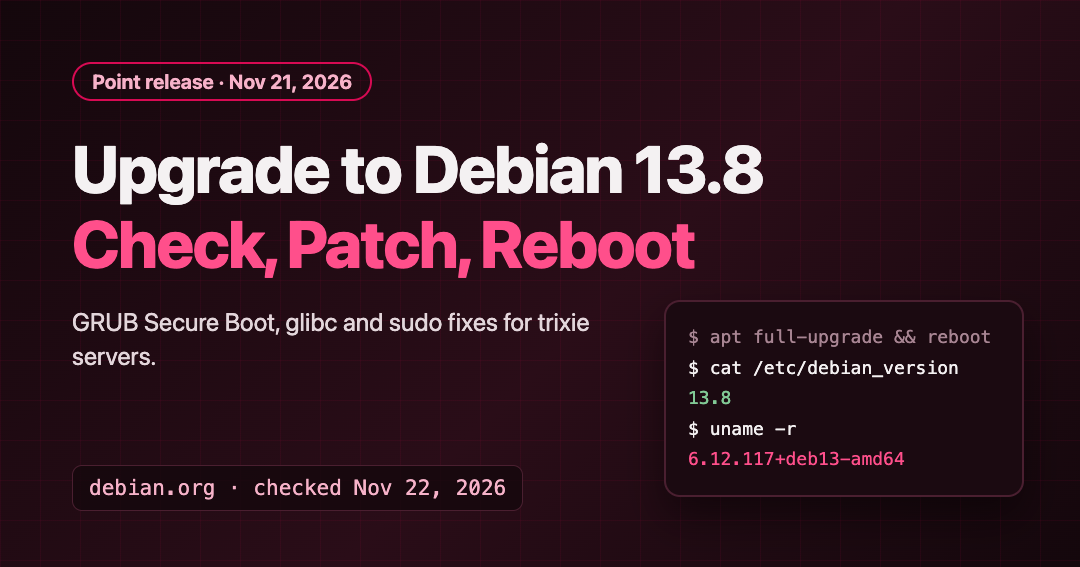
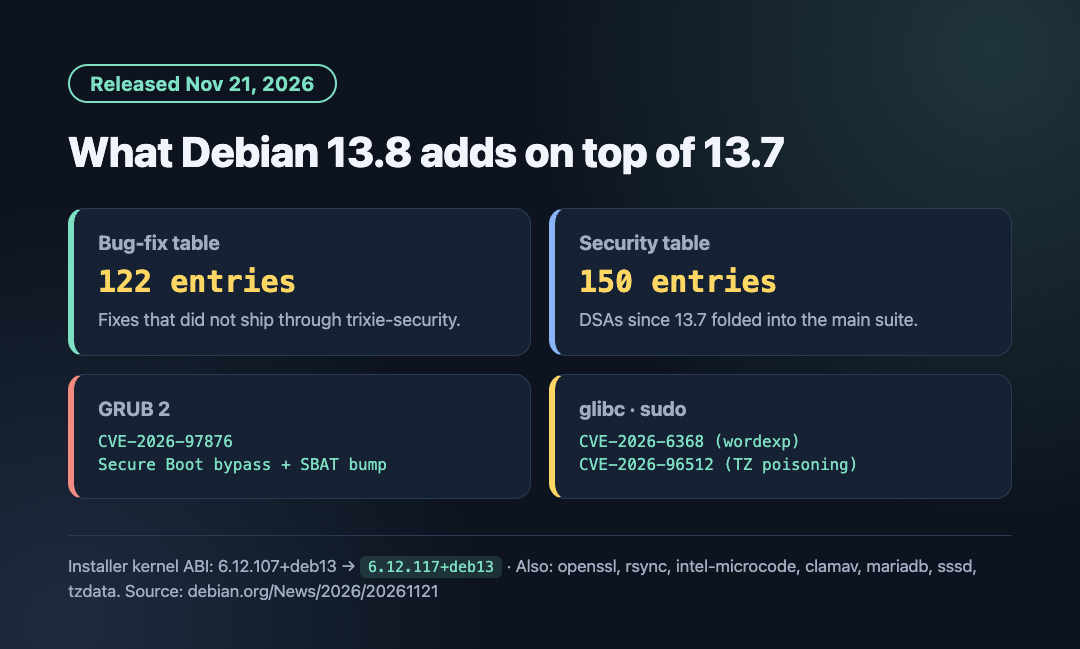
Debian 13.8 came out on November 21, 2026, as the eighth point release of Debian 13 "trixie". It is not a new Debian version: it rolls 122 bug-fix updates and 150 security-update entries into the stable archive, including a GRUB Secure Boot bypass fix, a batch of glibc CVE fixes and a sudo fix that never shipped as security advisories. To get it, run apt update && apt full-upgrade on any trixie system, reboot into the new kernel, and confirm that /etc/debian_version reads 13.8.
Written on November 22, 2026. The facts below come from the official Debian announcement "Updated Debian 13: 13.8 released", the Debian 13 errata page and the Docker official-images library file, all checked on November 22, 2026. The commands are standard Debian tools. I have not run this exact upgrade on a test machine for this post, so try it on one non-critical system first.
What changed in Debian 13.8
A point release does two things. It moves all security advisories (DSAs) published since 13.7 into the main trixie suite, and it adds fixes that went through the stable-updates process instead of the security team. The second group is the part many servers are missing, because a lot of setups only pull automatic updates from trixie-security.
| Package | Where it came from | Why it matters |
|---|---|---|
| grub2 + signed EFI packages | Bug-fix table only | Fixes a Secure Boot bypass (CVE-2026-97876), raises the SBAT revision, fixes six use-after-free bugs |
glibc (libc6) | Bug-fix table only | Several CVEs: buffer over-reads, out-of-bounds writes, a wordexp bug (CVE-2026-6368), a race condition |
| sudo | Bug-fix table only | Blocks TZ variable poisoning (CVE-2026-96512) |
| intel-microcode, clamav, mariadb, sssd | Bug-fix table only | New upstream releases with security fixes (12 and 13 CVEs for microcode and ClamAV) |
| openssl, rsync | Both tables | New openssl stable release + DSA-6531; rsync CVE-2026-119741 + DSA-6527 |
| linux | Security table (5 DSAs) | Installer kernel ABI moves from 6.12.107+deb13 (13.7) to 6.12.117+deb13 |
tzdata also changes: Manitoba and the Northwest Territories get updated rules, and Cuba moves to permanent DST. If you run scheduled jobs in those zones, this one is worth having before the next clock change.
The Debian 13 errata page lists 13.8 as released on November 21, 2026 and shows no new known issue for this point release. Its only known problem dates back to 13.0 (netboot files out of sync).
Check your Debian version and patch level
Start with three quick checks. Each one answers a different question.
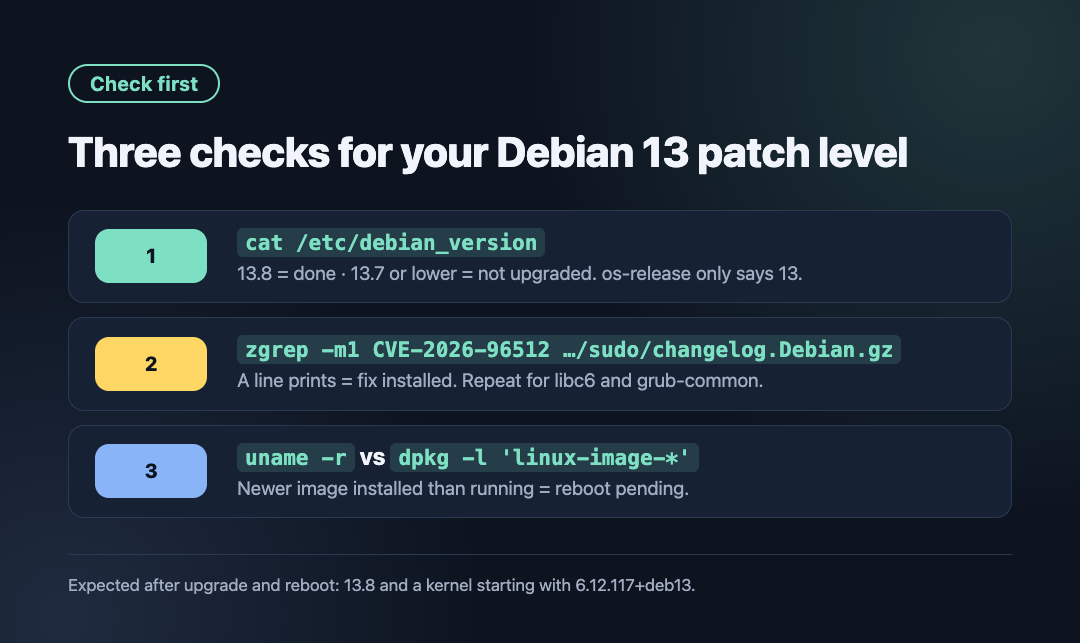
1. Which point release are you on?
cat /etc/debian_version| Output | Meaning |
|---|---|
13.8 | Point release installed |
13.7 or lower | Not upgraded yet |
12.x | Debian 12 "bookworm", this post does not apply |
trixie/sid | Testing or unstable, not stable trixie |
/etc/debian_version comes from the base-files package, which the point release updates. lsb_release -a or cat /etc/os-release will still say 13 / trixie, so they cannot tell 13.7 from 13.8.
2. Are the key packages updated?
Look for the new CVE IDs in the local package changelogs:
zgrep -m1 CVE-2026-96512 /usr/share/doc/sudo/changelog.Debian.gz
zgrep -m1 CVE-2026-6368 /usr/share/doc/libc6/changelog.Debian.gz
zgrep -m1 CVE-2026-97876 /usr/share/doc/grub-common/changelog.Debian.gz
If a line prints, the installed package contains that fix. No output means you are on an older build. If a changelog path does not exist on your system, ask APT for the installed and candidate versions instead:
apt policy libc6 sudo grub-commonWhen Installed and Candidate differ after apt update, the update is waiting.
3. Which kernel is running?
uname -r
dpkg -l 'linux-image-*' | grep ^ii
A running kernel that starts with 6.12.117+deb13 matches the 13.8 installer ABI. If dpkg shows a newer image than uname -r, the kernel is installed but you have not rebooted.
How to upgrade to Debian 13.8
Before you start
- Take a VM snapshot or a backup of
/etcand your data. - Confirm your sources point at
trixie,trixie-updatesandtrixie-security:
cat /etc/apt/sources.list.d/debian.sources 2>/dev/null || cat /etc/apt/sources.listIf a source line says stable instead of trixie, it works today but will jump to Debian 14 when that becomes stable. Pinning the codename is safer on servers.
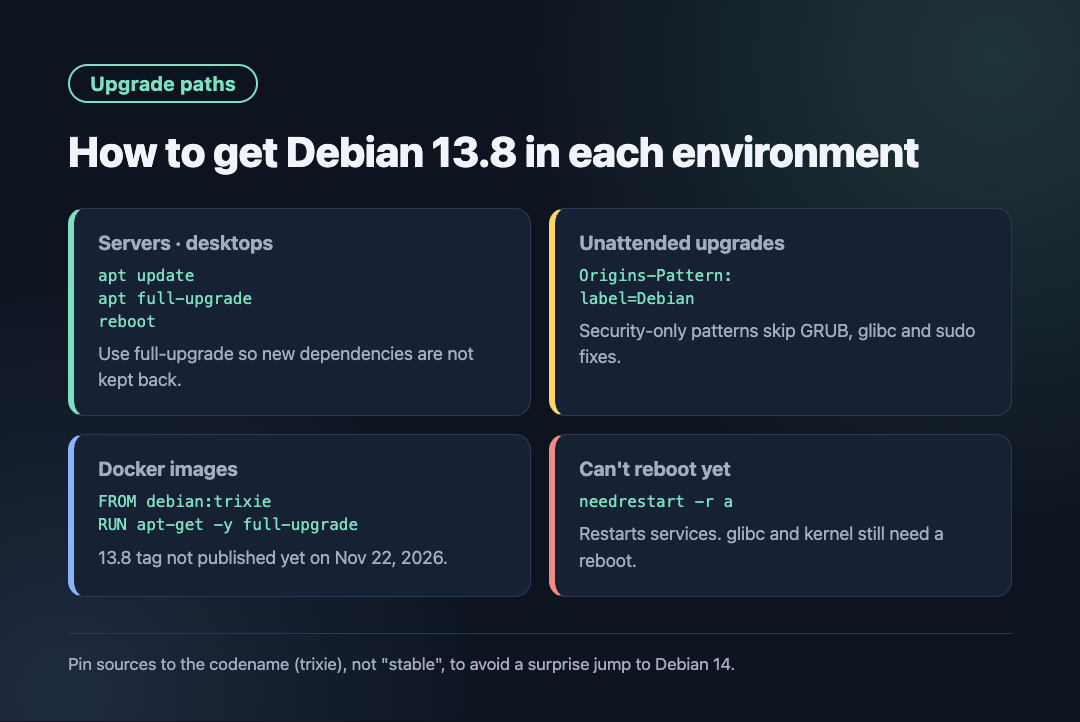
Servers and desktops (apt)
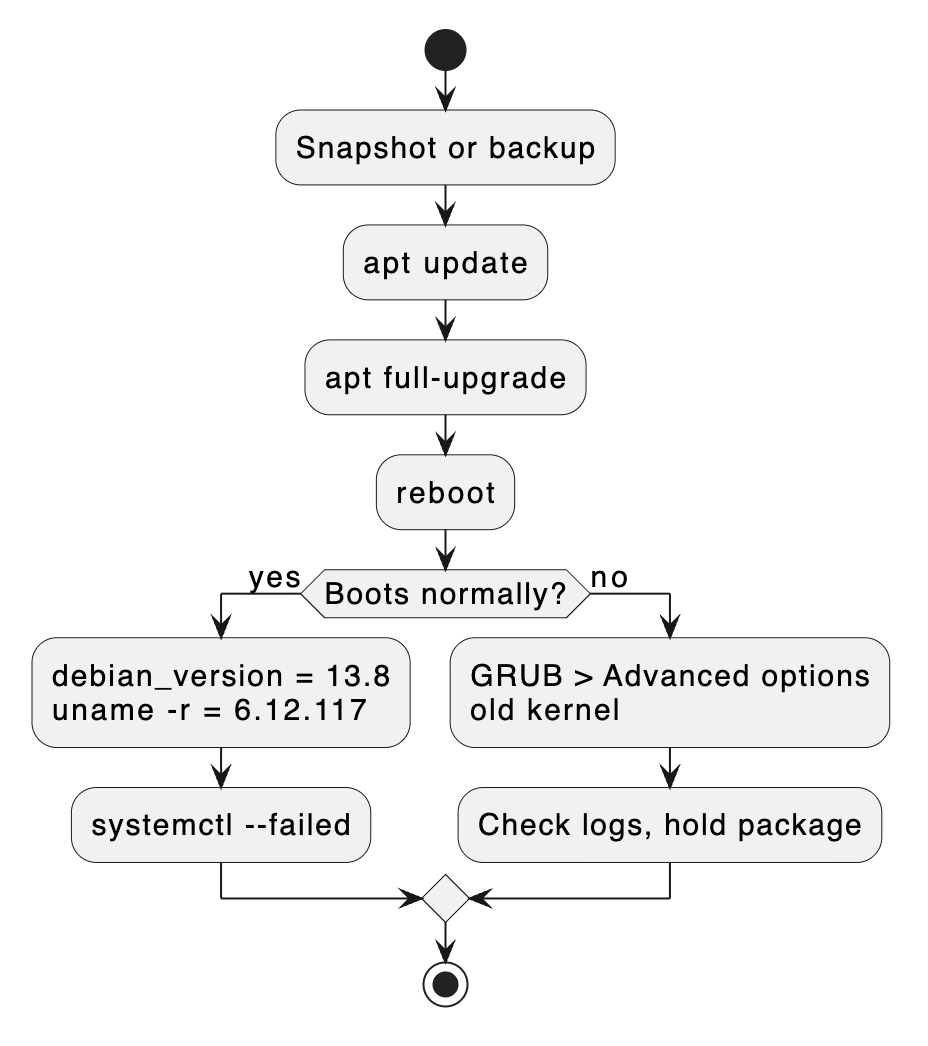
sudo apt update
sudo apt full-upgrade
sudo reboot
After the reboot:
cat /etc/debian_version   # expect 13.8
uname -r                  # expect 6.12.117+deb13-amd64 or newer (arm64: -arm64)
systemctl --failed        # expect 0 loaded units listed
Use full-upgrade rather than upgrade. A point release sometimes needs a new dependency, and plain upgrade will keep such packages back.
If you cannot reboot right away, at least restart the services that use the updated libraries. On a system with needrestart installed:
sudo needrestart -r l   # list only
sudo needrestart -r a   # restart affected services
glibc and the kernel still need a full reboot to take effect everywhere.
Unattended upgrades
Check which origins your automatic updates allow:
grep -A6 'Origins-Pattern' /etc/apt/apt.conf.d/50unattended-upgradesIf the active lines only include label=Debian-Security, the bug-fix-table packages (GRUB, glibc, sudo, microcode) will not install automatically. Either run the manual upgrade above once per point release, or enable the label=Debian line for your codename. Also note that unattended upgrades do not reboot by default (Unattended-Upgrade::Automatic-Reboot "false").
Docker images
As of November 22, 2026, the Docker official-images library file still lists trixie, 13, latest and 13.7 as Debian 13.7 (tag trixie-20261104). There is no 13.8 tag yet. Until the new image appears, upgrade inside your build:
FROM debian:trixie
RUN apt-get update \
 && apt-get -y full-upgrade \
 && rm -rf /var/lib/apt/lists/*
Then check the result:
docker run --rm <YOUR_IMAGE> cat /etc/debian_versionWhen the 13.8 tag is published, pin it (or a dated trixie-YYYYMMDD tag) so rebuilds are repeatable. Remember that the host kernel, not the image, decides which kernel your containers run on.
Upgrade flow
View PlantUML source
@startuml
skinparam shadowing false
skinparam defaultFontSize 15
start
:Snapshot or backup;
:apt update;
:apt full-upgrade;
:reboot;
if (Boots normally?) then (yes)
  :debian_version = 13.8\nuname -r = 6.12.117;
  :systemctl --failed;
else (no)
  :GRUB > Advanced options\nold kernel;
  :Check logs, hold package;
endif
stop
@enduml
If you can't upgrade right away
Debian does not publish workarounds for point releases. The fix is the package update. If a full upgrade has to wait for a maintenance window, you have two partial options:
- Upgrade only the most important packages now. This pulls the fixed versions without touching everything else:
sudo apt update
sudo apt install --only-upgrade libc6 sudo grub-common grub-efi-amd64-signed openssl rsync
Leave out grub-efi-amd64-signed on BIOS-only or non-amd64 machines (arm64 uses grub-efi-arm64-signed). glibc still needs a reboot.
- Reduce exposure for the specific bugs. Limit who can run
sudo(review/etc/sudoersand/etc/sudoers.d/), keep the rsync daemon off the public internet or stop it if you do not use it (systemctl disable --now rsync), and keep firmware boot passwords on machines that rely on Secure Boot. These lower risk but do not replace the update. There is no setting that removes the glibc bugs.
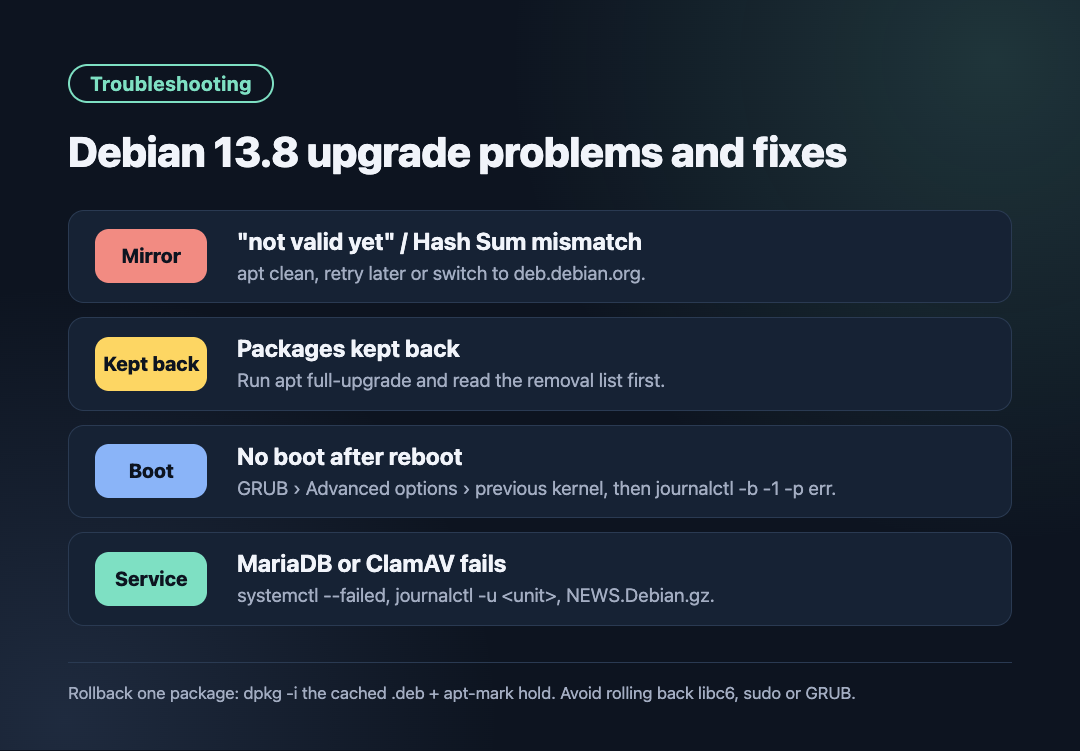
Troubleshooting the Debian 13.8 upgrade
"Release file … is not valid yet" or "Hash Sum mismatch". The mirror is still syncing the point release. Run sudo apt clean, wait a bit and retry, or switch to deb.debian.org in your sources.
"The following packages have been kept back". You ran apt upgrade. Run sudo apt full-upgrade and read the list before you confirm. If it wants to remove packages you need, stop and check why.
The machine does not boot after the reboot. At the GRUB menu, open Advanced options for Debian GNU/Linux and pick the previous kernel. Once you are in, read journalctl -b -1 -p err for the failed boot. Keep the older kernel installed until the problem is fixed. If Secure Boot rejects the boot, check mokutil --sb-state and compare with the Debian SecureBoot wiki; the wiki had no 13.8-specific note when I checked.
A service fails after upgrading. MariaDB and ClamAV moved to new upstream releases in 13.8. Run systemctl --failed, then journalctl -u mariadb -n 50 (or the failing unit) and check config changes listed in /usr/share/doc/<package>/NEWS.Debian.gz.
Rolling back a single package
Old versions usually leave the mirrors after a point release. Your local cache may still have them:
ls /var/cache/apt/archives/ | grep mariadb
sudo dpkg -i /var/cache/apt/archives/<OLD_PACKAGE>.deb
sudo apt-mark hold <PACKAGE_NAME>
If the cache is empty, snapshot.debian.org keeps every published version. Remove the hold with apt-mark unhold as soon as the problem is fixed. Do not roll back libc6, sudo or GRUB unless the system cannot run otherwise, since that brings the security bugs back.
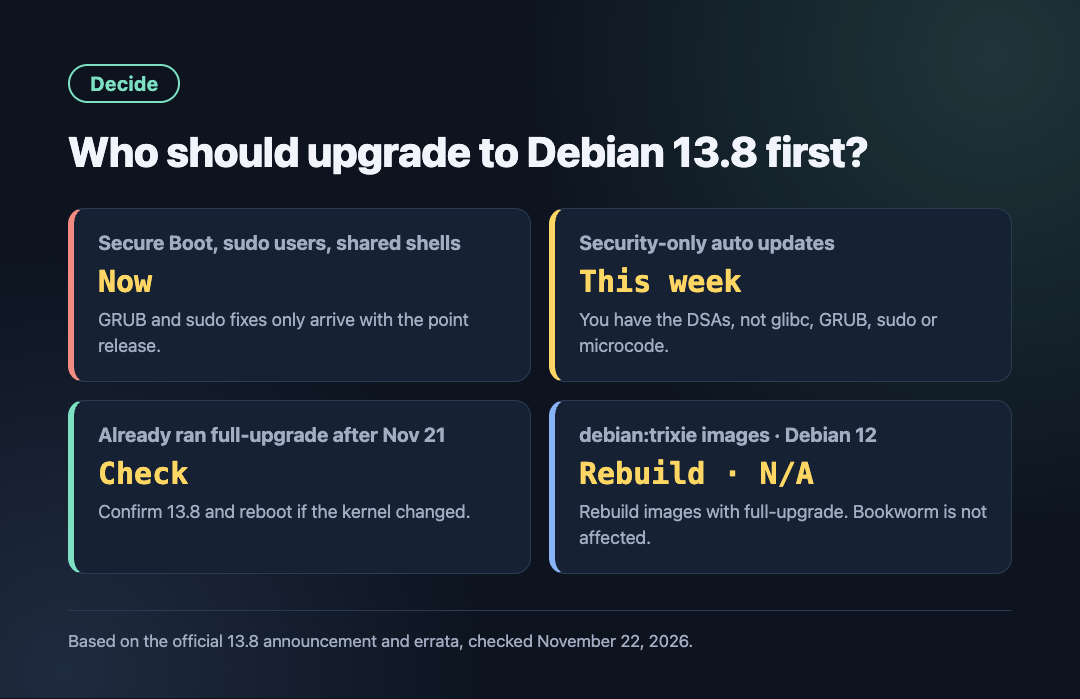
Should you upgrade to Debian 13.8 today?
| Your system | Action | Why |
|---|---|---|
| Debian 13 server with Secure Boot, shared shell users or sudo | Upgrade now | GRUB bypass and sudo fix are only in the bug-fix table |
Debian 13 that only gets trixie-security updates | Upgrade this week | You have the DSAs, but not glibc, GRUB, sudo or microcode |
Debian 13 that ran full-upgrade after Nov 21 | Check only | Confirm 13.8 and reboot if the kernel changed |
Docker images based on debian:trixie | Rebuild with full-upgrade | No 13.8 tag yet as of Nov 22 |
| Debian 12 bookworm | Not affected by this release | Follow bookworm updates separately |
For other Debian patches this month, see the APT CVE-2026-109518 patch guide and the rsync 3.5.2 security update. If you manage kernel updates by hand, the CVE-2026-98432 Linux kernel patch guide shows how to check and block a kernel bug before a reboot.
FAQ
Do I need to reinstall or download a new ISO for Debian 13.8? No. Debian says the point release is not a new version of Debian 13, and you do not need to throw away old trixie media. apt full-upgrade brings an installed system up to 13.8. New installation images are published separately.
Why does /etc/os-release still say Debian 13? That file only tracks the major version. The point release number is in /etc/debian_version.
Is Debian 13.8 a security emergency? Not by itself, but it includes fixes that matter: a GRUB Secure Boot bypass, glibc CVEs and a sudo fix that were not sent through trixie-security. Systems that only take security updates should upgrade within days.
Will Debian 13.8 upgrade me to Debian 14? No. It stays on trixie. Only sources set to stable will move to Debian 14 when that release becomes stable.
How long is Debian 13 supported? The trixie release page lists regular security support until August 9, 2028 and LTS until June 30, 2030.
Next, plan a routine: check /etc/debian_version after each point release and make sure your automatic updates include the main Debian origin, not just security.
References
- Debian, "Updated Debian 13: 13.8 released" (November 21, 2026) (checked November 22, 2026)
- Debian 13 errata (checked November 22, 2026)
- Debian trixie release information (checked November 22, 2026)
- Debian, "Updated Debian 13: 13.7 released" (September 12, 2026) (checked November 22, 2026)
- Debian trixie ChangeLog (checked November 22, 2026)
- Debian Wiki, SecureBoot (checked November 22, 2026)
- Docker official images, Debian library file (checked November 22, 2026)
- Debian snapshot archive (checked November 22, 2026)