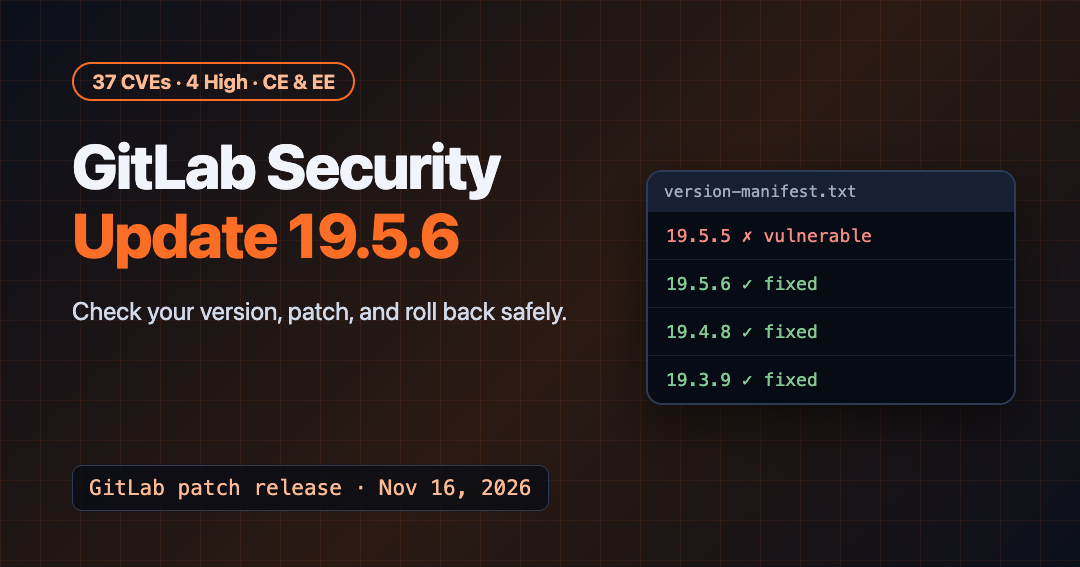
The GitLab security update released on November 16, 2026 fixes 37 vulnerabilities in self-managed GitLab CE and EE, four of them rated High. Upgrade to 19.5.6, 19.4.8 or 19.3.9, whichever matches your current minor version. GitLab.com is already patched and GitLab Dedicated customers do not need to act. GitLab lists no workaround, so upgrading is the fix. The release adds no new database migrations, so most single-node upgrades are a short restart.
Written November 17, 2026, 20:00 KST (11:00 UTC). Facts checked on November 17, 2026 against GitLab's patch release notice for 19.5.6, 19.4.8 and 19.3.9, the Linux package and Docker upgrade docs, the upgrade path page, the Helm chart version mappings and the Linux package downgrade docs. I have not run these commands on a live GitLab instance for this post. Replace gitlab.example.com, container names and namespaces with your own.
What the GitLab security update fixes
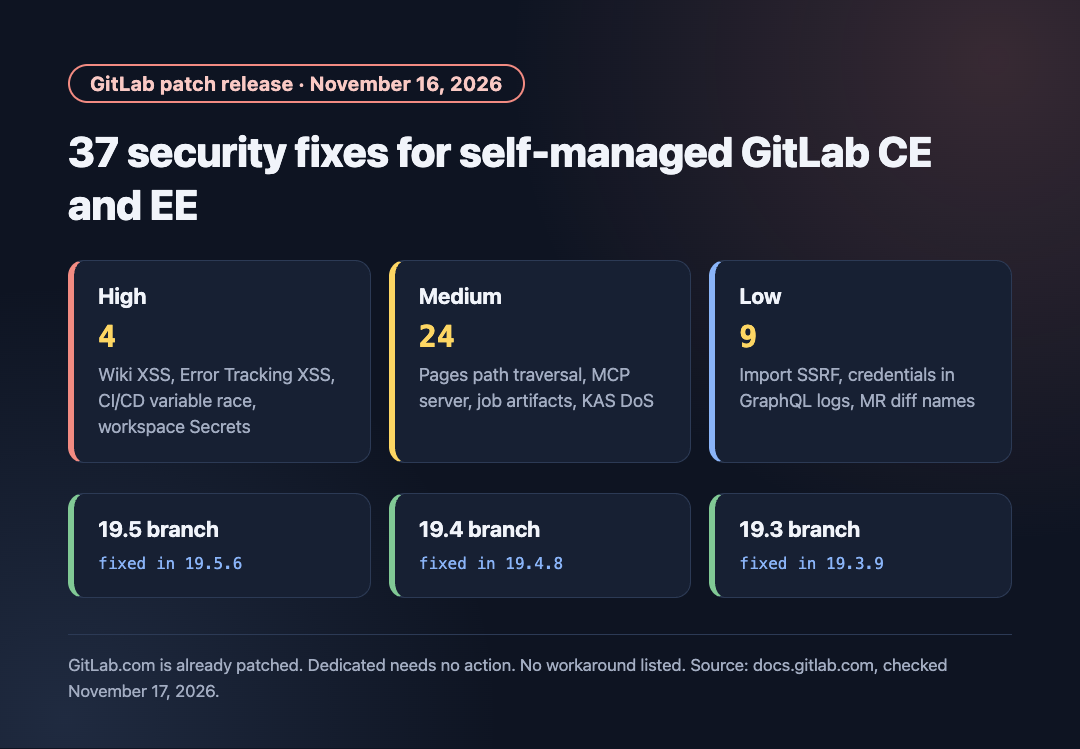
GitLab ships one fixed version per supported minor branch, as listed in the GitLab patch release notice. Every CVE in the notice affects all versions from its "affected since" release up to the fixed version on your branch. One EE bug, CVE-2026-128849 in Duo Agent Platform flows, affects only 19.5.
| Severity | Count | Examples |
|---|---|---|
| High | 4 | Wiki XSS, Error Tracking XSS, CI/CD variable race, workspace Secrets |
| Medium | 24 | Pages path traversal, MCP server, job artifacts, KAS DoS |
| Low | 9 | Repo import SSRF, credentials in GraphQL logs, MR diff names |
| EE-only | 13 of 37 | Duo, pipeline execution policies, Maven virtual registry |
The four High issues are the reason to move fast:
- CVE-2026-105739 (8.7): an authenticated user can plant JavaScript in a wiki page that runs in viewers' browsers. Affects 17.2 onward.
- CVE-2026-108153 (8.7): XSS in Error Tracking pages. Affects 16.1 onward.
- CVE-2026-18241 (8.2): a race condition in CI/CD pipeline jobs can expose protected CI/CD variables and resources. Affects 9.3 onward, so almost every instance in use today.
- CVE-2026-97187 (7.6): workspaces can read Kubernetes Secrets in other namespaces through the agent. Affects 17.6 onward.
The notice gives no exploitation details. GitLab says issue details go public on its tracker 90 days after release, around February 14, 2027. The package also updates bundled NGINX (1.31.4 to 1.31.7), curl (8.23.0), libxslt, libtiff and GnuPG.
Check your GitLab version
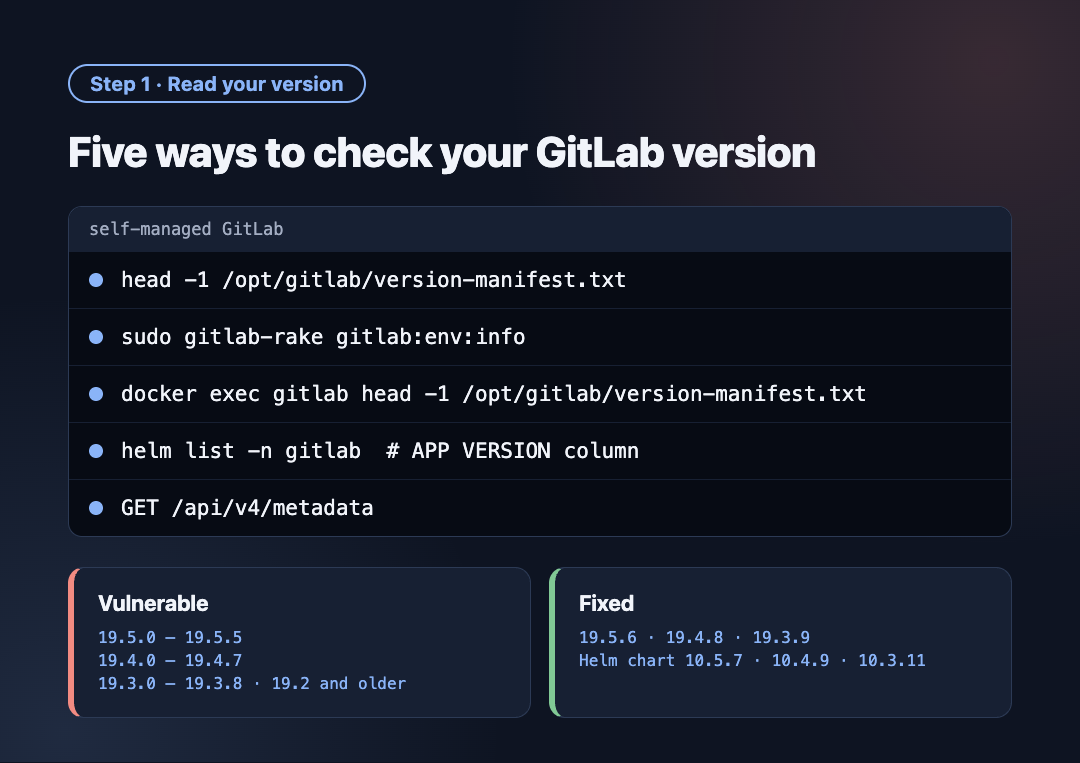
You need the exact major.minor.patch version and the edition. Pick the method that fits your install.
Web UI: sign in, open the Help menu (question mark icon) or go to https://gitlab.example.com/help. Admins also see the version on Admin area > Dashboard under Components.
Linux package (Omnibus):
head -1 /opt/gitlab/version-manifest.txt   # e.g. "gitlab-ee 19.5.5"
sudo gitlab-rake gitlab:env:info           # see the "GitLab information" block
dpkg -l | grep gitlab        # Debian / Ubuntu
rpm -q gitlab-ee gitlab-ce   # RHEL family
Docker:
docker inspect --format '{{.Config.Image}}' gitlab
docker exec gitlab head -1 /opt/gitlab/version-manifest.txt
Helm chart (Kubernetes): the chart number is not the GitLab number. Read the APP VERSION column.
helm list -n gitlabAPI: the Metadata API returns version, revision and whether the instance is EE.
curl --header "PRIVATE-TOKEN: <YOUR_TOKEN>" \
  "https://gitlab.example.com/api/v4/metadata"
How to read the result:
| You see | Status | Target |
|---|---|---|
| 19.5.0 to 19.5.5 | Vulnerable | 19.5.6 |
| 19.4.0 to 19.4.7 | Vulnerable | 19.4.8 |
| 19.3.0 to 19.3.8 | Vulnerable | 19.3.9 |
| 19.2 or older | Vulnerable, no patch on branch | Follow the upgrade path |
| 19.5.6 / 19.4.8 / 19.3.9 or later | Fixed | None |
On Helm, the fixed releases are chart 10.5.7 (GitLab 19.5.6), 10.4.9 (19.4.8) and 10.3.11 (19.3.9), per GitLab's version mapping table.
Plan the upgrade path
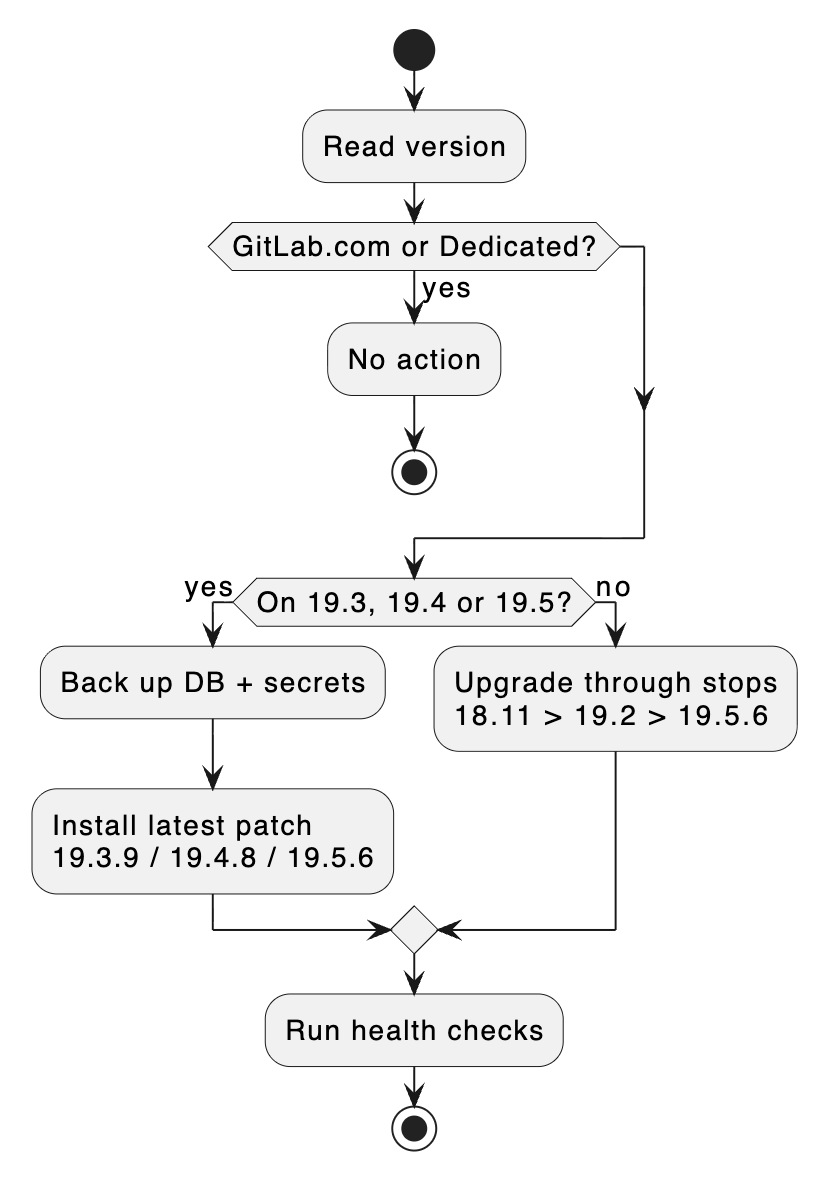
A patch upgrade inside the same minor version needs no stop. Going from 19.5.3 to 19.5.6 is one step. Crossing minor versions is different. GitLab's required stops for 19.x are 19.2, 19.5, 19.8 and 19.11, and for 18.x they are 18.2, 18.5, 18.8 and 18.11. At each stop, use the latest patch of that minor.
View PlantUML source
@startuml
skinparam shadowing false
skinparam defaultFontSize 14
start
:Read version;
if (GitLab.com or Dedicated?) then (yes)
  :No action;
  stop
endif
if (On 19.3, 19.4 or 19.5?) then (yes)
  :Back up DB + secrets;
  :Install latest patch\n19.3.9 / 19.4.8 / 19.5.6;
else (no)
  :Upgrade through stops\n18.11 > 19.2 > 19.5.6;
endif
:Run health checks;
stop
@enduml
Before you start, as GitLab's upgrade docs recommend:
- Take a backup, and copy the secrets file. The Linux package also backs up the database automatically before an upgrade unless
/etc/gitlab/skip-auto-backupexists. - Make sure PostgreSQL, Redis and Gitaly are running.
- Consider maintenance mode and pause CI/CD jobs on busy instances.
- Plan to upgrade GitLab Runner to the same version afterward.
sudo gitlab-backup create                  # Linux package
sudo cp /etc/gitlab/gitlab-secrets.json /etc/gitlab/gitlab.rb /root/gitlab-config-backup/
docker exec -t gitlab gitlab-backup create # Docker
The backup archive does not include gitlab-secrets.json or gitlab.rb. Without the secrets file, a restored database cannot decrypt CI/CD variables and 2FA settings.
Install the patched GitLab version
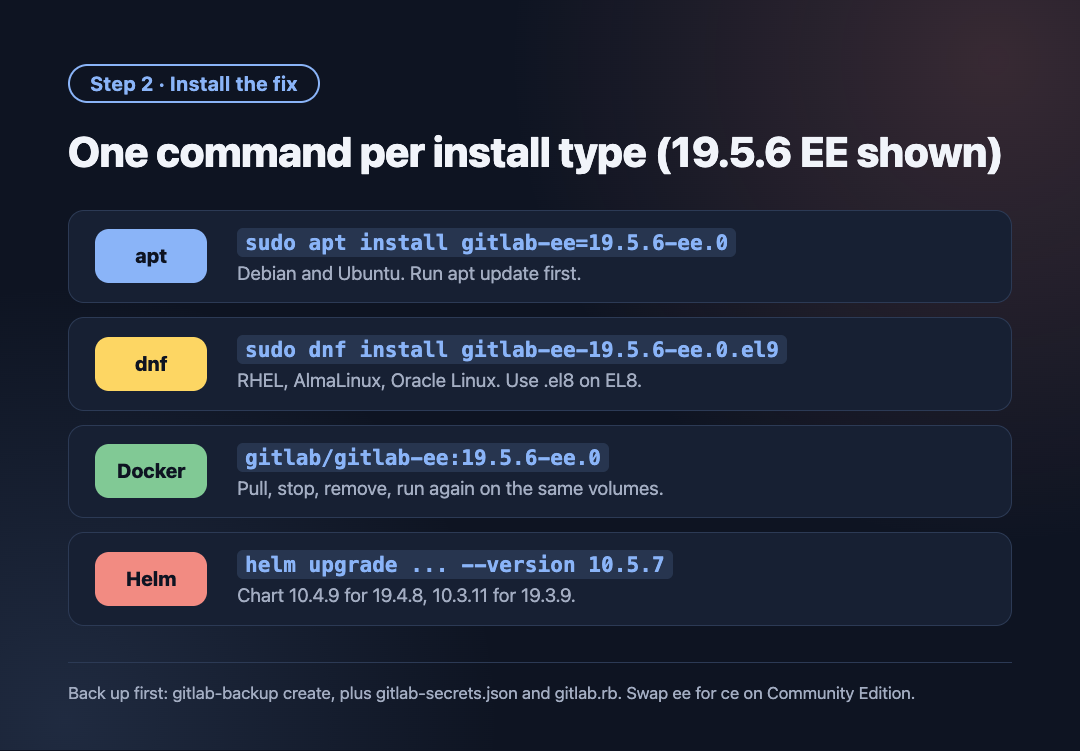
Each method below targets 19.5.6 EE. Swap in 19.4.8 or 19.3.9 and ce if that is what you run.
Debian and Ubuntu (apt)
sudo apt update
apt-cache madison gitlab-ee | head -3
sudo apt install gitlab-ee=19.5.6-ee.0
RHEL, AlmaLinux, Oracle Linux (dnf)
sudo dnf install gitlab-ee-19.5.6-ee.0.el9 # use .el8 on EL8Amazon Linux 2023 uses the .amazon2023 suffix, and openSUSE Leap uses zypper install gitlab-ee=19.5.6-ee.sles15.
Docker Engine
sudo docker pull gitlab/gitlab-ee:19.5.6-ee.0
sudo docker stop gitlab
sudo docker rm gitlab
sudo docker run --detach \
  --hostname gitlab.example.com \
  --publish 443:443 --publish 80:80 --publish 22:22 \
  --name gitlab --restart always \
  --volume $GITLAB_HOME/config:/etc/gitlab \
  --volume $GITLAB_HOME/logs:/var/log/gitlab \
  --volume $GITLAB_HOME/data:/var/opt/gitlab \
  --shm-size 256m \
  gitlab/gitlab-ee:19.5.6-ee.0
Pulling first keeps downtime shorter. Reuse your original docker run flags. The ones above are GitLab's documented defaults. If your container logs are getting large during upgrades, see Docker log rotation with the local and json-file drivers.
Docker Compose
Change the image line in docker-compose.yml to gitlab/gitlab-ee:19.5.6-ee.0, then:
docker compose pull
docker compose up -d
docker compose logs -f gitlab
On first start, the container reconfigures and upgrades itself.
Helm chart
helm repo update
helm upgrade gitlab gitlab/gitlab \
  --namespace gitlab \
  --version 10.5.7 \
  -f gitlab-values.yaml
Use 10.4.9 for GitLab 19.4.8 or 10.3.11 for 19.3.9. Pass your own values file rather than relying on defaults.
Confirm the GitLab security update applied
head -1 /opt/gitlab/version-manifest.txt   # expect gitlab-ee 19.5.6
sudo gitlab-ctl status
sudo gitlab-rake gitlab:check SANITIZE=true
sudo gitlab-rake gitlab:doctor:secrets
Then do GitLab's manual checks. Sign in, open a project, clone and push, and confirm runners pick up jobs. If you use the container registry, push and pull one image.
If you can't patch today
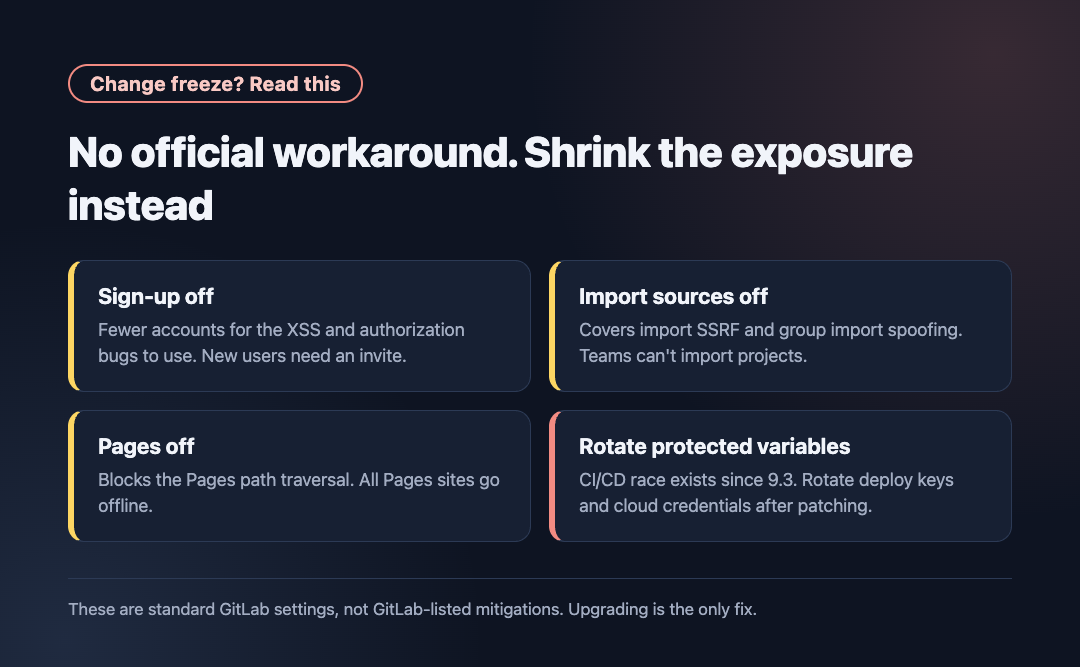
GitLab's notice lists no workaround or mitigation. Upgrading is the only fix. If a change freeze blocks you, these settings shrink exposure for specific bugs. They are standard GitLab settings, not GitLab-recommended mitigations for these CVEs, and I have not verified that they fully block any of them.
| Setting | Lowers risk from | Side effect |
|---|---|---|
| Turn off public sign-up (Admin > Settings > General > Sign-up restrictions) | XSS and authorization bugs that need an account | New users need an admin invite |
| Uncheck import sources (Admin > Settings > General > Import and export settings) | Import SSRF, import restriction bypass, group import spoofing | Teams cannot import projects |
Disable GitLab Pages (gitlab_pages['enable'] = false, then sudo gitlab-ctl reconfigure) | Pages path traversal to private artifacts | All Pages sites go offline |
| Rotate protected CI/CD variables after patching | CI/CD variable race (CVE-2026-18241) | Pipelines need the new values |
Watch out for the last row. The race condition has existed since 9.3, so rotate deploy keys and cloud credentials stored as protected variables if untrusted users can run pipelines on your instance.
Fix common GitLab upgrade errors
E: Version '19.5.6-ee.0' for 'gitlab-ee' was not found. Your package index is stale or the repository is missing. Run sudo apt update, then apt-cache madison gitlab-ee. If no 19.x packages appear, re-add the GitLab package repository from the install docs. On dnf, check sudo dnf --showduplicates list gitlab-ee.
502 error page after the upgrade. Puma is still starting or crashed. Give it a few minutes on large instances, then check:
sudo gitlab-ctl status
sudo gitlab-ctl tail puma
sudo gitlab-ctl reconfigure
sudo gitlab-ctl restart
The version did not change. If /etc/gitlab/skip-auto-reconfigure exists, the package installed but did not reconfigure. Run sudo gitlab-ctl reconfigure and restart. In Docker, make sure the new container uses the new tag, not a cached latest.
Runners fail jobs after the upgrade. Upgrade GitLab Runner to the matching version, as the upgrade docs recommend.
Roll back to the previous version
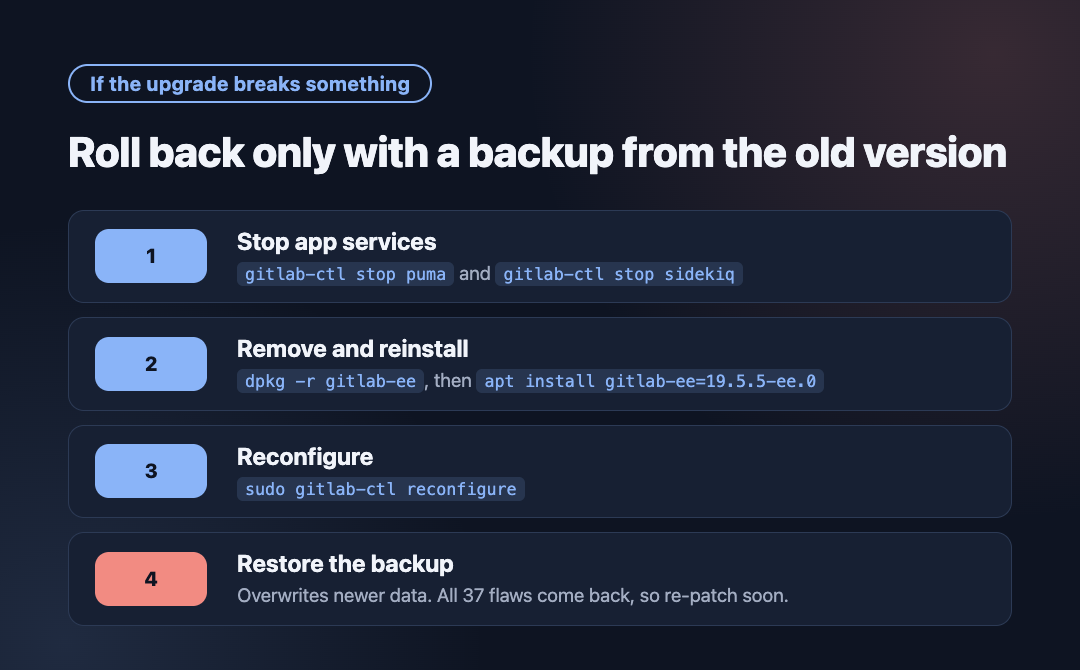
Roll back only if post-upgrade checks fail and you cannot fix them quickly. GitLab's documented Linux package procedure needs a database backup taken on the exact version you return to:
sudo gitlab-ctl stop puma
sudo gitlab-ctl stop sidekiq
sudo dpkg -r gitlab-ee                      # yum remove gitlab-ee on RHEL
sudo apt install gitlab-ee=19.5.5-ee.0      # your previous version
sudo gitlab-ctl reconfigure                 # then restore the pre-upgrade backup
The restore overwrites anything written to the database after the backup. Rolling back also puts all 37 vulnerabilities back, so treat it as a short-term step. In Docker, start the old image tag on the same volumes and restore the backup the same way.
GitLab security update decision table
| Your setup | Action | When |
|---|---|---|
| Internet-facing, open sign-up or many teams | Patch to latest on your branch | Now |
| Uses Pages, workspaces, Error Tracking or wikis with outside contributors | Patch and rotate protected variables | Now |
| Internal instance, small trusted team | Patch to latest on your branch | This week |
| 19.2 or older | Plan the path through the required stops | This week, start now |
| GitLab.com or GitLab Dedicated | Nothing to do | No action |
If you run other self-hosted CI servers, the same habits apply. See the Jenkins security update to 2.588 or LTS 2.580.2. If GitLab uses an external PostgreSQL server, also check the PostgreSQL 18.7 security update, which fixed 52 CVEs on versions 14 to 18.
FAQ
Is GitLab.com affected by the November 16, 2026 security release? No action is needed. GitLab says GitLab.com already runs the patched version and GitLab Dedicated customers do not need to do anything.
Do I need downtime to install GitLab 19.5.6? These versions add no new database migrations. A single-node Linux package install still restarts services during the package upgrade. Multi-node setups that follow GitLab's zero-downtime process should not need downtime.
Can I jump straight from 19.2 to 19.5.6? Yes. 19.2 and 19.5 are both required stops, and 19.5.6 is the latest patch of the 19.5 stop. From 18.x, go through 18.11 and 19.2 first.
Is GitLab Community Edition affected? Yes. 24 of the 37 CVEs affect both CE and EE, including all four High issues. The other 13, mostly Duo and policy features, are EE-only.
Are any of these GitLab vulnerabilities exploited in the wild? GitLab's notice gives no exploitation details, and I found no exploitation report as of November 17, 2026. Patch anyway, since full issue details become public around February 14, 2027.
References
- GitLab, "GitLab Patch Release: 19.5.6, 19.4.8, 19.3.9", November 16, 2026: docs.gitlab.com (checked November 17, 2026)
- GitLab Docs, Upgrade a Linux package instance: docs.gitlab.com (checked November 17, 2026)
- GitLab Docs, Upgrade GitLab in Docker: docs.gitlab.com (checked November 17, 2026)
- GitLab Docs, Upgrade paths: docs.gitlab.com (checked November 17, 2026)
- GitLab Docs, Plan your upgrade (health checks): docs.gitlab.com (checked November 17, 2026)
- GitLab Docs, Helm chart version mappings: docs.gitlab.com (checked November 17, 2026)
- GitLab Docs, Roll back to earlier GitLab versions: docs.gitlab.com (checked November 17, 2026)