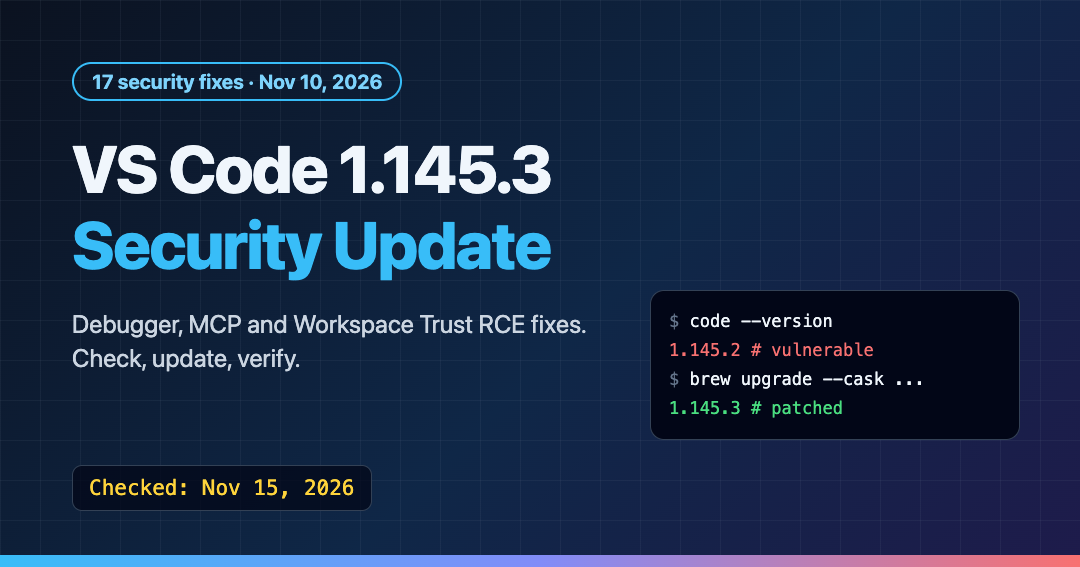
The VS Code 1.145.3 security update, released November 10, 2026, closes 17 security issues in Visual Studio Code. They include remote code execution bugs in JavaScript debugger auto-attach, MCP install links, MCP servers and Workspace Trust. If code --version prints anything older than 1.145.3, update now (1.146.0 is fine too) and update the VS Code Server on your remote hosts. If you can't update today, stop opening untrusted folders, links and MCP servers, and turn off JavaScript auto-attach until you can.
Written November 15, 2026. Facts checked on November 15, 2026 (KST) against the VS Code 1.145 and 1.146 release notes, the closed issues in the GitHub milestone 1.145.3, the microsoft/vscode GitHub security advisories, and the VS Code docs for Linux setup, Workspace Trust, Node.js debugging and the FAQ. The commands and example output below are my own examples, not Microsoft templates. I have not reproduced any of these bugs.
What the VS Code 1.145.3 security update fixes
VS Code 1.145.0 shipped on November 4. Two bug-fix builds followed on November 6. Then Microsoft published 1.145.3 on November 10, 2026 (Patch Tuesday), and the release notes describe it in one line: "The update addresses these security issues." The linked GitHub milestone holds 17 closed issues, all labeled security. All of them were fixed on the release/1.145 branch.
Microsoft also published GitHub security advisories the same day. The first page of the advisory list shows 10 of them: 9 rated High and 1 Moderate. Every advisory I opened says the same thing: affected versions are "before 1.145.3", and the patched version is 1.145.3.
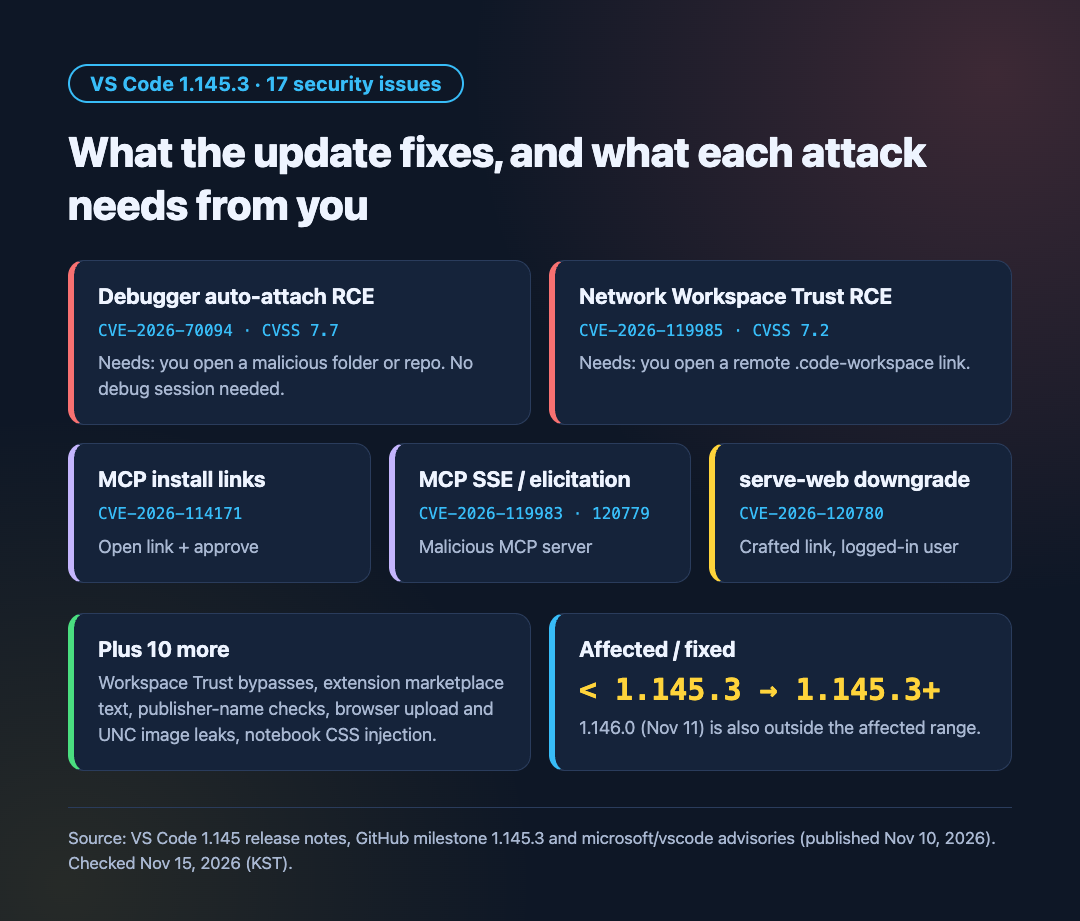
| Issue | CVE | Attacker needs you to… |
|---|---|---|
| RCE via JavaScript debugger auto-attach (CVSS 7.7) | CVE-2026-70094 | Open a malicious folder or repo |
| RCE via network Workspace Trust bypass (CVSS 7.2) | CVE-2026-119985 | Open a remote .code-workspace link |
| RCE via malicious MCP install links | CVE-2026-114171 | Open a vscode:mcp/install link and approve |
| RCE via unvalidated MCP SSE endpoints | CVE-2026-119983 | Connect to a malicious MCP server (legacy SSE) |
| RCE via MCP elicitation notifications | CVE-2026-120779 | Click a link from a malicious MCP server |
RCE via serve-web release downgrade | CVE-2026-120780 | Visit a crafted link while logged in to serve-web |
| Command execution via agent local commands (Moderate) | CVE-2026-120782 | Grant a session tool permission to a poisoned prompt |
The other ten issues are Workspace Trust bypasses (prototype pollution in workspace configuration, settings group key override, restricted settings written as flat dotted keys, unregistered experiment overrides, and a missing or non-boolean security.workspace.trust.enabled treated as "off"). They also include extension marketplace text rendered as Markdown, crafted publisher names in the extension trust dialog, inherited publisher names in the allowed-extensions policy, information disclosure through integrated browser file uploads and UNC image paths in Markdown previews, and CSS injection through notebook font settings.
How serious is it?
None of the advisories I read mention exploitation in the wild, and the CVSS vectors I checked mark exploit maturity as "Unproven" (E:U). Every bug needs you to do something: open a folder, click a link, approve an MCP install or connect to a server. That is still a low bar for developers, who clone unknown repositories all day. The worst one, CVE-2026-70094, triggers when you open a malicious folder. You don't need to start a debug session or run a task, according to the issue text.
If you use AI agents in VS Code, five of the issues sit on that surface (MCP links, MCP SSE, MCP elicitation, agent local commands, the integrated browser). I covered the wider risk of agent tooling in EMBRACE flaws in AI coding tools. It is the same story: a repository or server you didn't write can steer your editor.
Check your VS Code version (desktop, CLI and remote)
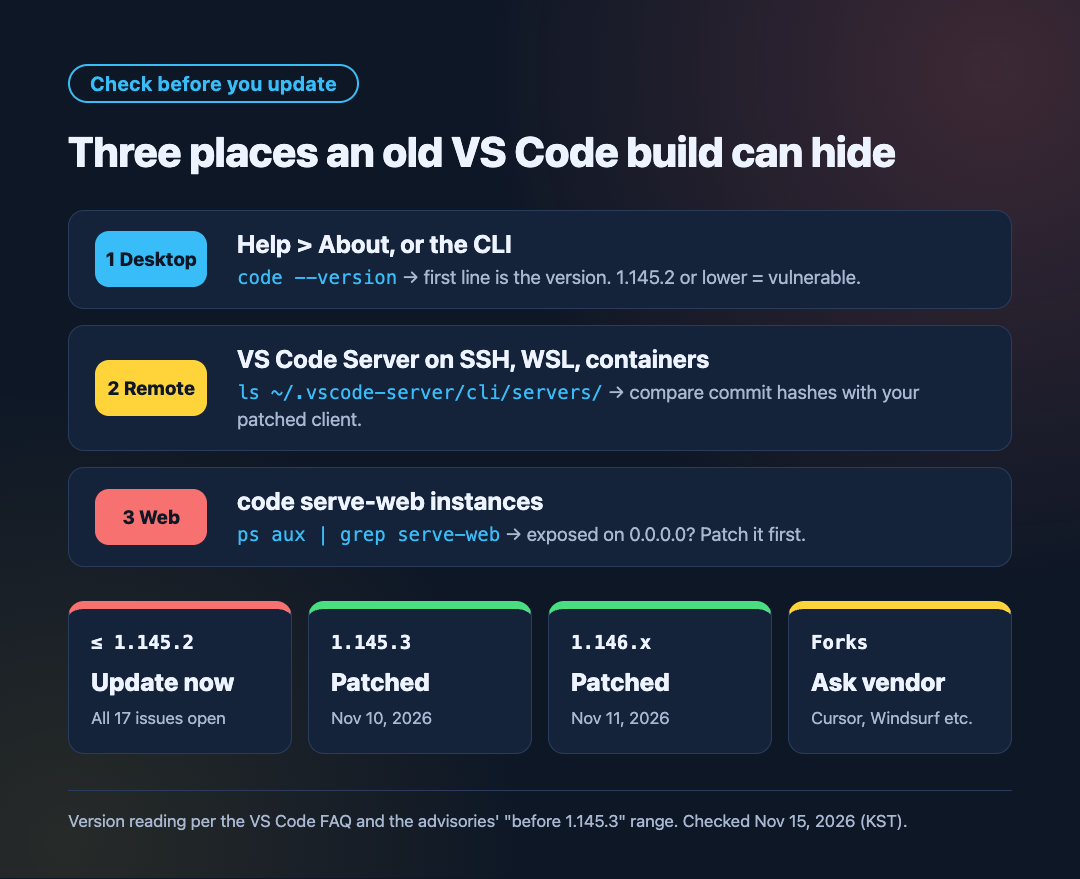
There are three places to check: the desktop app, any VS Code Server on remote machines, and any code serve-web instance.
1. Desktop app
From the menu: Help > About on Windows and Linux, Code > About Visual Studio Code on macOS. The first "Version" line is the one that matters.
From a terminal:
code --versionExample output on a patched machine:
1.145.3
<COMMIT_HASH>
arm64
How to read it:
- 1.145.2 or older: vulnerable. Update now.
- 1.145.3: patched.
- 1.146.0 or newer: patched. 1.146.0 came out November 11, a day after 1.145.3, and the advisories mark only versions "before 1.145.3" as affected.
On Linux, ask the package manager too, because it decides what you get:
apt list --installed code 2>/dev/null   # Debian / Ubuntu
rpm -q code                             # Fedora / RHEL
snap list code                          # Snap
On Windows with winget:
winget list --id Microsoft.VisualStudioCode -eOn macOS with Homebrew:
brew list --cask --versions visual-studio-code2. VS Code Server on SSH hosts, WSL and dev containers
Remote development installs a server build that matches the client's commit. Old server folders stay on disk after you update. List them on each host:
ls ~/.vscode-server/cli/servers/ 2>/dev/null
ls ~/.vscode-server/bin/ 2>/dev/null
The folder names contain commit hashes, not version numbers. Compare them with the commit hash that code --version prints on your patched desktop. Any other hash is an older server.
3. code serve-web instances
The serve-web bug (CVE-2026-120780) matters for anyone running VS Code in a browser from their own machine or server. Find running instances and their listening address:
ps aux | grep -v grep | grep serve-web
sudo ss -ltnp | grep -i code
If it listens on 0.0.0.0 or a public interface, treat it as exposed and patch it first.
How to update VS Code to 1.145.3 or later
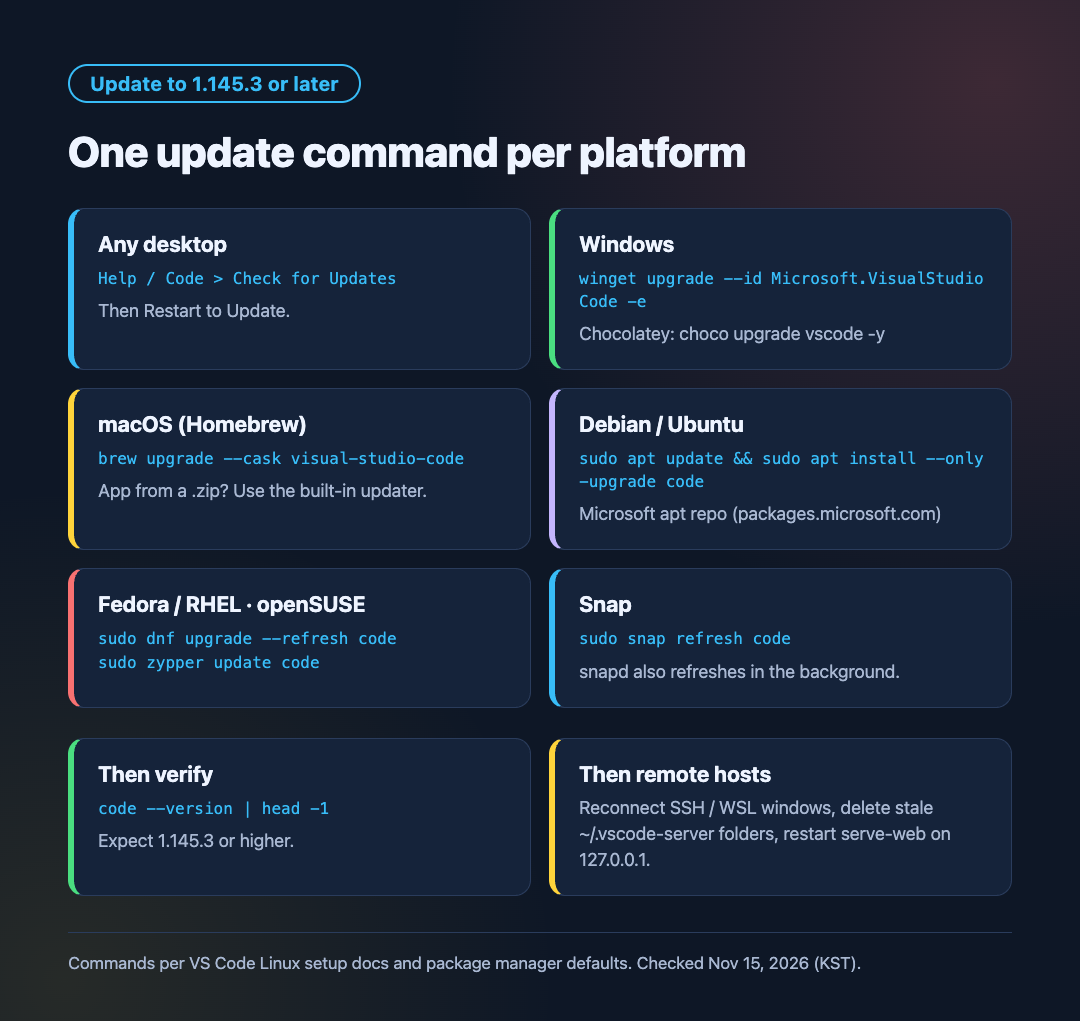
The quickest path is the built-in updater: Help > Check for Updates (Windows, Linux) or Code > Check for Updates (macOS), then Restart to Update. On Windows and macOS, VS Code updates itself unless someone set update.mode to none.
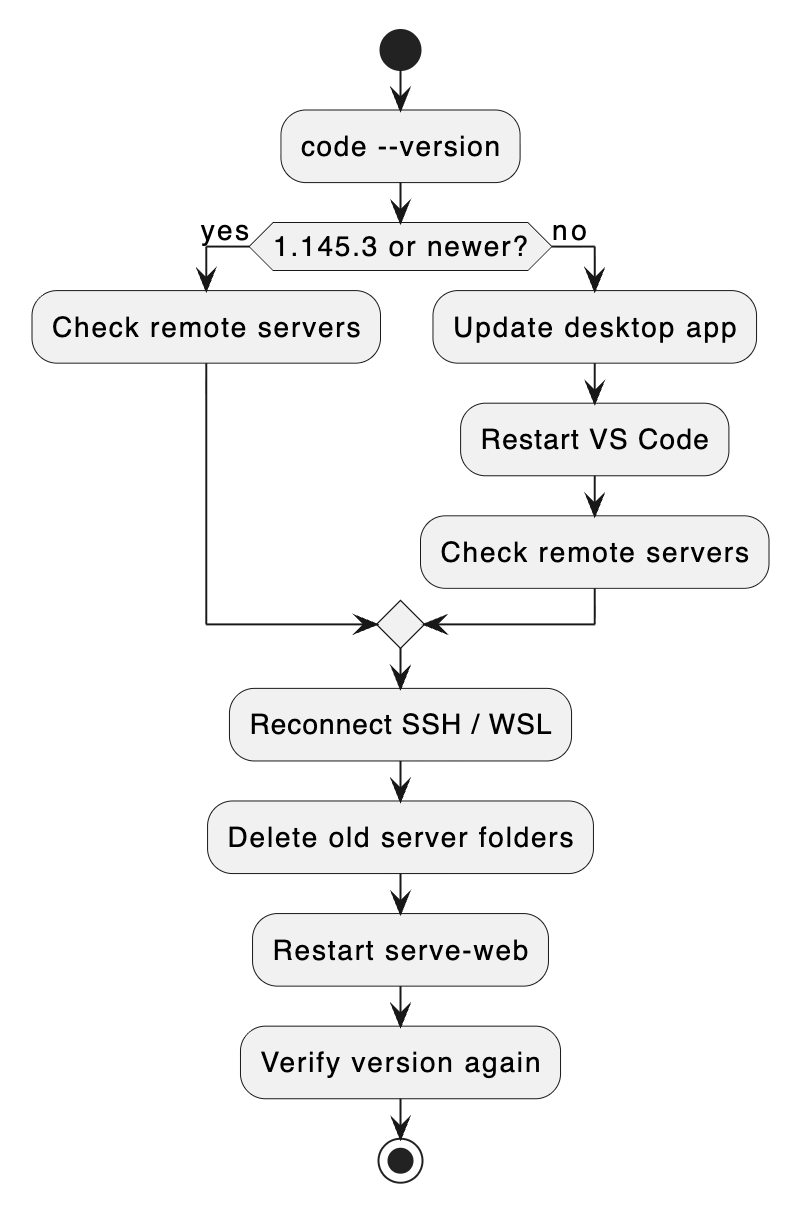
View PlantUML source
@startuml
skinparam shadowing false
skinparam defaultFontSize 14
start
:code --version;
if (1.145.3 or newer?) then (yes)
  :Check remote servers;
else (no)
  :Update desktop app;
  :Restart VS Code;
  :Check remote servers;
endif
:Reconnect SSH / WSL;
:Delete old server folders;
:Restart serve-web;
:Verify version again;
stop
@enduml
Windows
winget upgrade --id Microsoft.VisualStudioCode -eIf you installed with Chocolatey:
choco upgrade vscode -ymacOS
brew upgrade --cask visual-studio-codeIf you installed by dragging the app to Applications, use Code > Check for Updates.
Linux
Microsoft's Linux setup page uses the code package from packages.microsoft.com:
sudo apt update && sudo apt install --only-upgrade code   # Debian / Ubuntu
sudo dnf upgrade --refresh code                           # Fedora / RHEL
sudo zypper update code                                   # openSUSE / SLE
sudo snap refresh code                                    # Snap
The docs note that the Debian repository can lag the latest release by up to three hours. That window has long passed for 1.145.3.
Remote servers and serve-web
- Reconnect each Remote-SSH, WSL or dev container window from the updated desktop. VS Code installs the matching server build.
- If a host keeps the old server, run Remote-SSH: Kill VS Code Server on Host… from the Command Palette and reconnect.
- Remove server folders whose hash doesn't match your patched client (the list from the check step).
- For
serve-web, update thecodepackage on that machine, stop the old process and start it again bound to localhost:
code serve-web --host 127.0.0.1 --port 8000Verify the update
code --version | head -1You want 1.145.3 or higher. If you manage a fleet, run the same check from your endpoint tool. I wrote about a similar fleet-wide check for another editor family in JetBrains Security Update: Patch IDEs to 2026.2.4 Now.
Can't update yet? Temporary VS Code mitigations
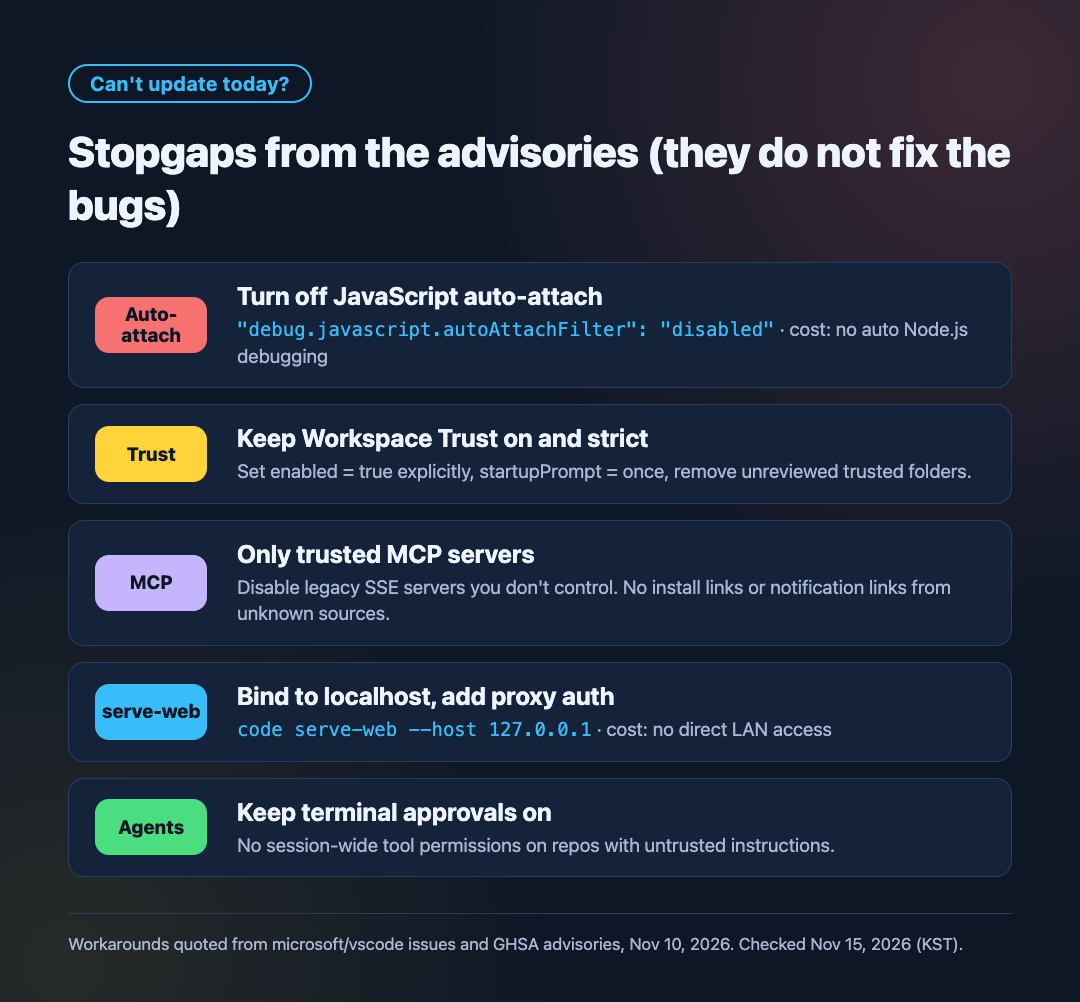
The workarounds below come from the issues and advisories themselves. There is no setting that fixes the bugs. These only shrink the attack surface until you update.
| Risk | Official workaround | Side effect |
|---|---|---|
| Debugger auto-attach (CVE-2026-70094) | Disable JavaScript auto-attach; don't open untrusted repos | No automatic Node.js debugging in the terminal |
| Workspace Trust bypasses | Don't grant trust until you have reviewed the repo | Extensions and tasks stay limited in Restricted Mode |
| Remote workspace links | Download .code-workspace files and review them before opening | Extra step for shared workspaces |
| MCP install links, SSE, elicitation | Install and connect only trusted MCP servers; disable legacy SSE servers; don't click links in notifications from unknown servers | Some agent tools go offline |
| serve-web | Bind to localhost; add authentication at the reverse proxy | No direct LAN access |
| Agent local commands | Keep terminal approvals on; don't grant session-wide permissions on untrusted repos | More approval prompts |
Turn off JavaScript auto-attach
Open the Command Palette, run Debug: Toggle Auto Attach and pick Disabled. Or add this to your user settings.json:
{
  "debug.javascript.autoAttachFilter": "disabled"
}
Restart any open terminals afterwards. The Node.js debugging docs describe the other modes (smart, always, onlyWithFlag). Switch back once you are on 1.145.3.
Make Workspace Trust stricter
Keep the feature on and ask on first open:
{
  "security.workspace.trust.enabled": true,
  "security.workspace.trust.startupPrompt": "once"
}
Then run Workspaces: Manage Workspace Trust and remove folders you trusted without a real review. Note that one of the fixed bugs treated a missing or non-boolean security.workspace.trust.enabled value as "disabled", so write it explicitly as true.
Find legacy SSE MCP servers
MCP servers are defined in a workspace .vscode/mcp.json and in your user mcp.json. Search both for SSE transports:
grep -n '"sse"' .vscode/mcp.json 2>/dev/null   # workspace
grep -n '"sse"' "$HOME/Library/Application Support/Code/User/mcp.json" \
  "$HOME/.config/Code/User/mcp.json" 2>/dev/null
Select-String -Path "$env:APPDATA\Code\User\mcp.json" -Pattern '"sse"'Disable or remove servers you don't fully trust until you update. If you still run old reference servers from the MCP project, also read Deprecated MCP Servers: Find and Replace Them After MCPhantom.
Troubleshooting after the update
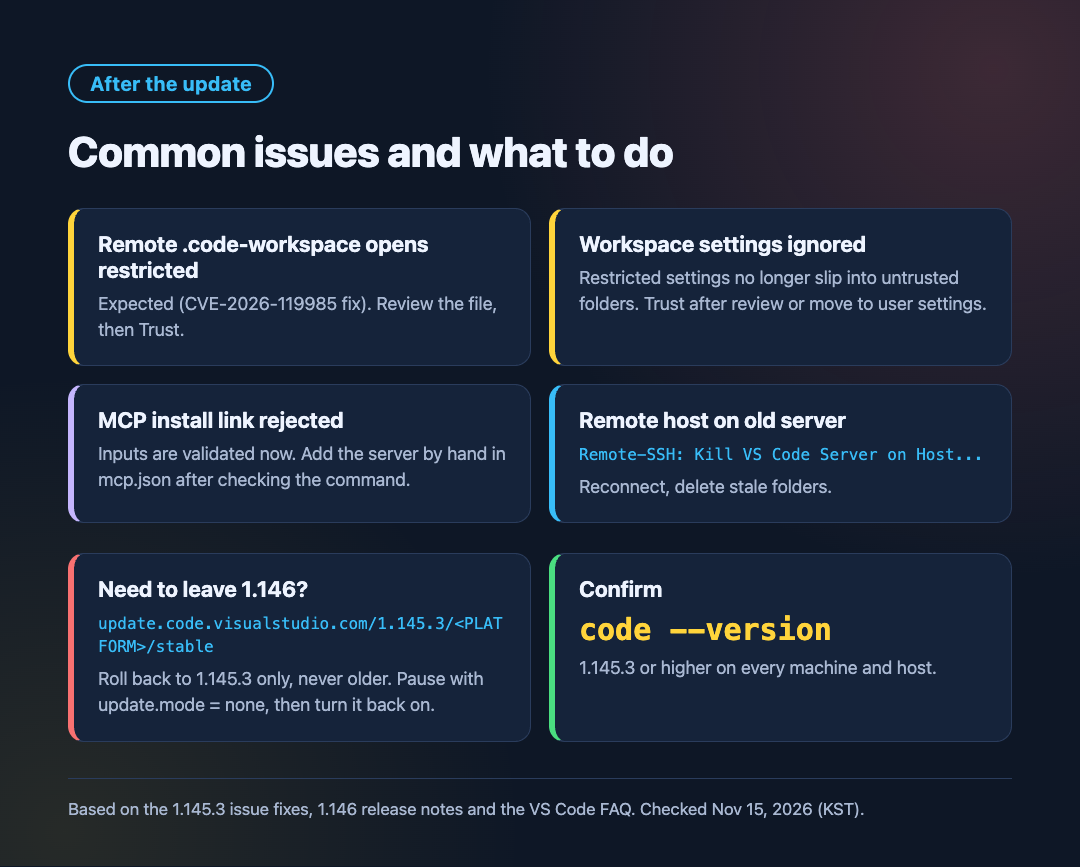
A remote .code-workspace link now opens in Restricted Mode. That is the fix for CVE-2026-119985. HTTP and HTTPS workspaces now follow normal Workspace Trust rules. Review the file, then choose Trust if it is yours.
Workspace settings stopped applying in an untrusted folder. Several fixes close tricks that let restricted settings slip into untrusted workspaces (flat dotted keys, group key overrides, experiment overrides). If a setting you rely on now gets ignored, trust the folder after review or move the setting to user settings.
An MCP install link fails or asks for more input. Since 1.145.3, VS Code validates install-link inputs and rejects unsupported command-backed variables. Add the server by hand in mcp.json after you check its command and arguments.
A remote host still runs the old server. Run Remote-SSH: Kill VS Code Server on Host…, reconnect, then delete the stale folders under ~/.vscode-server/.
1.146.0 changed agent behavior and you want the 1.145 line. 1.146 deprecates the Local agent harness (removal planned for February 2027) and narrows permission prompts by default. If that breaks your workflow, step back to 1.145.3, never older. The FAQ gives the download pattern:
https://update.code.visualstudio.com/1.145.3/<PLATFORM>/stableReplace <PLATFORM> with your build (for example linux-deb-x64 or linux-deb-arm64). Then stop auto-update temporarily:
{
  "update.mode": "none"
}
Set it back to default soon. With updates off, you will miss the next security fix. On Debian and Ubuntu, apt-cache madison code lists the versions the repo still offers.
VS Code security update decision table
| Your setup | Action | When |
|---|---|---|
| 1.145.2 or older, you open third-party repos | Update desktop and remote servers | Now |
| Any old version with MCP servers or agent mode | Update; audit mcp.json | Now |
serve-web reachable from a network | Update, bind to localhost, add auth | Now |
| Old build on locked-down machines, own code only | Update | This week |
| Remote hosts with stale server folders | Reconnect, delete old folders | This week |
| 1.145.3 or 1.146.x everywhere | No action | Not affected |
| Cursor, Windsurf or other VS Code forks | Check the vendor's own release notes | Not covered here |
The forks line matters. These fixes went into Microsoft's VS Code repository. Forks ship on their own schedule, and I did not check whether they have merged these patches. I also covered a past fork-specific incident in Claude Code Extension Backdoor: Find and Remove It in Cursor.
FAQ
Is 1.146.0 also patched? Yes. The advisories list affected versions as "before 1.145.3", and 1.146.0 (November 11, 2026) is newer. The 1.146 release notes don't repeat the security list, so the 1.145.3 milestone is the place to read about these fixes.
Do I need to do anything for VS Code for the Web (vscode.dev)? The fixes are in the VS Code desktop app, the VS Code Server and code serve-web. I found no advisory that asks vscode.dev users to act. If you self-host serve-web, update it.
Are any of these bugs being exploited? I found no report of exploitation as of November 15, 2026, and the CVSS vectors I checked list exploit maturity as "Unproven". Each bug still needs only a small user action, so update anyway.
Does Restricted Mode protect me from CVE-2026-70094? Not fully. The issue says auto-attach settings could influence which executable VS Code launched at startup, before Workspace Trust applied. That is why the update matters more than any setting.
Should I uninstall MCP servers? No, but connect only to servers you trust. Remove or disable legacy SSE servers you don't control until you are on 1.145.3 or later.
References
- VS Code 1.145 release notes (Update 1.145.3) — Microsoft, checked Nov 15, 2026
- VS Code 1.146 release notes — Microsoft, checked Nov 15, 2026
- GitHub milestone 1.145.3: closed security issues — microsoft/vscode, checked Nov 15, 2026
- microsoft/vscode security advisories — GitHub, checked Nov 15, 2026
- GHSA-3grj-pfwj-fffm: RCE via JavaScript Debugger Auto-Attach (CVE-2026-70094) — checked Nov 15, 2026
- GHSA-g3fj-wc2g-v3j5: RCE via Network Workspace Trust Bypass (CVE-2026-119985) — checked Nov 15, 2026
- MSRC: CVE-2026-114171 — Microsoft Security Response Center, checked Nov 15, 2026
- VS Code on Linux: installation — Microsoft, checked Nov 15, 2026
- Workspace Trust — Microsoft, checked Nov 15, 2026
- Node.js debugging: Auto Attach — Microsoft, checked Nov 15, 2026
- VS Code FAQ: previous versions and update mode — Microsoft, checked Nov 15, 2026
- Visual Studio Code 1.145.3 security patch covering 17 vulnerabilities — Warp2Search, Nov 11, 2026
Next, if your team installs MCP servers from links, read Deprecated MCP Servers: Find and Replace Them After MCPhantom to clean up the servers that load into your editor.