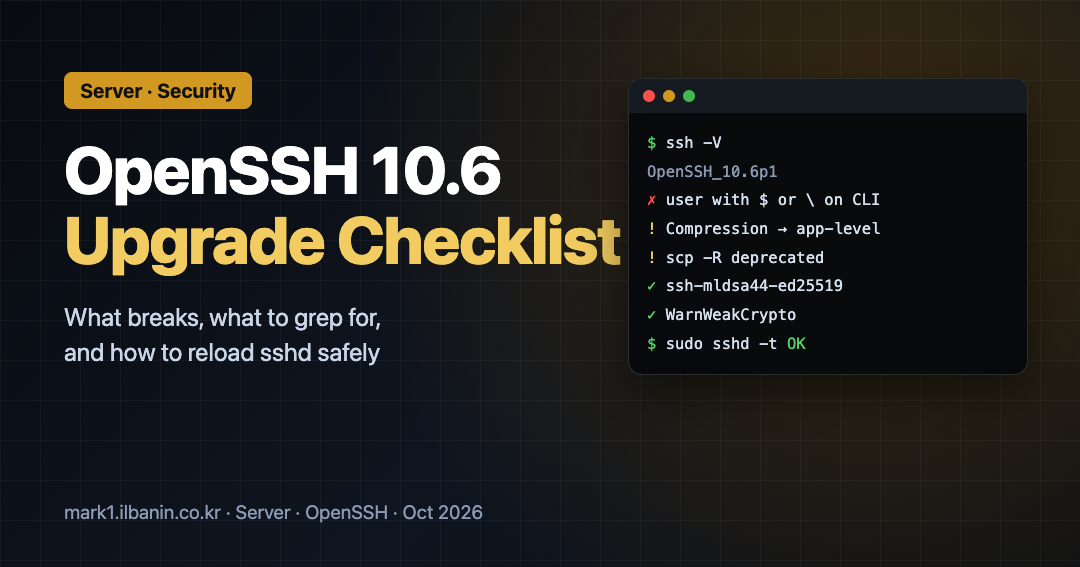
Before an OpenSSH 10.6 upgrade, check four things: scripts that pass usernames containing $ or \ on the command line, any setup that relies on Compression yes, old experimental ML-DSA keys, and scripts that still call scp -R. OpenSSH 10.6 (portable 10.6p1) was released on October 6, 2026. It refuses those usernames, weakens compression on purpose to close a side channel, renames the post-quantum signature algorithm, and adds a server-side WarnWeakCrypto warning. Most servers upgrade with no config changes, but the checks below take about ten minutes and catch the cases that do break.
Everything here comes from the official OpenSSH release notes and the OpenBSD manual pages for ssh_config, sshd_config and ssh-keygen, checked on October 24, 2026. I have not benchmarked anything for this post. The commands are standard OpenSSH and systemd tools, and the output on your system will differ by distribution and package version.
What changed in OpenSSH 10.6 at a glance
The release notes split the changes into incompatible changes, deprecations, security fixes and new features. These are the ones that matter for a normal Linux or macOS fleet:
| Change | Affects | Action |
|---|---|---|
$ and \ refused in command-line usernames | ssh client | Move such usernames into User in ssh_config |
| LZ77 compression coder disabled | ssh and sshd | Stop relying on Compression; compress at the app level |
ssh-mldsa44-ed25519 drops the @openssh.com suffix | keys and authorized_keys | Regenerate experimental ML-DSA keys |
scp -R prints a deprecation warning | scripts | Remove -R from scp calls |
New WarnWeakCrypto in sshd (on by default) | server logs | Expect new log lines for non-post-quantum clients |
| sftp validates server paths more strictly | sftp client | Upgrade clients too, not only servers |
The OpenSSH team also says it will ship releases more often for now, because AI-assisted vulnerability discovery is spreading among researchers. Plan for smaller, more frequent SSH updates.
Step 1: Check which OpenSSH version you run
Check the client and the server package. Distribution packages often carry security fixes without changing the upstream version number, so read your vendor's advisory as well.
ssh -V                        # client version (Linux, macOS, Windows)
dpkg -l openssh-server        # Debian, Ubuntu
rpm -q openssh-server         # Fedora, RHEL, Rocky, Alma
brew info openssh             # macOS with Homebrew
Then dump the effective server and client settings. These two commands show what is actually in force after includes and Match blocks:
sudo sshd -T | grep -Ei 'compression|warnweakcrypto|tcpkeepalive|pubkeyauthoptions'
ssh -G <YOUR_HOST> | grep -Ei 'compression|user |warnweakcrypto'
If you are upgrading the whole OS at the same time, my Ubuntu 26.10 upgrade guide covers keeping an SSH session alive during do-release-upgrade.
Step 2: Fix usernames with $ or \ (OpenSSH 10.6 breaking change)
The ssh client now refuses usernames that contain a backslash or a dollar sign when they come from the command line. The release notes give the reason: such names could lead to shell injection through ProxyCommand and Match exec. Usernames set with the User directive in a config file are exempt.
Two common real-world cases hit this rule:
- Windows domain logins written as
DOMAIN\user. - Account names that end in
$, such as machine accounts in some Active Directory or Samba setups.
Find them in your scripts and CI jobs. This looks for ssh, scp or sftp calls with a backslash or a trailing $ before the @:
grep -rnE '(ssh|scp|sftp) .*(\\[A-Za-z0-9_.-]+|\$)@' \
  ~/scripts /etc/cron* .github 2>/dev/null
Review the hits by hand. The pattern also matches "$@" argument lists, which are harmless.
The fix is to move the username into ~/.ssh/config and connect with the host alias:
Host win-build
    HostName <YOUR_HOST_IP>
    User CORP\builder
ssh win-buildNote that a shell variable like ssh "$DEPLOY_USER@host" is fine as long as the expanded value does not contain $ or \. The check is on the final username string.
Step 3: Stop relying on SSH compression
OpenSSH 10.6 disables the LZ77 dictionary coder inside its compression. The release notes call this a mitigation for a cross-channel plaintext recovery attack that abuses the shared compression dictionary. The result: Compression still exists but compresses much less, and the OpenSSH team recommends application-level compression instead.
Defaults are different on each side. According to the man pages, the client default is Compression no, and the server default is yes. So this mainly affects people who turned it on in the client, often for slow links or for tunneling large text files.
| Old habit | Better after 10.6 |
|---|---|
ssh -C host 'cat big.log' > big.log | ssh host 'zstd -c big.log' > big.log.zst |
scp -C dump.sql host: | zstd dump.sql && scp dump.sql.zst host: |
Compression yes in ~/.ssh/config | Remove it; use rsync -z or compress files first |
Check whether you set it anywhere:
grep -rniE '^\s*Compression\s+yes|ssh .*-C ' ~/.ssh/config /etc/ssh/ ~/scripts 2>/dev/nullStep 4: Handle post-quantum keys and the new name
The hybrid post-quantum signature algorithm ssh-mldsa44-ed25519 is now enabled. It combines ML-DSA-44 with Ed25519. It no longer carries the @openssh.com suffix, so keys made with the earlier experimental version must be regenerated or removed.
Look for old experimental keys:
grep -n 'mldsa' ~/.ssh/authorized_keys ~/.ssh/*.pub 2>/dev/nullTo create a new user key with 10.6 or later:
ssh-keygen -t mldsa44-ed25519 -f ~/.ssh/id_mldsa44_ed25519 -C "<YOUR_EMAIL>"Keep your existing Ed25519 key as well. A server older than 10.6 will not accept the new key type, so remove the old key only when every server you reach is on 10.6 or newer.
On the server side, ssh-keygen -A now creates host keys for all default types, which the man page lists as rsa, ecdsa, mldsa44-ed25519 and ed25519. If your sshd_config lists HostKey lines explicitly, add the new key there yourself:
sudo ssh-keygen -A
sudo grep -n '^HostKey' /etc/ssh/sshd_config /etc/ssh/sshd_config.d/*.conf
If that grep finds HostKey lines, add one more next to them:
HostKey /etc/ssh/ssh_host_mldsa44_ed25519_keyClients will see a new host key type. If you manage known_hosts or SSHFP records through config management, add the new host key there too.
Step 5: Expect WarnWeakCrypto lines in the server log
sshd 10.6 adds WarnWeakCrypto, enabled by default. It logs a warning when a connection uses weak or discouraged algorithms, including key agreement that is not post-quantum safe. The default key exchange list already starts with mlkem768x25519-sha256 and sntrup761x25519-sha512, so modern clients will not trigger it. Old clients, embedded devices and some libraries will.
Use the warnings as an inventory of legacy clients. The systemd unit is ssh on Debian and Ubuntu and sshd on Fedora and RHEL, so this command asks for both:
sudo journalctl -u ssh -u sshd --since "24 hours ago" | grep -i weakThe release notes do not quote the exact log text, so start with a broad search like this and narrow it once you see the real lines on your server.
If the log noise is too much while you upgrade those clients, the man page documents a no-pq-kex flag that silences only the post-quantum warnings, and no to turn all of them off. For example, in /etc/ssh/sshd_config.d/50-warnings.conf:
WarnWeakCrypto no-pq-kexStep 6: Clean up scp -R and review the smaller options
scp -R (remote-to-remote copy run on the remote host) now prints a deprecation warning to stderr. A future release will ignore the flag and copy through the local host instead. Find it now, because a warning on stderr can fail strict CI jobs:
grep -rnE 'scp\s+[^|;]*-[A-Za-z]*R' ~/scripts .github 2>/dev/nullA few new options are worth knowing:
| Option | Where | What it does |
|---|---|---|
PubkeyAuthOptions max-pk-ok:N | sshd | Public-key query attempts allowed before they count against MaxAuthTries (default 6) |
AgentSocketPath | sshd | Where forwarded agent sockets go: user: path (default user:.ssh/agent) or shared: directory |
TCPKeepAlive all | ssh, sshd | Keepalives on forwarding sockets too, not only the main connection |
sftp mkdir -p | sftp | Creates parent directories, no error if they exist |
ssh-add -P | client | Skips PIN entry for FIDO/PKCS#11 tokens that do not need one |
The release notes name the first option PubkeyOptions, but the current sshd_config man page documents it under PubkeyAuthOptions. Use the man page name.
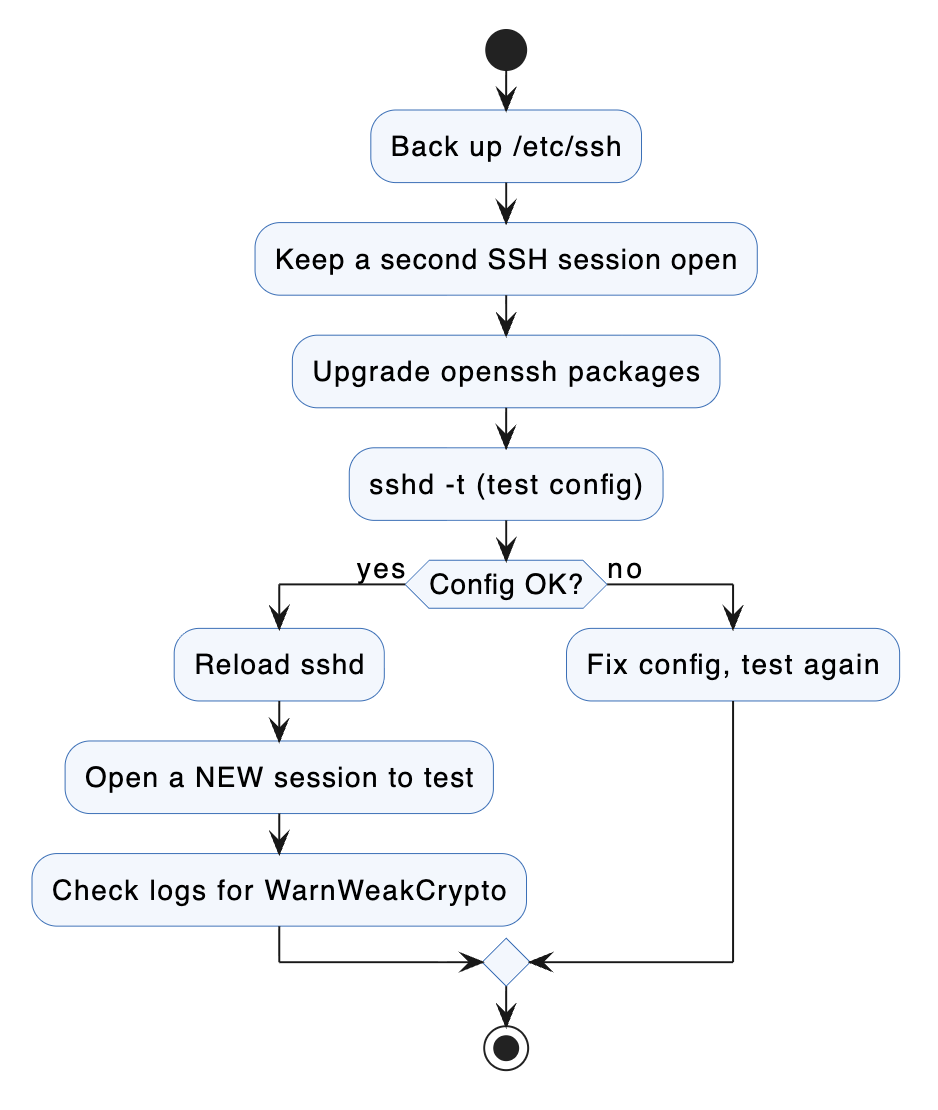
OpenSSH 10.6 upgrade order for a server
View PlantUML source
@startuml
skinparam shadowing false
skinparam defaultFontSize 14
skinparam ActivityBackgroundColor #F3F7FD
skinparam ActivityBorderColor #3B6FB6
start
:Back up /etc/ssh;
:Keep a second SSH session open;
:Upgrade openssh packages;
:sshd -t (test config);
if (Config OK?) then (yes)
  :Reload sshd;
  :Open a NEW session to test;
  :Check logs for WarnWeakCrypto;
else (no)
  :Fix config, test again;
endif
stop
@enduml
The commands behind that flow:
sudo cp -a /etc/ssh /etc/ssh.bak-$(date +%F)
sudo apt update && sudo apt install --only-upgrade openssh-server openssh-client
sudo sshd -t && sudo systemctl reload ssh
On Fedora or RHEL, upgrade with sudo dnf upgrade openssh-server openssh-clients and reload the sshd unit instead of ssh.
Keep the first session open until a fresh login works. The same habit helped with the PHP security release patching: test the new service before you close the old door.
Why upgrade clients as well as servers
Several fixes in 10.6 protect the client, not the server:
- sftp path validation. A malicious server could make a recursive download write outside the target directory. The client now checks server paths more strictly.
- Username shell injection. The
$and\rule above. - Decompression limit. Decompressed data can no longer exceed the maximum packet length.
- scp NUL filenames. scp now rejects received filenames with a NUL byte.
On the server side, sshd now stores GSSAPI credentials only after authentication succeeds, fully enforces the restrict keyword for tunnel forwarding in authorized_keys, and no longer treats none as a literal file name in Match blocks. If you run Kerberos/GSSAPI or use restrict keys for automation, this release is worth prioritizing.
FAQ
Is OpenSSH 10.6 already in my Linux distribution? It depends on the distribution and release. Rolling and fast-moving distributions pick up new upstream versions sooner; LTS releases usually stay on an older version and backport security fixes. Run ssh -V and read your vendor's security advisory rather than relying on the version number alone.
Will the upgrade break my existing Ed25519 or RSA keys? No. The release notes do not remove Ed25519, ECDSA or RSA. Only keys made with the earlier experimental ML-DSA algorithm (with the @openssh.com name) need to be regenerated.
Why does ssh refuse my DOMAIN\user login now? OpenSSH 10.6 refuses \ and $ in usernames given on the command line. Put the username in a Host block with User DOMAIN\user in ~/.ssh/config; the config directive is exempt.
Should I turn off WarnWeakCrypto? Keep it on. It is a cheap way to find clients that do not use post-quantum key exchange. If the noise is a problem during a migration, WarnWeakCrypto no-pq-kex silences only those warnings.
Do I still need Compression yes on slow links? After 10.6 it gives much less benefit. Compress the data itself with zstd, gzip or rsync -z, which also keeps the side channel closed.
Summary
The OpenSSH 10.6 upgrade is low-risk for most servers. Search scripts for $ or \ usernames and scp -R, drop Compression in favor of app-level compression, regenerate any experimental ML-DSA keys, and expect WarnWeakCrypto lines from old clients. Test with sshd -t, reload, and confirm a new login before you close your current session.
Written on October 24, 2026. Facts, option names and defaults come from the sources below as of that date; check them again if you read this later, since OpenSSH plans more frequent releases.
References
- OpenSSH, Release Notes — OpenSSH 10.6/10.6p1 (Oct 6, 2026) — openssh.org (checked Oct 24, 2026)
- OpenBSD manual, sshd_config(5) — man.openbsd.org (checked Oct 24, 2026)
- OpenBSD manual, ssh_config(5) — man.openbsd.org (checked Oct 24, 2026)
- OpenBSD manual, ssh-keygen(1) — man.openbsd.org (checked Oct 24, 2026)
2 thoughts on “OpenSSH 10.6 Upgrade: What Breaks and How to Check Config”