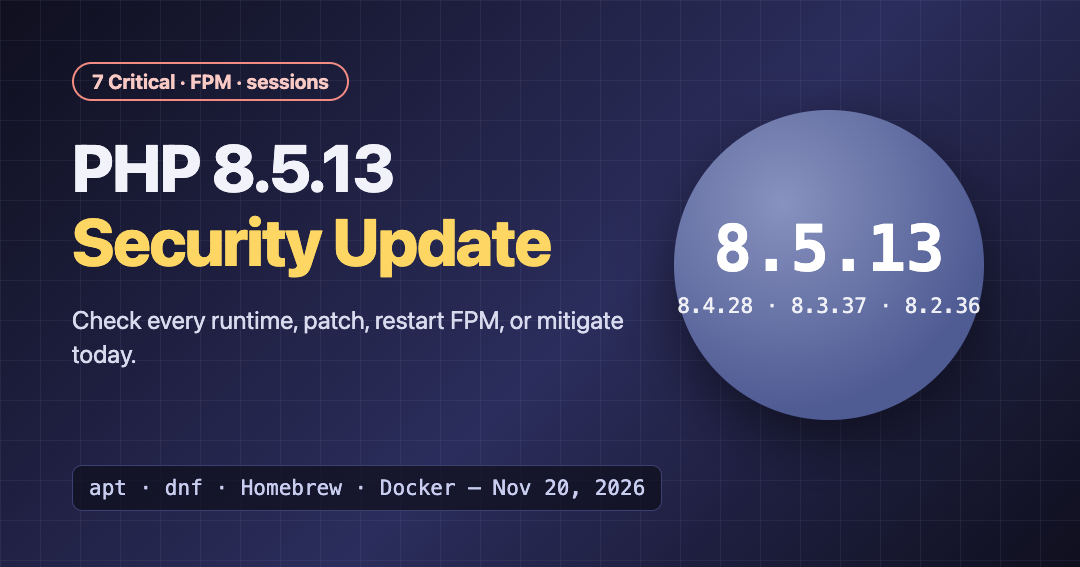
The PHP 8.5.13 security update, released on November 19, 2026 together with 8.4.28, 8.3.37 and 8.2.36, fixes 17 advisories, seven of them rated Critical (CVSS v4 9.2). Upgrade every PHP runtime you run (CLI, PHP-FPM, mod_php and Docker images) to the fixed version for its branch, then restart the workers. If you can't patch today, turn off session.upload_progress.enabled and FastCGI connection reuse first. Those two settings block the most practical attack paths.
Written November 20, 2026. Release notes, GitHub advisories and Docker tags checked on November 20, 2026 (KST). None of the sources I checked reported in-the-wild exploitation of these November bugs as of that date.
What the PHP 8.5.13 security update fixes
PHP pre-announced a "critical" release on November 18. The fixes shipped on November 19 between 14:00 and 14:30 UTC, the same day as PHP 8.6.0. The php.net posts for all four versions read "This is a security release" and ask every user of that branch to upgrade.
PHP's pre-announcement adds an important qualifier: "The issues rated CRITICAL require either non-default configuration or uncommon setups." This is not a "the whole internet is on fire" release. But several of the preconditions are common on production servers: nginx keep-alive to PHP-FPM, session upload progress, and gadget chains from Guzzle or Monolog.
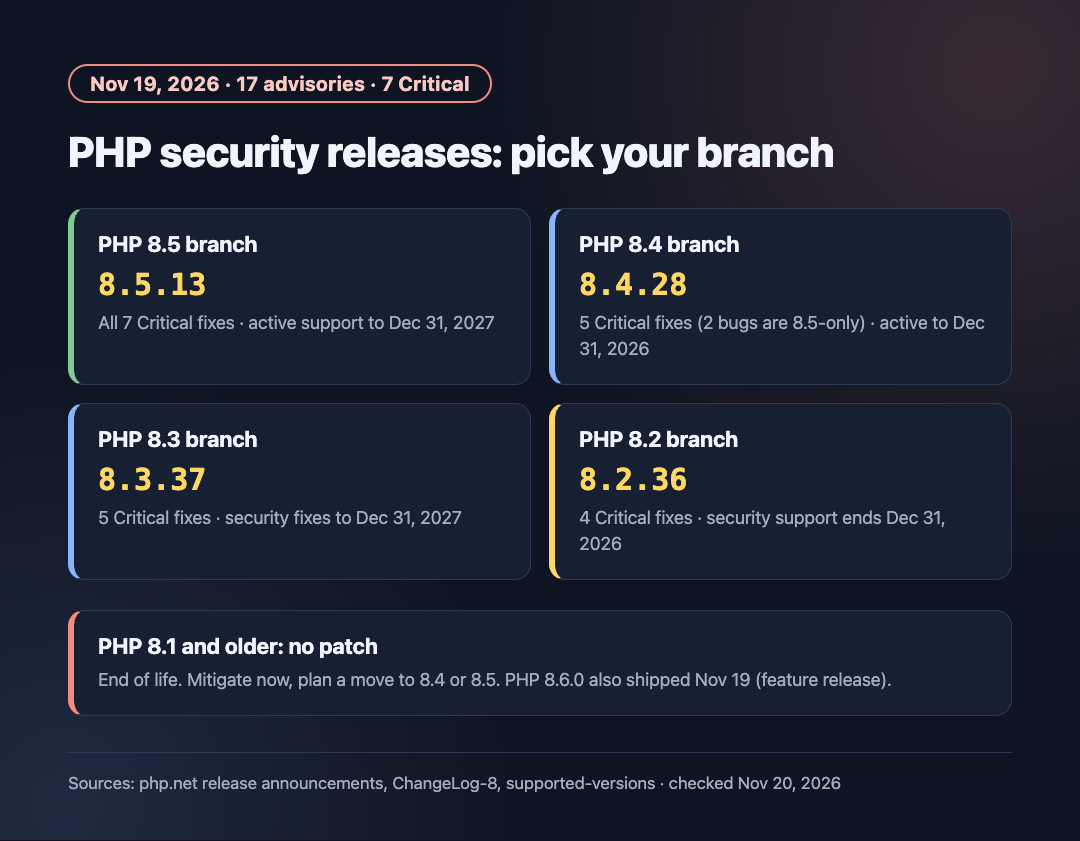
| Fixed version | Branch support status | Critical fixes included |
|---|---|---|
| 8.5.13 | Active until Dec 31, 2027 | 7 of 7 |
| 8.4.28 | Active until Dec 31, 2026 | 5 (two Critical bugs exist only in 8.5) |
| 8.3.37 | Security fixes until Dec 31, 2027 | 5 |
| 8.2.36 | Security fixes until Dec 31, 2026 | 4 (8.2 is not affected by GHSA-g3vh) |
| 8.1 and older | End of life | None. No patch is coming |
PHP 8.6.0 contains the same security fixes. Moving to 8.6 is a feature upgrade with its own testing, though. For today, stay on your branch and take the patch release.
If you patched the October "PHP2Shell" bugs, this is the follow-up round. One of the Critical advisories (GHSA-g3vh) is described as an incomplete fix for CVE-2026-109619 from that release. The session upload progress bug (CVE-2026-115560) is the one PHP flagged on October 23 and promised to document with this release. My earlier guide to the October 2026 PHP security release covers that background.
The 7 Critical PHP flaws and who is exposed
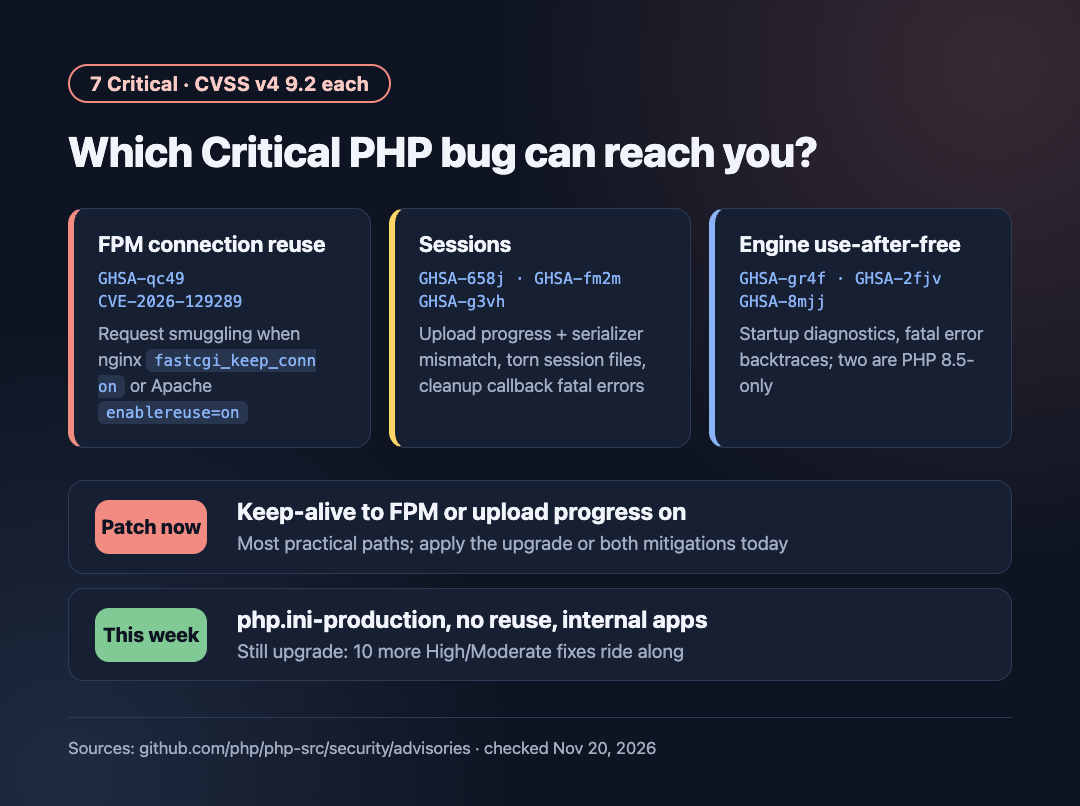
Every Critical advisory needs a specific setup. Read the "You are exposed if" column against your own servers. That decides how fast you need to move.
| Advisory / CVE | Branches | You are exposed if | Short-term fix |
|---|---|---|---|
| GHSA-qc49-hpvq-g2w6 / CVE-2026-129289, FPM request smuggling | 8.2–8.5 | nginx fastcgi_keep_conn on, Apache enablereuse=on, HAProxy FastCGI reuse or LSAPI, and code opens php://input without reading it to the end | Turn off backend connection reuse |
| GHSA-658j-r8rw-q6mx / CVE-2026-115560, session serializer mismatch | 8.2–8.5 | Session upload progress is on and different code paths read and write sessions with different session.serialize_handler values, plus a gadget chain in the app | session.upload_progress.enabled=0 in php.ini |
| GHSA-fm2m-fjf5-v3cp / CVE-2026-126714, partially overwritten session files | 8.2–8.5 | Default files session handler, attacker can influence session data and interrupt the write, plus a gadget chain | Disable upload progress, keep untrusted data out of sessions |
| GHSA-gr4f-wgx5-jpfv / CVE-2026-129496, timezone cache use-after-free | 8.2–8.5 | Startup diagnostics (for example an invalid date.timezone) with errors logged to a file | Fix startup warnings, or log to syslog |
| GHSA-g3vh-838c-65v7 / CVE-2026-129481, interrupted session shutdown | 8.3–8.5 | A fatal error inside a session cleanup callback, then another request on the same worker | No clean switch; pm.max_requests=1 as a last resort |
| GHSA-2fjv-p558-g82m / CVE-2026-129182, fatal error backtrace use-after-free | 8.5 only | Specific INI combinations (max_memory_limit, zlib or output_handler) | fatal_error_backtraces=0 |
| GHSA-8mjj-2r7p-4hg2 / CVE-2026-129474, magic method backtrace use-after-free | 8.5 only | zend.exception_ignore_args=0 (the production ini sets it to 1) and a reachable __call / __callStatic | zend.exception_ignore_args=1 |
The other ten advisories are High or Moderate. They include a PHP-FPM local privilege escalation (CVE-2026-129291), a Phar signature downgrade (CVE-2026-128090), plaintext exposure with mixed-case HTTPS:// and FTPS:// URLs (CVE-2026-128064), SOAP and DOM memory bugs, and an XSS in the FPM status page. They don't change the plan: the same upgrade fixes them.
Check your PHP version (CLI, FPM, Apache, Docker)
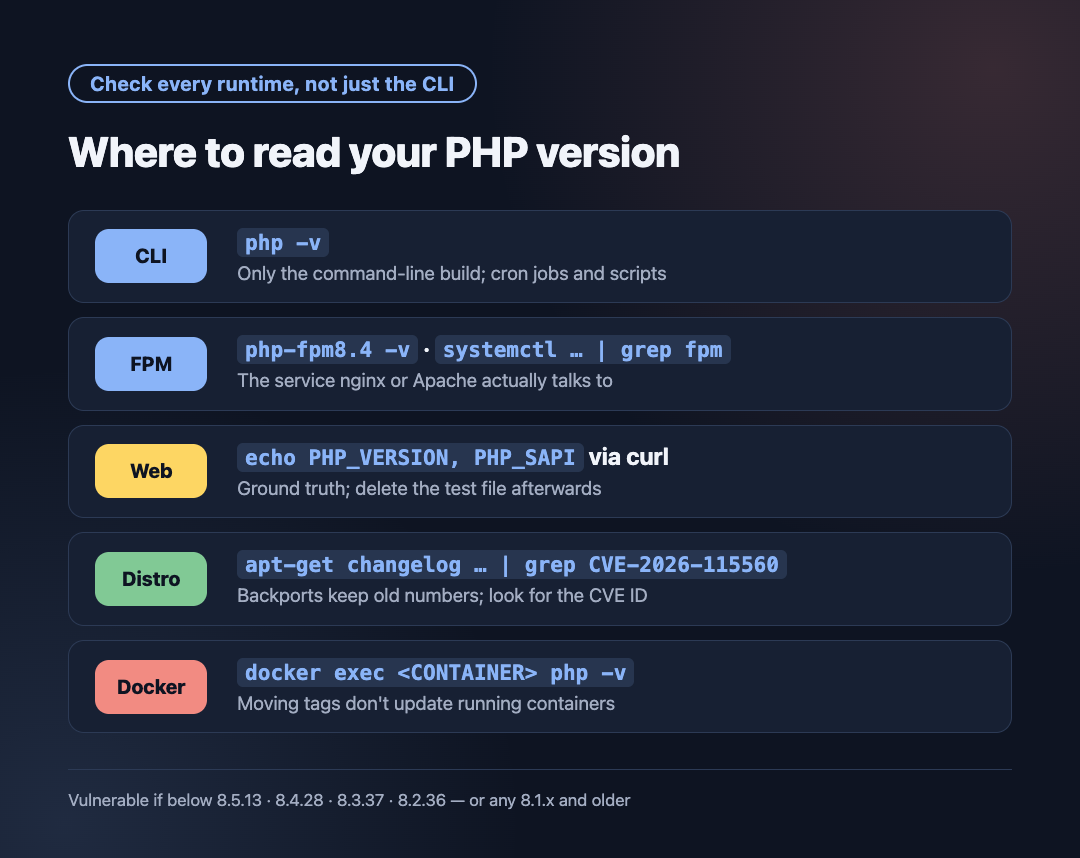
The most common mistake is checking php -v and stopping there. The CLI binary, the PHP-FPM service and Apache's mod_php can be different builds. Check each runtime that actually serves requests.
Command line and PHP-FPM
php -v                     ## CLI build

## PHP-FPM binary (name depends on distro)
php-fpm -v 2>/dev/null || php-fpm8.4 -v 2>/dev/null || php-fpm8.3 -v

## Which FPM services are running (Debian/Ubuntu naming)
systemctl list-units --type=service | grep -i fpm
Example output:
PHP 8.4.27 (cli) (built: Oct 22 2026 ...) (NTS)Vulnerable means the version is lower than the fixed one for its branch: below 8.5.13, 8.4.28, 8.3.37 or 8.2.36. Any 8.1.x or older build is vulnerable for good.
What the web server really runs
Drop a one-line file into the web root, load it once, then delete it.
echo '<?php echo PHP_VERSION, " ", PHP_SAPI;' | sudo tee /var/www/html/v.php
curl -s https://<YOUR_DOMAIN>/v.php     # e.g. "8.4.27 fpm-fcgi"
sudo rm /var/www/html/v.php
Distro packages (Debian, Ubuntu, RHEL)
Distribution packages often keep the old upstream number and backport fixes. For those, the version string alone doesn't tell you. Search the package changelog for one of the new CVE IDs instead:
## Debian / Ubuntu
dpkg -l | grep -E 'php[0-9.]+-(fpm|cli|common)'
apt-get changelog php8.4-common 2>/dev/null | grep -c CVE-2026-115560

## RHEL / Alma / Rocky / Fedora
rpm -q php-common php-fpm
rpm -q --changelog php-common | grep -c CVE-2026-115560
A count of 0 means your installed package doesn't mention the fix yet. As of November 20 I could not confirm a Debian, Ubuntu or Red Hat package update for these CVEs. Check your distro's security tracker before you assume you're patched.
Docker containers
docker ps --format '{{.Names}}\t{{.Image}}'
docker exec <CONTAINER> php -v
Tags like php:8.4-fpm are moving tags. A container started last week still runs last week's image until you pull and recreate it.
Are you exposed to the FPM and session bugs?
These two checks tell you whether the most practical Critical paths apply to you:
## FastCGI connection reuse (request smuggling, GHSA-qc49)
sudo nginx -T 2>/dev/null | grep -n fastcgi_keep_conn
sudo grep -rn "enablereuse" /etc/apache2 /etc/httpd 2>/dev/null

## Session settings as the web SAPI sees them (run via the v.php trick or php-fpm -i)
php-fpm8.4 -i 2>/dev/null | grep -E 'session.upload_progress.enabled|session.serialize_handler|zend.exception_ignore_args|fatal_error_backtraces'
fastcgi_keep_conn on or enablereuse=on puts you in scope for request smuggling. session.upload_progress.enabled => On puts you in scope for the session bugs.
How to update PHP to 8.5.13, 8.4.28, 8.3.37 or 8.2.36
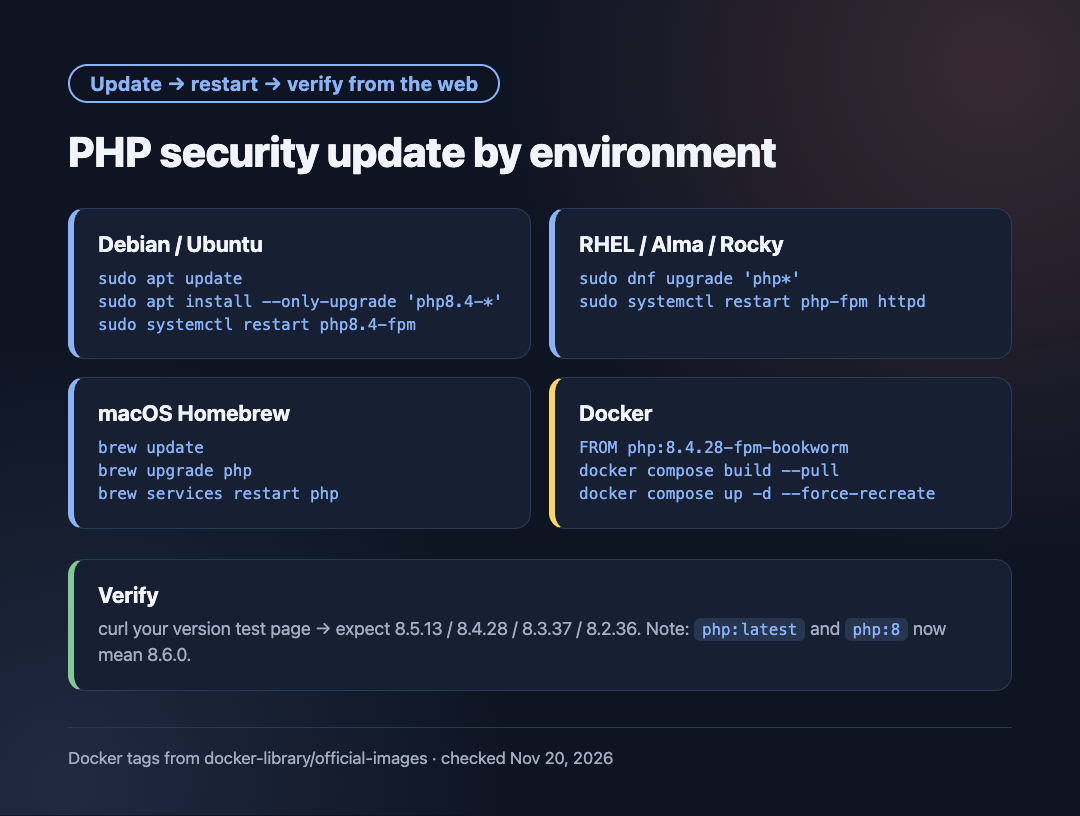
Update, restart, then re-check the version from the web side. The restart matters: PHP-FPM workers keep the old code in memory until the master process restarts.
Debian and Ubuntu
If you use your distro's own PHP packages:
sudo apt update
apt list --upgradable 2>/dev/null | grep -i php
sudo apt install --only-upgrade 'php8.4-*'      # match your branch
sudo systemctl restart php8.4-fpm               # and/or: sudo systemctl restart apache2
If you use Ondřej Surý's packages (the ppa:ondrej/php PPA or packages.sury.org), new builds were in progress on November 19. Run the same commands. If apt list --upgradable shows nothing yet, use the mitigations below and check again later. The same upgrade flow applies to an Ubuntu 26.10 server.
RHEL, Alma, Rocky and Fedora
sudo dnf check-update 'php*'
sudo dnf upgrade 'php*'
sudo systemctl restart php-fpm httpd
On Remi's repository, dnf upgrade picks up the new builds once Remi publishes them.
macOS (Homebrew)
brew update
brew upgrade php            # or php@8.4, php@8.3, php@8.2
brew services restart php
Docker
The official image library lists 8.5.13, 8.4.28, 8.3.37 and 8.2.36 tags in cli, apache, fpm and zts variants (Debian trixie/bookworm and Alpine 3.23/3.24). Note that php:latest and php:8 now point to 8.6.0. Pin the branch you actually run:
FROM php:8.4.28-fpm-bookwormdocker compose build --pull
docker compose up -d --force-recreate
docker exec <CONTAINER> php -vIf you rebuild images often, it's also a good moment to check that container logs are capped. My guide to Docker log rotation shows the daemon.json setting.
Confirm the fix
curl -s https://<YOUR_DOMAIN>/v.php     # expect 8.5.13 / 8.4.28 / 8.3.37 / 8.2.36
ps -o pid,lstart,cmd -C php-fpm8.4      # start time should be after your upgrade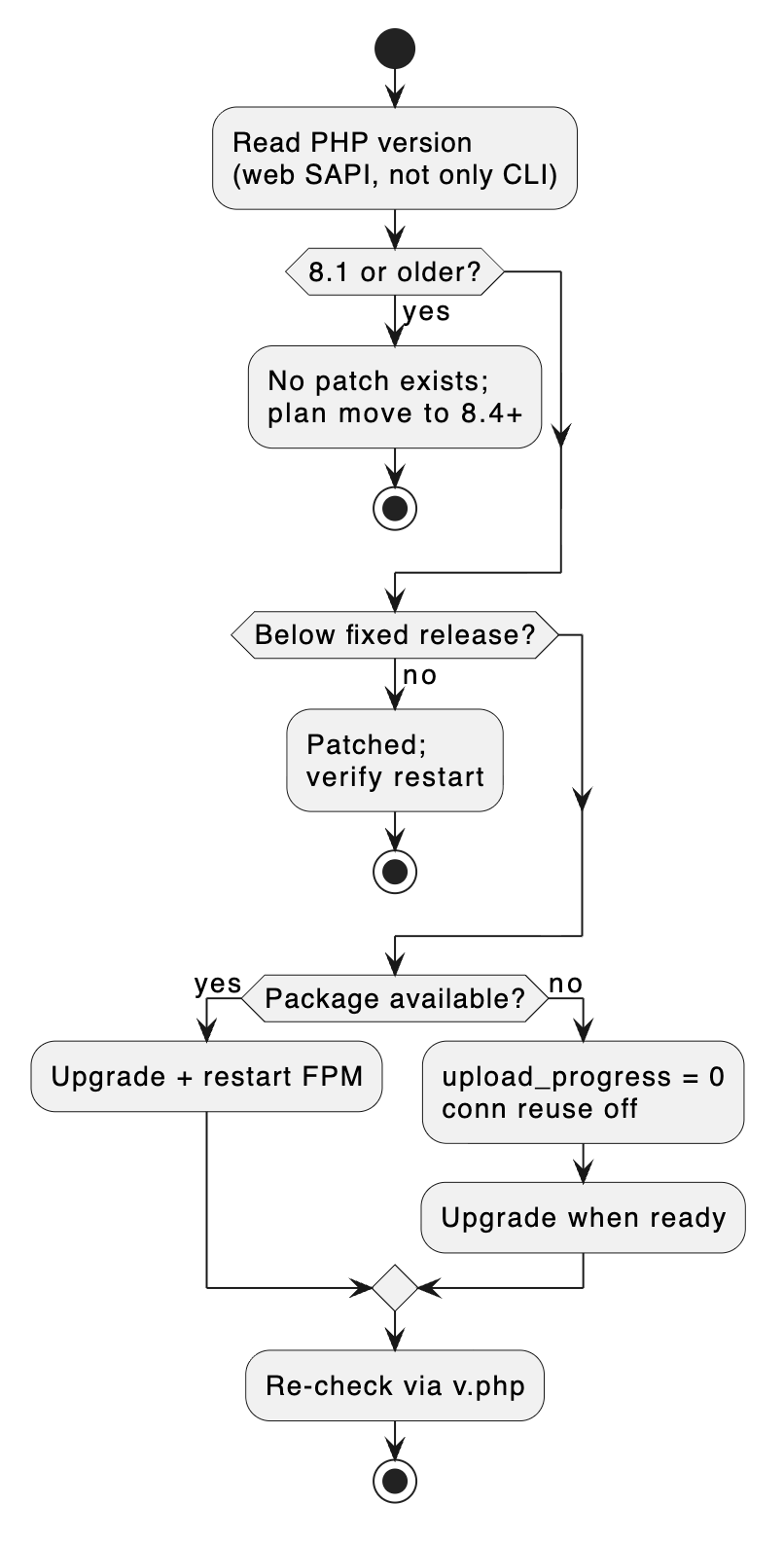
View PlantUML source
@startuml
skinparam shadowing false
skinparam defaultFontSize 14
start
:Read PHP version\n(web SAPI, not only CLI);
if (8.1 or older?) then (yes)
  :No patch exists;\nplan move to 8.4+;
  stop
endif
if (Below fixed release?) then (no)
  :Patched;\nverify restart;
  stop
endif
if (Package available?) then (yes)
  :Upgrade + restart FPM;
else (no)
  :upload_progress = 0\nconn reuse off;
  :Upgrade when ready;
endif
:Re-check via v.php;
stop
@enduml
Can't update PHP yet? Temporary mitigations
These come from the advisories. Each one closes a specific path, not all of them, so treat them as a bridge to the upgrade.
| Setting | Closes | Side effect |
|---|---|---|
session.upload_progress.enabled = 0 (php.ini or FPM pool, not ini_set()) | GHSA-658j, helps against GHSA-fm2m | Upload progress bars that poll the session stop working |
nginx: remove fastcgi_keep_conn on; Apache: drop enablereuse=on | GHSA-qc49 request smuggling | A new FastCGI connection per request; small overhead |
zend.exception_ignore_args = 1 | GHSA-8mjj (8.5) | Stack traces no longer show argument values |
fatal_error_backtraces = 0 | GHSA-2fjv, also GHSA-8mjj (8.5) | Fatal errors lose their backtrace |
Fix startup warnings, or error_log = syslog | GHSA-gr4f | Logs move to syslog/journald |
pm.max_requests = 1 | GHSA-g3vh (8.3–8.5) | Heavy CPU cost; one request per worker |
The advisory text is explicit on two points. Calling ini_set() from the application is too late for the session setting; set it in php.ini or the pool config. And display_errors=0 does not stop the backtrace bugs.
; /etc/php/8.4/fpm/conf.d/99-nov2026-mitigation.ini
session.upload_progress.enabled = 0
zend.exception_ignore_args = 1
sudo systemctl restart php8.4-fpmAlso make sure PHP-FPM listens only on a Unix socket or localhost. The FPM advisory warns against exposing FPM or LSAPI listeners to untrusted networks:
sudo ss -ltnp | grep -E 'php-fpm|:9000'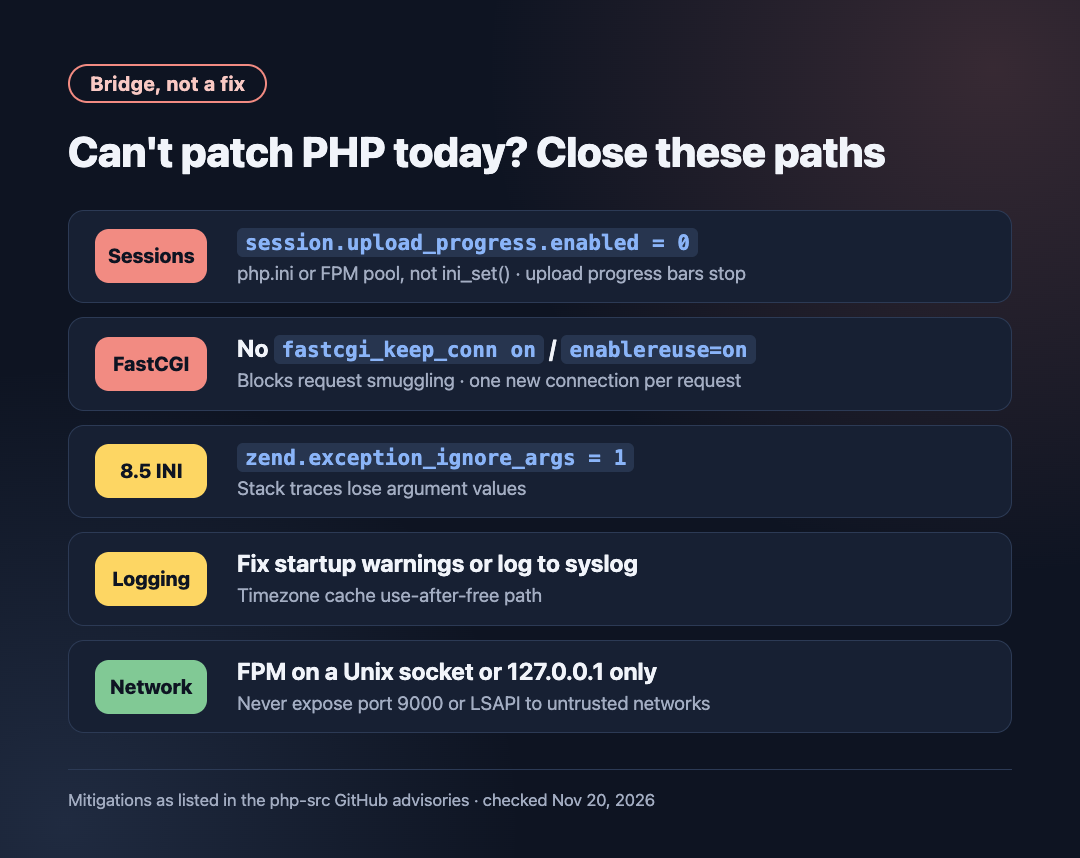
Decision table: patch now or this week?
| Your setup | Priority |
|---|---|
PHP-FPM behind nginx with fastcgi_keep_conn on, or Apache with enablereuse=on | Patch now; turn reuse off until you do |
Public app with session.upload_progress.enabled = On (the default before this release) and Composer libraries like Guzzle or Monolog | Patch now; disable upload progress today |
PHP 8.5 with zend.exception_ignore_args = 0 | Patch now |
| Standard php.ini-production, no connection reuse, internal tools only | Patch this week |
| CLI-only scripts and cron jobs with no web input | Patch this week; low exposure |
| PHP 8.1 or older | No fix will come. Mitigate now and plan an upgrade to 8.4 or 8.5 |
| PHP 8.2 | Patch now, and note that security support ends Dec 31, 2026 |
If you run WordPress, the PHP upgrade is separate from WordPress core updates. My notes on the WordPress CVE-2026-119977 patch cover the core side.
Troubleshooting after the PHP update
The web server still reports the old version. The FPM master wasn't restarted, or there are two PHP versions installed and nginx points at the other socket. Check fastcgi_pass in the nginx config against ls /run/php/ and restart the matching phpX.Y-fpm service.
Upload progress bars stopped working. The advisory for CVE-2026-115560 says the fix disables session upload progress by default. Turn it back on only if every app and pool that shares the session store uses the same session.serialize_handler.
The Docker container still runs the old build. docker compose up -d reused a cached image. Rebuild with --pull and recreate with --force-recreate. If you used php:8 or php:latest, you may have jumped to 8.6.0 by accident; pin the branch tag.
No package update yet. PPA and distro builds can lag the upstream release by a day or more. Apply the mitigations table, watch apt list --upgradable or dnf check-update, and recheck the changelog for the CVE ID.
How to roll back
If the new build breaks your app, roll back only as a short stopgap, with the mitigations above in place:
## Debian/Ubuntu: list available versions, then pin the previous one
apt-cache policy php8.4-fpm
sudo apt install php8.4-fpm=<PREVIOUS_VERSION> php8.4-cli=<PREVIOUS_VERSION> php8.4-common=<PREVIOUS_VERSION>

## RHEL family
sudo dnf downgrade 'php*'

## Docker: set the previous patch tag temporarily in the Dockerfile,
## e.g. FROM php:8.4.27-fpm-bookworm, then rebuild and recreate
A rolled-back server is still vulnerable. Open a ticket with the error, fix the app, and move forward again.
FAQ
Is PHP 8.5.13 a security update or a feature release? It's a security release. The php.net announcement calls it "a security release" and asks all PHP 8.5 users to upgrade. New features belong to PHP 8.6.0, released the same day.
Are these PHP vulnerabilities being exploited? As of November 20, 2026, none of the advisories or articles I checked reported exploitation of the November bugs. The October PHP2Shell bug (CVE-2026-109619) is reported as widely exploited, which is a good reason not to wait.
Do I need to upgrade to PHP 8.6 to be safe? No. 8.5.13, 8.4.28, 8.3.37 and 8.2.36 carry the fixes for their branches. Stay on your branch today and plan the 8.6 move separately.
I'm on PHP 8.1. Is there a patch? No. PHP 8.1 and older no longer receive updates from the PHP project. Some distributions and commercial vendors backport fixes for their own packages; check your vendor. Otherwise apply the mitigations and plan an upgrade.
Does php -v prove my website is patched? No. It shows the CLI build. Check the version through the web server (the v.php test) or the FPM binary, and restart FPM after upgrading.
References
- PHP 8.5.13, 8.4.28, 8.3.37, 8.2.36 release announcements — php.net (checked Nov 20, 2026)
- PHP 8 ChangeLog — php.net (checked Nov 20, 2026)
- Security advisories — php/php-src on GitHub (checked Nov 20, 2026)
- GHSA-qc49-hpvq-g2w6: PHP-FPM request smuggling (checked Nov 20, 2026)
- GHSA-658j-r8rw-q6mx: session serializer mismatch (checked Nov 20, 2026)
- Supported versions — php.net (checked Nov 20, 2026)
- Official image tags for php — docker-library/official-images (checked Nov 20, 2026)
- PHP Patches Seven Critical RCE Vulnerabilities — SecurityWeek (Nov 19, 2026; checked Nov 20, 2026)
Next step after patching: if your servers still carry PHP 8.2, put the move to 8.4 or 8.5 on the calendar now, because 8.2 gets its last security fixes on December 31, 2026.